Technote: P-38 Lightning Coolant Rad.

Technote: P-38 Lightning Coolant Rad Scoop.

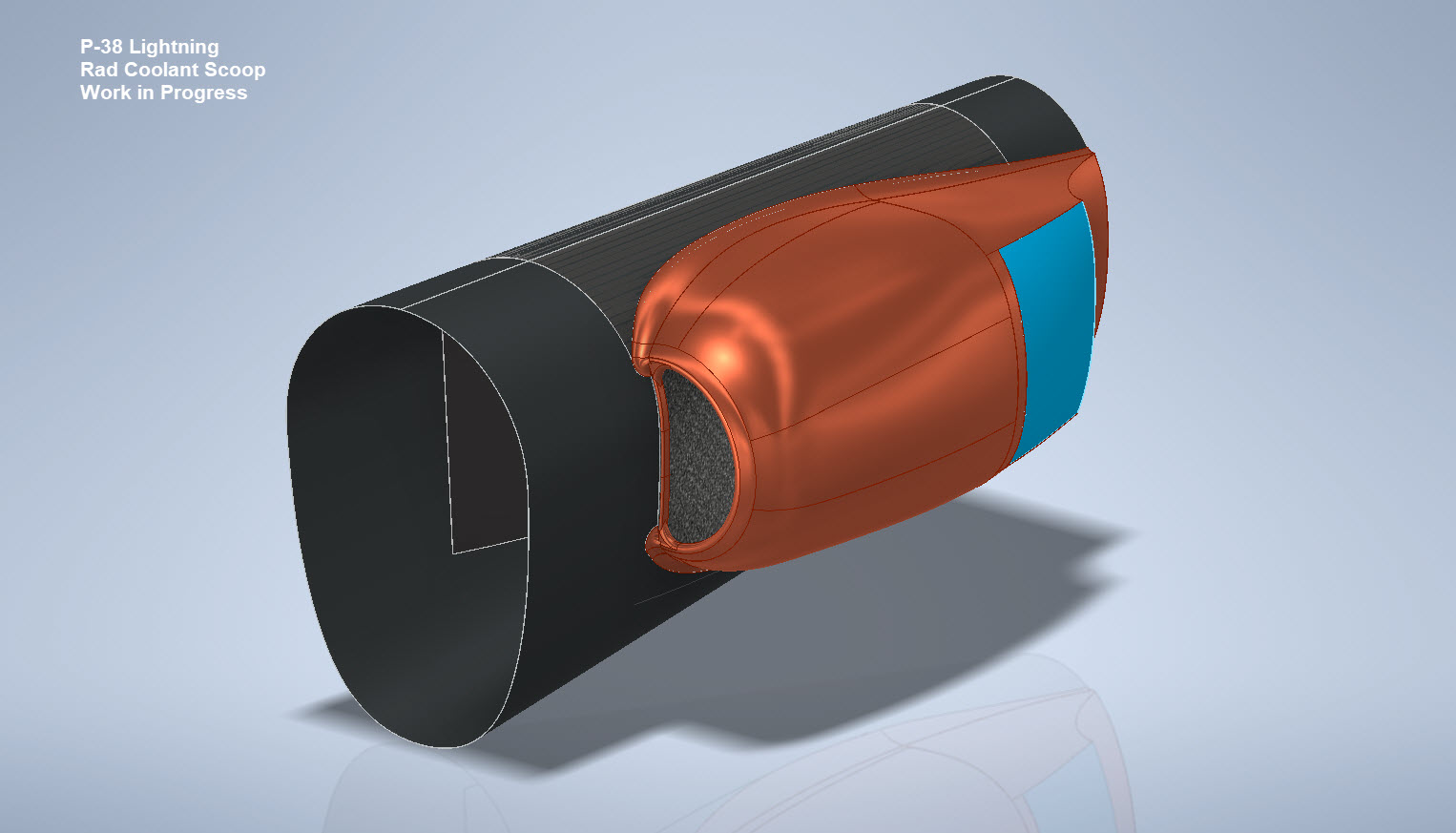
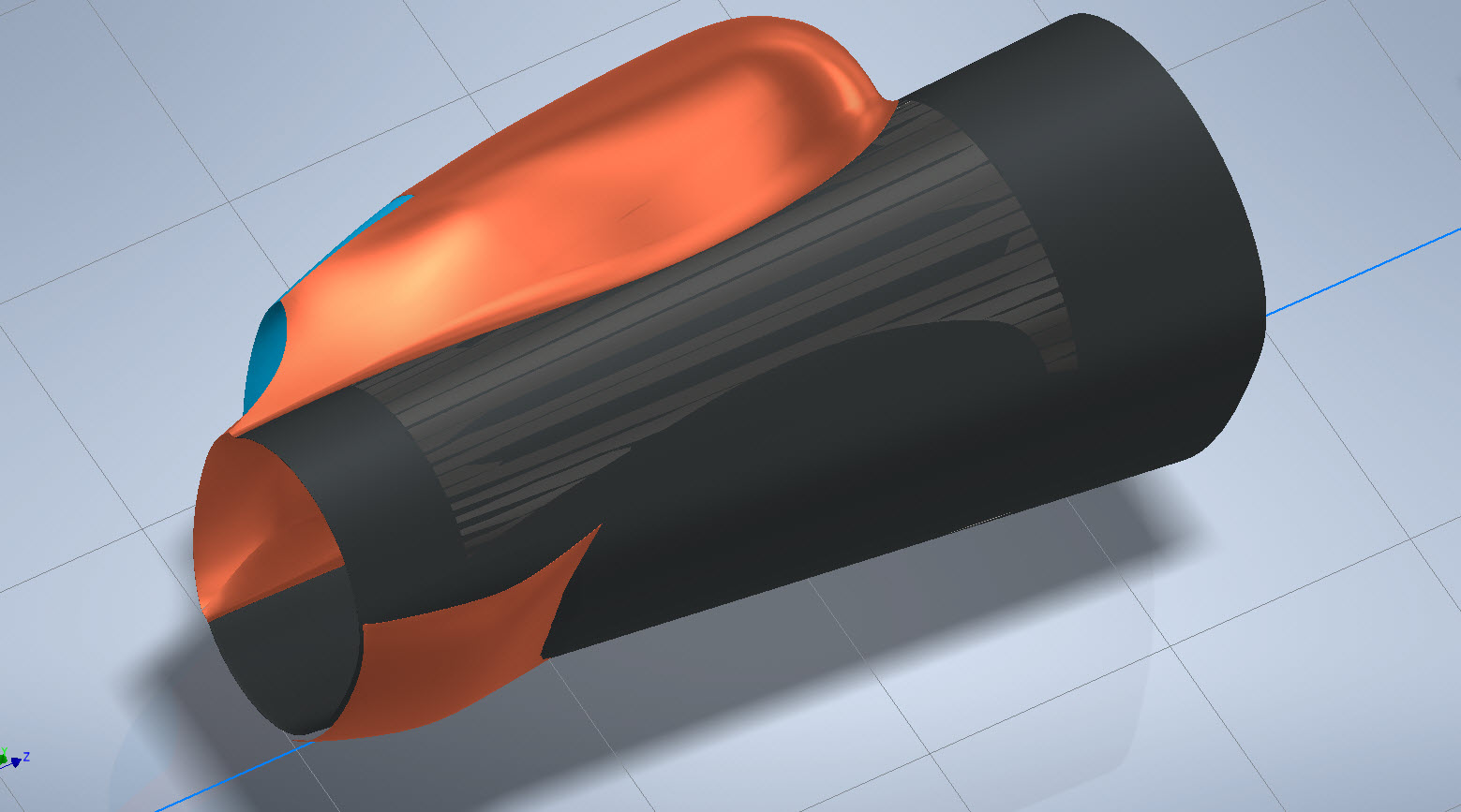
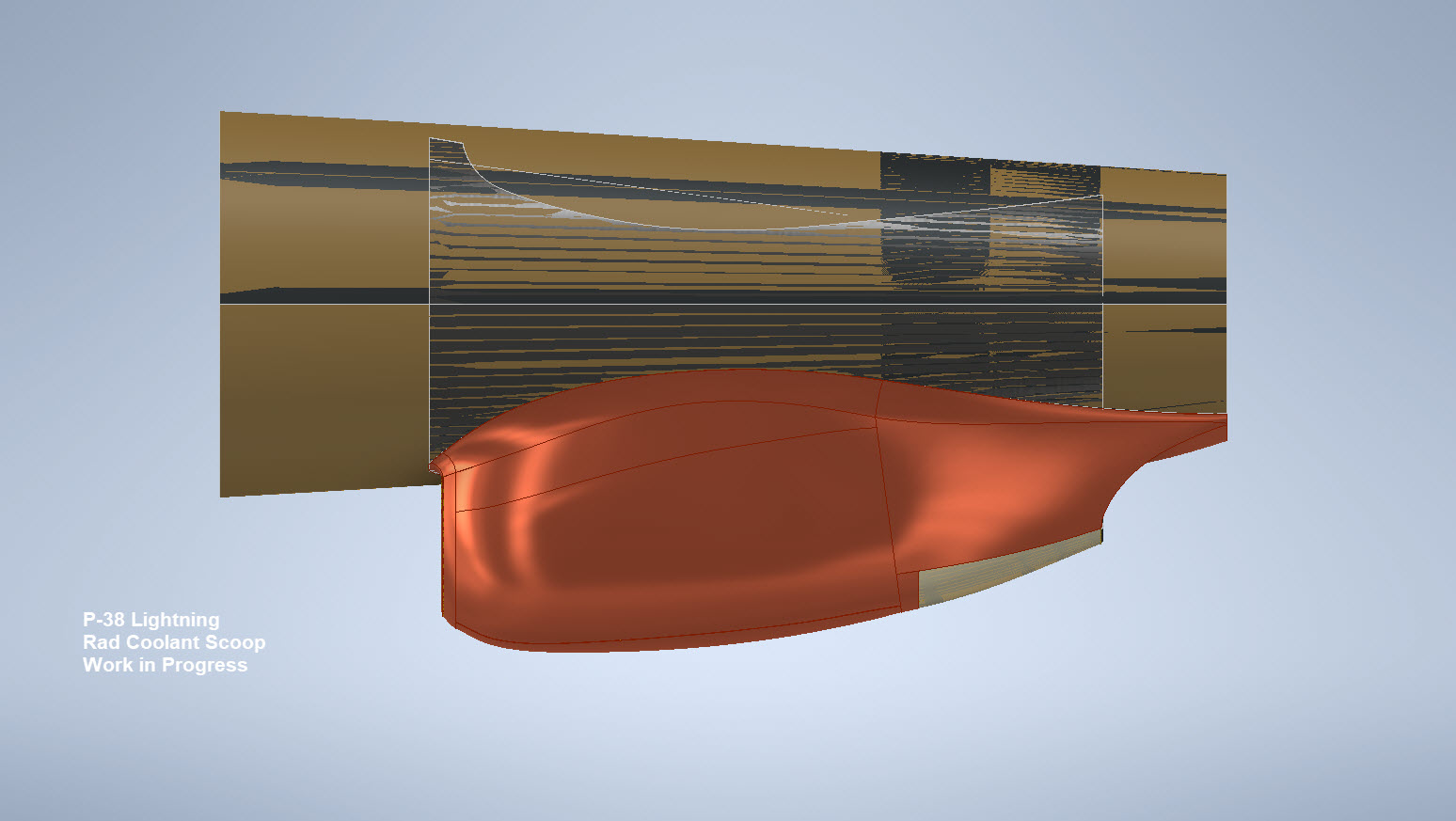
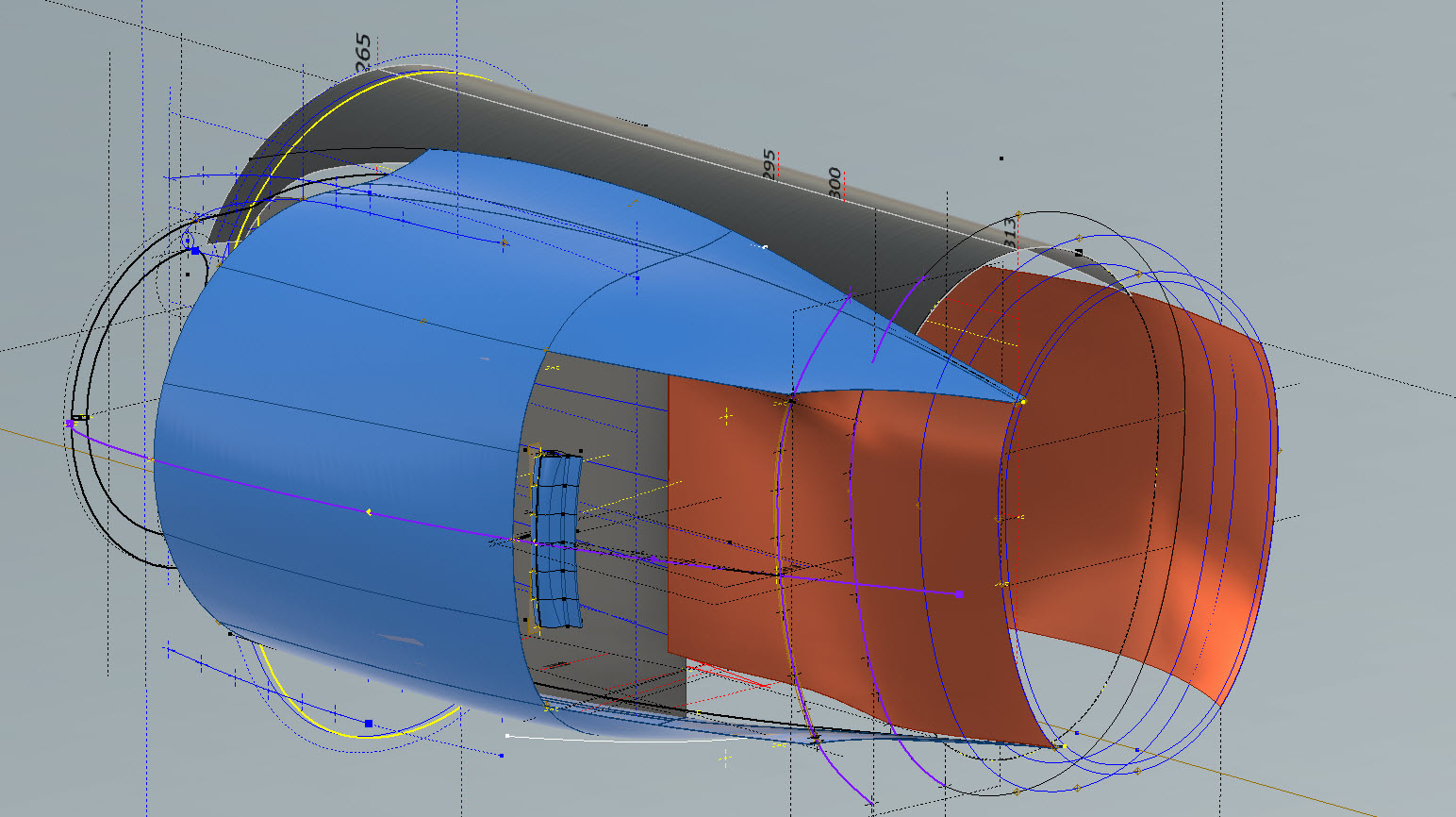
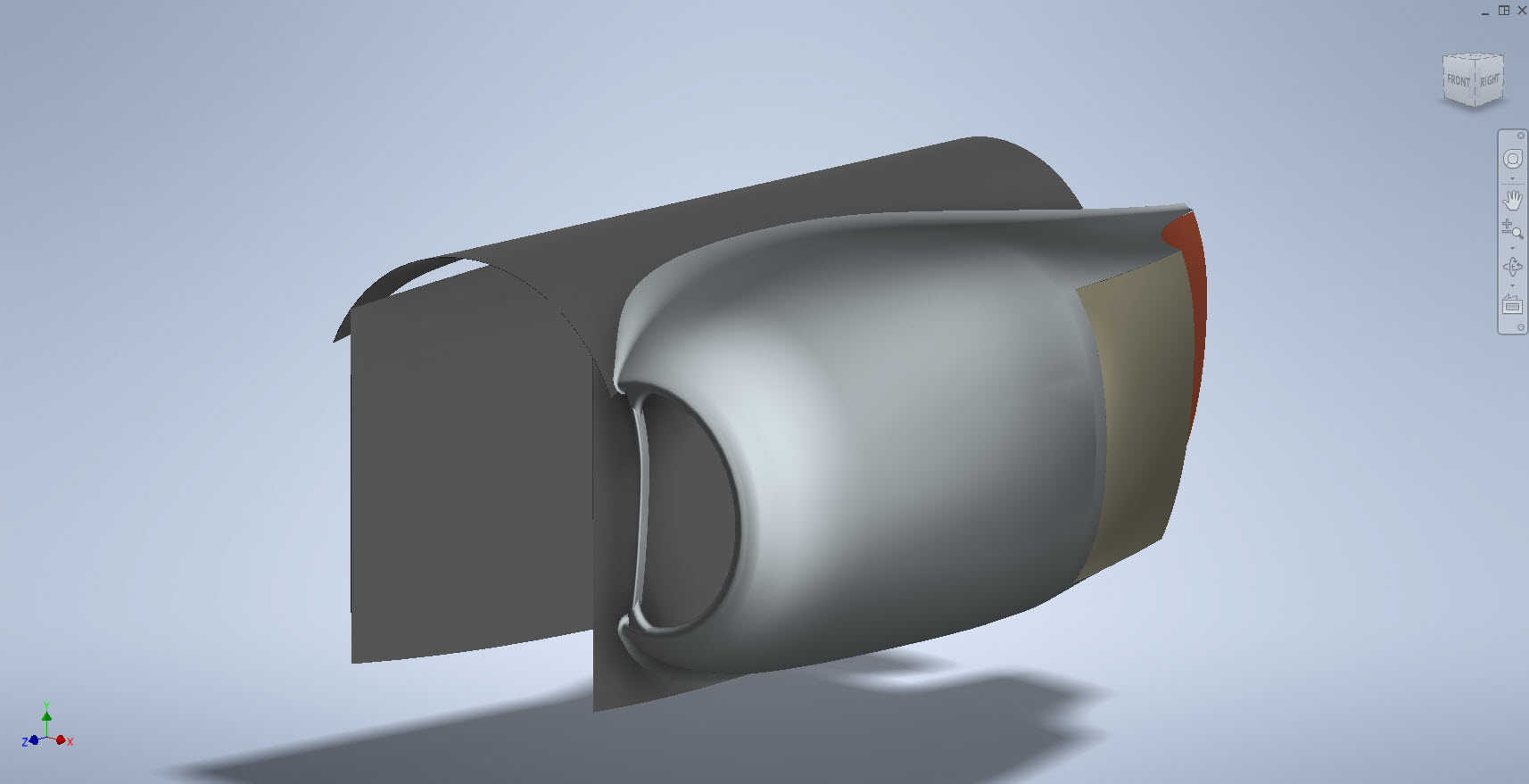
My latest endeavour is to model the Coolant Rad Scoop and later on the Engine Cowl for the P-38J. This is the Coolant Rad Scoop which was very challenging. There is not a lot of dimensional information on the drawings for this scoop which is larger and wider than the previous versions.

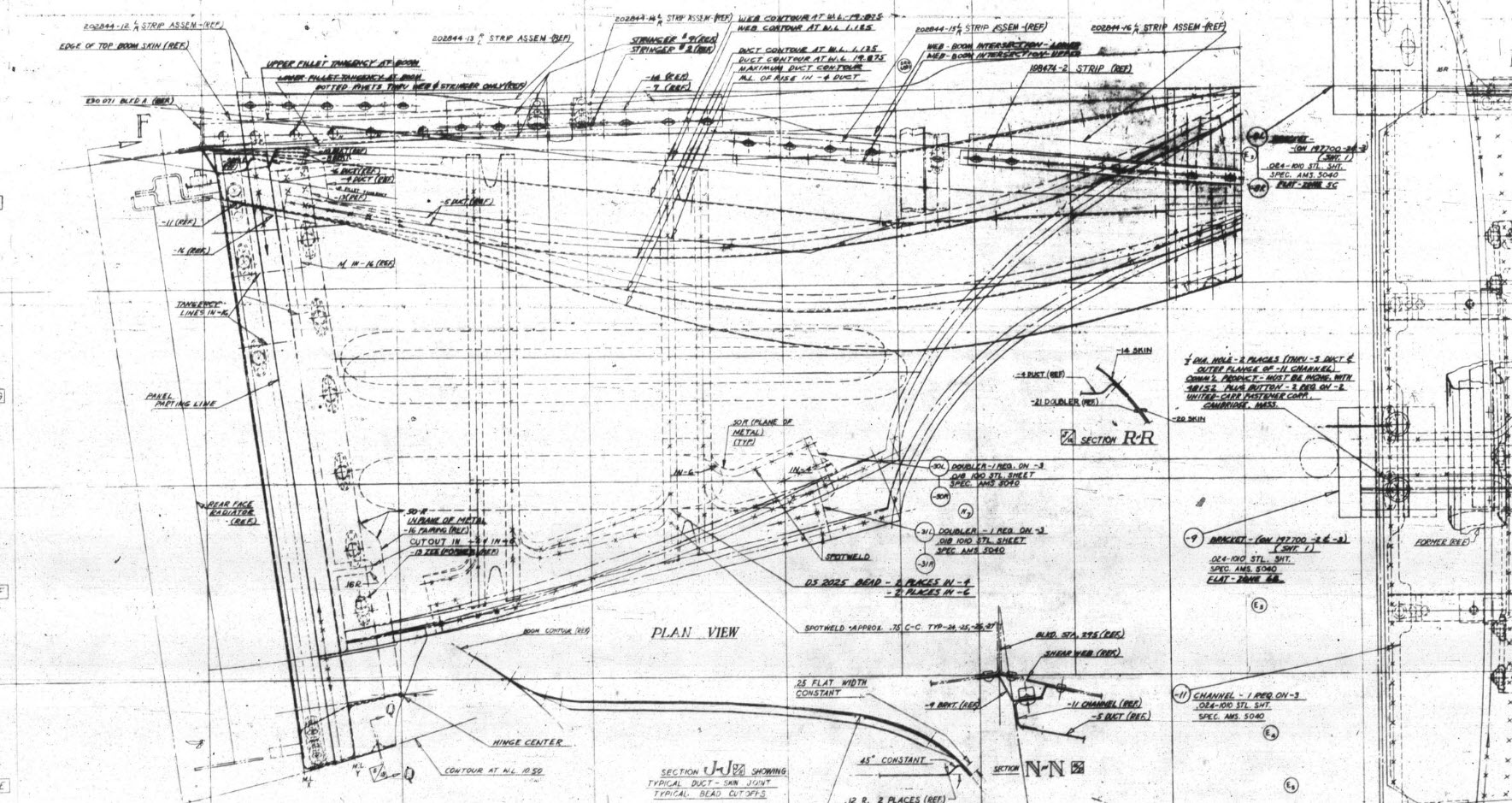
I would say this finished model is probably as close to the real thing as I can get given the complete lack of decent information. The Lockheed drawings for this scoop are largely predicated on known ordinate information which unfortunately is not available in the microfilm archives. What we do have though is a 5″ grid overlaid on the drawings…this in itself is a puzzle because what they have done is divide the drawings into 5″ square grids which may or not be relevant to end views and cross sections…so using the grid as a positional aid is inconsistent.

There are of course good references to the Stations which help a lot. One of the key decisions is interpreting what is an arc radius and what is a spline…I made some decisions on this early on and opted for a circular profile of the inlet and the second frame and beyond that a spline with ordinates at every 5″. It was a close match to the profiles on the drawings but if it is what the designer intended I have no idea.

Scaling digital copies of the drawings and using them as a background for building CAD models is not something I am keen on doing. I did write an article way back on scaling in X and Y directions…I shall get the link and post it here.

Fortunately, this model is being used for a CFD study so microdimensional accuracy isn’t required. The final model is what is best described as a close approximation…I don’t do close approximations…this is the exception…though I may have to undergo a similar exercise for the engine cowl!!

Inventor is probably not the best CAD product for serious surface modelling that is dependent on dimensional information. Sure they have the usual lofts, patches, sweeps and of course freeform. Freeform is a very organic feature that can work with other surface-derived types but it does not regenerate when that sketch geometry changes; a serious omission which I understand is on the Autodesk to-do list. Even the standard Loft feature is flawed.

For example, if you have 2 sketches that contain concentric profiles (like the ends of a tube) this cannot be lofted in Inventor…it just cannot be done. The other issue I have with this command is when you loft using guidelines or rails. No matter how precise your modelling there will be times this will not work…so you redo the lines over and over again…double checking everything and eventually it may work. Yet if you use the sweep command using the same profiles and rails it will work…so there are some serious issues with lofting that Autodesk really need to fix.

I think Autodesk need to take a leaf out of the Dassault workbook…I believe it was in Solidworks 2010 that Dassault decided to revise all the commands and features within the product…resolving glitches, adding functionality to existing functions and generally cleaning up the product. The main fear of the media at that time was whether there was enough to tempt users to upgrade…that was a stupid concern if a product is better and everything works as it should of course that is an absolute no-brainer, folks will upgrade and they did.

Even though Inventor has a number of glitches, I quite like the product and it is generally rather good but I do think it could be a lot better. When something does not work as it should then you can spend hours just developing workarounds to achieve the end result…time for a product cleanup.

I actually prefer Solidworks but Dassault does themselves no favours when it comes to product accessibility. You can’t just download a 30-day evaluation copy whereas Autodesk has a better approach with accessibility to their products. In fact, to get a 30-day evaluation of Solidworks you have to sit through a meeting with their sales rep and only then will they load it onto your computer for you…this is a real pain that you can’t just go online and download a copy. They do have an online access portal but for folks like me, that is not convenient. I don’t have time for sales reps, all I would want to do is buy online and download without the sales crap…you can buy Autodesk products online but not Dassault.

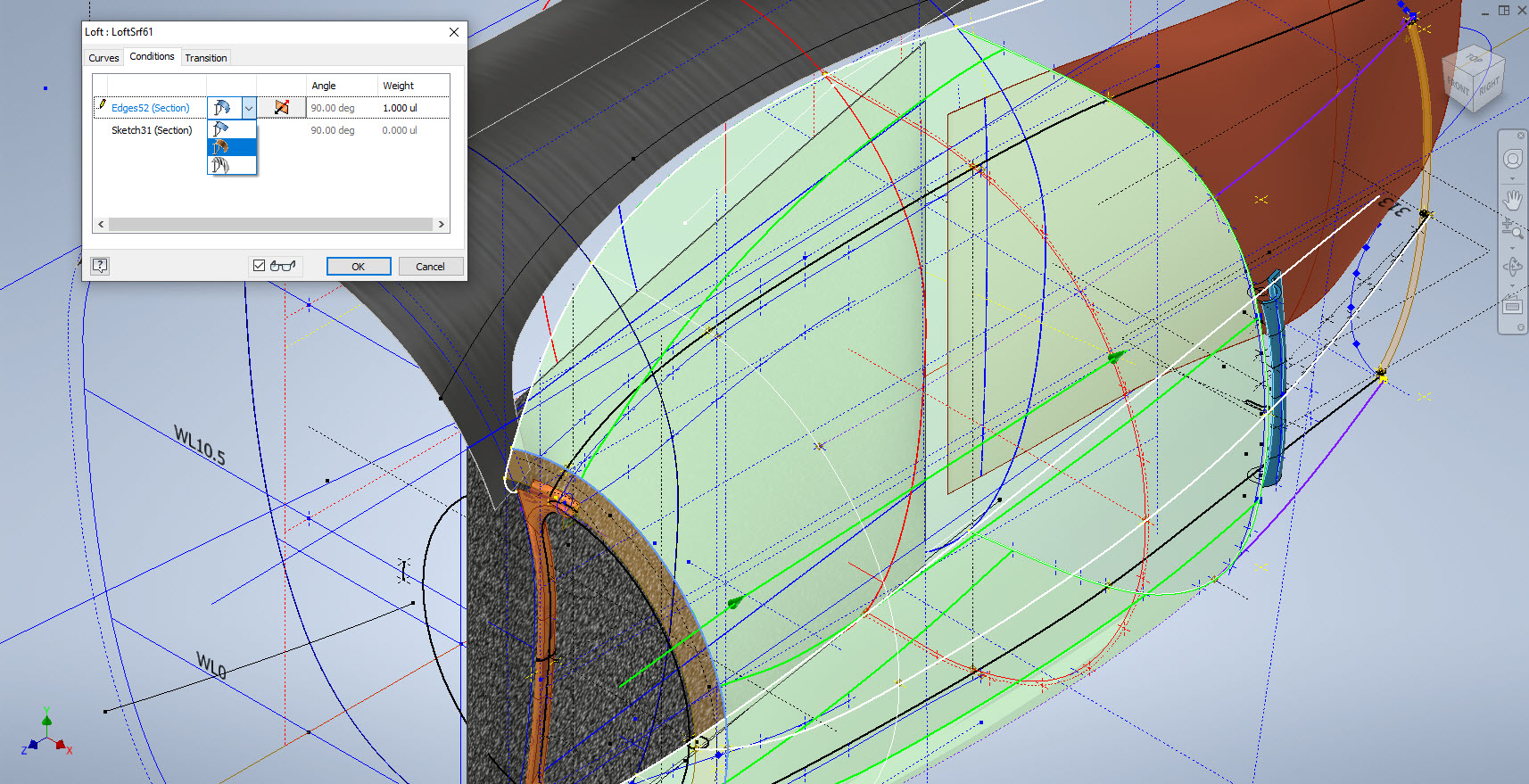
Getting back on the subject, what I wanted to mention is surface modelling. Generally, there are a few conditions for generating surfaces with Direction, Tangency or G2. If you are lofting or creating a sweep from a sketch you won’t have the latter 2 options but if you use a surface edge as a base for a loft you will get Tangent or G2 options. I like the option of G2 but comes with restrictions…it can cause problems with applying fillets (particular variable fillets) and surface offsets..so if you plan to do these late on in the model development stick to tangency. Variable fillets will not give you continuity with G2 surfaces.

When using guidelines or rails to control the curvature of a surface loft please consider using them judiciously. As I mentioned in the previous article overuse of constraining elements can create problems with the eventual surface generated. In the first image above I have several guidelines drawn but only a few have been selected…this gives you options so that can pick and choose between the various guidelines to see how the eventual surface evolves so it is worthwhile spending the extra time having these available…it does help.

When you do run into problems with surface modelling using Lofts or Sweeps occasionally it helps if you delete that surface and replace it with a Fill Patch…the reason for this is that you have more control over each edge of a surface patch that you would not otherwise have with those features.

The Scoop actually turned out quite well…it was a frustrating journey to get to this point but it is worth it.

Update 20th Oct 2022:

I decided that it would be prudent to also develop the earlier variant Coolant Rad Scoop for the P-38 D, G, and H models.

.

.

.

Technote: Inventor Sketch Blocks

Technote: Inventor Sketch Blocks

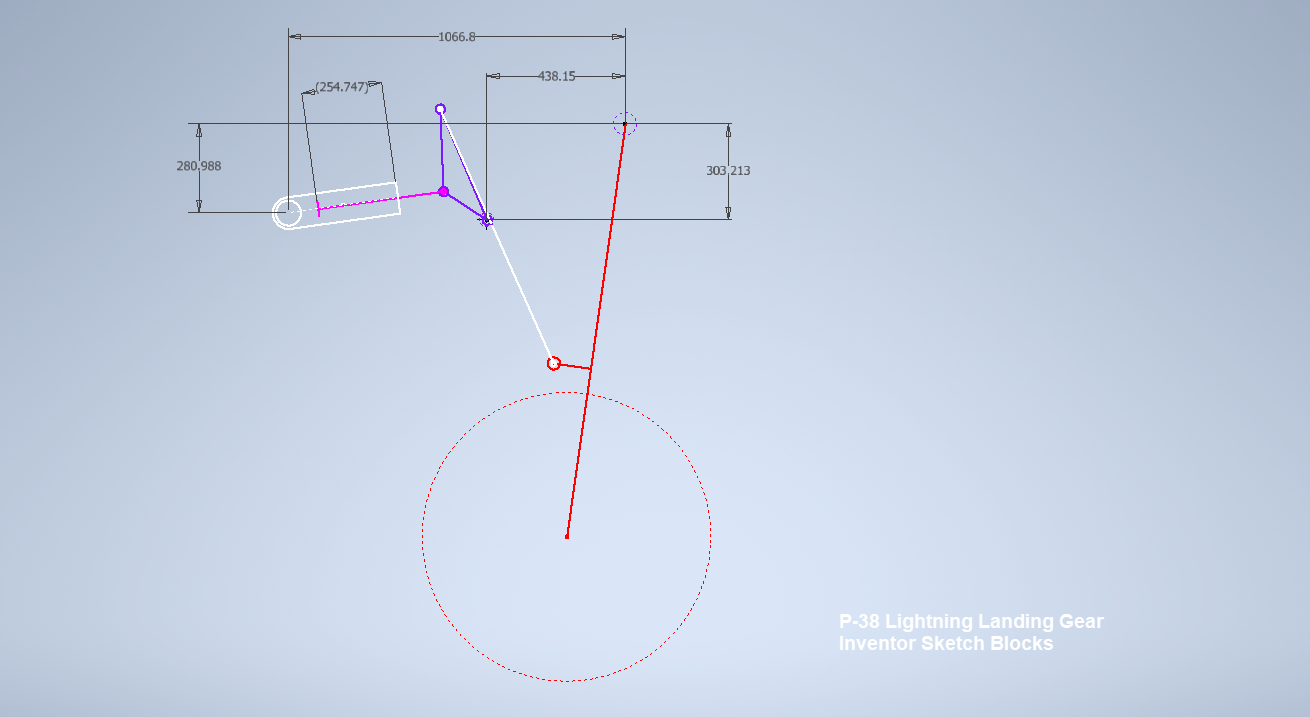
I have uploaded a video showing the mechanism for the Main Landing Gear for the Lockheed P-38 Lightning. This was created using the Inventor Sketch block feature which is a great tool to understand how these mechanisms work and provides an opportunity to examine the operational relationships.

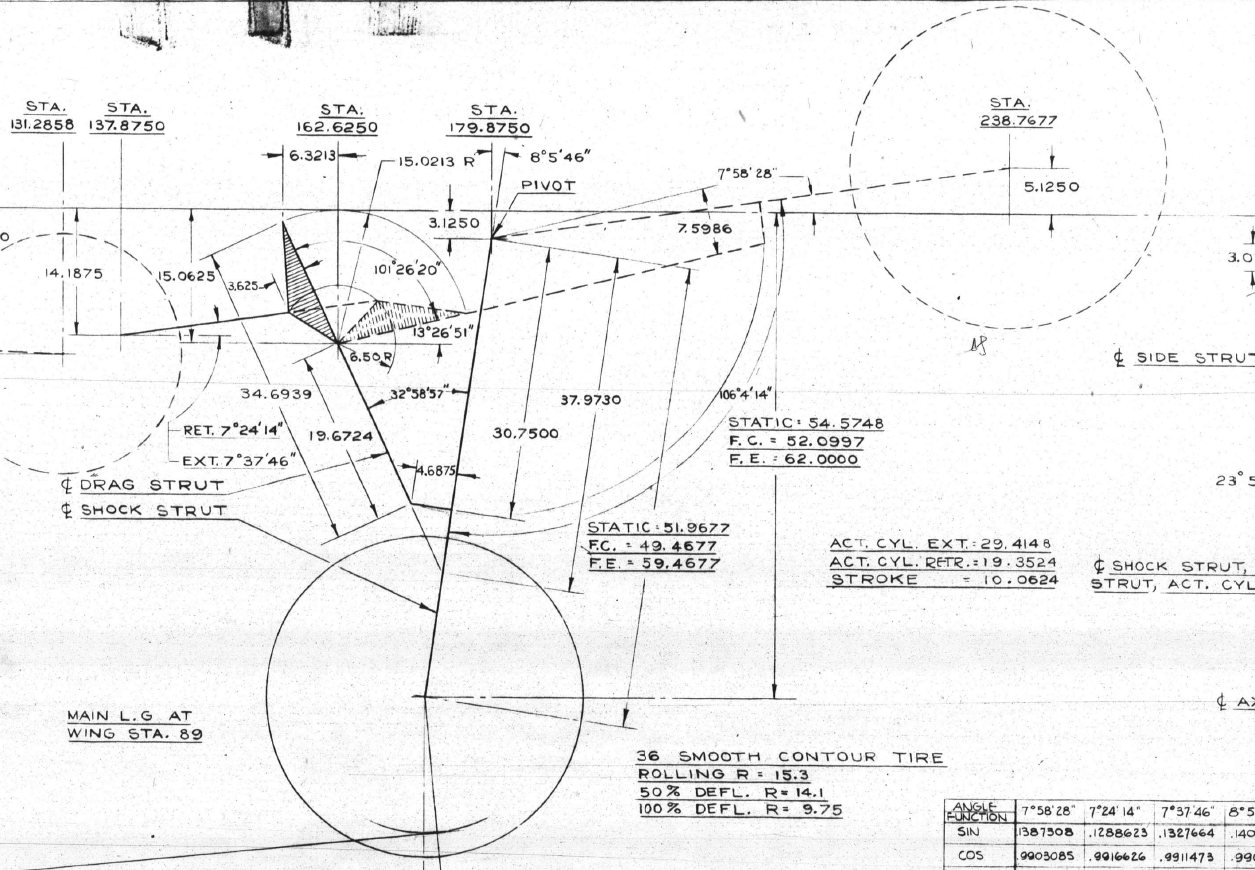
Landing Gear mechanisms are quite complex and at first glance at the drawings, it can be difficult to fathom how they actually work. One way of visualising this mechanism and understanding the extent of the operation is to use Sketch Blocks.

The way this works is that you first build your sketch; minimise constraints, and select the elements that form each of the components; whether that be hydraulic cylinders, linkages, axles etc. Then you would constrain them according to how the mechanism should work…in this example, the cylinder actuator rod is constrained to align with the centre of the cylinder and virtually everything else is concentric constraints at each of the nodes. There are a number of good Youtube videos that show how this is done.

The dimension shown is a “driven” dimension which will change according to the location of the operation. You could of course have driven dimensions for the angles to check the max and minimum inclination. The quality of the video is not great but you get the idea.

Video link: P-38 Main Landing Gear Operation

For better precision, it is always best to use the Simulation environment with relative constraints applied accordingly to confirm operational parameters but for a quick check on movement, the Sketch Block feature is a good solution prior to committing to modelling.

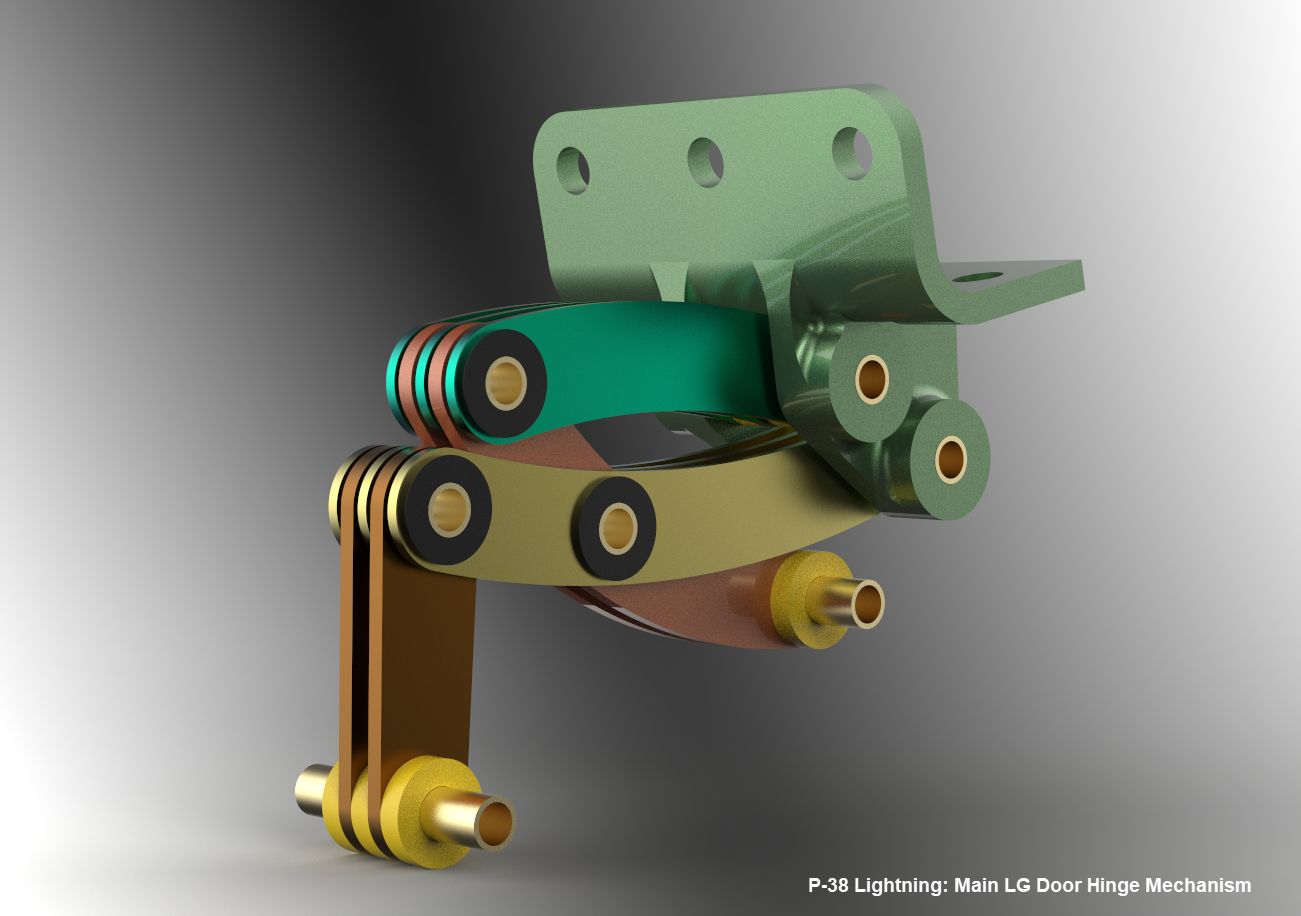
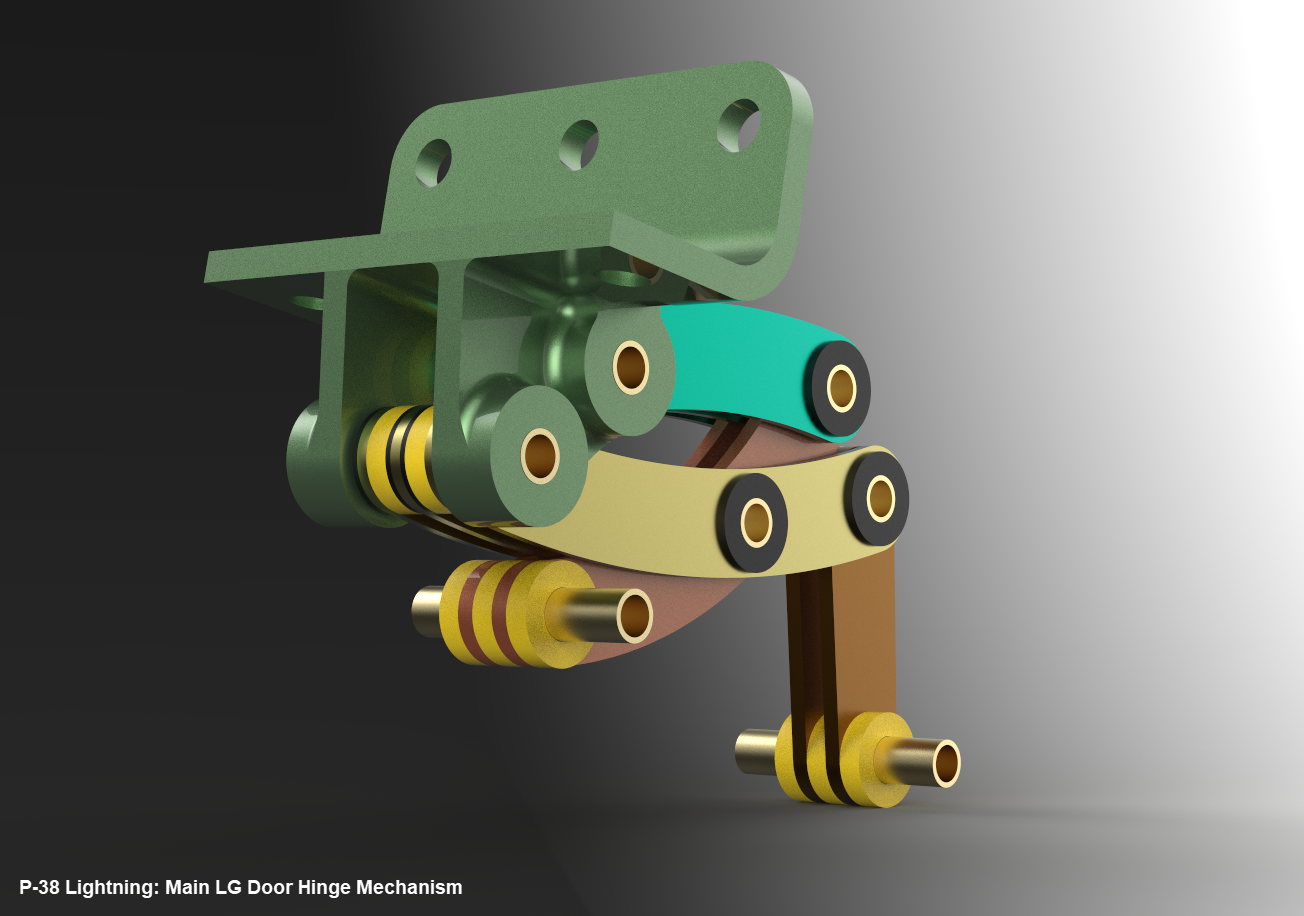
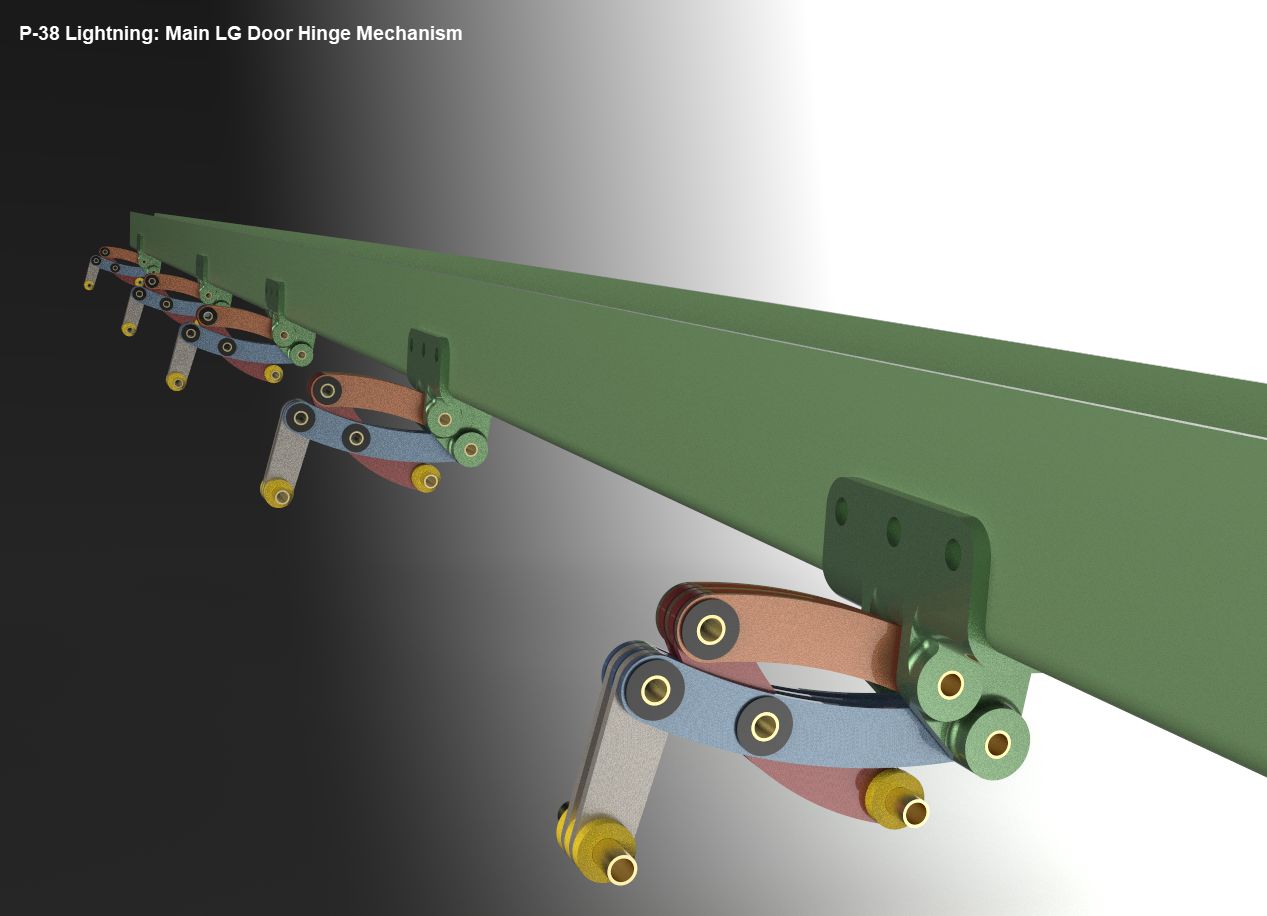
Update 16th June 2022 LG Hinges:

Have you ever wondered what the Main Landing Gear Door Hinges look like?…

Technote: P-38 Lightning Cockpit Canopy

Technote: P-38 Lightning Cockpit Canopy

These are the basic profiles for the P-38 Cockpit Canopy glass panels derived from the XP-38 drawings. Knowing that there were differences between the prototype XP-38 and the production models I was initially reluctant to accept the XP-38 dimensions for developing the cockpit canopy. The production drawings do not contain any useful information to develop these profiles nor indeed was there any drawing stating the inclination angle of the windshield. There was also not enough information from the Lockheed ordinate drawings for the fuselage frames which left me with the only option to use the XP-38 information.

It transpires the dimensions on the XP-38 drawings are indeed pertinent to the production models. There are exceptions which relate to the side windows.

The drawing on the left is the P-38H side glass frame and you can see this is dimensioned as a radius value which differs from the XP-38, which is defined by ordinate dimensions. There is also a slight variation in the overall length, so I naturally presumed that there may be other variables that conflicted with the prototype model. The only way to know for sure was to build the model based on the XP-38 and cross-check against known information with the production models.

So after 3 days of frustrating intensive work, I now have the base model for the XP-38 glass profiles and I have concluded that the profiles for the front, top and rear panels dimensionally are compatible with production variants. The only area that has marginally changed is the side panels, although changing from ordinate to radial dimensions still retains alignment with the known fuselage frames.

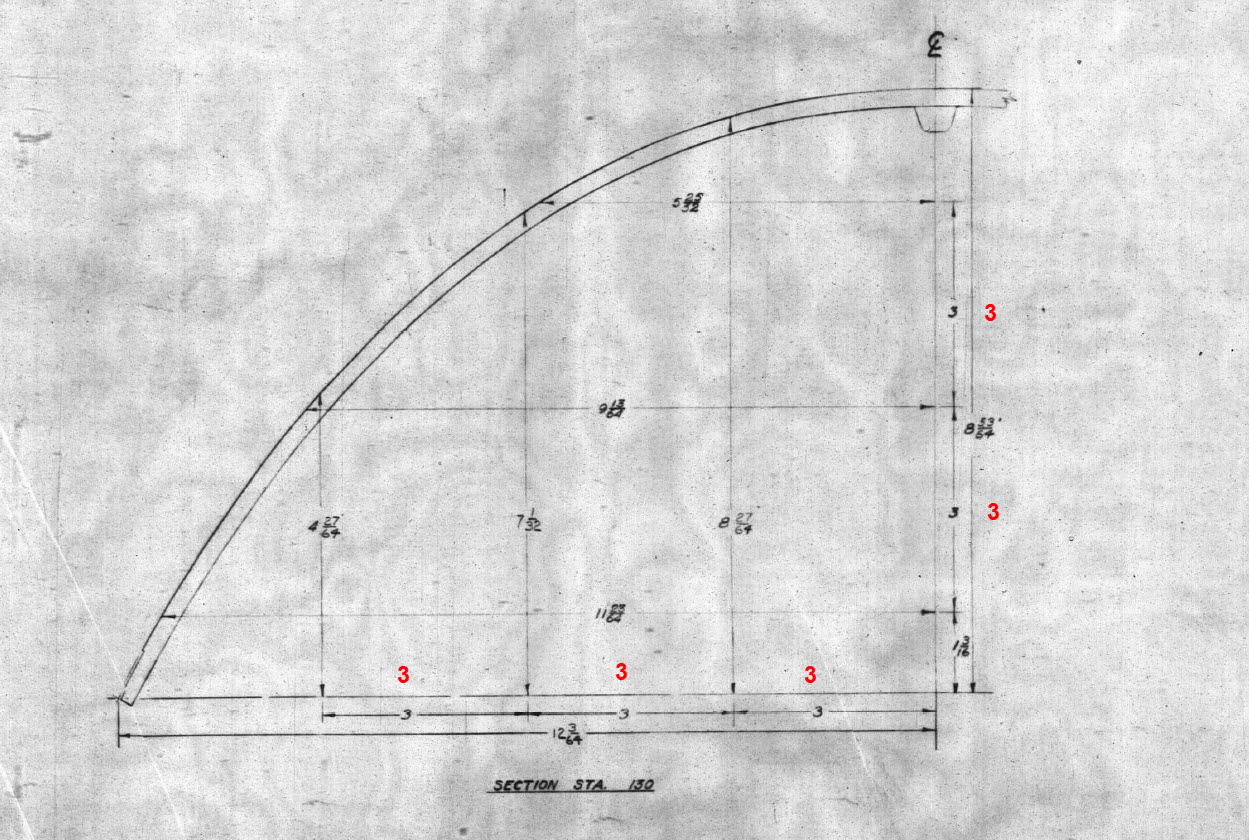
Also worth noting is that Lockheed uses a 3-inch grid system for aligning all the fuselage components which are useful when you are trying to locate these panels where no location is noted…you just have to align the 3-inch offsets to the grid. Each of the 3-inch offsets on this drawing section for example can be matched with the full-size grid to locate the correct elevation for the top glass panel and so on.

It is actually a really clever idea and helps obviate any doubt about where an item should be located.

One further tip when working with these Lockheed drawings is that for plan views and elevation views there may not be enough dimensions to fully locate a 3d point for determining a complex curved line.

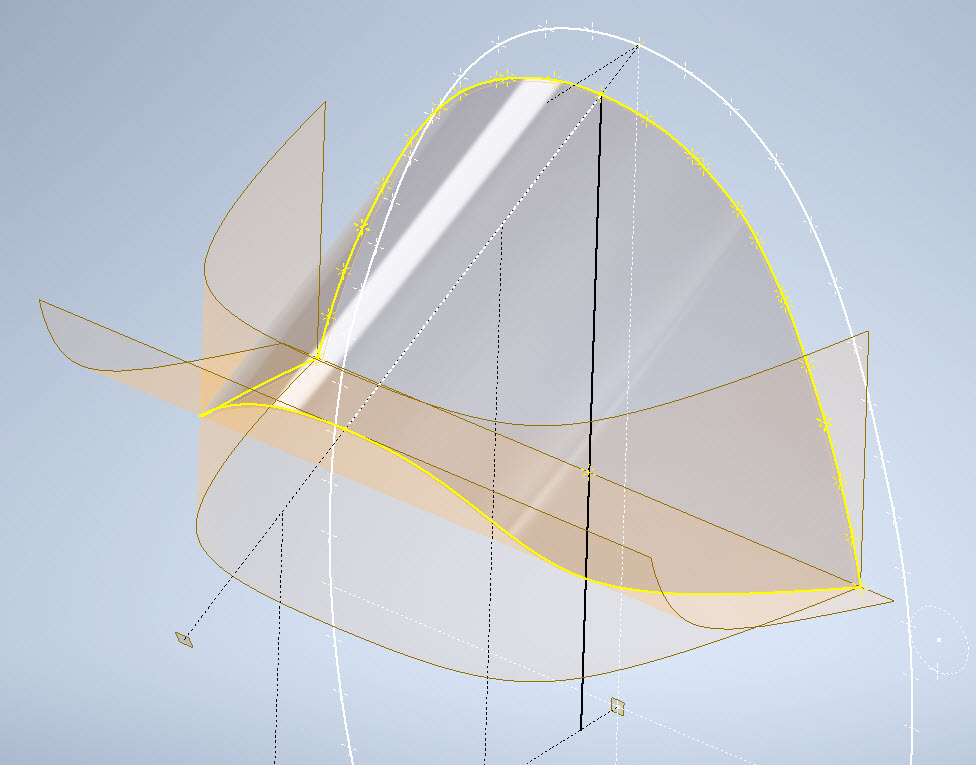
For the windshield, there was sufficient information in the vertical plane and the horizontal plane but as they were not related I could not derive specific 3d points from this data alone.

So I resolved to replicate this on 2 sketches and extrude a surface profile for each sketch. The intersection of the surfaces gave me the requisite 3d glass mold line.

The final check; that ensures this is correct; is to view the final glass panel along its axis to check that the curvature matches exactly with the top of the ordinate fuselage profile at STA 126…which it does.

For some reason, the ordinate dimensions are on STA 123 instead of STA 126 which means the end result will need to be projected to get the full glass panel model…I haven’t done that here. These are primarily dimensional studies and I tend to only include 3d models where this benefits the purpose of confirming data integrity. Oh by the way the inclination angle for the windshield is 27 degrees…don’t be sidetracked by the frame connectors that show 26.5 degrees…the reason for the 0.5-degree variance relates to the interface with the rubber sealing. Hopefully, you will find this useful.

Technote: P-38 Lightning Tailfin Rudder Calcs

Technote: P-38 Lightning Tailfin Rudder Calcs

When I started this project the Lockheed drawings seemed to be quite well organised with the provision of a number of what I thought were key ordinate drawings. These appeared to be full of tabulated dimensions and associated formulas. The wing layout and dimensional information were well documented so it was logical to assume this pattern would follow with the other drawings. Unfortunately, this was not to be the case with the Empennage drawings which required a lot more work thus this blog article.

Having worked my way through the vagaries of the wing design and the forward Boom section I then progressed to the Vertical Stabiliser Fin and Rudder drawings. The first drawing in the batch I looked at was an ordinate layout drawing which on closer inspection only provided the location of the spars and struts…there was no information on the Leading or Trailing edge curved profiles. So I ventured to look at Assembly drawing #223026 to see what information I could glean from that.

Again it was just the main component locations and little or no information on the curvature. However, there was the drawing for the Rudder Tab and yes indeed it did contain information on the curvature. At this point, I should note that the Lockheed drawings include some sketches which contain chord profile information for both the wings and empennage…unfortunately 80% of those are illegible.

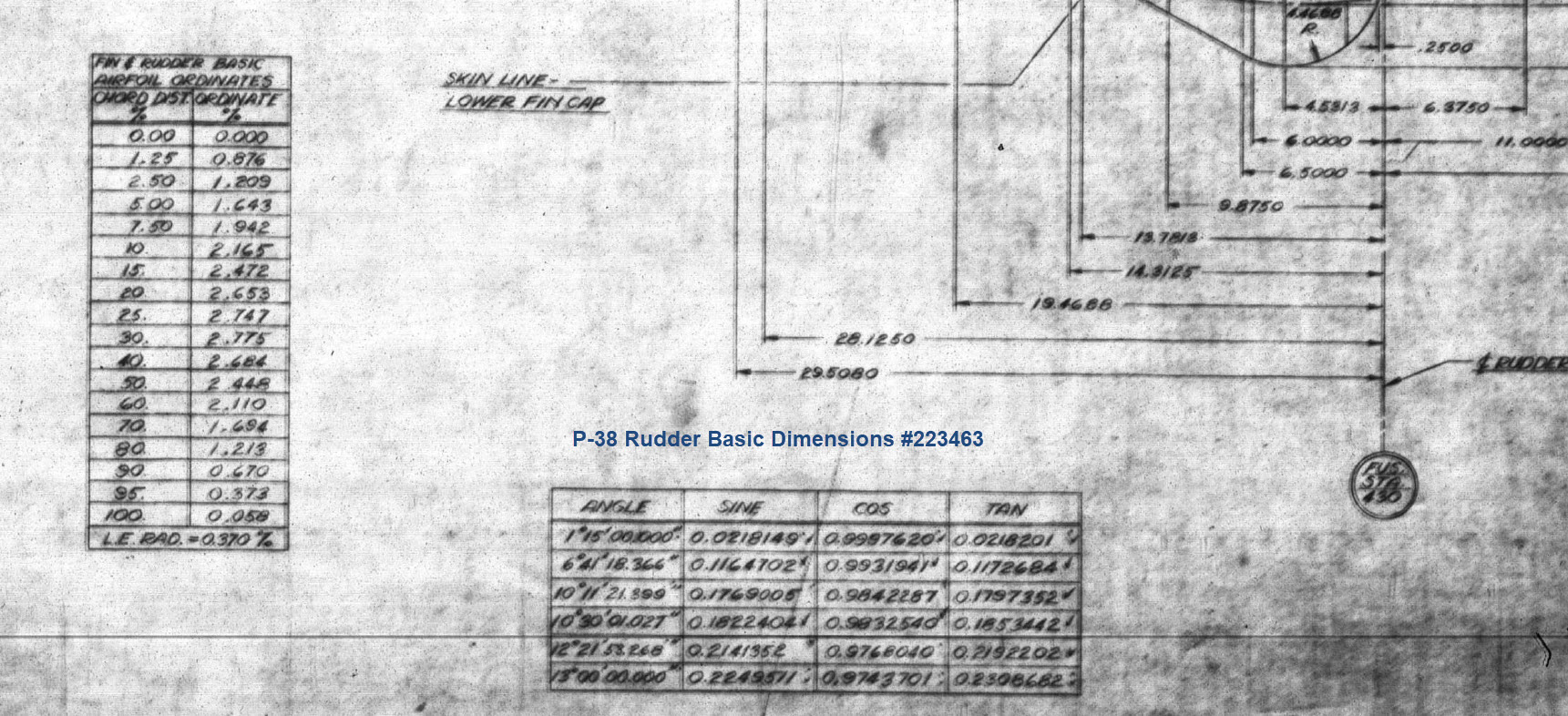
This sketch is the exception for the Fin/Rudder profiles at a specified WaterLine. This is where things got interesting because the chord dimension on this drawing did not match the dimension of the Rudder Tab at the same location after I had modelled it and furthermore did not match a comparative drawing in the Structural manual which also included dimensional information. It turns out that the Rudder and Tab Trailing edges are constructed in the same way as the main wing with an extended tab for jointing top and bottom sheet panels…which explains the dimensional variation.

The dimensions on the Basic layout sketch above and the corresponding information in the structural repair manual are actually relative to the rib chord and not to the finished edge.

As the above sketch was the only legible example of the requisite rib chord information I had to rethink my approach and reverse engineer the data on the Fin/Rudder’s ribs.

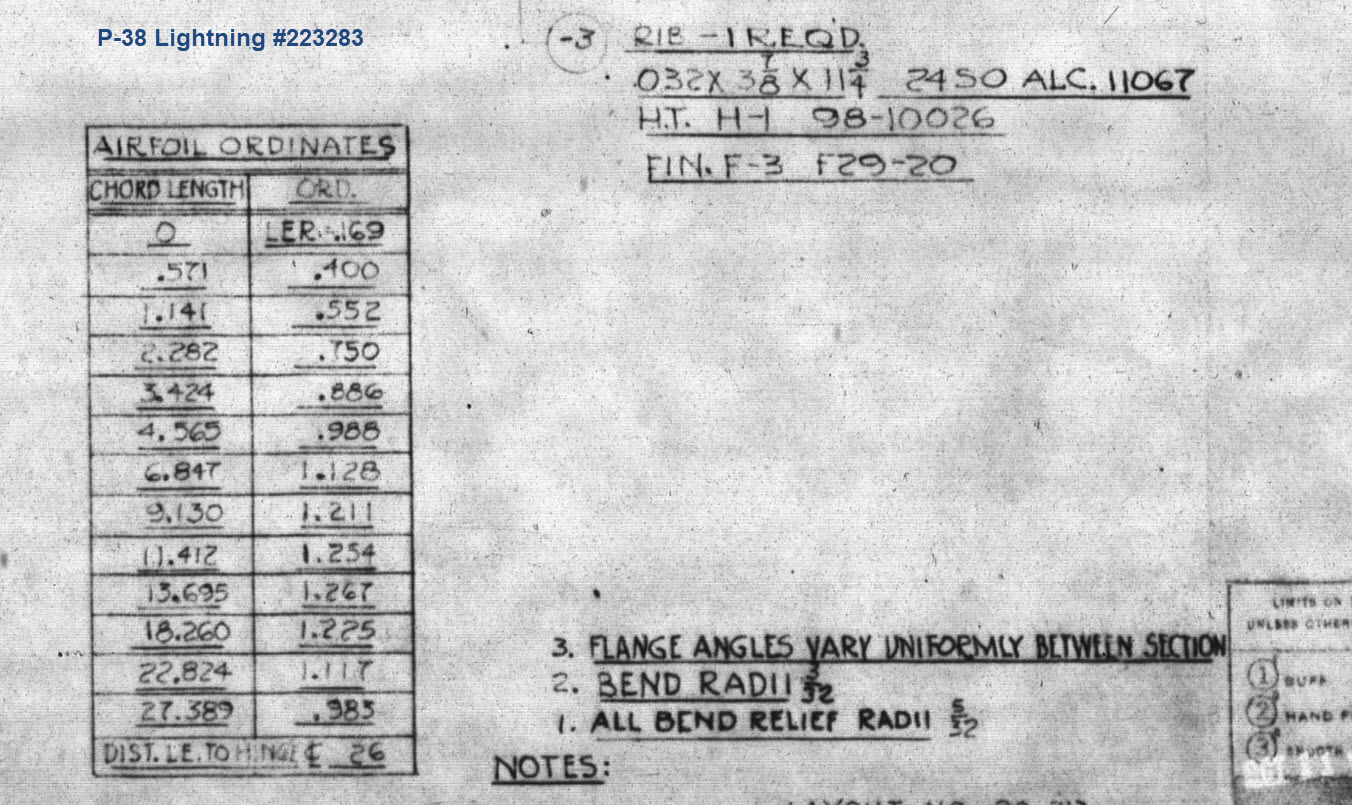
The Fin/Rudder rib drawings contain chord profiles for the ribs, though only partial I suspected that they may follow a standard format normally applied to rib airfoils i.e. percentage increments. It may seem an obvious comparison but in my experience, this is not always the case.

The drawing on the left is the partial profile information for the Fin/Rudder rib and the drawing on the right is the basic profile included on the Ordinate layout drawing I mentioned in the beginning. I surmised that if the Rib drawing follows the same convention as the Ordinate table with logical percentage increments it would be possible to determine the chord lengths of each rib.

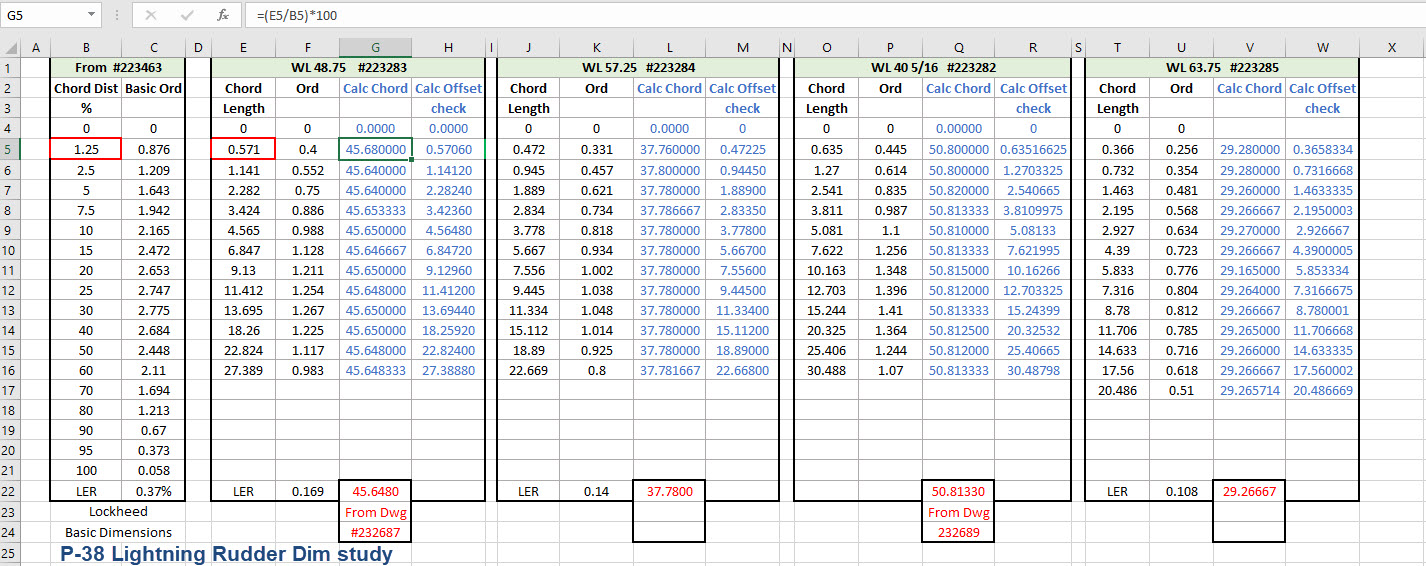
In excel I created this spreadsheet with the Ordinate Table on the left and subsequent tables containing information from the Fin/Rudder Rib drawings. The first 2 columns in each table are the values as noted on the drawings and then to check my theory that they followed a logical sequence I calculated the third column which indeed returned a close approximation of the actual chord length. The fourth column is the new offsets calculated from the derived chord length in each case.

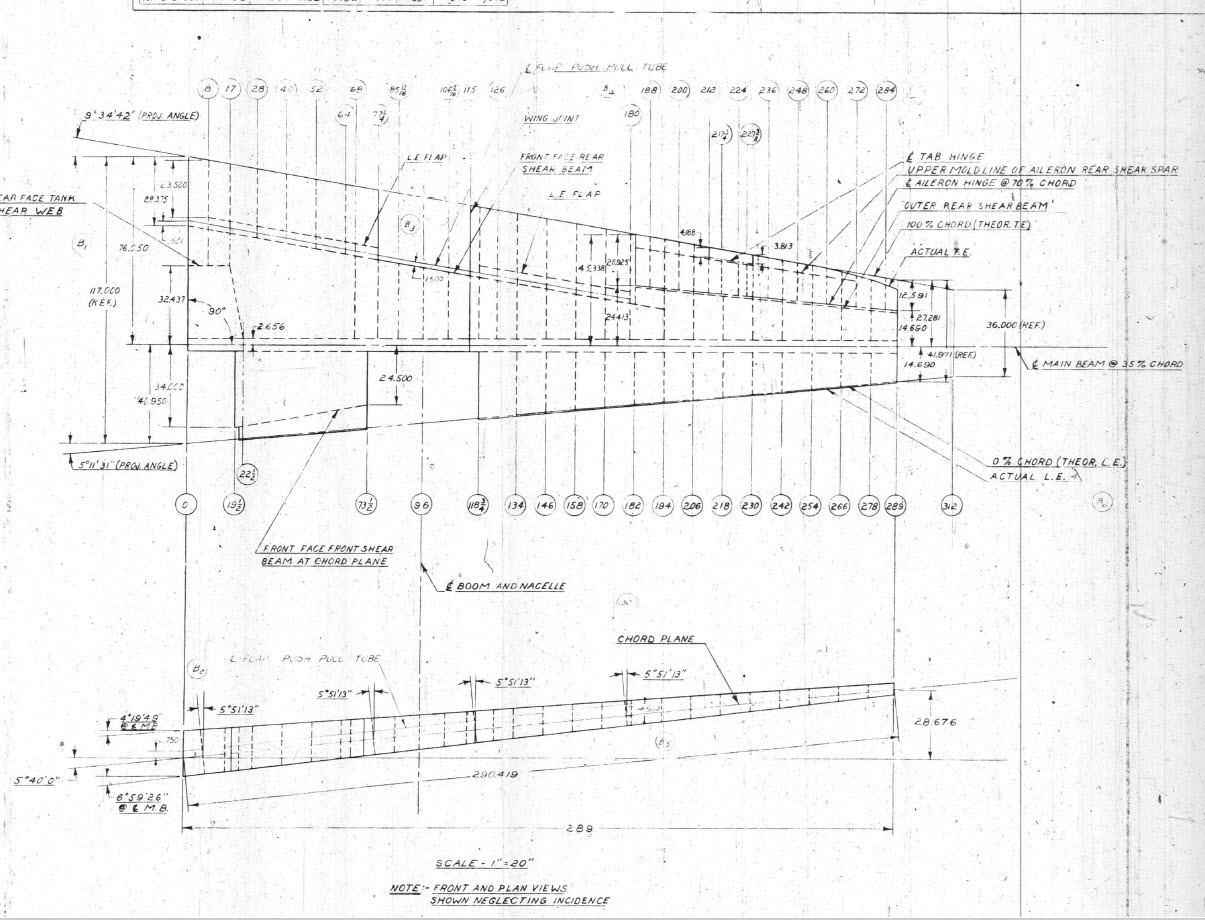
Having established that the rib profile is as I expected it is now possible to create ordinate points to profile the Trailing Edge and define the contours for the Rudder’s ribs. Remember we also have a tab extension to which we have to add an additional fraction of an inch to get the final trimmed profile. As I am calculating and applying the new information to the CAD model sketches I maintain a 2d view to check the overall dimensions to see how they compare.

I am only halfway through the development of the Fin and Rudder layout as shown but will continue the same process to ascertain the remaining curve sections. At the end of the day and similarly the same with the wing the 2d drawing will display 2 lines profiling the Trailing Edge, one which will be the 100% chord ordinate and the other the extended tab. By the way please don’t use any of the dimensions noted on this drawing…it is a study with temporary dimensions!

A lot of work still to do on this which will have to be done for all the spars and ribs to ascertain the correct curvatures of the Trailing Edges. Where occasionally you need to derive specific information it is often beneficial to look at opportunities to interrogate what information you do have to determine the information you need.

Update 26th May 2022:

After extensive study and listing of ordinates in stacks of excel tables, I have managed to verify the Vertical Stabiliser dimensions. The Basic or True Rudder line noted on the sheet drawings is defined by the 100% chord dimension for the ribs…this is an important change to the wing trailing edge. Anyway as I need to take a break I thought it may be prudent to provide this update for your perusal. Still some work to do for the top and bottom profiles and of course a general tidy up would be in order…it is still a work in progress!

I could have just accepted the dimensions noted in the Structural repair manual as the end result would have been close. However, it is important where there are slight variations between the manual, the ordinate sketch and the part drawings that every effort is expended to understand the design intent and derive a correct solution.

One further point of interest: the profile for the Vertical Stabilizer is close to being symmetrical about the vertical centre of the full length of the rib chords. I marked out the centres of each rib profile and found only a 3.6mm difference for the top section, however, the variation in the lower section (below WL 21) is considerably more at 19mm… which is too much even accounting for the fractional accuracy from inch measurements.

Update 10th July 2022:

My study of the P-38 Lightning is now finished. I have documented all aspects of the aircraft and compiled an extensive record of dimensions in a comprehensive Excel spreadsheet. The 3d CAD model is supported with dimensioned 2d layout drawings with all models available in native IPT, IAM forms as well as Parasolid XT and 3d DWG.

For more information get in touch, as usual, contact me at hughtechnotes@gmail.com

P-38 Lightning: Looking for Mold Line Drawings!

P-38 Lightning: Looking for Mold Line Drawings!

I am looking for 6 Mold Line drawings for the P-38 Lightning. These drawings are the Cowl Mold Lines for the engine encasement.

Lockheed drawing numbers: 195072, 195081, 232543, 232544, 232545, 232764.

I can obtain a small number of key dimensions from the panel drawings which will not be enough to achieve an accurate full profile. I do hope someone has a copy.

I have tried all the usual sources for this information without success.

I can’t offer you much for the drawings but I am willing to share the comprehensive ordinate study and cad material when this project is complete.

Further Request: Photos of Wing Tip Required:

The wingtip trailing edge has a tab extension as a consequence of the connection of the top and lower panels. I am curious as to how this extension integrates at the extreme tip of the wing. If anyone has any close-up photos for the wing tip I sure would appreciate a copy.

Let me know if you can help. Email hughtechnotes@gmail.com

Update: 21st May 2022:

I have not had much luck with sourcing the above material. The Mold drawings would certainly have been enormously helpful in determining an accurate ordinate model. There is a Plan B, though it is going to be a fairly intensive search for every morsel of information that can be gleaned from the individual part drawings, manuals and reports that collectively will give me enough to achieve an accurate definition of the FWD Boom and Engine cowl surfaces.

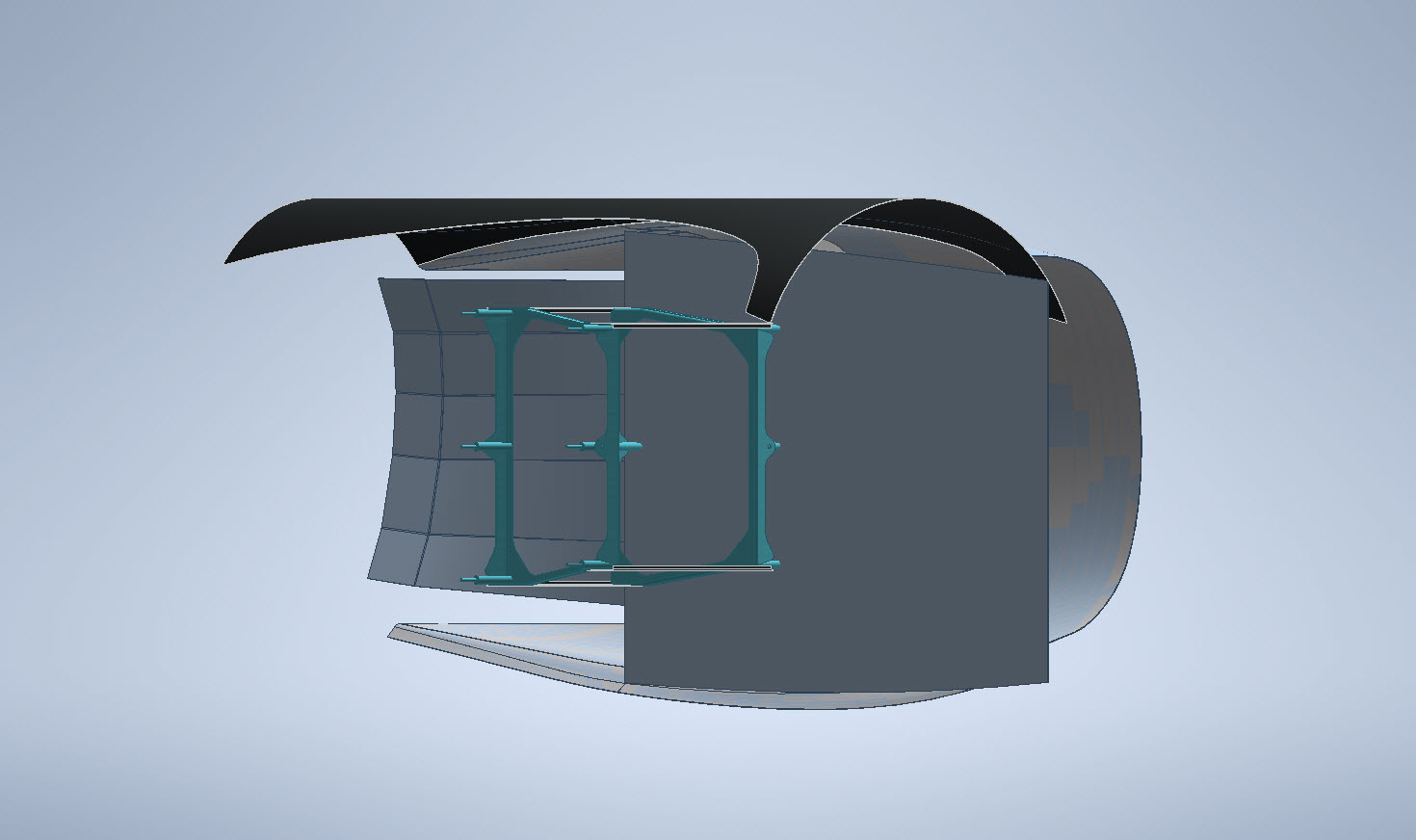
An example would be the Scoop web plate profiles shown above to achieve some surface definition in those areas. I am currently working on the Landing Gear doors which will help define the lower surfaces. This is a lot of work which unfortunately means this will not be ready until much later in the year. I don’t do guesswork, if the ordinate point does not exist it is not on the model.

If anyone has any information that can assist me with these ordinate points, please, please do get in touch.

P-38 Lightning: New Project

P-38 Lightning: New Project

New Ordinate/CAD Project: The Lockheed P-38 Lightning is an American single-seated, twin piston-engined fighter aircraft that was used during World War II. Developed for the United States Army Air Corps by the Lockheed Corporation, the P-38 incorporated a distinctive twin-boom design with a central nacelle containing the cockpit and armament.

This project will dissect the complexity of the aircraft dimensions with fully developed spreadsheets, CAD models and drawings. I have drifted back and forth on this project over the last few months, studying the blueprints in detail to determine the best way of presenting the data in a usable format.

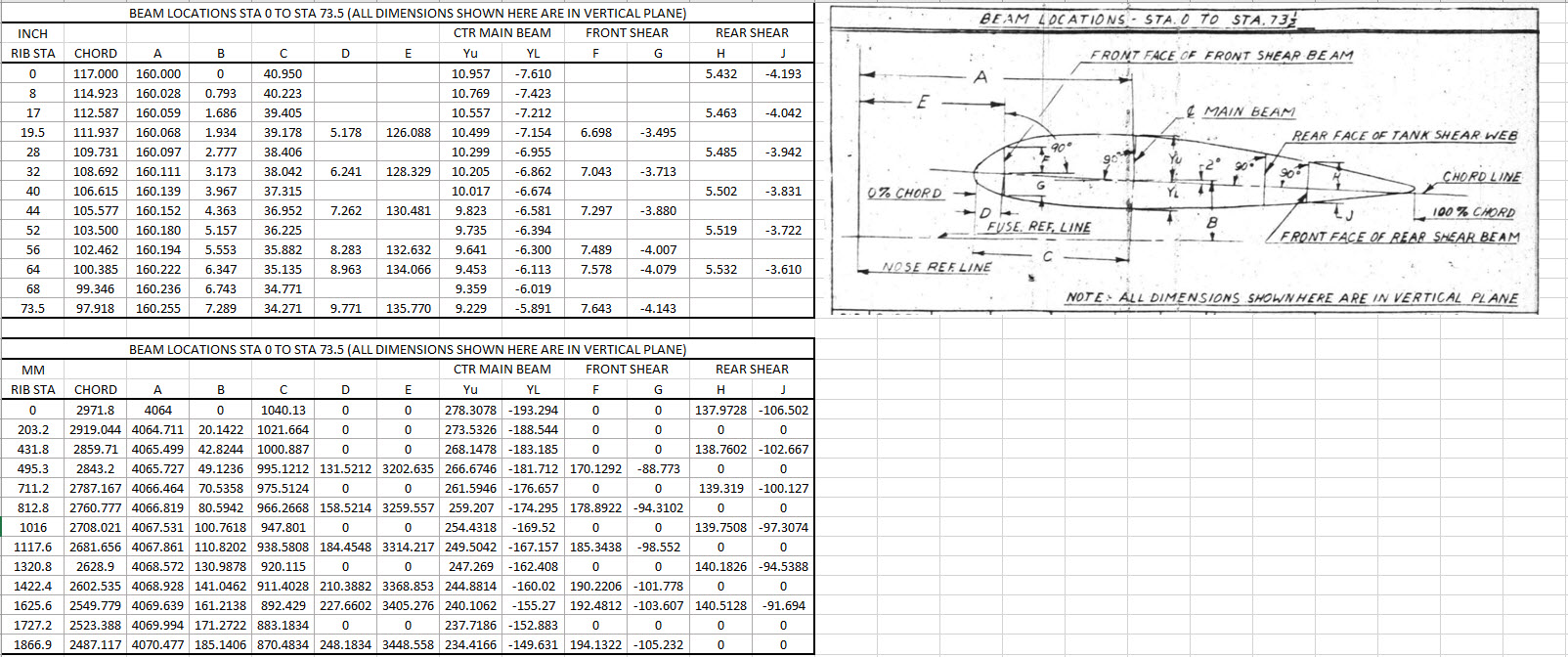
Surprisingly the wings are probably one the most complex parts of this study. The complexity comes about as a consequence of how the dimensional data has been recorded. For example, the wing chord is at a dihedral angle of over 5 degrees with the wing ribs actually perpendicular to the ground plane.

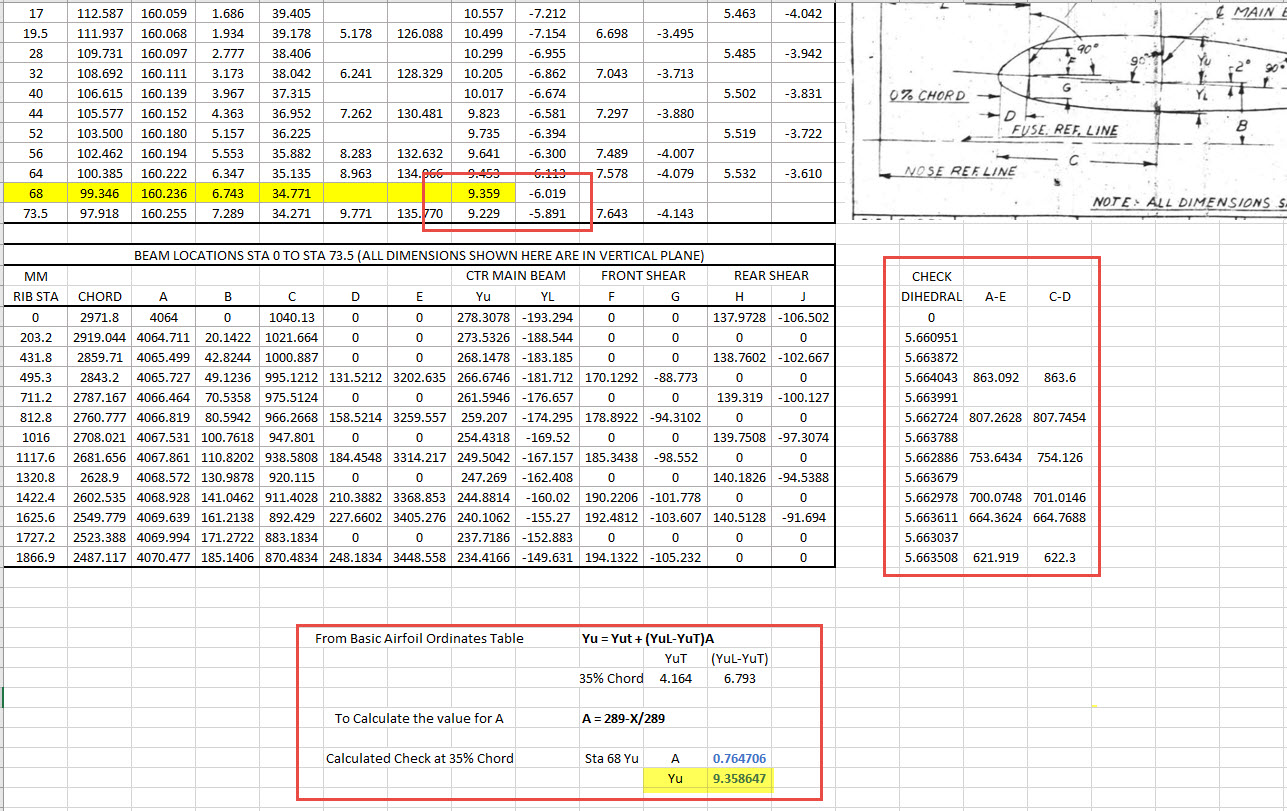
When we define the wing ribs we are actually working on a vertical plane angled to the wing chord line with the main beam and rear shear beams perpendicular to the chord on section. We also have the dimensions for the basic wing airfoil profile. Initially, I will record the rib dimensional information and generate the correct array of points at each Station. Then I shall calculate the airfoil profile at each station based on the given formulae Yu = YuT+(YuL-YuT)A. This should give us a means of verifying the tabulated data, for example; the table values for the Main Beam on 35% chord should match with the calculated airfoil values.

The plan is to record the dimensions as noted, vertical, horizontal and chord aligned in inches and millimetres exactly as defined on the original blueprints. Then I will extrapolate the X, Y, Z, coordinates for each point taking into account the chord angle of 2 degrees so that we can simply transpose these points directly into CAD at the correct positions relative to the origin point where the Nose Ref Line intersects with the Fuselage Ref Line.

The other caveat to all this is the 0% chord line is actually set back from the leading edge. There is yet another table of dimensions that relates the curvature of the leading edge to the 0% chord line. Ultimately to define the wing ordinates will involve a lot of work and then checking to ensure accuracy and correct alignment with the airfoil claculated profiles. At the end of the day, it is about making sense of all this fragmented information into a workable solution that makes it easier to interpret and use in any CAD system.

This is essentially how I work with all these Ordinate/CAD datasets. It is not just about recording information but also to check that the information works and that the end-user can transpose this into whatever system they are using. It is quite common for the information on the blueprints to be obscured, missing or simply illegible which usually requires a fair amount of time searching for answers. To complete this project I estimate something in the region of 300 manhours.

Update: 26th April 2022:

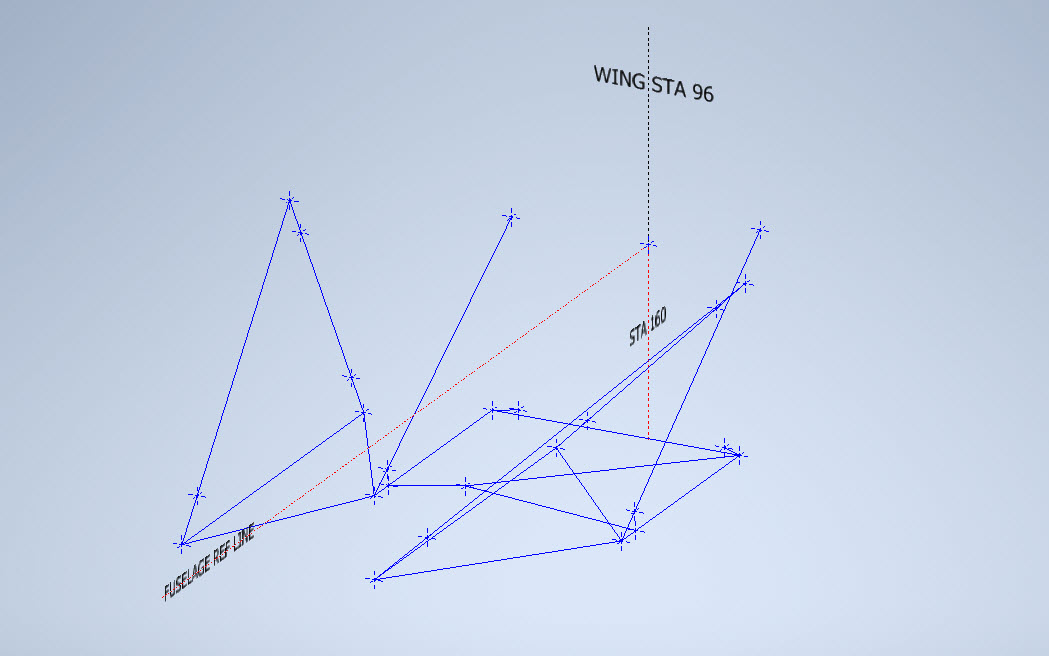
I have not yet decided on how best to present the Wing Ordinate dataset. I am looking at establishing check tables that will effectively compare the noted tabulated dimensions on the Blueprints with the calculated values. Also, we need to derive locational information directly from the wing plan CAD drawing for the Rear Shear beam and do a calculated check. Just to give you some idea of where I am going with this see screenshot below. As I mentioned above, the information on the drawings is fragmented so it is important that the excel spreadsheet data is presented in a clear and legible manner. Just now it is a bit of a muddle.

A quick update: Have rearranged the spreadsheet now with calculated values in lieu of listed values so the CAD model will be considerably more accurate. Calculated values are in blue text.

The rest of the Rib station tables will be added with similar calculated values and then I shall create a second worksheet with the airfoils for each corresponding station. The final sequence will be the extrapolation of 3D Ordinate points from a single datum so it will be possible to build an entire wing just from one collection of X, Y, and Z coordinates in one step. At least up to STA 254…still need to figure out the intricacies of the wingtip geometry.

Ordinates for each wing STA profile are calculated and recorded as shown. The highlighted rows at the 35% chord, are checked with those corresponding values listed in the tables above from the Lockheed original drawings. By the way, the drawing on the right is the Basic Layout Engine Mounts…there are 2 variations on this; both of which will be developed.

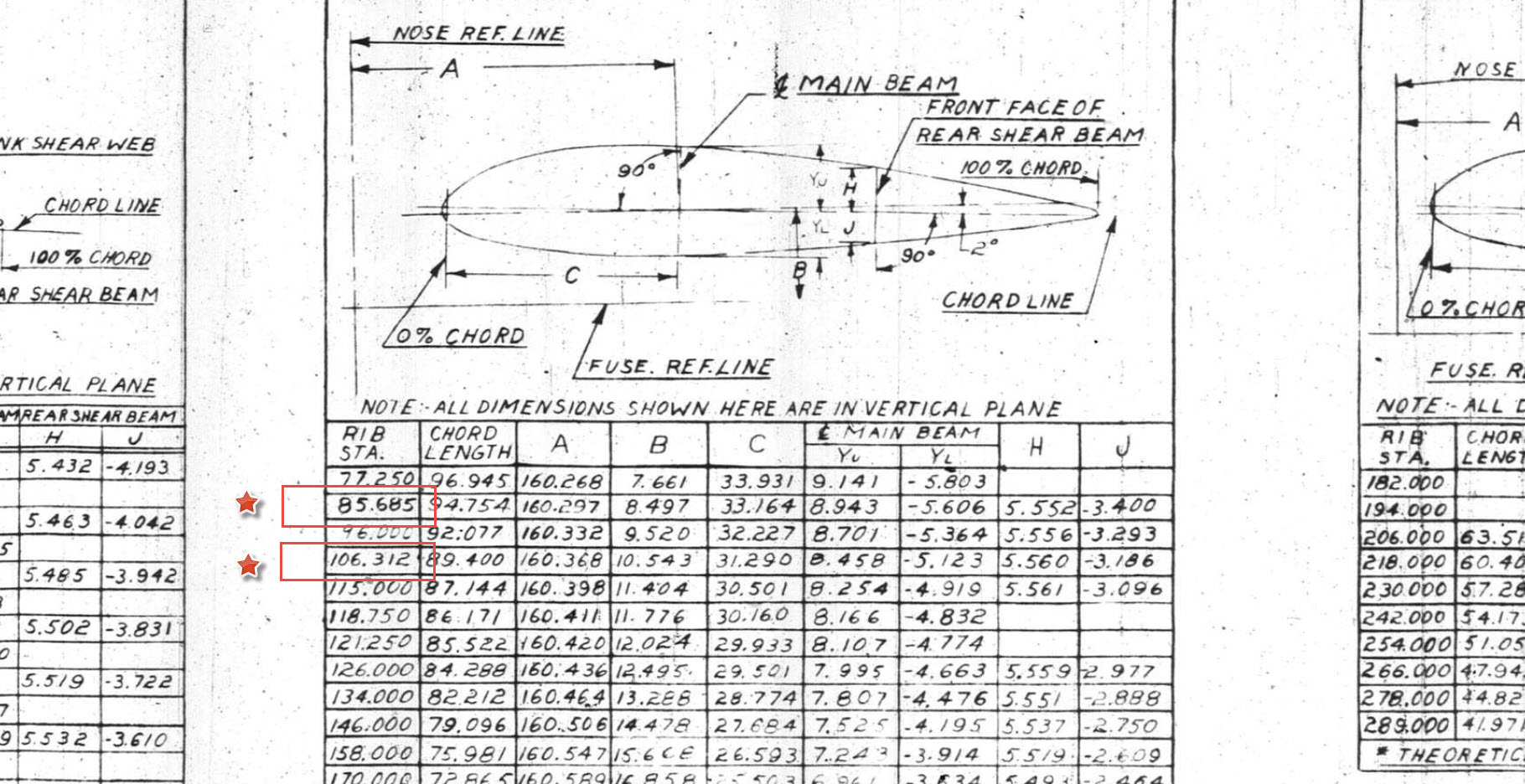
In the above screenshot, I have highlighted 2 minor corrections to the wing rib locations. They should be the decimal value for 85 11/16″ and 106 5/16″.

Update 3rd May 2022:

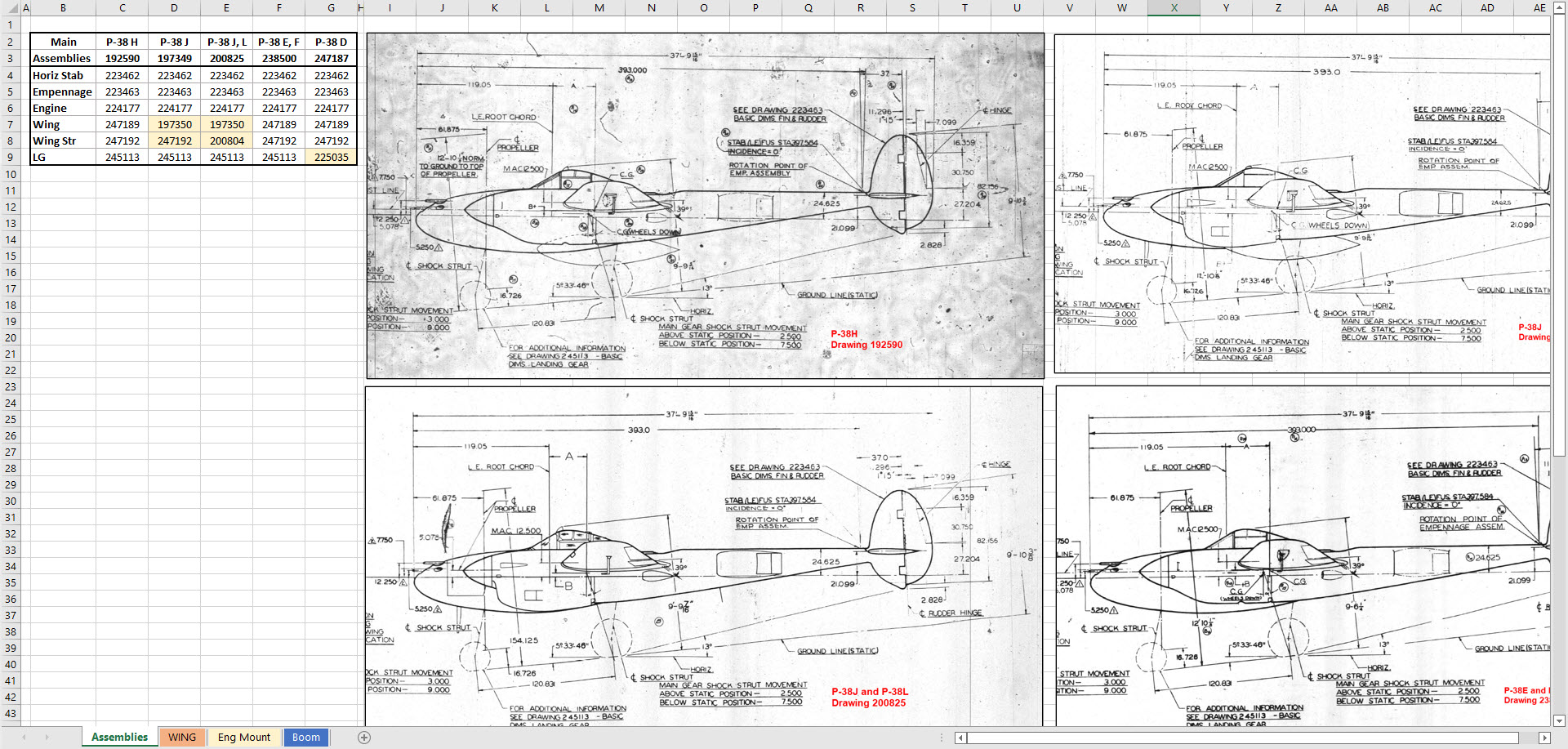
Have made good progress on the datasets for the Wing, Boom and Engine Mounts. Whilst working on this project I thought it may be prudent to compile an assembly list for each aircraft type for the basic dimension layouts as shown below. I plan to do a Technote shortly updating work methods using the ordinate dataset from Excel spreadsheets and include information on Sketch coordinate systems; manipulating the X, Y, Z-axis locally…so look out for that.