Goose Bumps!

Goose Bumps!

The Grumman Goose project is both challenging and frustrating; it is definitely not a straightforward aircraft to work on. I have primarily focused on updating the empennage, which includes the vertical stabilizer, horizontal stabilizer, rudder, and elevator. During the development of the ordinate study, I observed discrepancies in the documented locations of various components. Let me explain what I mean.

Upon reviewing the CAD drawings on the left and comparing them with the Maintenance Manual diagram, I noticed that the level of the ribs varies by 1/16 of an inch. This discrepancy caused me immediate concern, and I began to wonder where I might have misinterpreted the Grumman drawing data. Therefore, I felt it was necessary to review and verify the information.

Initially, we do not have any reference location information on the Rudder Layout drawing. Normally, you would expect reference dimensions to the fuselage centerline or a fuselage station reference, but there are none. We do, though, have locations of the Hinges on other drawings for the Station bulkheads and Fin layout which in turn will help derive location information for the Rudder.

The first image above is the bulkhead layout at Station 36, which specifies the centre of the hinges 1, 2, 3, and 4 relative to the Fuselage Ref Line.. The second image is the bulkhead at Station 33, which shows the dimension of 65 13/16″ to the top of the Lower Rib on the Vertical stabilizer Fin.

I am looking to verify the dimensions and locations of the rudder ribs and hinges in relation to the Fuselage Reference Line. To accomplish this, we will start with the information we have and determine what additional information we need. The first image confirms that the CAD drawings for the rudder accurately depict the positions of the hinges. The second drawing further supports this; the “Top of Rib” location refers to the lower rib of the fin which includes the locations of the hinge centers. At this point, we have established the correct locations of the rudder hinges from two different sources.

Having determined the hinge locations, we know that the ribs for the rudder are offset by 5/8″ on either side of those locations, which allows us to derive the final levels noted on the Rudder Layout CAD drawing. Does this mean that the Grumman drawings, and therefore the CAD drawings, are correct while the manuals are incorrect? Yes and No…let me explain…

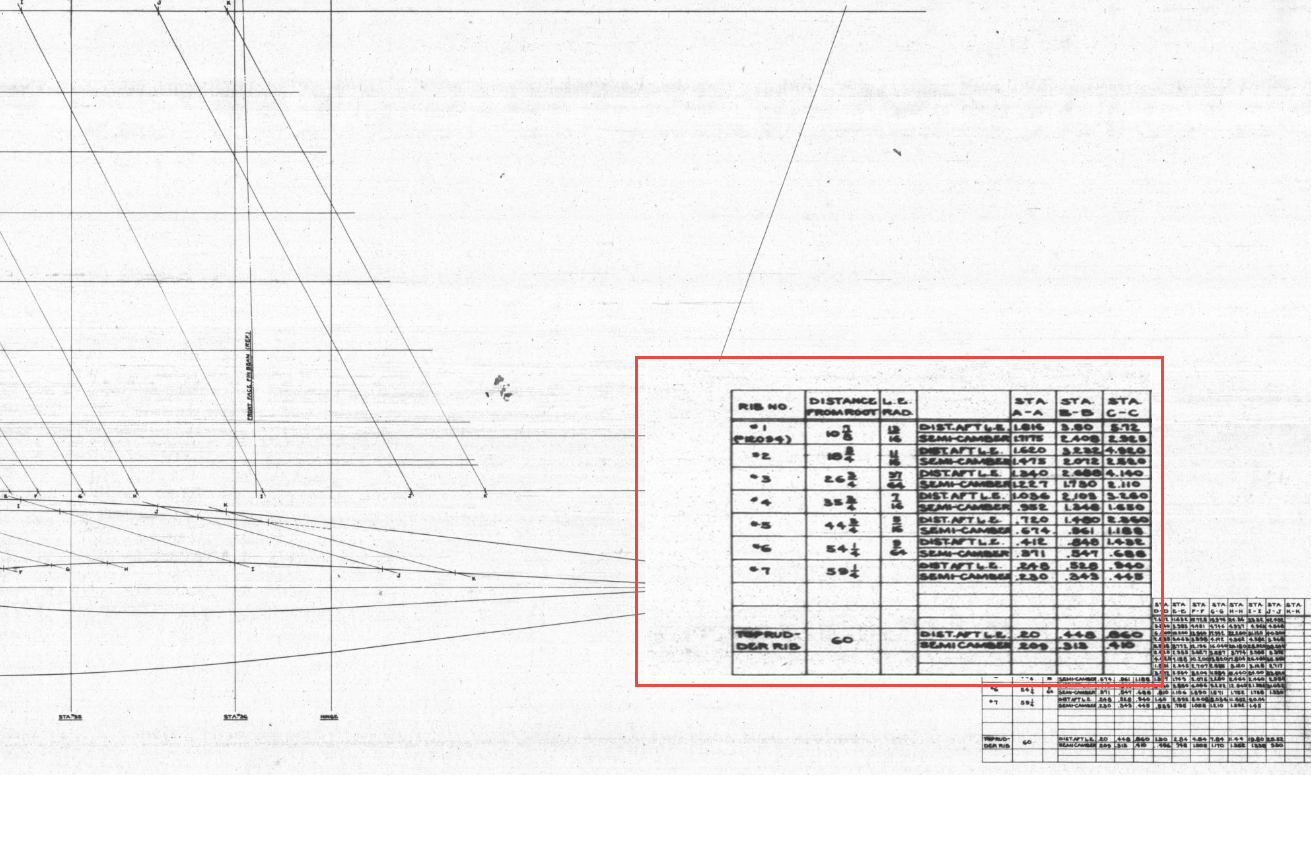
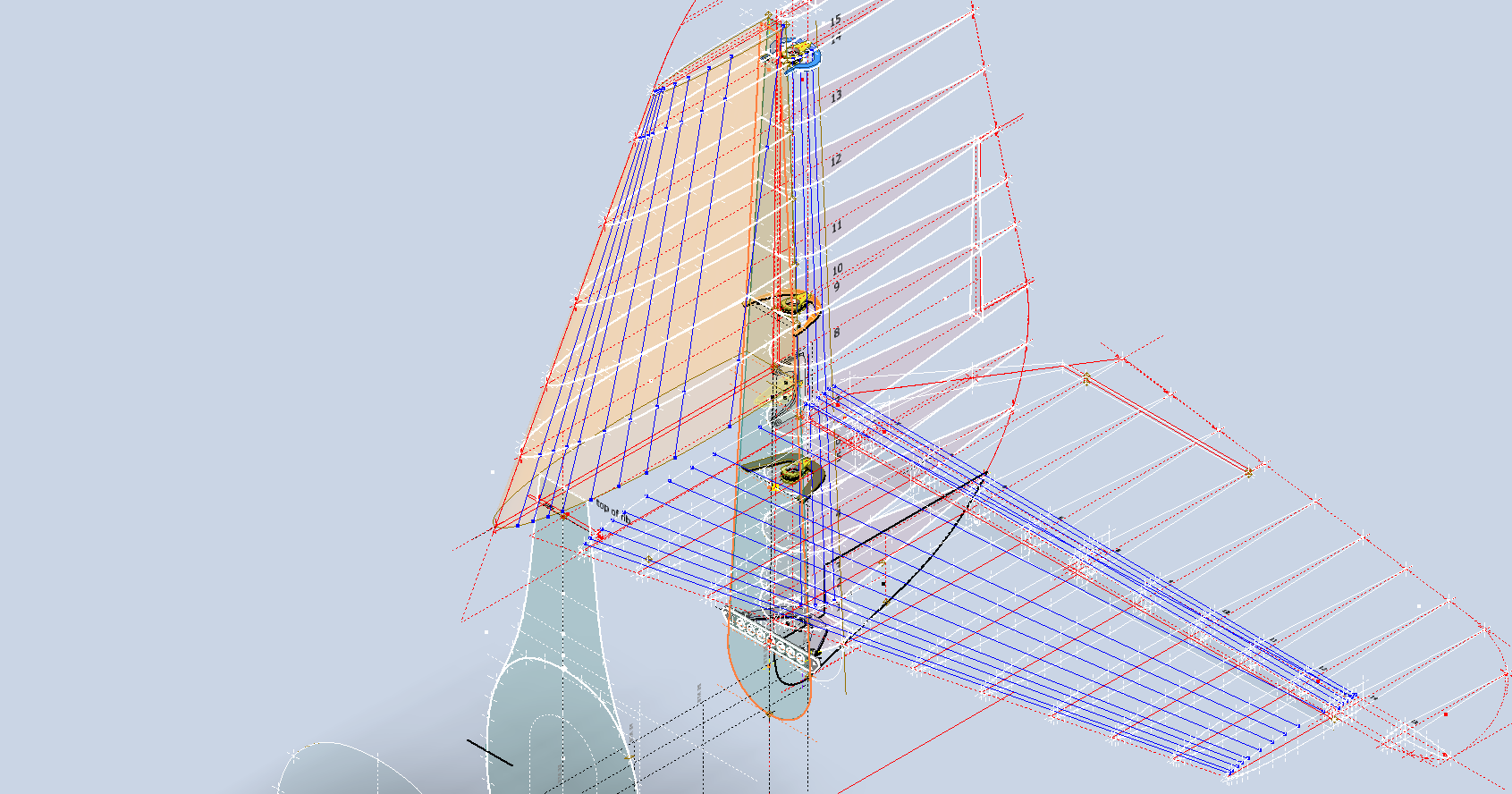
The first image is the Lines Diagram for the Vertical Stabilizer Fin Ribs. In the Table of Offsets, you will notice a list of dimensions from the “Root,” with the first rib specified at 10 7/8 inches. If we overlay these dimensions onto the CAD drawing, we observe a 1/16-inch discrepancy to the top of the first rib. However, all other sources, including those mentioned above and additional references not listed, such as the fuselage Lines layout, indicate that the top of the rib is correctly positioned in the CAD model (second image), contradicting the information provided in this Table of Offsets.

So what is going on?

We should take into account the revision history of the Grumman Goose development. If you examine their drawings, you’ll notice that they have made numerous revisions, some of which are labeled with letters as late in the alphabet as “R.” That indicates a significant number of changes.

I believe that various details have changed over the year, with the more prominent aspects being updated while the less prominent drawings remain unchanged. Regarding the manuals, it seems they were created early in the project, and it may have been considered too labor-intensive to update the level references. This aircraft is quite complex, and I can only imagine the effort involved in both its development and the ongoing updates to its design.

Whenever a small anomaly becomes apparent, I will make an effort to gather information from other drawings to verify the final result. This is one reason why these Odinate studies take so much time; it is crucial to ensure that the final study represents the most accurate dataset possible. If I were building a Grumman Goose replica, I would be using my datasets.

Progress Update 18th March:

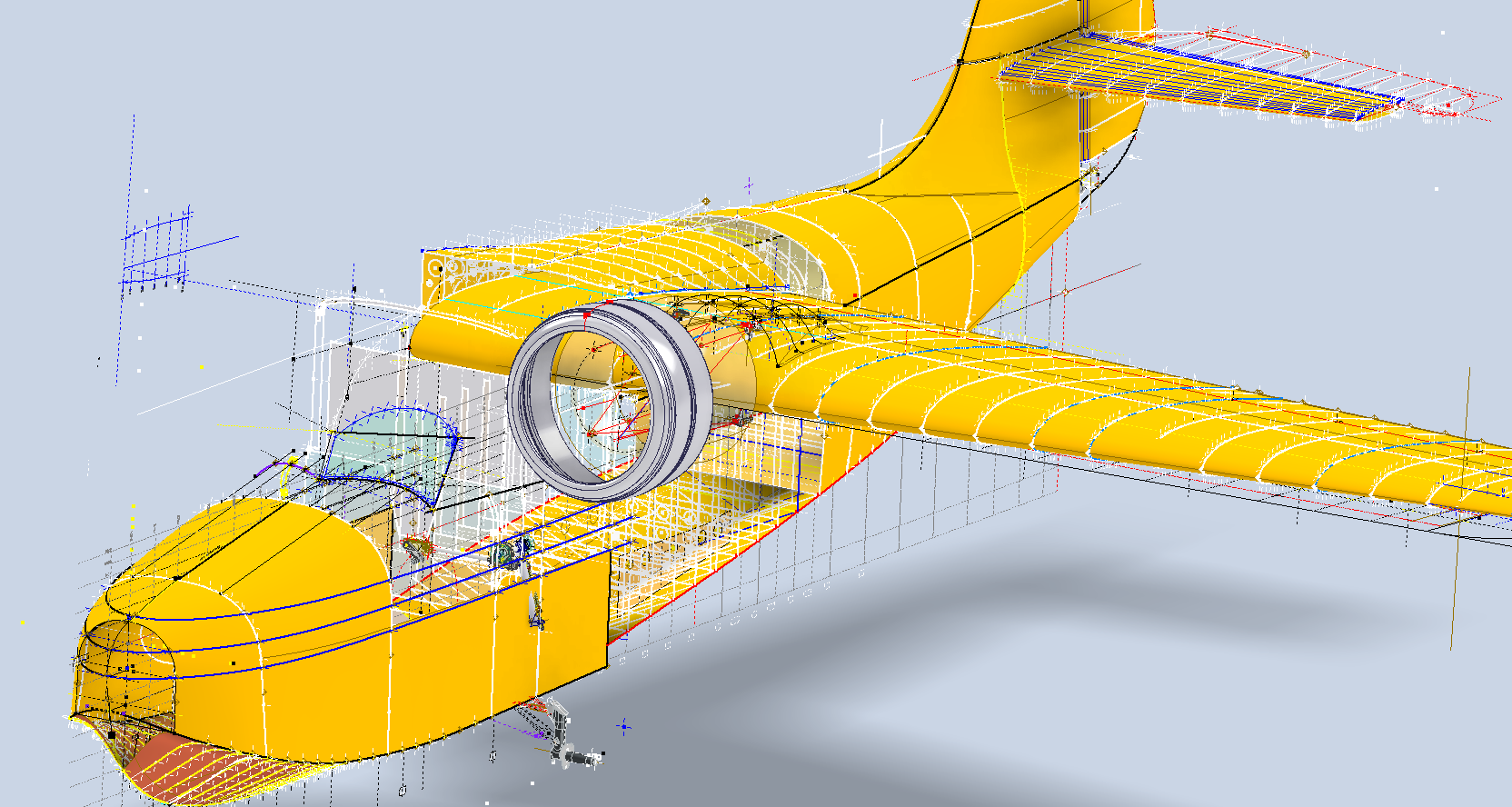
A few screen shots showing the latest updates to the JRF Goose. The wing has been completely rebuilt with all dimensions verified.

Technote: P-39 Door Handle CAD Solution

Technote: P-39 Door Handle CAD Solution:

This little part at first glance seems fairly straightforward, but there are a few caveats.

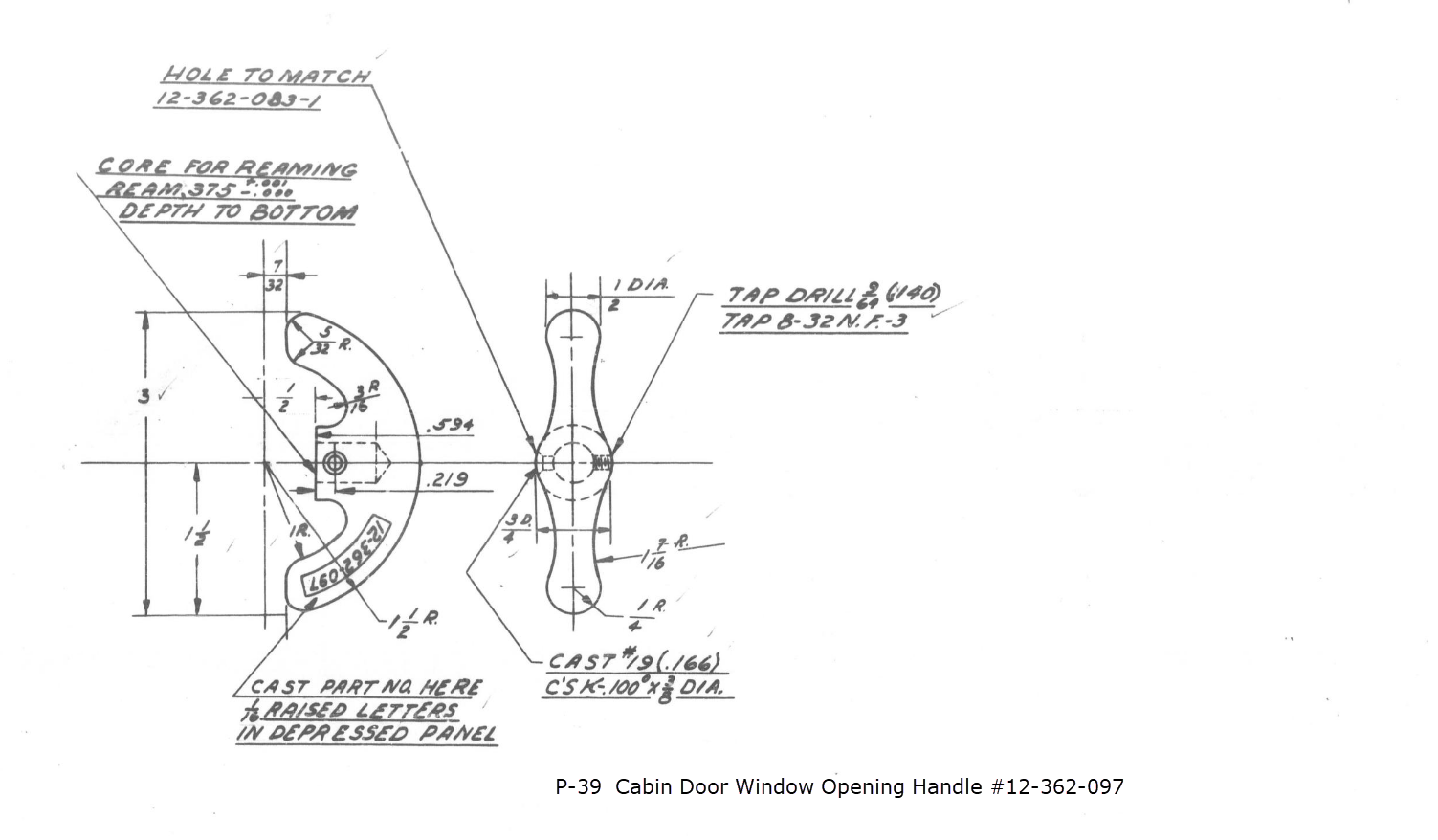
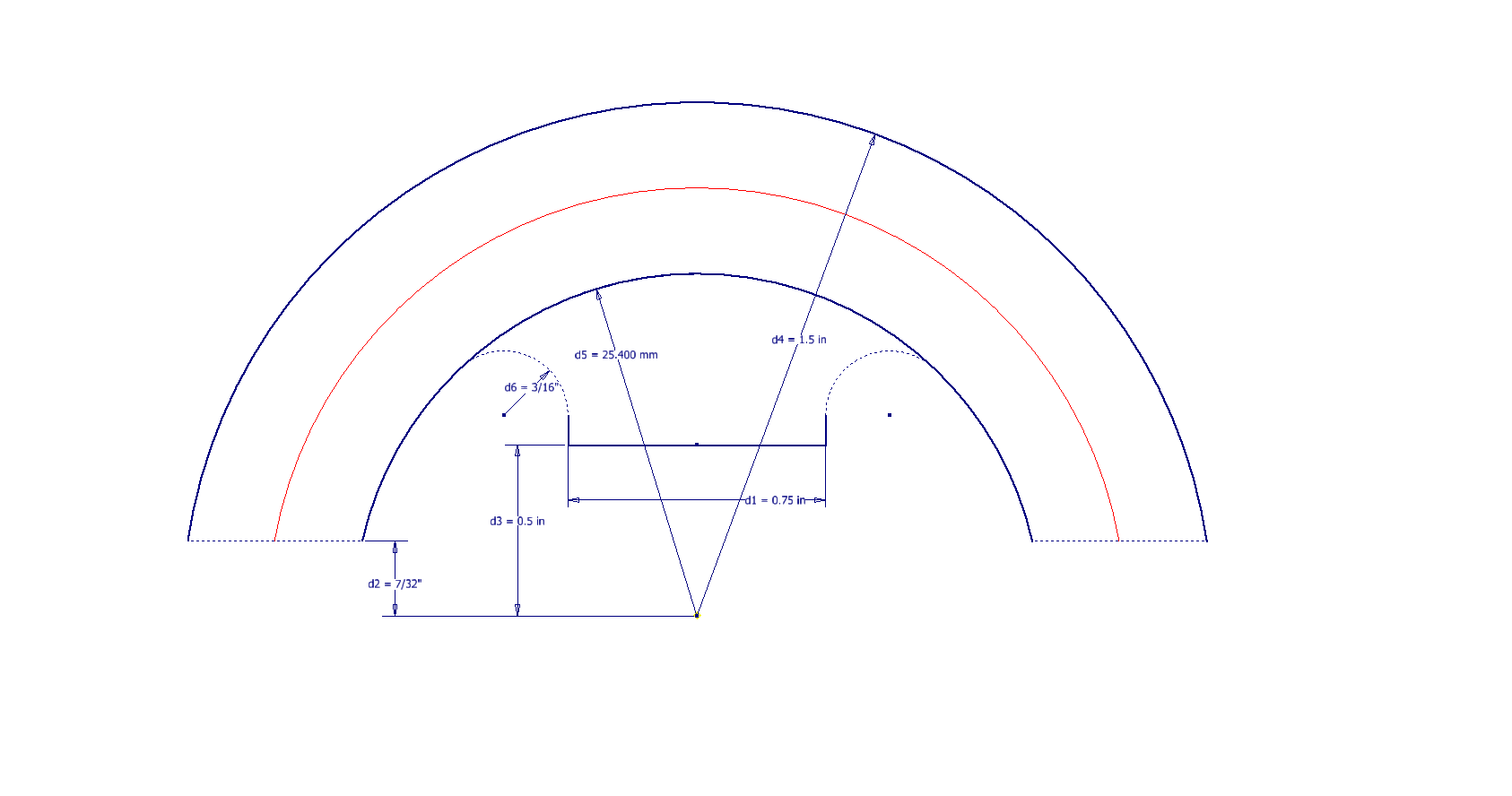
It has been a while since I specifically wrote a CAD solution Technote, and this seemed to be an ideal subject for surface modeling and 3D sketching. The dimensions define the outline for the front view, which is fine, and the plan view, which details a thinning of the handle cross section.

The thinning of the handle occurs in a specific plane as indicated in the plan view, while the front view maintains a consistent full depth diameter. Before diving into the modeling process, it’s important to pause and consider how to approach this design. Typically, my first step involves sketching out what is already known, which helps clarify the information we still need to gather. This initial sketching phase is crucial for laying the groundwork for an effective modeling strategy.

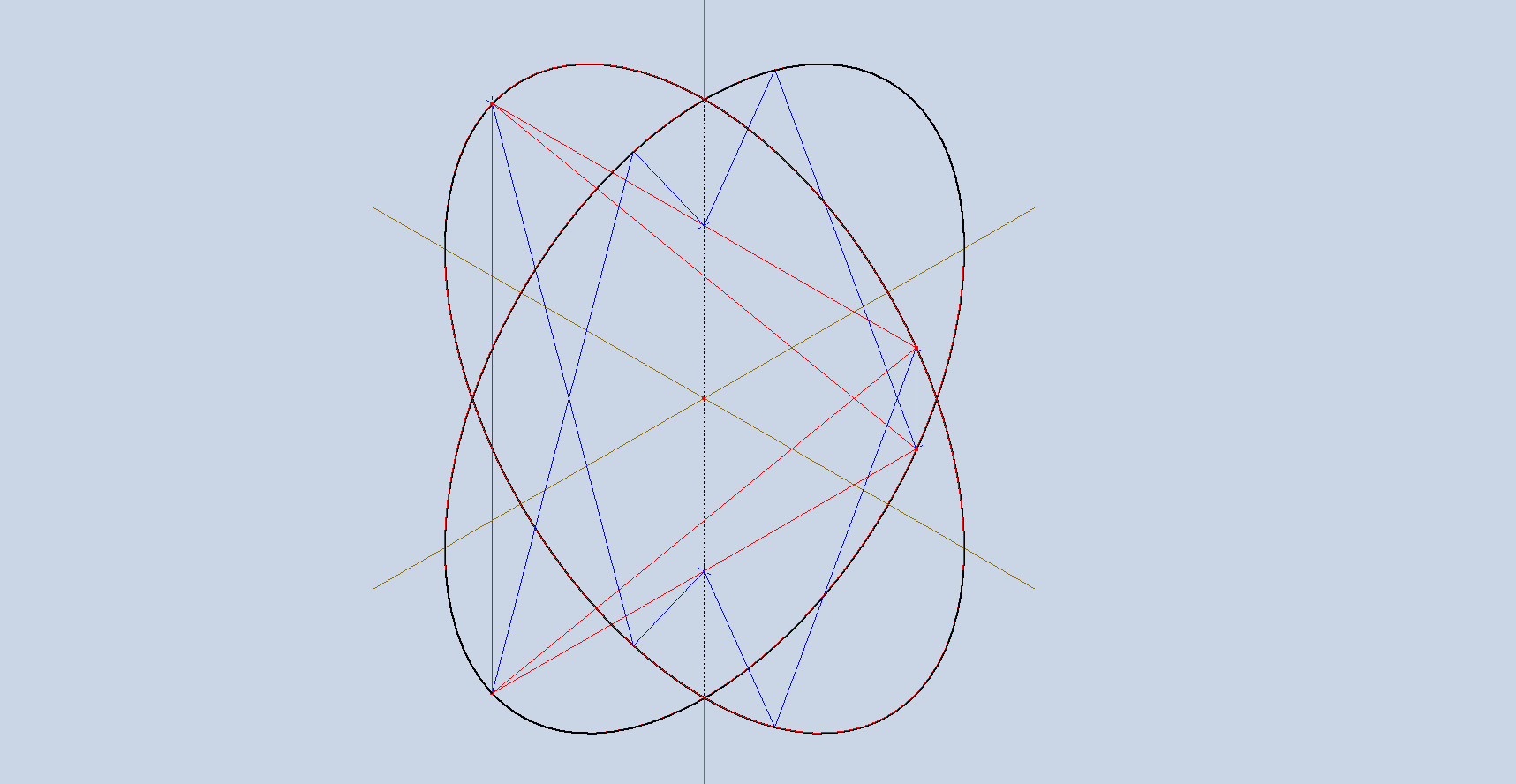
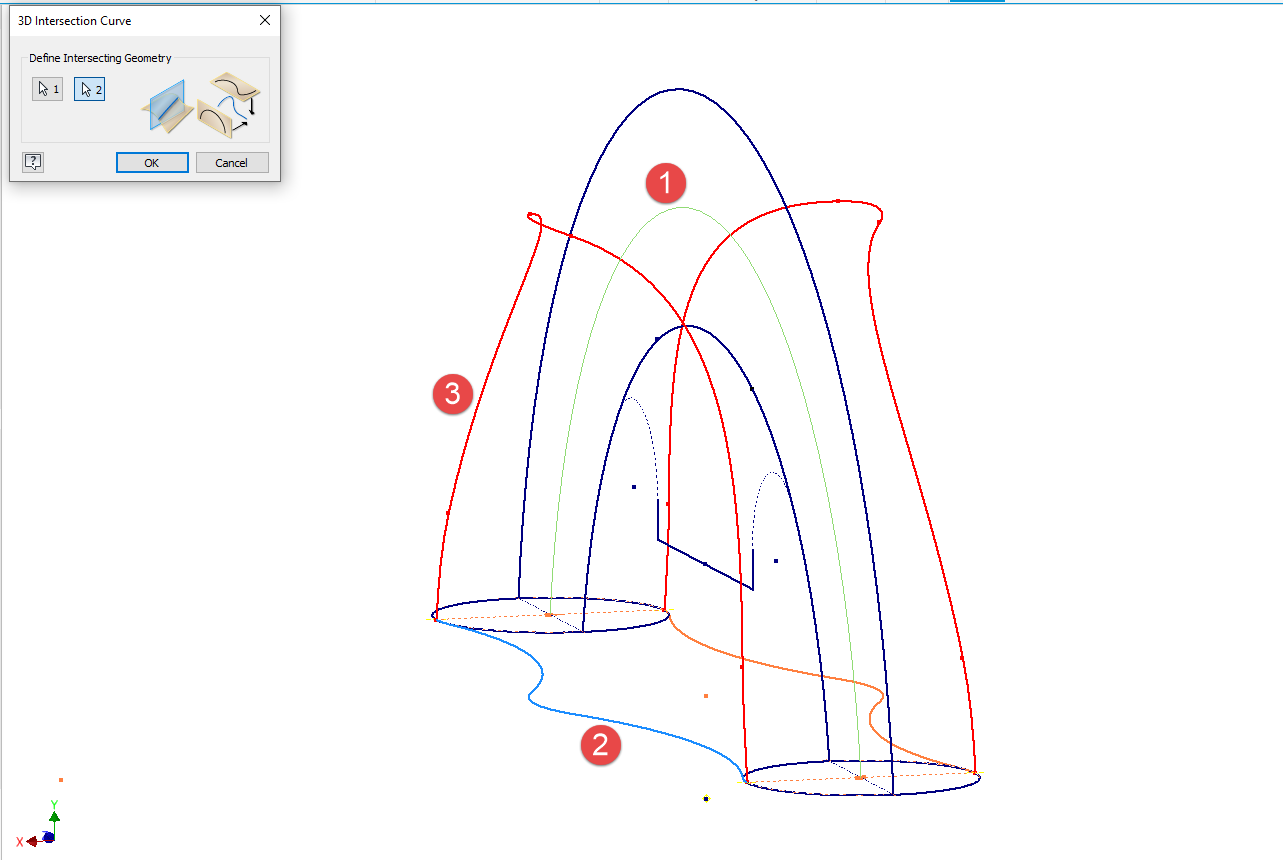
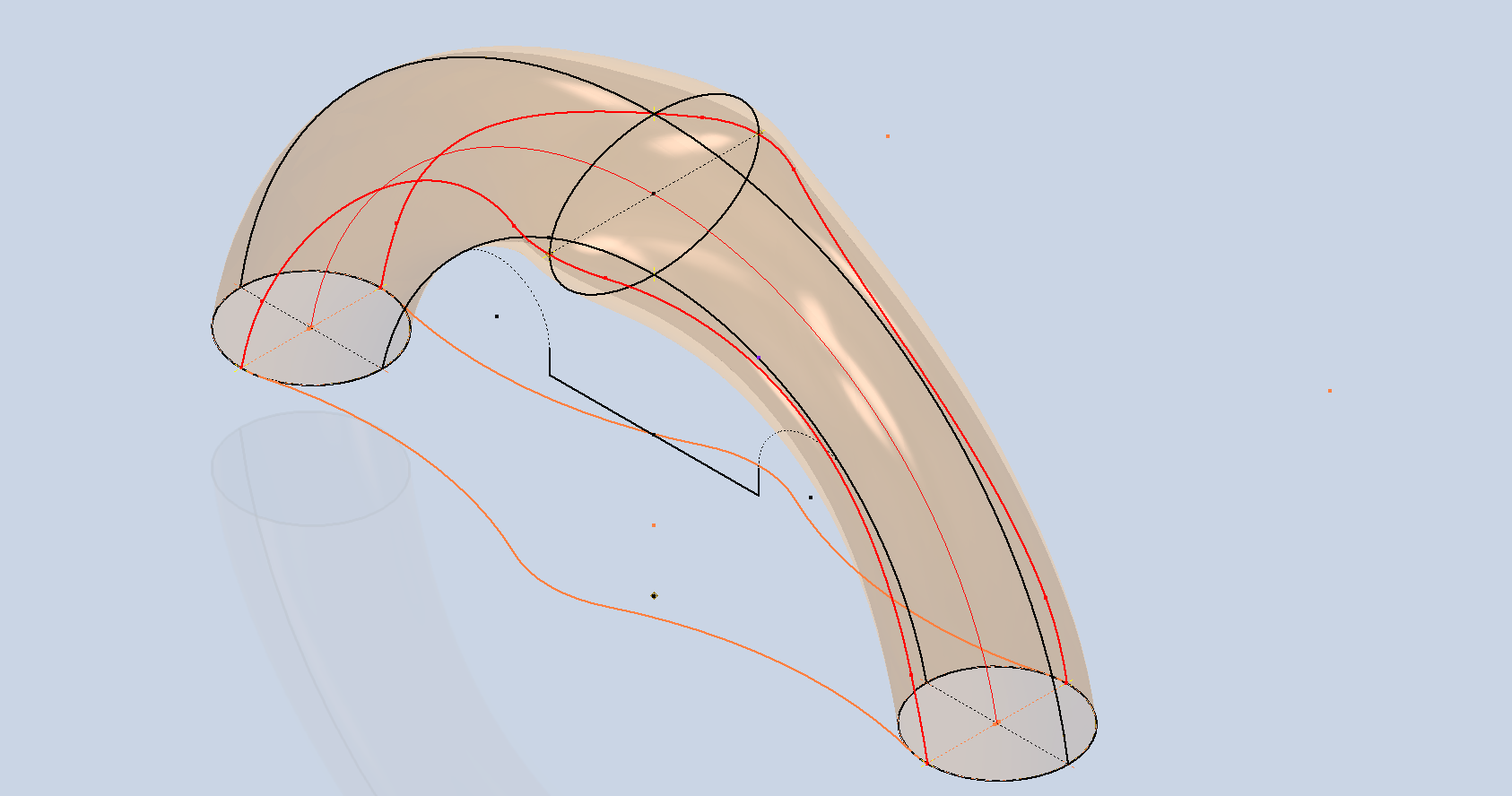
In each case, you’ll notice that these profiles are not closed. The base lines shown in the front view are defined as construction lines, and the end curves in the plan view are also intentional. This design choice allows the main profile lines to be used later for creating a Loft and for selecting a 3D Sketch Intersection. The center line of the arc in the front view will serve as the second selection for this 3D sketch. Additionally, note that the curves in the plan view are elliptical.

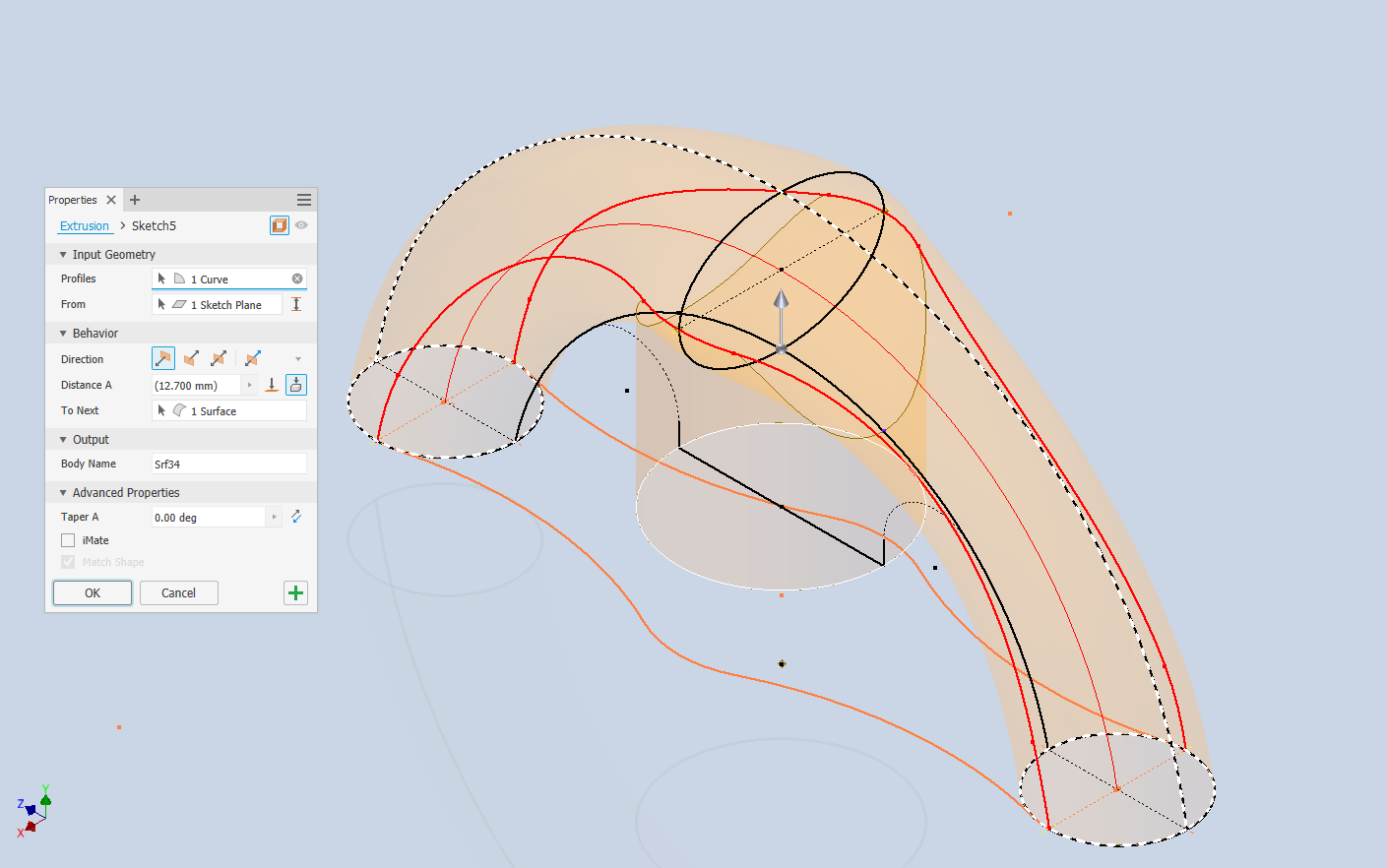
The purpose of the 3D Intersection sketch is to define guidelines for the eventual loft. Using the 3D sketch feature, we first select the center line from the front view and one curved edge from the plan view sketch. The resulting intersection will serve as the 3D path for the loft. This process needs to be repeated for both sides of the handle. The ellipses that will form the ends of the loft are created in a separate sketch from the previously mentioned plan view. This keeps them as distinct entities.

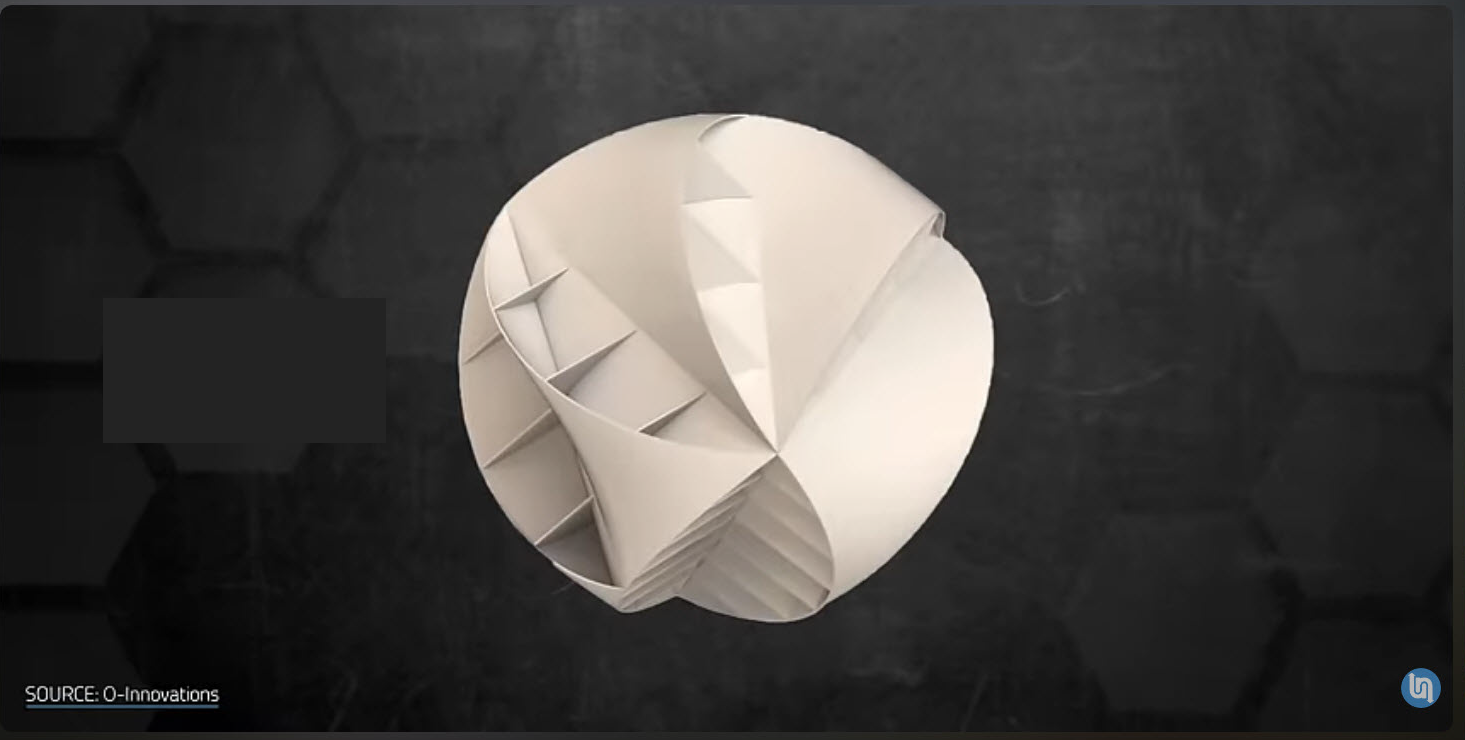
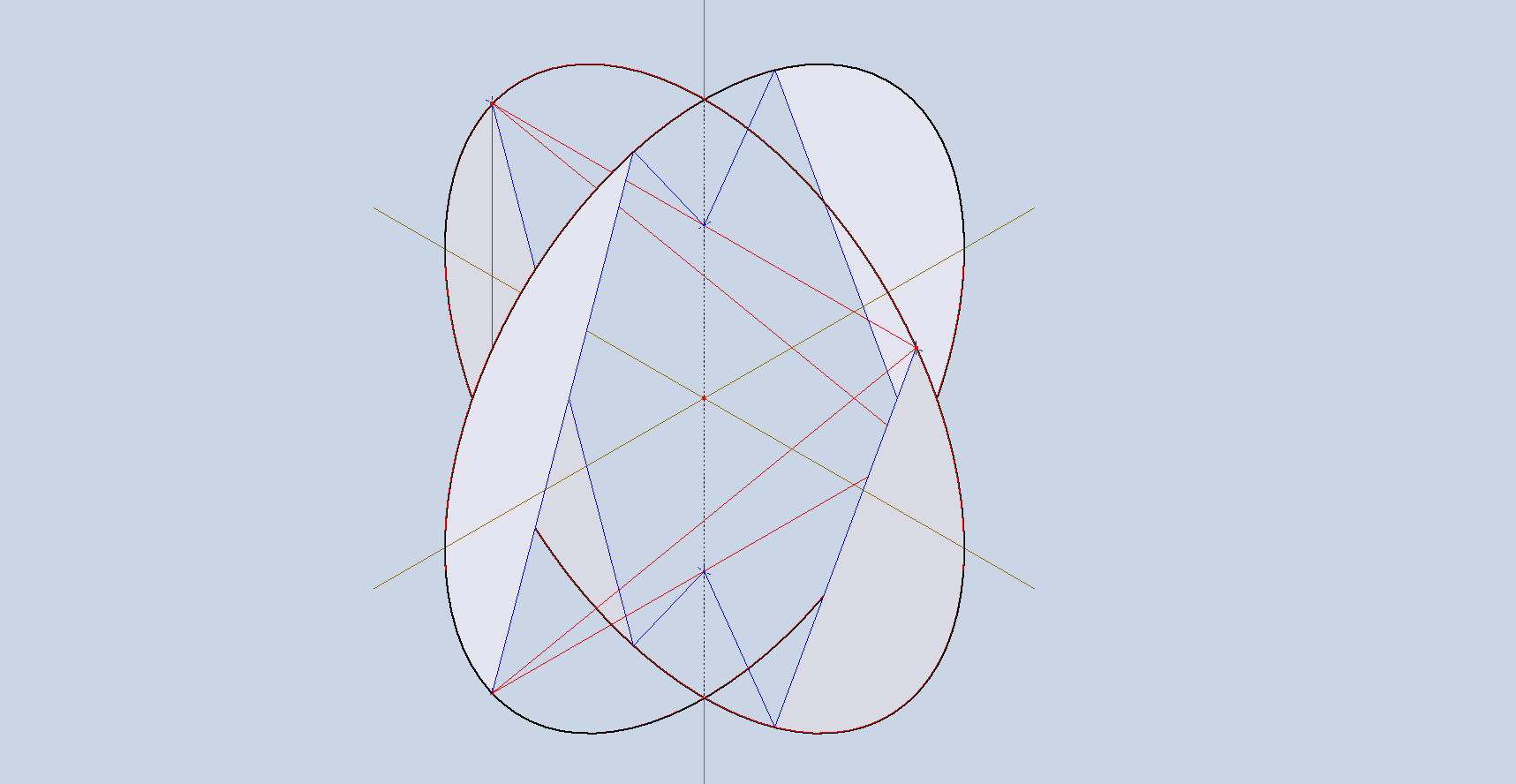
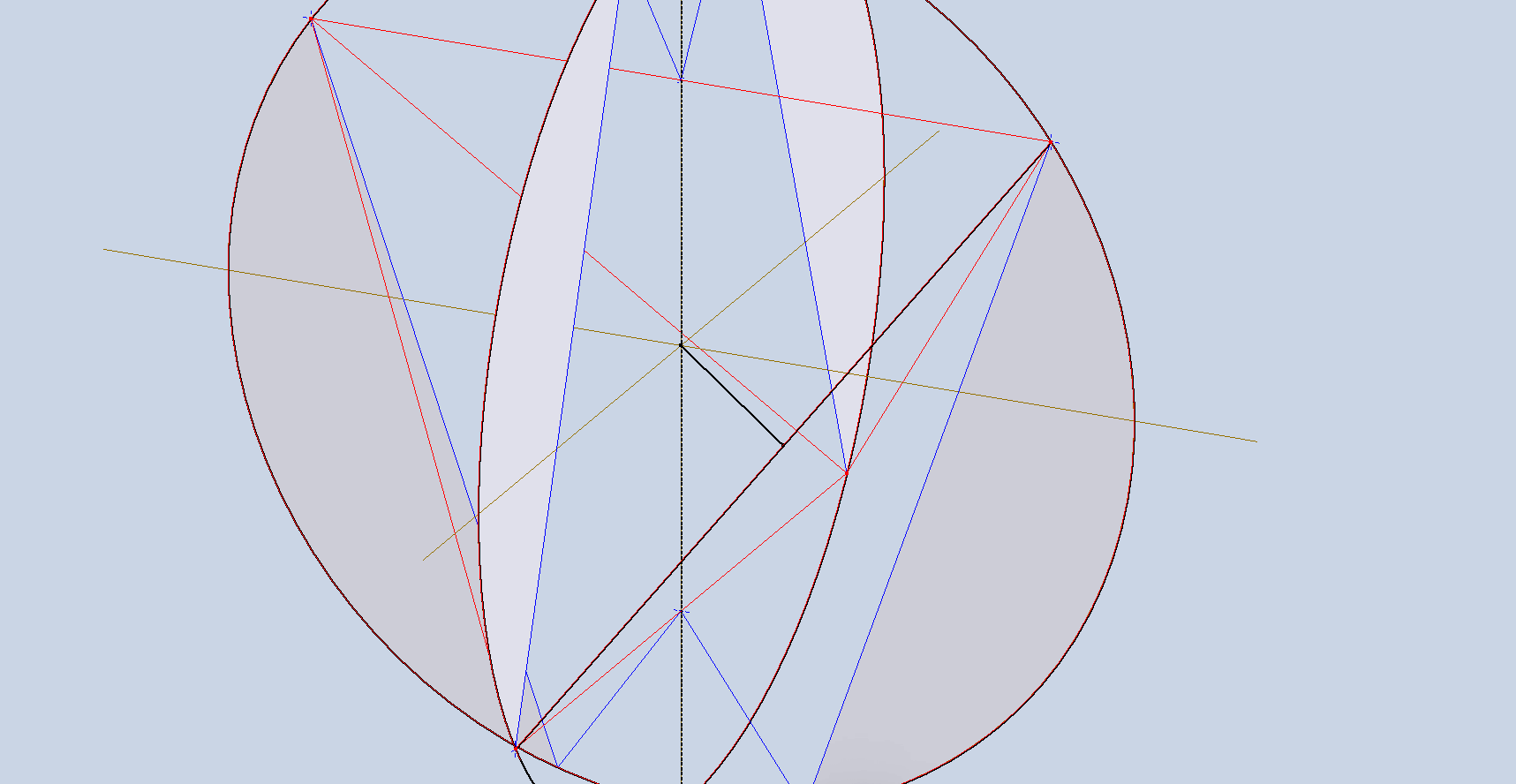
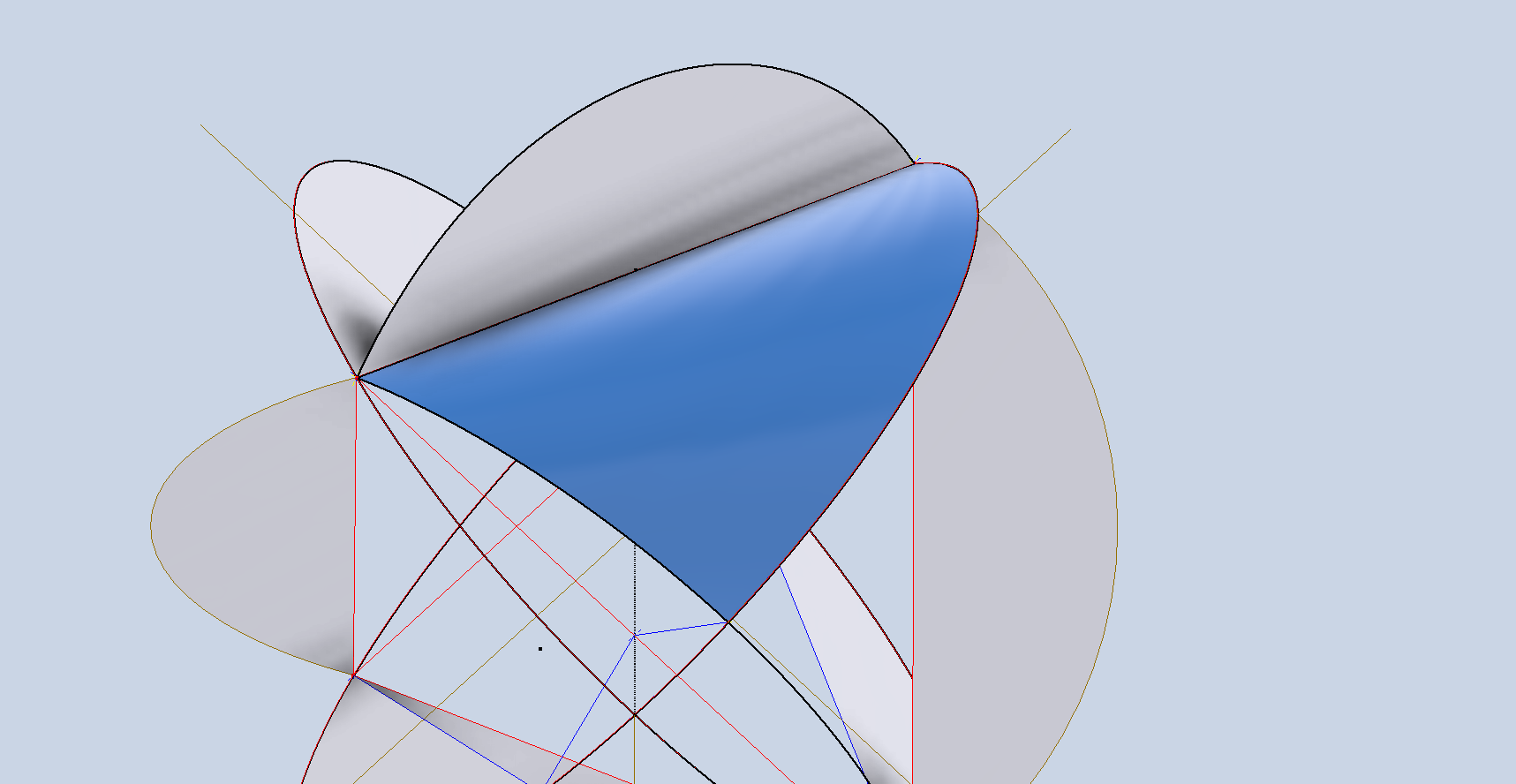
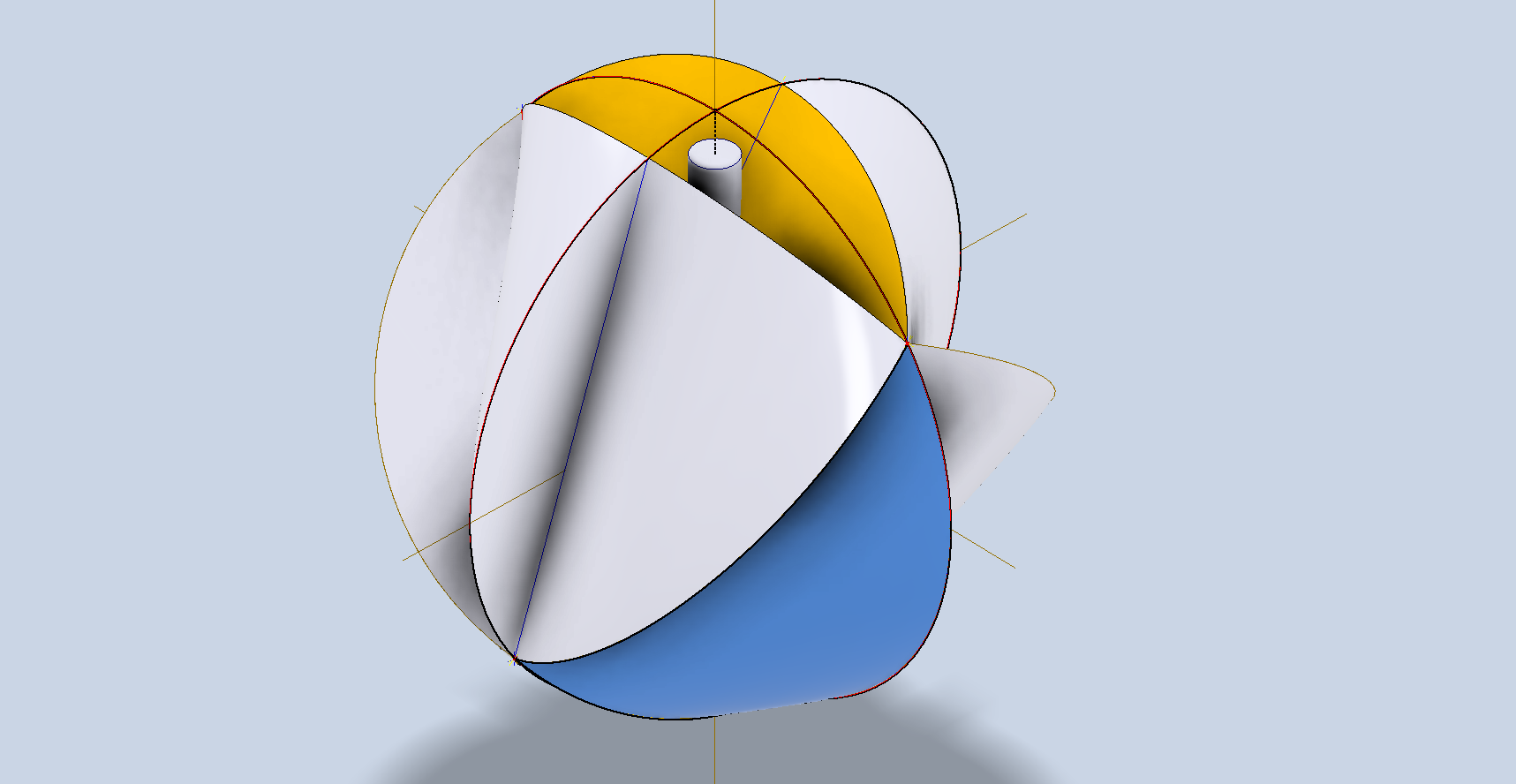
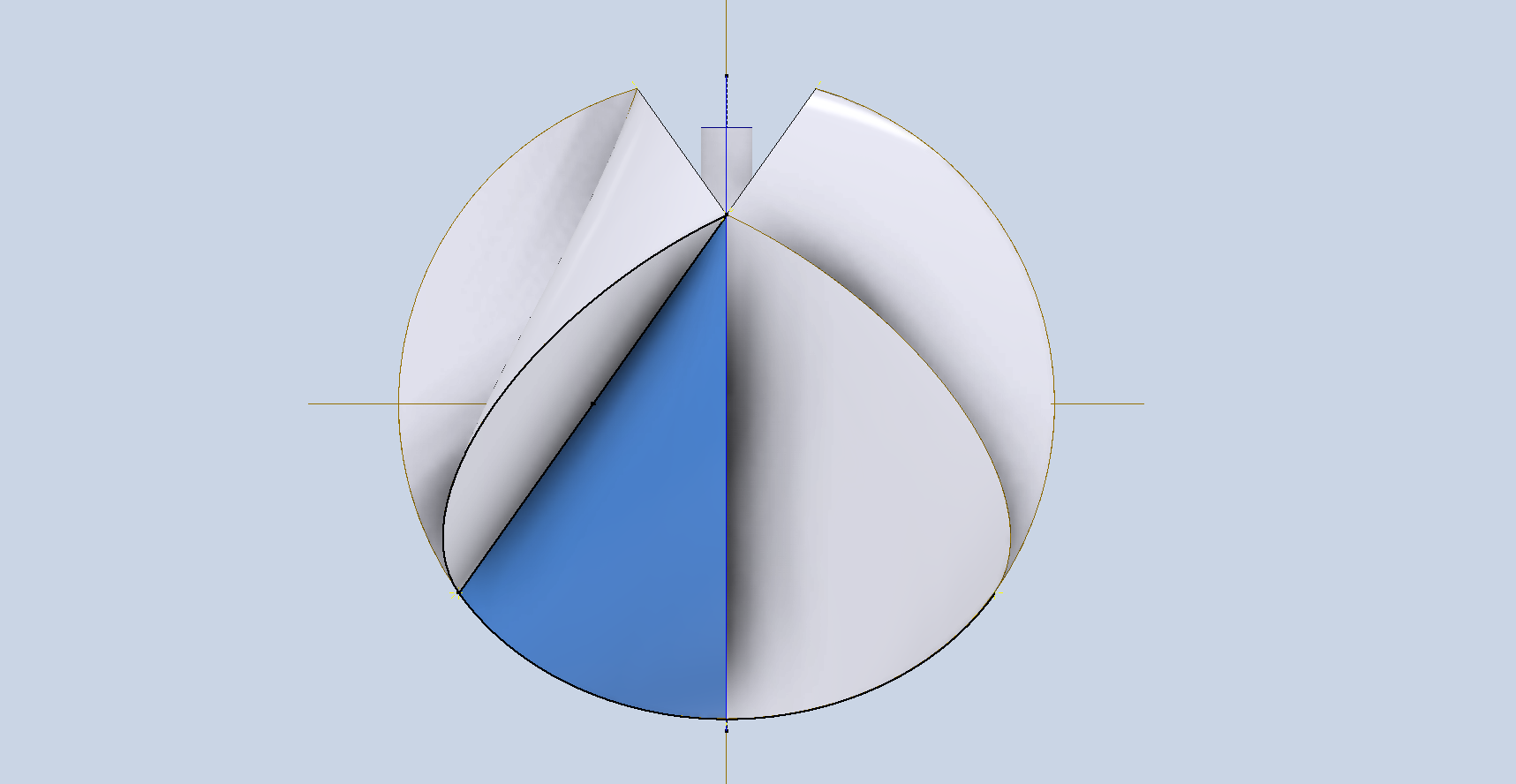
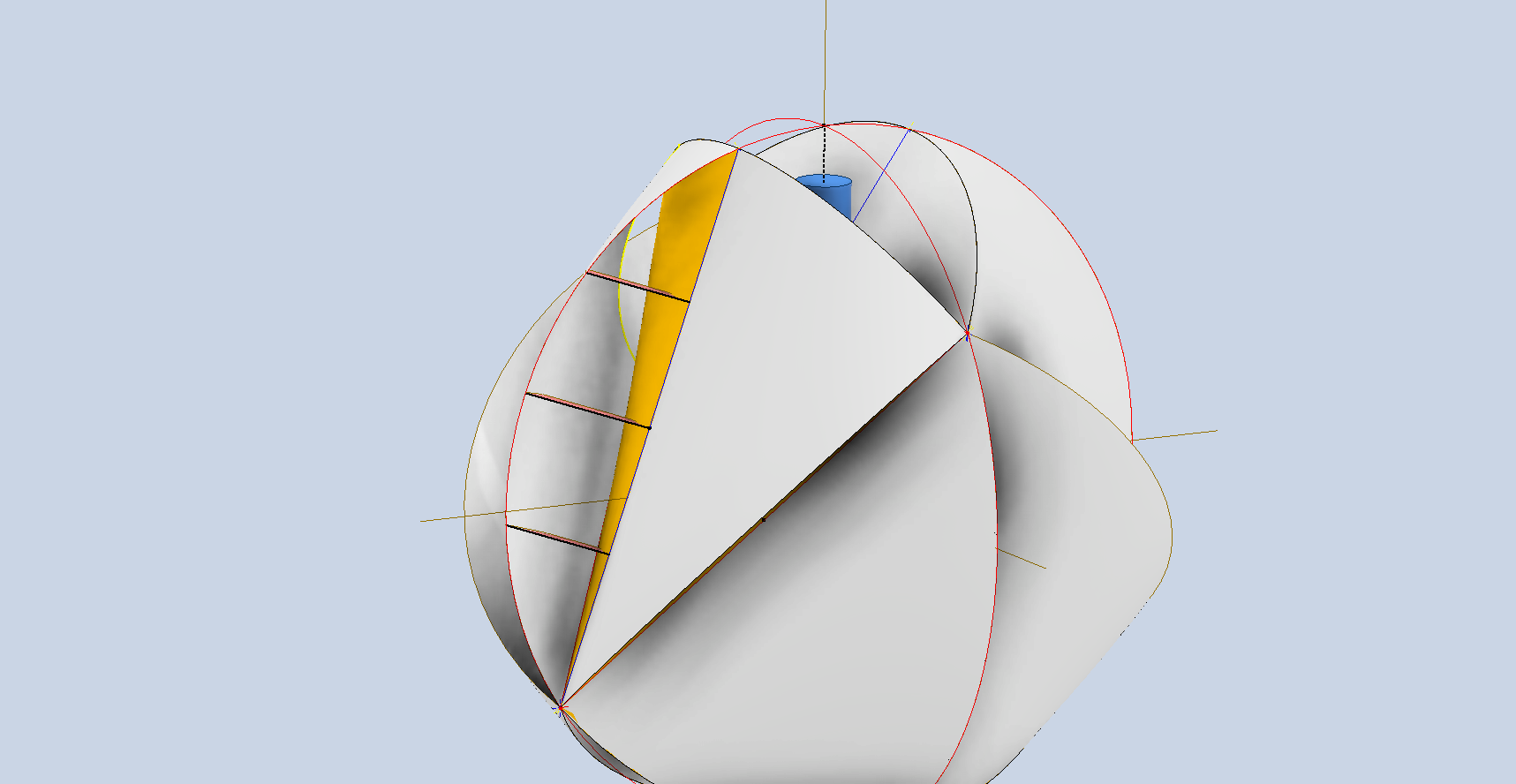
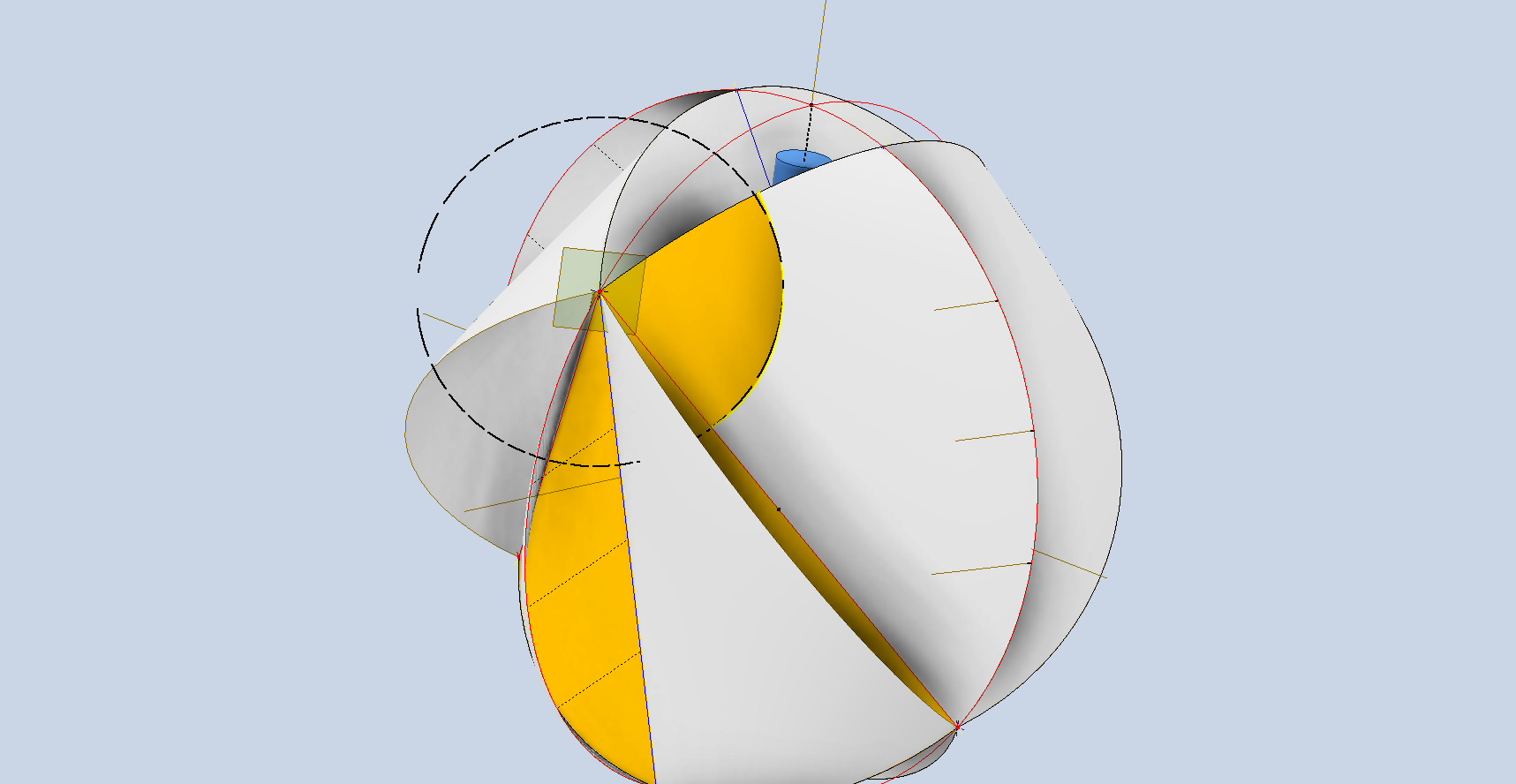
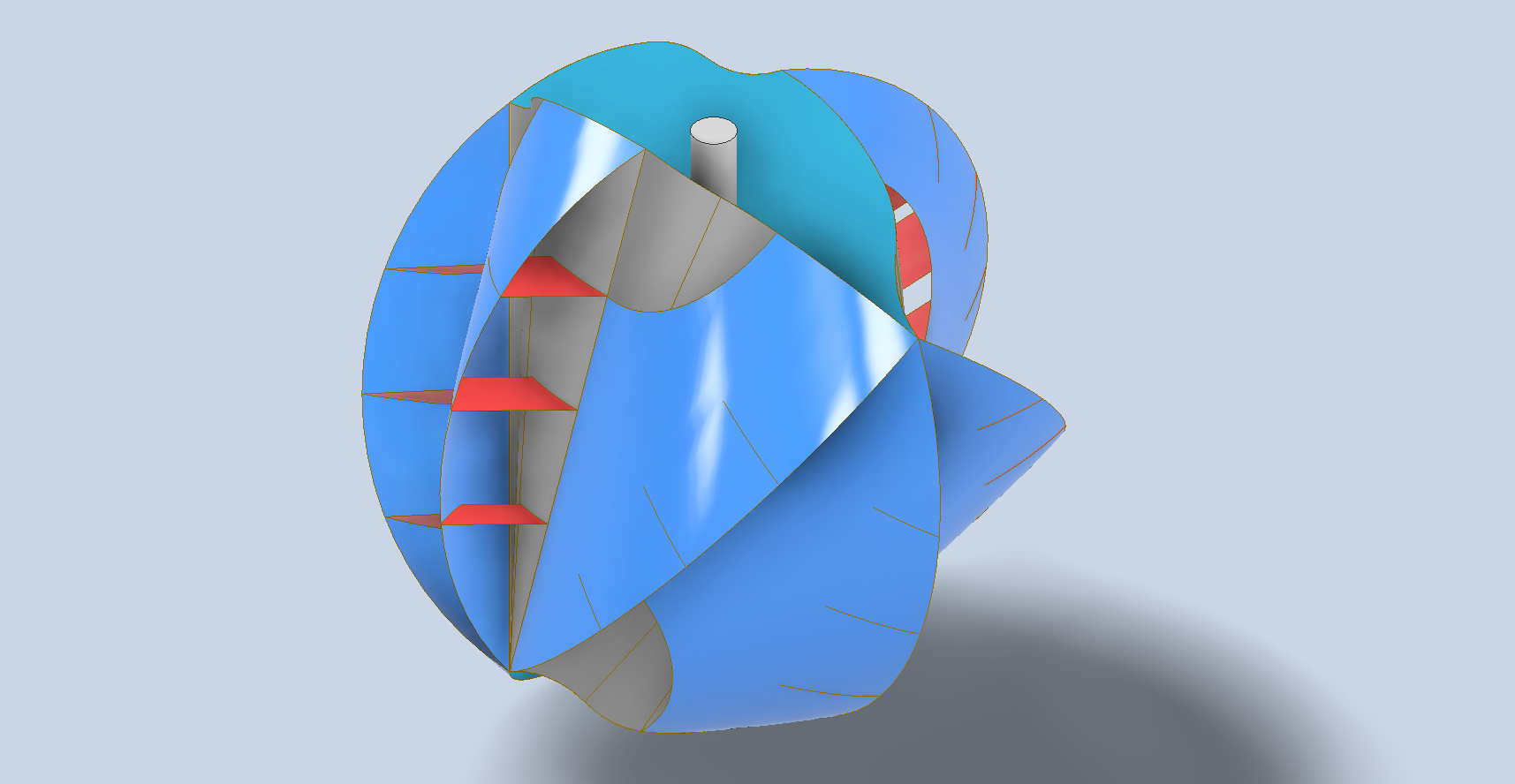
Hold on a moment; where did the ellipse in the middle of the arch come from? If we simply loft the two end profiles of the arch, as shown earlier, we can create an acceptable model, but it won’t be ideal. In the second image, where both surfaces are overlaid, you can see that this approach tends to create a diamond-like cross-section in the center. While this is not entirely incorrect, incorporating the ellipse in the center of the arch results in a much better finished surface, ensuring good continuity, as demonstrated.

Once we have the arch lofted surface, we extrude the centre section circle to match the surface contours.

We then use this extrusion to trim the underside of the arch surface, apply patch surfaces to fill in the ends of the arch and this centre section. Then stitch everything together and we have the main solid model.

Apply a fillet as shown to the underside; note the fillet in this case is better selected as a tangent fillet and not a G2 curvature. It is often tempting to overuse the G2 fillet option as the perceived notion is that it creates a smoother finish, which by the way is correct, though in a case like this it tends to sharpen the fillet corners which is not good. Something to watch out for when applying fillets.

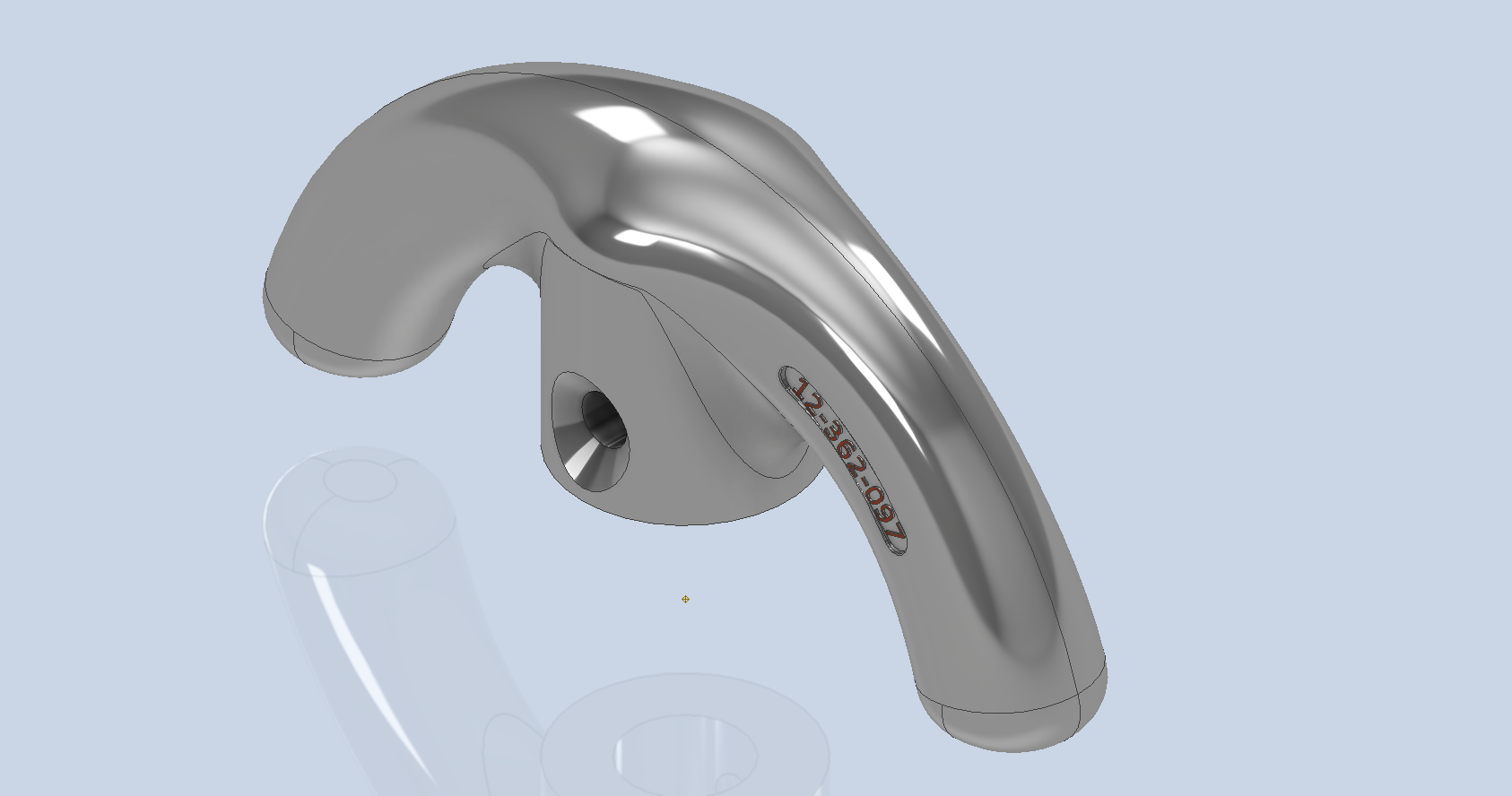
To finish up we add the holes as specified, fillet the ends of the arch (a good opportunity for a G2 fillet) and add the part identifier. The final part should look something like this:

In summary, when developing surface models, it’s beneficial to explore your options and start by creating sketches that support your plan of action. Consider using 3D intersections to define loft paths, and incorporate additional geometry as needed to maintain the circularity and continuity of the final surface.

This part is ready for manufacturing, which will probably be 3D printed for this static display restoration.

Typical Design Workflow:

Usually I would initially receive an inquiry via email from companies like Planes of Fame for a 3D CAD model of a specific part or assembly. Typically, the request includes a brief description of what is needed and not necessarily the actual part number. In this instance, it was for “the handle for operating the window glass.” I then searched through my archives to locate this item, reviewed the part’s blueprint, and checked which parts or assemblies it connects to ensure I have all the relevant information.

I will make every effort to start working on the CAD model as soon as possible, regardless of the time of day, to minimize any delays. For example, I received an inquiry about a part at 9:17 PM last night for the “P-39 Throttle Control Mount.” Following the established procedure, I was able to begin working on it relatively quickly on a Friday evening. The finished part (#12-631-027) was completed and submitted on Saturday at 11:17 AM. The final design included both the original 3D CAD model and a fully dimensioned 2D drawing, which is essential for verifying that all dimensions conform to the original blueprint.

This part will likely be 3D printed for the restoration of the static display, so the 2D drawing serves both as a dimensional check and a reference for manufacturing. If the inquiry had required a metal casting manufacturing process, the drawing would include more detailed information about part machining and the tolerances necessary for a full-metal manufactured item.

If you’re looking to bring your ideas to life with accurate 3D and 2D CAD models for replica parts, I would love to help! Don’t hesitate to get in touch hughtechnotes@gmail.com
Technote: P-47 Canopy Contour Lines

Technote: P-47 Canopy Contour Lines:

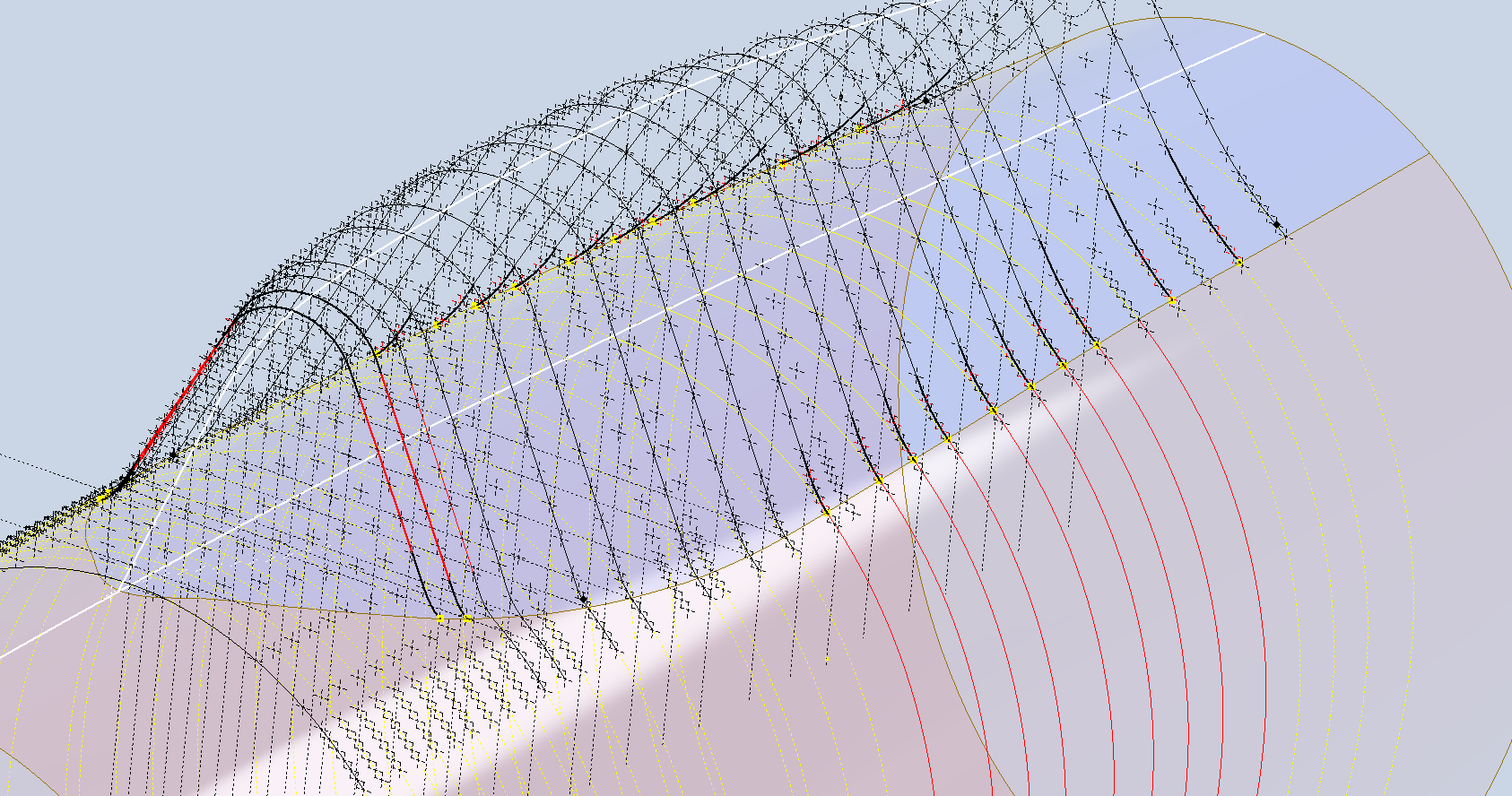
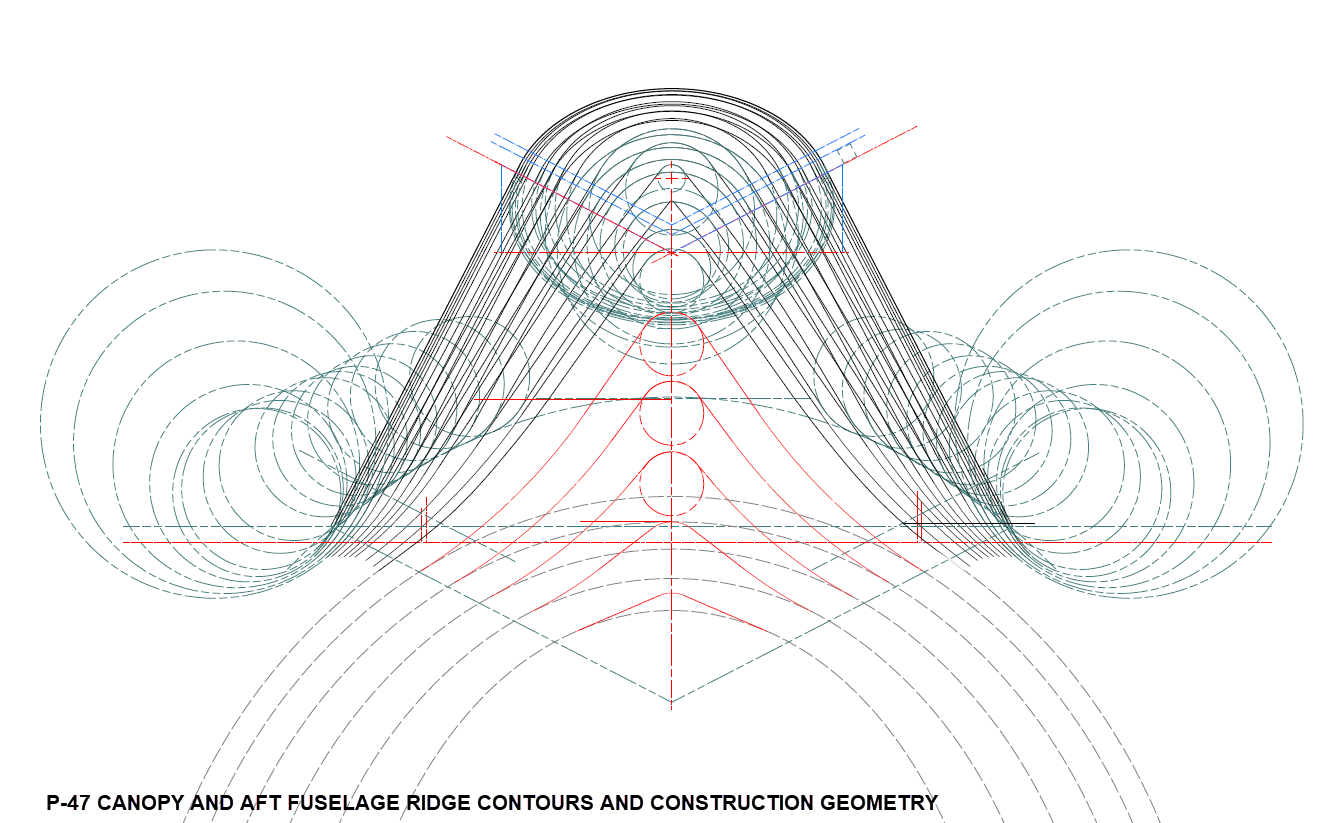
In a previous post, I discussed a minor discrepancy at the intersection of the canopy contour lines and the fuselage contours. This discrepancy is quite small, measuring around 0.3 mm, which is generally considered an acceptable tolerance. The purpose of these CAD/Ordinate studies is to provide the most accurate dimensional record for the various aircraft currently available, so it is crucial to ensure that these measurements are correct. However we must first understand design intent and check that the canopy contour ordinates are designed to match the fuselage contours.

Depending on the aircraft manufacturer, the canopy contour lines may not align exactly with the fuselage because the canopy surface is typically offset from the fuselage surface, which is reflected in the information provided. For the P-47 you can see the ordinate points are an exact match with coincident curves from the fuselage surface therefore the tangent line is actually defined by the intersection between the canopy contours and the fuselage contours.

Initially, when I started this study, I profiled all the ordinate points for the canopy and compared this with the fuselage surface, revealing a minor discrepancy. The thing is we don’t have to fully connect all the coordinate points for the canopy, just the points above the intersection line.

First, we need to define the actual definition of this intersection on the fuselage surface which will be transposed to the canopy model. We take the vertical dimensions from the fuselage centre as defined on the canopy ordinate drawing #89F11456 and create a sketch which will be lofted to split the fuselage surface. On the second image above you will notice a number of prominent points on the upper curve profiles. These ordinates are not shown on the early P-47D drawing but are shown the on the later P-47D and P-47N ordinate layouts.

Initially, I opted for a tangent spline curve to complete the main circular profile of the fuselage bulkheads as per the ordinate drawing thinking that the relevance to the finished profile was nonessential. However when I compared the first run of the canopy and fuselage alignment studies I found that it was necessary to include those additional ordinates which are now included in the spreadsheet record.

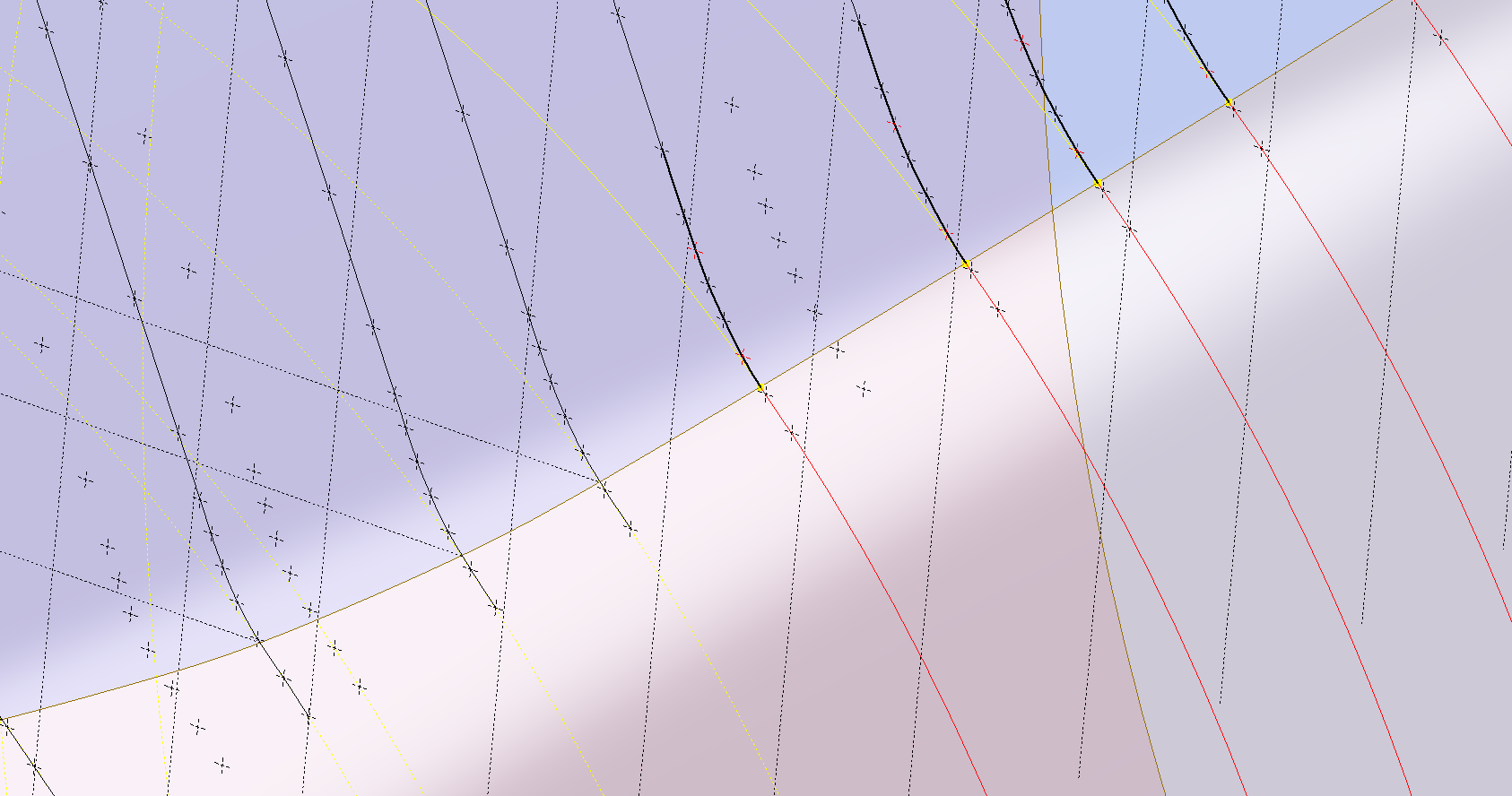
These images show I have opted to correct the minor discrepancy by only profiling the canopy to the actual intersection line. I should note the Canopy and Fuselage are separate CAD models which means I can derive the surface from the fuselage model and manipulate it as required in the canopy model without affecting the original. For each canopy station, I projected a section thru the fuselage surface which gave me a spline to which I could add a tangent constraint when profiling the canopy lines. The images show the initial interpretation of the canopy profiles and the corrected profile in red (construction geometry omitted for clarity).

Tech Tip: if we had instead derived the station sketches from the fuselage model and then projected this in the canopy frame sketches as an outline we would not be able to add a tangent constraint. This is a limitation with Autodesk Inventor when working with splines and the workaround is to project a surface cut section as I have done above.

For each canopy station, I am only sketching the ordinates down to the intersection line with the fuselage and adding a tangent constraint to the projected fuselage profile curve. Because we split the fuselage surface we will have a point at the split that we can use in the profiling of the canopy frames.

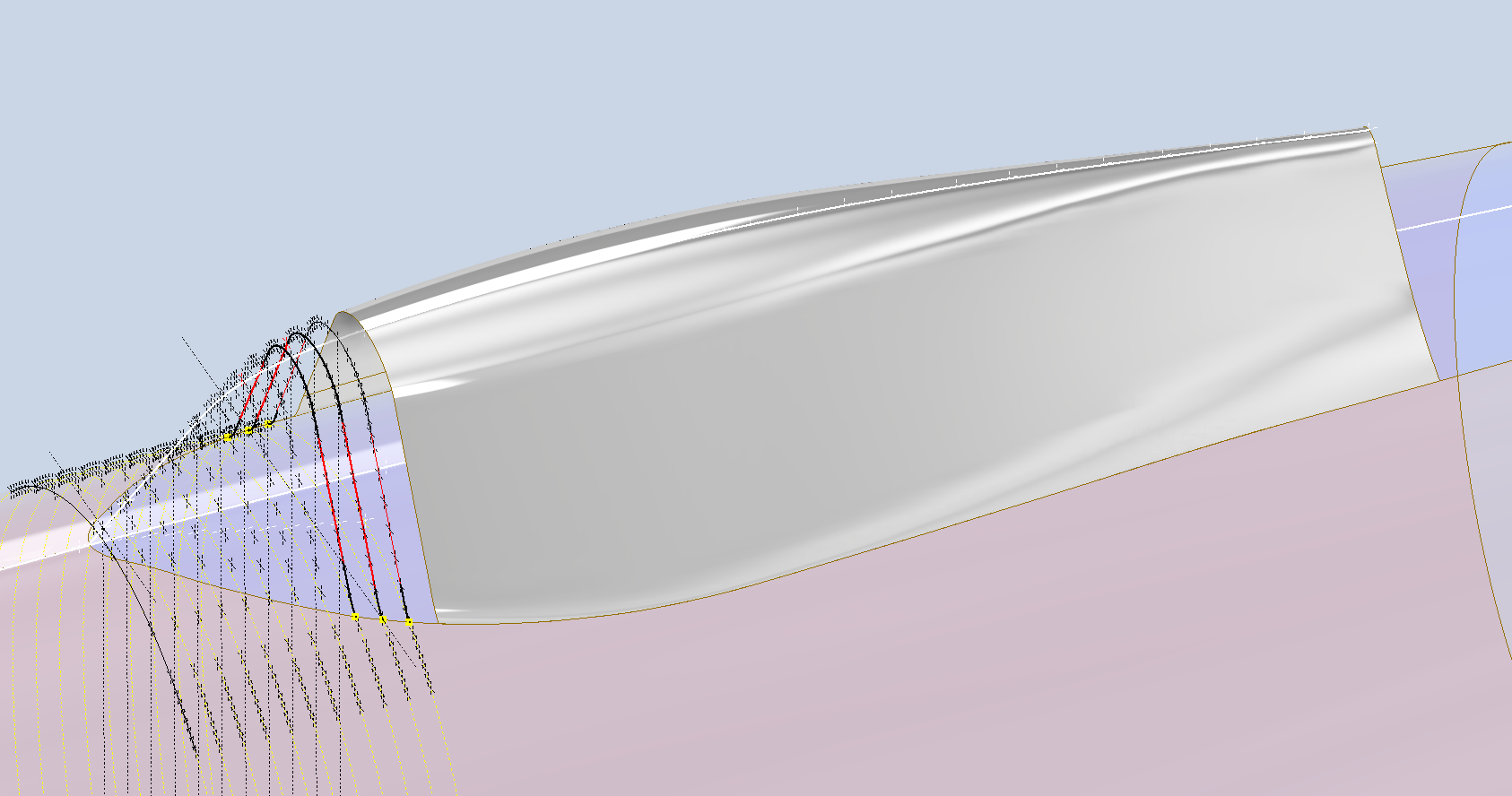
The actual skirt for the canopy obviously overlaps the fuselage surface and therefore we will have to define the edge relative to the tangent intersection line. As mentioned before we can manipulate the fuselage surface that is derived in the canopy model which means we can trim that to suit without impacting the fuselage model.

The tricky bit is ensuring that the edge of the skirt is exactly the same dimension from any point along the intersection line and this is how I do that.

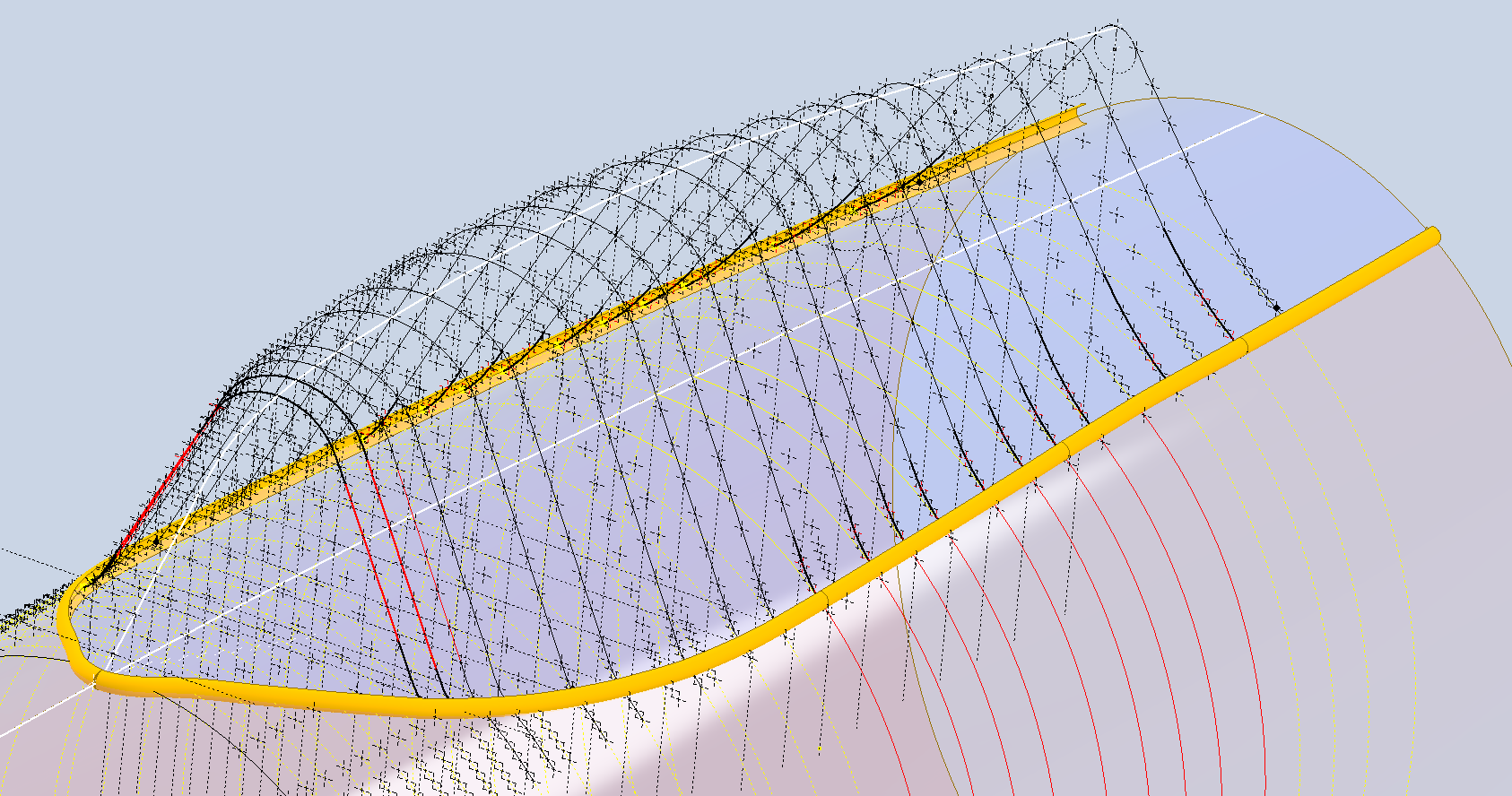
The first thing to do is create a work plane perpendicular to the intersection line and draw in a partial curve and then sweep this along the intersection line path. The reason for this being a partial curve and not a full circle is because there is a tight radius at the front edge of the canopy which may not be possible to traverse using the sweep command if this was full circle.

When this is done it is a simple exercise to trim the derived fuselage surface to obtain the skirt surface.

By creating a curved sketch and sweeping along a curved profile we ensure that at any point along this path, the distance to the resulting edge is exactly the same. A similar technique will be employed to develop the finished edge of the glass panel models.

I still have some work to do on the windscreen portion of the front canopy and then I will fully model the structural components.

Republic/Ford JB-2 Update

Republic/Ford JB-2 Update:

The JB2 project is progressing quite well, with most of the structural elements in place. I will be doing a lot more detail work on the surface skin and, of course, adding the main support elements for the engine structure. In the interim, I thought it may be prudent to post a few images of the project for your perusal.

Comments or inquiries as usual to hughtechnotes@gmail.com.

Update 21st Jan 2025:

Technote: Accurate Label Placement

Technote: Accurate Label Placement:

For instrumentation Panels, the location and size of text is very important to ensure clarity. This is usually well documented on the manufacturer’s blueprints so it is essential we get this right. In Inventor for example and I am sure it is equally similar in the many different CAD programs the key is the Text justification…let me show you.

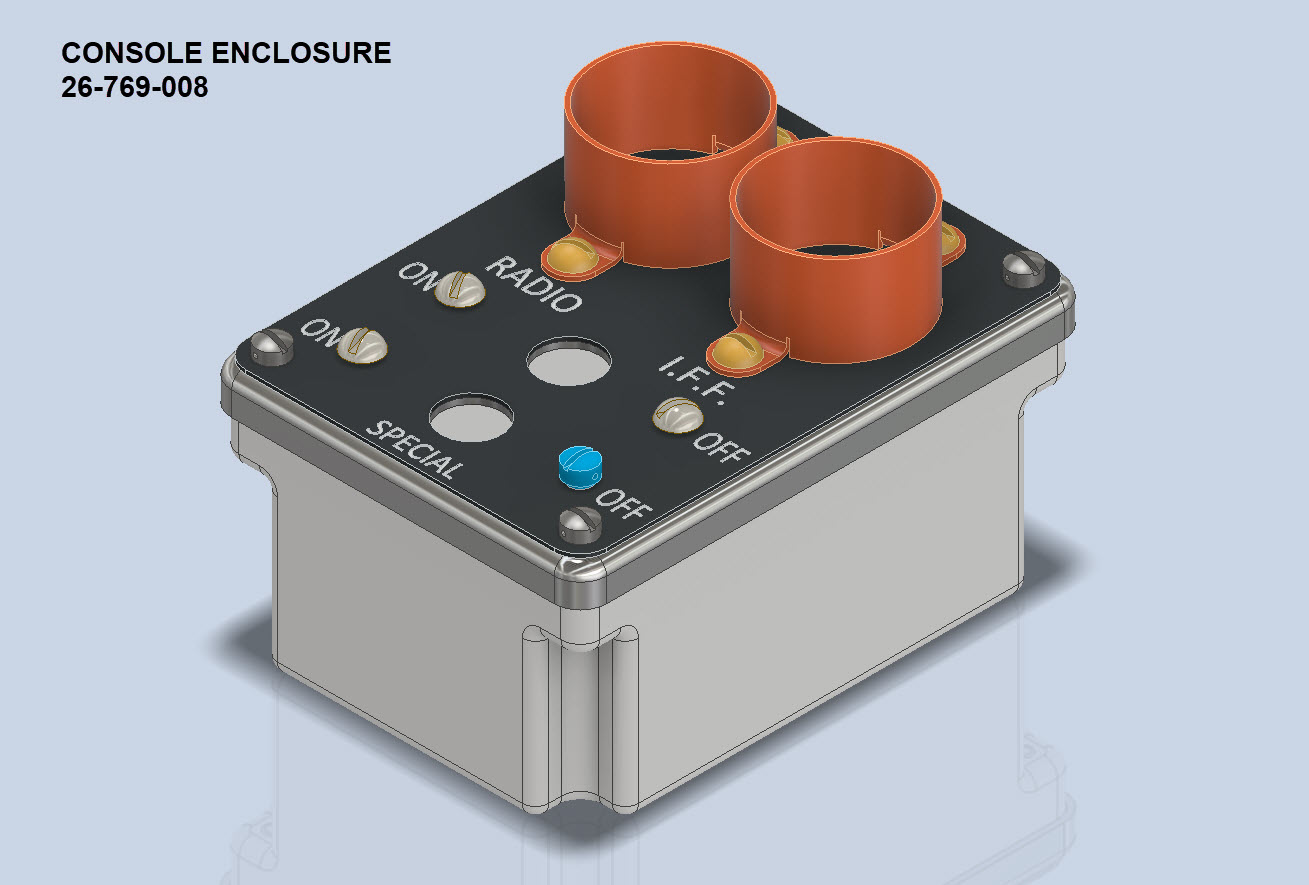
First of all a quick update on the P-39 Restoration progress. Much of the recent discussions revolved around fabrication and 3D printing. As mentioned in the previous article this restoration is a static display for which many of the parts will be 3D printed, although the key aluminium panels will still be fabricated as such. The very latest part to be issued for fabrication is this small Switch Box on the Radio Console.

A surprisingly complex box which will be 3D printed and the Nameplate will probably be CNC. The dimensions of the main box are not defined on the Bell drawings so I had to interpolate from the known information and other Bell references to determine the final dimensions. This took into account the clearance from the Drive Shaft connecting flange which is in very close proximity to this box. This also fits quite well into our discussion here on Label Text Placement.

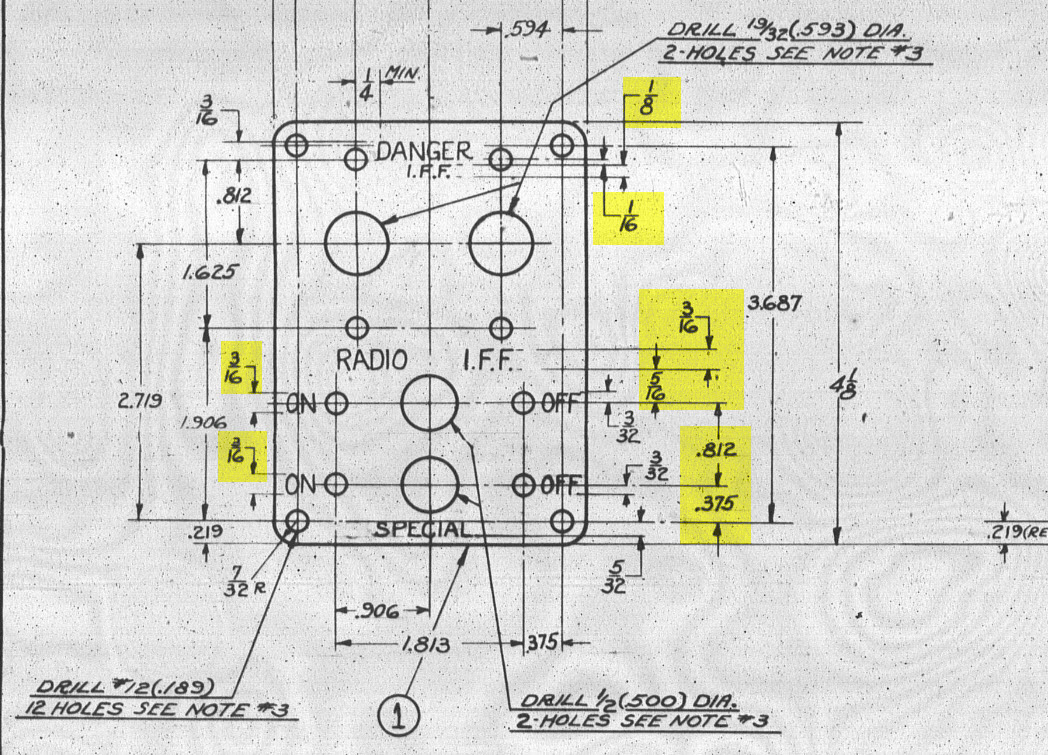
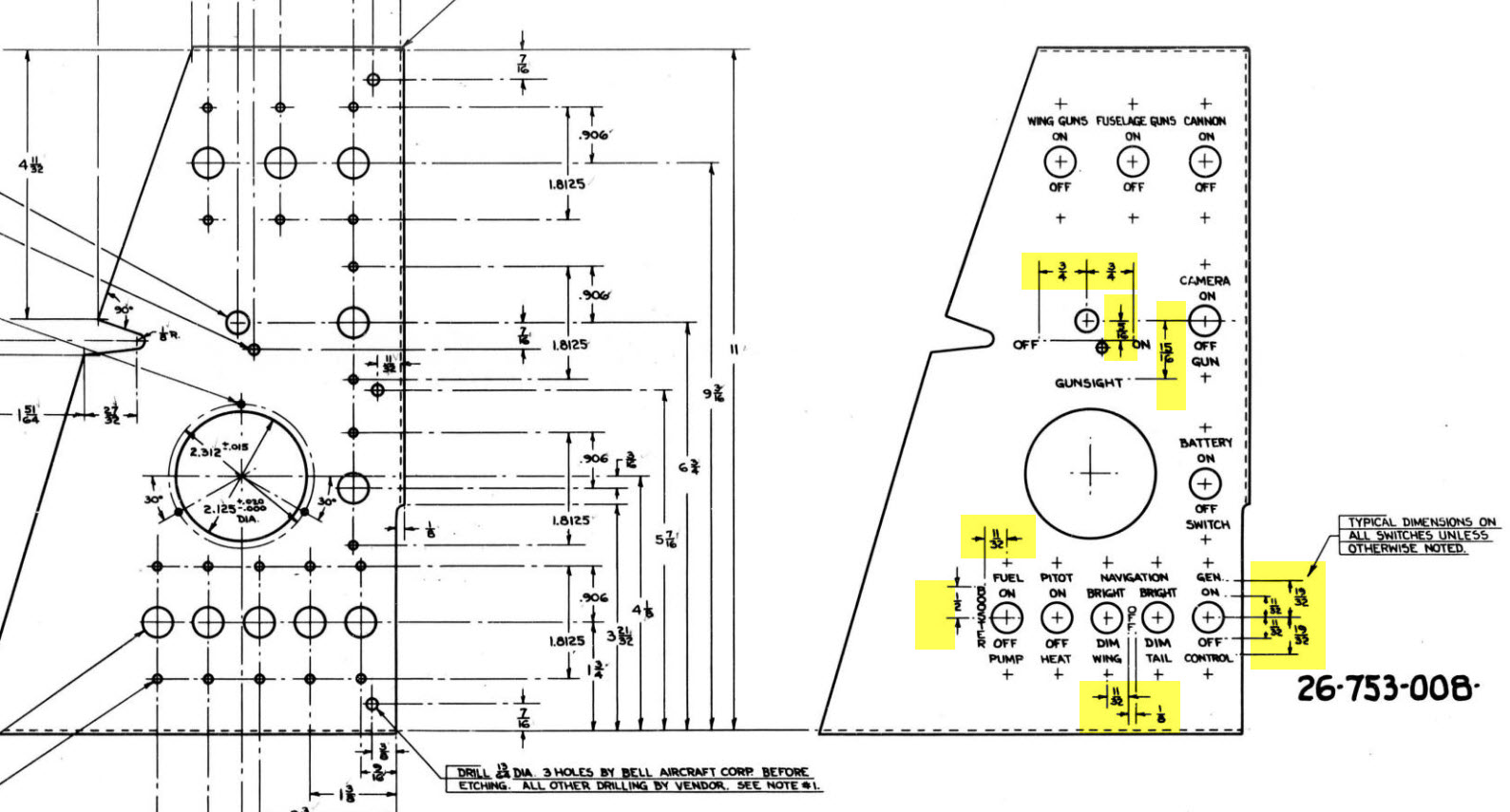
Typically on the Bell drawings, for example, the panel drawings include the height and location of the Label text similar to the following.

The way we do this in Inventor is by using the Text justification feature in the text editing box.

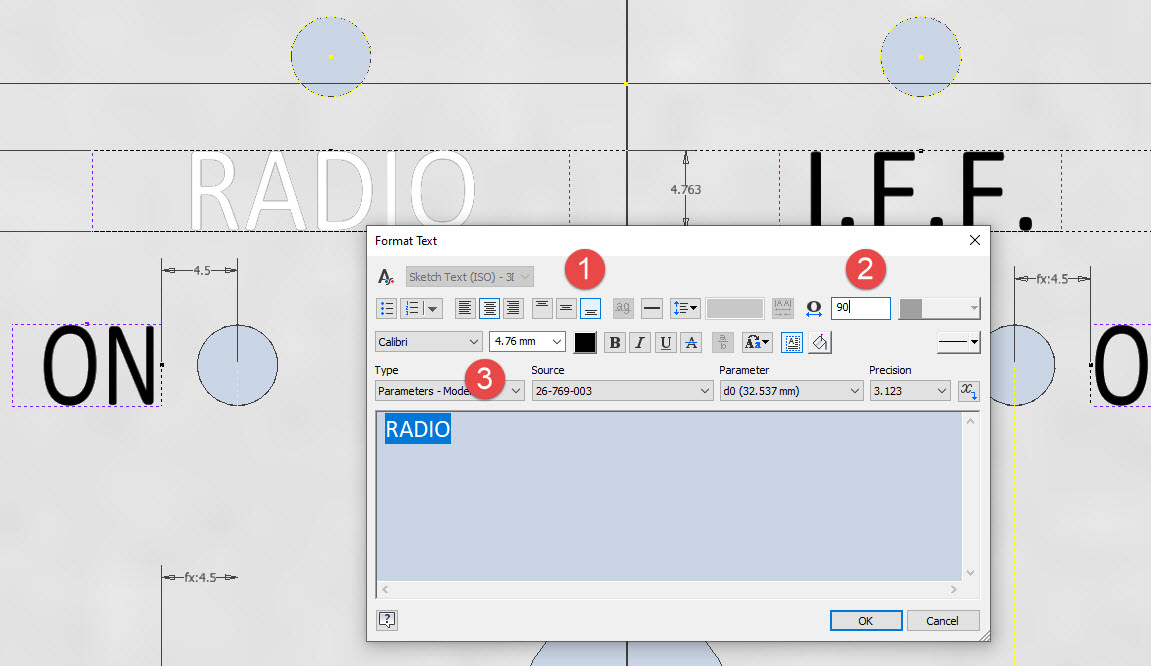
In the first image, we adjust the justification using the icons at “1”. If the dimension to the text label is to the bottom of the text we set the vertical justification to the bottom and if the placement horizontally is to the centre we centre the justification. When you exit the Text editing box a Text outline box is shown in dotted (this is optional so make sure you switch that on). The appropriate edge of the dotted line frame automatically aligns with the justification of the text entities. This dotted outline can be dimensioned and constrained as you would any graphic sketch entity. The second image shows some examples of how the dimensions of this outline relate to the justification.

It is not unusual for the overall width of the label text to also be specified in which case the “Stretch” value can be adjusted accordingly, entity “2”. At “3” we set the font and height, make sure you have the text highlighted in all cases or these adjustments will not be applied.

Interesting to note that the text outline can be useful if you require a frame around your text. The dotted lines can be changed to normal sketch lines and extruded or embossed as required.

There are a lot of features in the text editing dialogue which I may do as a technote further down the line but for now, to get the label text in exactly the right locations this is the way to do it.

F4F/FM2 Wildcat Landing Gear Update

F4F/FM2 Wildcat Landing Gear Update:

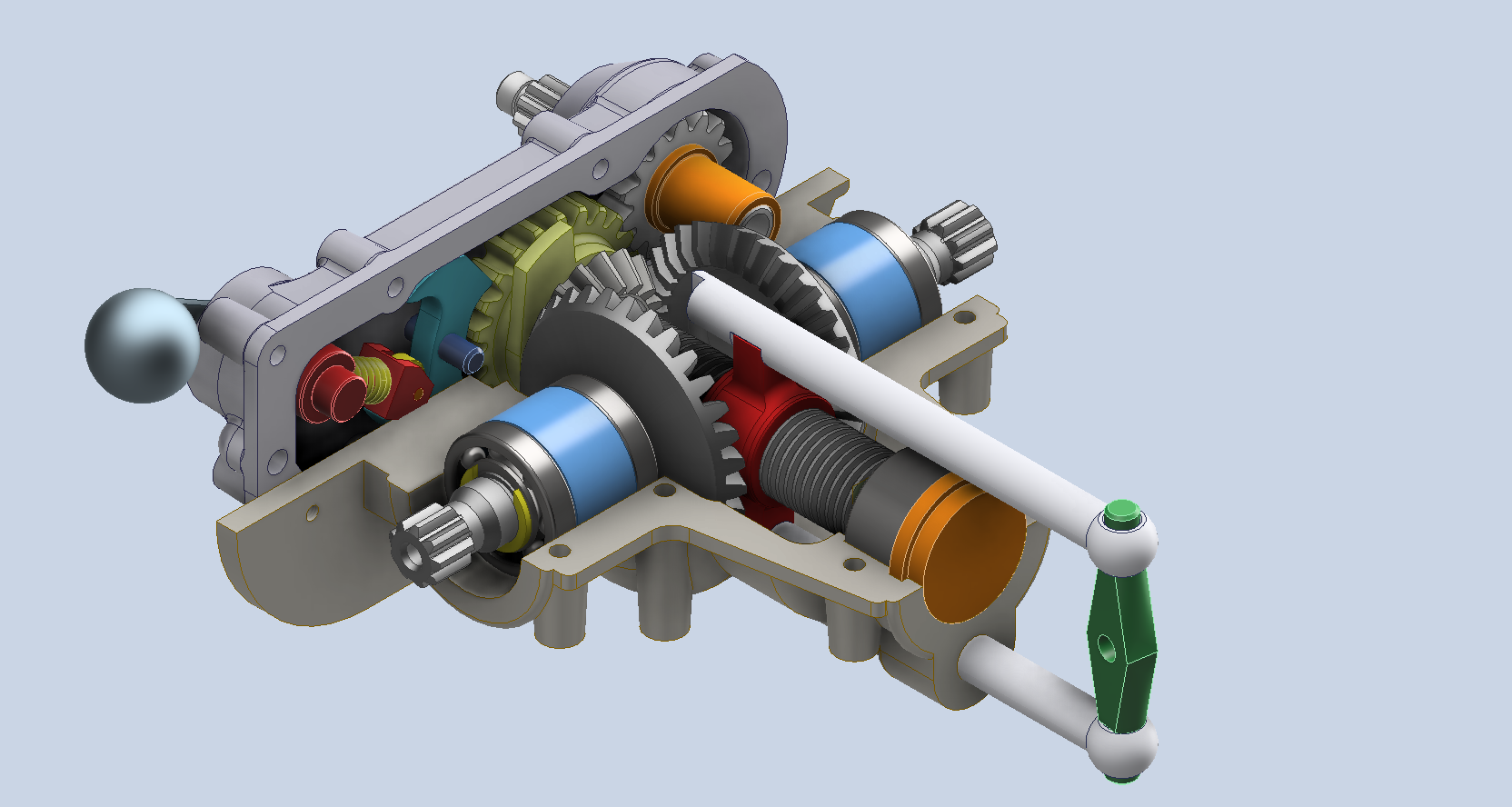
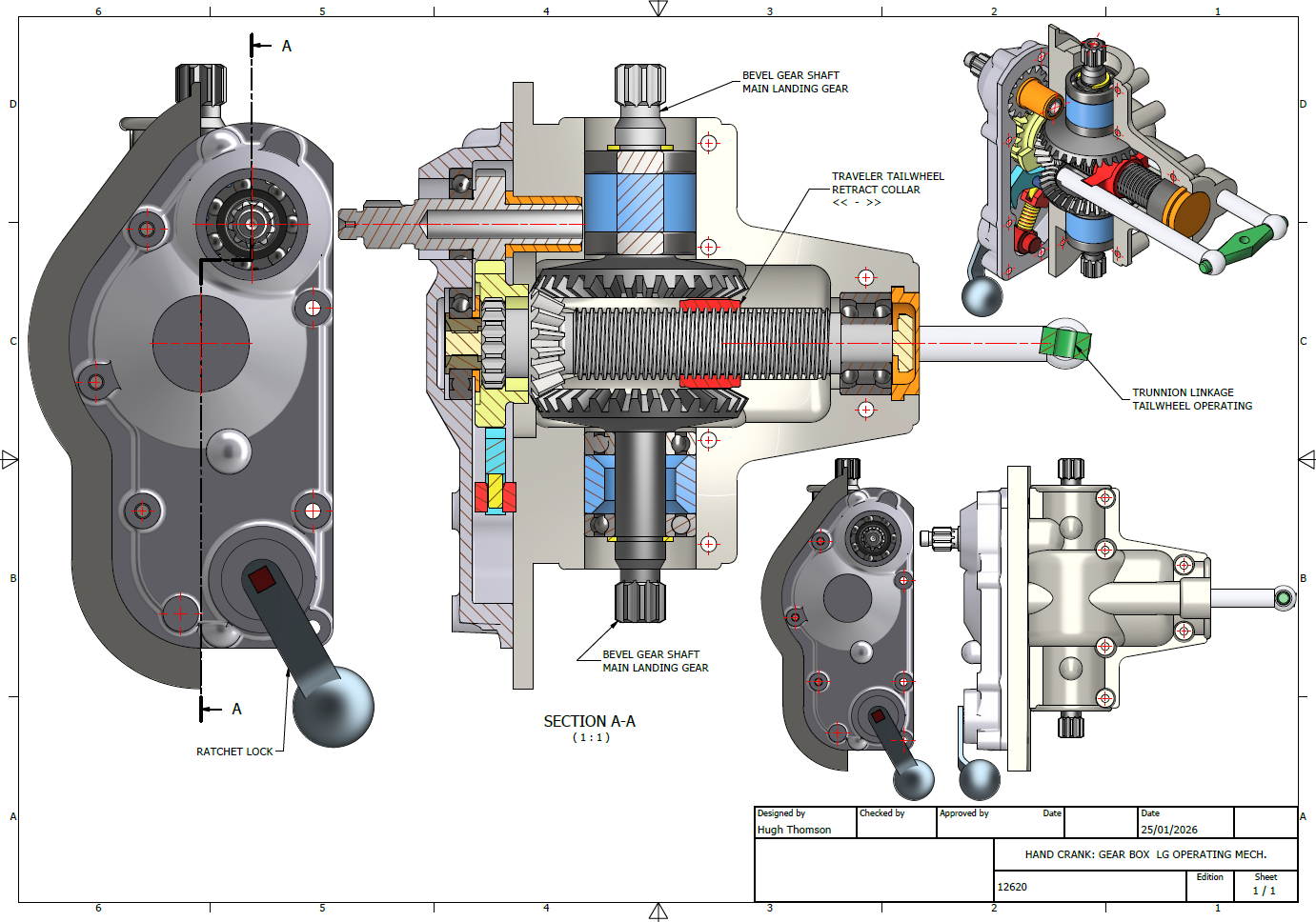
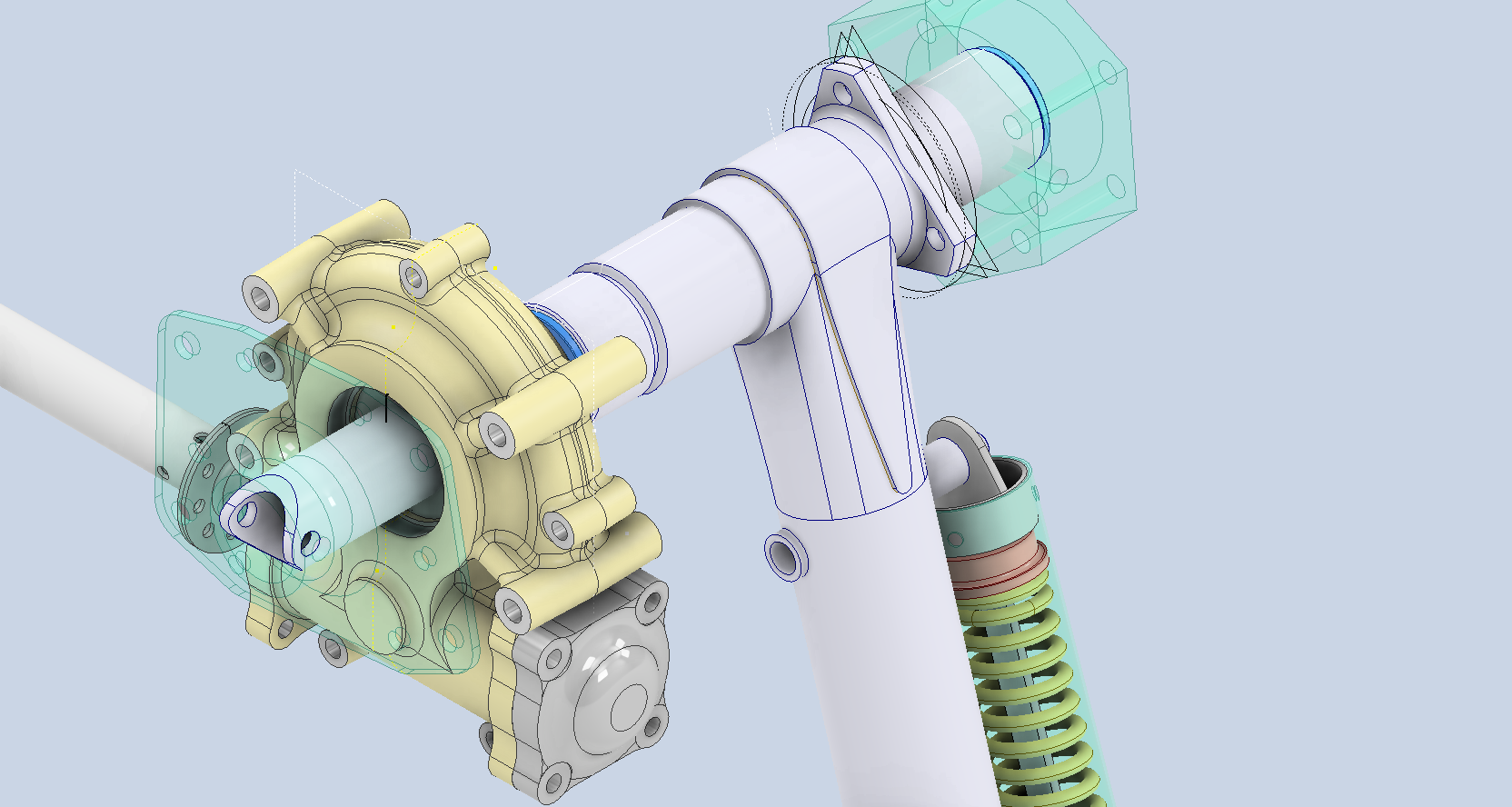
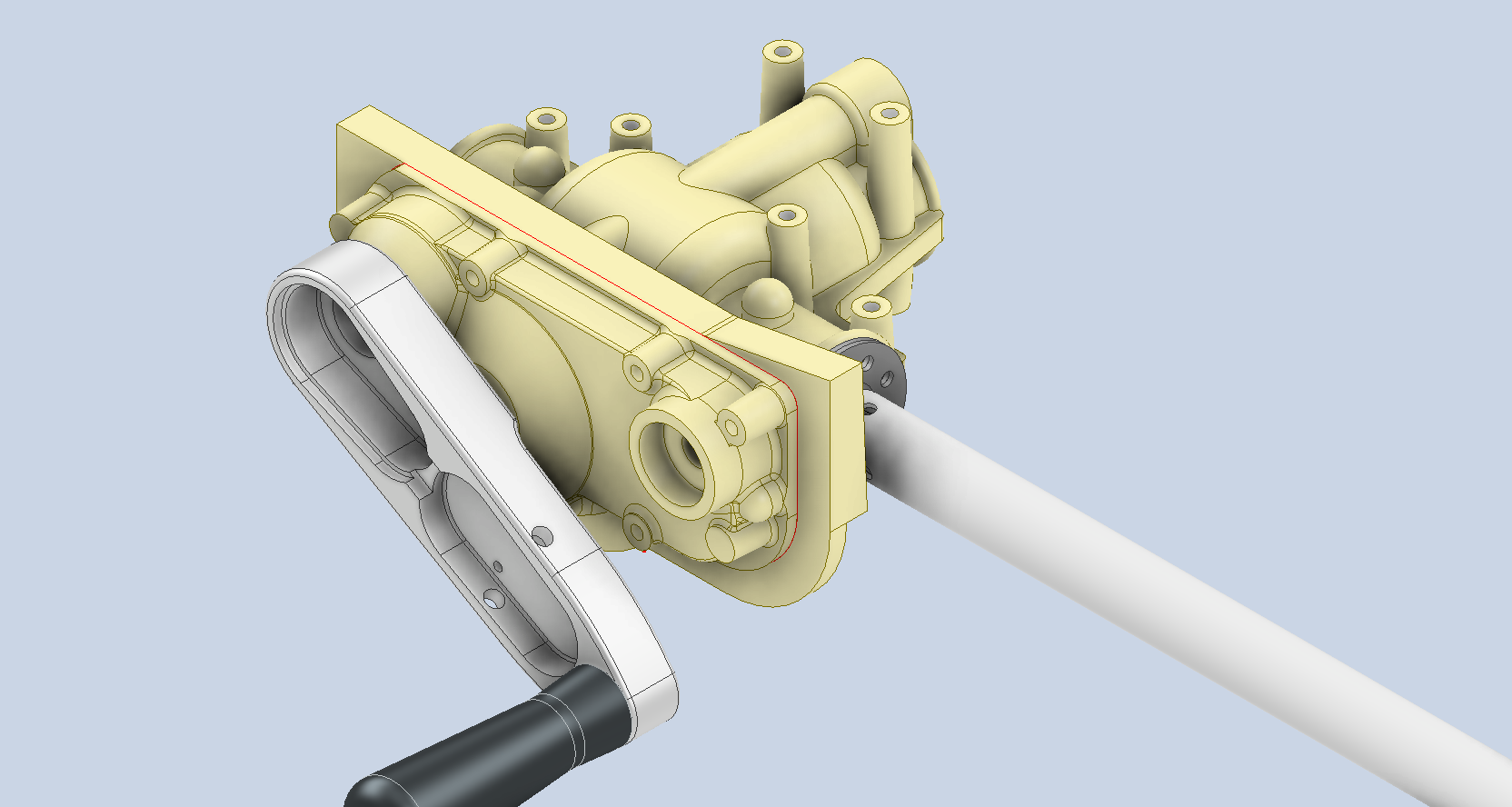
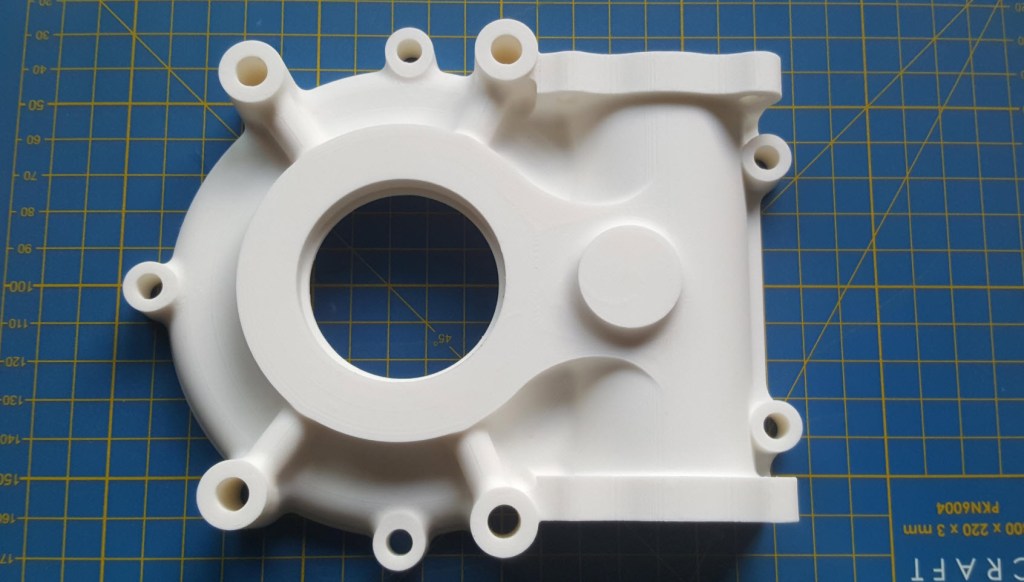
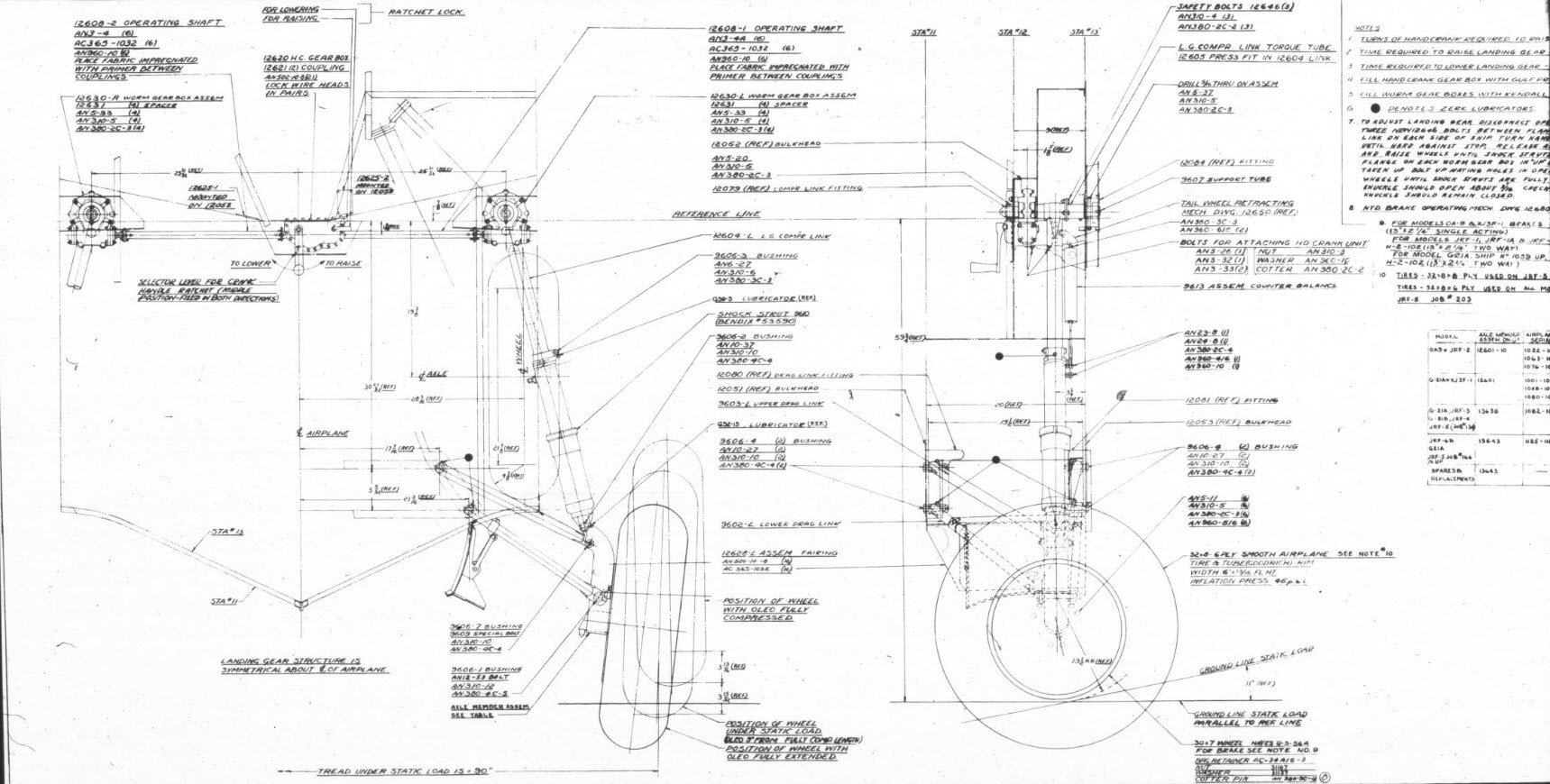
I have been busy with the Landing Gear CAD model for the F4F/FM2 Landing Gear assembly.

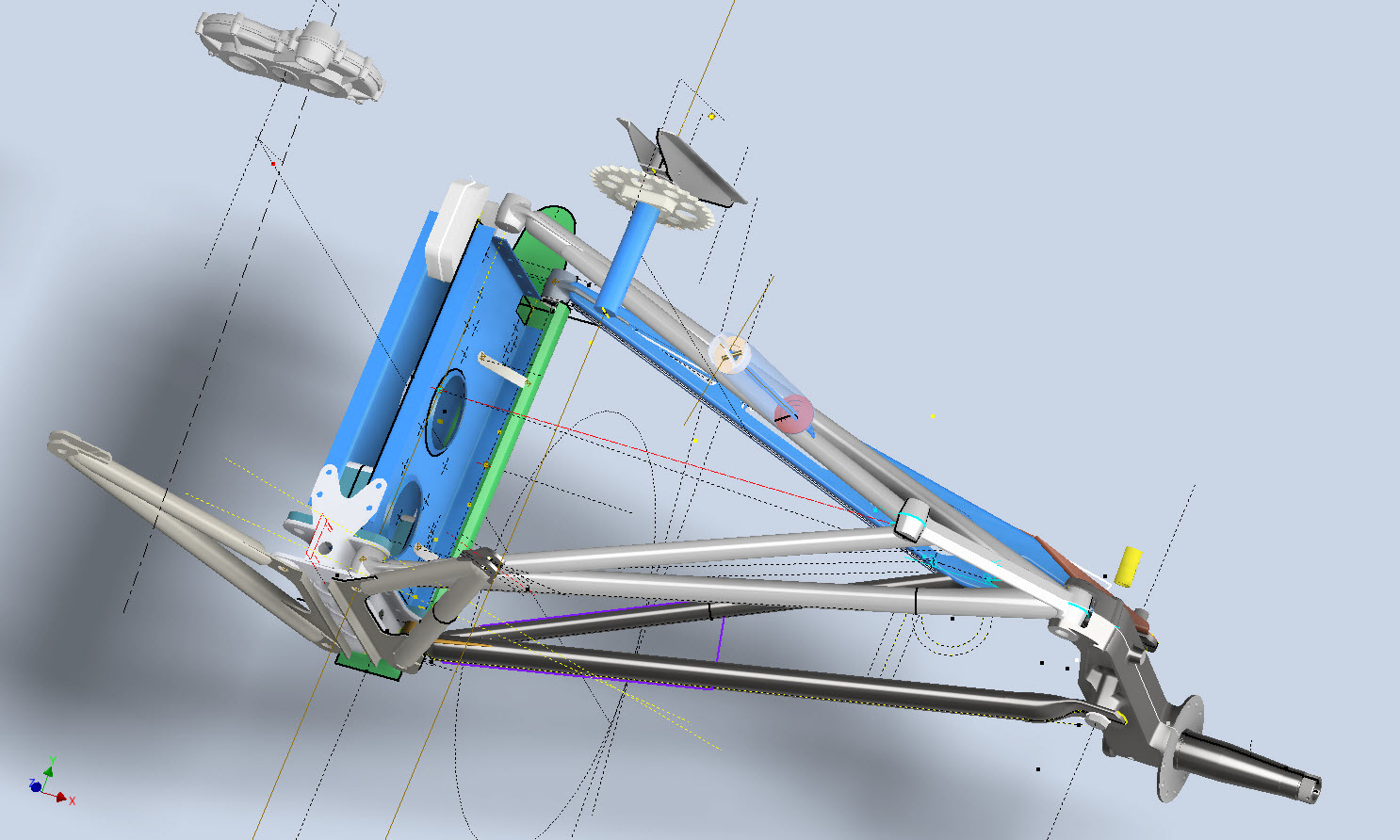
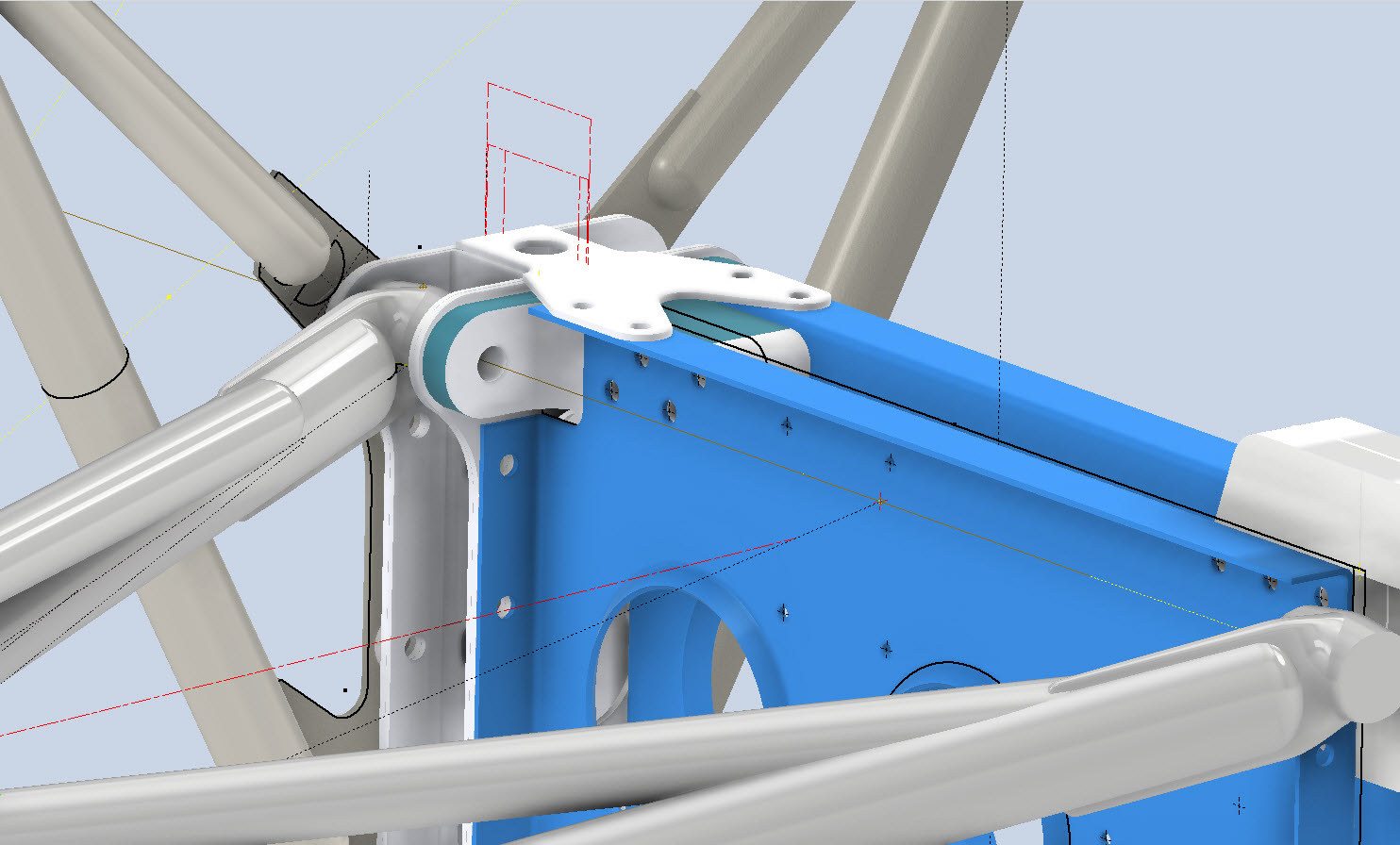
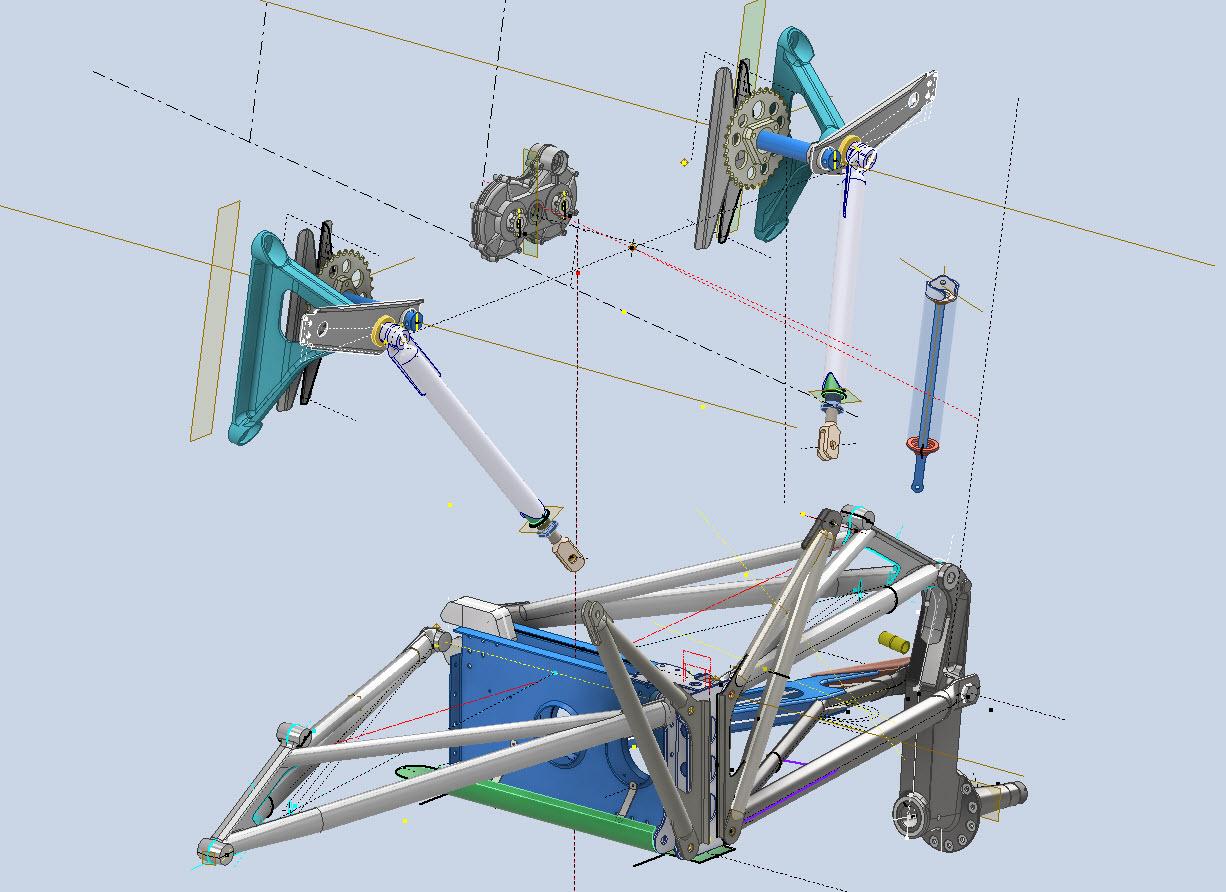
These images give you some idea of the progress to date. This is quite a challenging project due in part to the poor quality of a few drawings but also to the ongoing checking of dimensional relationships between the parts. Most notable is the forward Drag Link Support where you can see several red lines which is a visual indication of stated minimum and maximum tolerances. Also on this part, it is worth noting that the top pair of main holes are at 4.0625″ x/centres whereas the lower pair is at 4.1557″ x/centres…a minor variation but obviously critical dimensions.

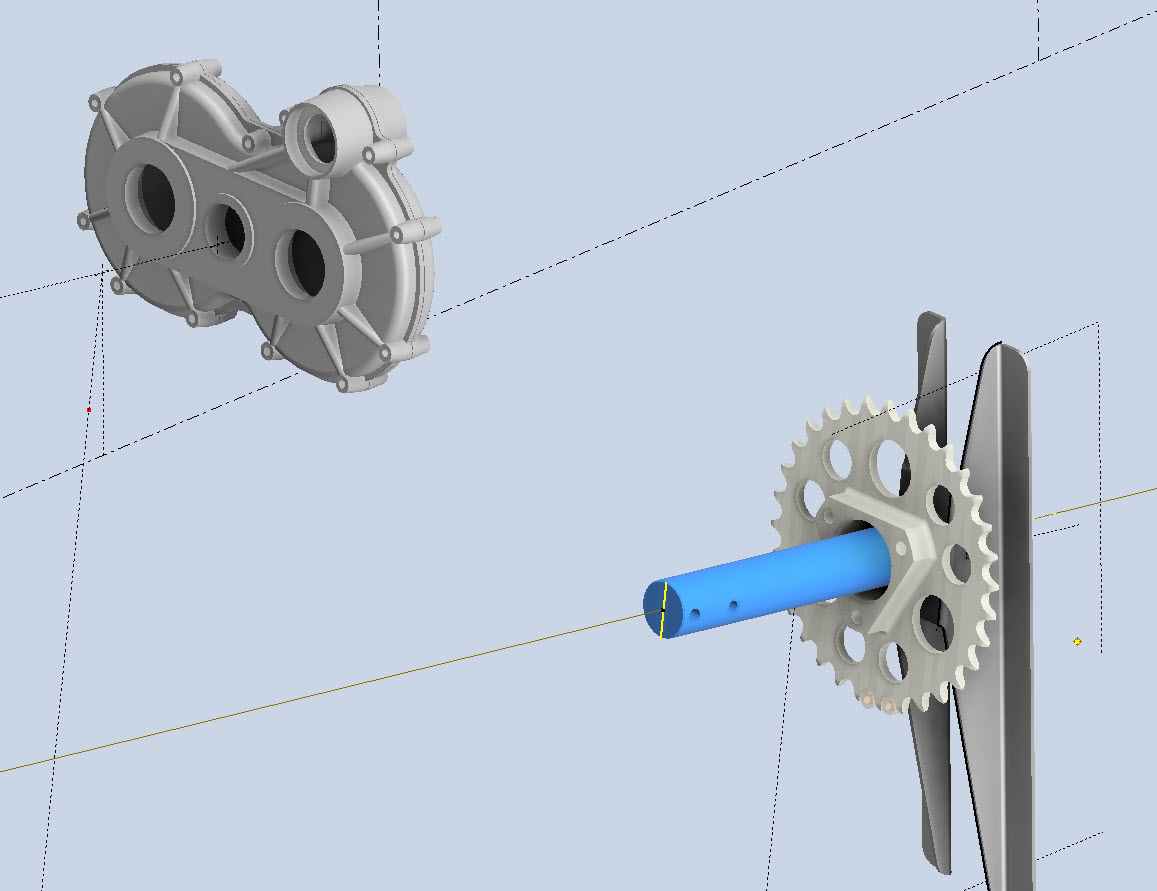
The roller chain sprocket is a calculated profile to suit the specified roller chain; there is a smaller sprocket yet to be added to the Retracting Mechanism gearbox. This part of the project will take a while to complete and it will eventually also include the Engine mounting frame.

Technote: 3d Modeling to Clarify Assemblies

Technote: 3d Modeling to Clarify Assemblies

Interspersed throughout this blog are many examples of Technotes describing techniques and problem-solving primarily for 3d CAD modeling. Many of the part examples shown are actually created to address another major issue with Assemblies.

It is not uncommon for the assembly drawings to be either unclear or simply void of key information that would help establish relationships between sub-assemblies or parts. In many examples, it is simply that the reproduction of the microfilm prints is not sufficiently clear to comprehend what is going on, otherwise the omission of basic dimensional relationships.

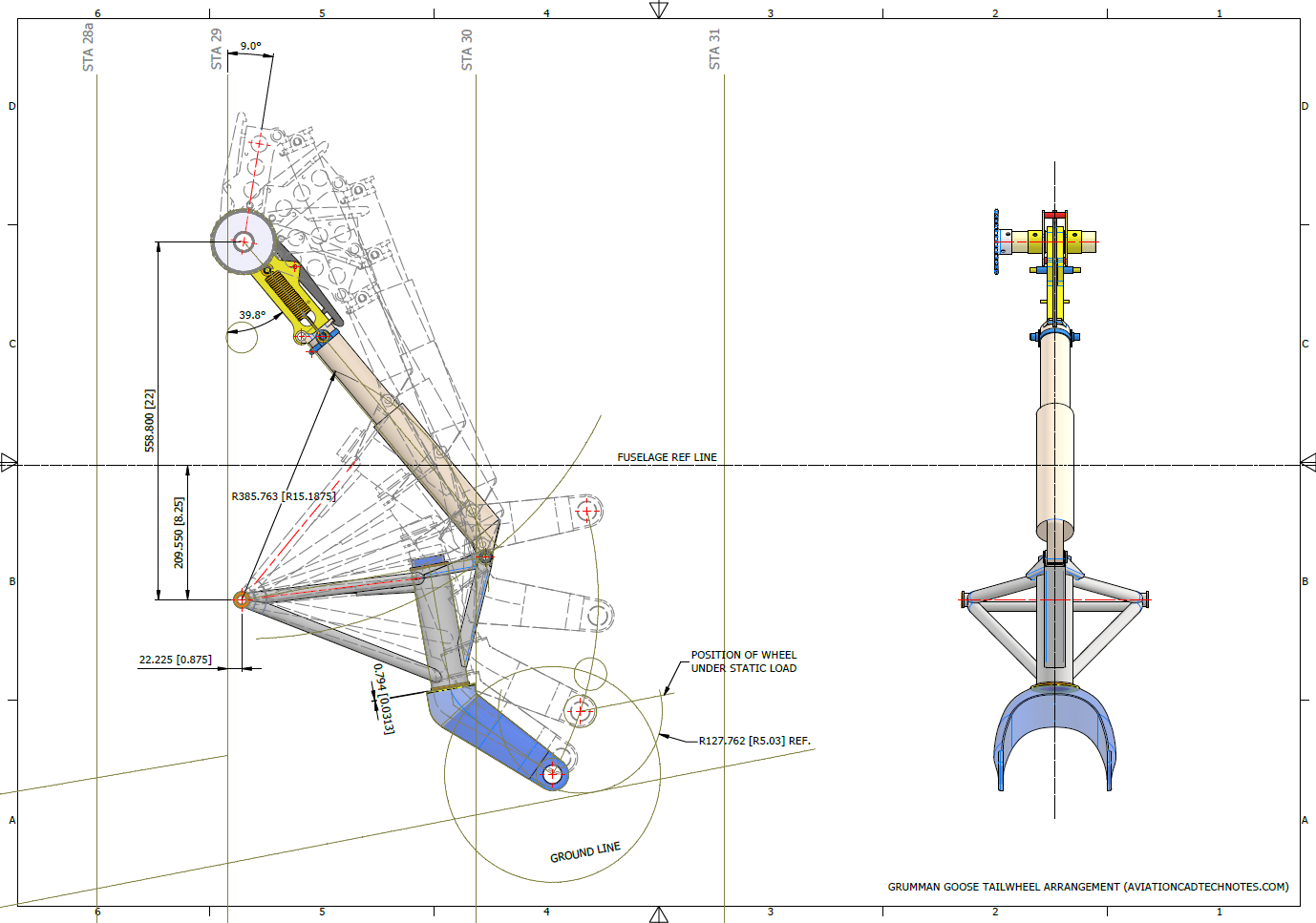
For the P-51 Mustang, I fully developed the rear Landing Gear mechanisms to clarify what the heck was going on as the NAA Assembly drawings details were obscured.

It is too often the case that general assembly drawings tend to be nothing more than an illustrated parts list with few key dimensions that define locations or relationships between the individual parts. This is also true for many of the sub-assemblies. For the P-51 Tailwheel sub-assemblies, I also developed 2D detail drawings showing key dimensions and parts lists. Ideally, I would have developed presentation drawings showing the exploded views of each of these assemblies to provide further clarification…perhaps a project for the future.

In the case of the P-38 Lightning, I have developed the Landing Gear assemblies to check the ordinate dimensions… which by the way are good. I now have the Coolant Radiator assembly which was again developed to check ordinate data but also for the same reasons as I did the models for the P-51 Tailwheel.

Typically the general assembly pictorially shows the sub-assemblies without any key dimensional information to define the location or part relationships and similarly, the sub-assembly for the clamp is not that much better. This is important stuff as occasionally they are the only reference material we have to help define ordinate data that is missing from the archive blueprints.

The Coolant Radiator is compromised by wrong dimensions as well…the top clamp cover, for example, had dimensions for the connection to the rod with the part drawing showing conflicting locations for different views of the same part.

The problem here is the connecting bracket item 224045 cannot possibly be 1″ from the edge of the cover plate whilst the overall dimension of 6 7/16″ prevails. I initially had located that bracket at 1 inch which seemed to be correct at the time because it fitted the part profile but when I introduced this into the assembly drawing it would not correctly align with the radiator. However, when I revised this using the 6 7/16 inch dimension it worked. That connecting part also caused more problems because the face of the part is machined 1/64″ which is not taken into account when positioning the part in the assembly.

Accumulatively this resulted in the overall width of the clamp assembly being smaller than it should be. This only came to light when I modeled the 234183 almost inconspicuous part as the stated dimension of 9.25″ did not fit with my initial layout..my first thought was this may just be an oversight but when I tried to align the main support frame (in gray) it did not align correctly. I went through everything and realized that the machined face of the corner parts connecting to the rod as shown may not have been taken into account and when removed the alignment was better and the 9.25-inch dimension on the strap was now correct. I am convinced that there should be spacers/washers between those connecting parts but this is not apparent on the assembly drawings. There remains a small discrepancy of 0.8mm which I am unable to account for….as this mainly relates to a clamp mechanism that will be compressed on assembly it was probably not deemed important but when you are trying to establish baseline dimensions it is actually very important.

The Part catalogs generally are your first port of call when developing these assemblies but they do not contain the key dimensions you need so these 3d CAD models are essential to achieve clarity. Incidentally, while we are talking about part catalogs it is important to understand what parts belong to which version of the aircraft. For the P-38 Lightning, the first few pages list the version and serial numbers which in turn are listed elsewhere where a Usage code is assigned. In this case the “e” is essentially the P-38H and the “bv” is the P-38J. The P-38 Part catalogs tend to show the version variations on one page; which can be really daunting; whereas others may show the version differences on separate pages…so you have to be attentive.

As I mentioned at the beginning of this article the main purpose of these assembly models is to achieve clarity and to check dimensional relationships. I think this is very important stuff that would certainly benefit from exploded views in conjunction with clear assembly 2d drawings.

As usual, get in touch if you can help support my work. hughtechnotes@gmail.com
Technote: P-38 Lightning Flap Guide Tracks

Technote: P-38 Lightning Flap Guide Tracks:

The P-38 project is a study I have been working on for a while. In previous posts, I have covered the development of the Boom, Empennage, and Dive Flaps…even did a video on Youtube for the latter. Many of these studies are designed to research the operational characteristics of the component parts and this new study of the wing Flaps is no exception.

Essentially the flaps are split on either side of the Main Boom, with one being fitted at the Centre Section and the other at the main wing. These are activated by hydraulically controlled push and pull tubes with preformed carbon steel cables.

The extent of the operation of the flaps is controlled by guide tracks at each end, which incidentally is where this part of the project starts.

These guides are machined solid from forged Alumimiun blocks. In the image above the machined part is shown with the original forging in the background. It comprises 2 tracks with the upper track just over an inch wide and the lower track slightly smaller at 0.835″ wide. The blue part at the extreme end is a separate stop block.
I am currently working through the variations of these tracks for each location and although some minor differences they are all based on one type of forging, part #235452.
The forging drawing is not too clear about the definition of the track at the left-hand side which appears to drift slightly from the main track center. Understandably the lower part of the track walls deviate to align with the edge of the forging and therefore the main upper wall portion will adjust accordingly. I have improvised in developing this area and now that the project has further progressed there are a few minor changes I would make should this part ever be required for actual production. At this stage, my primary objective is the operational characteristics that are unaffected by this as the end product is the machined component that is derived from this forging.

Update: 26th March 2023:

Making good progress on the Wing Flap mechanism with the Carriage Assembly now complete except for a few standard AN nuts and Washers. The Carriage Assembly also shows the track surfaces to demonstrate the correct relationships between the rollers and the track.

The second image above shows the adjustable roller at the front end of the carriage. This is achieved by the use of an eccentric bushing item #221832 which fits into the retaining locking ring item #221741 at increments of 30 degrees.

Update 30th March 2023:

Have spent a considerable amount of time researching and resolving macro dimensional variation for the Flap Track guides. When I talk about macro I am looking at close to 1/128″ or 0.2mm…but it is essential to get this correct. The dimensions are blanked out for obvious reasons as this stuff takes a lot of time to research and develop.

Finally located the Flap Track assemblies in their exact position on the wings. I will actually build the final assemblies as 2 separate items; one being the Inboard Flap and the other the Outboard Flap. For now, the initial plan was to get to a point where the tracks are accurately positioned and ready for the next phase which will be the Flaps themselves. The final stage will be a working simulation to determine operational parameters but we are a long way from that goal at this time.

The tracks are currently shown in the assembly as surface models which keep it simple, however, when I get to the stage of finalizing the assemblies this will be fully modeled. This part of the project was surprisingly complex to achieve and every dimension has been cross-referenced and checked against known data…at one stage I had over 21 drawings one at the same time.

To help establish the starting point for the Flap Crriage I have an outline sketch of the key runner positions to which I later constrain the carriage parts in an assembly. It is actually quite a useful technique to use sketches to help establish relationships when building an assembly.

In summary, it is often beneficial to use surfaces in lieu of solid models for clarity when building these types of models as it is so much easier to see the key relationships between the main elements. Also using sketches to help align component parts in an assembly is a good work method and can also be used later when creating 2d drawings.

This more or less covers the basic setup for the Flap Tracks and carriages…the next article will focus on the Flaps and the eventual final wing Flap assembly.

.

.

.

Technote: P-38 Lightning Engine Cowl

Technote: P-38 Lightning Engine Cowl:

Yet another challenging aspect of the P-38 Lightning is the Engine Cowls for the P-38J and earlier variants. As before with the Coolant Rad Scoop, there are very few ordinate dimensions so this will require a similar workflow by developing what we do know to help determine what we need to know.

Part of this development includes the Shroud Air Intake Scoop which will provide some key data for determining a partial profile for the top section of the cowl.

The engine cowl above is for the P-38J, I also have another work in progress for the earlier variants. Common to both forms is the Shroud Air Intake which is the main subject of this article. As per normal practice, I tend to first develop all the sketch profiles according to the drawing information…this is not always ideal for the CAD modeling environment but it is important reference material to ensure the final model is compliant.

The sections described in the drawing show a gradual curve intersecting arcs that form the scoop…early on I determined that these will need to be separate sketches as they will be modeled separately and then combined. The first arc section is important for sweeping the scoop duct and then of course building the profiles of the leading edge, so this was actually created as a full circle. The remaining profiles are retained as arcs.

This profile is a swept feature using the centreline (1) as the guide curve making sure that the orientation is set to Fixed and not Follow Path. All the arcs are set perpendicular to each other so it is important to make sure the swept profile follows this alignment.

Another important consideration for making the leading edge a full circle path is when building the actual leading edge. I elected to build sketch profiles at each of the circle quadrants to account for the variations in the curved swept surface. The edge profile actually extends inside to form a lip which I offset from the main surface by 0.1mm… sometimes if the surfaces are coincident this causes problems with later editing.

That worked rather well and gave me a smooth curved leading edge when lofted. A quick point to note is the loft does not do circular paths so the profile at D was duplicated and selected separately to complete the full circle.

The second image above is the fillet applied to the stitched surfaces of the scoop main body and the curved plate. This is a variable filler as I wanted to control the eventual curvature around the leading edge. Regardless of how careful I was to ensure perfect tangency at the leading edge, sometimes this is not always possible and micro variations can result in a slight imperfection which prevents the edge selection continuity for applying the variable fillet.

So what I did was select the edges as separate sections within the same command which you can see at E, F, and G. To define each of the edges you first select the edge from the top panel and then adjust the variables in the panel below. By doing this within one command Inventor will adjust the finished fillet to be continuous along all 3 sections.

The final model is rather good and very accurate. The key thing is to think ahead as to how you will model these objects from the outset so it is well worth taking your time to get this right.

Update 28th Oct 2022:

Just about finished with the P-38H Engine Nacelle…just a few items to add.

Just to give you some idea of the complexity of the underlying geometry: P-38H and P-38J Overlaid…

Update 6th Nov 2022:

This is the updated version of the Left-Hand boom on the P-38H Lightning.

.

Technote: P-39 Airacobra Update Horiz Stab.

Technote: P-39 Airacobra Update Horiz Stab.

In a previous post, I covered the significant new model for P-39 Airacobra. This model is fully inclusive of all aspects of the aircraft. Within this post, I mentioned the extensive study involved in determining the layout for the Horizontal Stabiliser; the dimensions of which were unclear in the available blueprints

https://hughtechnotes.wordpress.com/2022/05/18/technote-bell-p-39-airacobra-updated-model/

I was particularly keen to establish verification for the leading edge angle and though I had written to a number of organisations that have the P-39; surprisingly none of them took the time to either acknowledge or indeed reply…which of course was disappointing. From my experience, the industry is normally very supportive with regard to technical inquiries.

I revisited the documentation I do have and established that relevant information was included in the NACA Wartime Report L-602 which gives the chord length at Sta 49.25. It turns out; from my initial assessment; that the dimension at “2” was barely 2mm out and the Leading Edge angle is now 16.7796 degrees.

I mentioned in my last post that this latest study is available now which also includes the original model; which was more of a 3D modelling exercise than a dimensional study.

The P-39 Airacobra new CAD/Ordinate study is an impressive project.

All inquiries as usual to; hughtechnotes@gmail.com