Curtiss P-40 Kittyhawk/Warhawk

Curtiss P-40 Kittyhawk/Warhawk; the stuff of legends! flown by the infamous Flying Tigers and a remarkable if somewhat underrated aircraft.This is probably my all time favourite aircraft – perhaps influenced by the model I got when I was kid – which of course resplendent with ferocious sharks teeth really stirred the imagination of a young lad.

3902280811_6d029e71ac_o 4105135636_dbd0685269_o
I have in my archive several reels of scans for this aircraft, which I still have to review and document before I can start any meaningful research and development project. All my research projects are based on original manufacturers material, including manuals and specifications.

Solidworks: Wrap: Translation of 2D developed flat to curved surface.

Developing 3d models of historical aircraft is both challenging and sometimes frustrating, often requiring inventive, creative thought to develop complex shapes commonly associated with aircraft designs.

Solidworks: Wrap: Translation of 2D developed flat to curved surface.

One key aspect that has given me some grief in the past is when the fabrication drawings show a developed panel alongside the details of its final curvature. In a workshop one would just cut this plate and then form it on a predefined template to create the finished product.

This image illustrates a typical example of the sort of thing I am talking about. The large detail shows the flat pattern or developed profile with the top details showing the curvature required for the finished product.

I had tried various ways of doing this use the Flex and deform options to control the curvature within the dimensional limitations as noted – without success. I finally decided to try the Wrap command – essentially the same methodology used in the real world.

This Technote will describe the process I have adapted to develop these shaped forms.

For the purposes of keeping things simple I am not going to attempt the above but something a little easier.

19-02-2010 22-06-34

19-02-2010 22-08-16

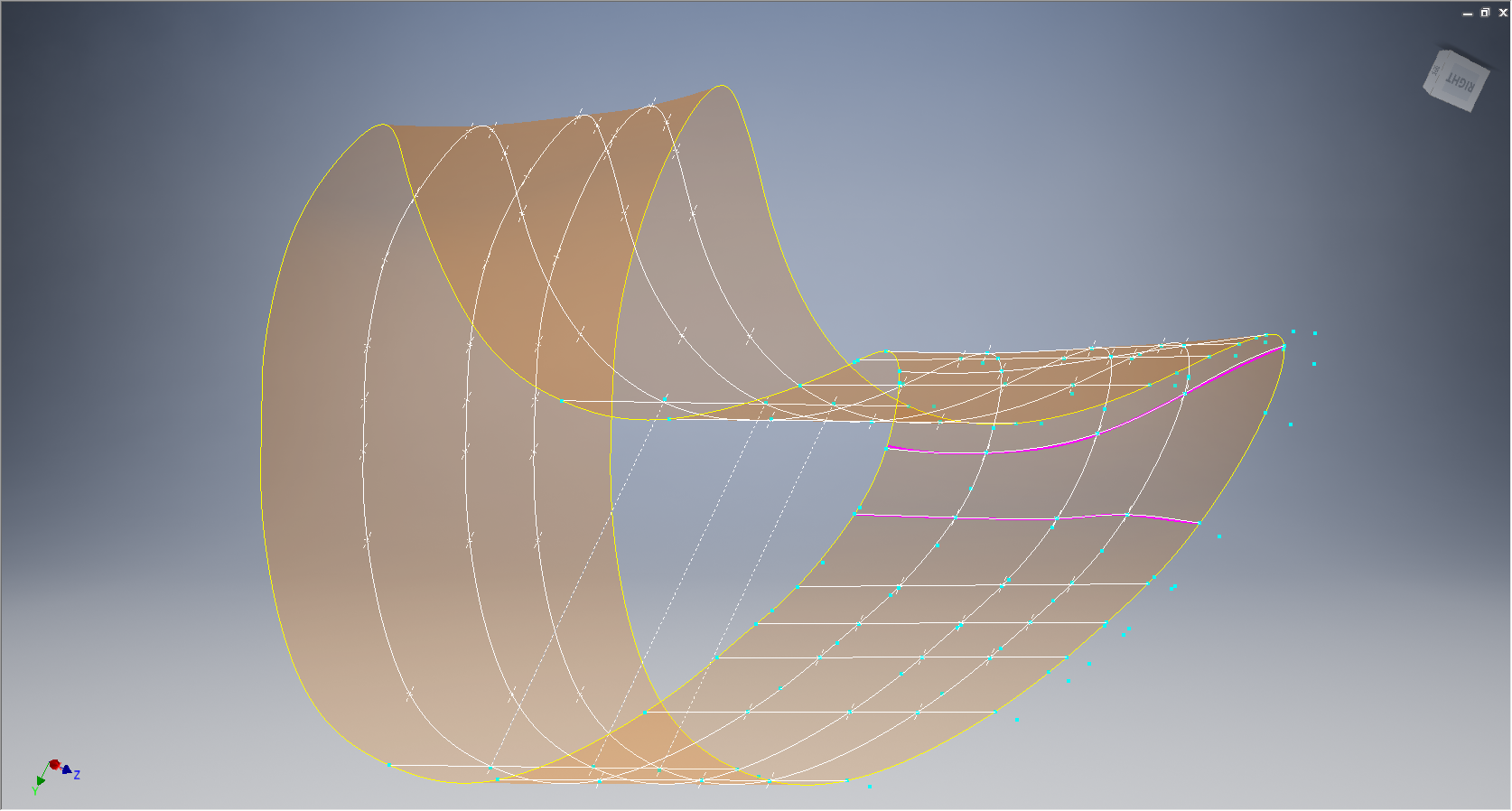
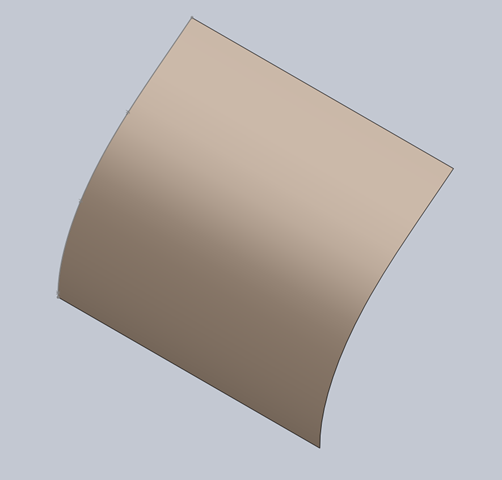
I created a spline and then extruded to give me a surface representing the finished curve.

19-02-2010 22-10-5319-02-2010 22-13-35

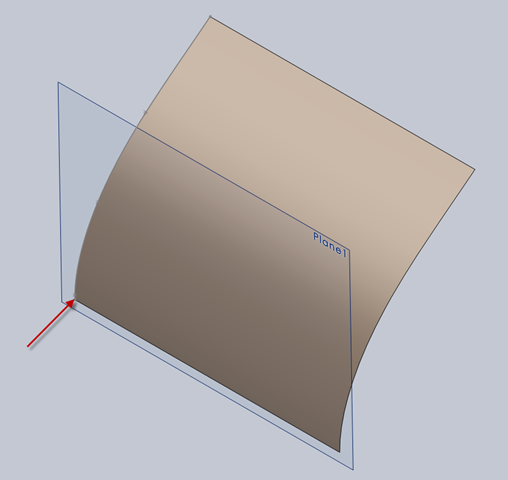
The next step is to create a plane tangent to the curved surface selecting the point at the bottom left corner. This is important; the plane has to be Tangent to the surface and a point selected that is coincidental with the alignment of the sketch. The sketch as shown is aligned with the bottom of the curve which is coincident with the datum for the plane. The reason why this is critical is that when the sketch is projected the lines deform to fit the surface which depends on the distance from the surface and the relationship between them – by selecting a coincident point where the sketch meets the surface then deformation is zero.

19-02-2010 22-20-50

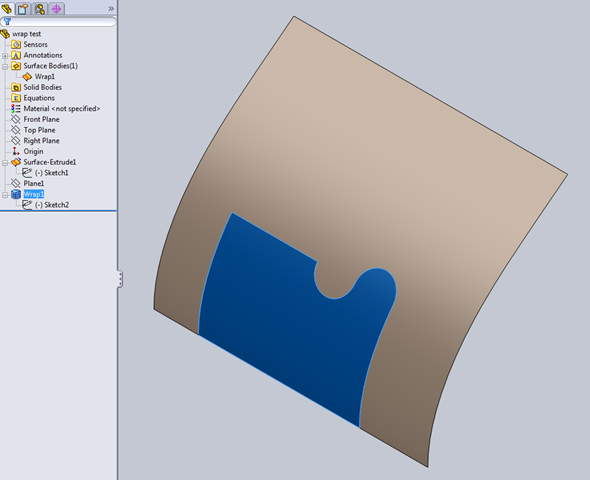
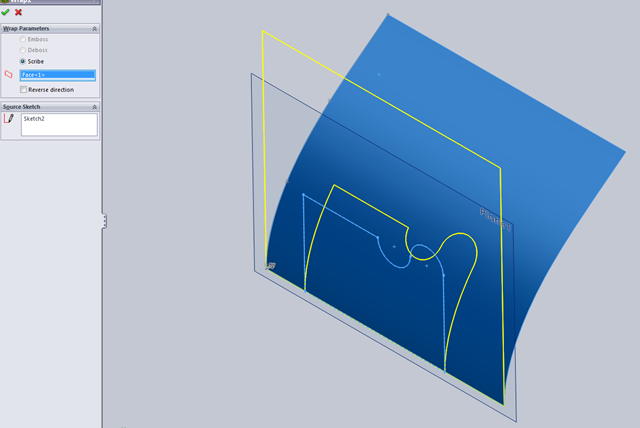
Inset>Features>Wrap – select the ‘scribe’ option and the 2d profile is ‘wrapped’ to the surface.

Note: cautionary comment: to check this methodology I did a measure on the left vertical line on the 2d sketch and checked it with the wrapped line on the surface – technically they should be equal – the 2d line measured 37.30194mm and the corresponding line on the surface is 37.29606mm – a variation of .00588mm – well within acceptable parameters.

This is where it gets interesting:

19-02-2010 22-30-43

19-02-2010 22-30-18

19-02-2010 22-28-20

When you select ‘wrap’ in the feature tree the area of the wrap is highlighted and similarly when you select the ‘surface extrude’, but when you check the surface bodies we actually only have one surface!. So how can we progress this to separate the wrap area to enable us to finish the part?

19-02-2010 22-40-40Because the areas are separately selectable we can use the offset command with a value of zero and then select only the area we want….this creates a copy of the surface at the same location…all we need to do now is apply thickness and our part is complete.

So there we have it! A formed plate that conforms to the defined surface curvature and dimensionally with the 2d plan sketch.

Footnote: Placement of the tangent plane as I mentioned is important, but I suspect that thru experimentation various tangency relationships can be identified that satisfy all the necessary criteria.

Historical Aircraft Manufacturers Drawings:

Today with the introduction of computers and CAD design/draughting systems we take it for granted to be able to print pristine copies of the CAD drawings on demand with every copy being of excellent quality.

Up until the late 1980s in fact even into the early 1990s manual draughting on a drawing board was the mechanism by which we developed manufacturing and design drawings.

In consideration of some comments I have read on newsgroups I thought it may be prudent to cover some aspects on the working life of a typical manual drawing, something that is often not fully understood. Through the course of a typical project development; particularly with aircraft; details do change – you just need to look at some of the more common aircraft and see how many variations there is. For every variant and modification usually existing drawings will be updated and new ones created only when required which eventually impacts the quality of the original drawing sheet due to continuous reuse. The luxury of redrawing is not practical in terms of cost and meeting time line objectives….as long as the drawing remains legible it will be reused.

Manual draughting by definition is very different from what we do with CAD drawings – for a start you are working on one drawing sheet at a time, more recently a transparent sheet specially formulated for the purpose. Before you even start the drawing you need to know exactly how it is going to be laid out and where everything will be detailed, because you are only going to do this once – a real skill that would present a real challenge to anyone that has only ever used CAD systems. Reusing the drawing; as mentioned above; for updating design and specifications often required erasing of details and reworking the original drawing – which if you have not tried it, it is not an easy task.

The comments I refer to are from those that complain that copies of original blueprints/drawings currently available from various sources are of suspect quality !!!!

8-109.000 G-2 Flugzeug Zuss 2

Now lets just think about this for one minute – a lot of drawings were done in wartime conditions, manufacturing design changes were often rushed through the system, there was no such thing as CAD as well as the fact they were originally created over 70 years ago!!

Also bear in mind that in a lot of cases the only existing records of the original manufacturers drawings are microfilm records. Copy film or microfilm during the war years and beyond into mid 20th century was not a stable product for long term archiving which is one reason why organisations spend substantial amounts of money every year restoring these original films and rerecording onto more stable substrate. One other point worth noting is that when the original microfilm records were created they did not always have access to the original drawing sheets and accordingly may only have had workshop paper copies to record the data from…which of course is not ideal but nevertheless we should be thankful to have any records at all.

Factor in the fact that often microfilm recording was done in bulk and the operator may not have given the project 100% attention then it stands to reason that a percentage of records will not be clear and pristine!!

Plus even today cost saving is a prime incentive and often scans from microfilm records will be done in only B&W colour space and not Grayscale. Considering all the above and probably a whole plethora of stuff I have not mentioned then perhaps you can begin to understand why a small percentage of pre-war and wartime blueprints/drawings are not quite up to “standard”.

So the next time someone feels inclined to complain about the quality of historical drawing archive material please think about it for a moment before you post comments.

Finally it is worth noting that some enthusiasts like myself are making available Cad drawings (2d&3d) created from some of the less legible material to help others with their projects. This work incidentally is unpaid and countless hours are expended in the necessary research required to develop this material.

FW 190 & Ta152: Ordinates

FW190 & Ta152H: Ordinate Study

1-Ta-152H-captured-FE112-Germany-1945-01

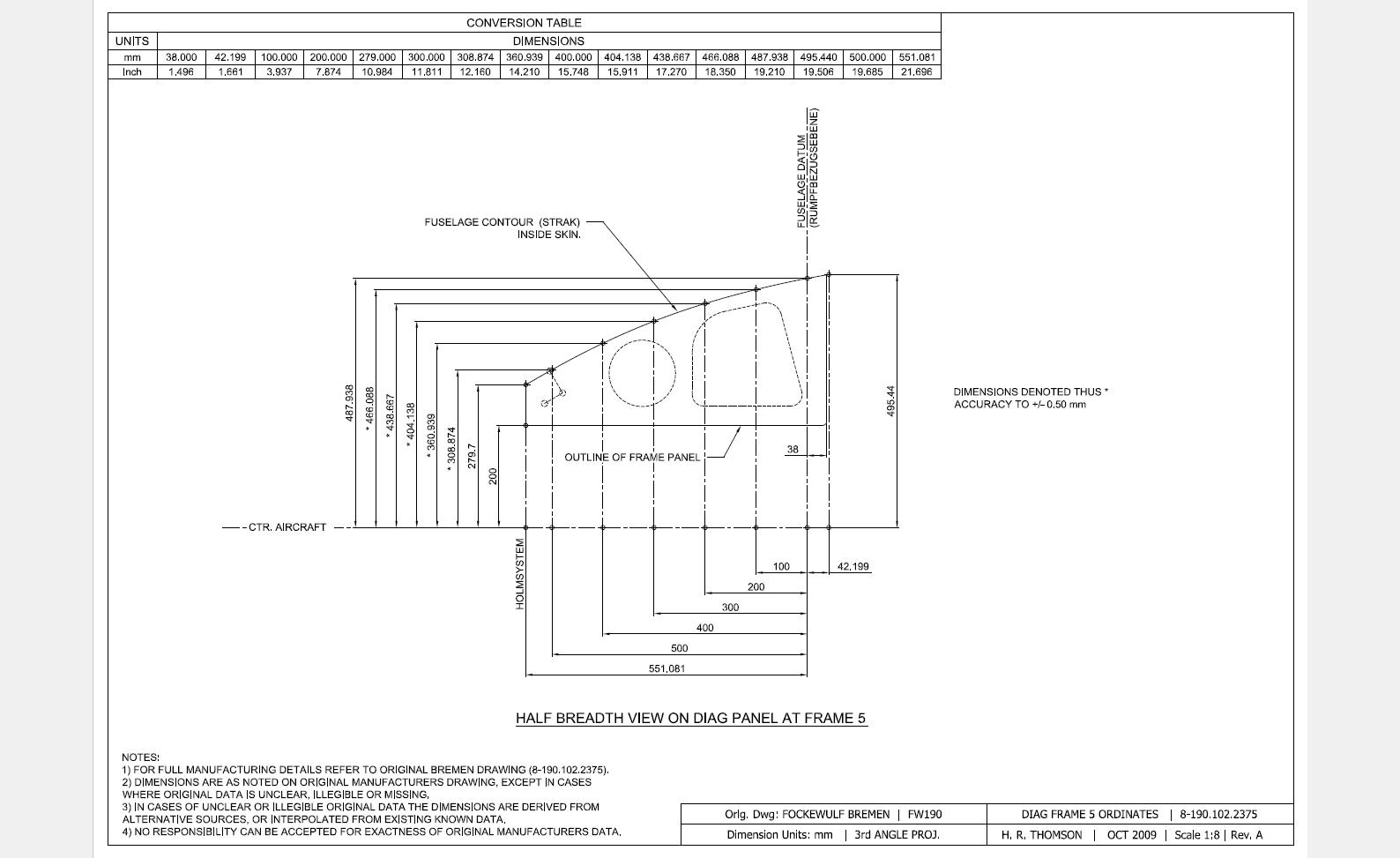
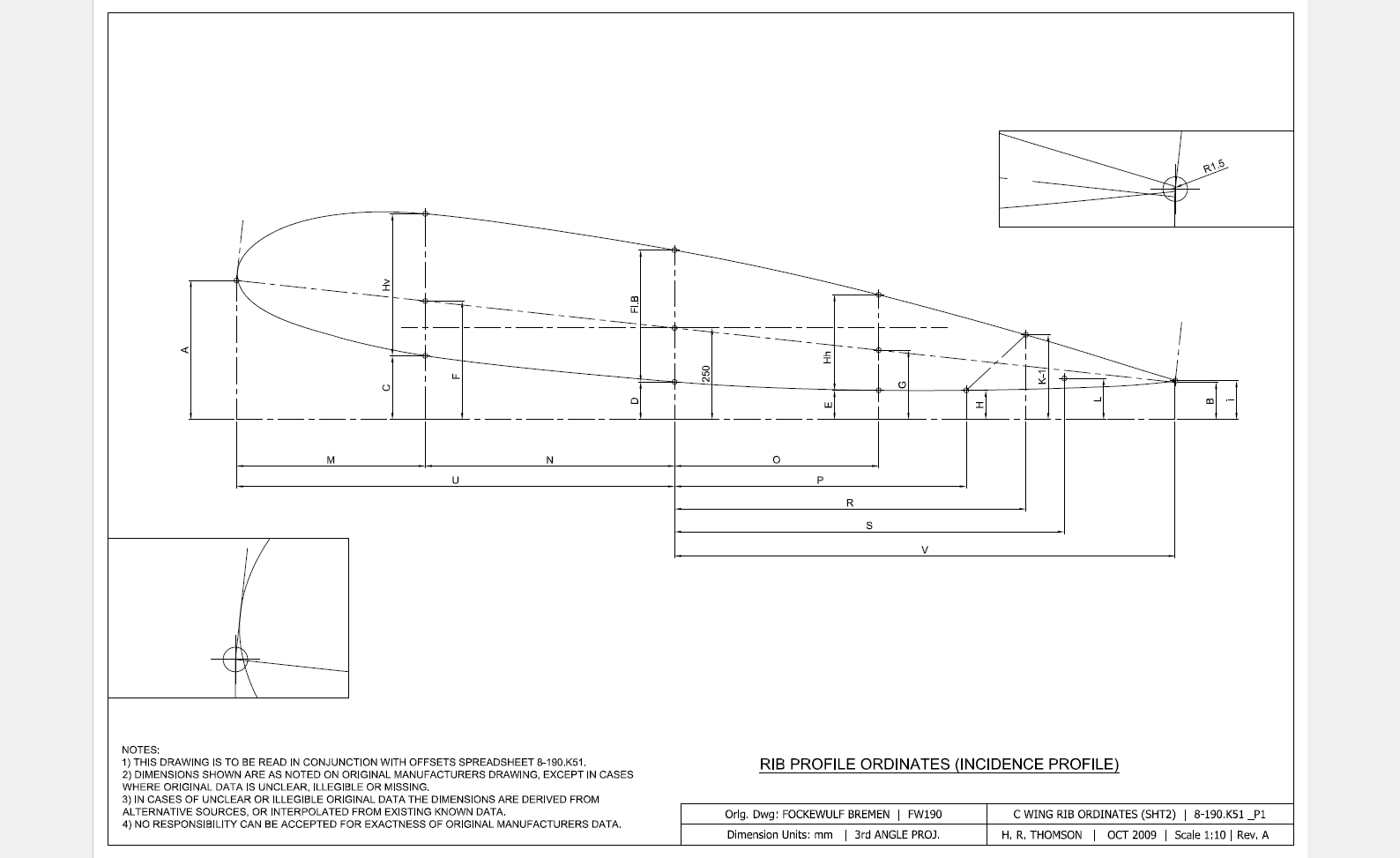
The FW190 & Ta152 was a very intensive project as I delved into the intricacies of the fuselage, wing and rudder ordinates for both aircraft; a study accumulating a mass of data.

In preparing the models I adopted a modular approach to the development breaking the assemblies down into manageable chunks of information that align with the Bremen construction assembly documents.

Every aspect of the available manufacturers data, specifications and third party resources have been very carefully scrutinized and incorporated into this build. Cross-referencing of even the smallest detail drawings can yield surprising, almost minuscule amounts of information, that can have an impact on the finished product.

Aviation Projects Drawing Comments  2015-05-31_21-46-45  2015-05-31_21-45-522015-05-31_21-45-27

It may seem inconceivable to attempt to build a model of this type down to an accuracy better than actual manufacturing tolerances. However; as I have probably mentioned before; working with SolidWorks or Inventor this level of accuracy is critical to a successful build.

These illustrations give you some idea of the progress I made with this study. Of course, the data sets for this aircraft are incomplete so a degree of interpolation based on the best available information was used where required.

Ta152 Ordinate Spreadsheet package for wings and fuselage available:

Ta-152 Wing Ordinates

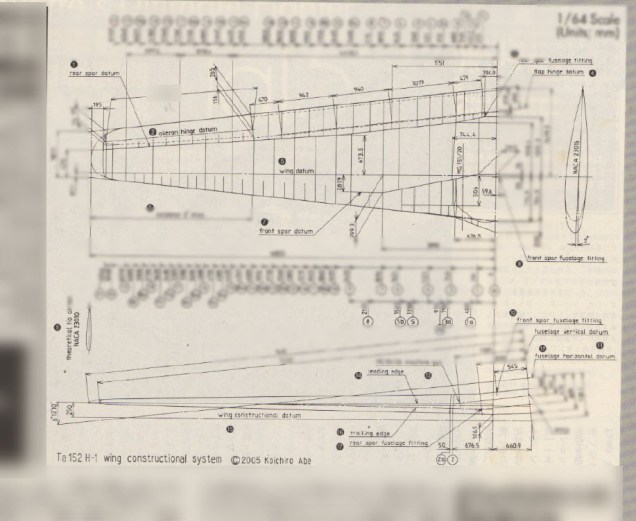
Ta152H Wing Layout:

2019-02-09_13-55-38

FW 190/Ta152: Parts

Focke-Wulf 190 and Ta152 Parts.

Some sample images of components created as 3D models to support this project. These parts are dimensionally accurate, although not certified for fabrication I am confident they would be a useful reference resource. I should note that these components will be built according to the original fabrication drawings and not manipulated to ‘as-fitted’ condition (please see my earlier posts on ‘as-fitted’ conditions).


8-190.9015-2646 8-190.140-08-156

8-190.9015-2646                                                                                          8-190.140-08-156

8-190.105-4024 8-190.105-1422

8-190.105-4024                                                                                          8-190.105-1422

8-190.105-01107 8-190.105-01105

8-190.105-01107                                                                                    8-190.105-01105

FW-190: Rudder Model Finish

FW-190: Rudder Model: Finish

This posting marks the end of the work for the FW-190 Rudder portion of this 3D Cad project. This is not however the end of the FW-190 project.

Project 09i: Penultimate Update Project 09X: Rudder Model Finish & Intro…

My thanks to:

Peter Ewbank: for provision of the FW-190 and Ta152 drawings and ongoing support.

Arthur Bentley: for his most valued help with the wing geometry, the wing washout and aerodynamics on the FW190/Ta152C/Ta152H.

————————————————————–

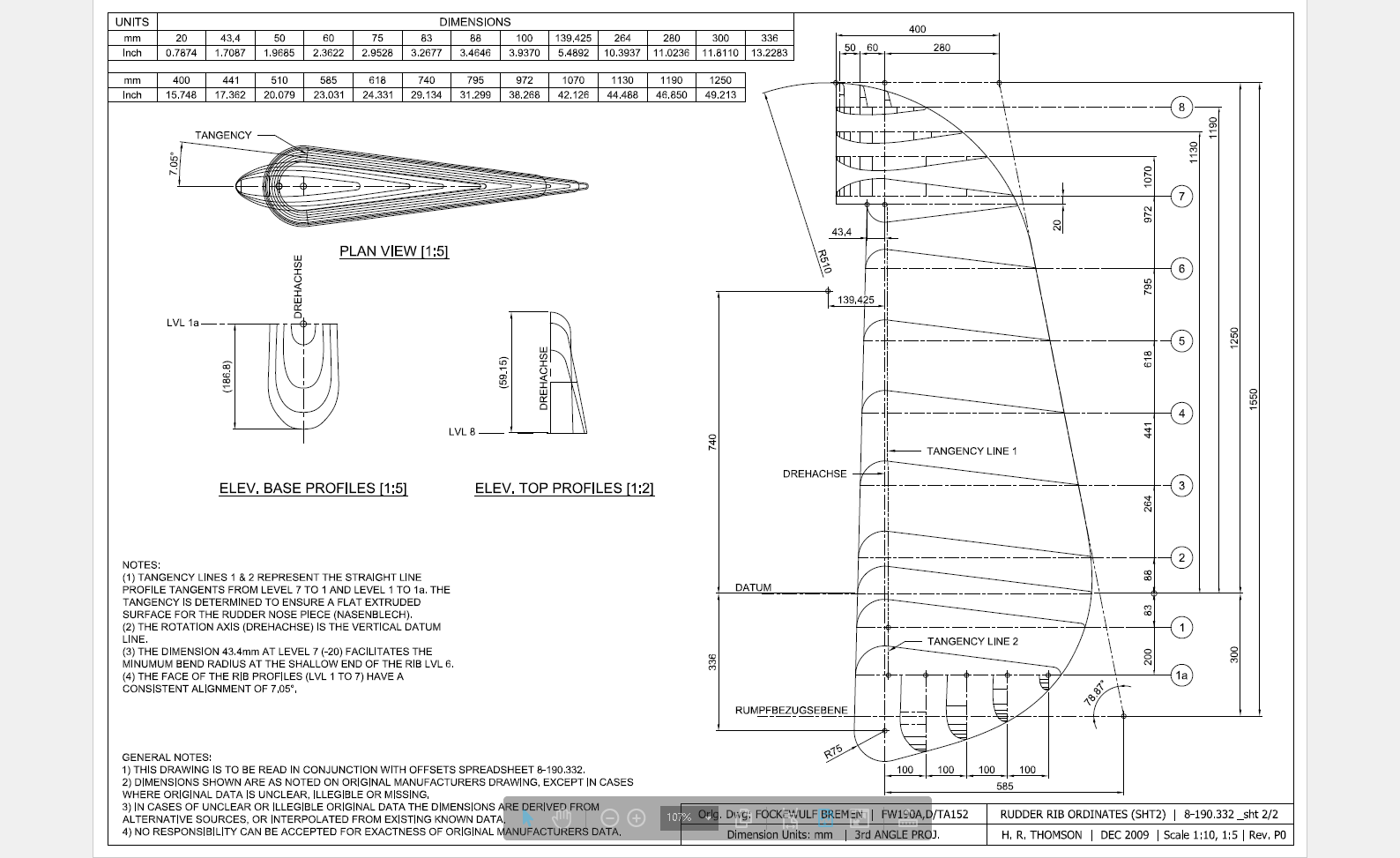
FW Ta152H: Rudder Development

Fockewulf Ta152: Rudder Model:

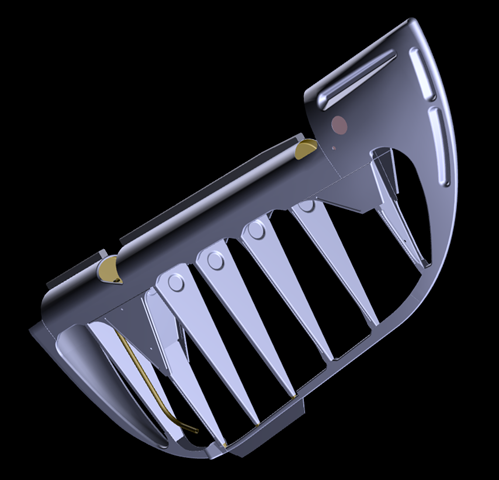
The inclusion of many of the drawings for the rudder section with the scans I received prompted a new challenge for me. It is hard to resist the temptation to actually model this unit in its entirety, although potentially problematic due to the forming of the curved sheet metal elements.

This post has been updated as the previous day by day development process articles have been removed in a blog tidy up!

2009-06-09_2152

2009-06-10_0021

At this stage of the development I have the base structure in place along with four ribs and the components necessary to form the exterior profile. The individual models are fairly basic at this stage, still requiring a lot of detail work to complete them. My primary concern at this time is to check the relationships of each model in an assembly environment and also to derive the necessary interfaces to develop the next stage.

Project 09i: Penultimate Update     Project 09i: Penultimate Update

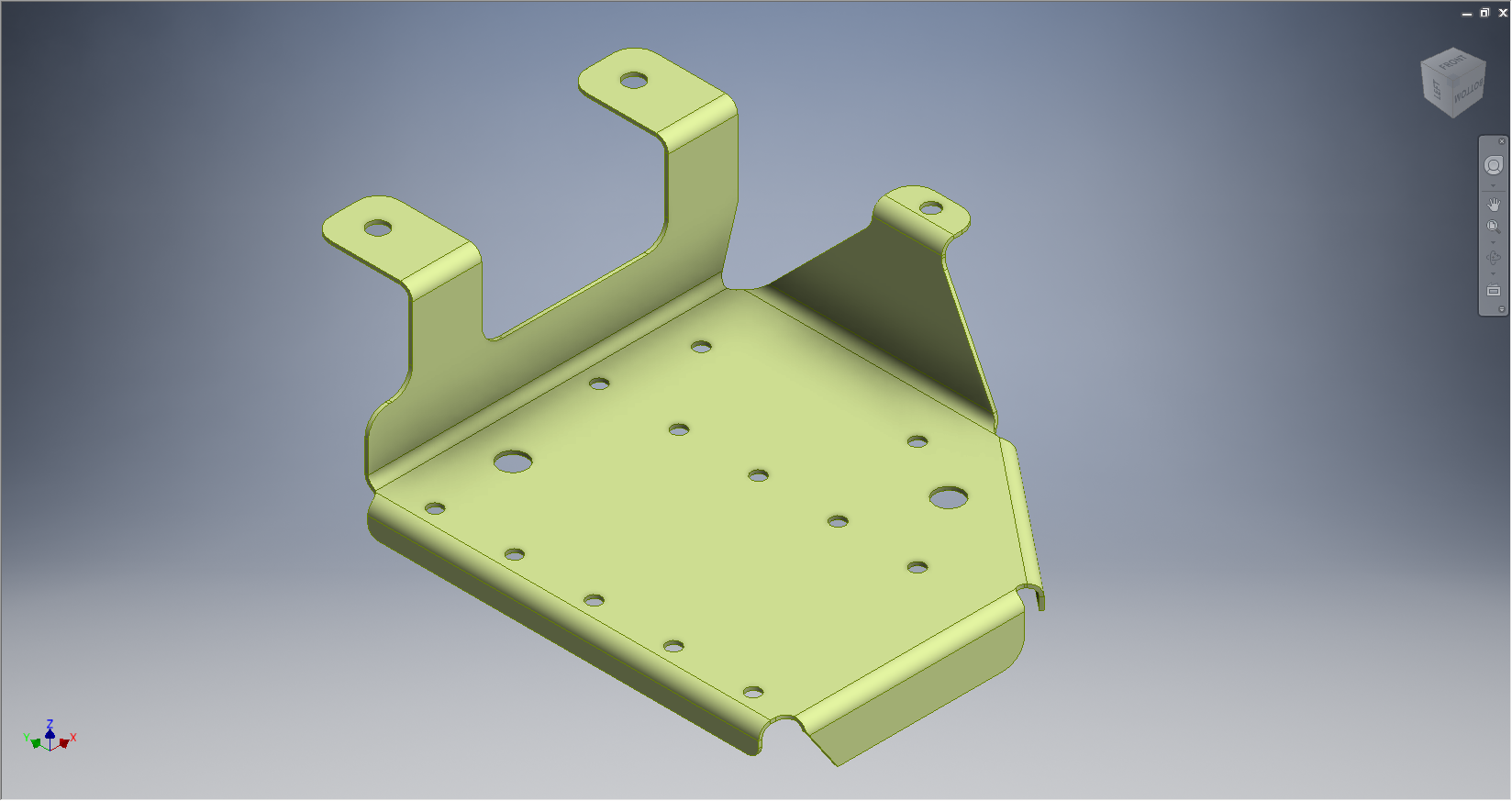
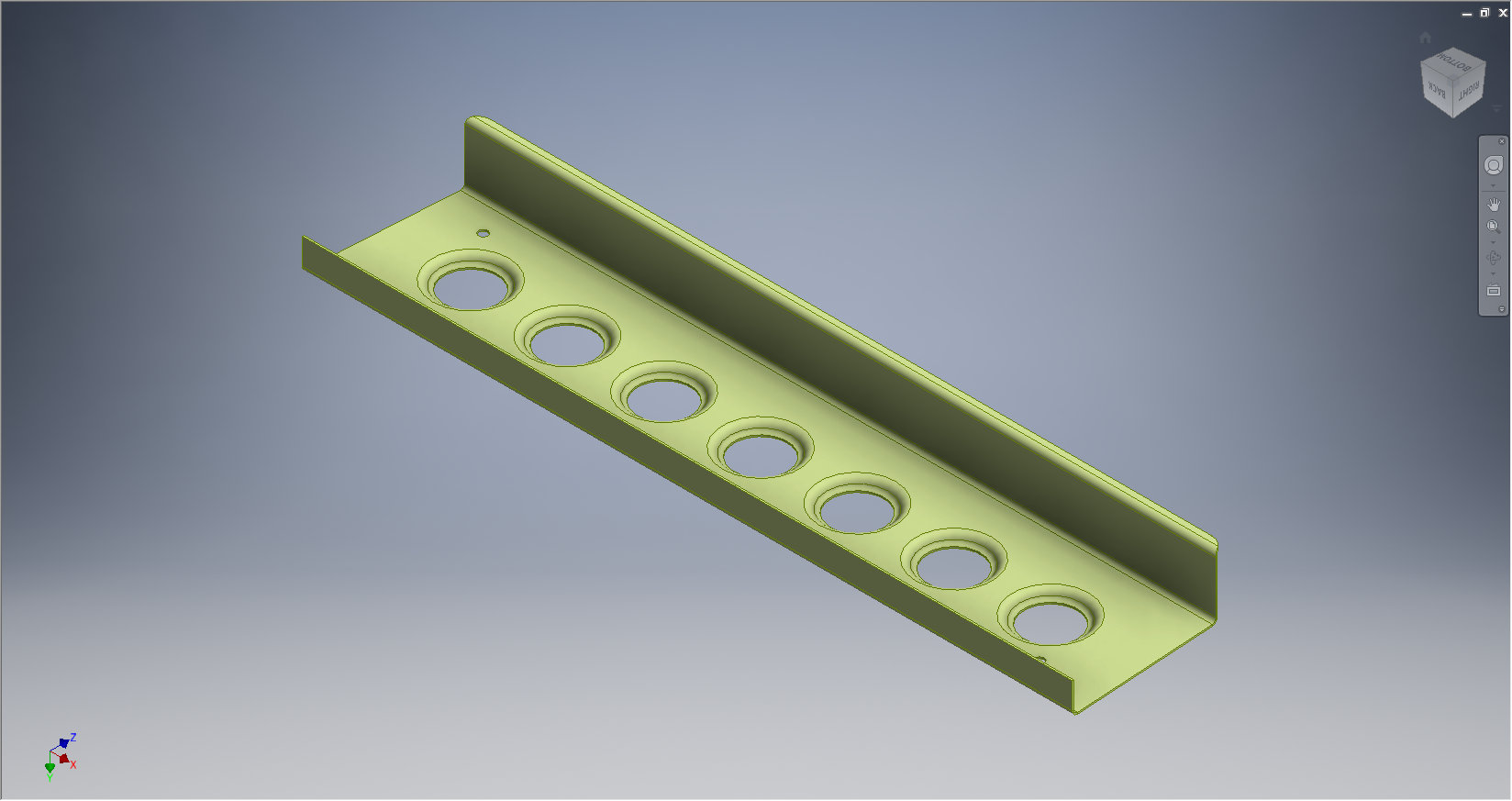
As I mentioned in my previous posts, the items are initially created from the manufacturing part drawings, which do not necessarily reflect actual ‘as-fitted’ state – so each component has to be developed to suit both criteria. The biggest problem I had with the ribs was with the lower unit that fits snugly between the triangular gussets. The forward part of this rib actually falls at a slope and has an angular bend line for the flanges which is dictated by the upward and outward slope of the gussets. In this instance I created a plane parallel to the inside face of the gussets in conjunction with construction geometry to mark the thickness deviation where the rib intersects with the inward profile of the vertical channel.

You may also have noticed the emboss feature in the ribs – which incidentally is a feature included as standard within Solidworks, my only gripe with this is that it only has one size listed – I will need to read up on the configuration options in Solidworks to create more size options. This also poses a dilemma – there are basically two types of embossing – the deformation of the surface as shown or similar but with a thru’ hole at the bottom – it is not clear on the drawings which is required and consequently I am having to make a best guess at what is required – so for now I will work with the emboss shown until my research can confirm otherwise.

After many days of intensive work I eventually finished the model as shown below:

Project 09X: Rudder Model Finish & Intro…

TechNote #02: SubStation Design Overview using Inventor

SubStation Design #02 21st Feb 2008.

Update April 2010: Fully detailed procedure for using Solidworks or Inventor see: Sub Station Design Overview June 2005

This is a follow on from TechNote #01 which described my recent project to develop a 3d cad strategy for MV and HV substation designs, which encompassed the many aspects of a design workflow that included influential criteria from various sources.

This particular technote is essentially a quick overview of the process when I developed this strategy and I have listed below a number of considerations as an introduction to a forthcoming series of detailed workflow articles

  1. Procurement – the alignment of purchasing with design schedule and availability of vendor data.
  2. TBA – Technical Bid Analysis – the criteria for correct technical bid analysis by the specifying engineers.
  3. Prerequisite data collation and how to manage received data which may include land survey data.
  4. Existing engineering workflow/processes.
  5. Surveying overview – geodetic survey system and bearings.
  6. Modularisation of company structural/electrical standards.
  7. Modularisation of site arrangements, including below ground works.
  8. Modelling hierarchy.
  9. Using external vendor data and third party models.
  10. Document management, naming conventions and cad standards.
  11. Conceptual Design Phase.
  12. Design Engineering Phase.
  13. Deliverable and Design completion Phase.
  14. Reusable aspects, relates to project data that can be reused for future station upgrades/ maintenance and other station design projects.

Once we have established the criteria for all the above we should be in a position to actually start developing the procedures for working with Autodesk Inventor.

  • The actual design process will use Autocad Inventor.
  • What work scope is to be done in Autocad Inventor (Mechanical, Electrical, Structural modelling content) and why?
  • What constitutes a part and what constitutes sub assemblies, assemblies and layouts?
  • How do we develop vendor drawings into 3d models and what rules need to be applied.
  • Developing libraries, parametric models, iparts and features.
  • Bill of Materials – descriptions, format etc etc.
  • Tubes and piping.
  • Electrical Interfaces
  • VB programming.
  • Manufacturing model exchange.
  • Installation and construction criteria.
  • Modularisation of standard vendor supplies – it is surprising how often this is overlooked, if you take the time to find out what constitutes a standard component from a particular vendor and base a design around this you can save considerable money and time.
  • In the 2D context – considerations for coordinate systems, drawing deliverable and future re-usability.

…and so on.. As you probably appreciate the development of a design strategy is dependent on many factors and not just the cad product alone.

Once this cad strategy is implemented it is quite conceivable to create a substation design; whether an expansion or green field site; from concept to drawing deliverable in 10 working days… and if we coordinate our 3d modelling data directly with manufacturing we can also shave considerable time on product deliverable and installation.

TechNote #01: Using Autodesk Inventor for SubStation Design

SubStation Design #01 3rd Feb 2008.

2009-02-25_1220I recently completed a project for a major Electrical Power company in Canada (2005-2007) for which I developed a 3d cad strategy for HV & MV substation design.

This project started in the latter part of 2005 and at that time the best product for what they wanted to do was Mechanical Desktop. The Autodesk Inventor product was considered but the version available then did not have the same level of functionality that we enjoyed with MDT. Today of course that has changed considerably and a lot of the features from MDT as well as a lot of new concepts have been introduced to make Inventor a formidable cad design product.

I should note that this same project has now moved to the Inventor environment.

I mention MDT and Inventor as the main cad products utilised for this strategy, but beyond that I still had to satisfy the criteria and data exchange with the other products used which were AutoDesk Civil 3D and Map 3D. The strategy changed slightly from the MDT concept to align with the DWG exchange capabilities now within Inventor, but overall the main concepts remained unchanged.

Selection of the Cad system was only part of the solution. I spent a considerable amount of time studying the companies engineering practices, the existing library standards and quality control procedures. In addition Procurement, Manufacturing, vendor data and site construction procedures were also studied.

When you put together a cad strategy for any type of project you have to fully understand the company operations and procedures in conjunction with the cad product capabilities to derive a working methodology that works together. In short you are developing an engineering design philosophy that does not impact company business practices.

Modular Approach:

For example this company had a lot of standard assembly drawings in 2d that depicted the various collective arrangements that suit the majority of the different sub station design requirements relating to 44Kv and 230 KV areas, the switchyard, circuit breakers and station transformers. These areas were complete assemblies or layouts and really in that form not conducive to the 3d environment. Requiring only marginal changes I introduced a more modular approach to the company standards by breaking these areas down into manageable chunks of information.

Modularisation actually helped the development of a 3d cad strategy because we could manage the modular units effectively and apply assembly variation directly only to the areas that were affected and not have to deal with large layouts of information that only required localised variation. This was very efficient and as well as helping the file management of these modular units it also provided much more flexibility when it came to designing the substations. The modular philosophy was adopted throughout for many aspects of the project design including land survey data.

Dealing with the company standards was only part of the solution, I also suggested aligning the Procurement schedule with 3D design processes, defined the effective use of survey data, devised BOM solutions for integration with their Procurement systems, developed modelling techniques to improve efficiency (‘smart parts’) and devised VBA applications for the Cad system.

For me personally this was a great achievement, primarily because others had tried before me without success – the problem I believe was that their focus was entirely on the cad product and they had not taken the time to study the entire engineering processes from concept right through to Procurement and construction; without knowing how the whole process works it is almost impossible to devise a solution solely on the basis of an individual cad product.

Furthermore the whole strategy was developed, programmed, designed and devised by myself with no assistance from external sources. I even managed time to assist the Lightning protection chaps adapt the 3d cad to define the areas of influence and protection envelopes.

The Result:

At the end of this project I wrote a manual of over 300 pages that was again broken down into modular volumes to provide access to specific areas of interest. Incidentally when writing any manual it is well worth while considering breaking the subject down into individual subject volumes – this makes it easier to read and the user only has to access a dozen or so pages of data instead of trawling through hundreds of pages.

During the latter stages of the project I demonstrated the potential for the company to design and engineer a complete Distribution Substation in less than 7 days (post concept) which by comparison historically may have taken up to 3 months – a considerable time saving and of course increased efficiency.

The key to the success of this project was simply the understanding of all the various aspects of an engineering design process and identifying the work methodology that could best utilise the capabilities and integration of the CAD systems as part of an overall strategy and not considering the cad systems in isolation.

Please visist BIM Sub Station Web Site for more information and detailed workflows: Design Link

Contact Details:

If you are interested in more information on using Inventor for SubStation design or just wish to find out ways of modularising your own company standards for adapting to a 3d environment then please contact me at hughtechnotes@gmail.com

Project 01: Dome Cabin Concept

Recently I found myself with loads of spare time – I had intended to write a few articles for an online CAD publication, but declined due to communication problems – so I decided to dig up a project that I first thought about doing a few years ago, related to dome structures. This project started out as a study of geodesic structures, tensegrity and synergetics but I never really had the time to develop a viable design.

The structure is based on a 3V dome format with a radius of 56 inches. The main structural elements are timber with hub connections forming the main geometric arrangements. So far I have managed to complete the main structural elements and resolved some of the major connection details, but there is still a lot of base work to do, with further development work required for the entrance.

56 Main Strut Build

I must admit that I am happy with the concept at this stage even though it is at a preliminary stage. It has taken a long time; much more than I intended; to develop this structure primarily due to sizing restrictions as the project is designed for a typical garden environment. I initially started with a 58″ structure and then a 54″ structure but I found limitations in both designs that I was not happy with, consequently the 56″ seemed to be a good compromise.

Sponsorship:

This dome design has been developed using AutoCad Inventor (the actual design units are millimetres). The design addresses many issues concerning the use of panels in conjunction with a space frame that relate to how the 2 structural forms align and merge together to minimise open joints and create a strong structure.

At some stage I would wish to build a prototype for design assessment and to ensure that all the fundamental clearances and accessibility criteria are met. I would be happy to discuss options for sponsorship to help take this project to the next level and build a prototype with eventual intent to manufacture

Dimensions:

  • Floor Area: 5.4m2 approx
  • Overall Height: 2.5m
  • Maximum Outside Diameter: 2.64m
  • Volume: 9.2m3 approx