Technote: Bell P-39 Wing Trailing Edge Calculation.
The root wing profile for the P-39 is based on the NACA 0015 (4-digit series).
The Bell P-39 archive contains ordinate data for the fuselage, tail, stabilisers, cowls and so on but sadly the main ordinate plan for the wings is missing. However, we do have some ordinate data including a mid wing profile section and of course the front, rear and aux beams. We also know the root wing profile is based on the NACA 0015 which collectively provides enough core information to develop the wing structure.
The “baseline” NACA 0015 has a non-zero trailing edge thickness relative to the chord length. Just working from the generic geometry formula we end up with a large trailing edge thickness which is greater than that specified by Bell.
The baseline NACA 0015 airfoil is described by the function:
In order to achieve a degree of control over the resulting trailing edge thickness we only need to adjust the fourth coefficient in the polynomial slightly.
The above amendment will give a zero thickness at the trailing edge. The actual value we were looking for was 0.03in radius which was achieved through trial and error with the fourth coefficient value set to 0.1024.
x = coordinates along the length of the airfoil, from 0 to c (which stands for chord, or length)
y = coordinates above and below the line extending along the length of the airfoil, generally defined as either yt for thickness coordinates or yc for camber coordinates
The final profile was checked against known ordinates from the fuselage data.
The information here was sourced from a white paper written by WeiHei, Francisco Gomez, Daniel Rodriguez and Vasilis Theoflis.
Technote: Bell P-39 Fold Over Flange.(Inventor 2017)
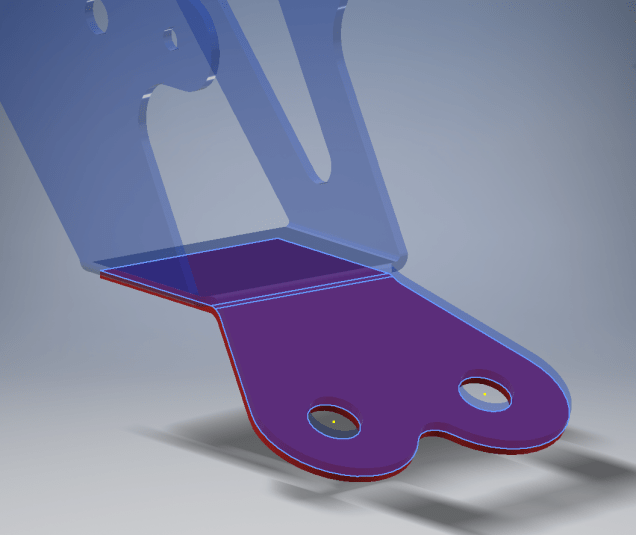
This a quick technote to highlight an issue that we sometimes come across with creating flanges in Inventor when one part is sloping away from the other.
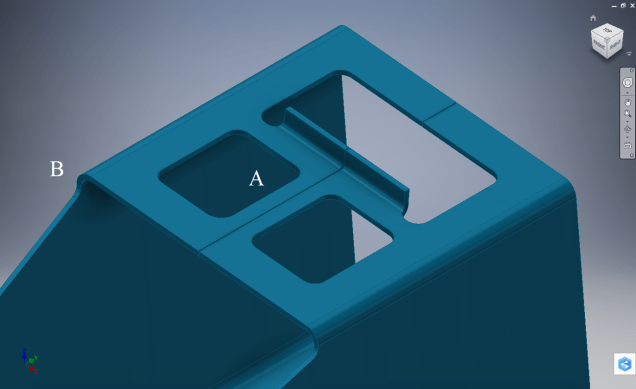
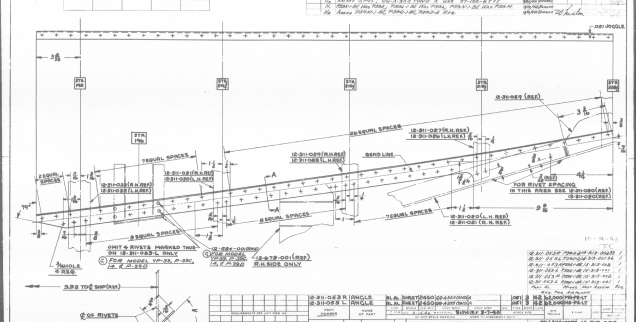
The part we are working on is shown on this scrap view from the Bell drawings. This flange is folded over onto a sloping top plate from the side plate that is at an angle of 105 degrees.
The issue relates to the reference edge selections that will determine whether or not we obtain a smooth transition from the side plate to the new flange.
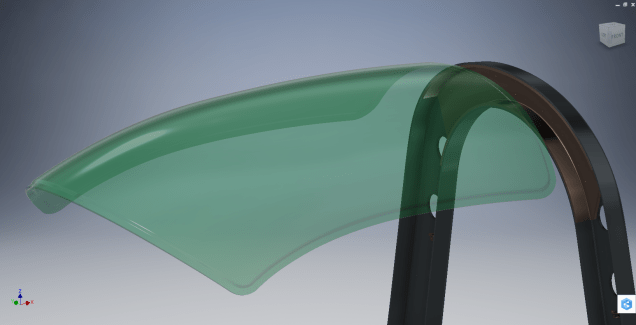
When I first did this I selected the outside edge of the side plate to align the flange sketch. This was not satisfactory due to the notches; that are perpendicular to the side plate; influencing the creation of the eventual flange bend which gave us a rather awkward and untidy bend transition…definitely not good.
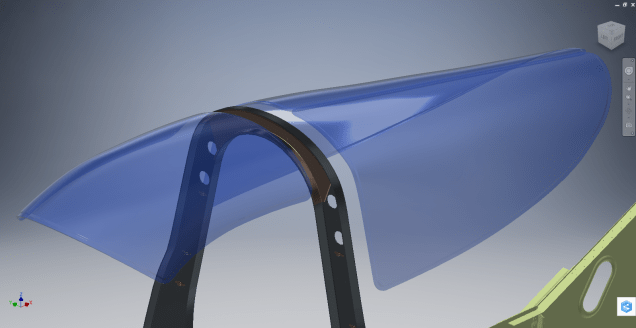
So I recreated the sketch; this time aligning with the inside edge of the side plate; which resulted in a smooth transition bend to both notched areas as shown below.
Occasionally when creating flanges the selection of which edge is referenced can make all the difference in achieving a satisfactory result. Use the sheet metal Face command to create a flange based on a 2D sketch as we have done here.
I should note that those notches are bigger than they need to be at this stage. I normally develop these complex models using a generous radius until I have completed the construction. Once I have achieved a satisfactory model and everything aligns correctly then I can go back and adjust these notches to a minimum size.
Progress Update:
I have included the rear fuselage section contour lines for reference. Will probably have to leave this project for a few weeks as I really need to spend some time sorting out my garden that is slowly resembling a jungle!
.Technote: Bell P-39 Creating Wing Fillets.(Inventor 2017)
Wing fillets are probably one of the most complex aircraft items to model as they need to follow the curvature of both the wings and the fuselage shell. Invariably we have many offsets to contend with and variation in angular alignment of the flanges.
The following images are typical of the manufacturers drawings with an ordinate table listing the X,Y ordinates and angle of the flange at each point.
As usual we would start with marking out what we know; in this case the ordinates points from which we create the reference geometry.
The reference geometry in this example is the 2 splines for the flanges connecting to the fuselage (left) and the wing (right) with a horizontal base line for the lower flange.
We then check the curvature of the splines to ensure we do not have negative curvature; adjusting the handles to negate this where necessary.
These Fillets are full of tangent and perpendicular dimensional oddities that can sometimes be a real pain to achieve satisfactory results .
Previously we would create a work plane (tangent) at each node and individually sketch the required flange construction lines set to the correct angular value. This was a lot of work and a heck of a lot of sketching. Thankfully Autodesk have introduced some nice functionality to the 3D sketch environment in Inventor 2017 making this task so much easier with provision of logical constraining options and associations.
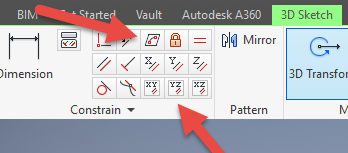
In Inventor we have various planar constraining options as shown. The top one is to constrain a sketch element to a surface and the lower ones are parallel constrain options to the main work planes.
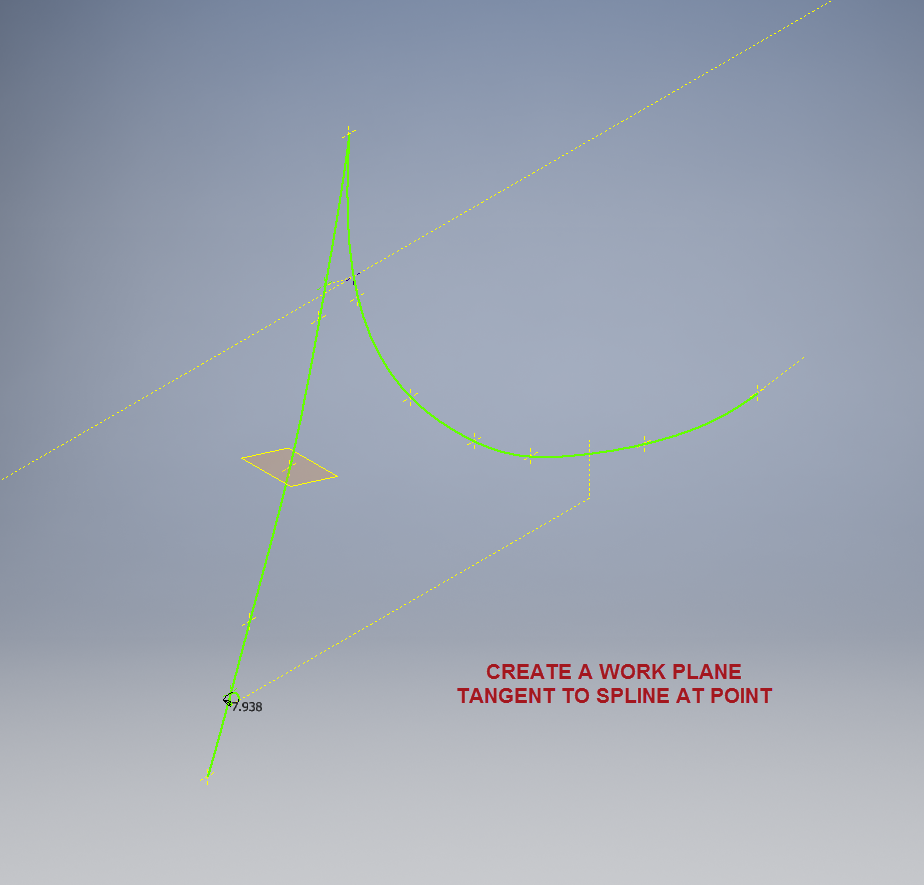
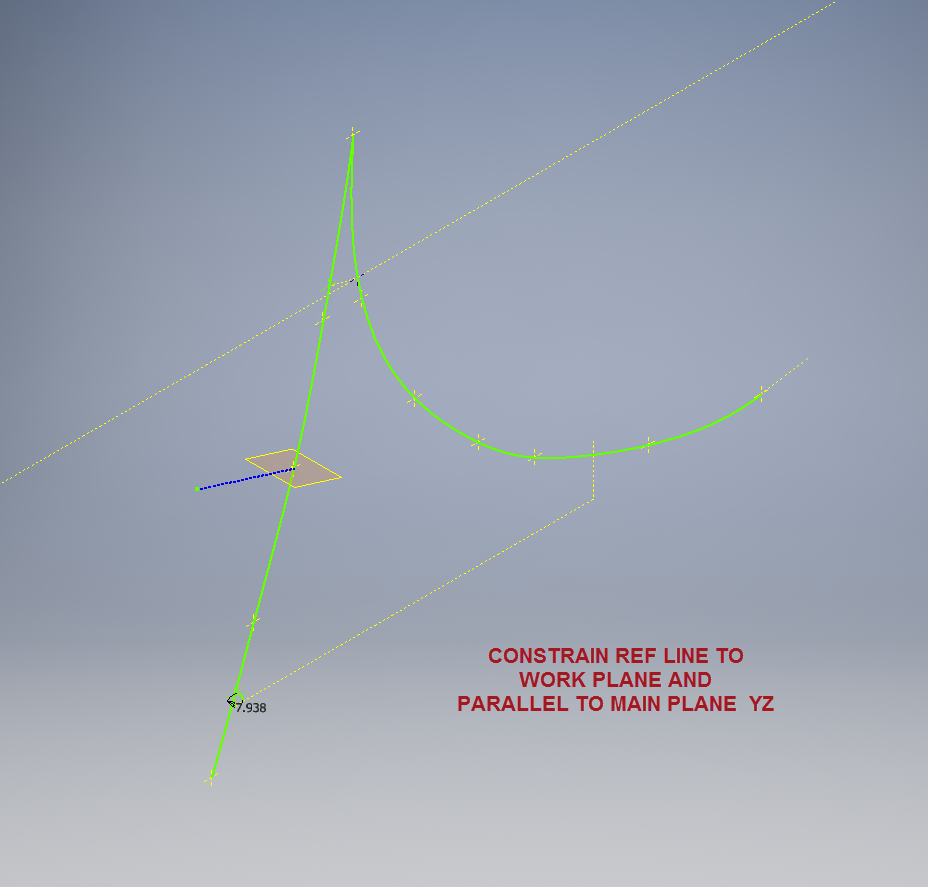
We would still create the work planes tangent to each point as before; I have shown one for clarity, then we simply move straight into the 3D sketch environment to model all the flange construction lines.
We first need a reference base line constrained to the tangent spline work plane and also be parallel to the main work plane YZ.
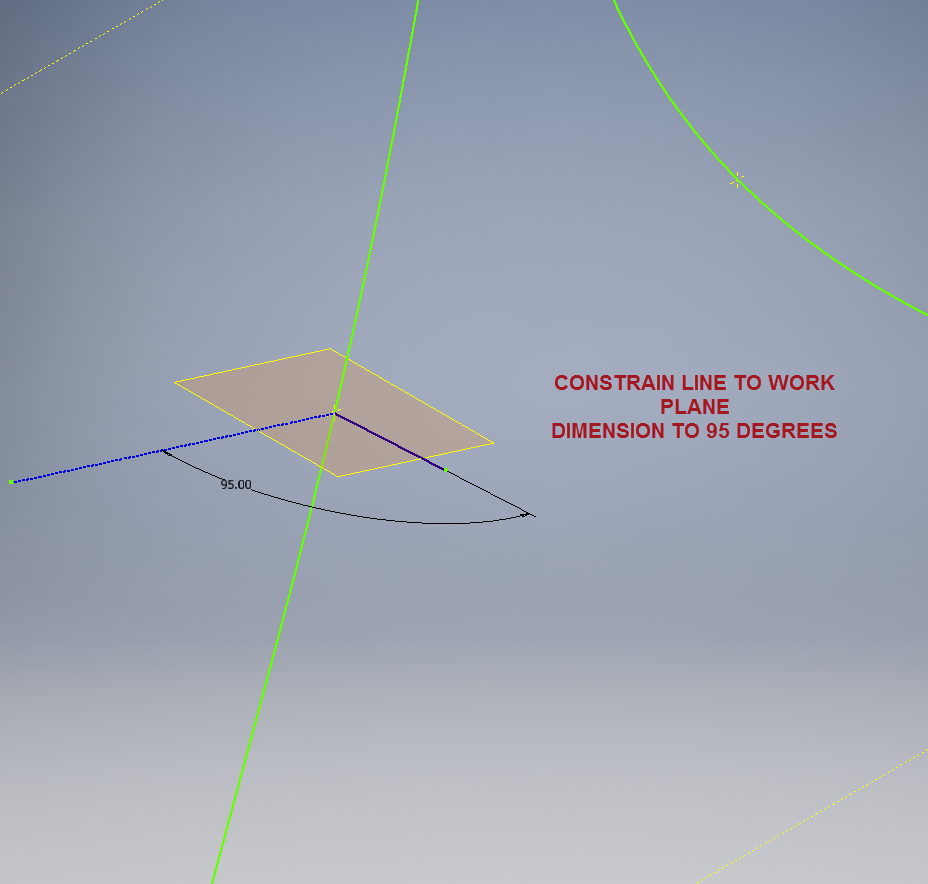
We then sketch the flange line, constrain to the tangent spline work plane and dimension to the reference line as shown at 95 degrees.
It really is a simple case of drawing a few lines and just using the planar constraint options to ensure correct tangency for developing the flange guide lines. Furthermore you don’t even need to project geometry from the 2d sketch as you place the line it will automatically connect to a point on the 2d sketch.
We continue doing this for all the ordinate points as shown then surface loft the flanges and apply a surface patch to create the main body. I should note that the surfaces shown have already been trimmed to the extents of the part.
It is very tempting at this stage to stitch and then thicken to achieve the finished part, however in my experience occasionally the transition of sharp corners introduces anomalies along the edges which can be negated if we first apply a fillet prior to thickening.
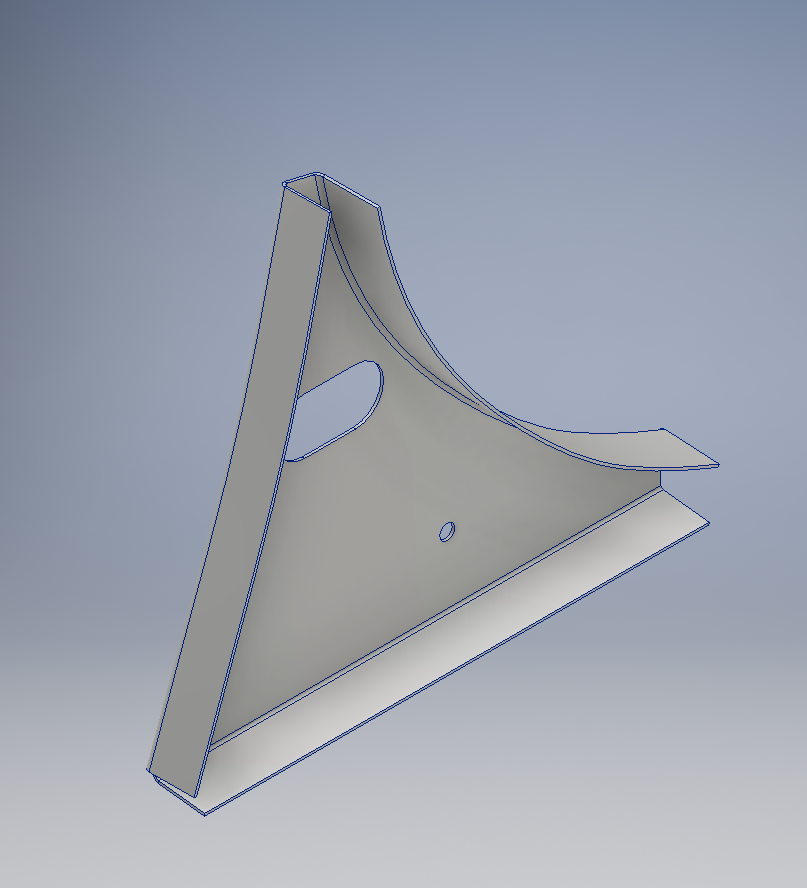
To finish the part after thickening, I converted to a sheet metal part and added a flange to the base at 7.5 degrees, a few holes and that’s it done. There are some flange holes still to be modelled which will be done later when the other connecting parts are modelled and checked for alignment in the assembly.
Progress Update:
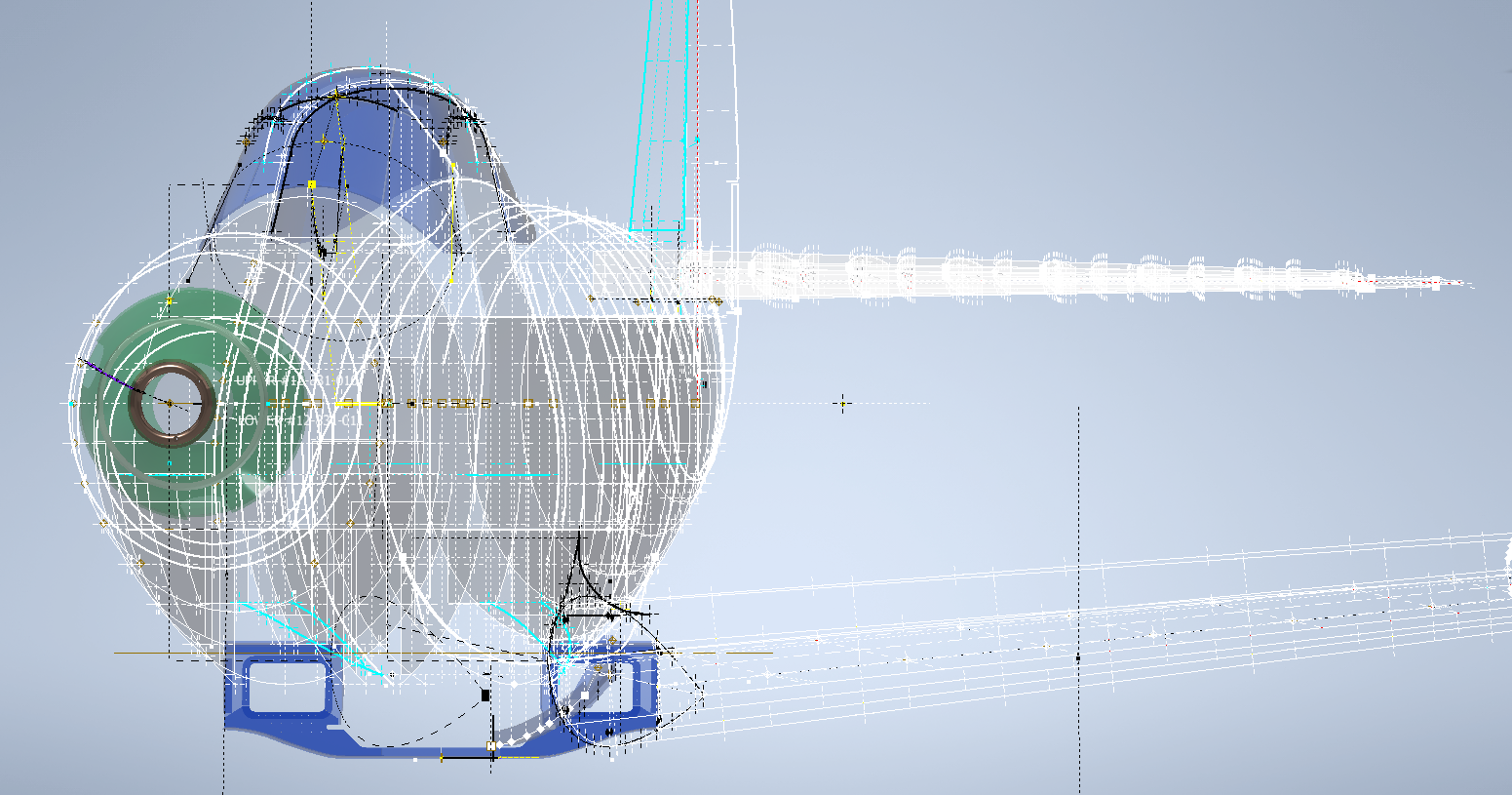
The following image shows a typical interface check between the P-39 wing and fuselage:
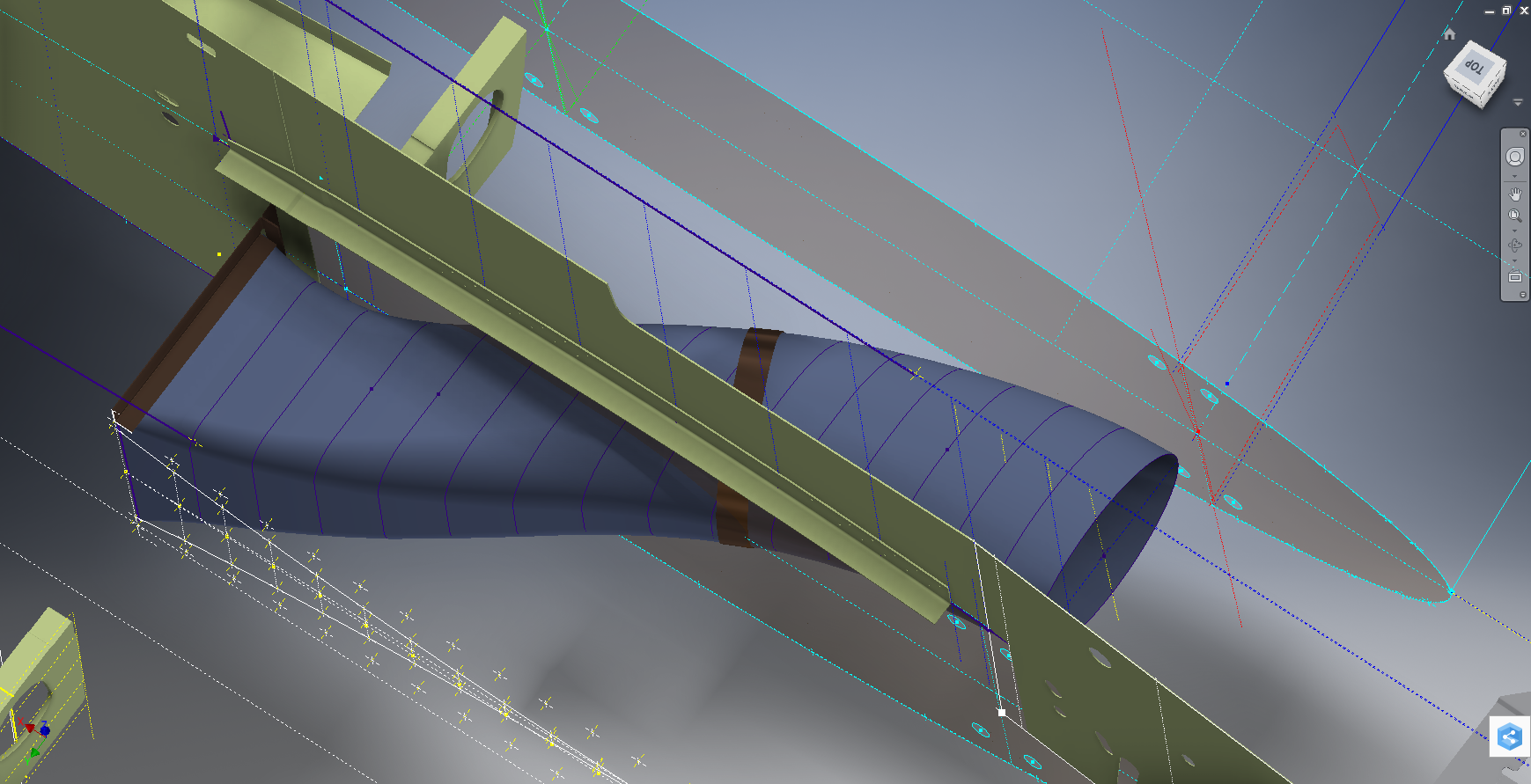
…and here the Radiator Intake Duct, preliminary alignment:
This radiator intake duct was an interesting development as the Bell chaps had provided both the tangential and the exterior dimensions at 2-inch intervals; on plan and elevation; which collectively are projected to form the profiles at each station. The white sketch at the bottom of the image shows these dimensions on the side elevation, with the curved lines depicting the tangent lines. I checked the curvature of this line and I only needed to adjust 2 dimensions by a minuscule amount to correct for negative curvature.
Update July 2022: New Revised P-39 Ordinate/CAD Dataset:
For all inquires please get in touch: hughtechnotes@gmail.com
This is an update on the P-39 project. I have actually been drifting between this and the P-51 Mustang as a number of inquiries have come in regarding the ordinates and various questions on the Oil Cooler model and landing gear mechanisms; which has been an interesting diversion.
Getting back on topic, I thought it may be prudent to write a quick update on what I am doing with the P-39 Airacobra and where I hope the journey will take me.
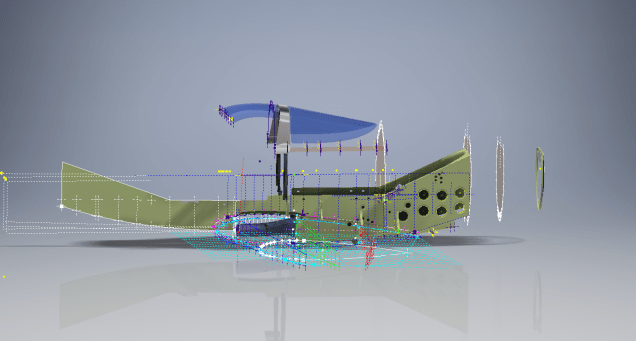
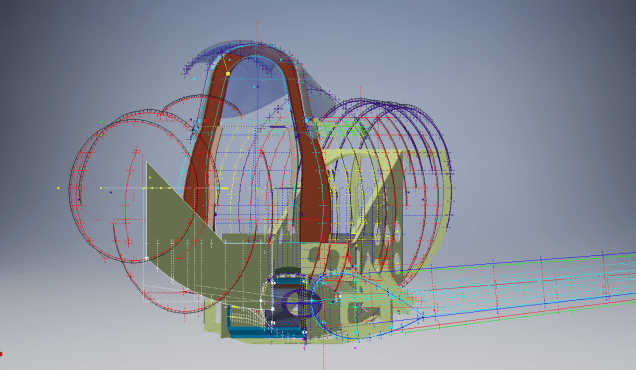
I have of course continued working on the ordinate data spreadsheet which is derived from the part drawings themselves. This serves as a check whilst I am developing the structure. The 3D models are being developed in context, i.e the individual part models are located to the 3D spatial ordinates relative to a single datum so when I plug these into the assembly they will import to the correct 3D location thus negating the requirement for constraints.
This is the first time I have worked this way as I usually just model the part and then constrain to the corresponding items in the assembly, but this is usually dependent on the quality of the assembly scans to clearly identify and ensure correct alignment of the parts. As we all probably know these scanned files are the most likely to have problems with legibility. In many respects having the part files modelled relative to ordinates in 3D space ensures that the parts line up correctly and I don’t have to worry too much about the quality of the assembly scans.
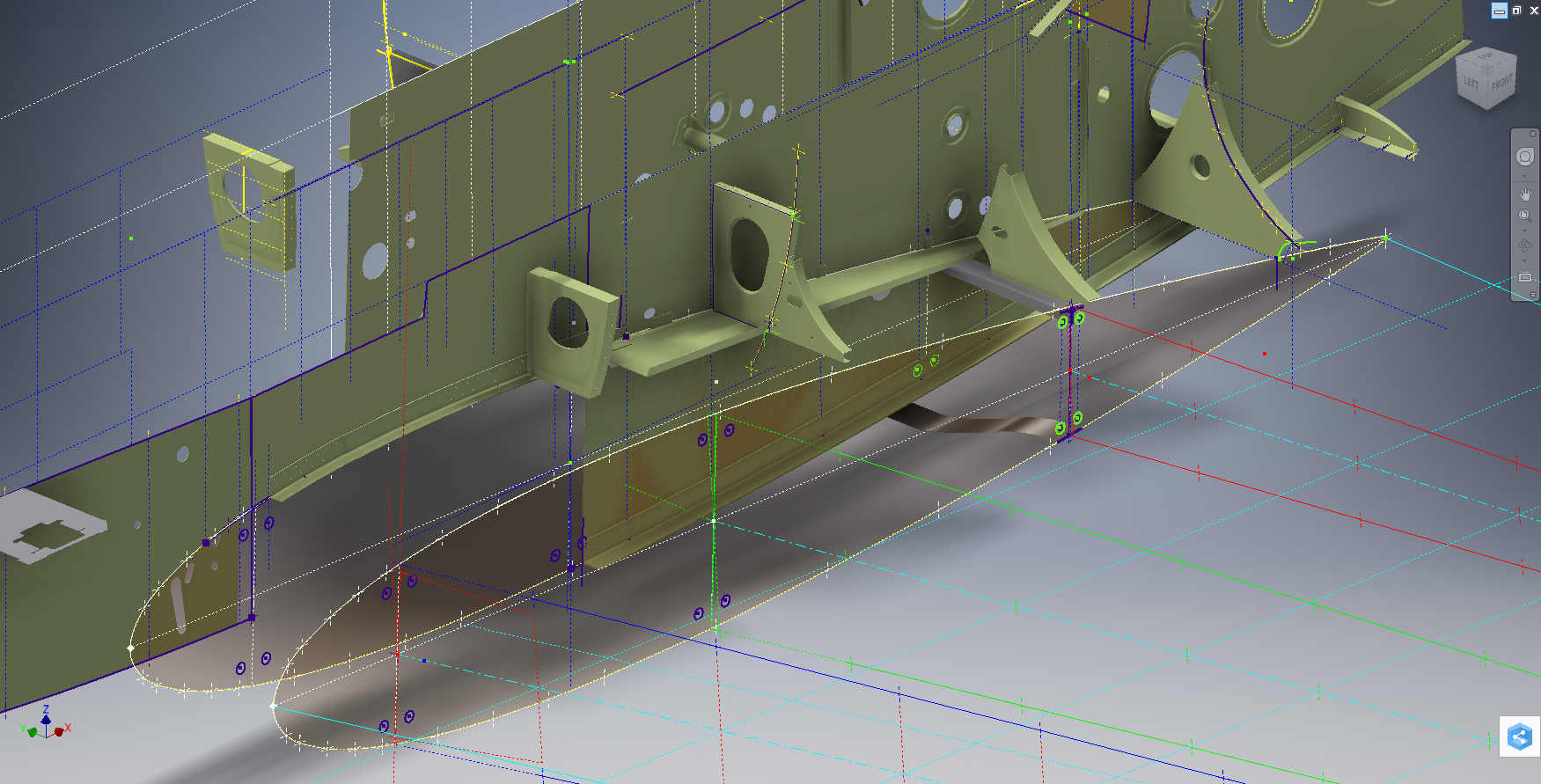
The P-39 main assembly drawings are actually not too bad as the image above shows. This is a scrap view of the fuselage Longitudinal, comprising many small parts all riveted together to form the assembly. The area in red is where I am working at the moment; which is a major node; just aft of the engine bay; where the many struts and braces overlap on both sides of the stiffener plate. The following image gives you some idea of the detail to which this is being developed.
The pilot holes for the rivets are unique to each individual part and just like the real process of construction these holes will be match drilled to all the other corresponding parts in assembly.
Modelling the complex parts and locating all those holes takes a lot of time but I believe the end result will be worthwhile. With this degree of accuracy you could just about build one of these aircraft from scratch!.
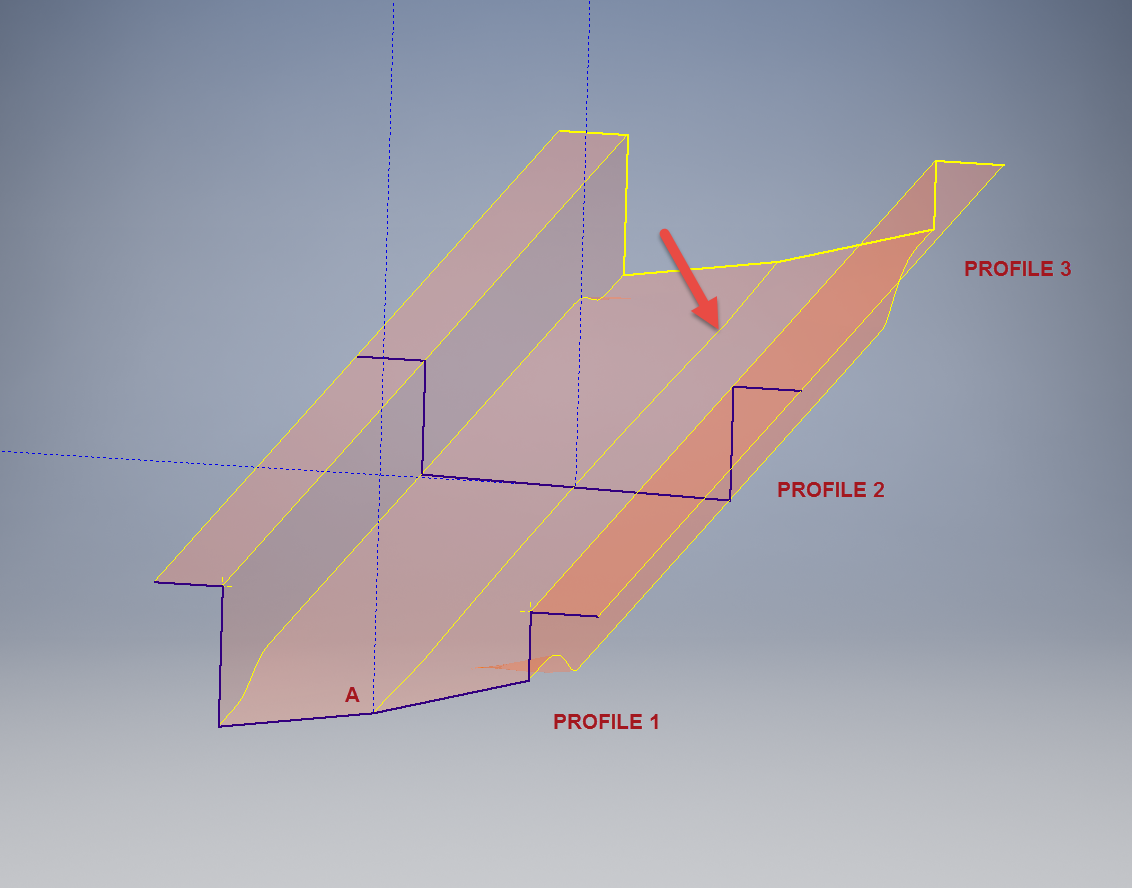
Quick Technote: This is the lower level fuselage cross member that has a built in twist to align with the connecting frames at both ends. The model consists of 3 profiles with the 2 outer ones containing a small angular deviation in the centre at point A. Normally I would loft the profiles to create the finished surface but this projects the deviation throughout the length giving us 2 surfaces; which does not look good.
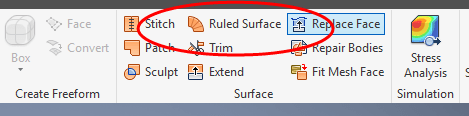
I therefore deleted the resulting 2 base surfaces and simply replaced them with a boundary surface. I’m sure you will agree the result is a much smoother gradation of curvature; that matches expectations.
I recently received a set of the P-39 scanned blueprints for the Bell P-39 Airacobra. An underrated aircraft not popular with the Americans or Brits but was very successful with the Russian air force on the Eastern Front, particularly the 9 GIAP, known as the ‘Regiment of Aces’. There are plenty online resources documenting the amazing history of this aircraft, suffice that I would find it difficult to add anything significantly new here.
The set of drawings; approx 11,000; are actually very good quality scans of which I have spent some time looking through and randomly modeled a few items…like this part for the Landing gear nose wheel travel indicator.
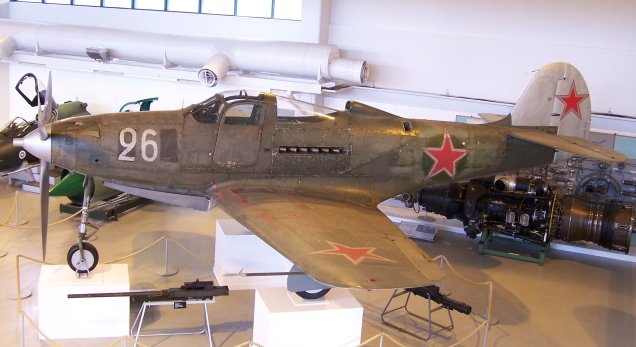
Most aspects of the main structure are also well covered with the ordinates included on the detail drawings and not as a separate sheet. This could be an interesting project and although not entirely a rare aircraft; as we still have a few flying examples and static displays; I do think it will be a worthwhile aircraft to develop. Most of the examples unfortunately are based in the US but there is one on display in Finland, for which a visit is on my to-do-list later this year.
I’ve played about with modelling some bits and reviewed the drawing organisation. I now need to get down to some serious work starting with reverse engineering the ordinate data on the drawings to establish an ordinate record and create the mold lines.
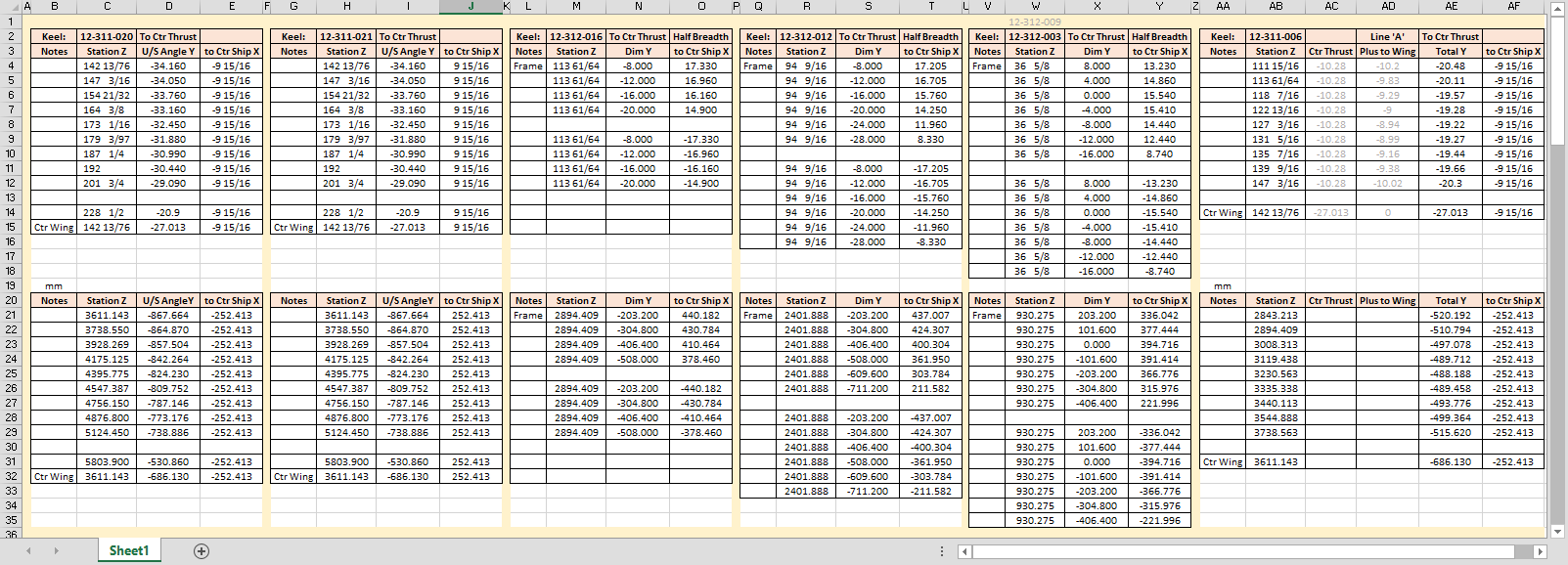
Sample: Ordinate data copied from manufacturer drawings maintaining original format.
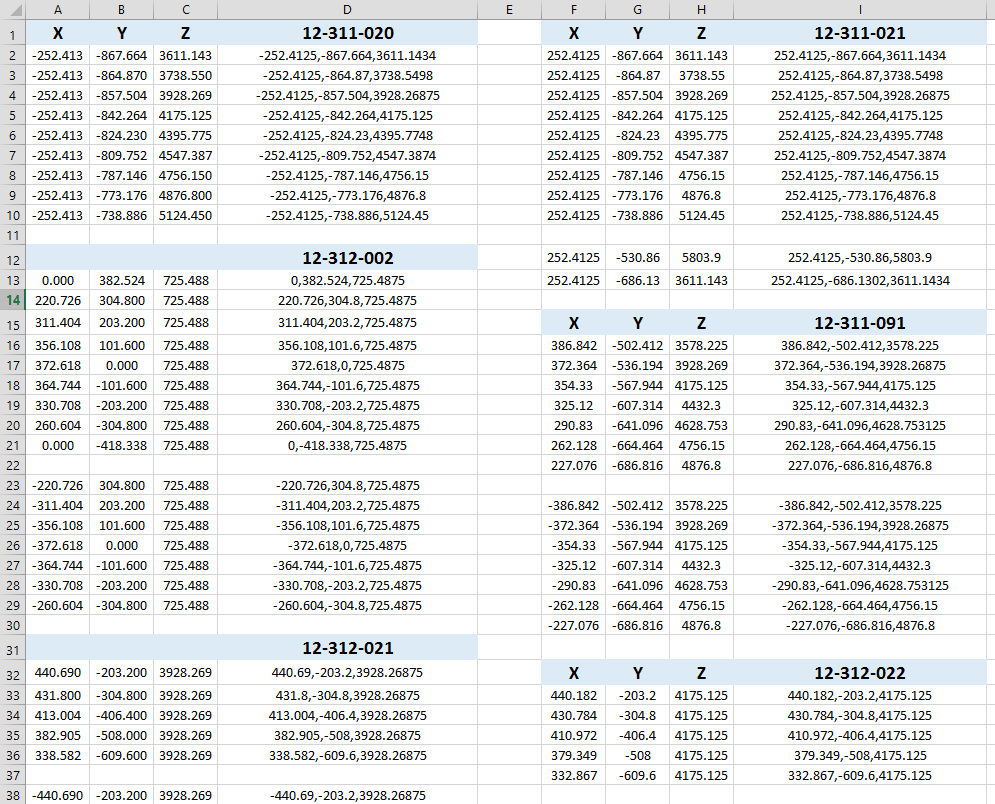
This Dataset is then restructured in a separate worksheet to derive the X,Y,Z coordinates for input into CAD.
The ordinates are important for modelling so we can loft the surfaces to check the angle of the frame flanges for correct alignment and also enables us to model parts in the 3d space sufficient that their location in the final assembly is already determined.
This is definitely a long-term project for which I will post updates on progress, though not quite as regular as I have done in the past for previous projects.
I have had a number of requests for the ordinate spreadsheets I developed for the Mustang P-51 B/C and D fuselage, cowl, cooler and air intakes, so I have decided to make them available to all; which could save you considerable time and effort.
The ordinates are listed on 10 separate Excel workbooks with 18 spreadsheets for all known ordinates from manufacturers data. The ordinate listings are in both mm and inches with the X,Y,Z coordinates extrapolated from this data-set for ease of transferring to a suitable CAD system. The total points listed are literally thousands.
102-00005: Fuselage (BC main)
102-00006: Fuselage (forward to cowl)
102-00007: Removable Scoop (fuselage, Int and Ext)
Include scans of original source documents for reference.
The spreadsheets are not locked or protected so you can manipulate the core data to suit your own applications.
The P-51D fuselage profiles are reference only due to being mathematically generated based on original NAA methods and thus are not verified.
This represents a huge number of hours worked, meticulously listing each ordinate individually and then creating cad drawings to check the ordinates and derive the ordinates that are unclear on the manufacturers’ drawings.
The ordinates for the P-51D wings comprises 2 sheets; the first listing the tabulated data as per the original manufacturer drawing and the second extrapolated to compile the X,Y,Z coordinates for input into CAD.
Update 20 Aug 2019:
The spreadsheets now include the OLEO undercarriage and general tidy up of datasheets for consistency. Now probably the most comprehensive and complete dimensional study of the P-51 B/C and D.
Horizontal Stabiliser and Fillet Ordinates layout:
Technical drawings, detailing the specifics of your design can be critical for the communication both internally and externally. We can transform your 2D CAD or fully dimensioned legacy paper drawings to 3D Models using our experienced engineers to ensure drawings are 100% accurate and adhere to the most relevant standards and protocols.
3D Cad models will be fully inclusive of manufacturing tolerances as specified. New 2D drawings will be derived from the 3D model, dimensioned and denoted as original.
Attributes and BIM IFC data can be incorporated according to your engineering and company standards for Structural, Mechanical, Building Services and Equipment projects.
We normally use the Autodesk Inventor but are equally capable with all the Autocad based products from which we can provide native format model files or various other formats to suit your requirements, including DWG, IFC, STEP and STL.
We can provide CAD modelling services for your restoration project, adhering to all appropriate standards and design specifications.exit
This blog has been about the journey cataloging my passion for historical aviation design and construction. Its about the geometry; the ordinates and plans, about the designs and construction; from wood and canvass to full metal and alloy and the inspirations for the designs. The sheet metal work, the manufacturing, the mechanics, materials, electrics and hydraulics.
Its been an interesting time studying the different aircraft construction techniques and design methods. The different approaches to how different designers organise and develop the designs on the drawing board, sometimes accumulating 100o’s of drawings for a single aircraft…an admin challenge that even today would be quite daunting.
Not all my work has been published here, only a few examples that I think may be of particular interest. The evolution of the FW-190 to Ta-152, the various marks of the Spitfire, the early design characteristics for the Tiger Moth, the Mustang P-51 conic research and mathematical analysis culminating in a broad spectrum of research material that lays the foundation for the next chapter in my work.
I have learned a lot from this work which has been both challenging and frustrating. Its tested the limitations of my knowledge and the CAD systems we have come to rely on so much in our designs today.
Not many of the archive drawings sets I have are representative of a complete aircraft, often missing key information or simply illegible; though the latter sometimes can be overcome by studying other aspects of the design. I am often asked if I would consider creating an entire aircraft design in CAD that could actually be manufactured and whilst the answer is of course yes I would be reluctant to spend the considerable time required for any aircraft for which we have many flying examples.
Having said that Operation Ark was setup to undertake such a task for an extinct or rare aircraft depending on availability of sufficient design data. This work is still in progress and will take a while to resource, evaluate and fund such a project.
In the interim I have received a new set of archive material for an aircraft that was used extensively by Russia on the Eastern front which will be featured here in a few months time.
For now there wont be many updates but please do drop me a line as its always good to hear from the many readers of this blog about their own experiences in the exciting world of historical aviation.
Looking back through a previous project for the Tiger Moth I had some notes relating to the fuselage gussets. The rear fuselage is a bit of a puzzle when it comes to the strengthening gussets at the truss joints.
This is a scrap view of the de Havilland rear fuselage drawing on which I have indicated 3 gusset locations. The first thing that comes to mind is that for each joint the diagonal truss member is at a different angle but the gusset plate in each case is the same part number.
On this same drawing, we have an enlarged detail view showing the minimum weld requirements for each of these gusset joints which cannot be achieved if the gusset plates above are all the same size!
In fact, for 2 of the three joints, the gusset plate extends beyond the diagonal truss member making it impossible to achieve the weld criteria. This is actually quite clear in the first image and modeled in the following.
I started my engineering career on the drawing board so I understand why in many cases they have done this to maintain consistency of parts and minimise variations, but if its not fully engaging then its bound to be less effective.
As you can see in the model the gusset plate is not even close to the center of the strut and certainly would not achieve the 0.25″ weld.
Another odd example is the bottom truss end gusset where it splices with the front fuselage truss.
This is actually detailed as a flat plate on the dH drawings, but for it to fit correctly it needs to be jogged; as shown; to coincide with the diagonal struts, otherwise, you would have to fill the gap with weld.
The material thickness for the tubes and the plate are less than 1mm, so depositing large amounts of weld in these areas is not advised.
The gusset plate also fits flush with the end of the tube and is noted on the drawing as requiring an edge weld. I think if I was designing this I would have the plate set back from the end of the tube allowing a full profile weld all around.
What makes this odd is that for other aspects of this aircraft design they have gone into great detail with gussets elsewhere, clearly dimensioning jogs with separate plates for individual joints.
I should note that there is an insert piece required to close the main tube which is not modeled yet.
When I study these aircraft designs, whether it be the Ta152, the Mustang, Spitfire or the Tiger Moth I try to understand the reasons why things are done the way they are. In many cases it could be driven by manufacturing criteria, availability of materials, expediency, a need to minimize variation or in some cases just down to the individual draftsman.
There is some debate about the effectiveness of these gussets and whether or not they are actually required. I have no opinion on these debates, the fact remains that they are part of the design and with some minor dimensional adjustment can be fitted correctly in compliance with the specified criteria.
I quite like the Tiger Moth, it is a practical design with many examples still flying worldwide. I hope that someday I can collate the necessary information to finish this project.
In an earlier post I discussed in some detail the progression of model development for the Carburetor Air Scoop (Lower Cowling) inlet and I mentioned that the final Air Scoop would be uploaded upon completion. Earlier Post : Air Scoop Prelim work:
It has actually been completed for awhile; I just forgot to upload it!
So here it is and if anyone has attempted to model a complex surface of this type you will understand how difficult this can be. Needless to say the Freeform T-Splines were invaluable in obtaining the correct surface.
The surface model is attached to over 300 ordinate points with numerous contour and fairing curves generated in preparation for the final surface modelling.
The data was first prepared in a spreadsheet; listing all ordinate points in mm and inch dimensions from which I extrapolated the 3D coordinates for each point; essentially creating a point cloud.
The ordinates were imported into Autocad, analysed and then the points grouped accordingly to define the contours and fairing lines.
This was then imported into Inventor and the surface painstakingly built up in each separate square grid attaching all the ordinate points. There was no easy way of doing this; I know I tried!
I am delighted to have finally completed this particular model having consumed many hours trying various methods to get it just right.