Technote: Manufacturers Standard Parts

Technote: Manufacturers Standard Parts:

Every aircraft manufacturer has libraries of standard parts in addition to the MIL specs that are used for their various aircraft designs. These vary considerably covering a wide number of standard parts like bolts, nuts, washers, hinges, screws, grommets, extrusions etc, etc.

When I was working on the P-51 Mustang Tailwheel mechanism I was forever jumping back and forth looking for the various standard parts which was a nightmare due to the large number of files in the archive. This was further complicated as the file names were the scan numbers and not the drawing names. So I figured it was time to get this stuff organised.

I have worked through the archives for the Grumman F4F Wildcat and F6F Hellcat and extracted the Standard Part drawings and renamed them with the correct drawing designations. I have also done a similar exercise for the NAA P-51 Mustang.

The actual drawing filenames have been adjusted slightly to make sorting easier (by group) and make the names more legible. Where for example we have 1E48; this is denoted as 1E-48…the 1E is the alpha-numeric group designation with the numerical sequence suffix. This just makes it easier to read when you have hundreds of files in the same folder.

The excel spreadsheet is a register with the different manufacturers’ part drawings listed on separate sheets in one workbook. This is tabbed along the bottom of the spreadsheet. It is envisaged that each set of drawings as listed will include a download link to an online resource to access the files. This download link for the collection of standard part drawings is located on the top right of the spreadsheets.

The NAA Part Drawings also include the previous specification identifier as some of the earlier blueprints still refer to this number.

This is an evolving project and will be continually updated as more information becomes available with the inclusion of other manufacturers data. Currently, over 400 part drawings are registered. For further information please drop me a line at hughtechnotes@gmail.com.

Update: This file Revision A containing the Standard Part drawing links for Grumman and NAA is now available for download here. https://drive.google.com/drive/folders/1KQbn8FNCwKO8xODLlPB3jTAExa3qygZJ?usp=sharing

Footnote: If you are looking for MilSpecs; as discussed in a previous post; then check out these resources:

https://quicksearch.dla.mil/qsSearch.aspx

http://everyspec.com/MS-Specs/MS2/MS21000-MS21999/

HiRise data and WRL Conversion.

HiRise data and WRL Conversion:

It has been a while since I last posted an article due to being busy with other projects. During some research activites, I came across a number of subjects that may be of interest, two of which I would like to share.

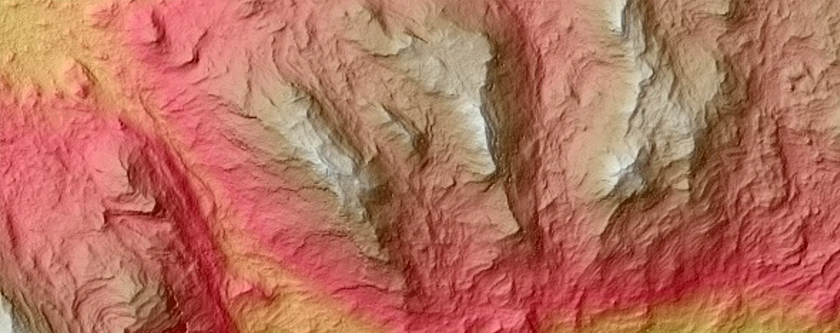
The first one is the HiRISE Digital Terrain data models on the University of Arizona website. The website contains datasets that are digital extractions of surface terrain scans of the planet Mars. The DTM datasets are publicly available for research and modeling of geological processes.

PSP_007100_1520

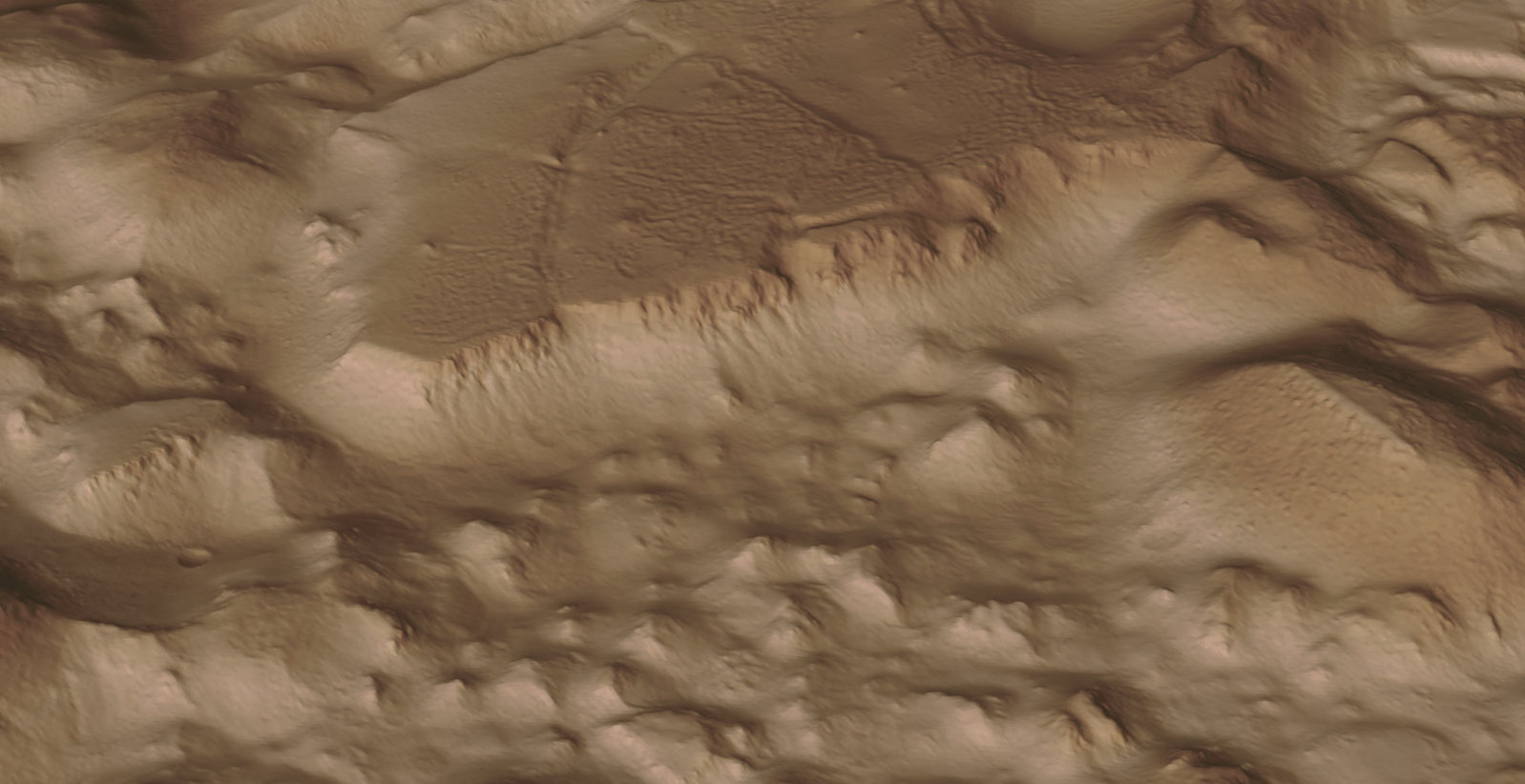
Naturally curious I decided to investigate the possibilities of modeling and rendering of these datasets from which I produced a few preliminary 3d terrain models using Blender and rendered in Keyshot…Gorgonum Chaos:

mars10The technique I used is described in this video on Youtube, clearly explaining the process. To me, this is incredible stuff and thanks to the University of Arizona for all their dedicated work in developing these datasets. So have a look and check it out for yourselves.

The next subject is WRL. WRL is a file extension for a Virtual Reality Modeling Language (VRML) file format often used by browser plug-ins to display virtual reality environments. VRML files are known as “worlds,” which is what WRL stands for.

One of my many interests is Tensegrity, a structural form of tension and compression members first developed by a chap called Kenneth Snelson. The internet is full of examples of this structure concept inspiring many variations from fairly simple to very complex designs. I have developed a few of my own.

delta

Many of the practitioners in this field make datasets available for personal use and one particular format they use is the VRML (WRL) so you can view the design in 3d.

For the simple structures similar to this image the design and construction are not that difficult, however when it comes to developing your own version of the more complex examples it can be a real headache. Although some datasets include actual point cloud data the process of matching pairs of points to reconstruct the design can be a nightmare.

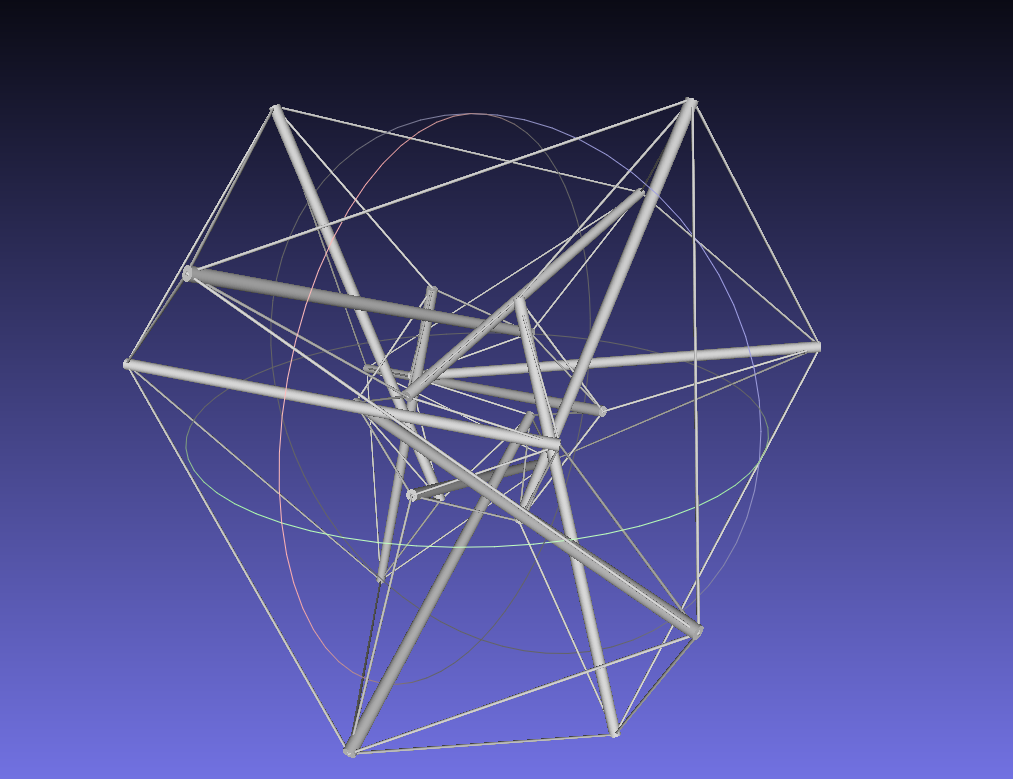
The obvious solution would be to convert the WRL model into something usable that could be used as a guide for developing a 3d cad model. I tend to favor Meshlab for doing this as it is one of the few programs that will accurately convert the imported data.

meshlab

The WRL model is converted into a series of mesh objects that we can export as an OBJ or STL file and then import into Inventor.

Once in Inventor, it is simply a case of selecting each of the compression struts and “Fit Mesh Face”. Select the “Auto Fit” option for each member and it will create a surface from each mesh representing the struts.

The tension wires are then created as a 3d sketch using the background mesh model as a guide. At this stage, the model is a workable composite but may require micro adjustment for the tension wires to ensure the finished item is properly constrained. I would reverse engineer this model and reconstruct as an assembly and apply the microdimensional adjustment to the groups of tension wires to ensure the absolute accuracy of the final design.

It is beyond the scope of this article to go into the detail of every step, but if you require information on any of the topics please feel free to drop me a line.

Tensegrity Conv

I hope you find this article interesting and have fun.

Restoration Project: Corsair F4U-1

Restoration Project: Corsair F4U-1

This is great news; a good friend of mine has just acquired the wreckage remains of a Corsair F4u-1.

IMAG1368

The long-term plan is to restore this Corsair to its original specification as a standing exhibit. It would be wonderful to restore to flying condition but the projected cost as it stands is quite overwhelming and to achieve flight status would probably double that.


IMG_4038.JPG

P1060200.JPG

We will be setting up a dedicated blog and website to record progress on this restoration. Part one of the project is to develop a master lines plan which will be used to design the jigs required to rebuild the fuselage and wings.

Any contributions to the project, regardless of how small will be greatly appreciated.

NAA P-51D: Canopy

NAA P-51D Mustang: Canopy

With the return to the P-51D project, I have been working on developing the fuselage and the canopy ordinates specific to the P-51D. Supporting information in this regard is hard to come by and we don’t have the luxury of tabulated ordinate values and fully detailed mold lines as we had with the P-51 B/C.

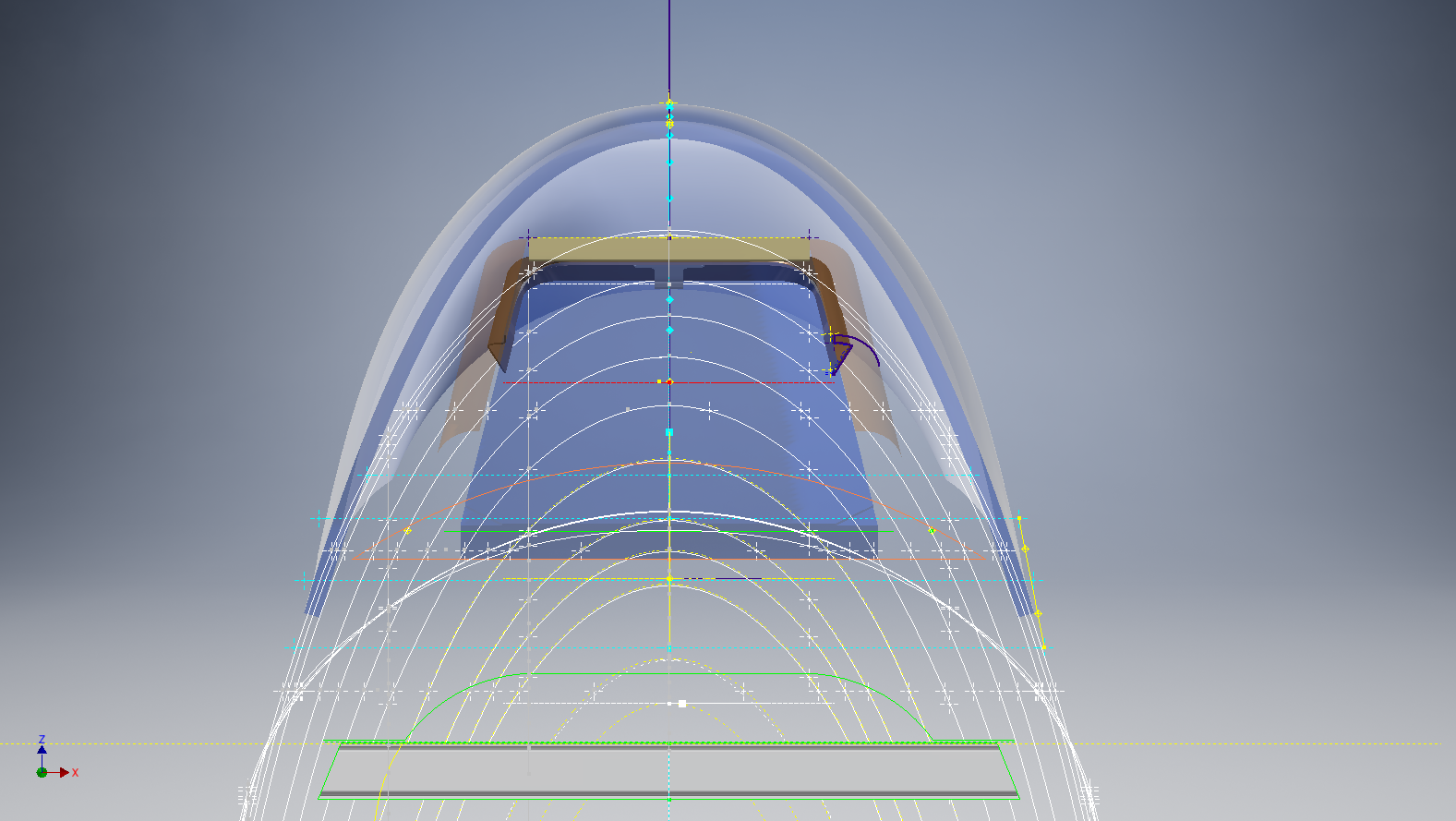
What we do have though is critical dimensions scattered amongst the 100s of drawings and documents that collectively help establish key datum points which in conjunction with conic geometric development appear to make this aspiration a feasible prospect. To give you some idea of progress this is a front view of the preliminary P-51D canopy model.

P-51D Canopy Front

I still have the windshield model to develop in order to finalise the canopy design but I am pleased with achieving this amount of progress derived from many hours of research and some straightforward geometric developments. Notice in particular the accurate tangency alignment with the known frame mold lines, it is perfectly aligned. I appreciate that there are a few variations on the profile of the canopies that were made for the P-51; some more bulbous than others, but we first need to establish a baseline which is what we will have.

As a consequence of this activity, I have also managed to develop the rear fuselage profile ordinates for the P-51D. I am rather excited by this new development in conjunction with the completed wing ordinates and the more recent vertical stabiliser it may actually be possible to have a full ordinate set uniquely for the P-51D.

Update: Below is the finished baseline canopy model profile.

2017-06-08_13-55-28

…and this is what it looks like to develop the canopy and windshield with limited known data…

P-51d Canopy Dev01

Update: August 2018 “P-51D Bubble Canopy”

The real thing…this is a model derived from a ridiculously accurate laser scan point cloud of a P-51D Bubble Canopy.

2D Draughting to 3D Models

2D Draughting to 3D Conversion

2d to 3dTechnical drawings, detailing the specifics of your design can be critical for the communication both internally and externally. We can transform your 2D CAD or fully dimensioned legacy paper drawings to 3D Models using our experienced engineers to ensure drawings are 100% accurate and adhere to the most relevant standards and protocols.

3D Cad models will be fully inclusive of manufacturing tolerances as specified. New 2D drawings will be derived from the 3D model, dimensioned and denoted as original.

Attributes and BIM IFC data can be incorporated according to your engineering and company standards for Structural, Mechanical, Building Services and Equipment projects.

We normally use the Autodesk Inventor but are equally capable with all the Autocad based products from which we can provide native format model files or various other formats to suit your requirements, including DWG, IFC, STEP and STL.

We can provide CAD modelling services for your restoration project, adhering to all appropriate standards and design specifications.exit

The Journey

The Journey:

This blog has been about the journey cataloging my passion for historical aviation design and construction. Its about the geometry; the ordinates and plans, about the designs and construction; from wood and canvass to full metal and alloy and the inspirations for the designs. The sheet metal work, the manufacturing, the mechanics, materials, electrics and hydraulics.

Its been an interesting time studying the different aircraft construction techniques and design methods. The different approaches to how different designers organise and develop the designs on the drawing board, sometimes accumulating 100o’s of drawings for a single aircraft…an admin challenge that even today would be quite daunting.

Not all my work has been published here, only a few examples that I think may be of particular interest. The evolution of the FW-190 to Ta-152, the various marks of the Spitfire, the early design characteristics for the Tiger Moth, the Mustang P-51 conic research and mathematical analysis culminating in a broad spectrum of research material that lays the foundation for the next chapter in my work.

I have learned a lot from this work which has been both challenging and frustrating. Its tested the limitations of my knowledge and the CAD systems we have come to rely on so much in our designs today.

Not many of the archive drawings sets I have are representative of a complete aircraft, often missing key information or simply illegible; though the latter sometimes can be overcome by studying other aspects of the design. I am often asked if I would consider creating an entire aircraft design in CAD that could actually be manufactured and whilst the answer is of course yes I would be reluctant to spend the considerable time required for any aircraft for which we have many flying examples.

Having said that Operation Ark was setup to undertake such a task for an extinct or rare aircraft depending on availability of sufficient design data. This work is still in progress and will take a while to resource, evaluate and fund such a project.

In the interim I have received a new set of archive material for an aircraft that was used extensively by Russia on the Eastern front which will be featured here in a few months time.

For now there wont be many updates but please do drop me a line as its always good to hear from the many readers of this blog about their own experiences in the exciting world of historical aviation.

Project Cad Technote: Sheet Metal Bending in CAD

Project Cad Technote: Sheet Metal Bending in CAD.

Sheet Metal Work is an interesting subject to which I could no doubt devote an entire blog to. Fortunately for us we don’t have to as this topic is covered in detail by the many professionals working in this industry.

However understanding some of the key principles is imperative to ensure that our CAD models created from the aviation manufacturers drawings are correct as the dimensions given do not always suit the CAD development process.

One particular aspect relates to something the Sheet Metal guys refer to as the Outside Setback. The Outside Setback is the distance from the apex of the outside mold lines to the tangent point of the outside radius. When the sheet metal is bent the inside radius pulls the edge of the material away from the apex of the bend.

2015-08-30_12-39-11Typically on many occasions we will have a developed profile for the part which is to be bent to the required profile with only a few dimensions noted to achieve this including a bend coincidence point and angle.

2015-08-30_12-13-10The image on the left is indicative of many situations that arise when working with the manufacturers drawings. It is not unusual for a dimension to be given to the projected point at “A” which understandably is important to ensure the part mates properly with another.

However in Inventor; for example; we only have selections at 1,2 & 3 for “folding” a part from a development sketch and no option to define the stated “Dim” to the point of coincidence; which therefore may not provide the desired result. We may of course have the angle, material thickness and usually the inside radius.

2015-08-30_12-19-11Its not practical to select points 1 & 2 but it may be possible to use point 3 if we know the OSSB dimension.

In Inventor this is the middle option from the sheet metal fold dialogue. In this case we have specified the complimentary angle (97 degrees).

In order for this to work we need to calculate the dimension OSSB. The smart guys in the sheet metal industry have this stuff all worked out and have an easy equation that we can use to ensure consistent accurate results.

2015-08-30_12-20-05

B> denotes the complimentary angle which must be less than 170 degrees.

IR is the Inside radius and MT is the material thickness. (the dot in the middle by the way is multiplication).

2015-08-30_12-25-18From this equation we derive the value for OSSB which we will deduct from the Dim value provided on the drawings, thus giving us the correct location of the fold line at point 3 above.

In this example the dimension from the manufacturers drawing is stated from the hole center, which has been adjusted to locate point 3 by deducting the value OSSB.

It works perfectly and we now have a folded bracket from a development plan that complies with the stated drawing dimensions.

I should note that some CAD products take this into account and provide the necessary options for developing this folded model but where we have limitations a touch of maths goes a long way to achieving the desired result.

In this example the hole is very close to the bend causing a slight deformation. This could initially be drilled to a smaller diameter and reamed after bending or we could simply use a smaller bend radius; if permissible!

NAA P-51D Mustang: Fuselage: Conics

NAA P-51D Mustang: Fuselage: Conics

In the preceding article I had some fun with polynomials and how they could be useful for determining a smooth fit spline for the development of the Mustang fuselage. As a follow up to that article I wanted to share some research relating to conics.

The Mustang P-51 was the first aircraft to be completely defined by conics. The designer Edgar Schmued worked with Roy Liming to mathematically analyze the Mustangs shapes, tangents and curves. Conics were used by NAA as far back as 1932 though many of the techniques and equations we use today however were not actually in use until 1959.

The Bézier curves for example were based on the Bernstein polynomial which had been known since 1912 but its application for graphics was not understood till much later. Bézier curves were widely publicized in 1962 by the French engineer Pierre Bézier, who used them to design automobile bodies at Renault. The study of these curves was however first developed in 1959 by mathematician Paul de Casteljau using de Casteljau’s algorithm, a numerically stable method to evaluate Bézier curves at Citroën.

So I started to wonder how did Edgar Schmued and Roy Liming actually apply conic principles and what methods did they use for the Mustang design!

The documentation I have available for the Mustang Wind Tunnel models gives us a clue at the geometric construction for the fuselage frames. The designers used smooth conic sections with key parameters controlled by longitudinal shoulder and slope control curves. The longitudinal curves defined fullness and tangency values for the conics from forward to aft of the fuselage. The P-51 designers found that this technique allowed them to accurately control sectional areas to secure the required effects for lift, drag, stability, and overall performance.

2015-08-03_22-50-45

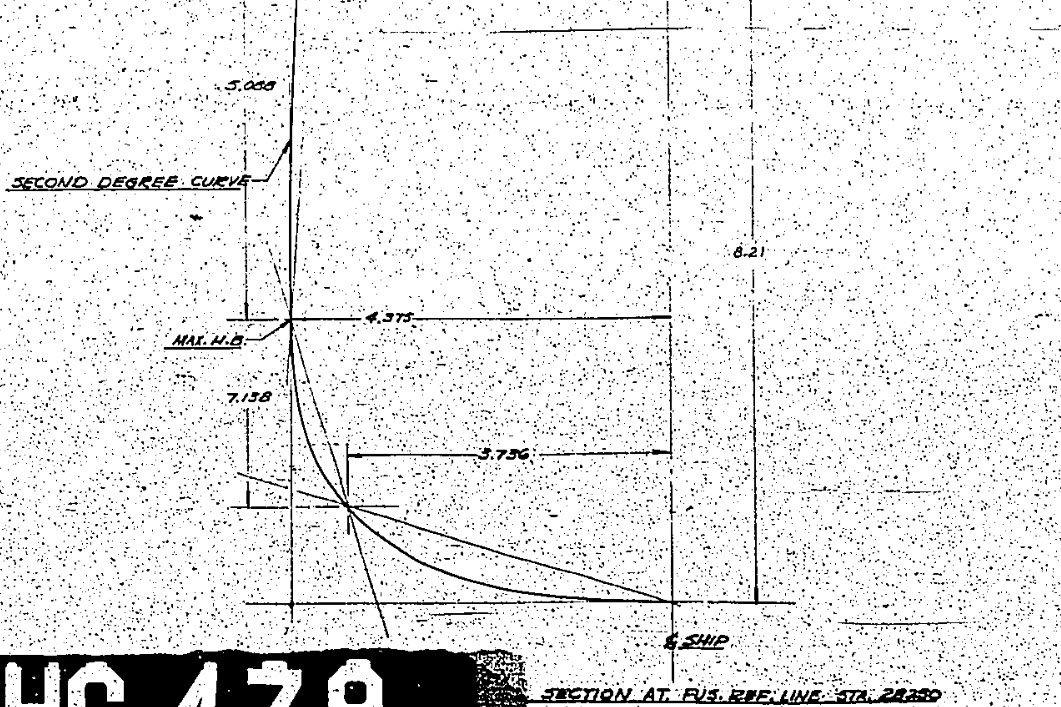
Here we see a scrap view from the wind tunnel models, showing clearly the development of the conic constrained by 2 tangent lines and a third Shoulder Point as a known point on the designed curve.

The intersections of lines extended from the Max Half breadth point and the Lower Ship Centre point illustrate a drafting technique for creating the finished curve for the lower section of a fuselage frame.

Hugh P-51 ConicsTaking this method further we can describe a curve using a series of extended lines to define any point on the curve as shown in my Cad drawing.

This is my interpretation of a technique for the drafting of a typical Mustang fuselage frame. I haven’t seen this technique applied to a full fuselage profile and whilst the design information I have suggests a similar approach by the Mustang designers I can’t verify that this was the actual technique used.

It is not possible within the scope of this article to go into the detail of this technique, but suffice to say that selecting only 3 points for the lower and upper sections contained within tangential lines provides the basis for accurately determining any other ordinate point on the particular curve. I have uploaded a short video on Youtube here: Drawing a Conic

This is actually a lot better than using the polynomial equations for frame geometry as they only give you a best fit approach based on the tabled ordinates; with limitations; whilst this construction technique will allow the flexibility of defining any point on the curve to an unprecedented degree of accuracy when created in CAD…it works!

So what else did these visionary guys do? I am really keen to further research the mathematical approach that Edgar Schmued and Roy Liming used in the other aspects of the aircraft design and uncover the methods that made the Mustang unique.

It is my hope that by sharing my research and developments that this will inspire others to also research the work of the designers from this era and hopefully in some small measure encourage support for our project “Operation Ark”.

2015-08-06_03-06-27Update: I must have spent a full day browsing through the archives to find more information that would assist with understanding the conics development and thankfully I came across this NAA lines drawing for the cowl on P-51C (NA-103).

This shows the development and tangent lines for everything including the shoulder lines and the fairing lines as well as the main profile contour lines.

Its very important to spend time verifying the information used for developing these designs to validate the research. Sometimes I could spend days just looking for small scraps of information just to verify one dimension, which happened quite a lot on the Ta-152 project!

Full profiles drawn in Autocad from comprehensive excel spreadsheet ordinate collections now available for download. See this article for details.

NAA P-51D Mustang: Tail Wheel Retracting Hydraulic Cylinder

NAA P-51D Mustang: Tail Wheel Retracting Hydraulic Cylinder.

Hydraulics is not something I have had very much exposure to in my varied engineering career, so it was rather interesting to build this Tail wheel retracting cylinder and learn some new stuff about the hydraulic designs of this era.

All the component parts are fully detailed in the NAA drawing archive enabling a complete cylinder to be built with the pipe fittings added from the Inventor Content library.

P-51D Mustang Tail Wheel retracting cylinder 2015-07-13_00-46-34

The Autodesk Inventor product has a very comprehensive standard parts library which includes a wide variety of pipe fittings and components. The elbows and reducers are from the Parker range which are sized correctly but slightly different in style to the aeronautical standard parts which would normally be used.

I did modify the hex head for the reducer to size correctly with the corresponding AN912 aeronautical part to ensure correct fitting with the cylinder interface.

When I have time available I intend to create a special library for all these standard components that will correspond exactly to the specified aeronautical standards.

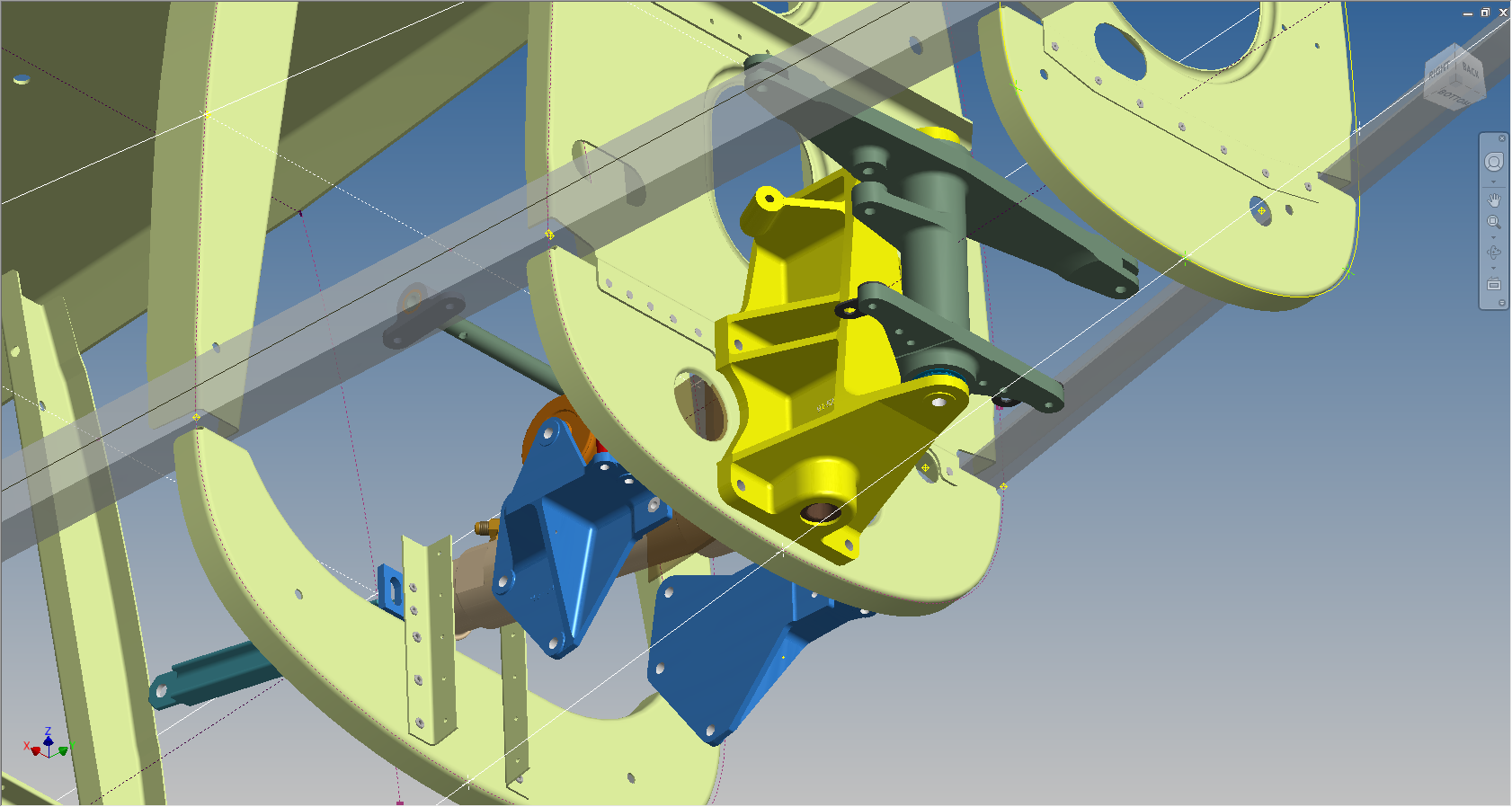
The blue support brackets on either side of the cylinder should actually be fitted to a sheet metal formed channel, which I don’t have the details for. There is a drawing for the P-51B/C models which will be similar to what I need but the lower station frames in this area are slightly different. I can’t be sure exactly how the channel should be fitted so I emailed a few companies that have been involved in the restoration of P-51D Mustangs to see if they can assist with either photographs of this area or even better some drawings!

2015-07-14_23-34-18 2015-07-14_23-03-35

NAA P-51B/C/D Mustang: Radiator Coolant Mount

NAA P-51B/C/D Mustang: Radiator Coolant Mount

I discussed in my last post the development of a comprehensive drawing register for the P-51 and my rather ambitious intent to derive the list of parts associated with each sub assembly and main assemblies.

This could indeed be quite a task as for example on the P-51C alone we have 348 assemblies listed, some are sub assemblies and some are top level assemblies. The challenge is organizing the drawing parts list according to their assembly and retain the order of links on my filing system as per the main document register.

2015-06-15_18-18-30The NAA Numerical part lists (AN01-60JE-4 Section 2) give us some idea of how this data can be collated but the chart lists the top level assemblies and does not follow the hierarchy to the individual part. The individual parts though are listed in subsequent chapters of the parts list.

The part files themselves also contain information to assist with establishing the hierarchy of assembly; similar to the following for the Radiator Coolant Mount.

2015-06-15_01-15-12    2015-06-15_00-46-18

As you can see from the scans this part drawing typically lists the associated next level assembly, quantity and the aircraft variants to which they belong.

2015-06-15_01-19-41This image on the left is the next level assembly (sub assembly) which shows the inclusion of fittings and bushings and again lists another next level assembly.

Typically this is how the hierarchy works and its great that we can track the target assembly from the individual part drawings.

2015-06-15_00-56-52This is the top level assembly as noted in the above drawing. Our Coolant Radiator Mounts are highlighted in red.

In this example we don’t have all the drawings for the parts listed and though it would seem unlikely to be able to build this assembly with incomplete information it may be possible to interpolate sufficient data from what we know to develop the parts that are not available.

This is typical of these types of projects as the majority of scan drawing sets are incomplete and many parts can only be developed from physical examples or interpolated where we have the requisite data from other sources.

This approach is similar to how I plan to tackle this document register in identifying the links between the part files and the assemblies. We have the NAA register; which is a great starting point; and the part and assembly files themselves. There may be instances where the information from the drawings or the NAA register is unclear, in which case I would refer to other drawings in the series that may reference this information in the notes or comments.

2015-06-15_23-39-34At this stage I have transposed the NAA register assembly chart (noted above) into a spreadsheet format so that I can add additional key information.

The image shown here is a partial screenshot of how the fuselage data has been organised, showing the hierarchy level of the main assemblies according to their respective position in the NAA chart.

The first column is a reference number I use for hierarchical lists of this nature. There is still a lot of work to be done to collate the parts associated with these assemblies; hopefully most of which I will be able to transpose from the NAA scanned register.

In the interim I shall continue to develop some of these part drawings into accurate 3d cad models.

2015-06-15_00-48-28