P-39 Restoration Project Update: Aug 2024

P-39 Restoration Project Update: Aug 2024:

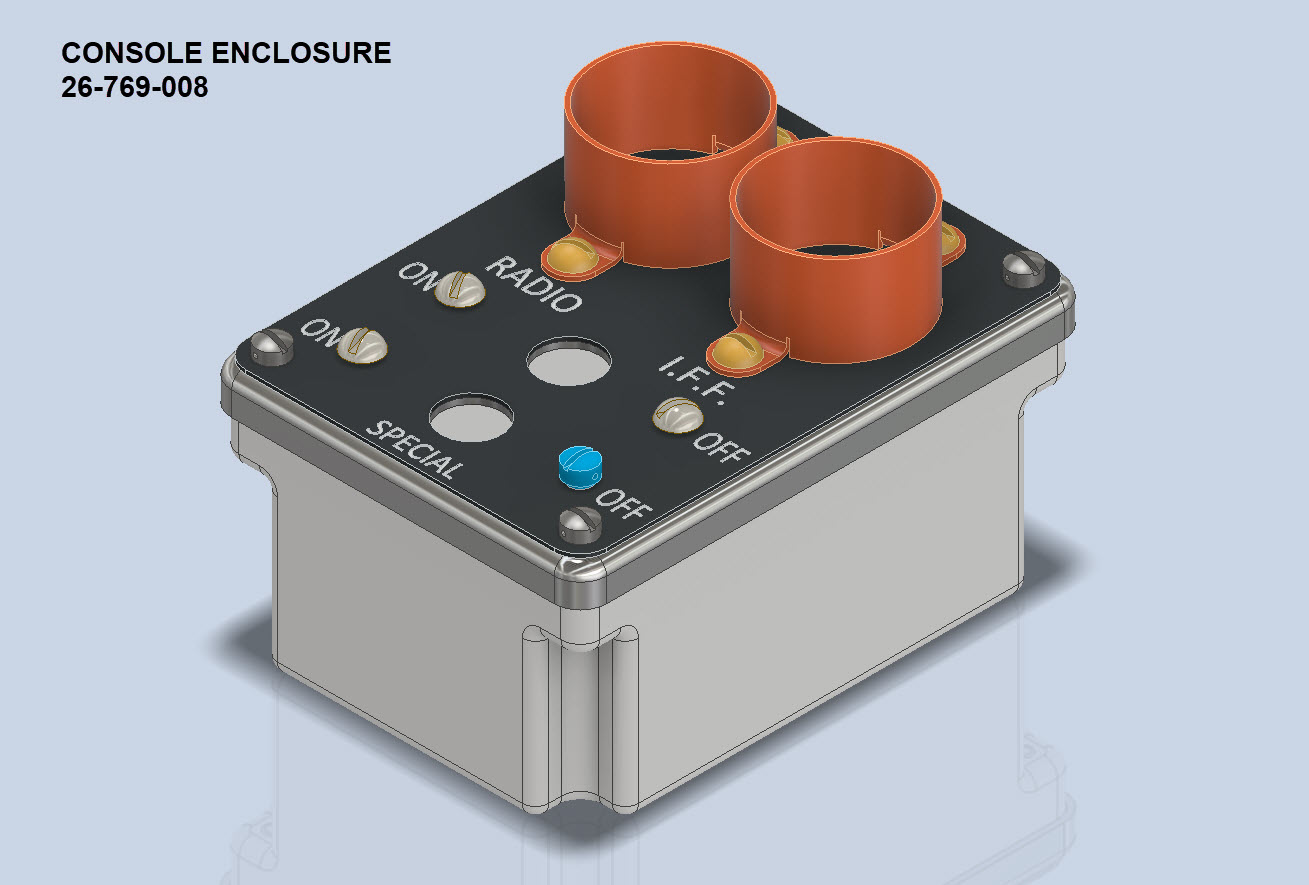
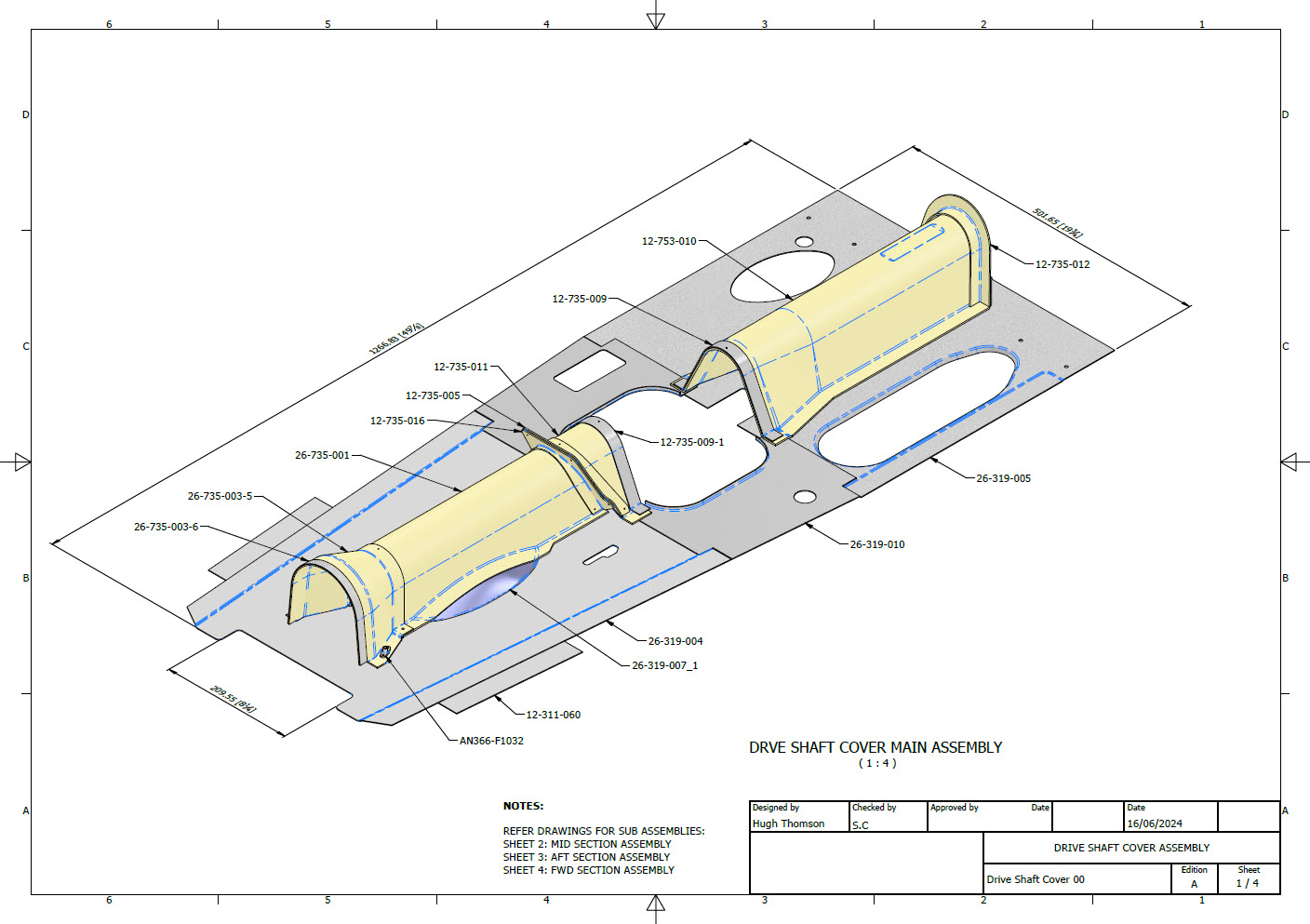
The P-39 Restoration project was rather busy last month. The chaps at PoF have completed and test-fitted the Drive Shaft Cover fabrication and the Floor panels for the Rudder Quadrant…all is good. The Radio Console is now designed with the 3D CAD models and fully dimensioned 2D drawings; for all parts; issued for fabrication…I am looking forward to seeing the finished product.

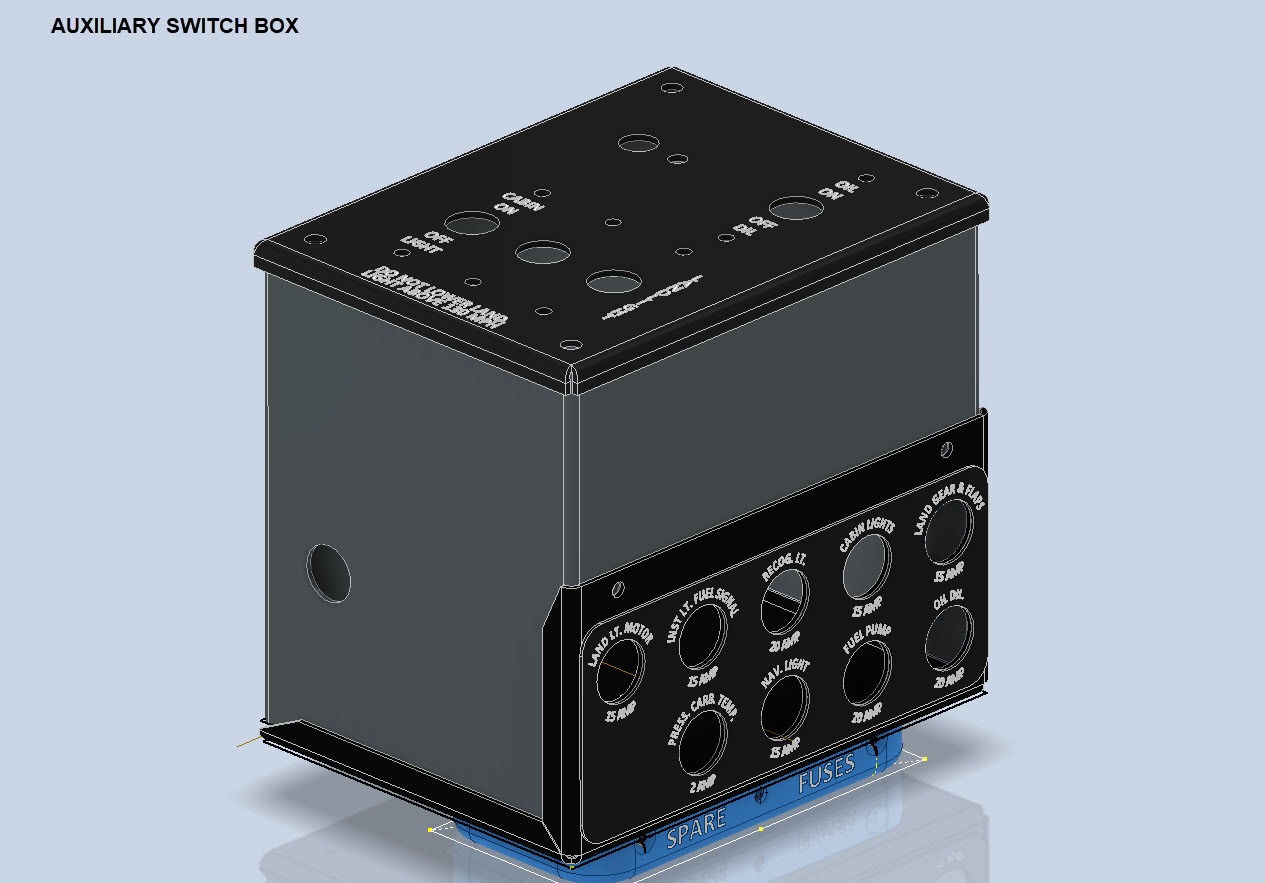
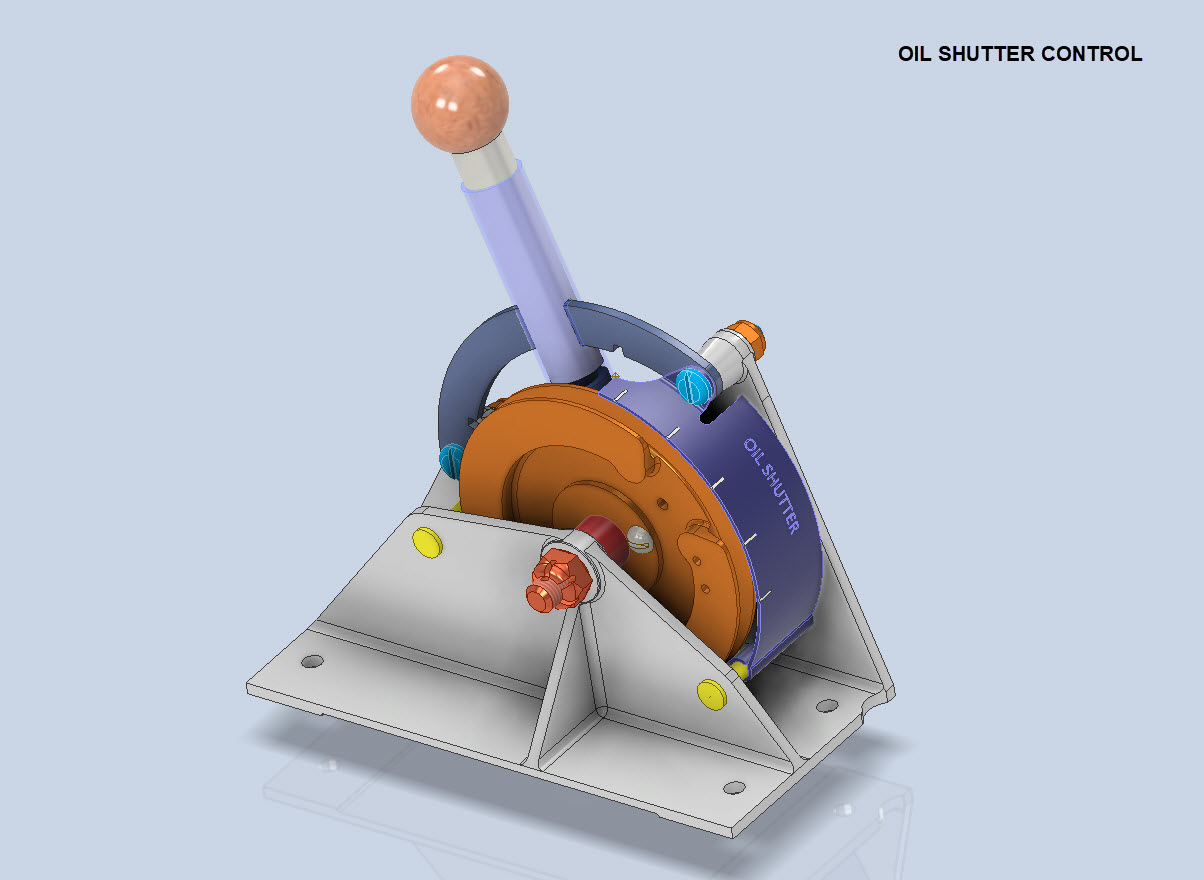
Several other components are still works in progress with the CAD development well-advanced. These are for the Auxiliary Switch Box and the Oil Shutter Control. I still have the detailed drawings to do for both of these assemblies, which hopefully I will get done in the next few weeks.

Today the importance of fully dimensioned and detailed 2D drawings is commonly overlooked. It is an essential part of the process to both check dimensional accuracy and also to ensure that the clearances and fabrication tolerances are correct. So I tend to do 2D dimensioned drawings for everything, even items we know in advance that will be 3D printed. All the assemblies include all the necessary bolts, nuts, screws, washers and other standard components in compliance with the requisite AN and MS standards.

As you know I already have a fairly comprehensive library of over 350 parts parametrically modelled in CAD, which although comprehensive will at some stage require the addition of more components as highlighted by this particular project.

The current library is available on the CAD resources page, which will save you a lot of time and effort on your own projects. Although these CAD files are aimed at Inventor users you can quickly download an evaluation copy of Inventor from the Autodesk website and convert them to any CAD format you need.

Please consider making a small donation, even the cost of a coffee will help support my work on this project and the research work on other aircraft.

As usual any comments or feedback please drop me a line at hughtechnotes@gmail.com

Technote: Accurate Label Placement

Technote: Accurate Label Placement:

For instrumentation Panels, the location and size of text is very important to ensure clarity. This is usually well documented on the manufacturer’s blueprints so it is essential we get this right. In Inventor for example and I am sure it is equally similar in the many different CAD programs the key is the Text justification…let me show you.

First of all a quick update on the P-39 Restoration progress. Much of the recent discussions revolved around fabrication and 3D printing. As mentioned in the previous article this restoration is a static display for which many of the parts will be 3D printed, although the key aluminium panels will still be fabricated as such. The very latest part to be issued for fabrication is this small Switch Box on the Radio Console.

A surprisingly complex box which will be 3D printed and the Nameplate will probably be CNC. The dimensions of the main box are not defined on the Bell drawings so I had to interpolate from the known information and other Bell references to determine the final dimensions. This took into account the clearance from the Drive Shaft connecting flange which is in very close proximity to this box. This also fits quite well into our discussion here on Label Text Placement.

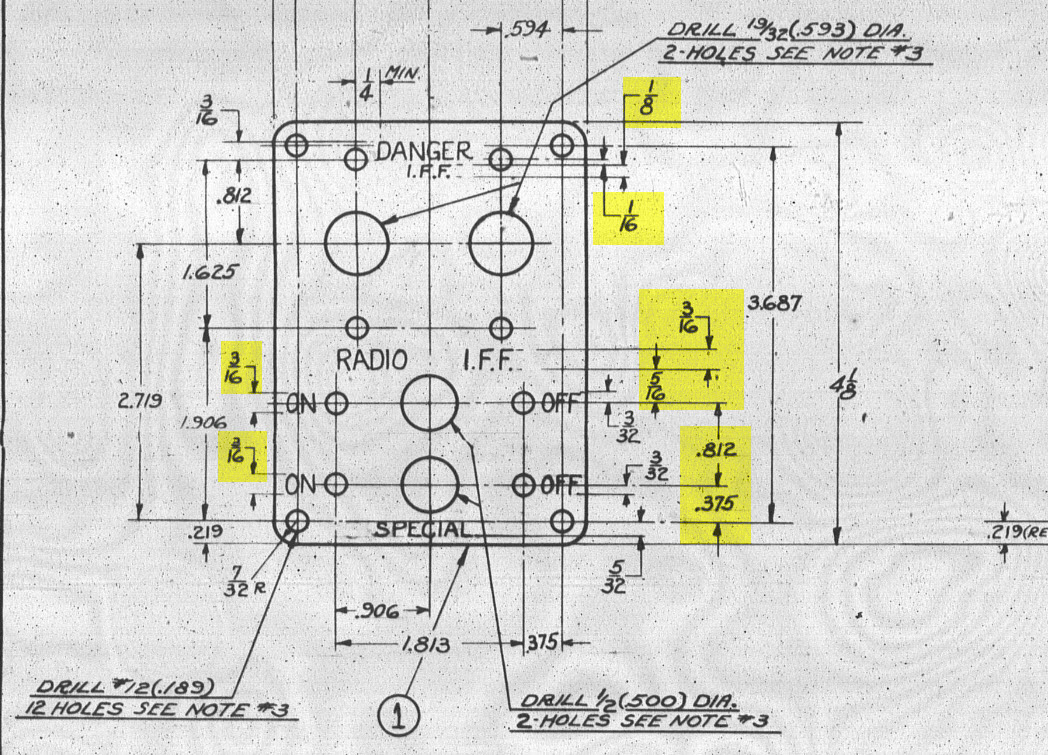
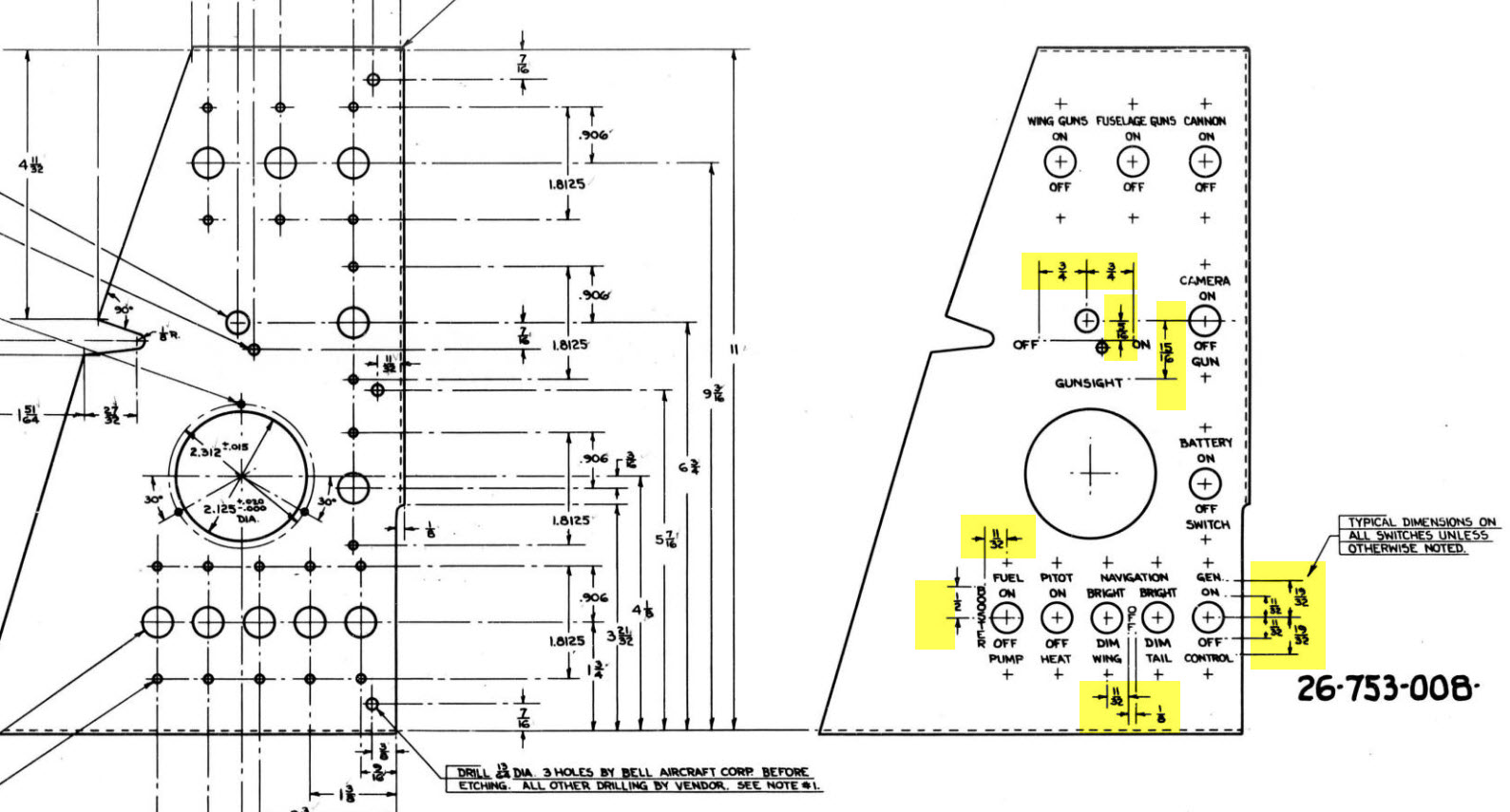
Typically on the Bell drawings, for example, the panel drawings include the height and location of the Label text similar to the following.

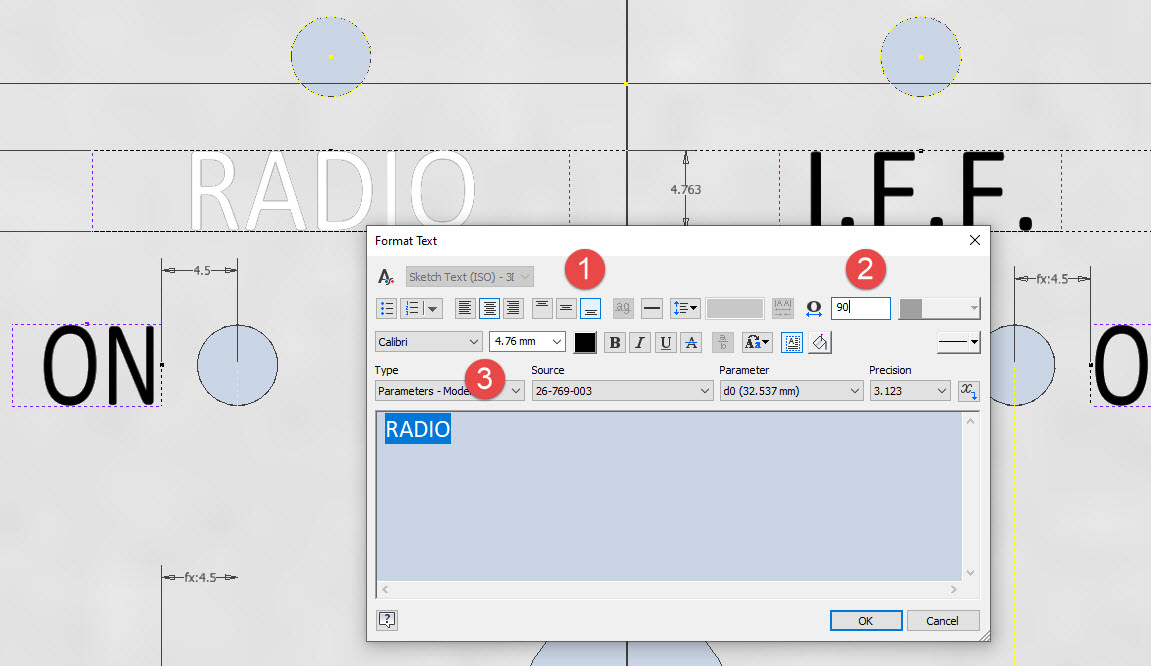
The way we do this in Inventor is by using the Text justification feature in the text editing box.

In the first image, we adjust the justification using the icons at “1”. If the dimension to the text label is to the bottom of the text we set the vertical justification to the bottom and if the placement horizontally is to the centre we centre the justification. When you exit the Text editing box a Text outline box is shown in dotted (this is optional so make sure you switch that on). The appropriate edge of the dotted line frame automatically aligns with the justification of the text entities. This dotted outline can be dimensioned and constrained as you would any graphic sketch entity. The second image shows some examples of how the dimensions of this outline relate to the justification.

It is not unusual for the overall width of the label text to also be specified in which case the “Stretch” value can be adjusted accordingly, entity “2”. At “3” we set the font and height, make sure you have the text highlighted in all cases or these adjustments will not be applied.

Interesting to note that the text outline can be useful if you require a frame around your text. The dotted lines can be changed to normal sketch lines and extruded or embossed as required.

There are a lot of features in the text editing dialogue which I may do as a technote further down the line but for now, to get the label text in exactly the right locations this is the way to do it.

P-39, FM2, P-47, P-51 Updates

P-39, FM2, P-47, P-51 Updates:

Blimey I can’t believe I haven’t posted any updates since April…so I thought I should post an update as a lot is happening. The P-39 Restoration has been a particular focus of attention these last few months, with a particular emphasis on the Cabin rebuild.

P-39 Access Door Sta 86:

P-39N-5 cannon Access Door at Sta 86 positioned between the Rudder Pedal footwells. This took a while to create in CAD due to the complexity of the rudder footwells which are only required for positional reference.

The Footwells do exist which means we have a baseline to check the dimensions in-situ before fabrication. All the original CAD 3D models are provided to the restoration shop along with fully dimensioned 2D drawings.

P-39 Drive Shaft Cover:

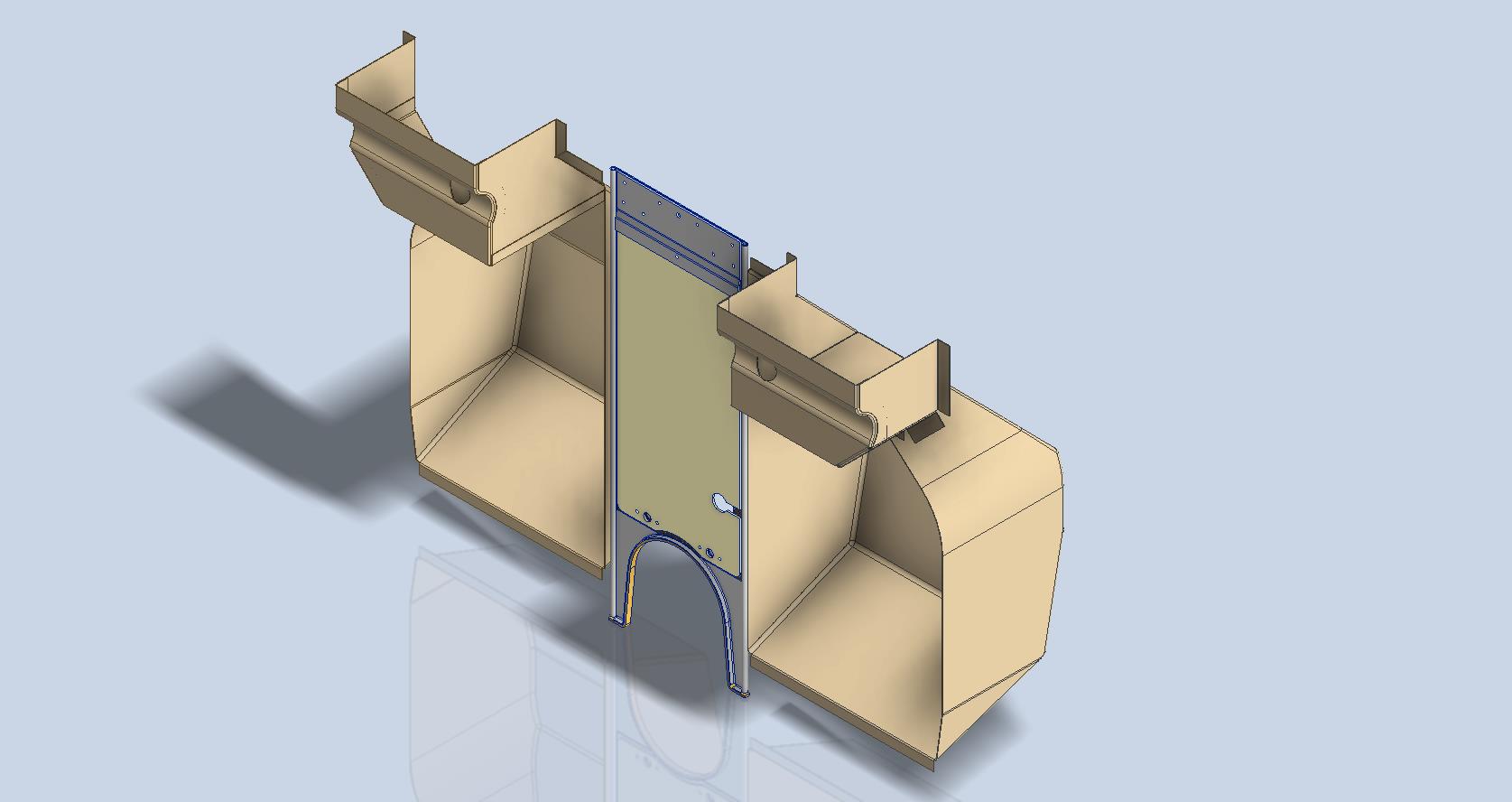
P-39N-5 Drive Shaft Cover was another interesting assembly because it was decided at the eleventh hour to 3D print the main sections. For this to work the material thickness has to increase to 0.1″ which meant that careful consideration was required to ensure that this change did not impact the interfaces with the existing bulkheads and the Radio Console.

The above images are courtesy of Omnica Corporation.

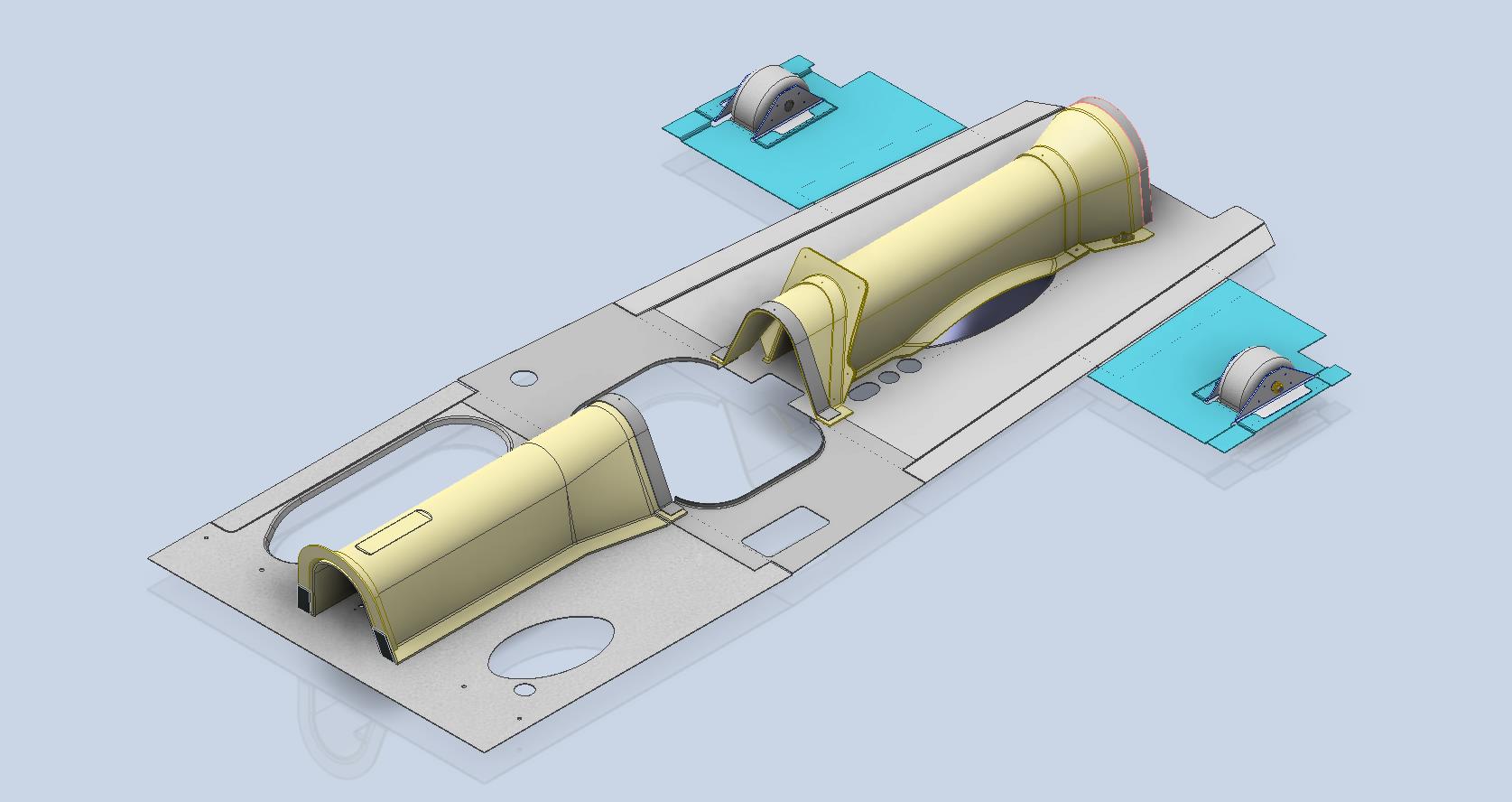
P-39 Forward Floor panels and Rudder Quadrant Covers.

As you can see the right-hand floor panel is missing and of course the relevant Rudder Quadrant Cover. The left side panel was also created in CAD because there was consideration for replacing the existing panel and Rudder Cover on that side due to the poor condition.

FM2 and P-47:

Moving on from the P-39 the FM2 project is currently on hold as my intent is to visit a few collections in the UK later this year to do further research, particularly the wing geometry. The P-47 has made its very first mention on this blog…another ordinate study for a friend which is progressing reasonably well but with the focus on the P-39 this will take a bit longer than I had planned.

P-51 Mustang:

The P-51 has popped up again after so many years…not an update per se but a new direction for me on the 3D printing side of things. As some of you already know I have been messing around with 3D printing for a while now mainly the SLA resin. Many moons ago I fully modelled in CAD the Tailwheel mechanism, some of which I had already 3D printed. The reason for revisiting this project is to 3D print more of the parts as a test bed for different resins to examine various structural properties, dimensional accuracy and of course, play about with different finishes. Also to determine just how thin I can go with 3D printed parts and still have a workable mechanism.

This P-51 is a side project that will help me devise solutions for the ultimate goal which is to replicate flight instruments and controls.

As you know original instruments for these aircraft can be very expensive and just furnishing a static display restoration project with the original instruments somehow seems a waste when a replica would be sufficient. This way we can make available the original instruments or parts thereof for refurbishing/restoring for an actual flying aircraft restoration.

My budget for this is rather limited for purchasing materials and I also have limitations on the Elegoo Mars Pro print volume. However, I can work within these limitations…it just takes a bit longer! Something like the newer Elegoo Saturn Ultra would be a dream for this sort of stuff…maybe someday!

The resin I’m currently reviewing is the Anycubic ABS-Like washable resin which surprisingly is rather good…now I have the settings dialled in the detail and dimensional accuracy is exceptional. I will endeavour to test some of the engineering resins like the JAMG HE products though they do require a heated VAT. I see a lot of potential for 3D printing parts in the restoration of static aircraft projects. I would suggest organising the CAD workflow so the original parts are modelled to the manufacturer’s exact dimensions and adjustments made only to derived parts thus retaining the original details.

Link to AnyCubic ABS-Like Water Washable resin: https://store.anycubic.com/products/abs-like-resin-v2?variant=43608219484322

Another aspect of 3D printing worth exploring is for making molds and something else I am keen to try is whether it is strong enough for vacuum-forming thin sheet aluminium.

A lot is going on here at the moment with work continuing on the various aircraft whether that be ordinate studies, designing for manufacture or indeed exploring the vagaries of 3D printing.

F4F/FM2 Wildcat Landing Gear Update

F4F/FM2 Wildcat Landing Gear Update:

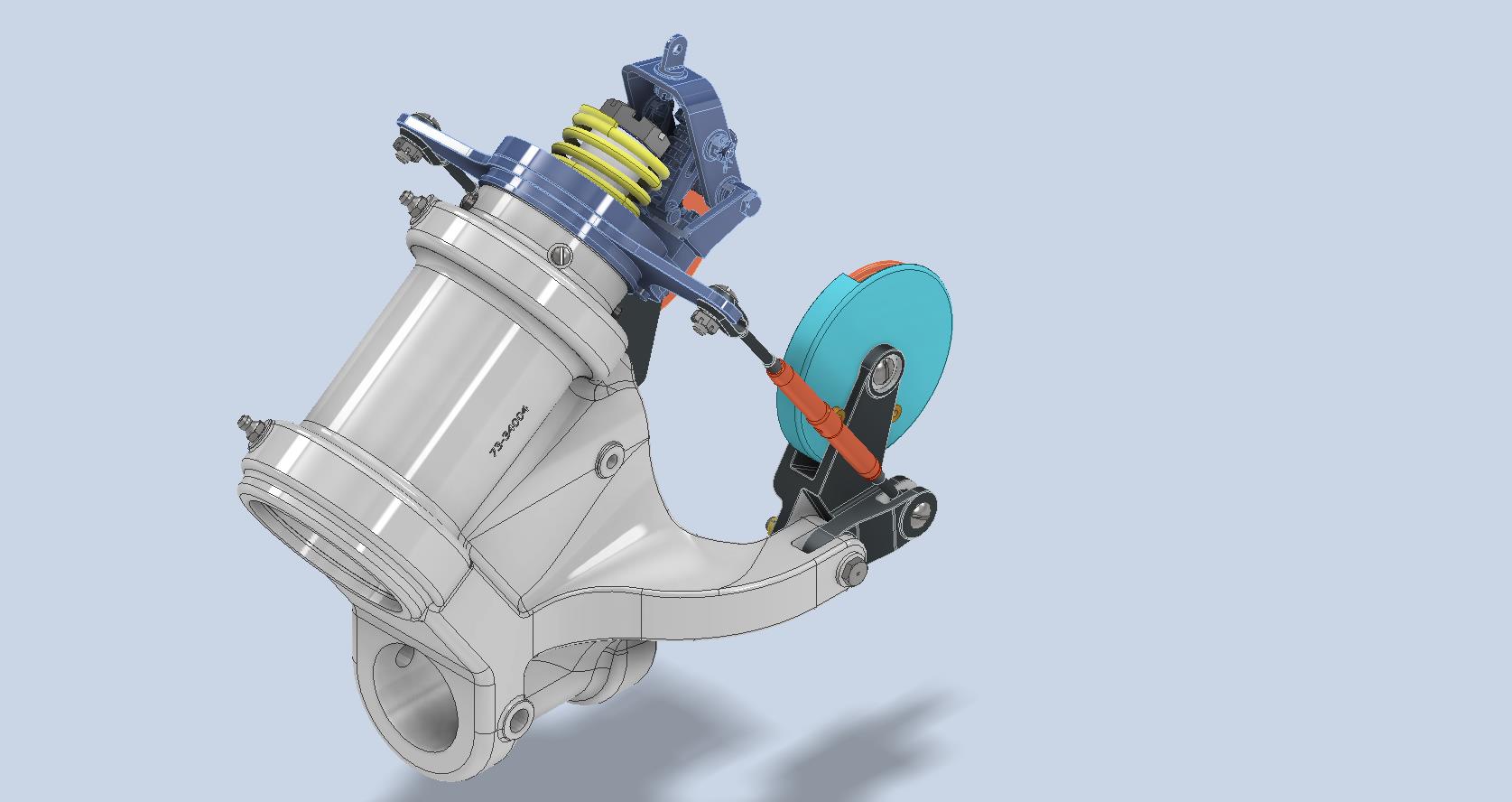
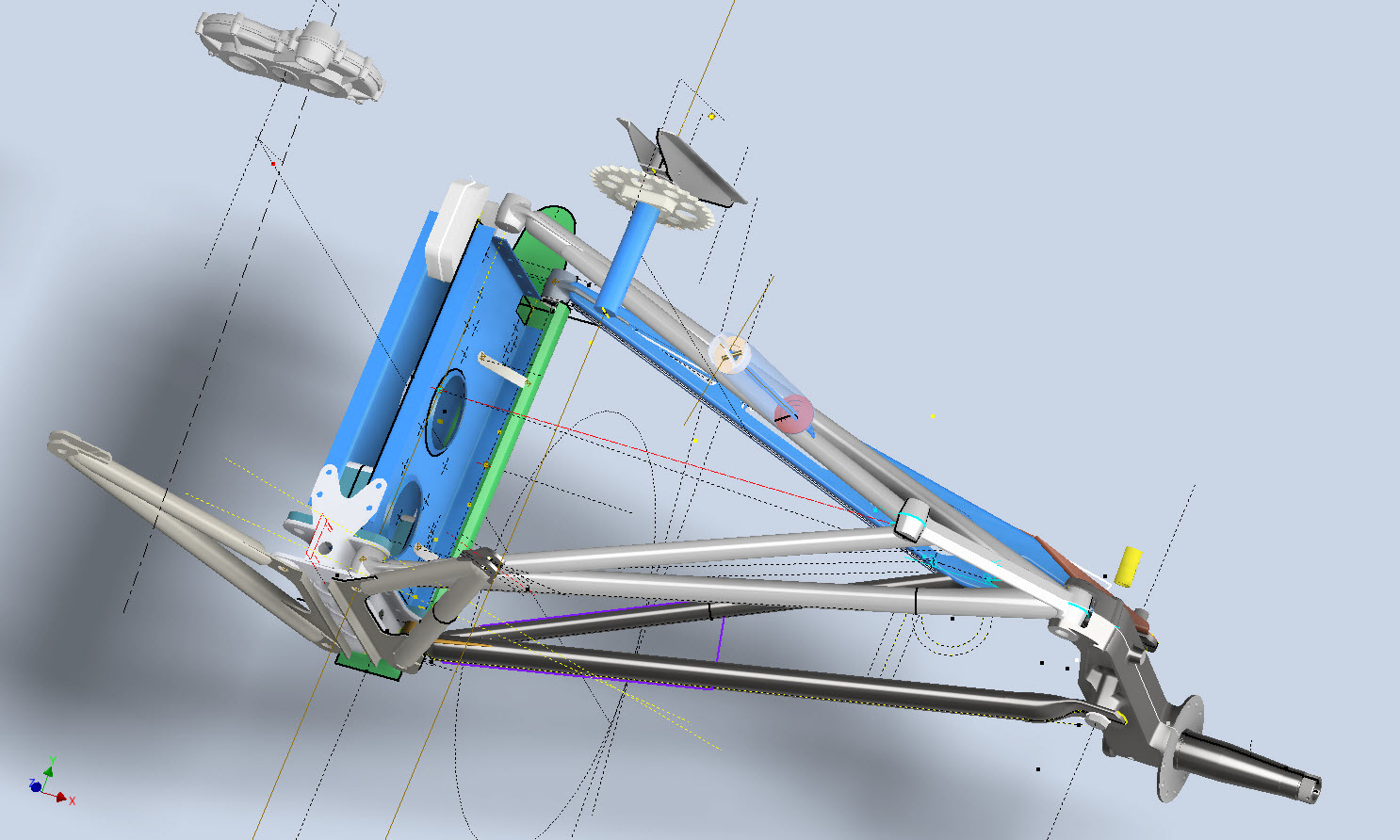
I have been busy with the Landing Gear CAD model for the F4F/FM2 Landing Gear assembly.

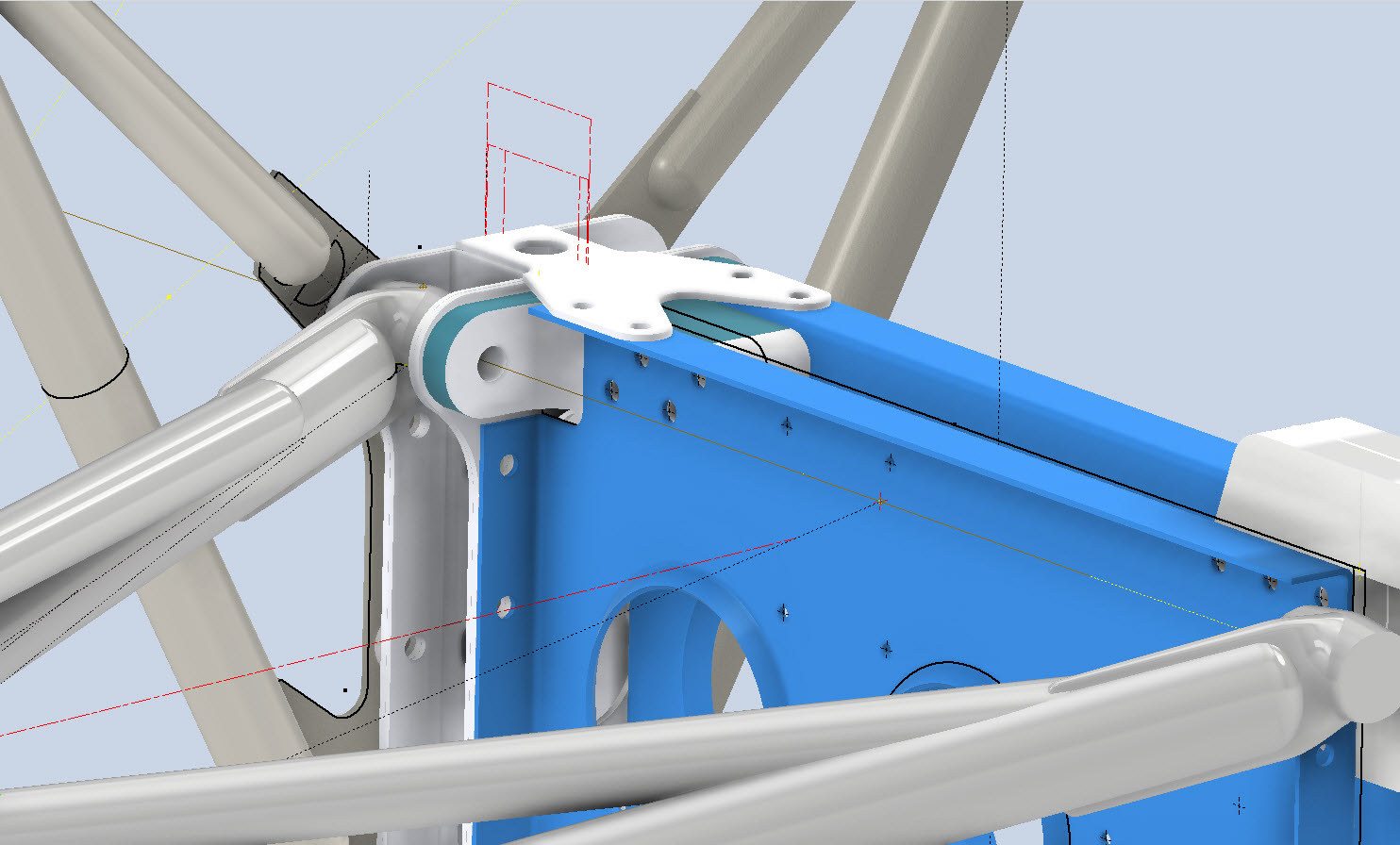
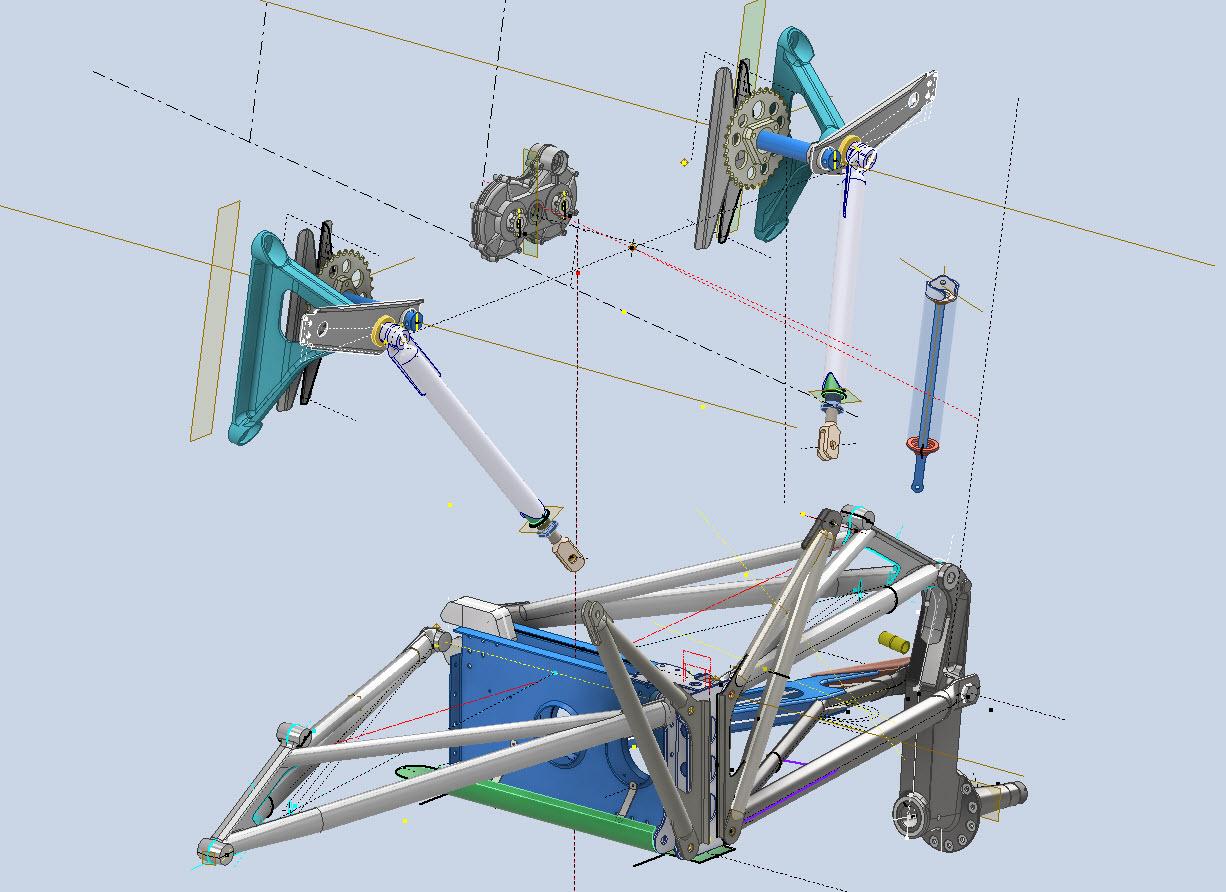
These images give you some idea of the progress to date. This is quite a challenging project due in part to the poor quality of a few drawings but also to the ongoing checking of dimensional relationships between the parts. Most notable is the forward Drag Link Support where you can see several red lines which is a visual indication of stated minimum and maximum tolerances. Also on this part, it is worth noting that the top pair of main holes are at 4.0625″ x/centres whereas the lower pair is at 4.1557″ x/centres…a minor variation but obviously critical dimensions.
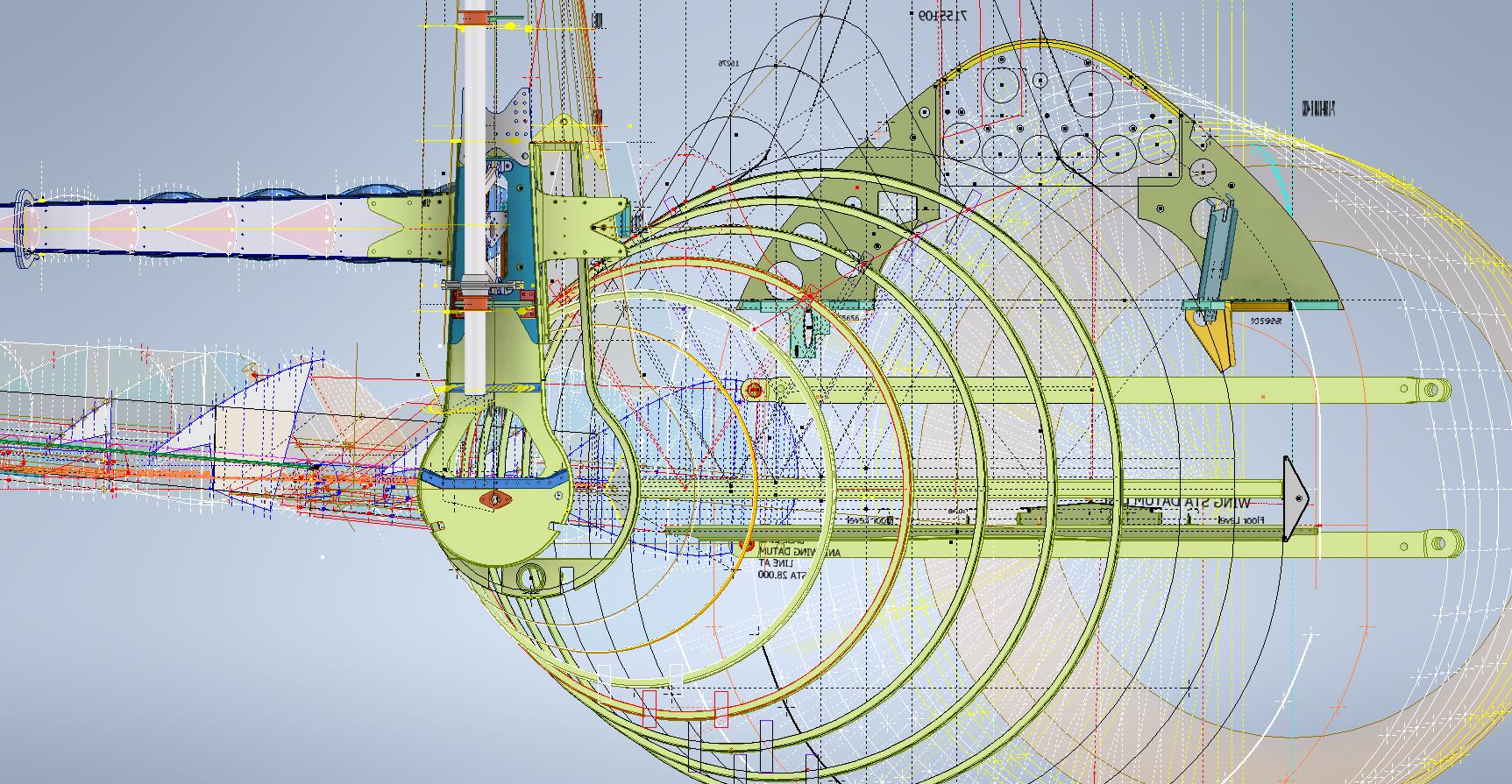
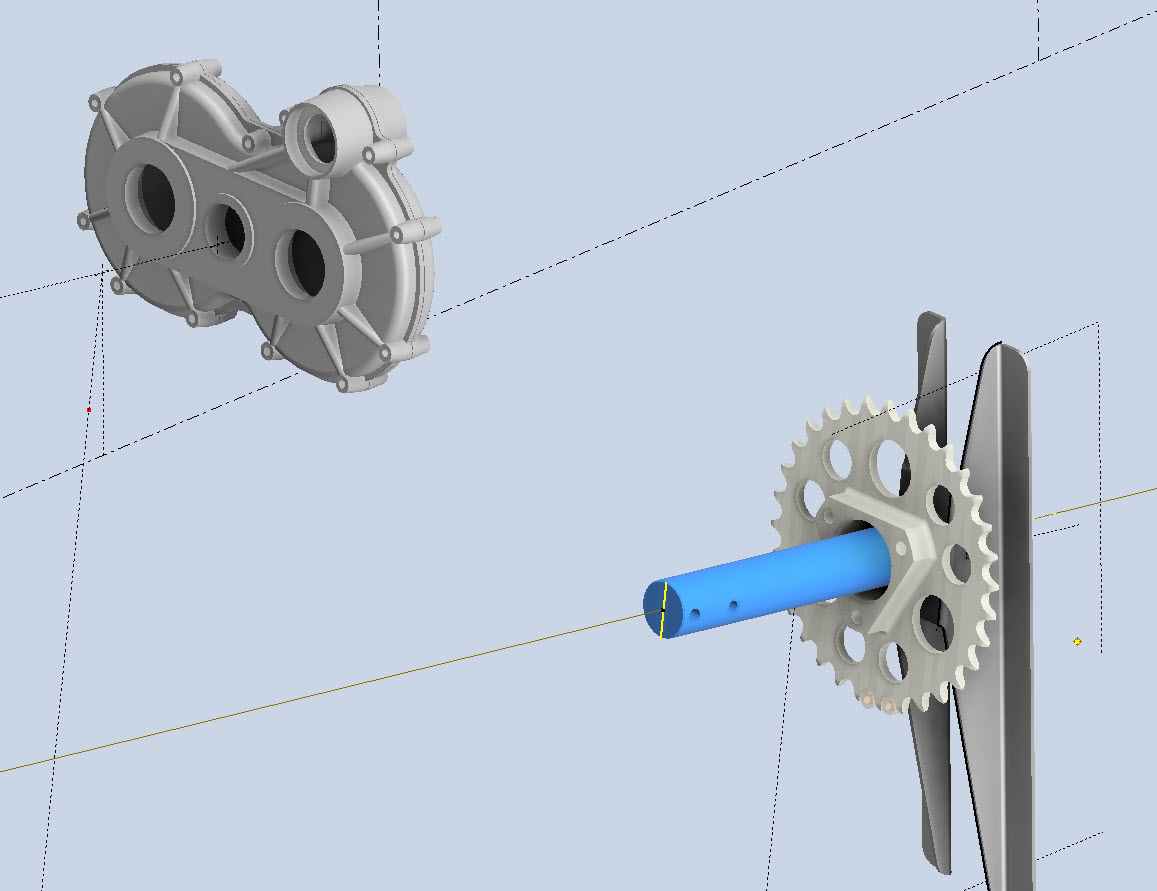
The roller chain sprocket is a calculated profile to suit the specified roller chain; there is a smaller sprocket yet to be added to the Retracting Mechanism gearbox. This part of the project will take a while to complete and it will eventually also include the Engine mounting frame.

My Project Plans For 2024

My Project Plans For 2024:

The primary project for 2024 will be the F4F/FM2 Wildcat development. I aim to have a highly detailed structural model at either 1:10 or 1:15 scale 3D printed by the end of the year. Due to the requisite accuracies, this will be MSLA resin printed. My work is simply to produce the most dimensionally accurate aviation models in 3D CAD and accordingly fully documented.

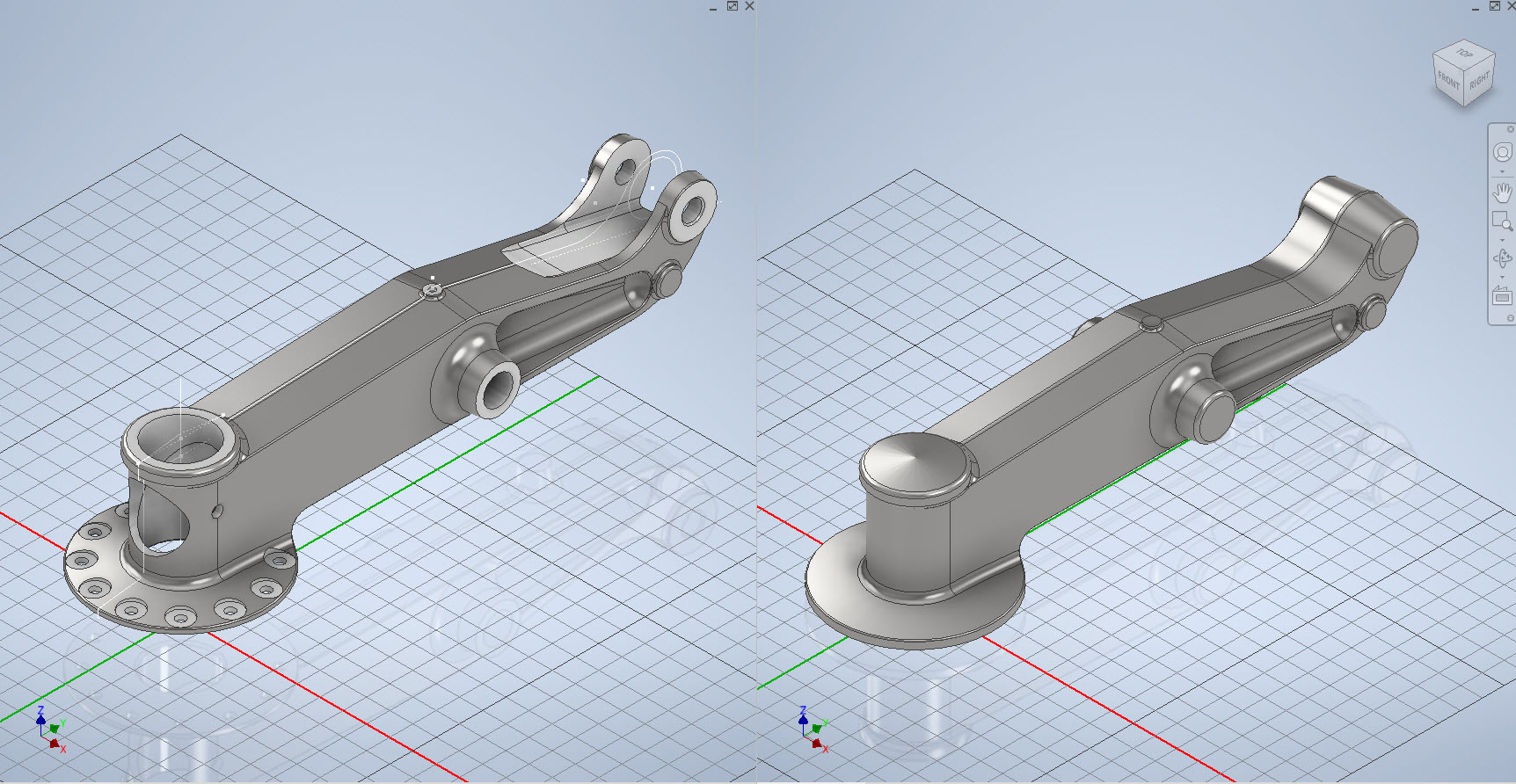
I have recently started building the Landing Gear for the F4F which is shown below; this is the axle part # SP597. The image on the right is the forged model which is derived for machining into the part on the left.

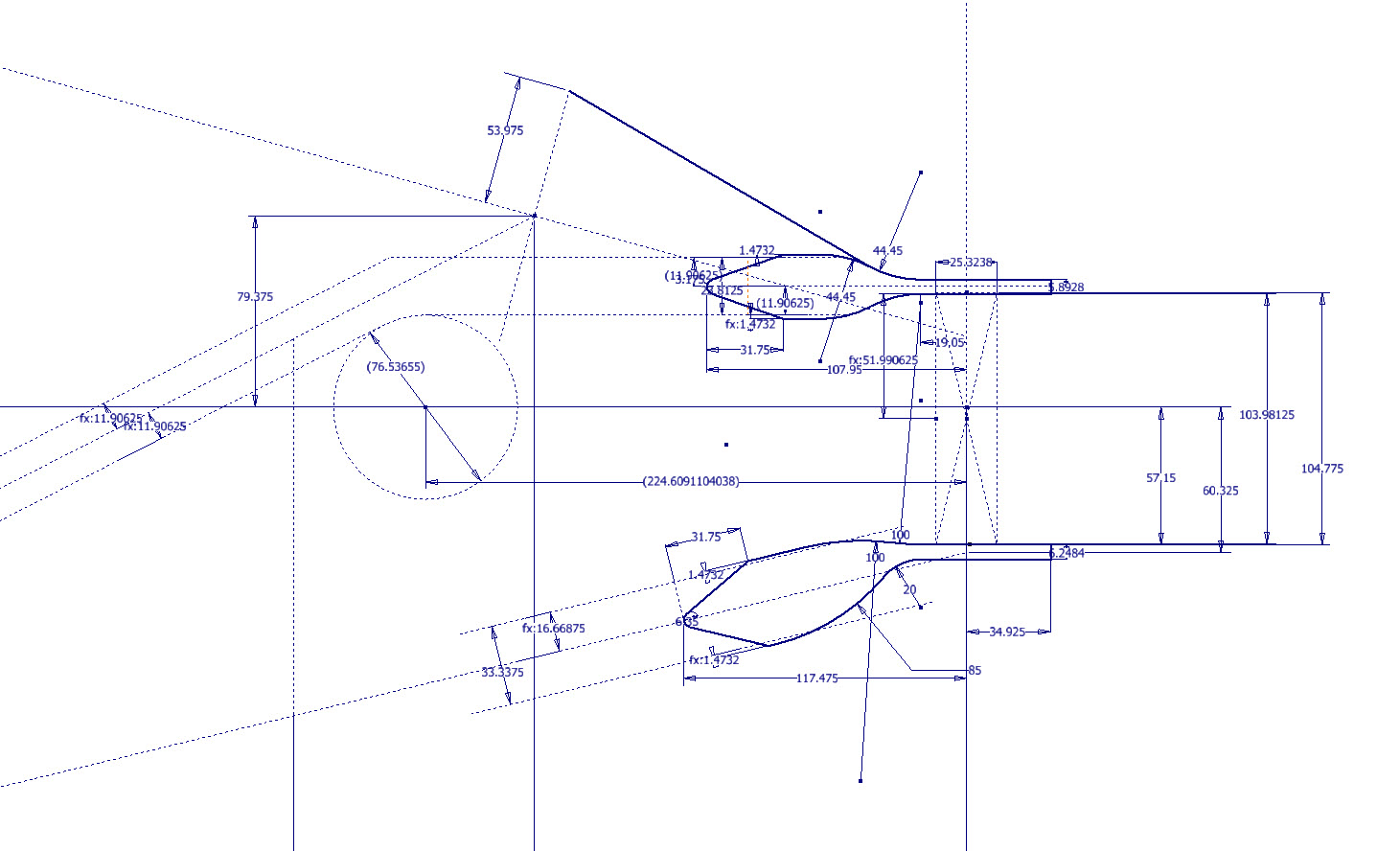
Another example is again the Landing Gear; this time the Lower Drag mechanism. Through exhaustive research, I can go from an almost illegible blueprint to a clear sketch on the right. This is why I do what I do.

The other aircraft I will be revisiting is the P-38 Lightning as some aspects of that project warrant further research. For both aircraft, I will be visiting the collections at RAF Cosford and Shuttleworth later this year to hopefully fill in some of the blanks.

The projects will also involve updating my blueprint archives to make it easier to search for drawings initially by renumbering all 8000 plus drawings inclusive of drawing numbers. I have already started this for the F4F Wildcat which was helped enormously by some clever folks on YouTube. https://youtu.be/I9ffWZ_Bt6o?si=OEog79e-XaRUZz7K

The first portion of the numbering sequence is the original scan reference followed by the actual drawing number. The An Parts library will also be updated with additional conversions for use in other CAD systems.

2024 will no doubt be a busy year for me with the 1:10 scale printed model being the biggest challenge.

I hope that you will continue to support my endeavors throughout this year. Happy New Year.

F4F/FM2 Wildcat Progress Update

F4F/FM2 Wildcat Progress Update

The ordinate dimensional study for the f4F/FM2 Wildcat will now be ready in January. This will include dimensional information for all the rib, strut, and frame profiles fully documented in 3D CAD, 2D drawings, and Excel spreadsheets. Probably the most accurate dimensional study available.

In January I will be taking this project and the P-39 Airacobra to the next level. The plan is to fully 3D model in CAD all the primary structural components for the wings, flaps, ailerons, elevators, rudder, fuselage, empennage, cowl, and landing gear; and then produce a 3D printed scale model at either 1:15 or 1:10 scale. The F4F empennage is already partially fully 3D modeled in CAD which gets us off to a good start in the New Year.

These models will be printed on an Elegoo Saturn MSLA printer capable of producing a 0.02mm accuracy. The resin I will use will likely be PLA with a 10% mix flex resin to minimize brittleness. This is an ambitious project and will take most of the year to complete.

Many of the components are thin-walled profiles which may have to be adjusted to suit the scale of the printed model. Some testing will be done to find the minimum thickness to achieve model integrity and maintain dimensional accuracy.

This project is something I have been thinking about for a long time which is only now possible with the incredible accuracy achievable by the latest 3D printing technology. The final 3D CAD model; suitable for 3D printing; will NOT be available publicly but I am open to the idea of private sponsors.

As usual, all inquiries to hughtechnotes@gmail.com

F4F/FM2 Wildcat Wing Questions 2

F4F/FM2 Wildcat Wing Questions 2

I have given this article the title of “Questions 2” as moving on from my previous post on the FM2 wing, I have identified another anomaly that I cannot explain…another chapter in the development of the FM2.

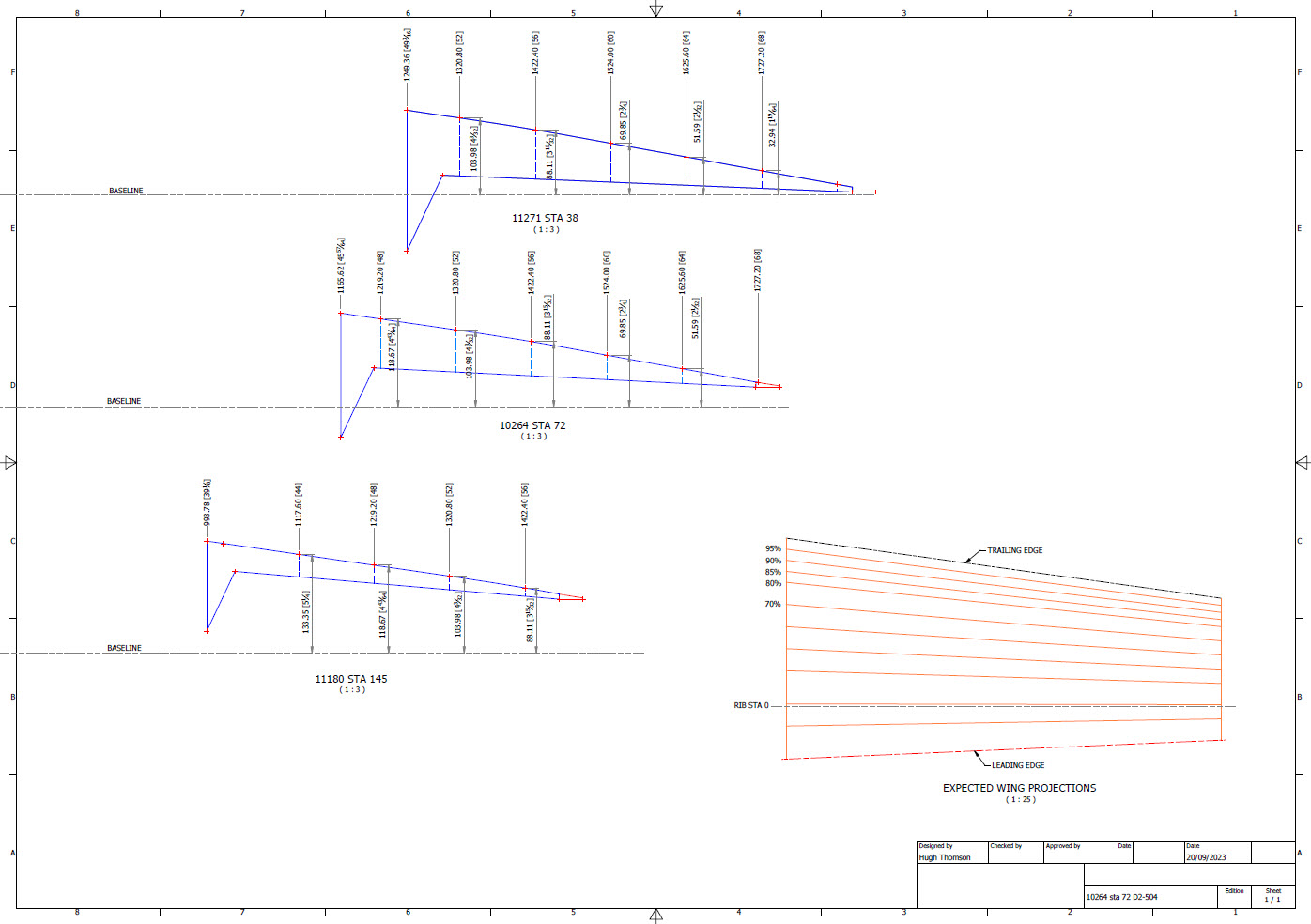
This relates to the wing trailing-edge ribs that cover the main flaps. Normally, when you set out a win,g the wing chord is divided into percentages which would then provide a straight line segment on the surface when lofted between root and wing tip profiles.

For the Wing Trailing Edge rib profiles, this is not the case. At the wing 80% chord line, the top surface calculates with minimal deviation, as one would expect, similarly at the extreme wing tip. However, between 85% and 90% rib chords the deviation is not as expected. The contours at 85% and 90% trace a curve where you would expect a straight line.

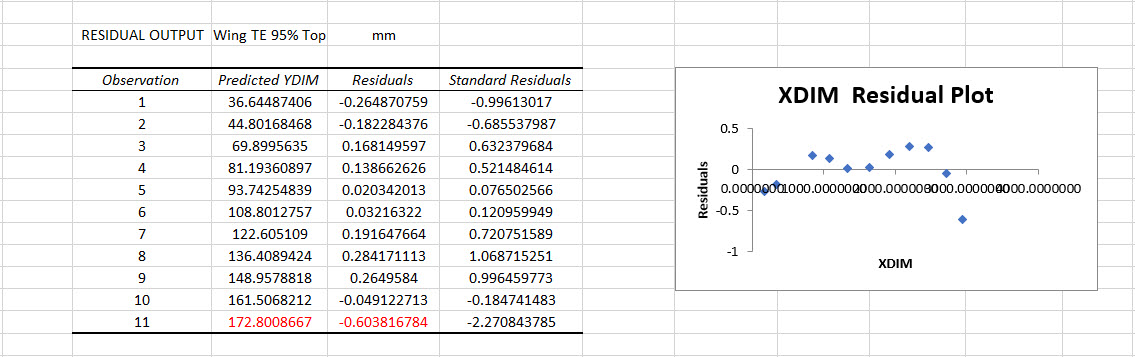
What appears to be happening is that the wing TE ribs are dimensioned at various stations from the main Rib Sta 0. At stations 48, 52, 56, and 60, the offset dimension from the Baseline is the same for each rib at each of those locations. The end result is that the wing top surface is actually perpendicular to the wing root chord and does not follow the transition lines you would expect on a conventional wing loft. The transition lines at chords 85% and 90% are curved as you can see from the calculated offset tables below, which would normally be expected as a straight line.

At 80% and 95% chords respectively the wing top surface is for all intents and purposes a straight line as you would expect. The residuals column in the above tables shows the necessary correction offset for the selected point to align with the calculated Best Fit Line in millimeters. It could be argued that the offsets are no greater than +/- 1mm, which is not very much, but the flap ordinates are as shown and could have easily been dimensioned to a 1/64th inch had the draughtsman intended to show something other than they did. This alone demonstrates deliberate intent. So far I have identified alignment issues with the Flaps and Ailerons in my previous post, and this anomaly just adds more questions.

I know that this plane was originally conceived as a BiPlane, which explains the 5 datum lines we have for the wings and I am curious whether that design decision introduced a number of key aspects from which these questions have arisen. The truth is at this stage, I do not know, though the Flaps can possibly be explained; everything else is a mystery.

I have searched and read many forum discussions on the FM,2 and as far as I kno,w none of these issues have been identified or discussed… even the fact that the wing tip NACA profile is not a typical 23009 I suspect should have raised some red flags. Identifying and finding answers for design issues like this is part of the reason why I do what I do.

Technote: Excel Transpose Row to Col.

Technote: Excel Transpose Rows to Columns:

I am currently updating the F4F (FM-2) Wildcat Ordinate dataset which required transposing Excel Rows to Columns so I figured I should write a quick Technote on the process involved.

Before I get into the detail it is necessary to appreciate that I could have saved myself a bunch of work if I simply created the table in the first place with the columns and rows reoriented to better suit the required end goal. When I develop these tables it is important that the layout is the same as the original data so that ongoing cross-referencing and updating are much easier to achieve. As you can see in the screenshot of the original drawing the tabulated information is not very clear, in fact, some of it is completely illegible… which incidentally is the primary reason why I do this in the first place…initially, I develop the coordinates as best I can and then create the profiles whereupon any variations can be visualized and therefore corrected…essentially working from what we know to determine what we don’t know.

Getting back on track. What I need to do is to create a live link to the rows (highlighted) but in a columnar format to list the required X, Y coordinates for each profile. You could of course just simply copy the rows and use the Paste Special function to transpose the values to a column…however, the copied data is not linked so any changes will not be apparent in the column values. The best way I found is to use the INDEX function.

With the INDEX function, you first need to establish a range of values to be indexed…in this case, it is the values from the table shown in the red border… which give us the range from L64 to P90 (press F4 to lock that in).

The value A1 after the Column and Row values is related to the first entry in the range…it does not relate in any manner or form to the actual cell A1. I have shown alphabetically in the first image above how this A1 would change according to the values selected. So you would write this formula at the top of the column where you want the values transposed, select this cell, and use the + sign at the bottom right to pull the values down. For each column you would have a different starting point…for example, in the very first column (X-Coord) the Formula would be written as follows:

It is alphabetically the 3rd row from the first selected cell in the specified range and numerically in the first column. For each group of values you need you would adjust the starting point of the selection to the first value in the row required. When you get the CAD/Ordinate dataset for the F4F Wildcat the spreadsheet is fully editable and you will see for yourself how this was done.

As usual for further details get in touch hughtechnotes@gmail.com

Fastener Library Update: AN/MS Standards

Fastener Library Update: AN/MS Standards (Updated Jan 2024)

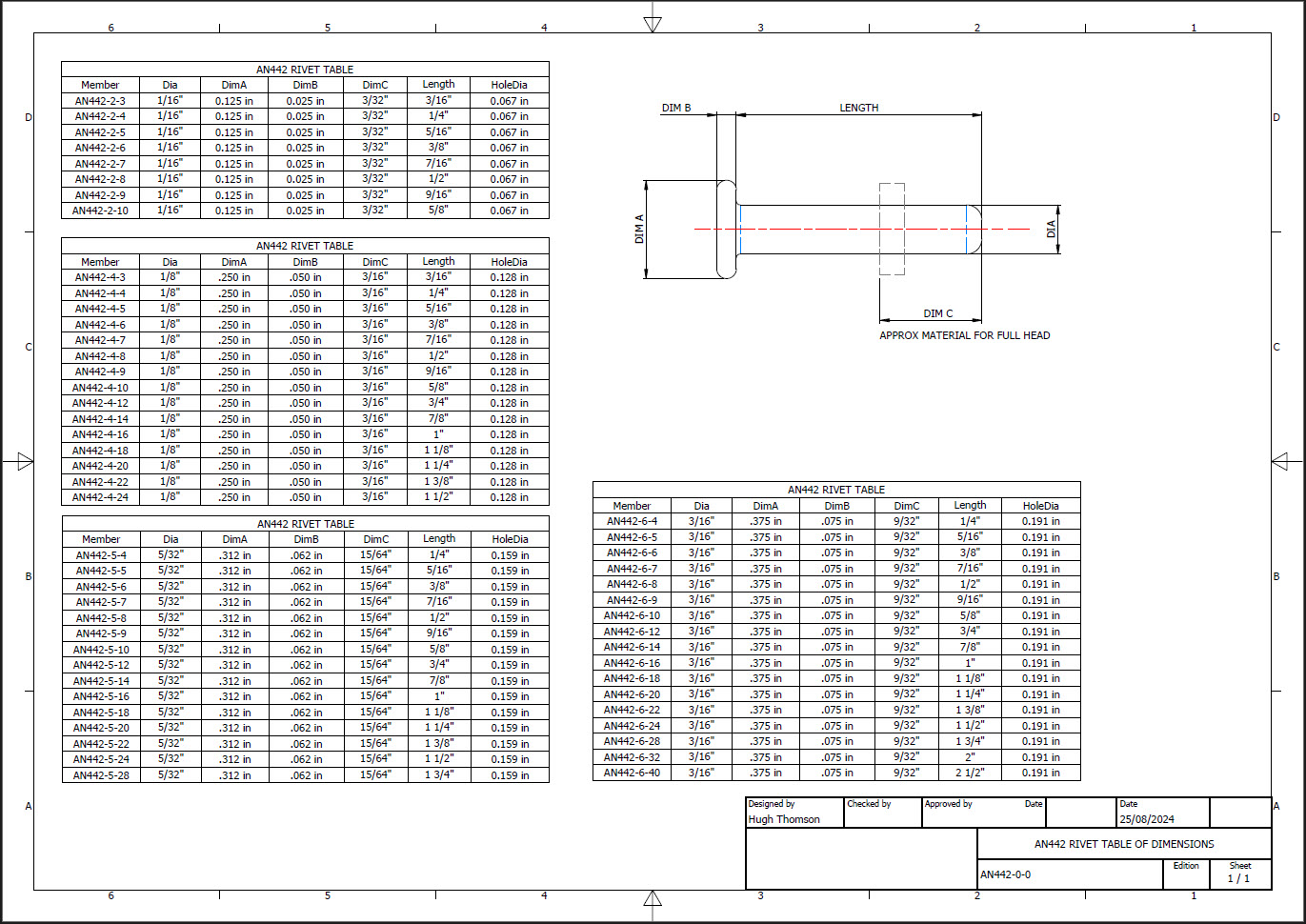
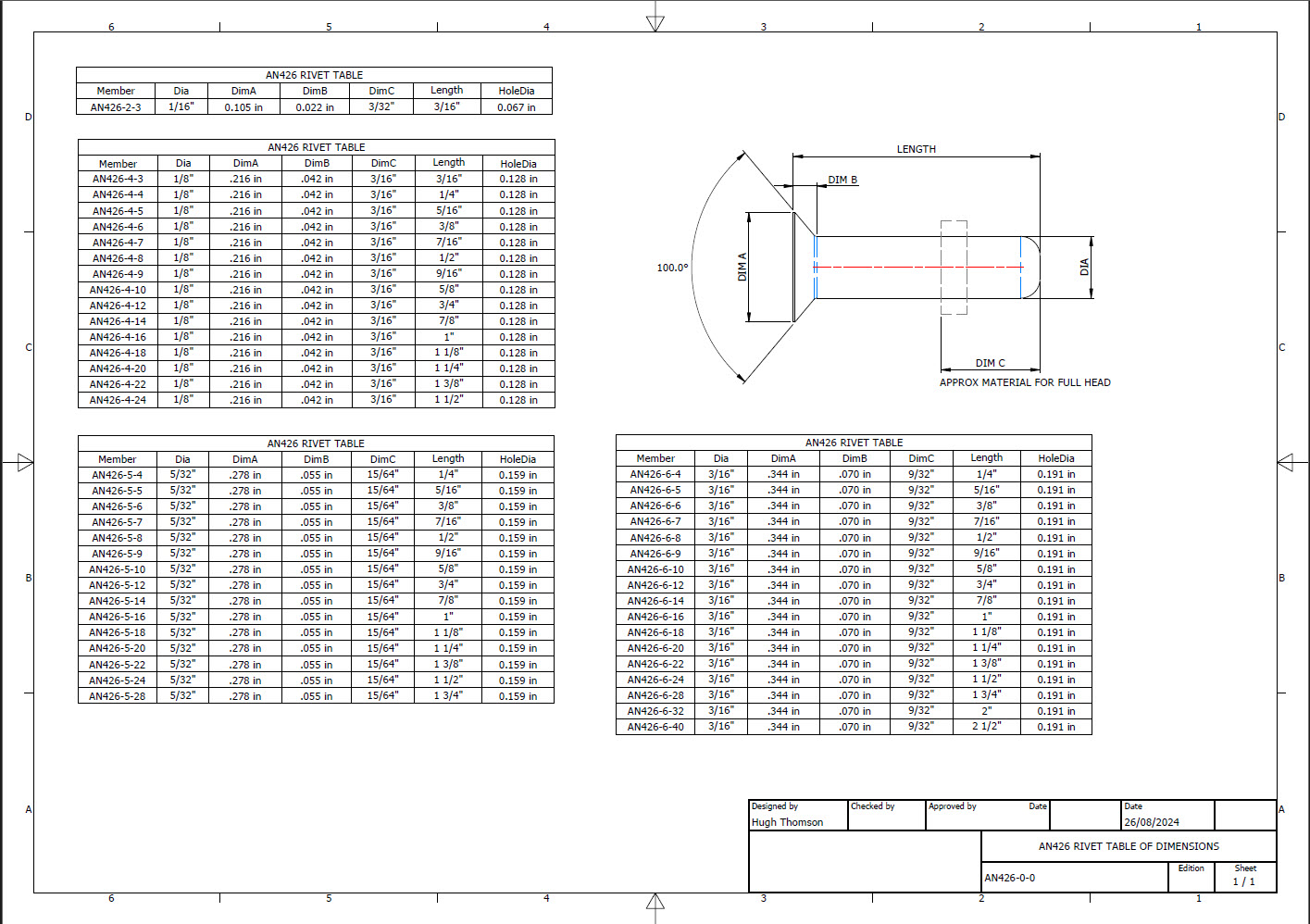
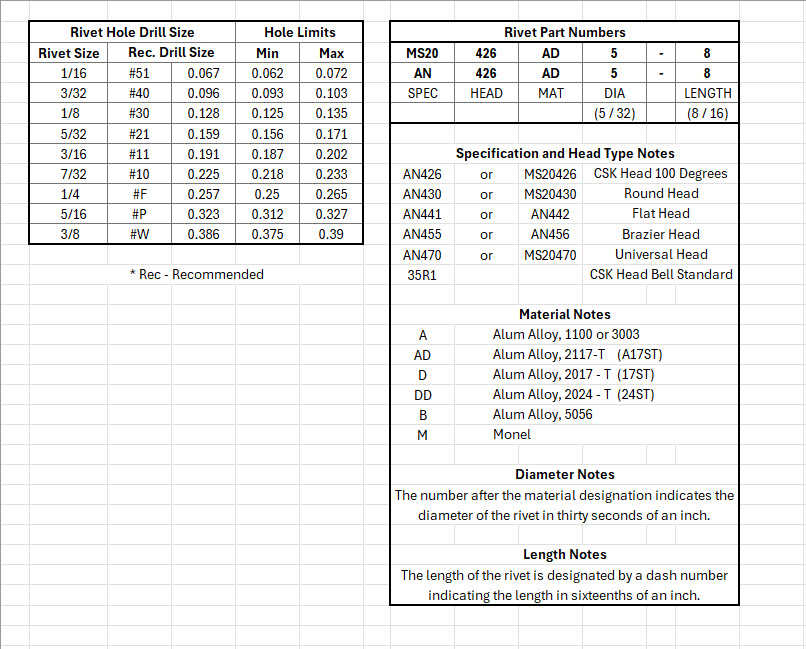
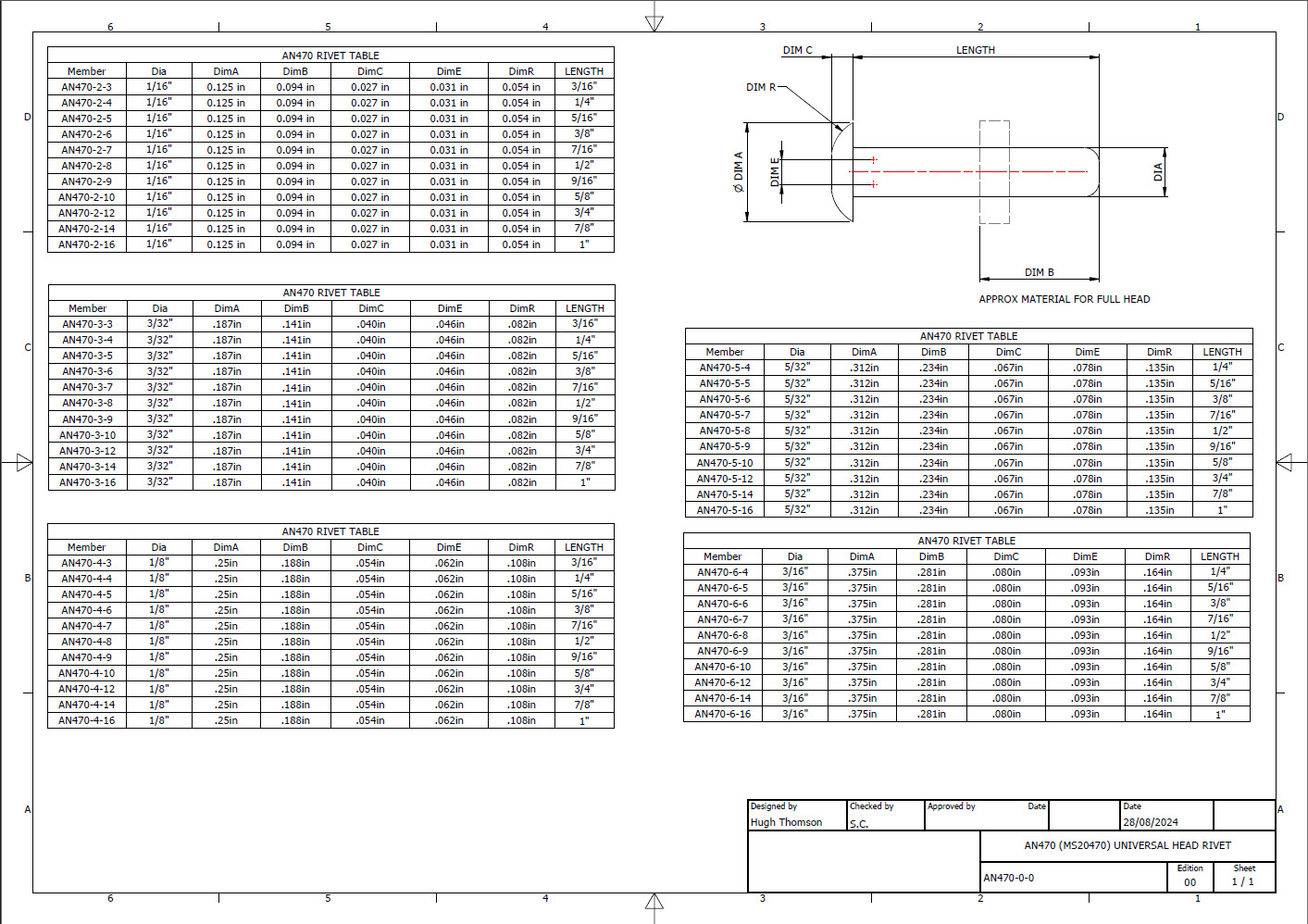
Over the years I have been further developing my AN (Army/Navy) or MS (Military Standard) parts library and only this morning did I eventually get around to uploading all the new files.

This is the list of Standard Fastener Parts now currently in the library…over 300 parts.

I have decided to make these files available as the original Inventor iParts. I was getting requests for different conversions to STP, Parasolid etc, and also at different scales…doing all that on request takes a lot of time. Don’t be put off by the fact that they are Inventor files as Inventor is readily available as a 30-day trial product which gives you several options for working with these parts. You can even install a Read Only version of Inventor

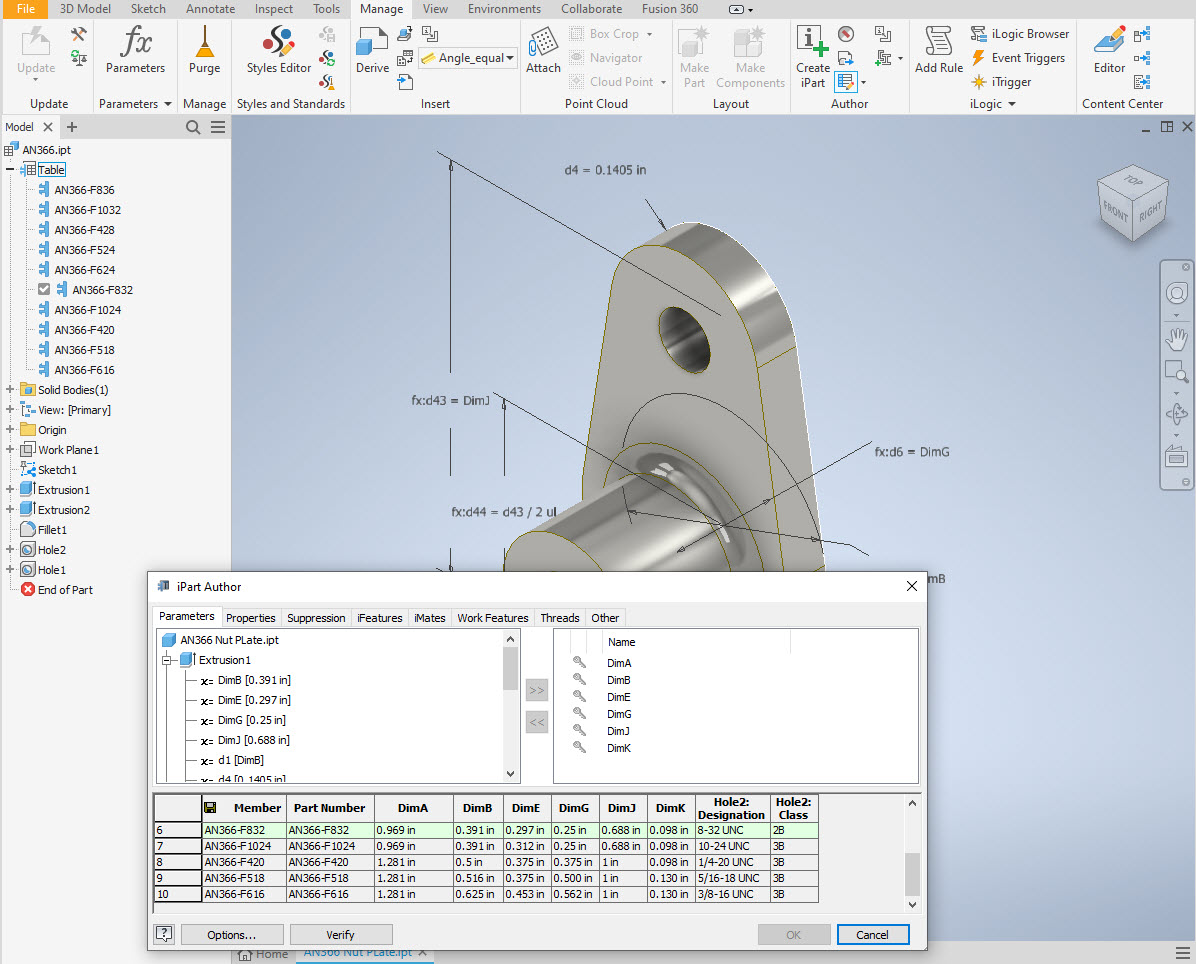
It is really simple to work with these files…let me show you. For a start, an iPart is actually a normal IPT part file inclusive of a table of parameters so you can generate multiple variations of the part in one file.

Part Conversion: I would assume that many people who don’t use Inventor will wish to convert to a file format more suited to their application.

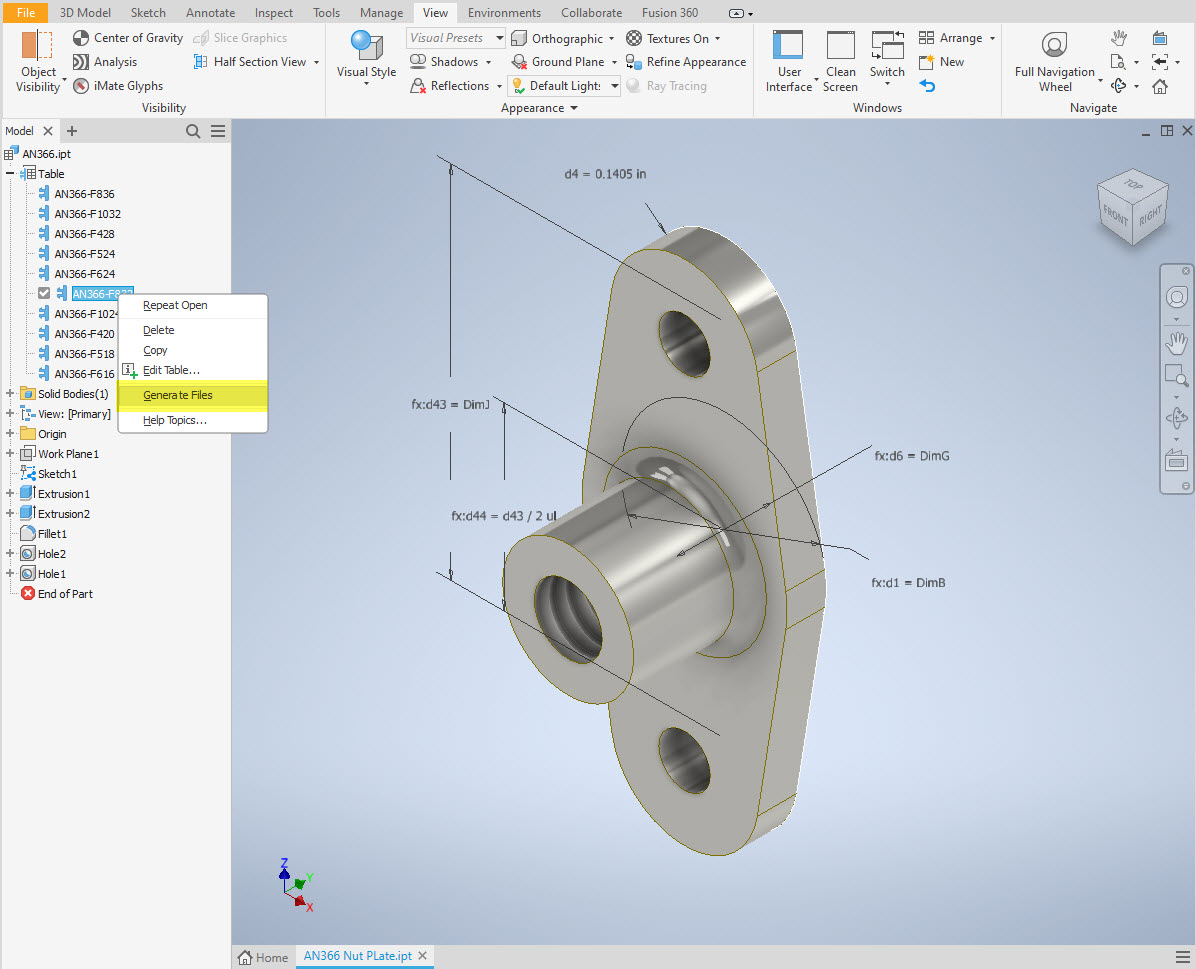
You can tell you have an iPart when the icon next to the part name in the model browser is shown as a table. To convert the file you simply expand the table folder; select the part or multiple parts and select generate files which will create a single IPT part file for each variant. This is placed in a subfolder named the same as the iPart filename. From there you can open this part file and Export whatever model format you want. Alternatively, if you would like to build your own version in a different CAD system it is useful to use the underlying sketch which can be Exported from this model; as shown in the second image which you can link separately to the Excel spreadsheet.

Table Editing: As I mentioned the part has an internal parameters table a bit like the format used by Excel which is fully editable. For the majority of the Library Parts, I also include the Excel table as a separate file.

Accessing the Table is as simple as right-clicking on the “Table” text and selecting what editing option you want…either “Edit Table” (which opens the part table itself) or “Edit via Spreadsheet” which will open this same table in Excel. When you save the table in Excel it will revert to the Cad Part file and update the model with any changes. Making changes is much easier in Excel where you can add new variants of the part or amend existing ones. The dimensions are all in inches but if you bring this part into an mm metric part it will automatically adapt the inch dimensions to mm…so you can be assured that the part will be correct regardless of which units you use.

These part libraries include the most commonly used sizes so you can add to this as you desire. A copy of the original specifications is also included for reference. If you are looking for Aviation-related specifications then check out this free site: http://everyspec.com/library.php.

This library is included in all the CAD/Ordinate datasets and is now also available as a separate package. See this page for more details: https://hughtechnotes.com/resources/

Manufacturers Standard Drawings:

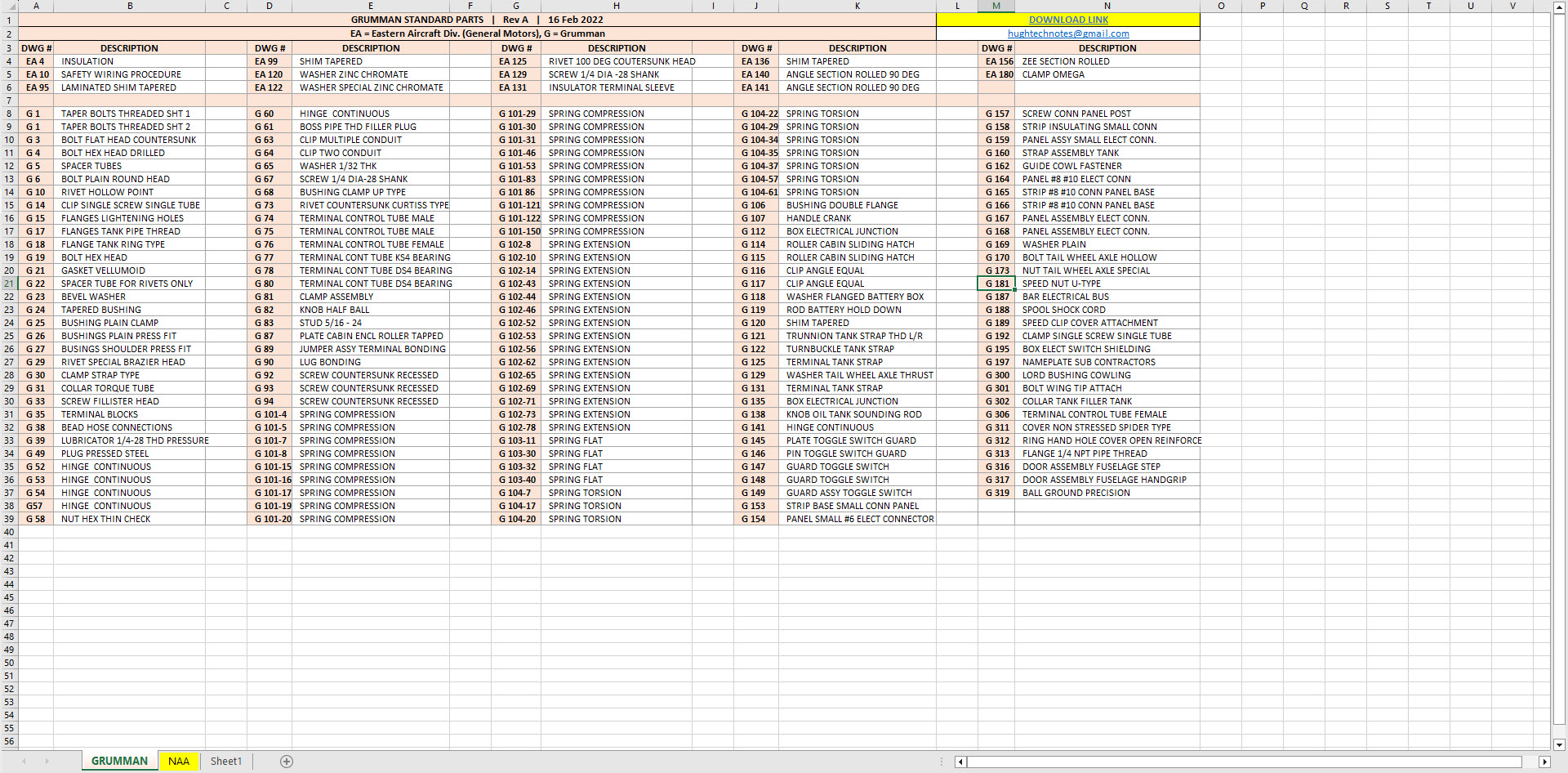
Included in the many blueprint archives are manufacturers’ Standard drawings, some of which are commonly shared specifications between various aircraft by the same manufacturer. I have a spreadsheet listing those standards for both Grumman and North American Aviation. This is available free at this link:

Manufacturers Standards (NAA and Grumman)

In the top right-hand corner of each worksheet is a link to a separate download area where all those standard drawing files are stored. As usual, the spreadsheet is fully editable so you can add to the data record as you find more information. I am sure you will find this is a beneficial resource by having all these important standards in one location. If you find these useful please consider a small donation to help support my work.

New Website Address

New Website Address

This blog web address has been changed to Hughtechnotes.com (was previously Hughtechnotes.wordpress.com). The new address is domain mapped so even using the old address you should still arrive here. If you have any problems then please drop me a line at hughtechnotes@gmail.com or general feedback or comments.

By the way to make your experience more enjoyable and distraction free this blog is now Advert free… which means I pay extra for that…so please consider a small donation to help with these overheads. Thank you.