Technote: P-47 Cowl Ordinates

Technote: P-47 Cowl Ordinates:

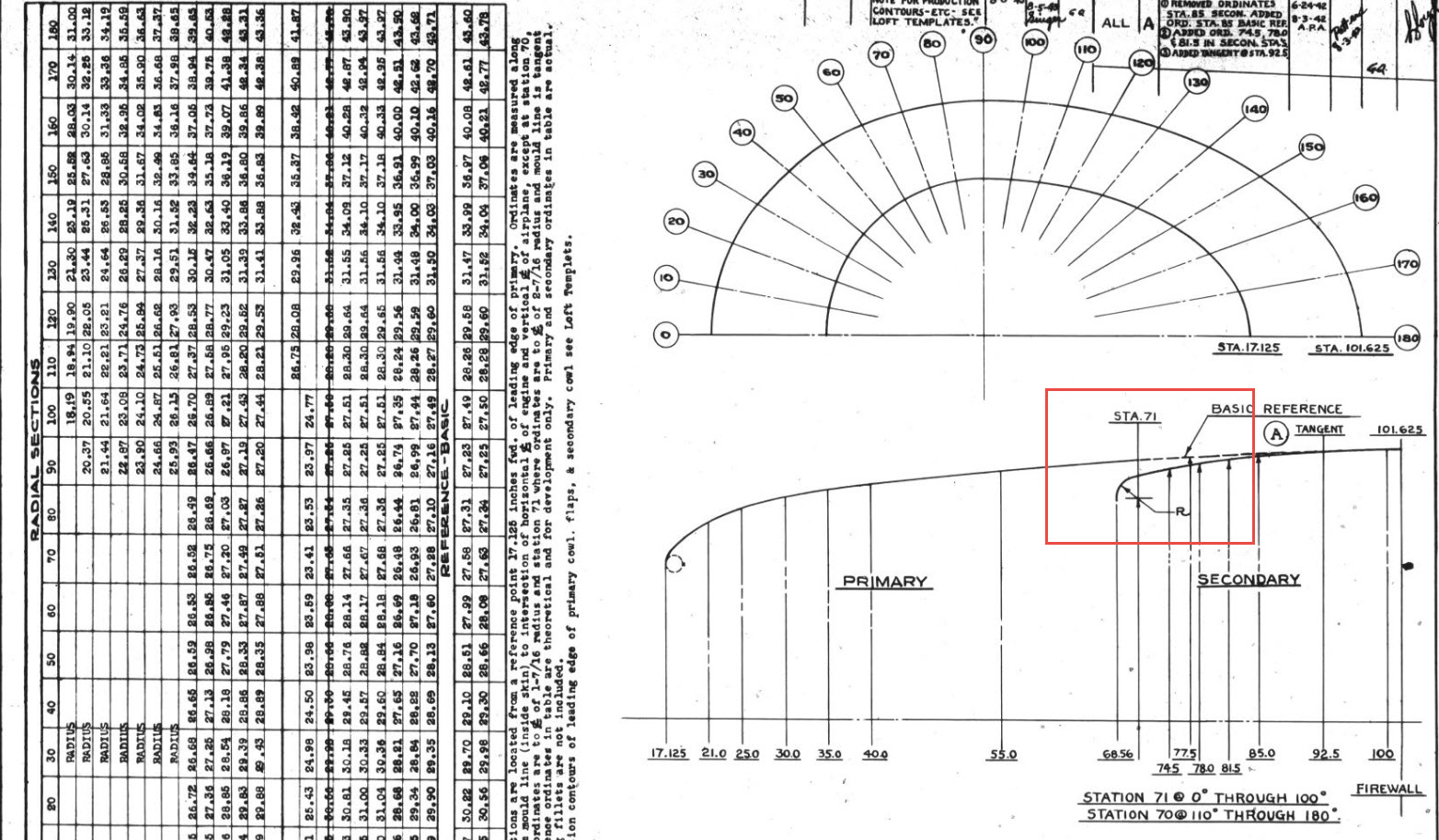
The Ordinates for the P-47 Cowl are listed on Republic Drawing #89P63300 for P-47B, C and D. They differ from the usual ordinate dimensions that usually comprise X and Y coordinates in that they are radial ordinates. Essentially dimensions along a radial axis that are subdivided in 10-degree increments from 0 degrees to 180 degrees.

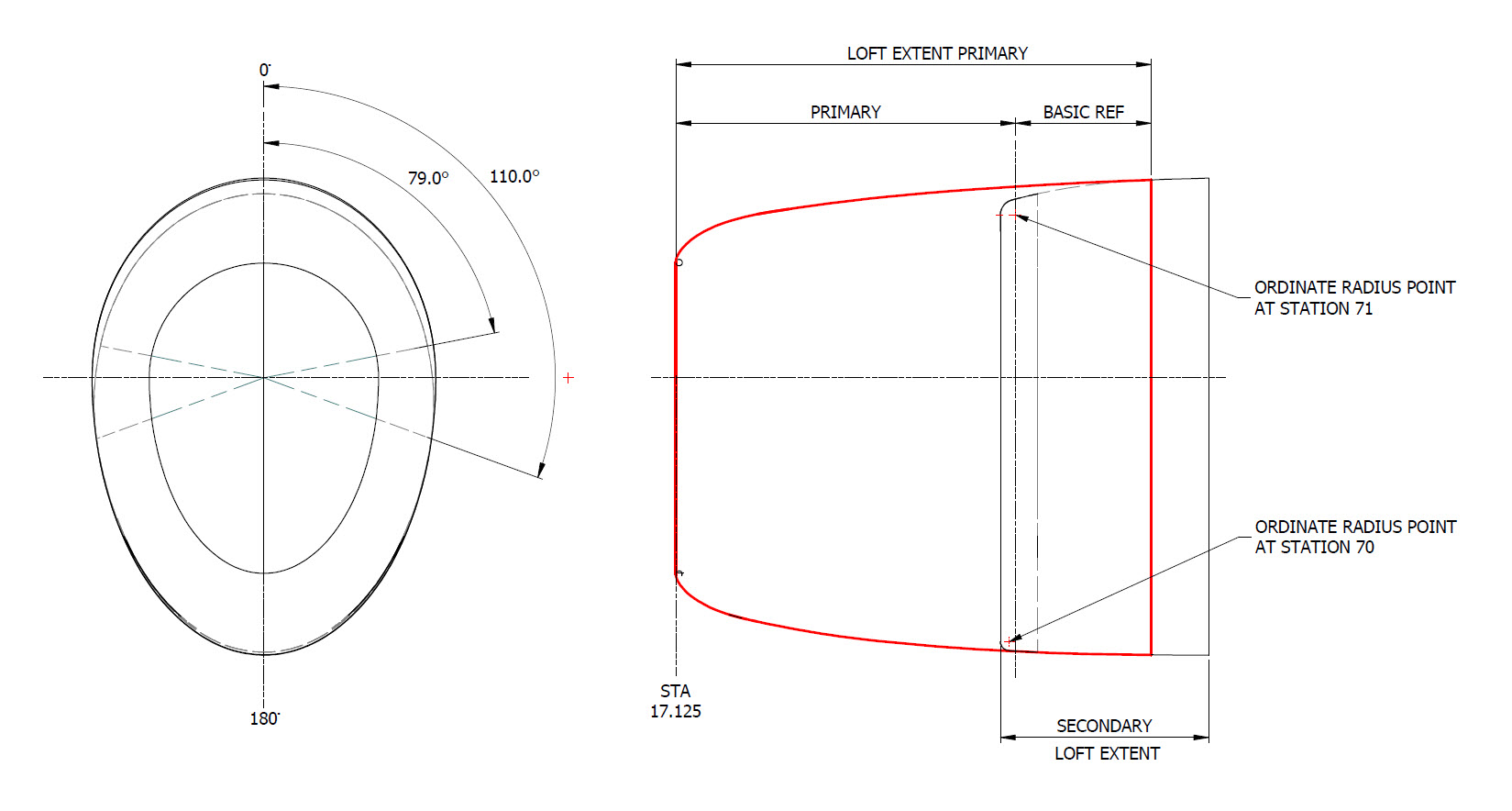
The ordinates as usual are extrapolated to a spreadsheets where I have also converted the radial ordinates into X,Y coordinates should this be required. The highlighted dimensions are the points on the inside face of the cowl skin. The dimensions at Stations 70 and 71, bordered in red, are to the centre of the secondary cowl leading edge radius at each degree increment. To be precise this is actually the profile for the Preheater.

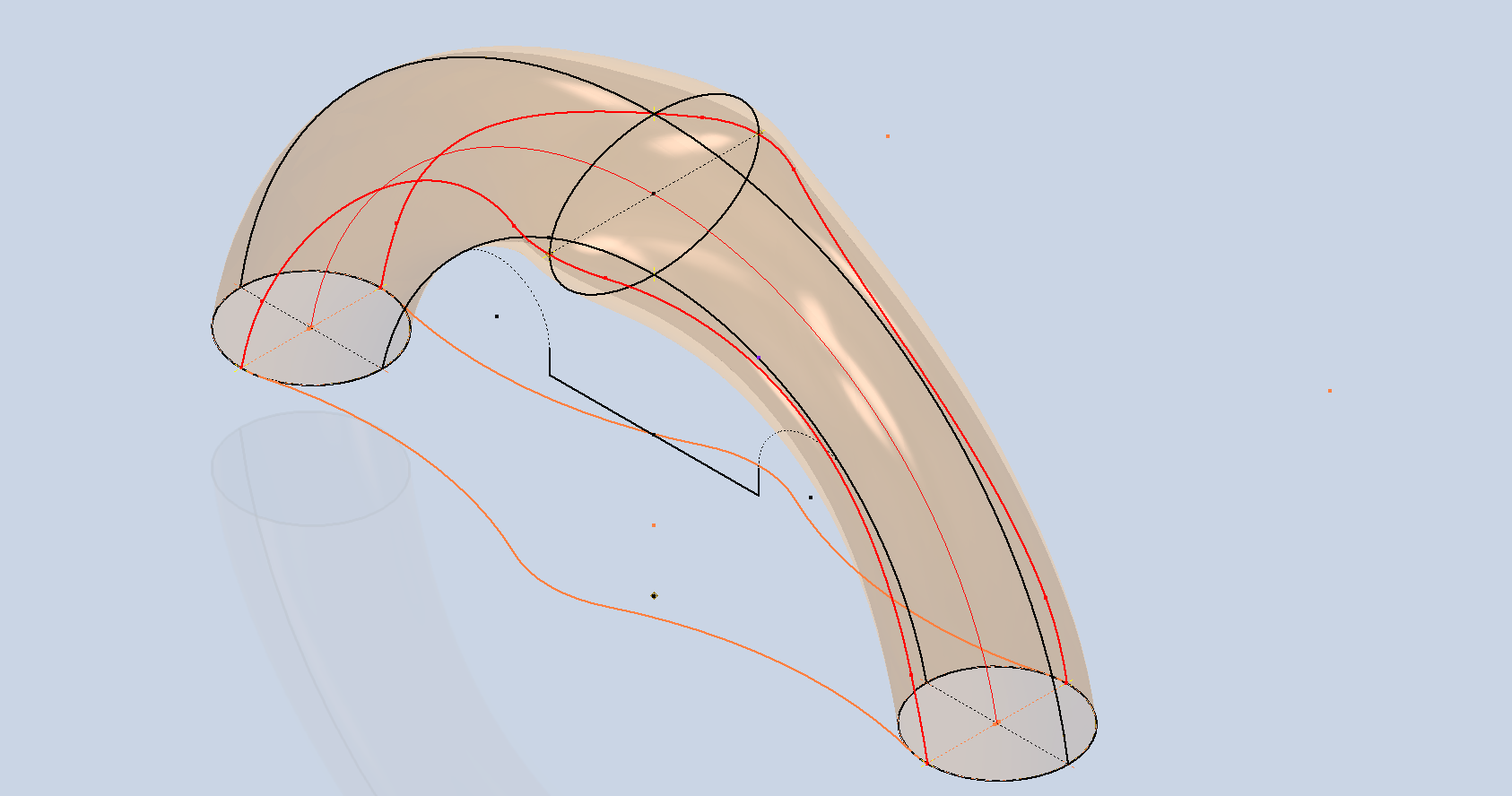
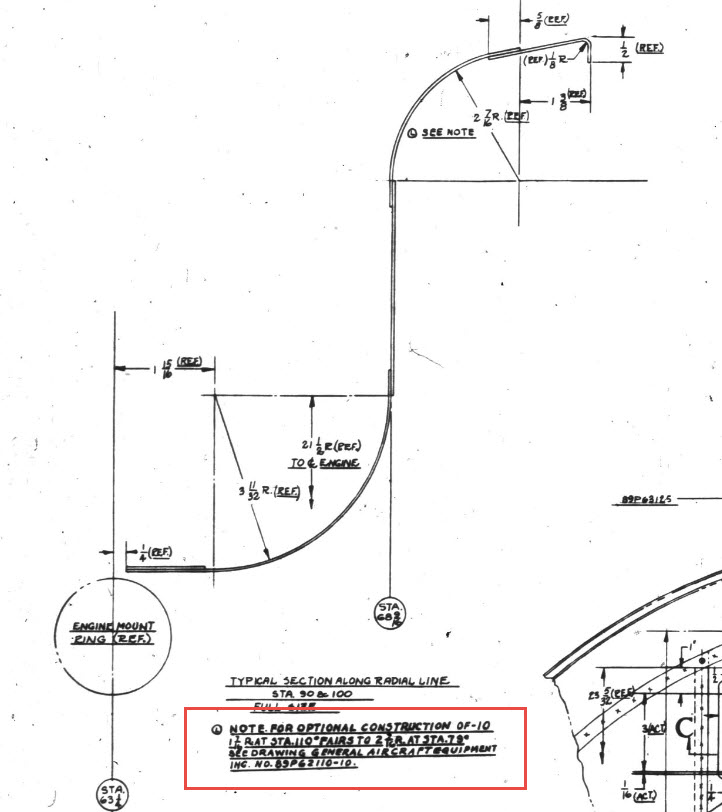
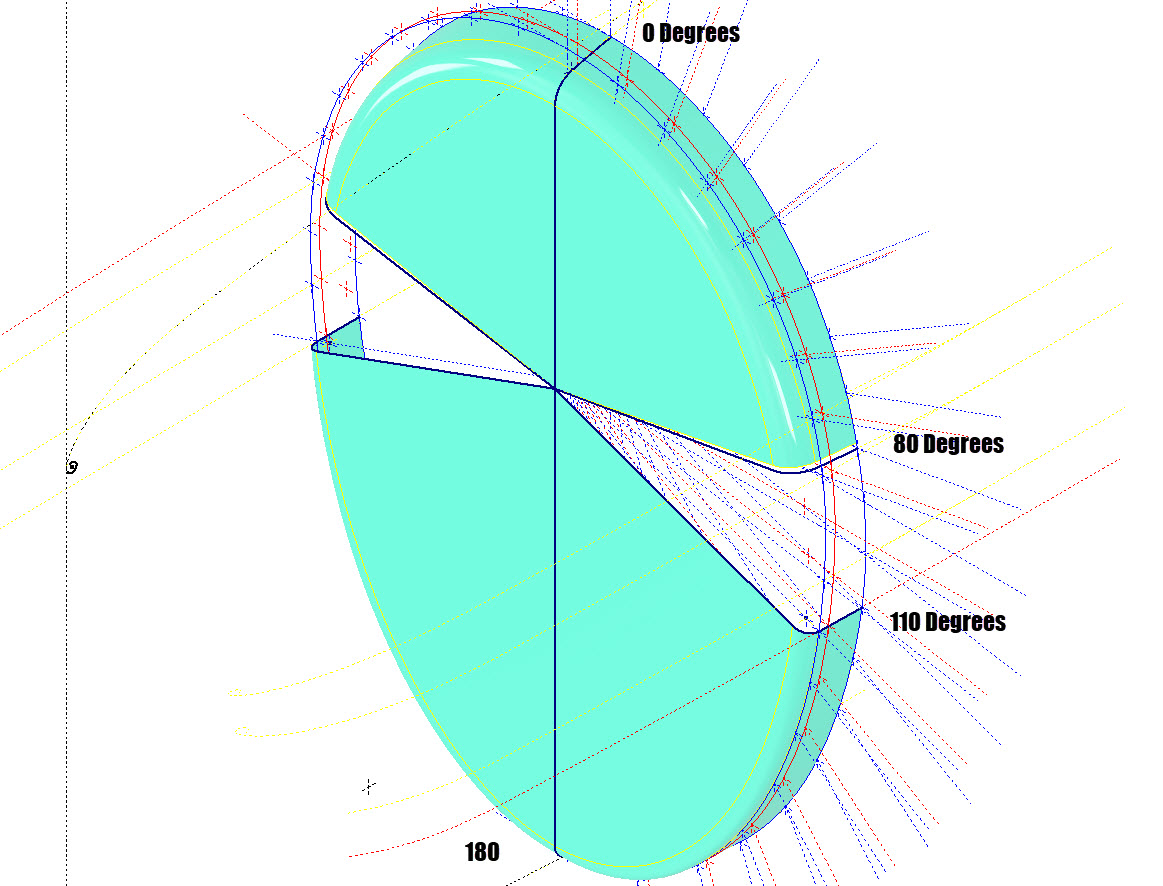
The edge radius at the top of the Preheater is 2 7/16″ at Station 71 and 1 7/16″ at Station 70. On the Republic blueprint the radius of 2 7/16″ is applicable from 0 degrees to 100 degrees, and the radius of 1 7/16 ” is applicable from 110 degrees to 180 degrees. In the CAD drawing above, I have noted 79-degree and 110-degree intervals, and there is a reason for this.

At some point along this Preheater front edge, there is a transition from the 2 7/16″ radius to the 1 7/16″ radius. The republic blueprint for Preheater #89P621101 details the profile section that is applicable at 90 and 100 degrees showing the top radius at 2 7/16″ however it also notes an option where the radius fairs from 79 degrees to 110 degrees instead of 100 degrees to 110 degrees.

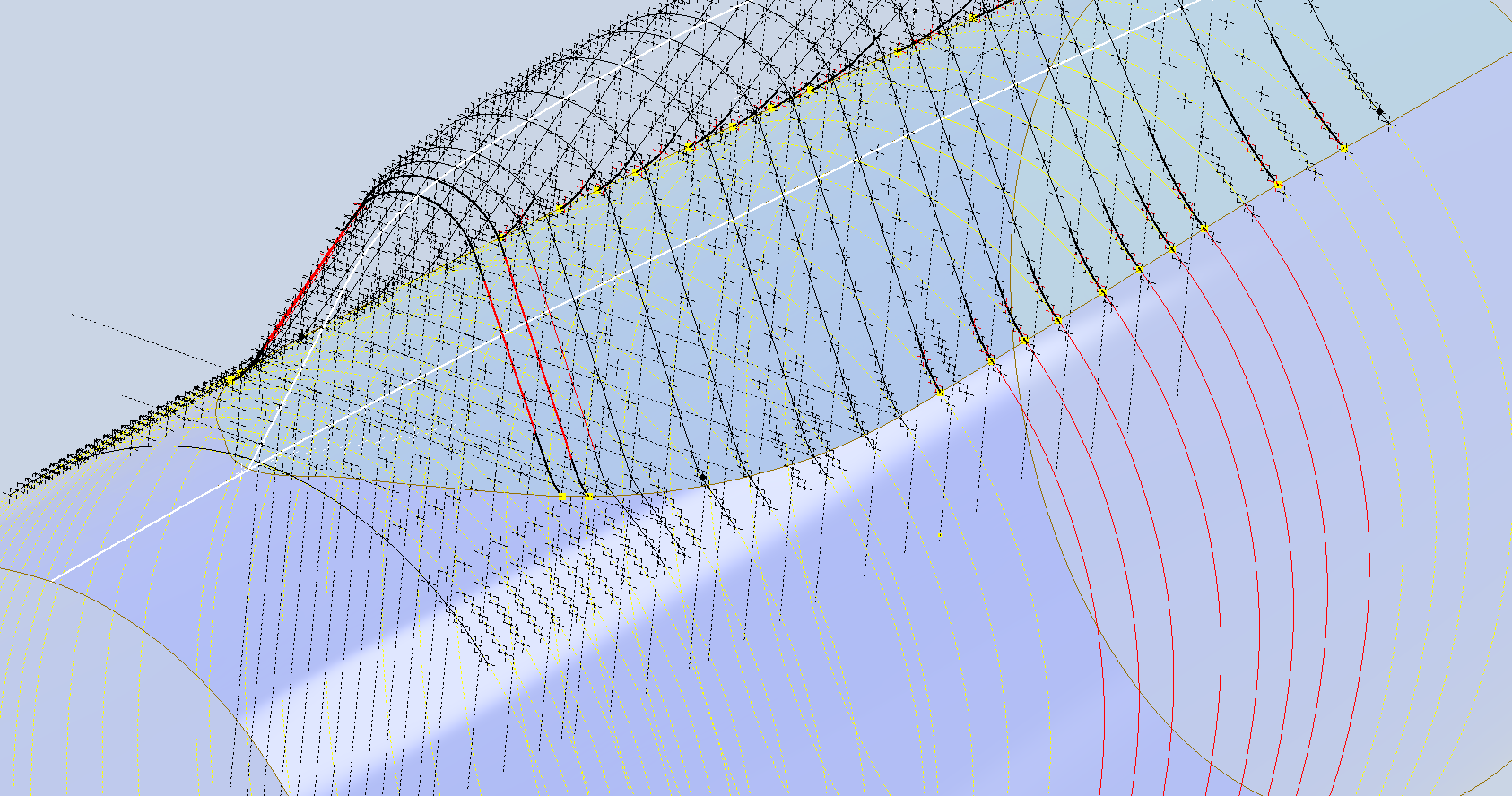
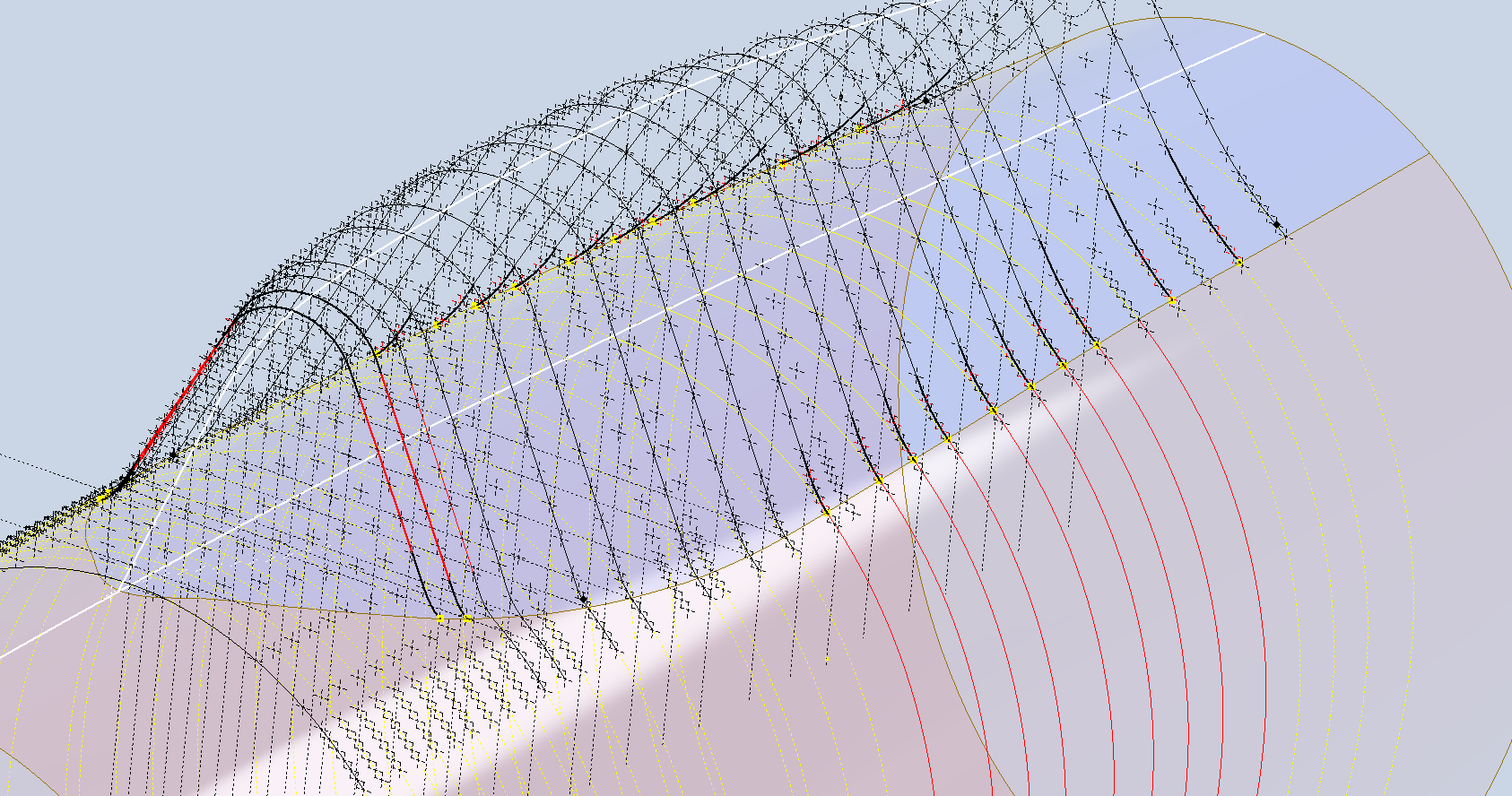
Personally, I prefer the latter as it ensures a smoother surface continuity. As you can see in the following image of a recent P-47 restoration they appear to have opted for the former which displays a noticeable bump from the 100 to 110-degree transition. The second image is the CAD interpretation of 79 to 110 degrees which is much smoother.

I have modeled only the main portion of the Preheater body surface; there is a projected curved section forward of this which I will model separately and again a good reason for doing this*.

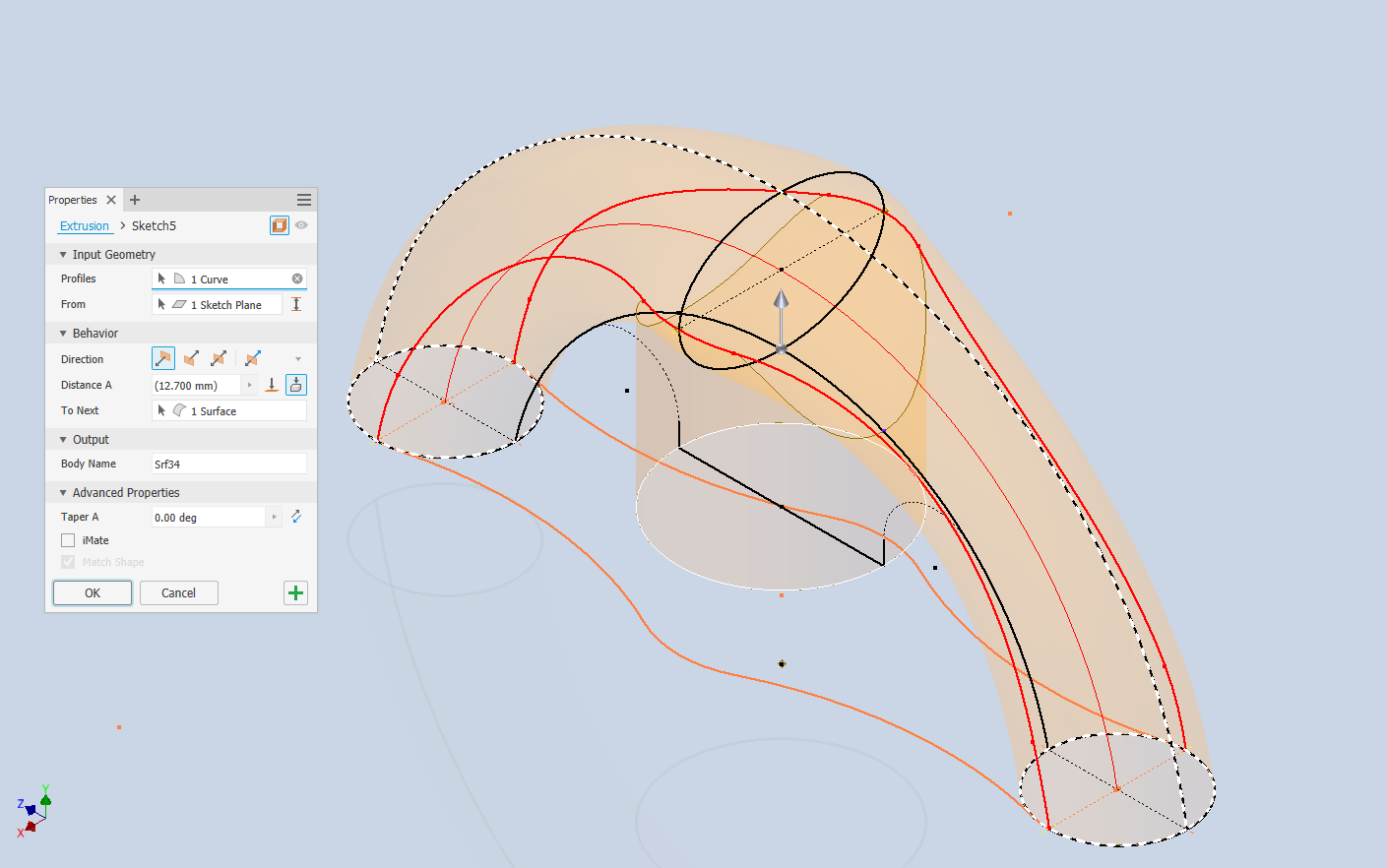
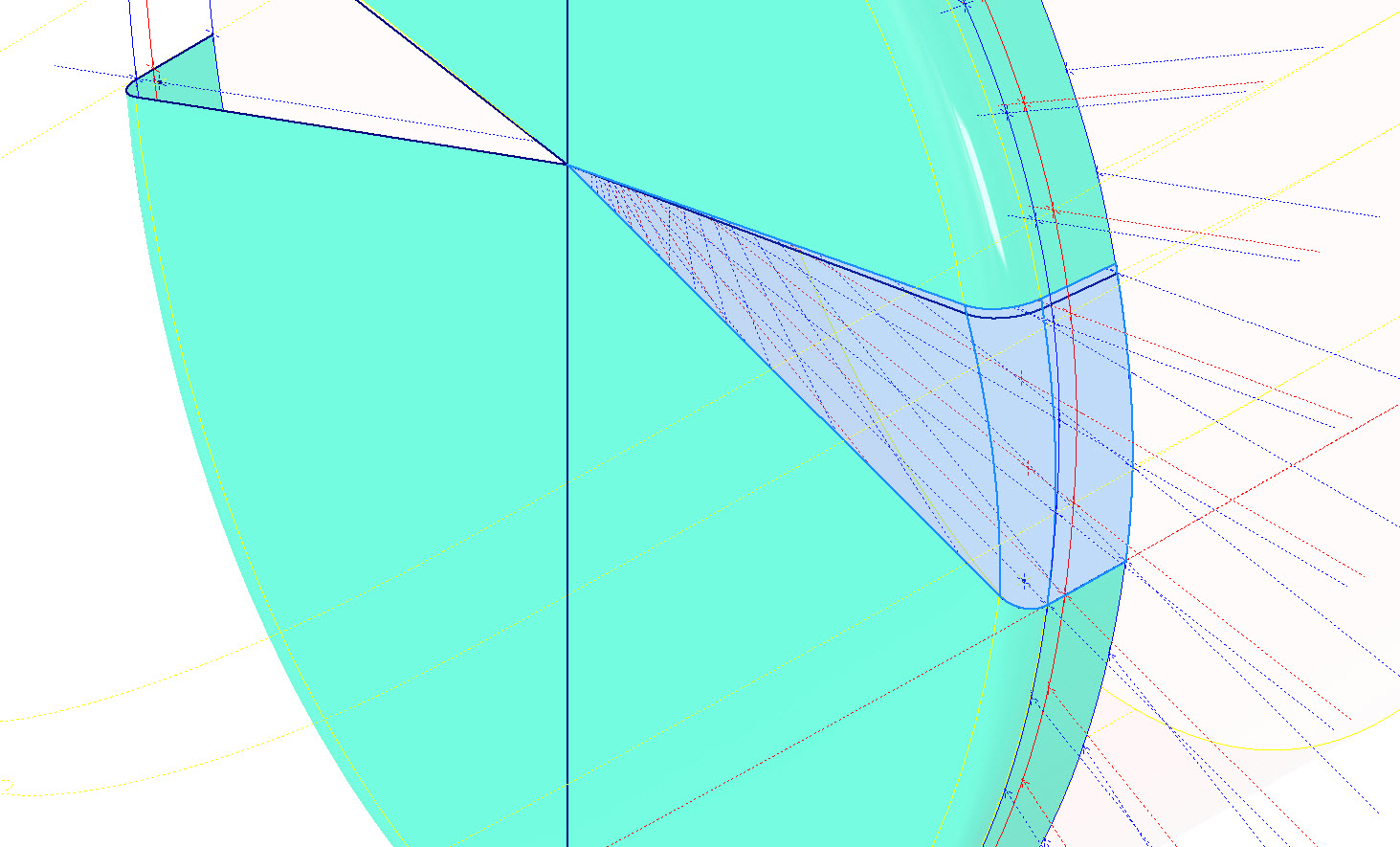
If we look at the CAD development of the Preheater surface model you can see I have developed the top profile with an ordinate radius of 2 7/16″ to the 80 degree increment and the lower section ordinate radius 1 7/16″ from 110 to 180-degree increment. However, when you loft the 2 profiles you can see the default curvature transition is not continuous…what we want is for the curved section to have smooth continuity throughout the transition.

I should note that the surface was developed to the 80-degree increment and then trimmed back to 79 degrees; I already had the construction sketches in the model…just saves some work.

Inventor like other CAD software will attempt to interpret the desired surface loft but it does not always achieve the desired result. This is easily corrected by selecting transition points within the Loft dialog which will enable a smoother transition.

Going back to my earlier comment on the projected curved section*; as per comments above; the CAD-interpreted surface may not produce the desired result with more complex geometry. So often the best way of doing this is to model that section separately ensuring finer control over the finished surface.

CAD Tip: The vertical face of this developed surface is flat, occasionally when lofting, sweeps or even applying a surface patch it is always a good idea to check the finished surface is actually flat and planar where expected. The way to check that a surface is planar is to select the New Sketch option using the surface as a sketch plane…if the surface is planar it will allow a sketch.

P-47 Engine Mount:

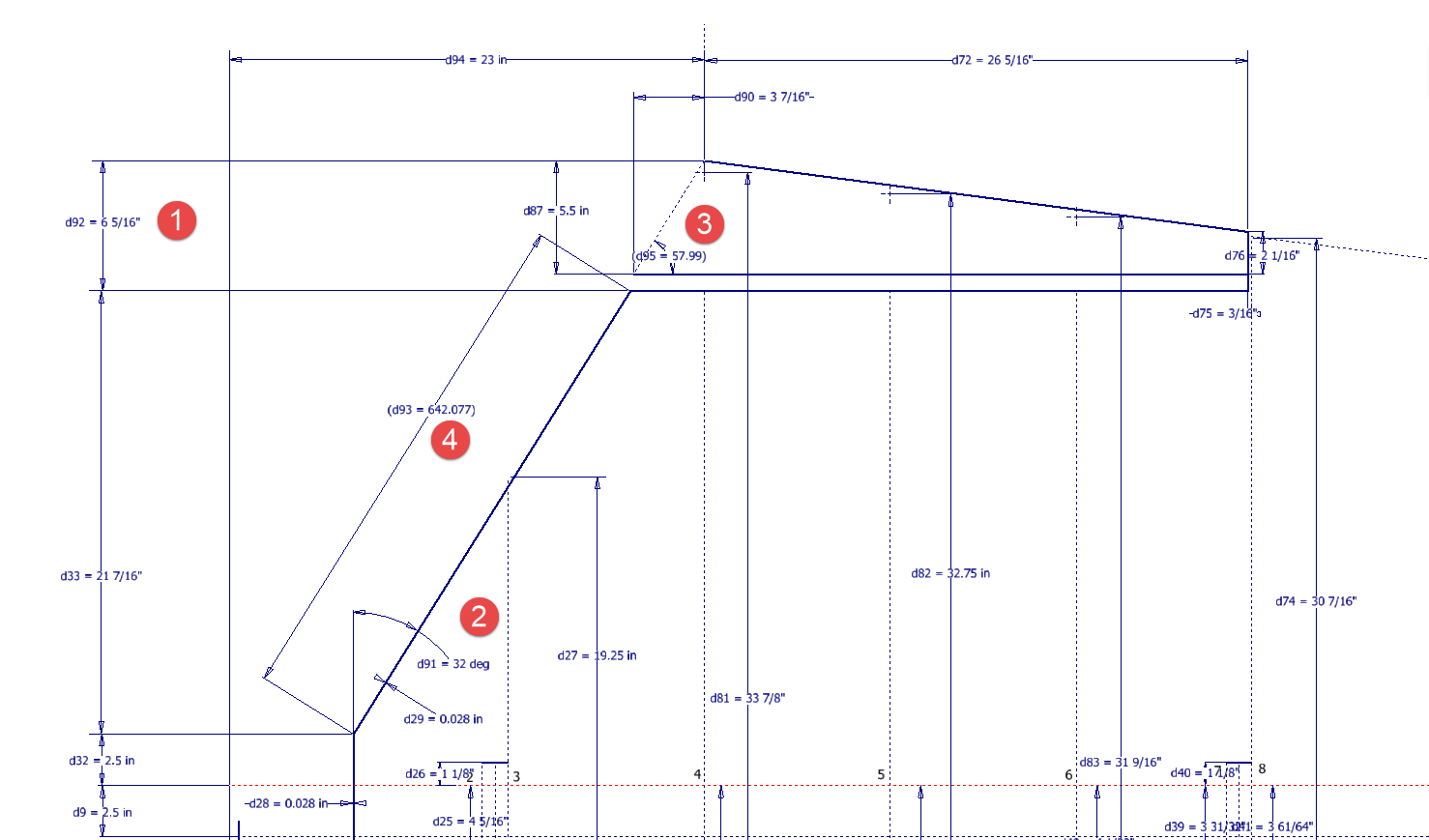
On the Republic Drawing #89P62101 for the Engine Mount the intersection point of the top diagonal brace with the centre of the front ring is not clear.

On the Front View, we have either a dimension of 8.75″ (1) or an Angle of 58.5 degrees (2). To verify which is the correct set out for the top brace we turn to the elevation view. Here we have a cross brace intersecting the top diagonal at 20 21/32″ (4) and 16.592″ (3). Drawing in this intersection point in conjunction with the known datum at the extreme right we project the centre line of the brace to intersect with the front ring.

This projected point is within 0.017837600 mm of the point determined by the dimension 8.75″ (1) and 1.057782238 mm where the angled line (2) intersects with the ring centre. This verifies that the actual point of intersection is the dimension 8.75″.

P-47 Fuselage Curvature Analysis:

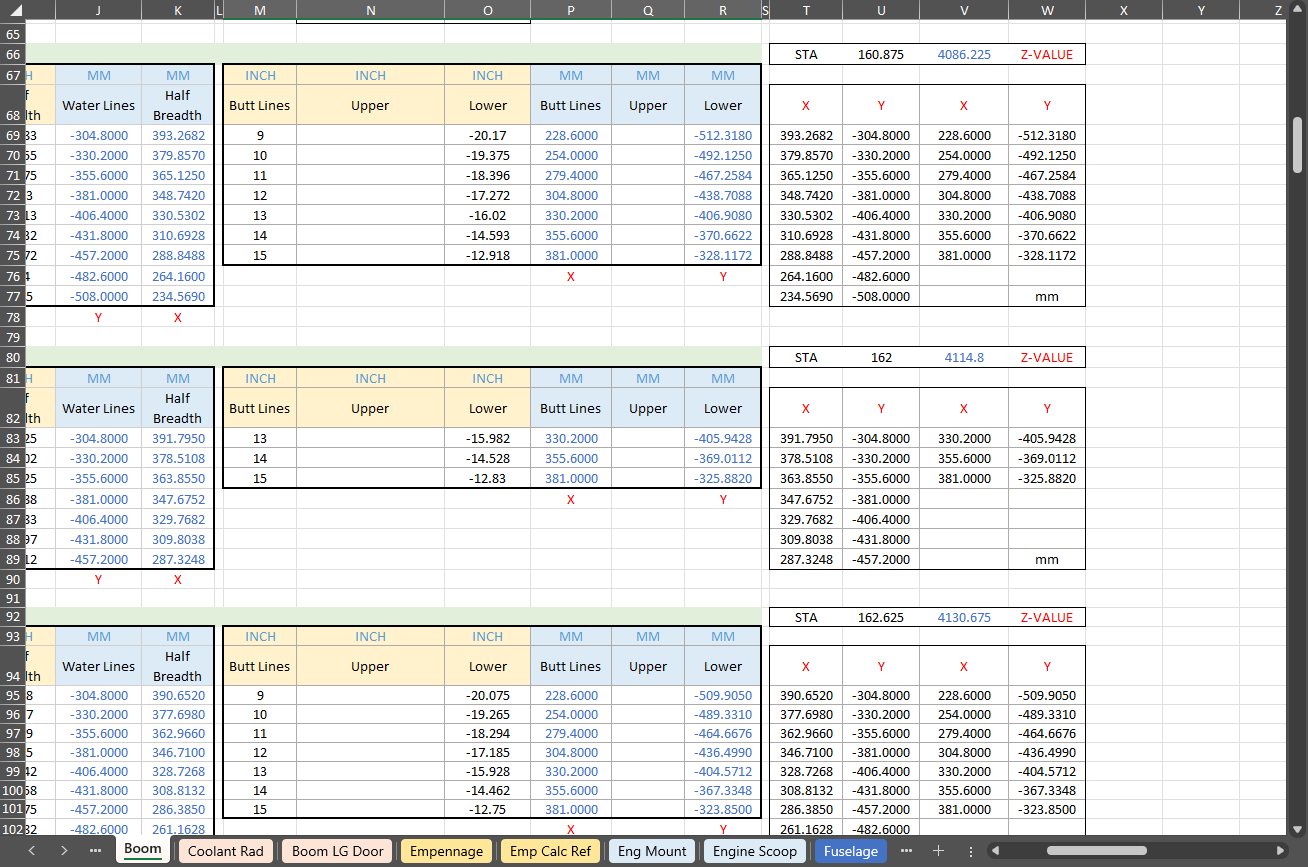
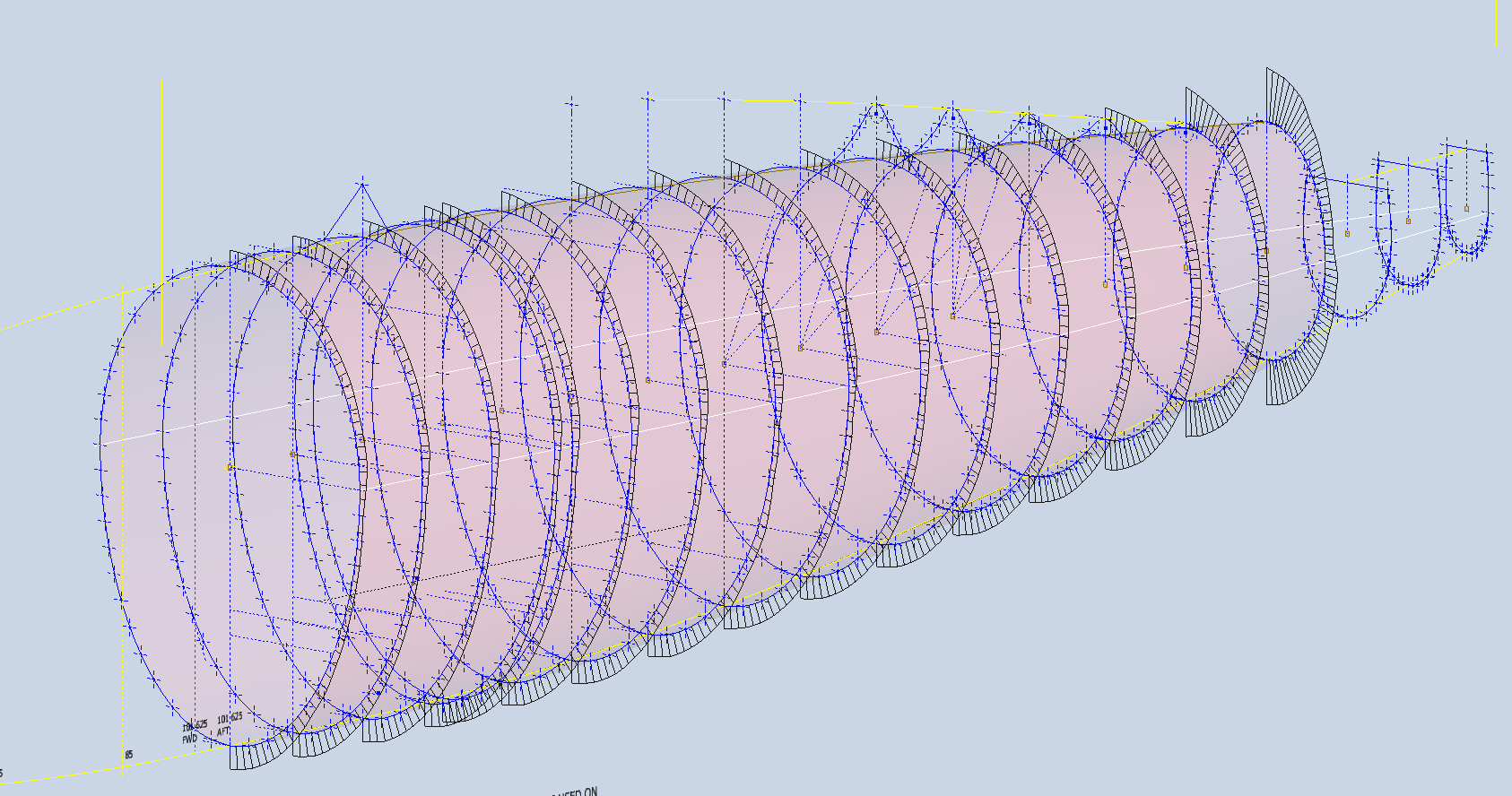
The following image shows the curvature analysis at each station of the fuselage. Only 4 rogue points were micro-adjusted to align correctly. What we are looking for here is not perfection but consistency. You will notice a small flattening of the side curves around the centre of the fuselage, which is fairly consistent throughout. The primary reason for doing this is to identify any points that will create a negative curvature or completely in the wrong position.

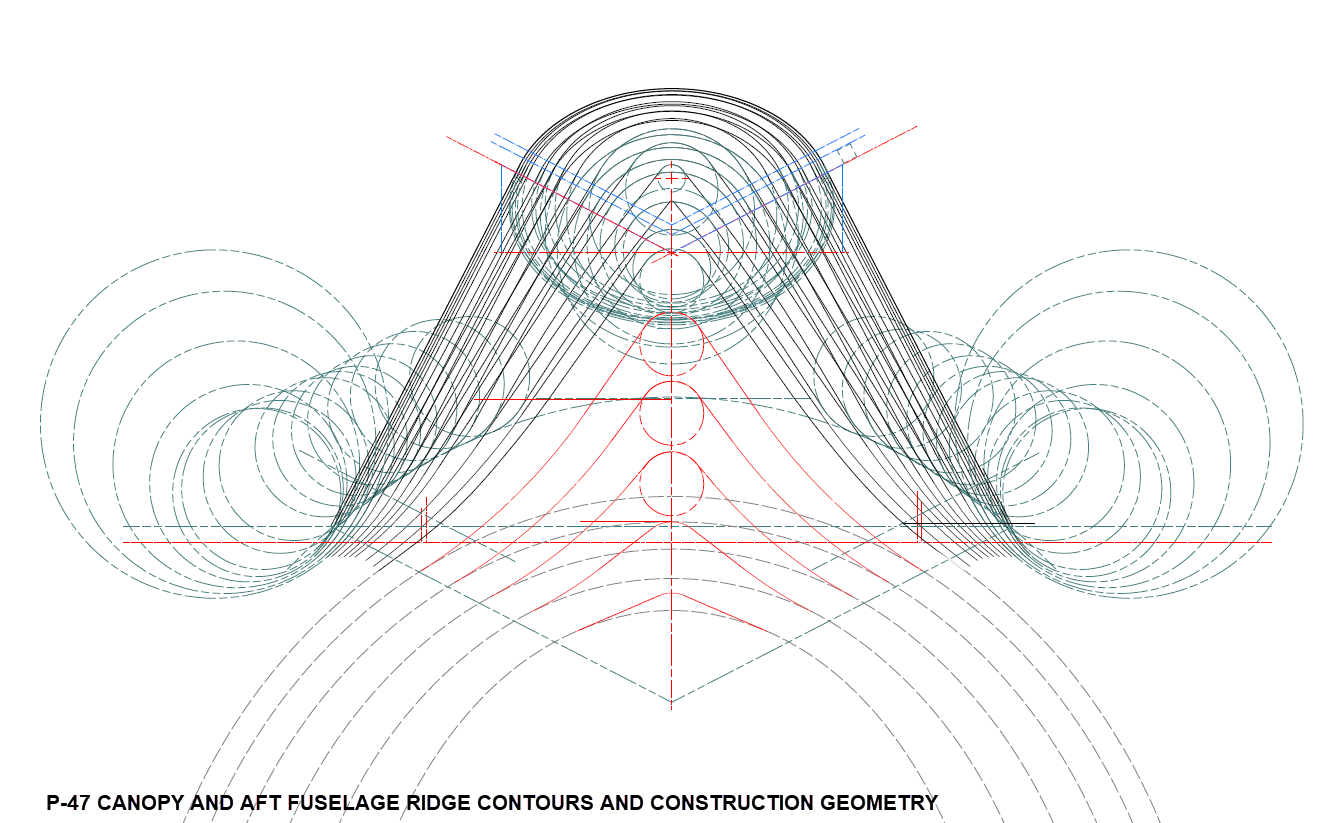
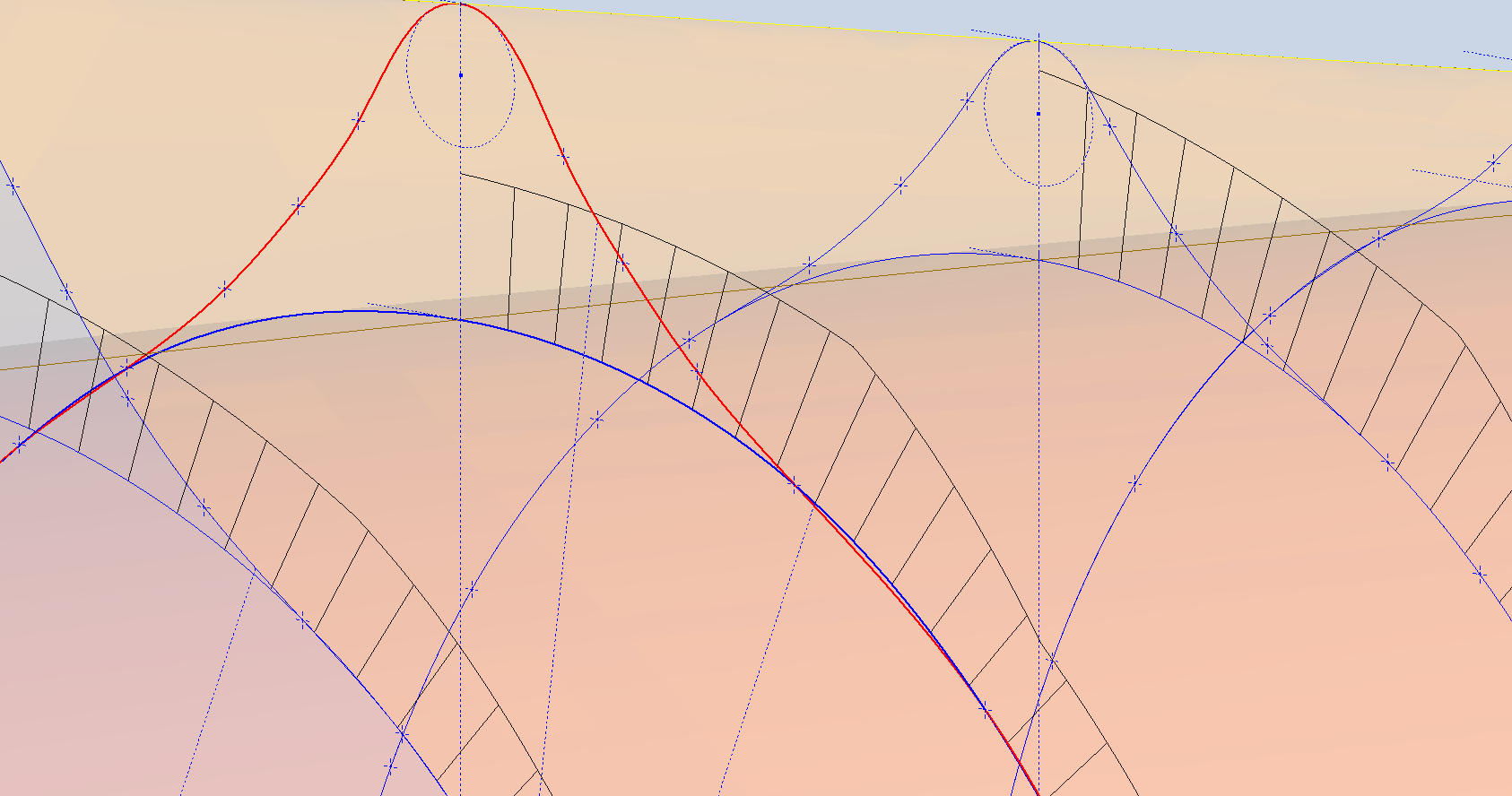
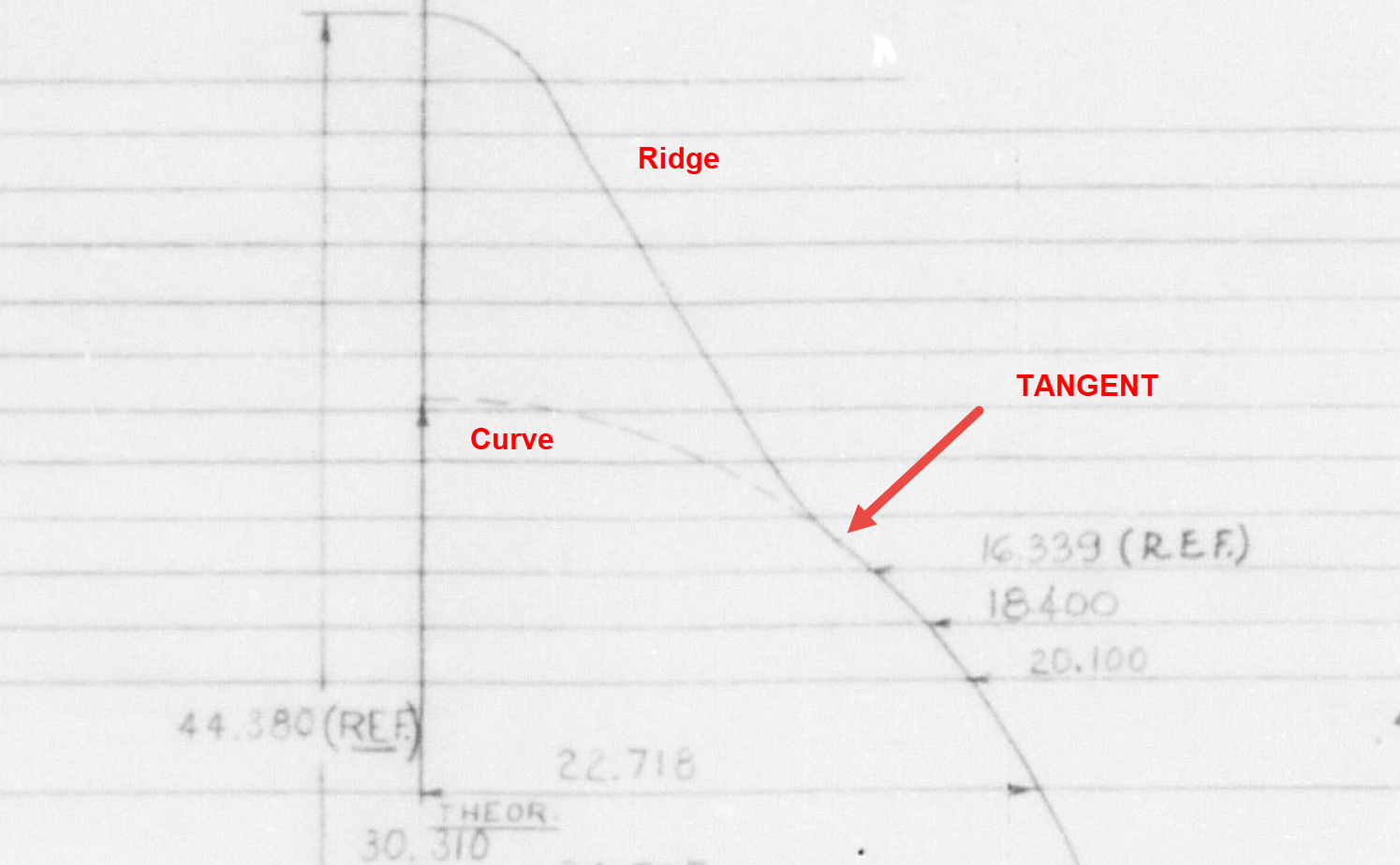
The next challenge is to identify the correct tangent points between the humped back ridge curves and the main fuselage. It may tempting to just profile a spline connecting all the points from the ridge curves and the main fuselage but this is likely to create small imperfections where the tight curves meet the main body profiles…so it is always best to do this separately.

In the first image above the red line is the best fit spline connecting all profile points and you can see how it dips below the curved profile from the blue main fuselage curve profile. From the Republic ordinate drawing it is clear the intent is for the ridge profile to be tangent at the point of intersection.

The finished profiles will look something like this…

P-47 Canopy and Grumman Goose Nacelle

P-47 Canopy and Grumman Goose Nacelle

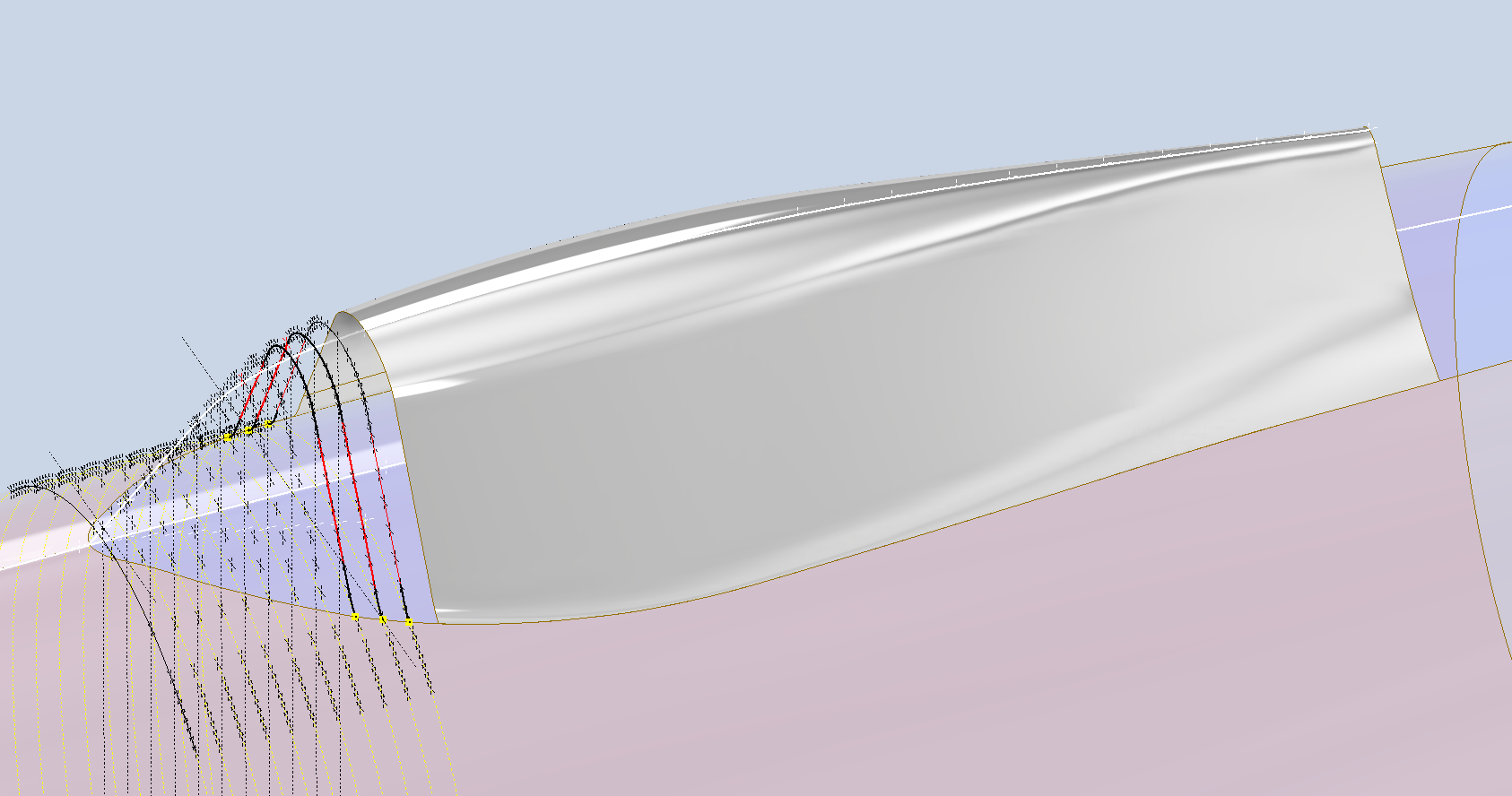
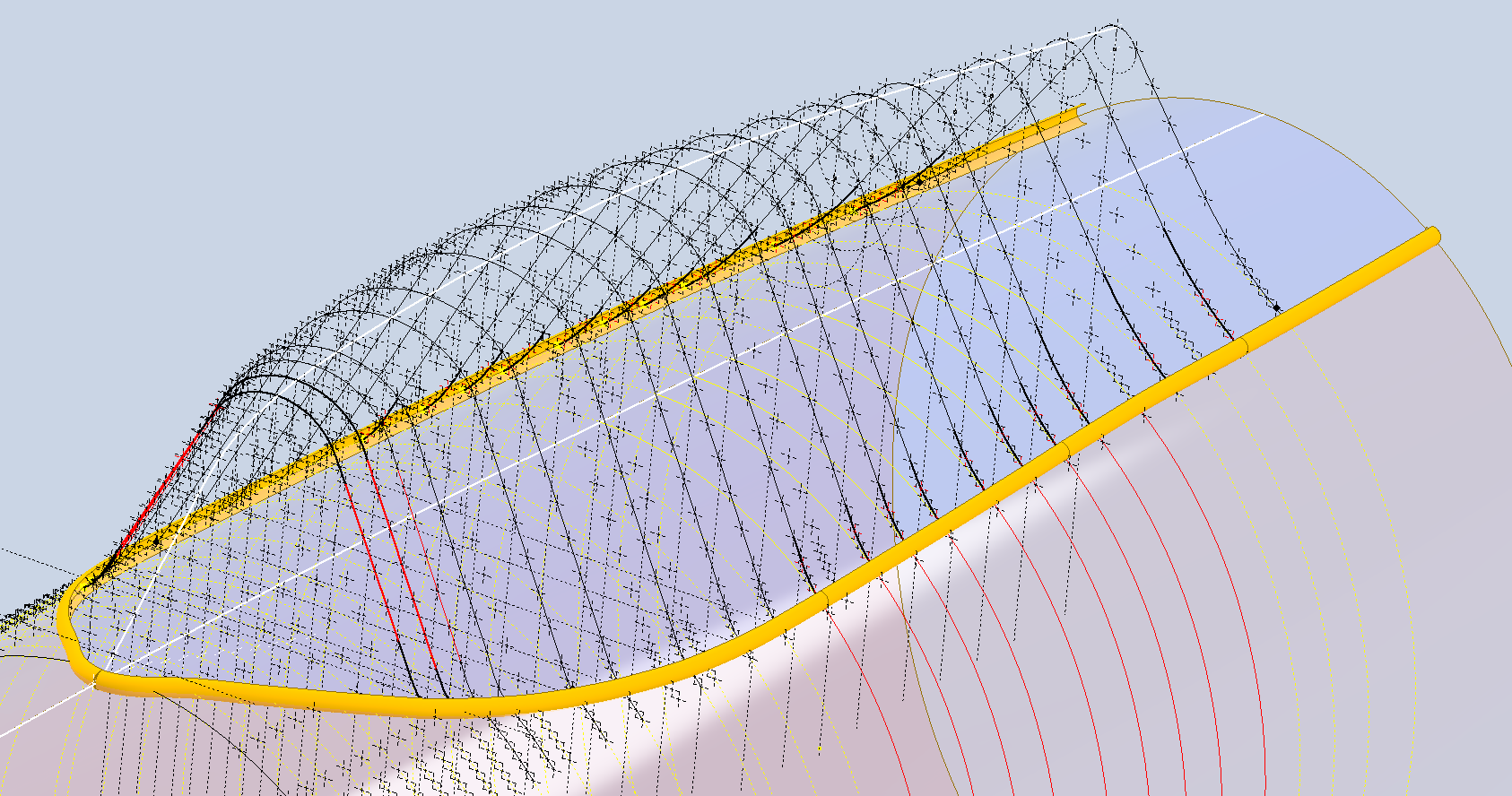
The P-47 project has now incorporated the Canopy Basic Layout. This Basic Layout represents the surface derived from the table of ordinates, with dimensions that reflect the mold lines at the inner face of the skin. An allowance of 1/32″ is required to accurately represent the actual surface of the canopy glass. All ordinate points are provided in an Excel spreadsheet, as is customary.

Once the best-fit surface is determined, it undergoes a curvature analysis to check for low and high spots. The next part of the process is checking the alignment with the fuselage’s basic layout surface. The Table of ordinates includes the Waterline level for the tangency intersection point between the canopy surface and fuselage at each station. The dashed lines along the lower level of the canopy profiles represent this waterline.

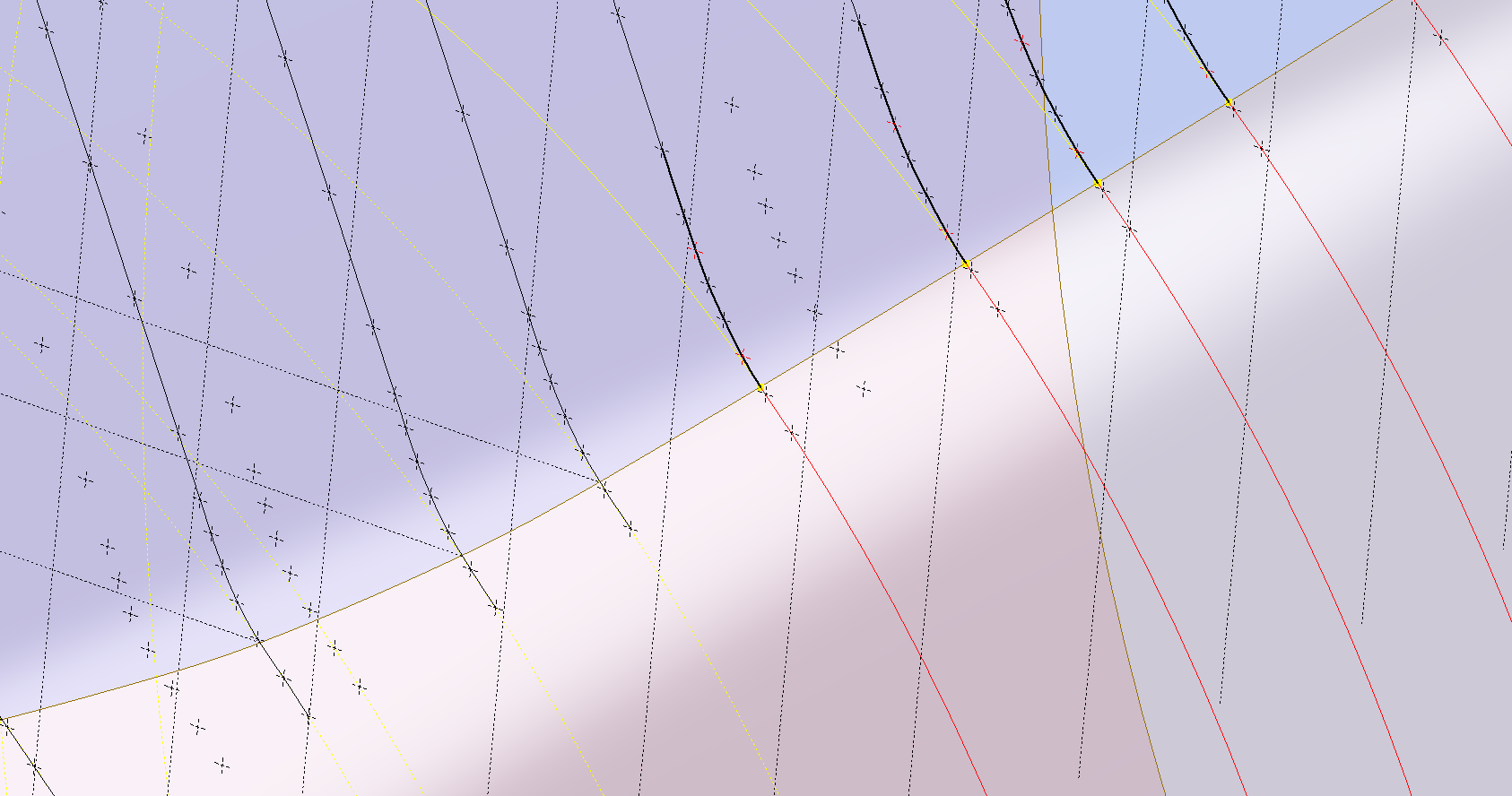
Each tangent point in turn is then checked against the fuselage’s basic layout surface. As expected, there is some minor deviation which is less than 0.3mm which is within acceptable parameters. Of course, with CAD it is technically possible to get this absolutely exact (see next blog article for solution). The primary reason for doing this check in the first place is to ensure we don’t have any rogue ordinates that could create problems later on.

A similar exercise will be undertaken for the forward canopy section and windshield. When we have a satisfactory basic layout surface for each section of the canopy I will endeavor to profile the glass panels and supporting structural elements.

P-47 Cross Tie Wing Hinge/Engine Mount:

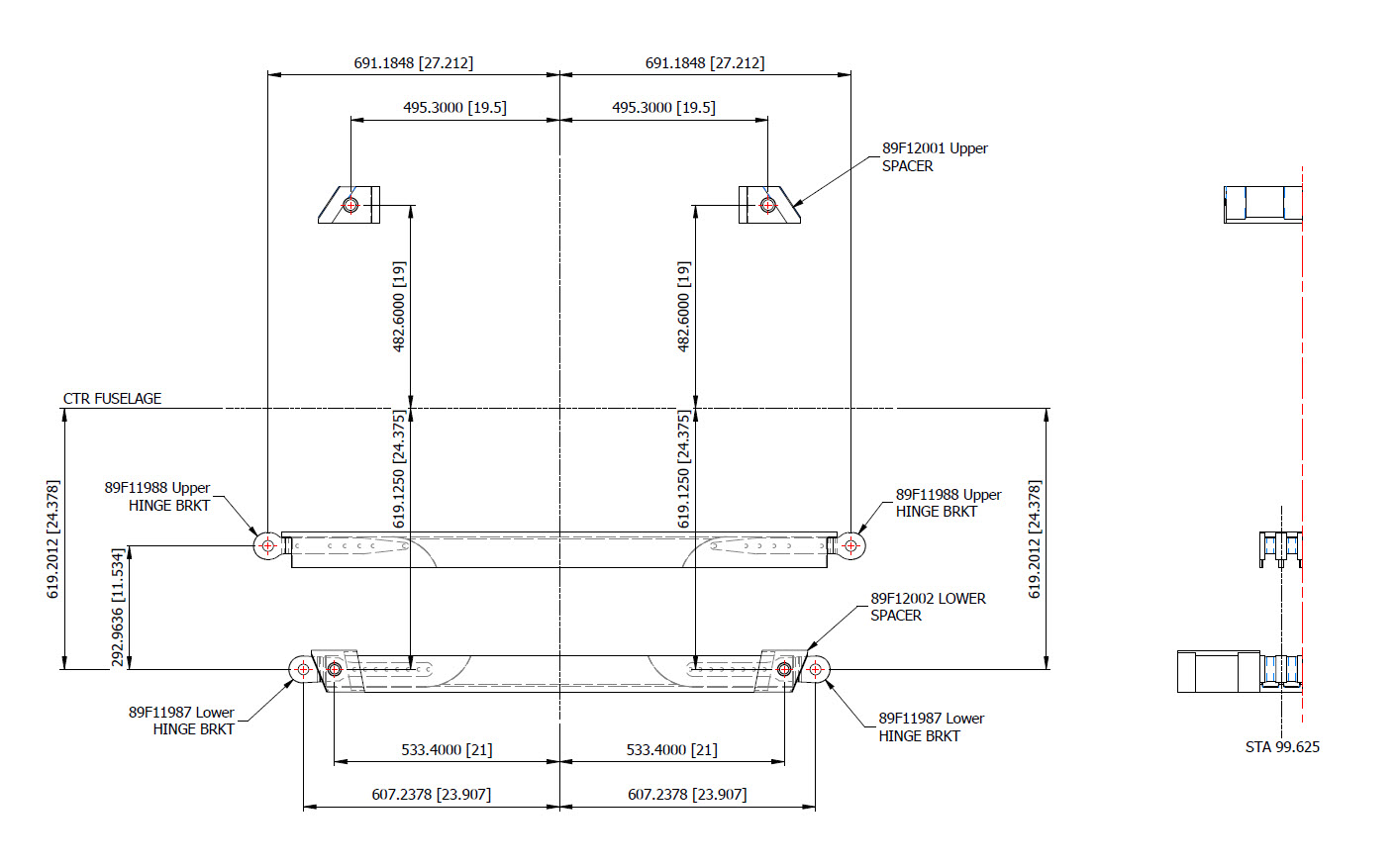
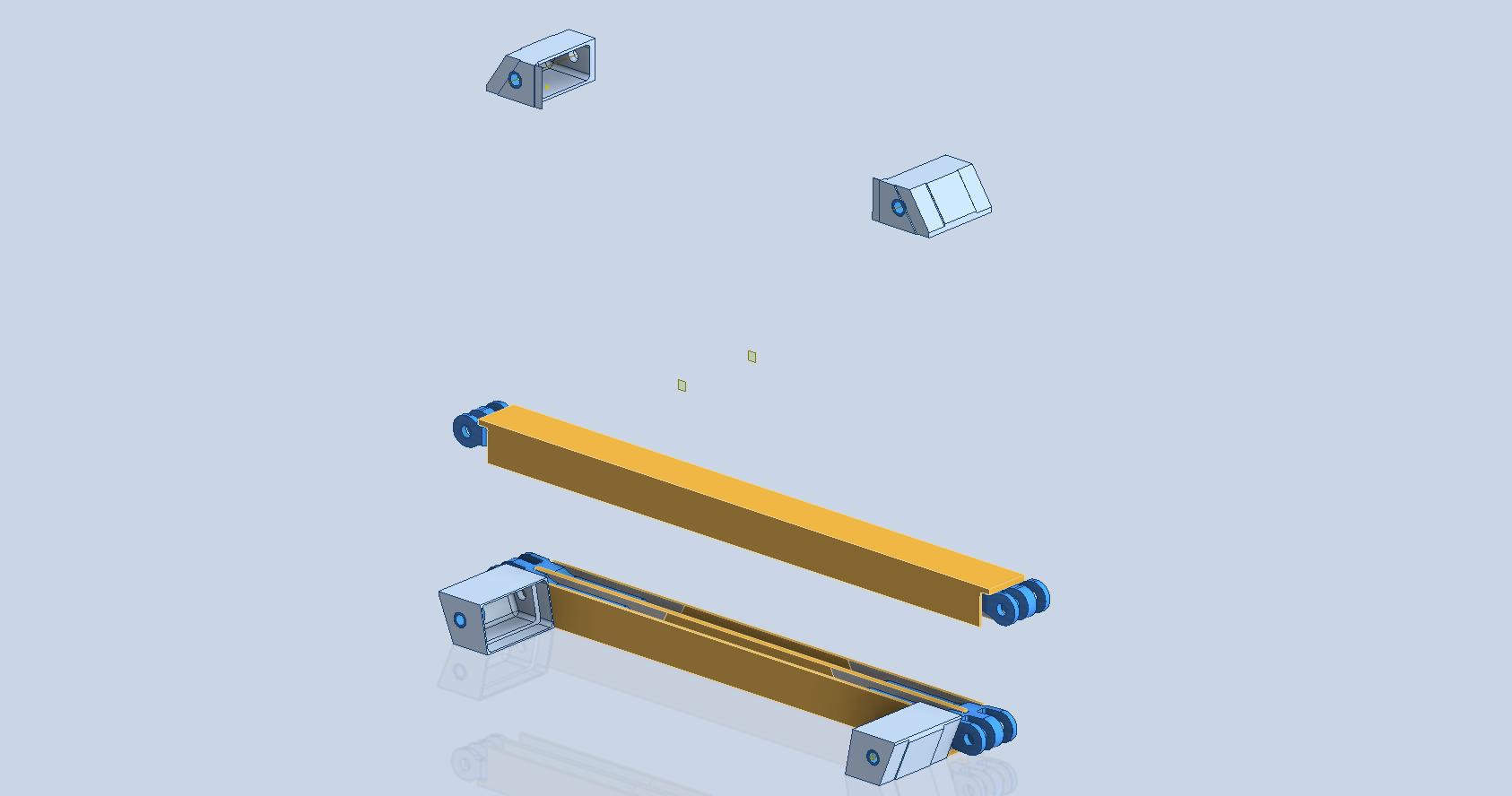
This is the preliminary arrangement for the Cross Tie that supports the Wing Hinge and Engine Mounts. A small point worth noting is that the actual vertical dimension to the Wing Hinge Centre is 24.378in, and the dimension to the lower datum point for the Engine mount is 24.375in. A small variation, almost imperceptible but nevertheless important. This is the reason why the matching holes from the Lower Engine Mount are to be match-drilled through the Cross Tie and not pre-drilled in the Cross Tie. Once I have established the final location for the wing I will cross-check the hinge locations to verify setting out dimensions.

Grumman Goose Update:

The Grumman Goose is already available as an Ordinate package (See CAD/Blueprints page) which though comprehensive excluded the Nacelle. While I await some information on the P-47 I jumped back into the Grumman Goose project to partially develop the Nacelle and general tidy up of the package as a whole.

The Grumman Goose is not my primary project but as I find time I will drift back to the project to apply updates. I will also do several analysis exercises on the fuselage and wing surfaces to check curvature and alignments. This will be an ongoing project over the next few months. If you have previously purchased the currently available Ordinate package for this aircraft I will send you the updates when they are complete.

Feedback, questions, then please get in touch: hughtechnotes@gmail.com

Republic/Ford JB-2 Update

Republic/Ford JB-2 Update:

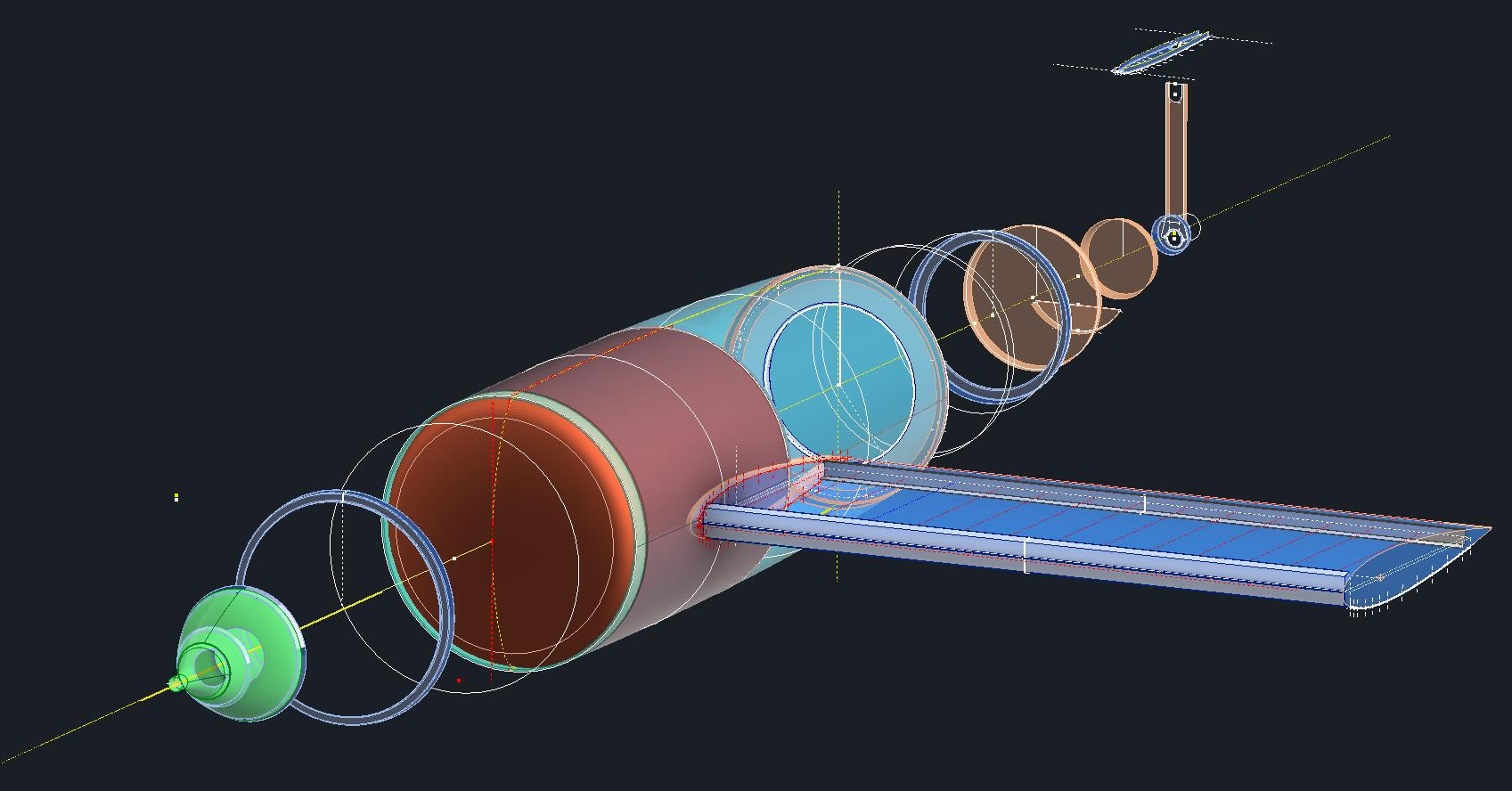
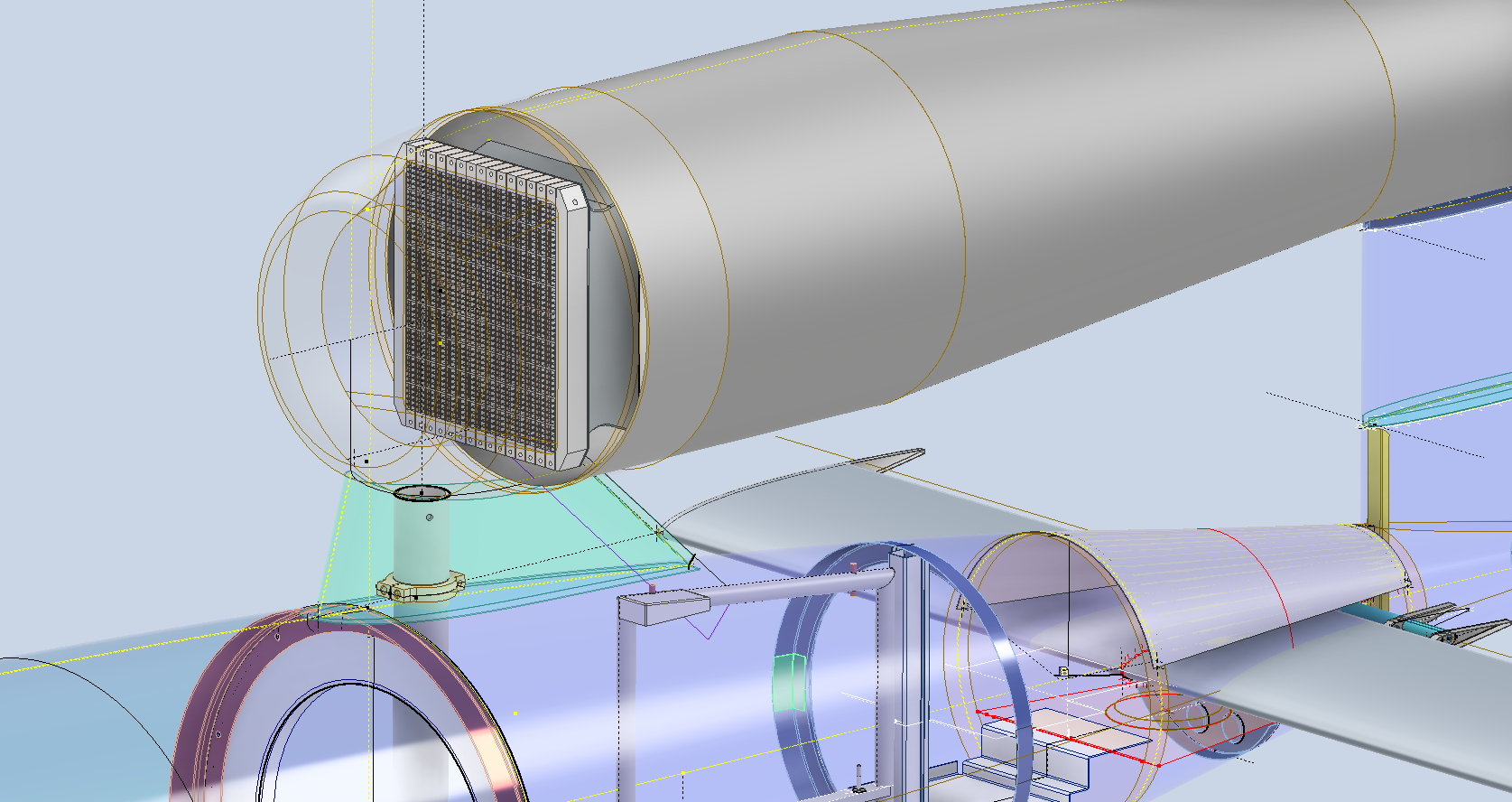
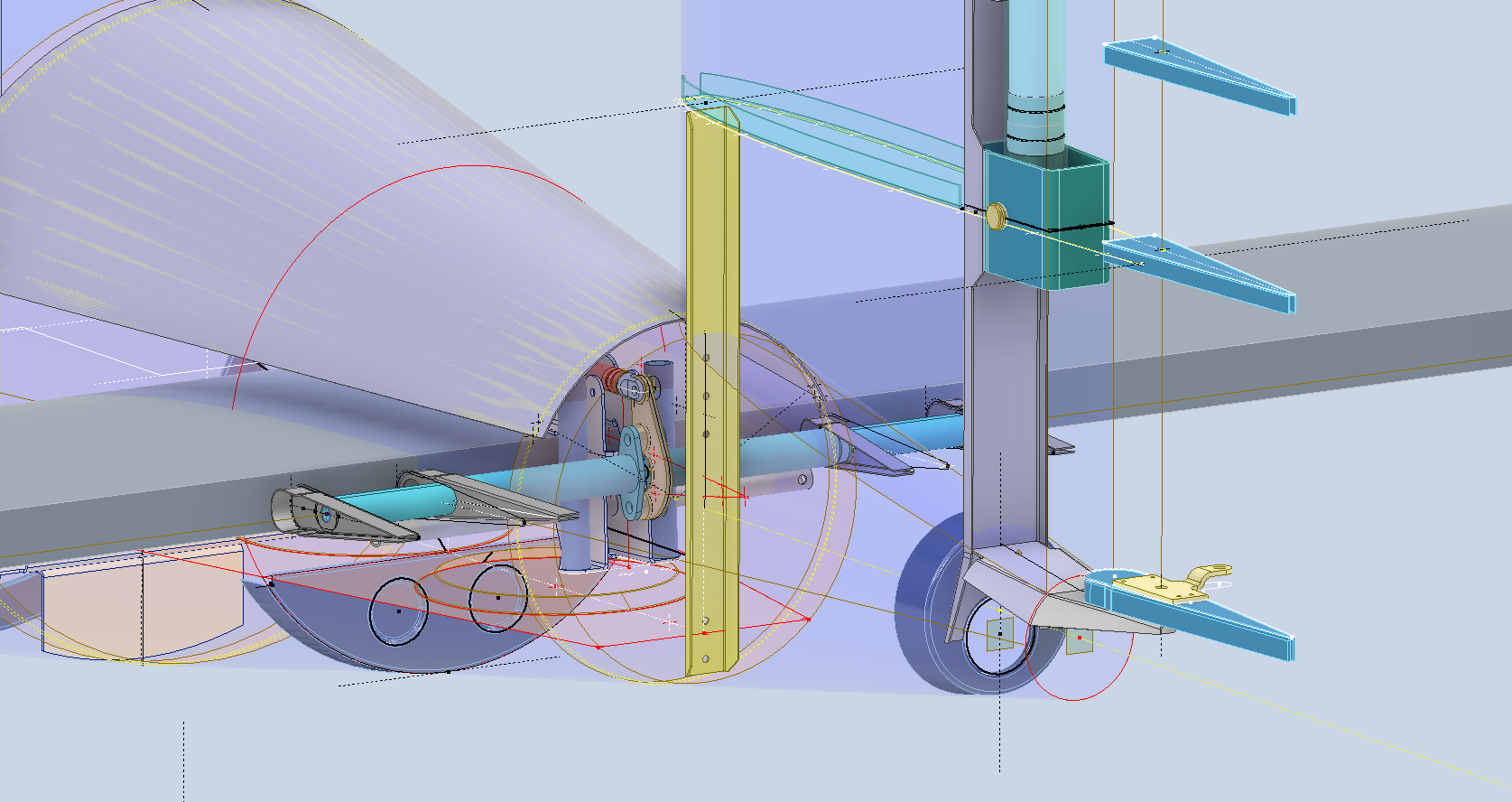
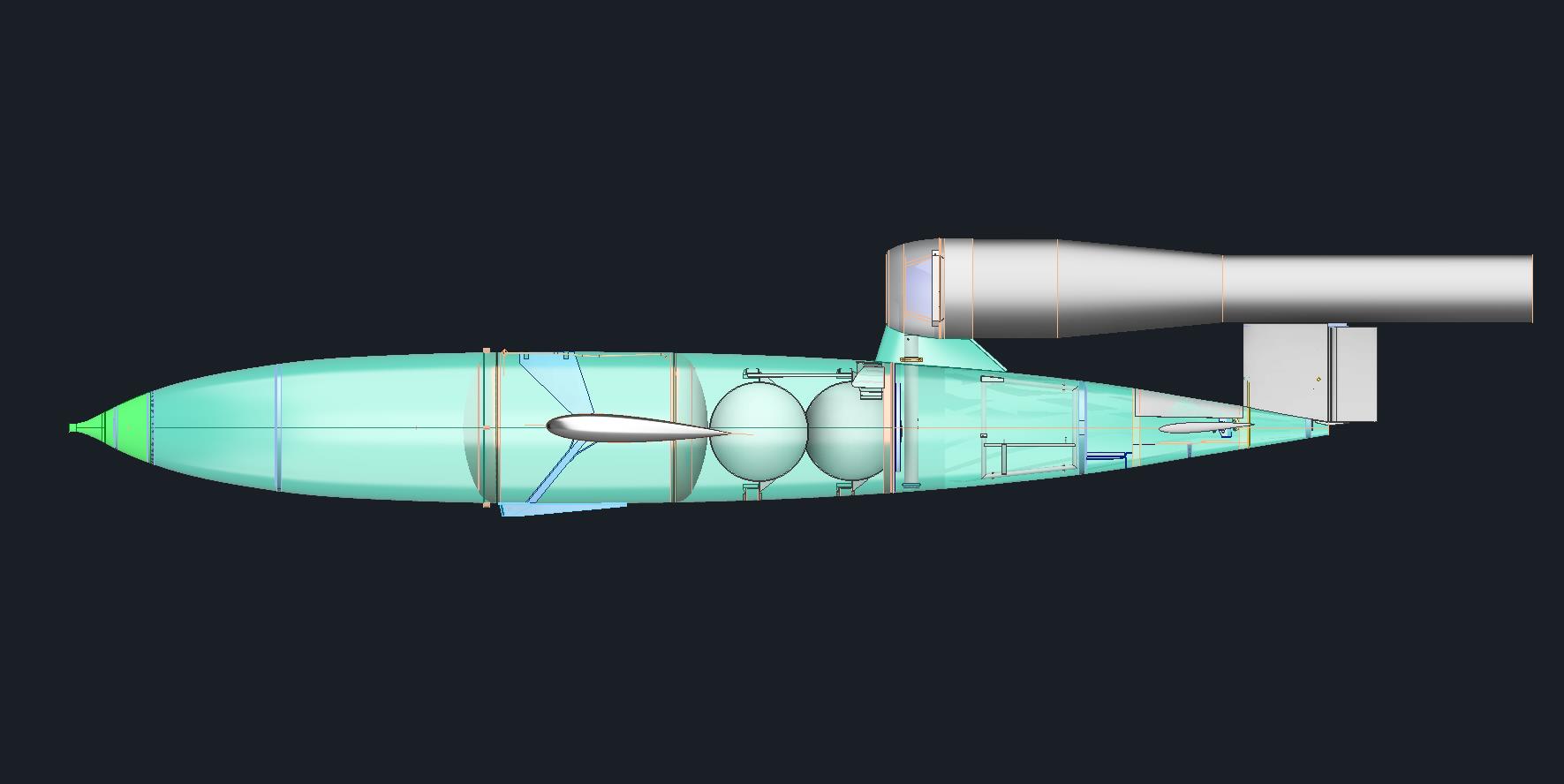
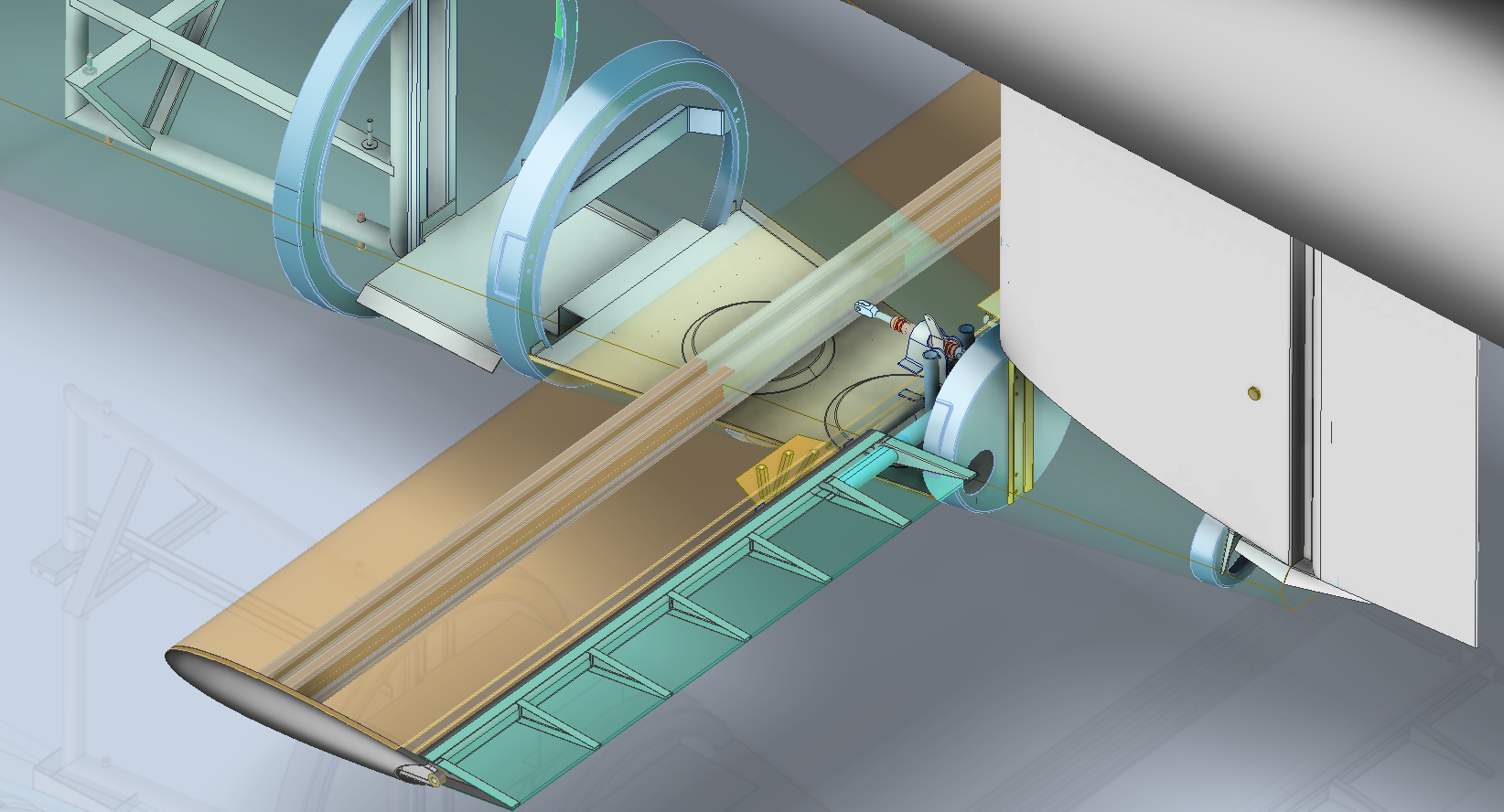
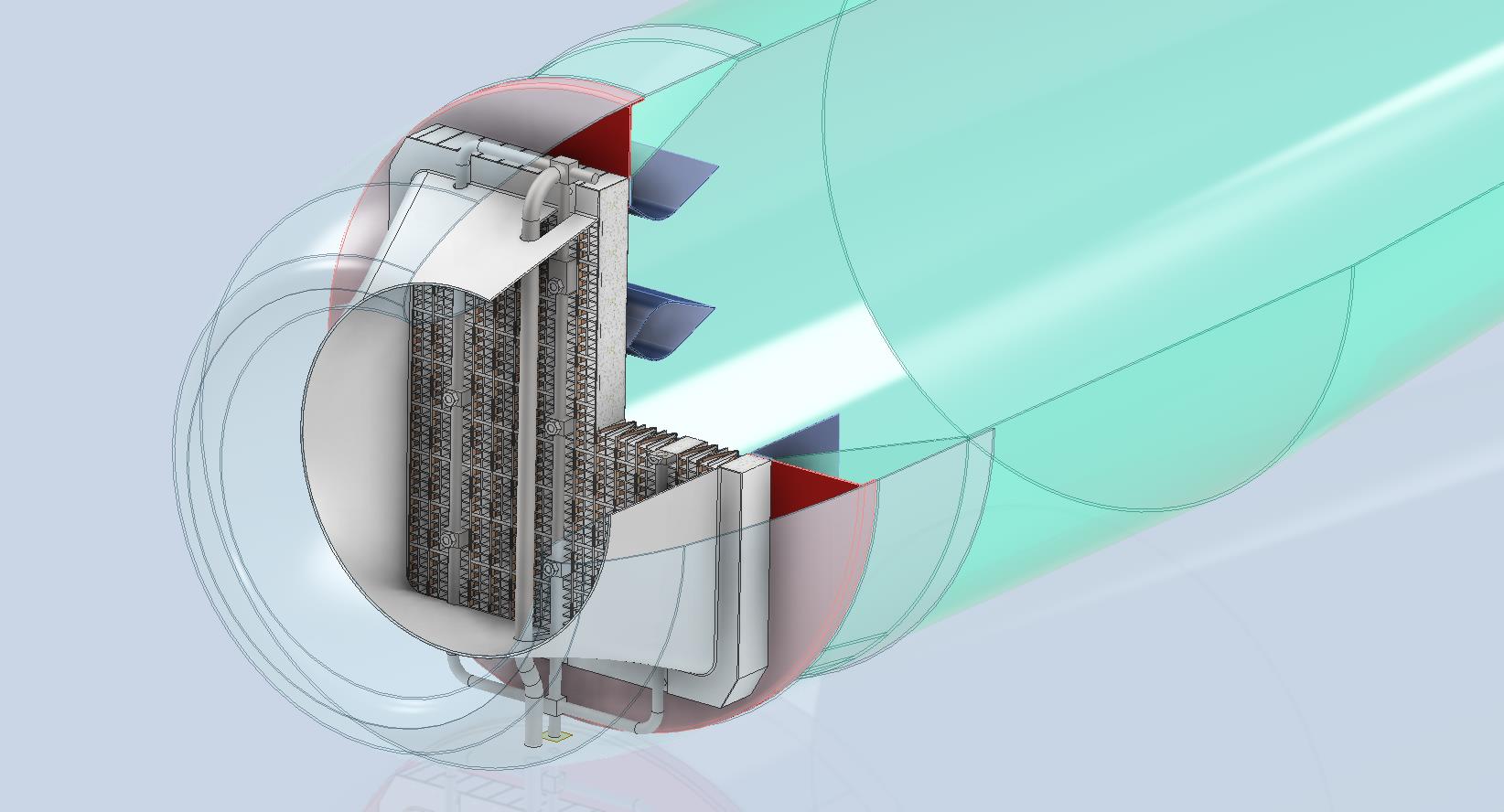
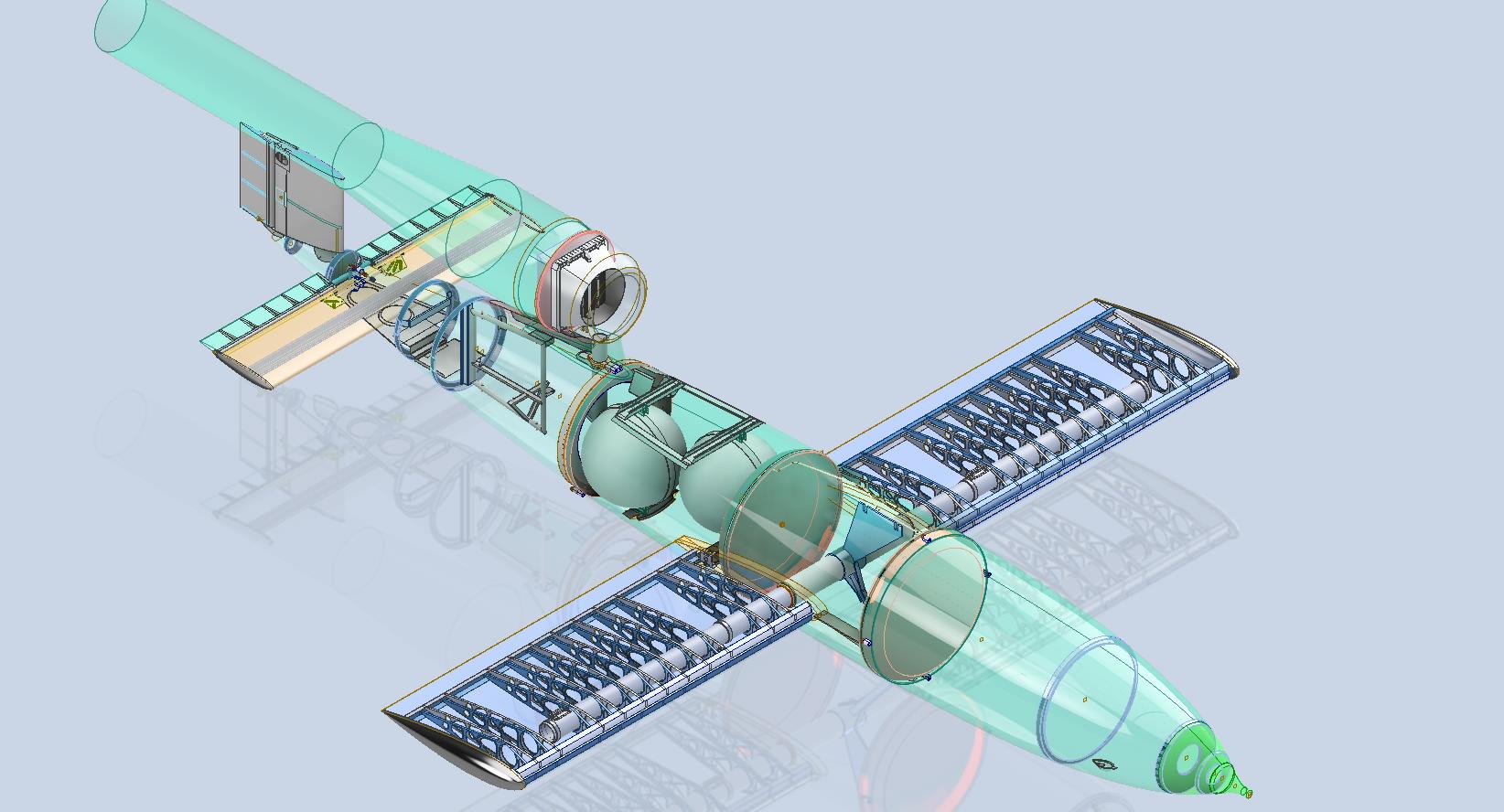
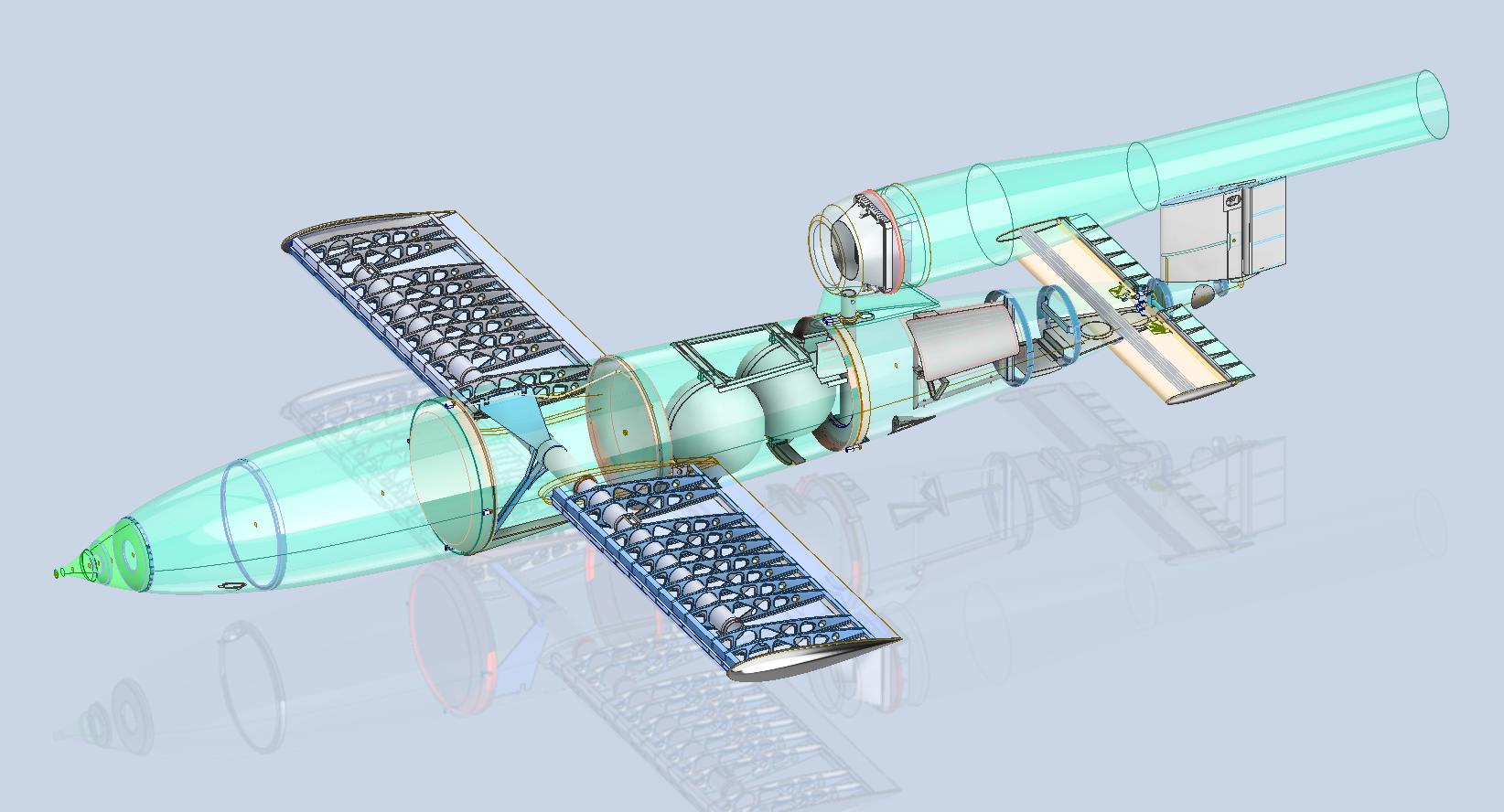
The JB2 project is progressing quite well, with most of the structural elements in place. I will be doing a lot more detail work on the surface skin and, of course, adding the main support elements for the engine structure. In the interim, I thought it may be prudent to post a few images of the project for your perusal.

Comments or inquiries as usual to hughtechnotes@gmail.com.

Update 21st Jan 2025:

Exploring the Republic-Ford JB-2 Thunderbug

Republic/Ford JB-2:

The Republic-Ford JB-2, also known as the Thunderbug, KGW and LTV-N-2 Loon, was an American copy of the German V-1 flying bomb.

I came across some blueprints for this and decided to develop a hyper detailed CAD model.

The blueprints are very poor quality; incidentally all of them are marked “illegible”, however, it is possible to extrapolate some key information that will provide a good accurate replica. At this stage, I am not sure exactly how far I can take this project but I shall endeavor to model every part that I can find and then take it from there.

As usual, I have all the key dimensions listed in spreadsheets for future reference. I studied the wing profiles and discovered the airfoil used is the NACA 0015. The wing construction is rather unusual in that the ribs are formed from 2 mirrored sections. As the project progresses I will explain that in more detail as an addendum to this post…so watch this space.

Update 26th Dec 2024:

Made quite good progress on this project. Still a lot of work to do, particularly on the empennage. I will take a break for a few days and post another update in a week or so.

Update 1st Jan 2025:

A few images showing the progress on this model build showing the Engine Intake, Wing construction and miscellaneous work on the Empennage including the Rudder Support.

Update 7th Jan 2025:

The horizontal stabiliser is almost finished. Notice the inclusion of the spoilers on the underside. The Aft fuselage deck has also been added. A close-up view of the Air bottles shows the surrounding supporting structure.

Technote: Inner Workings

Technote: Inner Workings:

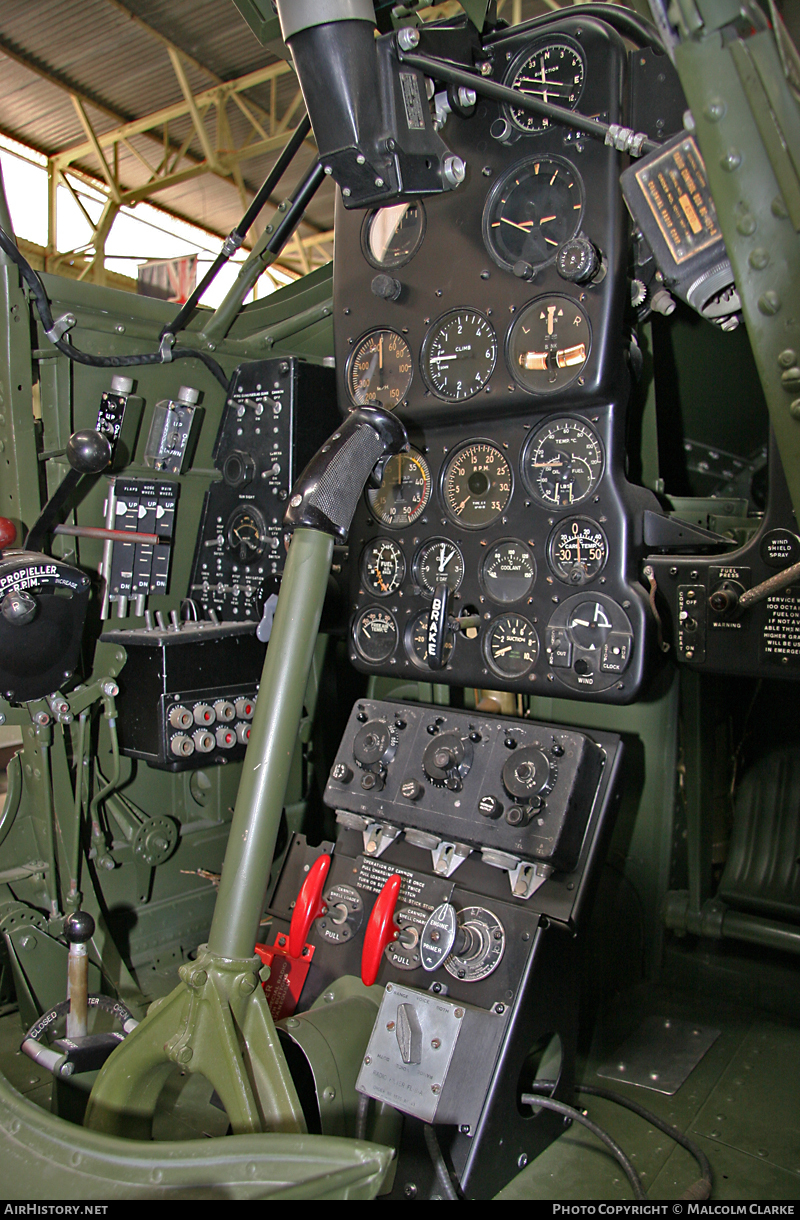
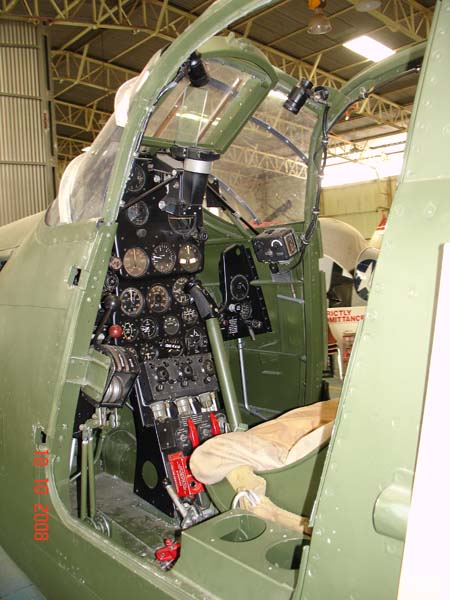
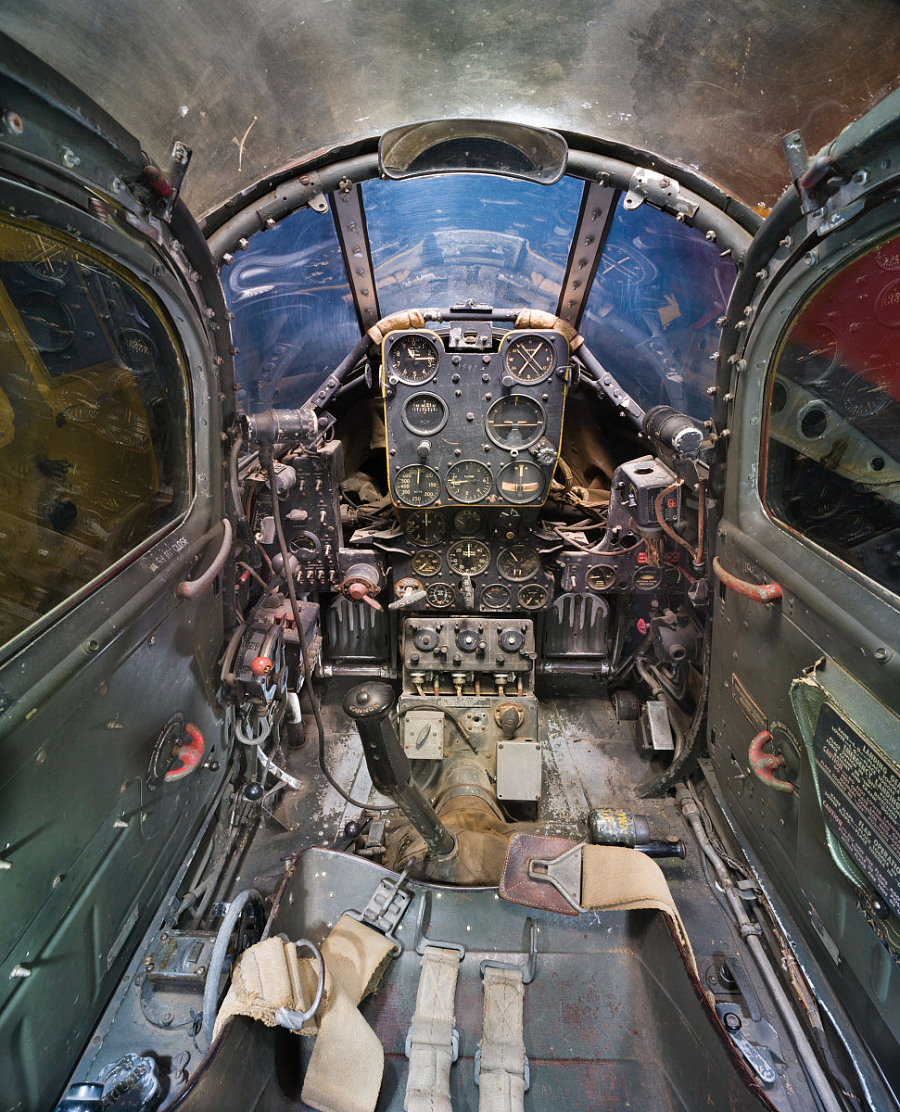
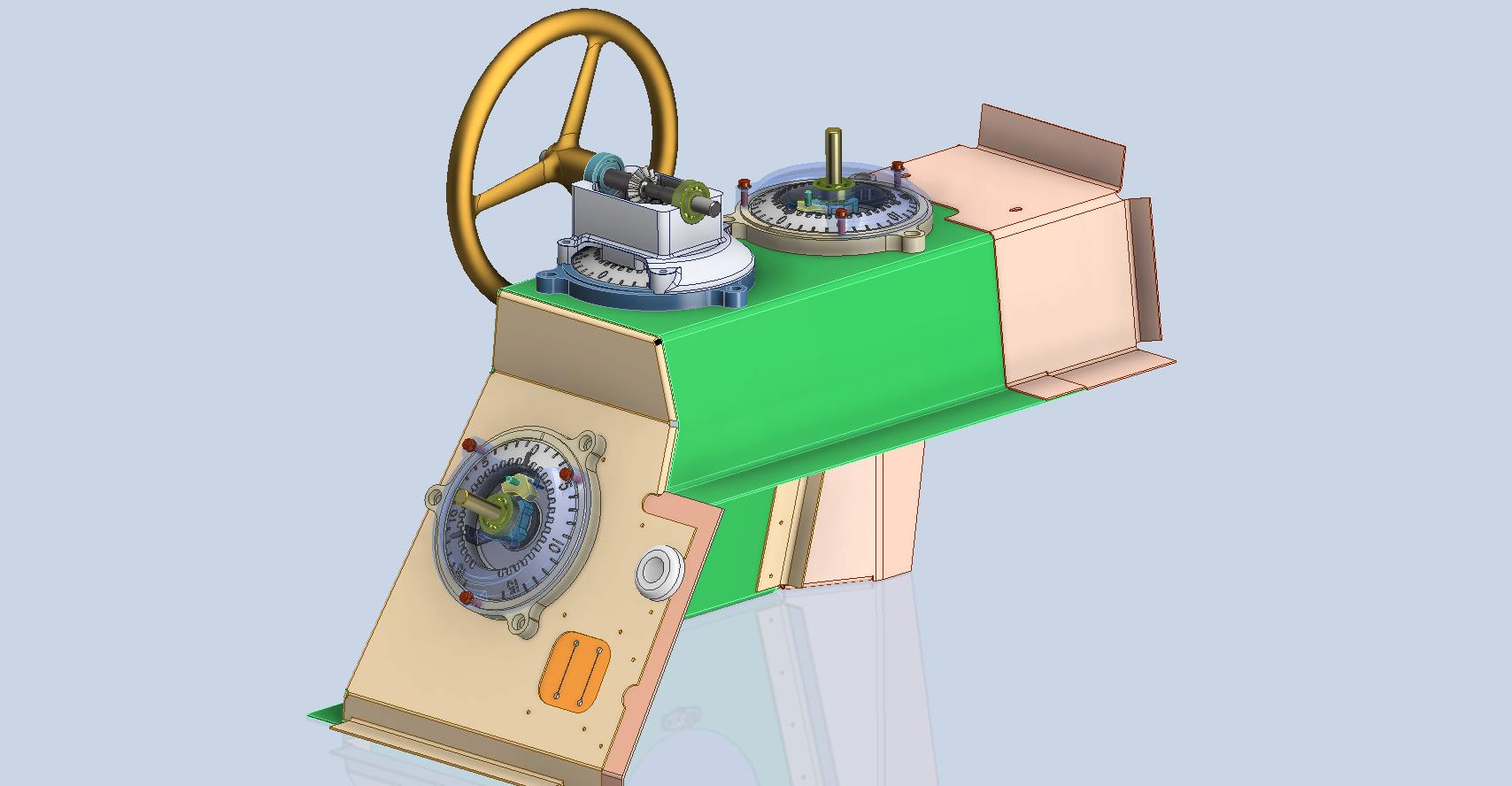
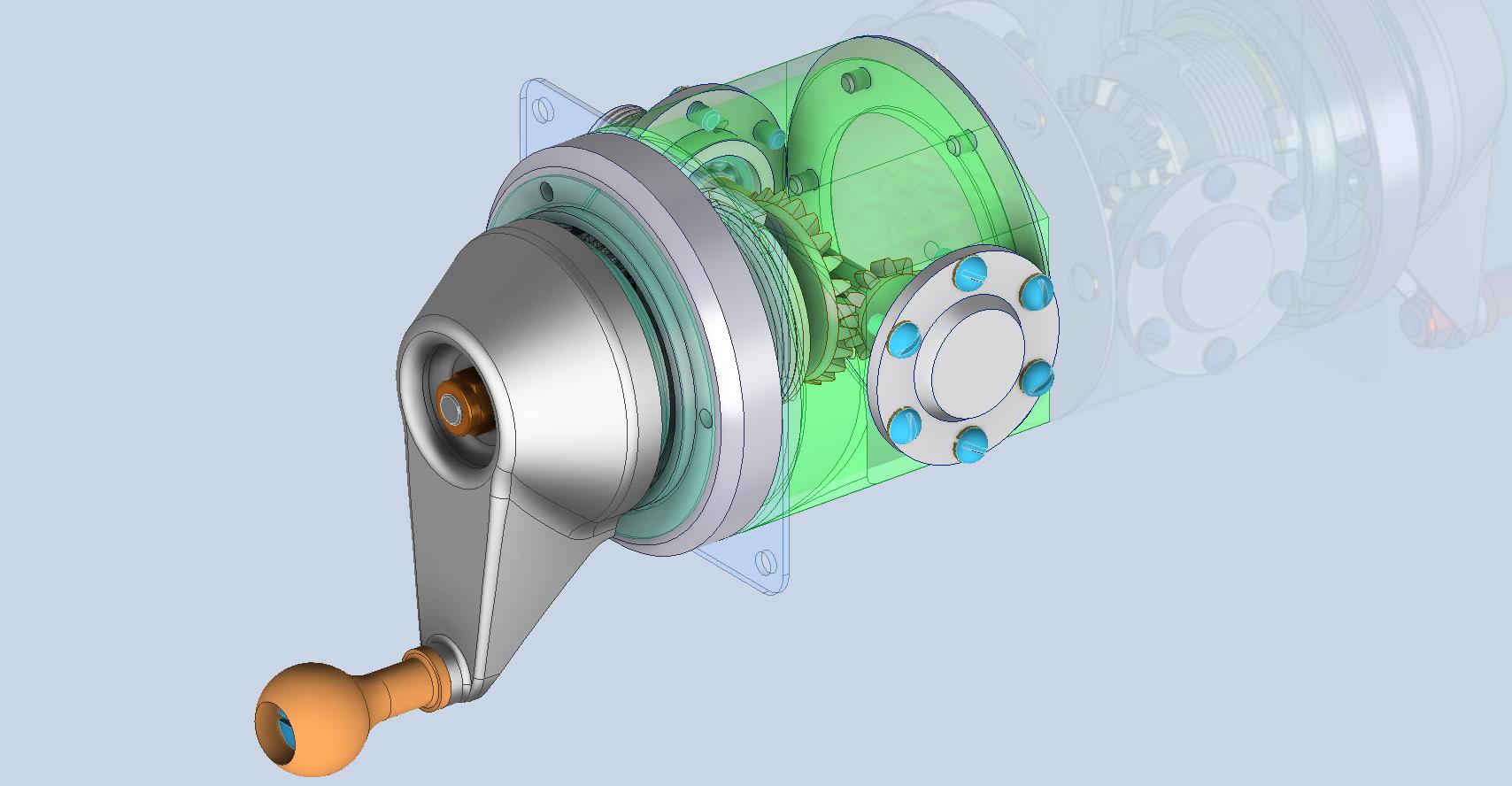
Working on the controls and instruments for the P-39 spawned a plethora of questions about how these controls actually worked. So I endeavored to incorporate the inner workings in the Trim Tab Control CAD models. This was specifically to get a better understanding of how they work. This was not a mandated requirement. The initial work scope was replicating the external components for a static display P-39 restoration.

Often enough in museums and private collections, we only see the external controls. For many, this is all they want to see. But what if we also see the internal gears, pulleys, shafts, and bearings to understand how they operate? This is exactly where I now want to go with my future projects.

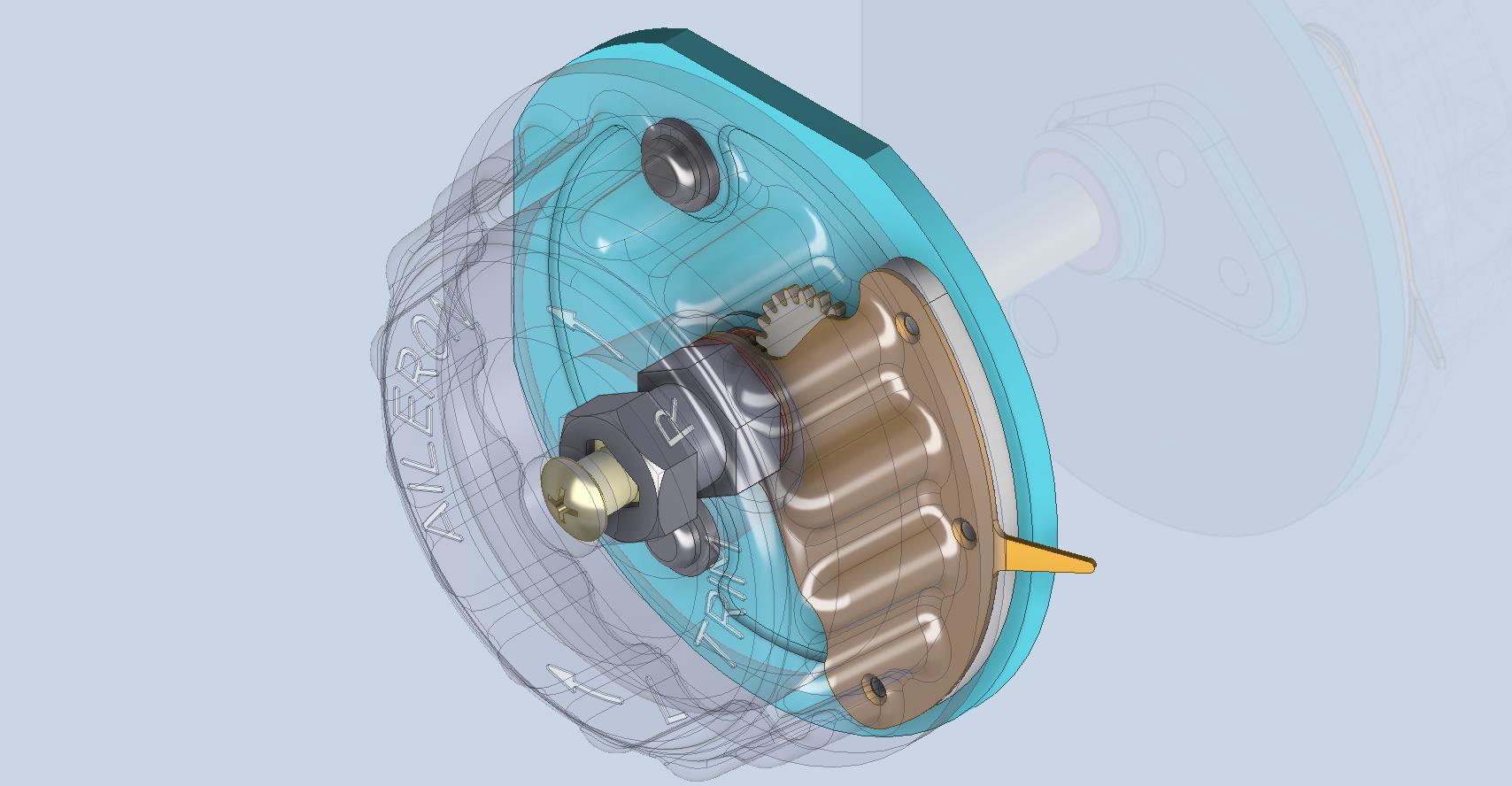
The Trim Tab controls for the Elevator, Rudder and Aileron are already modelled for the P-39 including the internal components. These dials and controls are currently being manufactured for the restoration project. The decision has now been made to incorporate the working mechanisms as functional replicas. This is great and will actually have some form of function, however, the mystery of operation still eludes the operator. I want to take this a step further and produce desktop models with Clearview casings so that the internals are visible. The exact method is still under review. It will mainly comprise 3D printing techniques for the main components attached to perspex casings.

The dials for all 3 controls are similar with the Rudder and Aileron dials operated by a control knob (not shown) and the Elevator Tab controlled by a wheel as shown. At the base of each control dial there is a sprocket for a short Roller Chain which in turn is attached to operating cables. Out of curiosity I decided to have a look at other aircraft to see how alternative mechanisms were developed for the P-51 and the FM2.

For the P-51 the Trim tab controls are comparable in their operation with the internal gearing arrangements but differ slightly in design.

The dials for the Aileron, Elevator and Rudder are all similar to the CAD model shown. The Elevator and Rudder have cable drums attached to a long shaft for direct cable operation whilst the Aileron has a chain sprocket similar to the P-39 Trim Tab controls.

The plan for the P-51 is to fully model all the components in the assembly shown, complete with cables and chains to simulate operation.

A small point of interest; the various aircraft designed by the same manufacturer often share common parts; for example the NAA drawings for the B-25 share the same Trim Tab control knobs as the P-51 and listed accordingly. For some reason, the P-51 drawings do not reciprocate.

If you can’t find drawings for a particular part, check collections for other aircraft by the same manufacturer. Occasionally, this can be worthwhile. Similarly, with Grumman, many parts were shared with the FM2 and the Grumman Goose.

The above model is the FM2 Elevator Trim tab control, the main body of which is typical for the Aileron and Rudder on Grumman drawing 13690. The Grumman Goose has similar controls shown on the Grumman Drawing 13693. Shared components across the various aircraft are listed on the Grumman FM2 drawings.

This Trim Tab control for the FM2 is probably the most complex I have studied so far…requiring very fine manufacturing tolerances. I am not entirely sure yet how this works as there is a complex array of tabbed washers that act as stops for the dial in both directions; it is unclear at this stage how they should be configured…I will get it worked out in due course.

A lot of work to do on these projects which will definitely keep me busy through 2025.

Technote: P-51 and P-39 Standards

Technote: P-51 and P-39 Standards

During the development cycle of any aircraft the manufacturing standards tend to evolve and commonly change content, description and name. Keeping track of those changes is key to ensuring the defined parts are correct for the assembly of components.

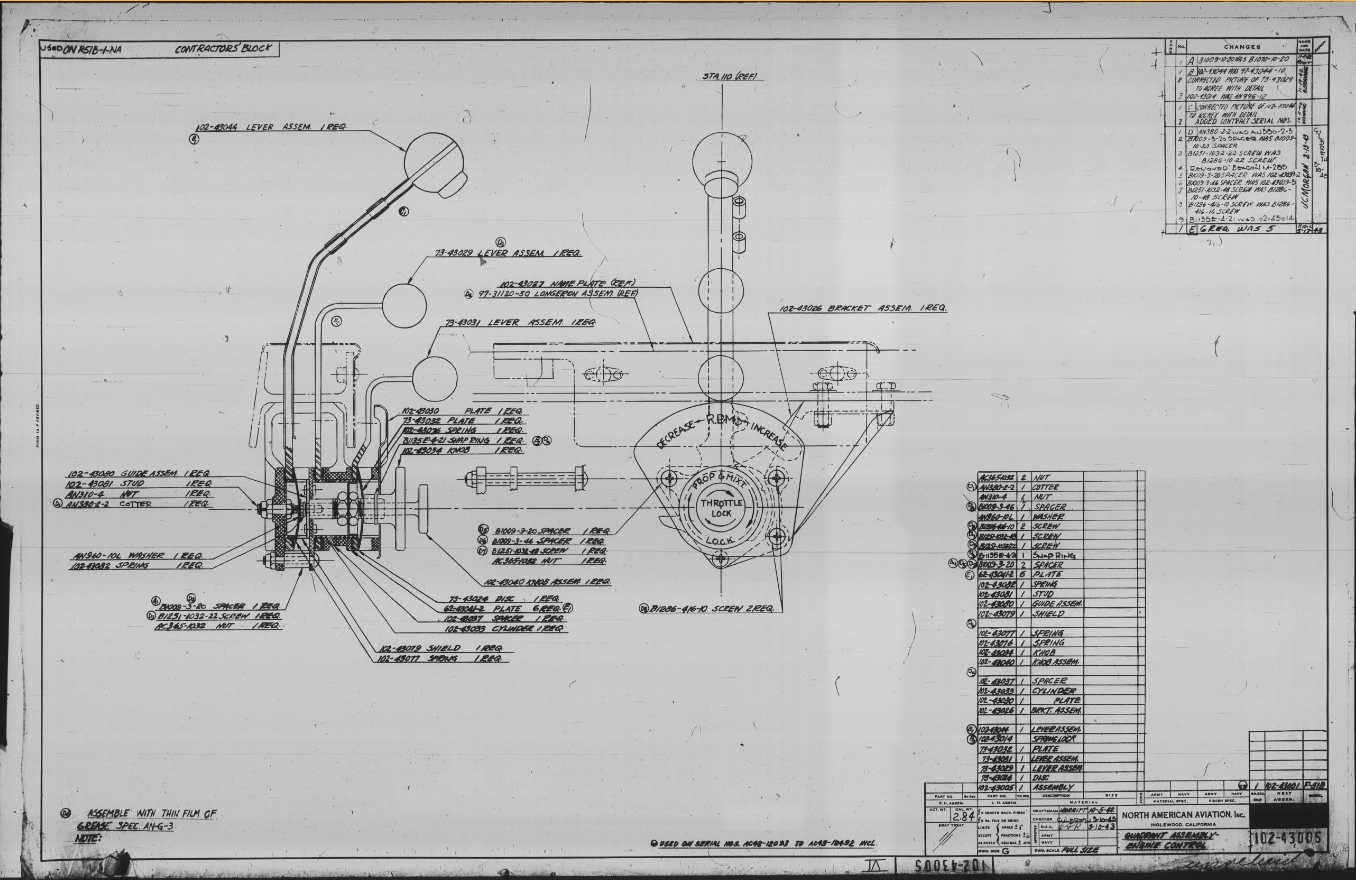
Alongside the P-39 Restoration project, I still develop several aircraft components for other aircraft. This includes my old favourite, the P-51 Mustang. This example refers to the Quadrant Assembly for Engine Control; drawing #102-43005 for the early P-51B.

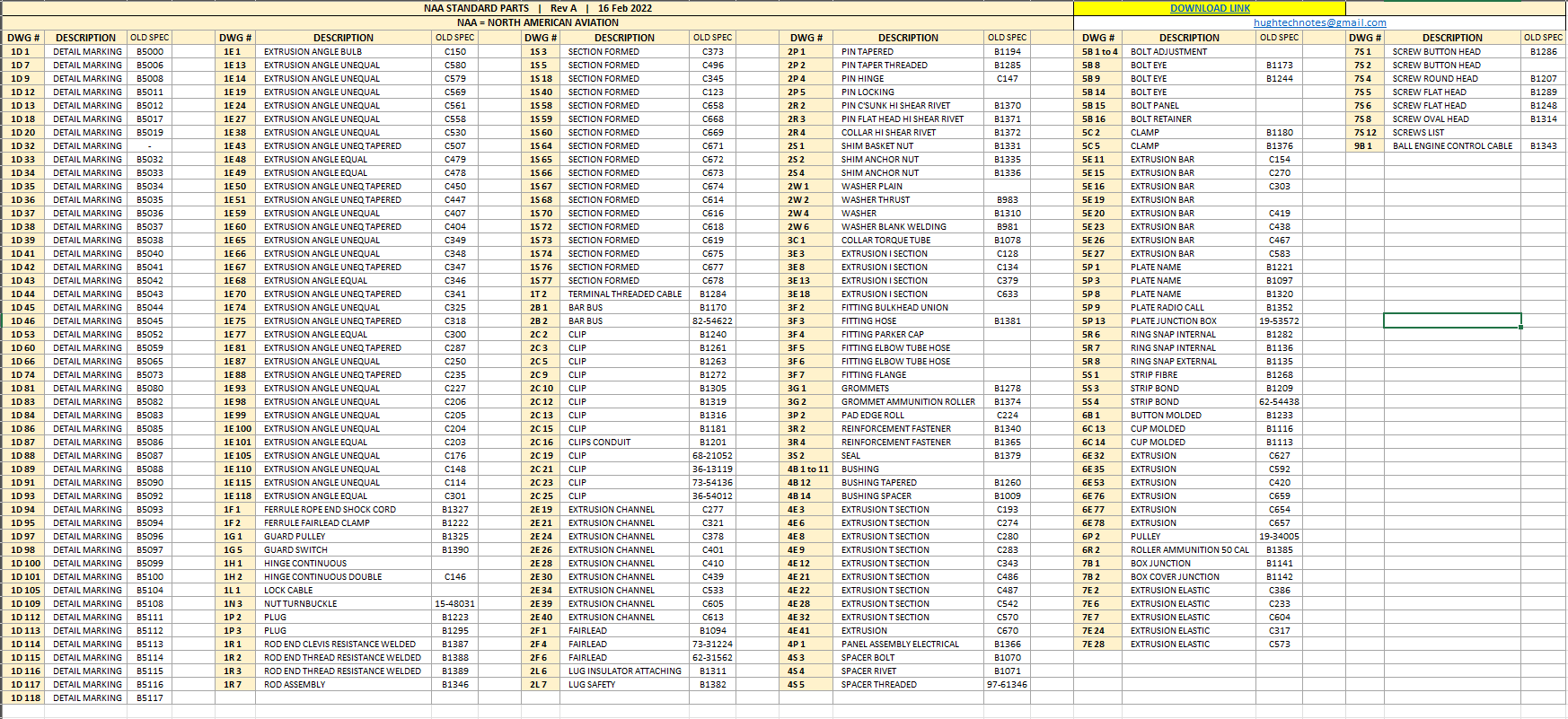
Many of the standard parts called up on this assembly use the early standard references. These are typically prefixed with “B”, like B1009, B1135, etc. These standards were later updated, and a new series of standards replaced them. I have correlated these in a spreadsheet, as shown below.

The spreadsheet only lists the standards that are available in the blueprint archive and may not be a complete record. For a more comprehensive listing, refer to the Erection and Maintenance instructions for the P-51A series (T.O. No. 01-60JC-2). Check the Conversion lists from pages 404 onward.

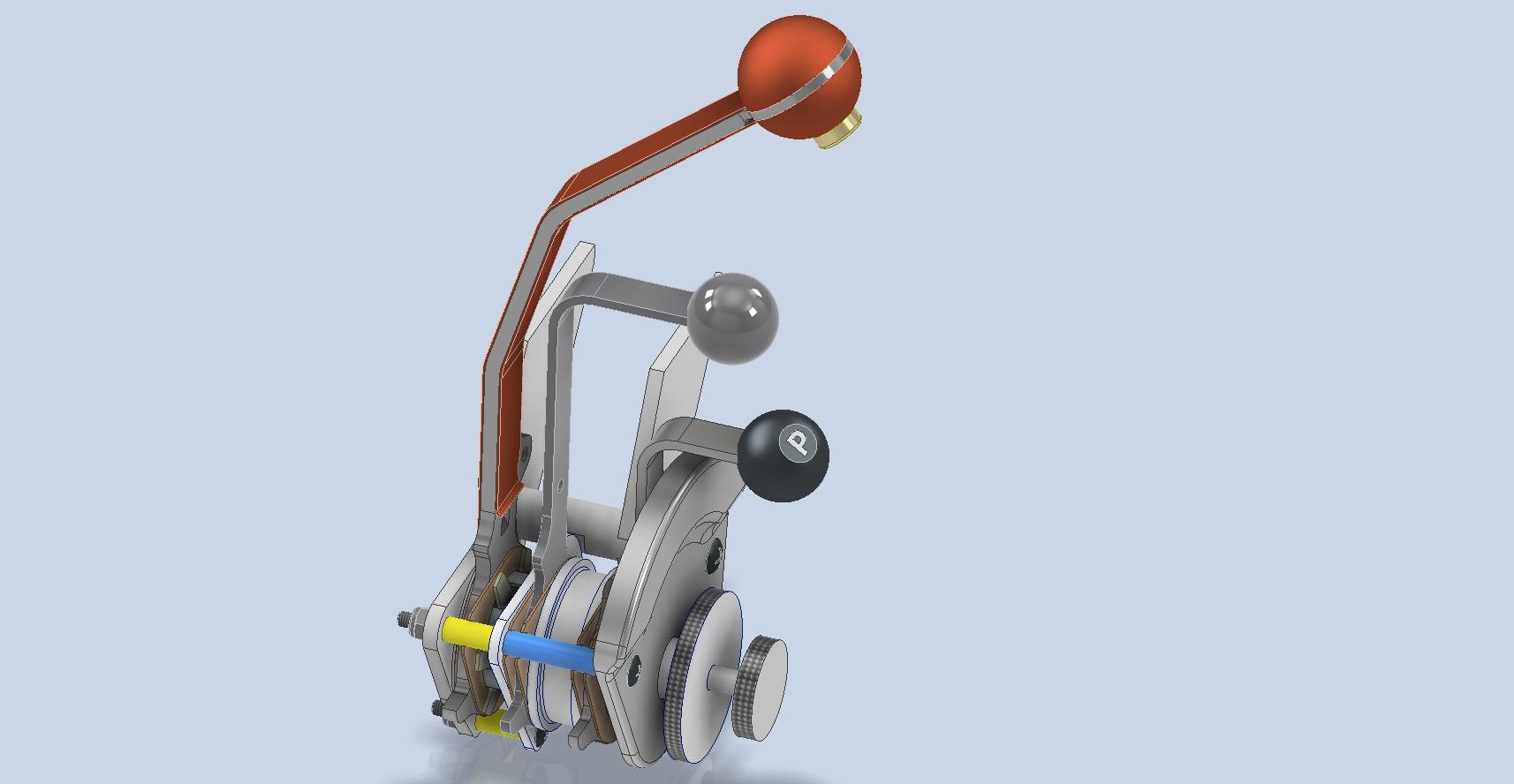
The CAD development of the Quadrant Engine Control is still a work in progress…created to the exact original dimensions.

My plan for the P-51 is to further develop the instrumentation for the early and later versions.

P-39 Update and Standards:

Over the last few months, the P-39N Restoration project has been my primary focus. We are close to completing the CAD work for the Cockpit instrumentation.

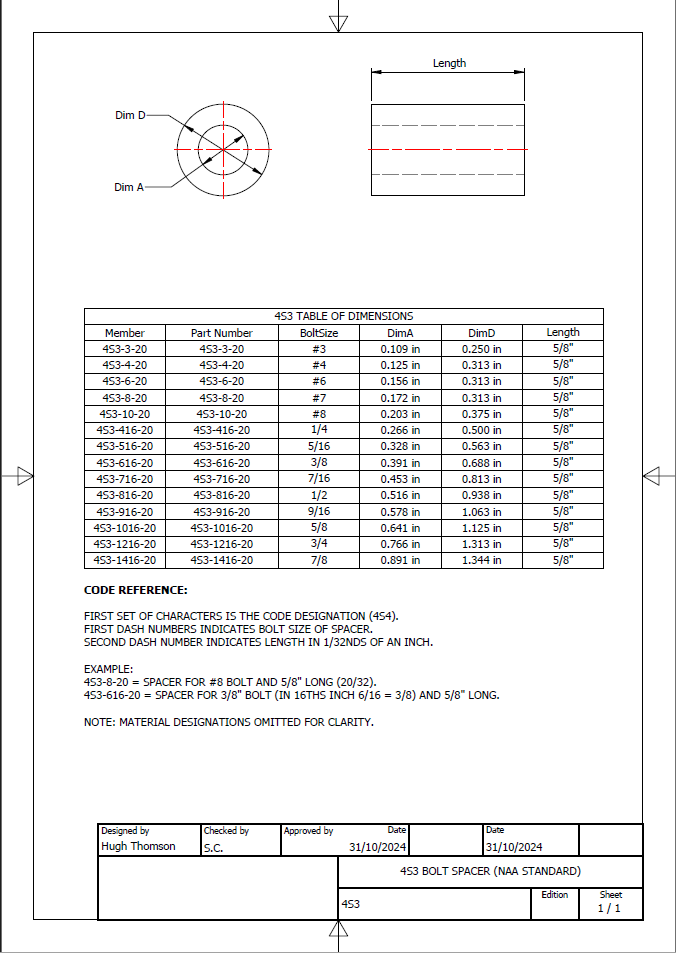
By contrast to the P-51 Mustang, we don’t have the same collection of Bell Standard part blueprints. We only have what is available within the manuals. However, the notations for the parts are similar for the industry as a whole. For example, a Spacer Part noted as Q065-6-20 shares the same notation for the dash numbers as the P-51 (standards 4s3 and 4S4). This in turn will define the spacer size…the first dash number sequence indicates the bolt size and the second is the length. In this case, it would be #6 bolt size. The length is defined in 1/32nd inch, making it 20/32″ (5/8″) long. This table derived from the iPart feature explains the designations in more detail.

The next time you come across a part reference you are unsure about, cross-reference it with other aircraft-known standards. Also, consult the comprehensive collection of AN and MS standards on Everyspec.com.

Technote: Rivets

Technote: Rivets:

Developing the CAD standards for Rivets has been on my to-do list for far too long..so with the progression of the P-39 cockpit instruments it has become a priority. Typically on the Bell drawings and other aircraft manufacturers’ drawings we may only have the hole sizes noted, the rivet designation or information pertaining to the same but unreadable. Also occasionally even when we do have the hole sizes and the rivet designation often we don’t have the length required.

Something needed to be done to make this task a lot easier, particularly when you have instrument panels that incorporate many different types and sizes of rivets.

The first part of the process is to create several parts for the various types of rivets; which at the moment are listing the most common sizes I need right now. You will notice that the Rivet Name does not include the material type as doing so would require an extraordinarily large table of data. So the name is simplified to make this task easier to correlate but also because the priority at this time is dimensional correctness for rivet type, diameter, hole sizes and rivet length. At some stage, I will invest some time into deriving the various information sources to correctly name the rivets according to the AN and MS standards.

To complement the CAD iParts I also have a few spreadsheets listing key parameters and fabrication criteria.

The above tables are self-explanatory with the inclusion of a designation for a Bell Standard Rivet 35R1. I have actually found dimensional information for this type which I will include in the CAD library. This is where things get interesting because of the scarcity of historical components that may no longer be available, it may be necessary to find suitable alternatives.

You will notice that the Rivet Grip tables are in inches and mm…as I tend to work using metric mm templates (although the dimensions are input as inches) it makes it easier to measure the material thicknesses in mm and determine from that the rivet length. There is a technote somewhere on my blog that describes the process of inputting inch dimensions in metric mm templated models.

This will be an invaluable asset moving forward with the cockpit rebuild on the P-39. For example where there are issues with the legibility of key information on the Bell assembly drawings I can refer to other connecting part drawings that may only have hole diameters but will be sufficient to determine the correct rivet type and size.

This is very much a work in progress and will be updated as needed.

Update: 28th August 2024:

I have updated the Rivet CAD files which now include AN426, AN430, AN442, AN470 and of course the Bell standard 35R1.

All Rivet CAD data files (iParts) are now included in the CAD Standard library (see CAD resource tab for further details) along with original spreadsheets of Rivet Grip and general details.

P-39 Restoration Project Update: Aug 2024

P-39 Restoration Project Update: Aug 2024:

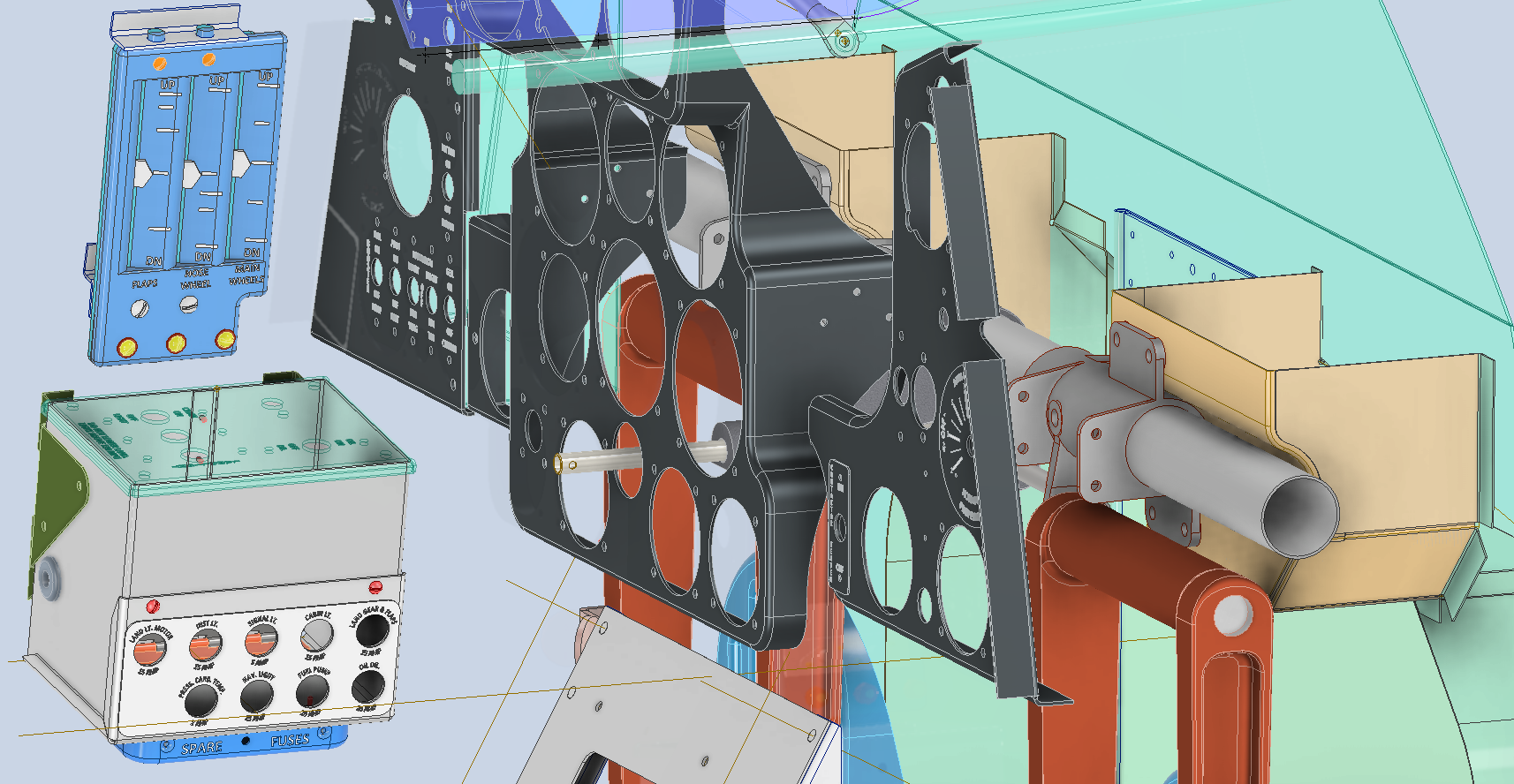
The P-39 Restoration project was rather busy last month. The chaps at PoF have completed and test-fitted the Drive Shaft Cover fabrication and the Floor panels for the Rudder Quadrant…all is good. The Radio Console is now designed with the 3D CAD models and fully dimensioned 2D drawings; for all parts; issued for fabrication…I am looking forward to seeing the finished product.

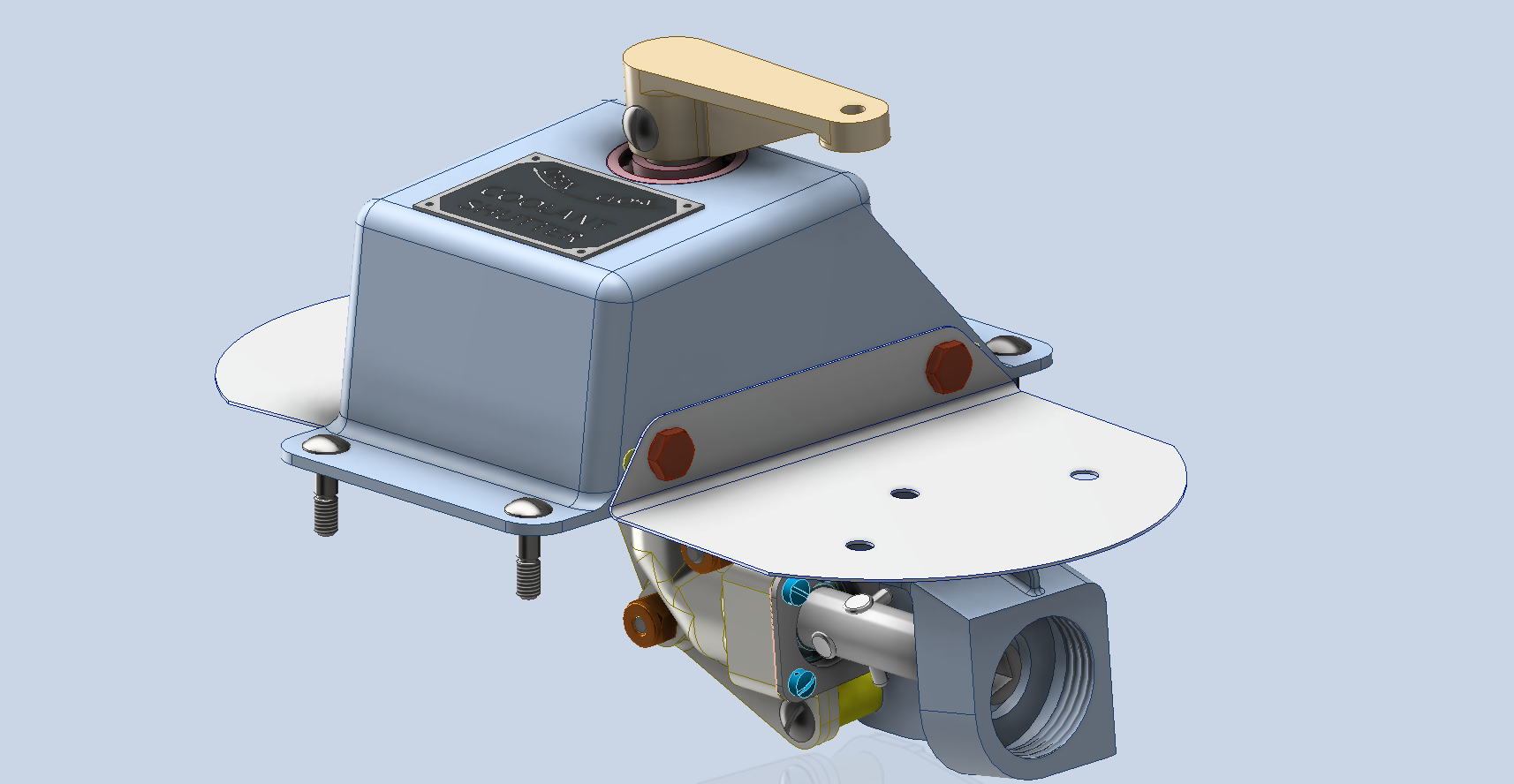
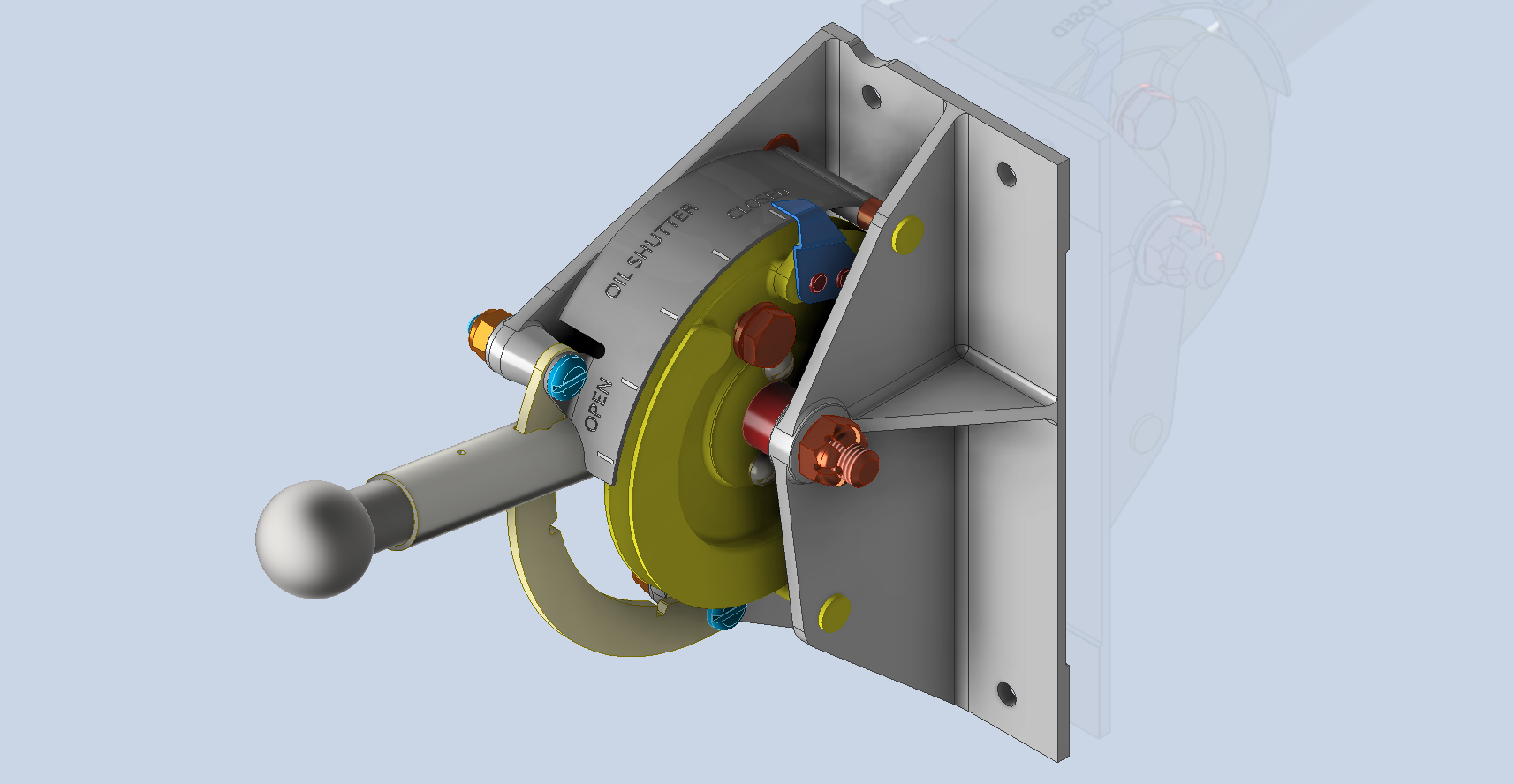
Several other components are still works in progress with the CAD development well-advanced. These are for the Auxiliary Switch Box and the Oil Shutter Control. I still have the detailed drawings to do for both of these assemblies, which hopefully I will get done in the next few weeks.

Today the importance of fully dimensioned and detailed 2D drawings is commonly overlooked. It is an essential part of the process to both check dimensional accuracy and also to ensure that the clearances and fabrication tolerances are correct. So I tend to do 2D dimensioned drawings for everything, even items we know in advance that will be 3D printed. All the assemblies include all the necessary bolts, nuts, screws, washers and other standard components in compliance with the requisite AN and MS standards.

As you know I already have a fairly comprehensive library of over 350 parts parametrically modelled in CAD, which although comprehensive will at some stage require the addition of more components as highlighted by this particular project.

The current library is available on the CAD resources page, which will save you a lot of time and effort on your own projects. Although these CAD files are aimed at Inventor users you can quickly download an evaluation copy of Inventor from the Autodesk website and convert them to any CAD format you need.

Please consider making a small donation, even the cost of a coffee will help support my work on this project and the research work on other aircraft.

As usual any comments or feedback please drop me a line at hughtechnotes@gmail.com

Technote: Accurate Label Placement

Technote: Accurate Label Placement:

For instrumentation Panels, the location and size of text is very important to ensure clarity. This is usually well documented on the manufacturer’s blueprints so it is essential we get this right. In Inventor for example and I am sure it is equally similar in the many different CAD programs the key is the Text justification…let me show you.

First of all a quick update on the P-39 Restoration progress. Much of the recent discussions revolved around fabrication and 3D printing. As mentioned in the previous article this restoration is a static display for which many of the parts will be 3D printed, although the key aluminium panels will still be fabricated as such. The very latest part to be issued for fabrication is this small Switch Box on the Radio Console.

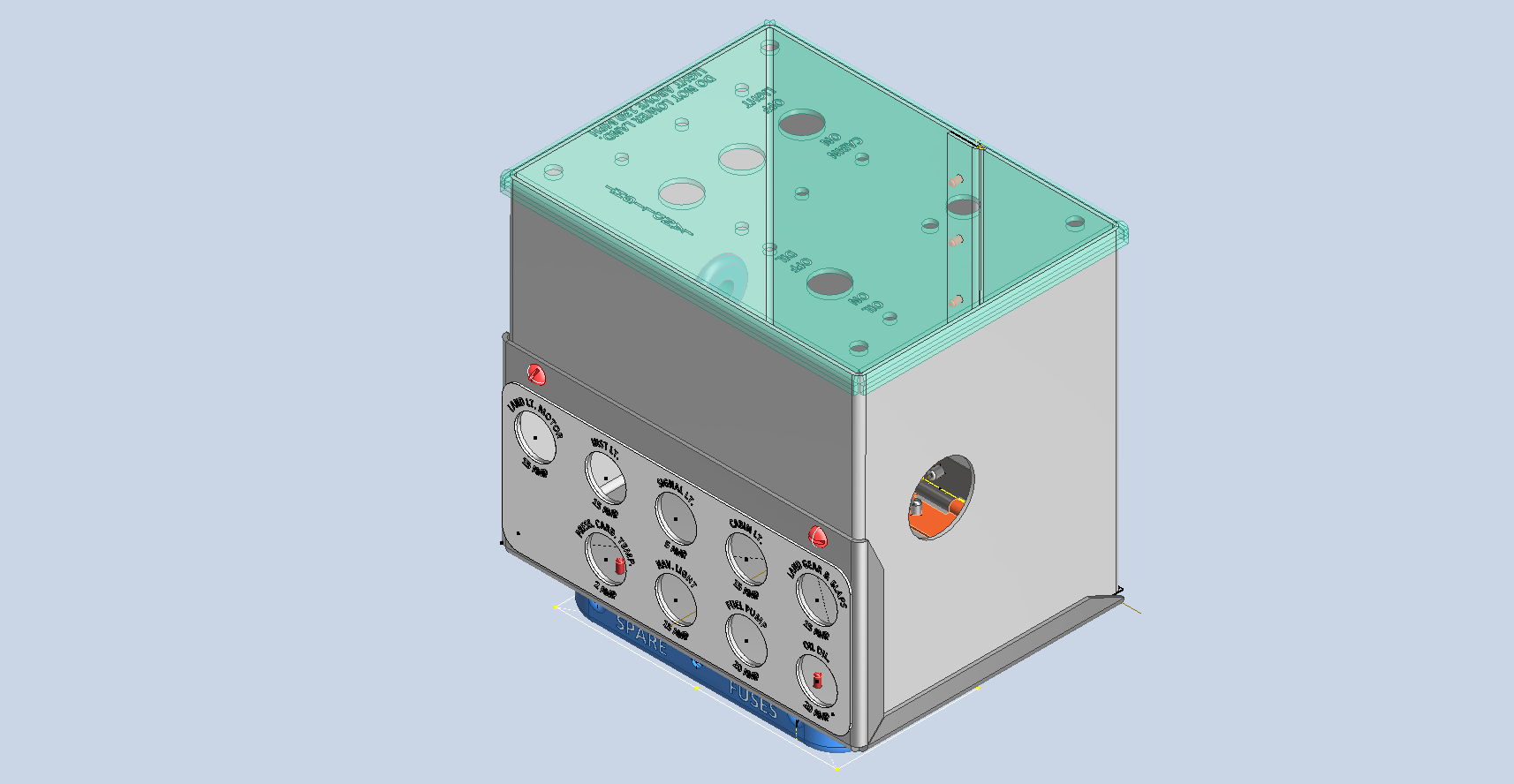
A surprisingly complex box which will be 3D printed and the Nameplate will probably be CNC. The dimensions of the main box are not defined on the Bell drawings so I had to interpolate from the known information and other Bell references to determine the final dimensions. This took into account the clearance from the Drive Shaft connecting flange which is in very close proximity to this box. This also fits quite well into our discussion here on Label Text Placement.

Typically on the Bell drawings, for example, the panel drawings include the height and location of the Label text similar to the following.

The way we do this in Inventor is by using the Text justification feature in the text editing box.

In the first image, we adjust the justification using the icons at “1”. If the dimension to the text label is to the bottom of the text we set the vertical justification to the bottom and if the placement horizontally is to the centre we centre the justification. When you exit the Text editing box a Text outline box is shown in dotted (this is optional so make sure you switch that on). The appropriate edge of the dotted line frame automatically aligns with the justification of the text entities. This dotted outline can be dimensioned and constrained as you would any graphic sketch entity. The second image shows some examples of how the dimensions of this outline relate to the justification.

It is not unusual for the overall width of the label text to also be specified in which case the “Stretch” value can be adjusted accordingly, entity “2”. At “3” we set the font and height, make sure you have the text highlighted in all cases or these adjustments will not be applied.

Interesting to note that the text outline can be useful if you require a frame around your text. The dotted lines can be changed to normal sketch lines and extruded or embossed as required.
There are a lot of features in the text editing dialogue which I may do as a technote further down the line but for now, to get the label text in exactly the right locations this is the way to do it.

P-39, FM2, P-47, P-51 Updates

P-39, FM2, P-47, P-51 Updates:

Blimey I can’t believe I haven’t posted any updates since April…so I thought I should post an update as a lot is happening. The P-39 Restoration has been a particular focus of attention these last few months, with a particular emphasis on the Cabin rebuild.

P-39 Access Door Sta 86:

P-39N-5 cannon Access Door at Sta 86 positioned between the Rudder Pedal footwells. This took a while to create in CAD due to the complexity of the rudder footwells which are only required for positional reference.
The Footwells do exist which means we have a baseline to check the dimensions in-situ before fabrication. All the original CAD 3D models are provided to the restoration shop along with fully dimensioned 2D drawings.

P-39 Drive Shaft Cover:

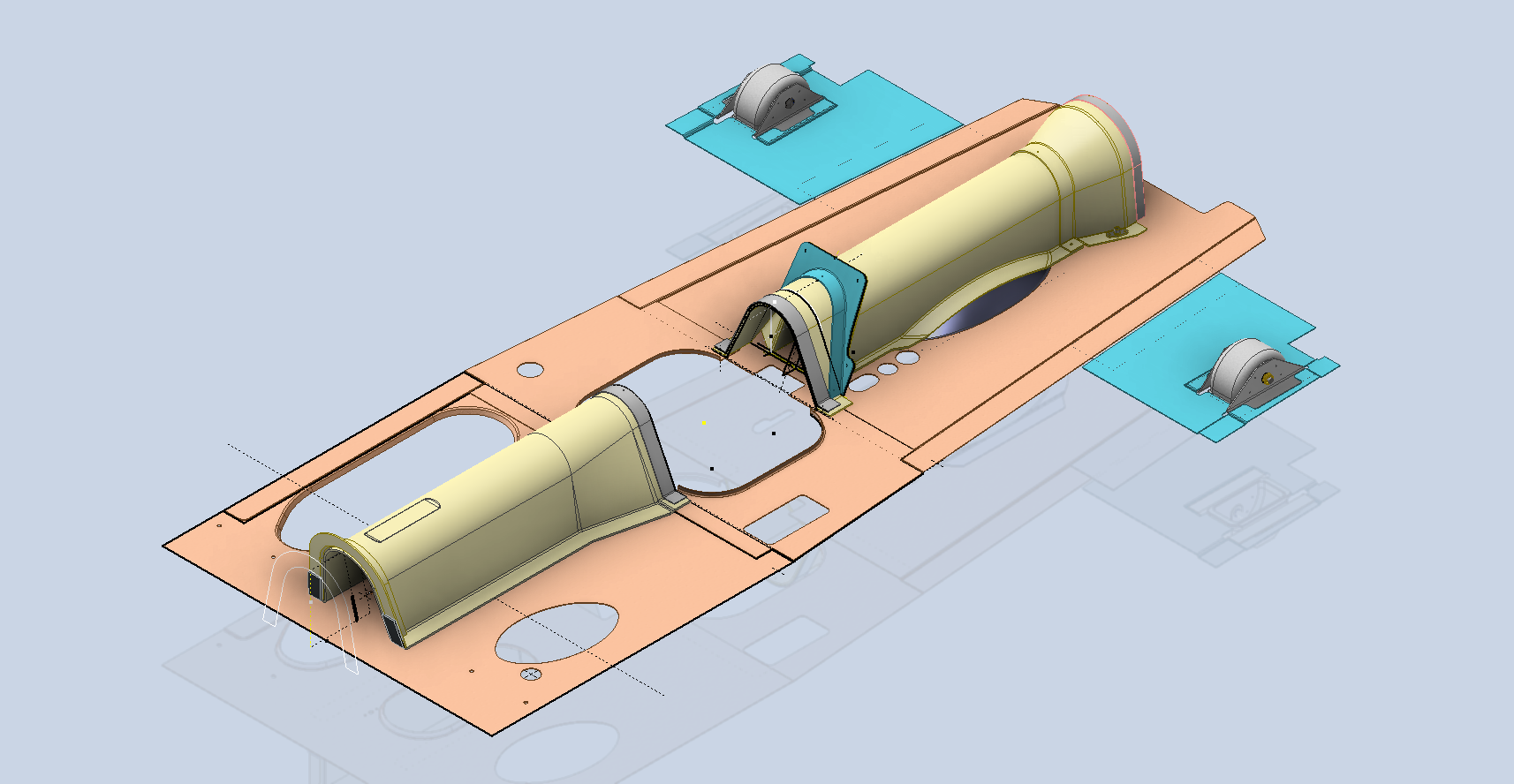
P-39N-5 Drive Shaft Cover was another interesting assembly because it was decided at the eleventh hour to 3D print the main sections. For this to work the material thickness has to increase to 0.1″ which meant that careful consideration was required to ensure that this change did not impact the interfaces with the existing bulkheads and the Radio Console.

The above images are courtesy of Omnica Corporation.

P-39 Forward Floor panels and Rudder Quadrant Covers.

As you can see the right-hand floor panel is missing and of course the relevant Rudder Quadrant Cover. The left side panel was also created in CAD because there was consideration for replacing the existing panel and Rudder Cover on that side due to the poor condition.

FM2 and P-47:

Moving on from the P-39 the FM2 project is currently on hold as my intent is to visit a few collections in the UK later this year to do further research, particularly the wing geometry. The P-47 has made its very first mention on this blog…another ordinate study for a friend which is progressing reasonably well but with the focus on the P-39 this will take a bit longer than I had planned.

P-51 Mustang:

The P-51 has popped up again after so many years…not an update per se but a new direction for me on the 3D printing side of things. As some of you already know I have been messing around with 3D printing for a while now mainly the SLA resin. Many moons ago I fully modelled in CAD the Tailwheel mechanism, some of which I had already 3D printed. The reason for revisiting this project is to 3D print more of the parts as a test bed for different resins to examine various structural properties, dimensional accuracy and of course, play about with different finishes. Also to determine just how thin I can go with 3D printed parts and still have a workable mechanism.
This P-51 is a side project that will help me devise solutions for the ultimate goal which is to replicate flight instruments and controls.

As you know original instruments for these aircraft can be very expensive and just furnishing a static display restoration project with the original instruments somehow seems a waste when a replica would be sufficient. This way we can make available the original instruments or parts thereof for refurbishing/restoring for an actual flying aircraft restoration.

My budget for this is rather limited for purchasing materials and I also have limitations on the Elegoo Mars Pro print volume. However, I can work within these limitations…it just takes a bit longer! Something like the newer Elegoo Saturn Ultra would be a dream for this sort of stuff…maybe someday!

The resin I’m currently reviewing is the Anycubic ABS-Like washable resin which surprisingly is rather good…now I have the settings dialled in the detail and dimensional accuracy is exceptional. I will endeavour to test some of the engineering resins like the JAMG HE products though they do require a heated VAT. I see a lot of potential for 3D printing parts in the restoration of static aircraft projects. I would suggest organising the CAD workflow so the original parts are modelled to the manufacturer’s exact dimensions and adjustments made only to derived parts thus retaining the original details.

Link to AnyCubic ABS-Like Water Washable resin: https://store.anycubic.com/products/abs-like-resin-v2?variant=43608219484322

Another aspect of 3D printing worth exploring is for making molds and something else I am keen to try is whether it is strong enough for vacuum-forming thin sheet aluminium.

A lot is going on here at the moment with work continuing on the various aircraft whether that be ordinate studies, designing for manufacture or indeed exploring the vagaries of 3D printing.