Technote: Understanding Ordinate Datasets

Technote: Understanding Ordinate Datasets

I wrote an article on using the Ordinate datasets many moons ago, which is now rather dated so I figured it was time to write an update with a better explanation.

First of all the reason why? It’s like every other construction project where you first start with a skeletal framework and then develop the project’s envelope. Whether it be a building with a steel frame, a boat, even the human body relies on having in place the skeleton on which to build the construction elements.

Aircraft projects are no different and to this end, many manufacturers provide this information in the form of ordinate dimensions. This information occasionally is listed in tables or included on the individual part blueprint drawings. I firmly believe that once you have the basic framework dimensionally accurate then everything else falls into place…so it is incredibly important.

Basic Ordinate Overview:

Let’s take an example from the Bell P-39 Airacobra.

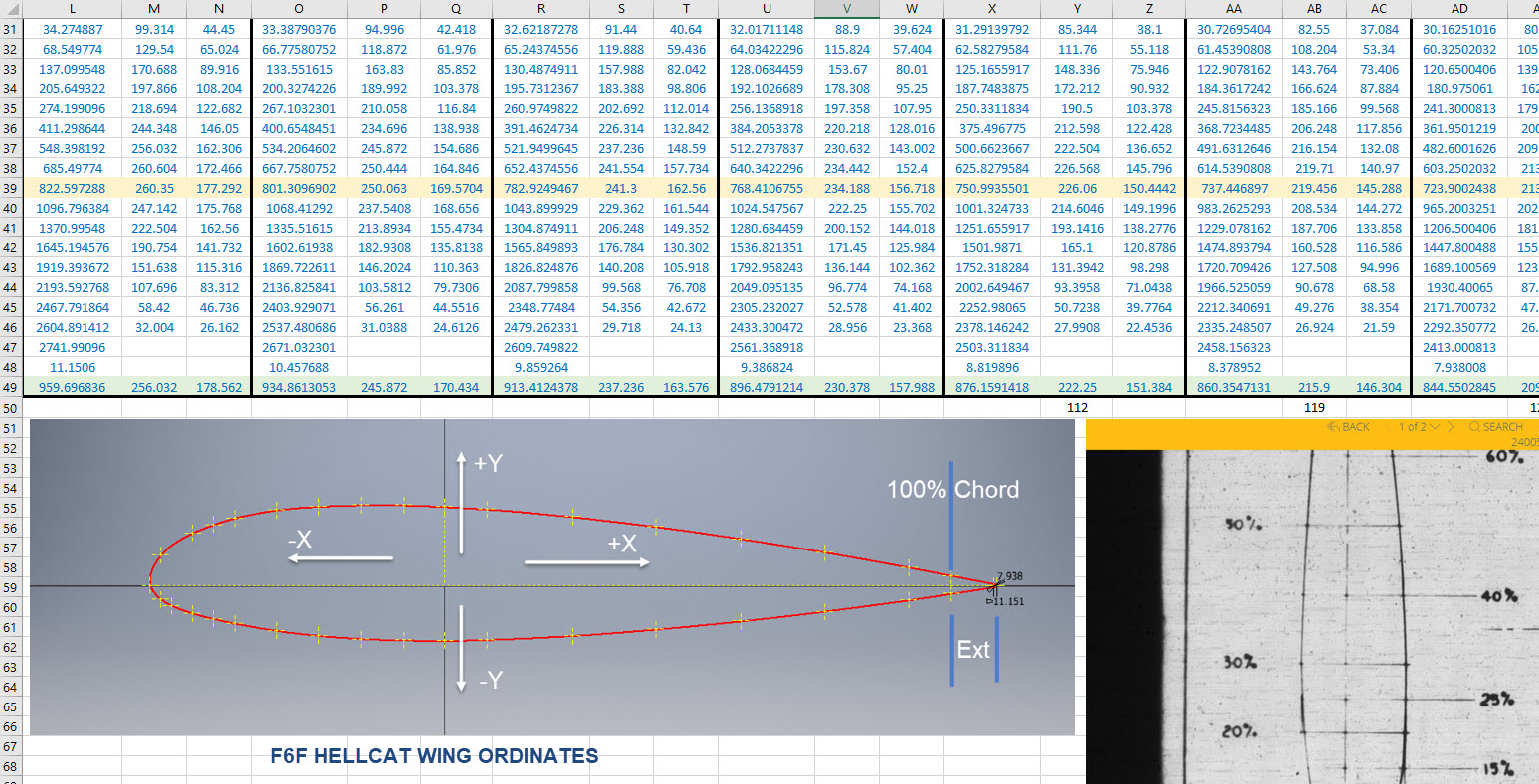
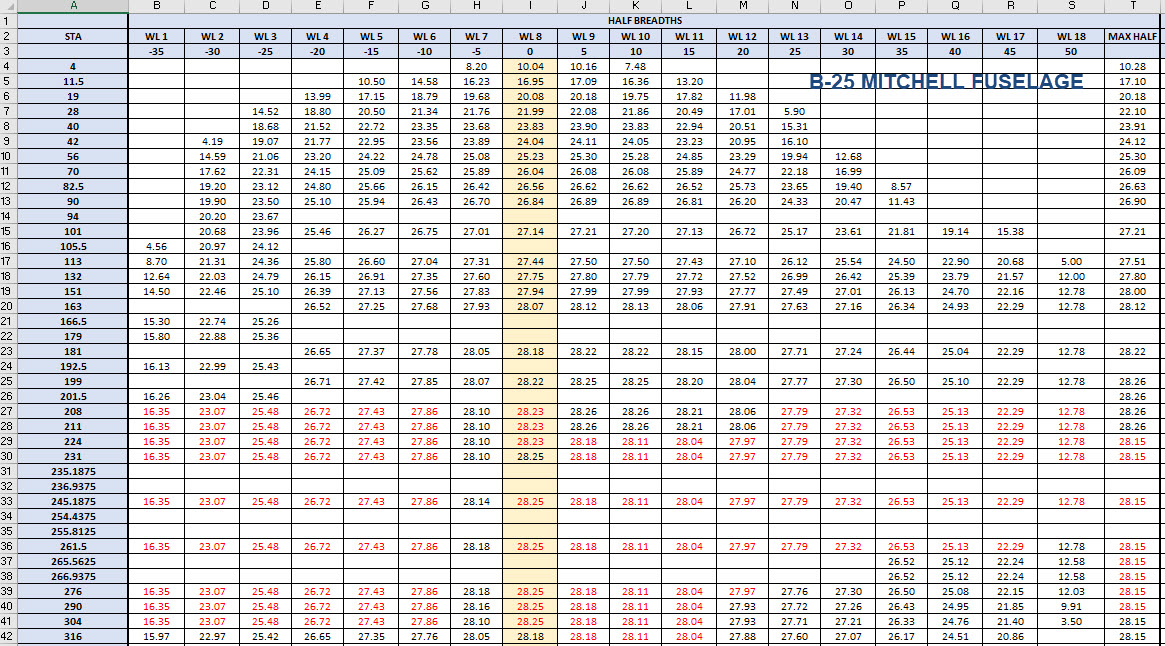
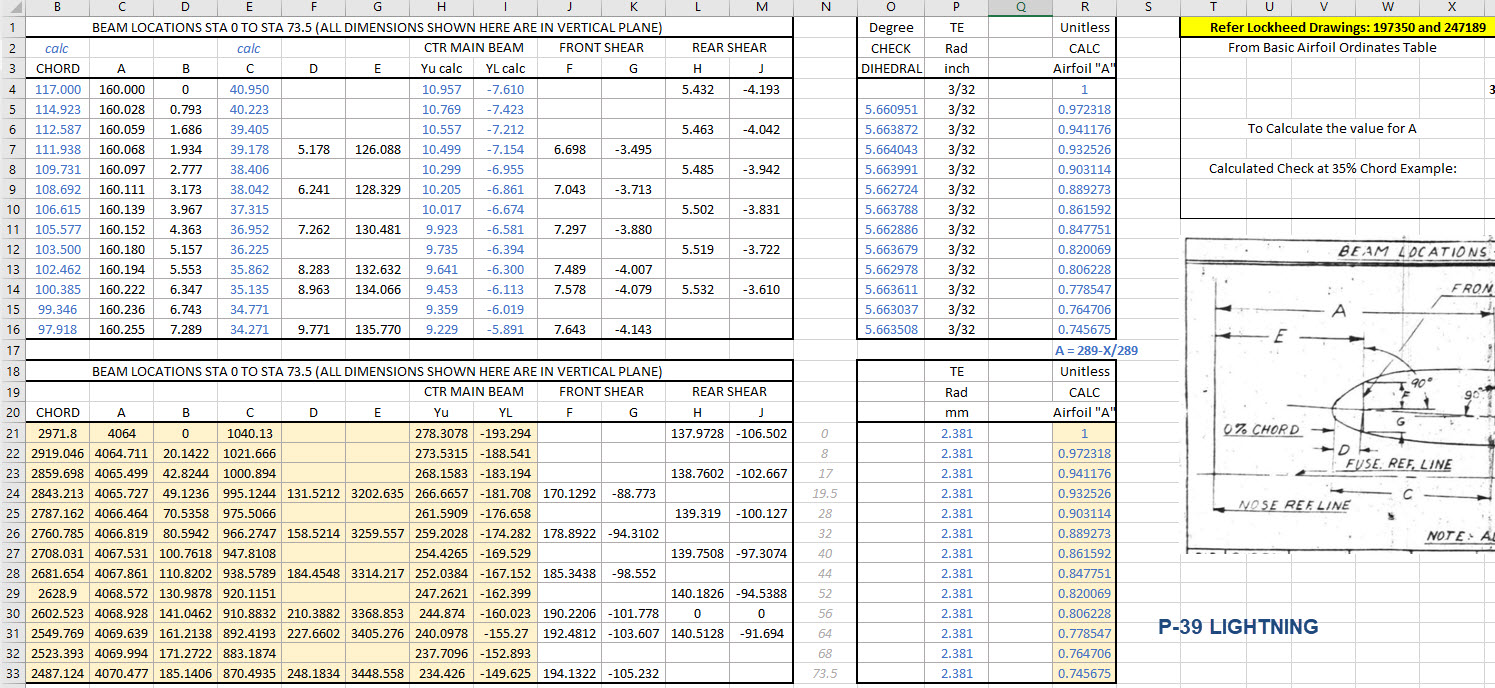
For this aircraft, the ordinate dimensions are noted on the actual part blueprints so I have developed a series of tables listing this information in excel spreadsheets as shown. They list the Station Location from the aircraft Zero plane (this is usually identified by the manufacturer). The Station number is actually the station dimensions from this plane which defines the Z component. The next column on the table is the Vertical Y-component or the dimension to the Waterline and finally, we have the Horizontal X-Dim which lists either the Buttock Line position or Half Breadth dimension.

Commonly the Horizontal axis on the aircraft is known as the Fuselage Reference Line (FRL) or occasionally the Thrust Line. The Vertical Line is simply known as the Centre of the Ship to the Aircraft.

Waterline (WL): Horizontal Axis, Buttock Line (BL): Vertical Axis. An example of this is where we commonly have a designation like WL4…which means the Waterline at 4″ above or below the Centre of the Fuselage. So when it is not specifically dimensioned you would know from the designation where it is located.

Once I have the tables of known dimensions I would occasionally extrapolate this data to list the actual X,Y,Z dimensions in separate tables to make it easier to copy and paste into any CAD system.

As you can see from the above image, the dimensions are initially listed in 3 columns, X,Y,Z and next to that is the same data listed with comma delimiters. The reason for this is because Mechanical design packages like Inventor and Solidworks will recognise separate columns of data in the requisite order as stated whereas Autocad will require combined data for Mulitple Point input as comma-delimited.
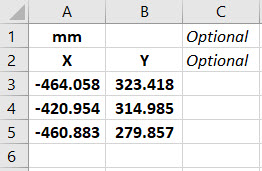
The way I do this is to have a separate excel spreadsheet which I keep on my desktop which I call Scrap.xlsx. The format is common as shown in the image on the left though I should note the top 2 rows are optional. If there are no units specified it will default to the CAD template units. I usually don’t bother with the top 2 lines. Once the points are imported into CAD I tend to delete the values in the spreadsheet Scrap.Xlsx and start again.

The comma-delimited column data in the above image can also be copied onto a Notepad Text file and used in Autocad. Worth noting is that if you try to import X, Y, Z coordinates onto a 2D sketch it will only import the first 2 lines and ignore the third…so make sure the columns are in X, Y, and Z-order.

An important consideration is that not everyone uses Inventor or Solidworks or even Autocad which is why the spreadsheets are critical because then everyone can use the data to build their own models.

Actually building the model can be done in several ways. You can build a part file with multiple workplanes on which to sketch the profiles from the input ordinate data or individually in separate part files. You can model the parts in context, i.e. taking into consideration the Station (Z-axis) dimensions so when input into the assembly they locate correctly in 3d space. Or just the X, Y, ordinates in the part file and locate to the Z-axis offset in the assembly.

Dealing with problem data:

This is perhaps one of the main driving initiatives behind the development of Ordinate datasets with regards to the legibility of the original manufacturer’s blueprints.

This example is actually quite reasonable whilst others are quite illegible. As most of these datasets are listed in Inches; which are normally factions; it is easy to confuse whether a fraction is 3/16, 5/16 or 9/16 when all you have is a blob of dark matter.

What I tend to do in these circumstances is develop what I do know and develop the profile using splines to connect the points and then apply the curvature to help determine the missing point location or check that a point is correct.

Occasionally points you need to complete a profile just don’t exist on the blueprints or are completely illegible which will then require more extensive research. Sometimes this information is included in the maintenance or Repair manuals or in the case of the P-51 Mustang a missing point was actually found in correspondence. Either way compiling this data and building the profiles is very time-consuming.

Another fairly common problem is wrong dimensions. Every aircraft project I have worked on from this era has this problem, not because they are bad draughtsman (very much to the contrary) it is because many of the drawings are only records of the Template Lofts and occasionally the dimension is recorded incorrectly. The skill is identifying that the dimension is wrong; it is unwise to assume that because something does not look quite right that it is actually a mistake. So you have to check with associated parts and layouts to be sure.

The image above is the Horizontal Stabiliser leading edge. The rib in blue (1) was obviously wrong because of a distinct kink in the curved edge, which when corrected aligns well with its neighbours. The one in red (2) also appears to be wrong even though the curvature looks fine the forward edge does not match with the projected alignment (I tend to use an Axis feature to check this). Before I apply any corrections I will check the part drawing and then the assemblies to determine if there is an error or if it is actually a design feature.

Locating Sketch Datum Points:

Creating workplanes for sketches as offsets from the primary X, Y or Z planes tends to copy the originating plane datum point which is not always where we need it to be when importing a series of points. The best option is to use the Parallel To Plane Through Point when creating a workplane as this allows you to select the point which will be the datum point on that sketch plane for locating the point data.

I previously wrote an article on this here: https://hughtechnotes.wordpress.com/2017/07/27/technote-inventor-sketch-datum/
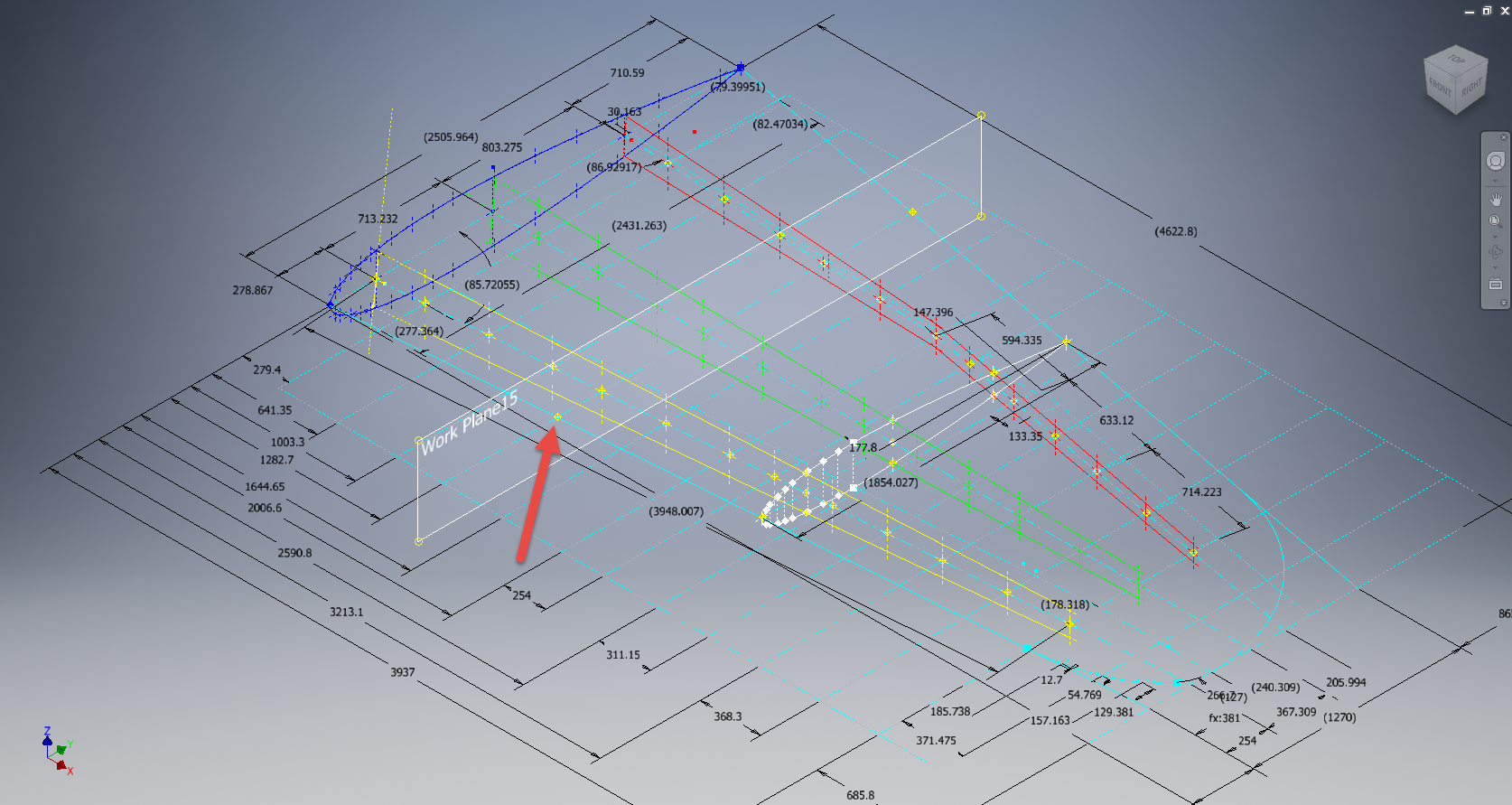
Some of the datasets are setout specifically to make it easier to input the data from the spreadsheet. For example, the extrapolated X, Y, and Z, coordinates for the P-51 Mustang wing have been compiled and calculated so they will input at the location of the 25% wing chord. This is assumed to be the logical setout point from the CAD World Coordinate system which saves you a lot of hassle.

If however, you have to create a workplane on an incline this option may not be available in which case you need to adapt the local sketch coordinate system to suit the required datum point.

In Inventor, you would right-click the Sketch in the model browser and select the Edit Coordinate System option which initiates an adjustable Coordinate icon on the sketch.

Suffice to say this icon can be manipulated, moved and rotated to any point on the sketch to suit your requirements. I will do a more comprehensive article on this shortly.

Other Excel Ordinate Examples:

The actual layout of the Ordinate spreadsheets depends entirely on the form from which the data is developed. Where the original blueprint data are listed in tables I will generate the excel spreadsheet in exactly the same format…which helps when checking the data input. If there are no tables but data from the part drawings then I will generate tables according to how the dimensions are noted.

All the dimensions are listed in Inches and Millimetres. I normally extrapolate the X, Y, and Z coordinates to millimetres as this is easier for me to work with…but it is easy to change that to inches if required. All the spreadsheets are fully editable and not restricted in any way.

Finally a quick Excel tip:

If you work with percentages a lot you will find this useful. When entering the value in the cell just add the % sign after the numbers and Excel will automatically format the cell as a percentage value.

Ordinate Data set Availability.

The NAA P-51 Mustang (probably the most comprehensive study) is available as a separate package from the Blueprints archive. The B-25 Mitchell is also a separate package and the Grumman Goose. The F6F and F4F are currently included in the Blueprint archive as they are not so well organised (work in progress) for now.

The Bell P-39 Airacobra is currently included with the blueprints but as I am now working on a new update this will shortly only be available as a separate package.

The P-38 Lightning is brand new and will not be available until June.

Final Note: All the Ordinate packages include the 3D cad model as developed in Inventor. This should not be an obstacle to anyone wanting to interrogate the model as a 30-day evaluation of the Autodesk Inventor is readily available for download. You can even extract sketches from the model as DWG files if required.

Many of the Ordinate packages include fully dimensioned Autocad 2D drawings and PDFs. These are mainly layout drawings and critical location information where it is essential to better understand relationships between wings, fuselage and empennage. Again all these are fully editable.

For all inquiries and feedback please get in touch: hughtechnotes@gmail.com

Technote: Learning Resource for 3D CAD!

Technote: Learning Resource for 3D CAD!

Today I had an interesting conversation with a University lecturer on utilising historical blueprints as a resource for learning 3D CAD. I have been involved in similar discussions in the past and I do think they are an ideal source for those that are beginning this journey. I once helped a college to develop a curriculum for their students learning CAD on the principle that they would be more engaged in the learning process if they were developing a real-world object that they could actually relate to.

It does make a lot of sense and I would encourage new users to seriously consider the many benefits of using blueprint resources for learning. A typical aircraft design covers complex mechanical items, hydraulics, electrical, sheet metal, moulds, integration with external resources such as Excel spreadsheets as well as familiarising the end-user with tolerance application. Never mind the added benefit of how to prepare quality, fully dimensioned 2D drawings. All disciplines in one package!

I work with a lot of different CAD systems, not just Inventor, though the main reason for using Inventor is because it is accessible as a trial product more so than many others and that this industry is not one normally associated with Inventor…so it is a nice challenge. Occasionally, particularly with other CAD systems, I tend to evaluate them using the blueprints as source material to cover the many aspects of their functionality.

The blueprint archives are not expensive when you think that you could get 10000 blueprints for a small amount of money. The downside of having so many blueprints is finding what you need to help with your learning task. The P-51 Mustang blueprints come complete with a fully detailed drawing list which helps enormously. The P-39 blueprints are roughly sorted into categories which helps in this respect. The Fw190 and Bf109 sets are also very good but as they are in German this sometimes can be counterproductive if it is not your first language.

I am currently putting together a free random collection of a dozen or so blueprints from the various Aviation archives that will give you an introduction to real-world applications and a head start on your project. Just drop me a line at hughtechnotes@gmail.com.

The initial randomly selected files are available online here. https://www.mediafire.com/folder/iyedg37u0ckku/Blueprint+samples

3D Printing: P-51 Tailwheel

3D Printing: P-51 Tailwheel:

I’m back after a few months dealing with a difficult period of my life. I would like to take this opportunity to thank those that stepped up to the challenge and supported me through this time.

Many moons ago I developed a series of CAD models for the P-51 Mustang Tailwheel mechanism initially to study the mechanical operations and also to clarify an otherwise obscure area that is not clearly defined on the NAA drawings.

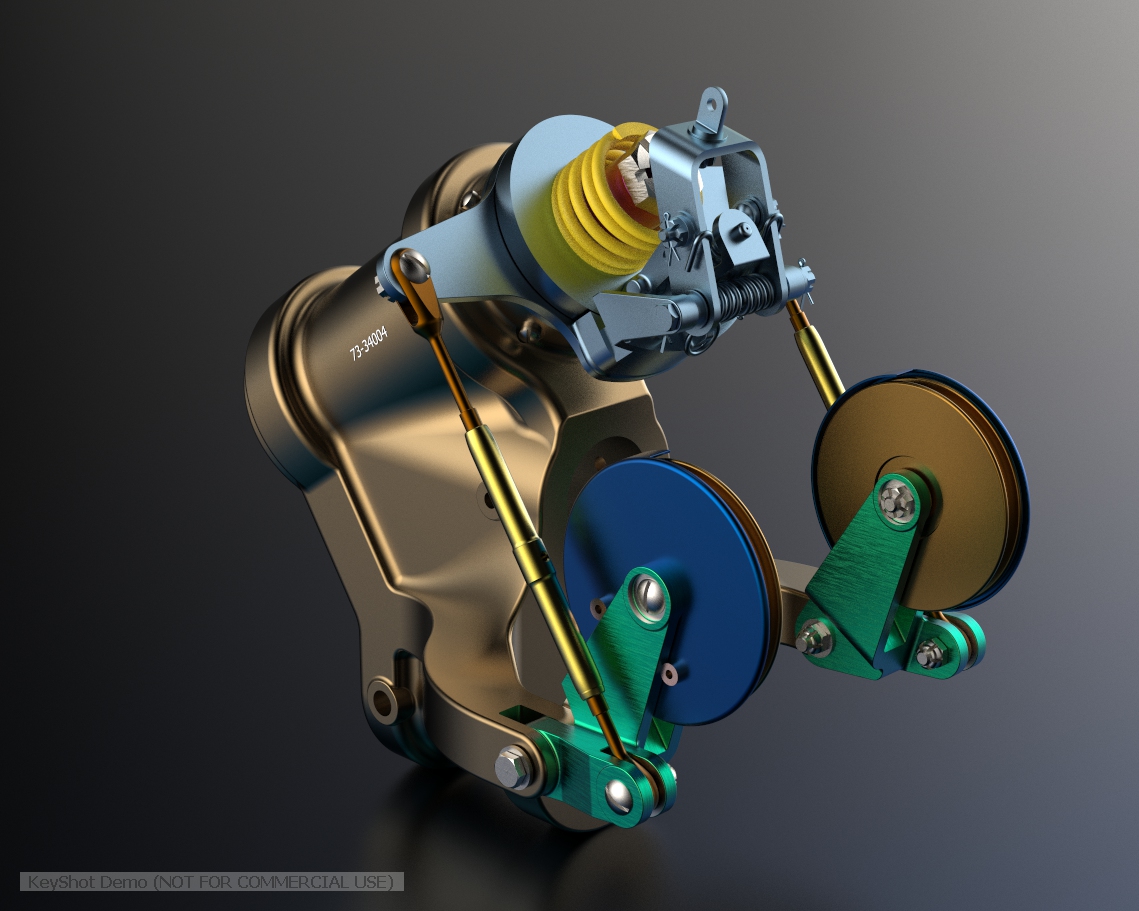
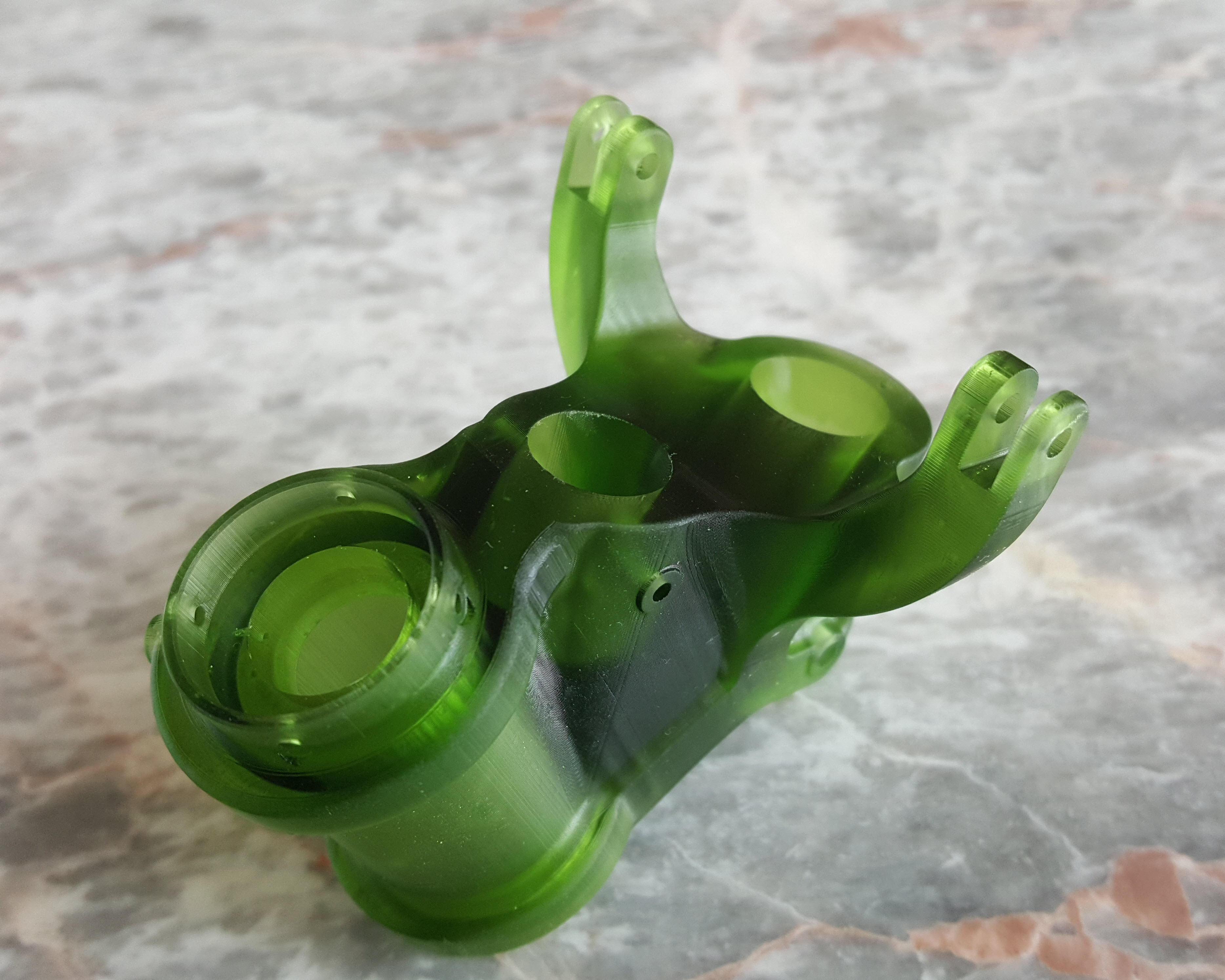
At the beginning of 2021 I had the good fortune to obtain an Elegoo Mars pro 3D printer which just sat in the cupboard until now. Getting my life back on track I unboxed this and setup for my first print which invariably had to be one the many CAD models from my research. The part selected is the Housing for the Tailwheel spindle. Part # 73-34004.

These parts are accurately modeled from the NAA drawings so I was unsure how well they would print at 1:4 scale particularly the thin wall elements.

The first image shows the preparation using the Lychee Slicer program with the layers set to 0.05mm. I added a generous amount of supports to maintain the print integrity using the Auto support feature with a few manually added for good measure. The Resin I used was the Elegoo Water Washable Green which has worked very well. I am rather pleased with this print as I had read many horror stories of problems that folks encountered with this type of immersive printing which made me a tad anxious before I eventually decided to take the plunge.

This printer is capable of printing with a layer height of only 0.02mm which is quite extraordinary but as it took 4 hours to print this model at 0.05mm I doubt if I will venture to printing at a finer pitch as the time would be excessive. I don’t plan to print all the Tailwheel components as my budget for resin is limited but I will print a few more to determine the limitations; if any; of resin 3d printing.

Talking about the future I should note that I am currently sourcing new material for the P-51 Mustang and hopefully to start a brand new project for the F7F Tigercat.

If you are interested in the Tailwheel models check out the bottom section of this post for details.

On a personal note it is good to be back working on these projects and please do not hesitate to comment or drop me a line with any queries. hughtechnotes@gmail.com.

Technote: Autodesk Inventor 2022 Part Model States

Technote: Autodesk Inventor 2022 Part Model States

In a previous Technote I briefly introduced the work method for Derived parts that provide the capability of managing model states i.e. from Forged part to machining; as separate part files. This was included in a discussion on the P-51 Mustang Tail Wheel down position modeling.

Inventor 2022; just released; now has a feature called Part Model states which will enable you to manage manufacturing operations, dimensional variations and simplified representations all on one part file.

Check out the introductory video on The Autodesk website for more details on this feature as well as more information on the latest release of Autodesk® Inventor®. This is packed with user-requested updates and enhancements to help manage your design process, speed up your connected engineering workflows and reduce repetitive tasks.

Whilst Autodesk Inventor is not normally associated with the Aviation industry it has a very advanced 3D toolset that adapts well to this industry as I have demonstrated in the many Technotes throughout this blog. So do checkout my previous articles on using Inventor in this environment and drop me a line or comment below. More information on Inventor 2022 and specific tutorials on utilizing the host of features within Inventor will follow.

NASA, MSI, AN, USAF SPECS

NASA, MSI, AN, USAF SPECS

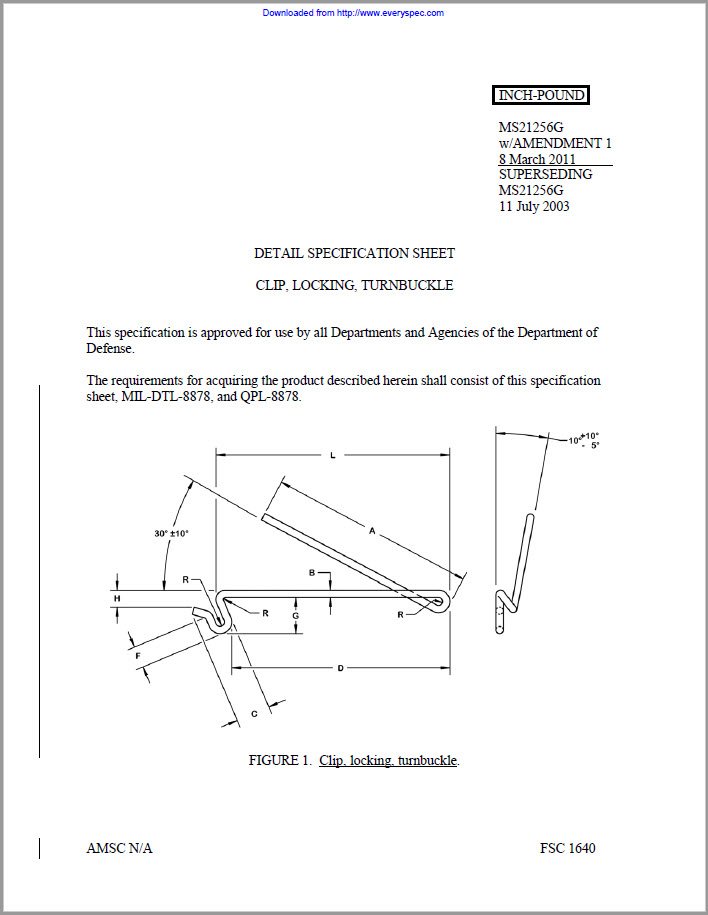
I have recently noticed that certain online sites are making available Industry Standard specifications for sale. You dont need to pay for this stuff as it is freely available online, where you can get virtually any spec you may need for historical and for new aviation projects here:

http://everyspec.com/MS-Specs/MS2/MS21000-MS21999/

or try: https://quicksearch.dla.mil/qsSearch.aspx

Aircraft manuals. Again dont be paying crazy money for these. Those same companies are charging upwards of $10 for a copy of a manual. Instead drop me a line I may already have it.

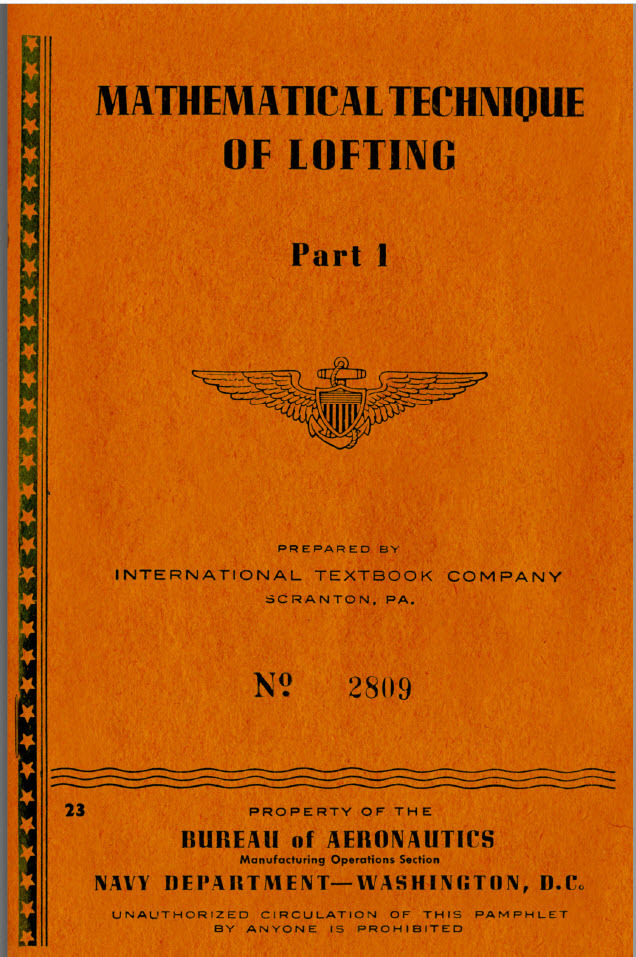
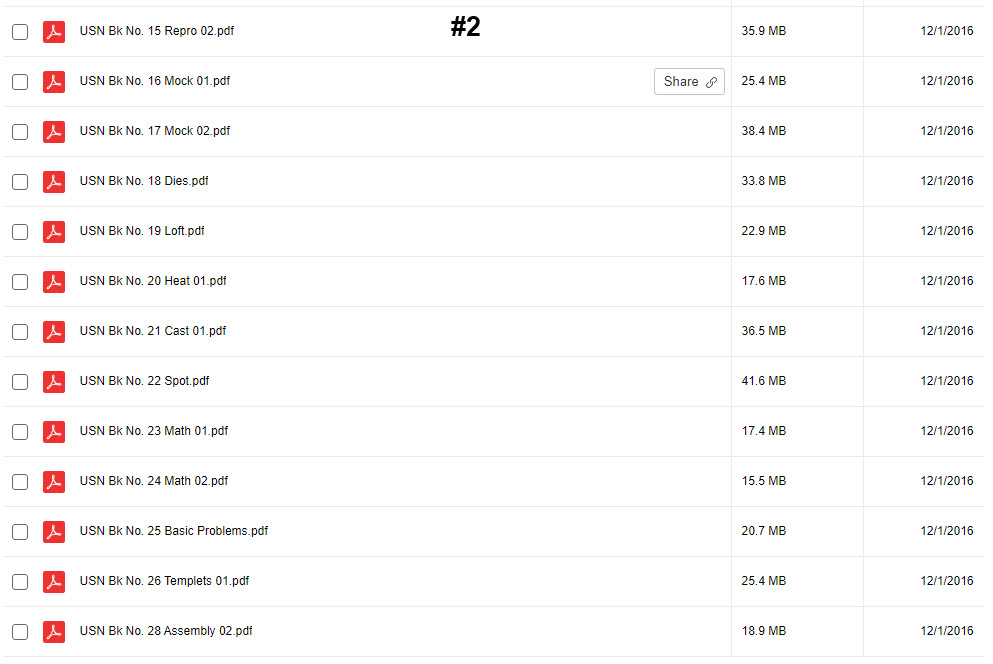
I also have the full compliment of HAWM workshop manuals; which are the original scans. Perhaps consider supporting the research that is done here. There are 27 manuals in this collection, covering everything you need to know about aviation workshop practice.

As usual all enquires to hughtechnotes@gmail.com

Design: Robotics Project

Design: Robotics Project

I haven’t posted any updates for a while due to ongoing development of various robotic projects. Obviously, I can’t say too much about the detail of these projects that include a new robotic arm and a miniature caterpillar tracked vehicle.

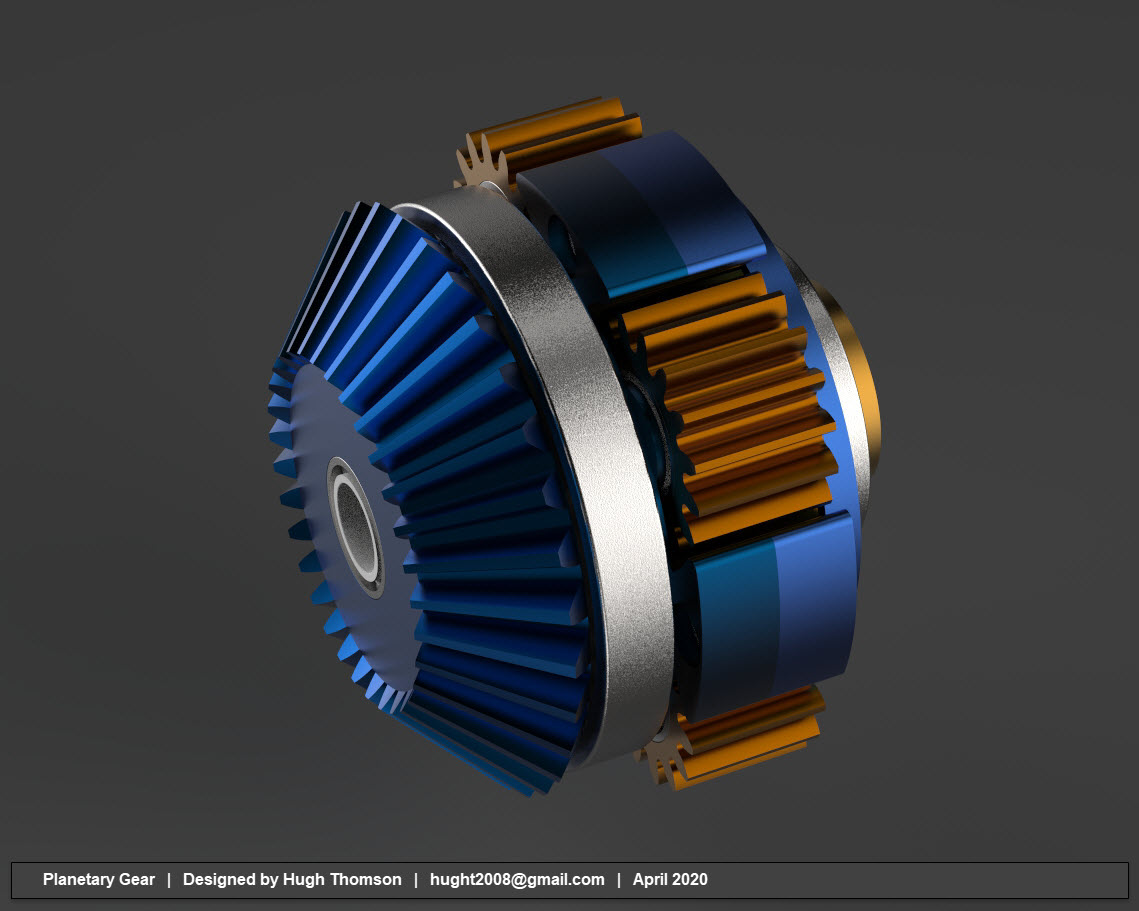
I am though pleased to share with you an overview of this new Planetary gear that I have recently completed.

pl72

This planetary gear assembly is less than 2 inches in diameter capable of manipulating a 2kg load. This will be part of a family of new gears designed with different ratios according to requirements.

As a footnote, I am still working on Historical Aviation projects on request by the many readers of this blog and also some updates to existing projects but the Robotic projects are my current priority.

Messerschmitt: Bf109 Ordinates

Messerschmitt: Bf109 Ordinates:

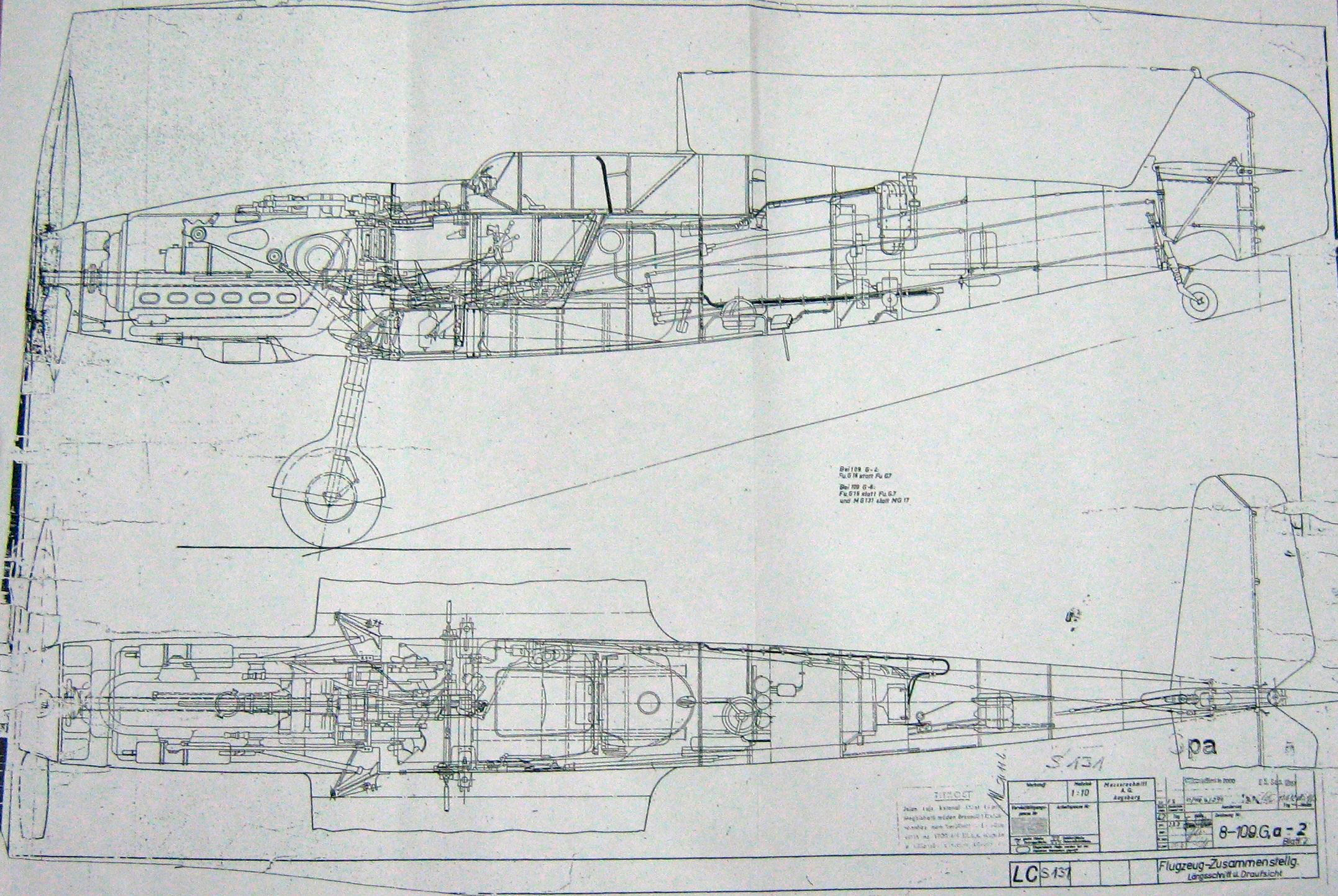
I recently received an inquiry from a museum regarding ordinate datasets for the Bf109. As I previously mentioned in this earlier post the archive I have has a lot of data that was done by others…so I figured it was quite comprehensively covered.
Anyway, I decided to have a closer look and see what was actually documented and how well it aligned with known data. It turns out to be a bit of a muddle. Although the data is quite well presented I have uncovered a number of inconsistencies and anomalies which I will need to resolve.

8-109.000 G-2 Flugzeug Zuss 2

What I thought would be a quick response to an inquiry has initiated a much more intensive study which admittedly I had not planned for. I will go back to basics with this one, using the existing data as a reference and develop a new set of ordinate data for the Bf109 similar to how I approached the Mustang P-51 project.

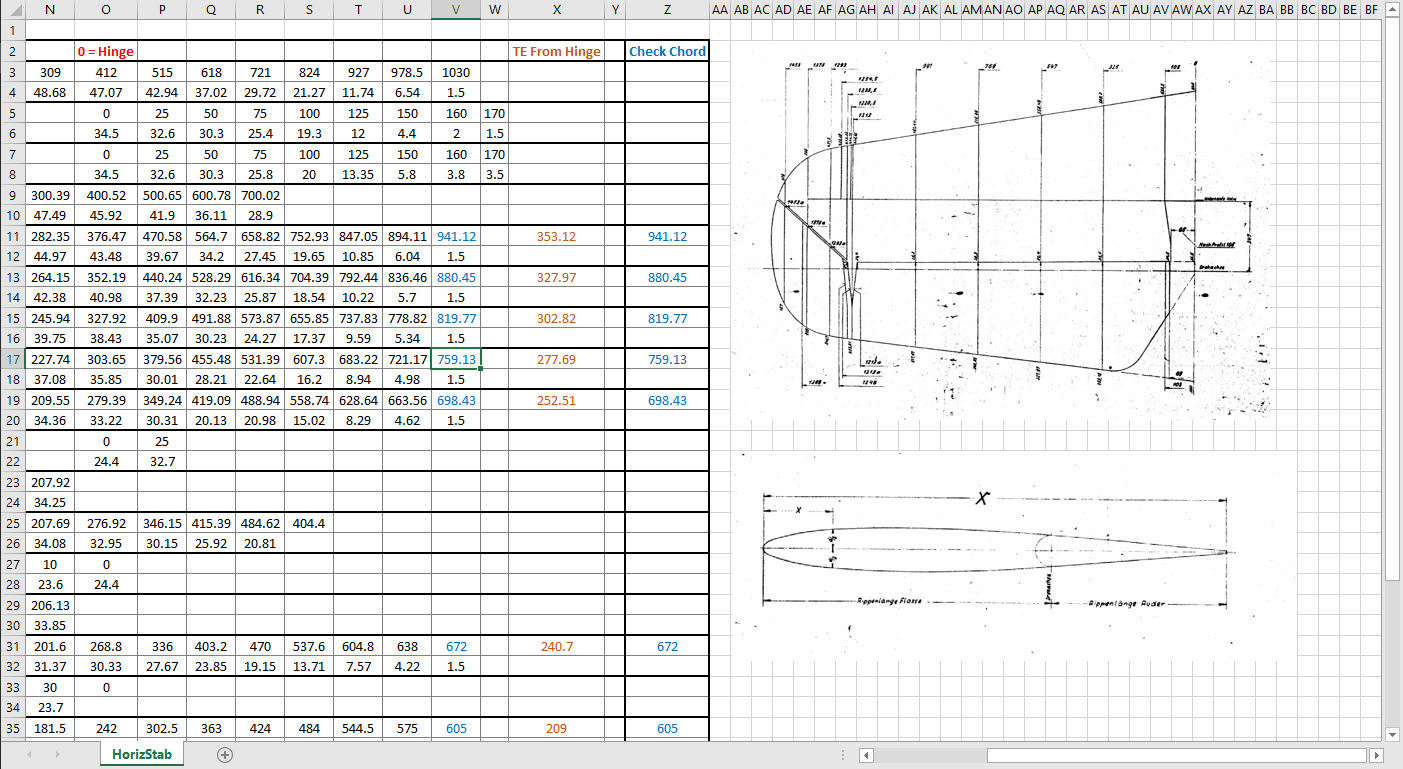
I have already started with the Horizontal Stabiliser and part of the way through the Vertical. The tables will essentially be a reconstruction from the Messerschmitt drawings and then compiled to develop the X, Y, Z ordinates for transfer to CAD.

bf109


Photogrammetry & 3D Scanning

My Thoughts on Photogrammetry & 3D Scanning:

Photogrammetry has come a long way since I first came across it when working for an Offshore Oil & Gas company in the mid 90’s. This company had a department dedicated to researching Photogrammetry and 3d Scanning for surveying existing Process Plant installations.

2019-07-18_18-06-37

Fascinating stuff and it actually worked using predefined targets placed at strategic intervals on the existing plant.

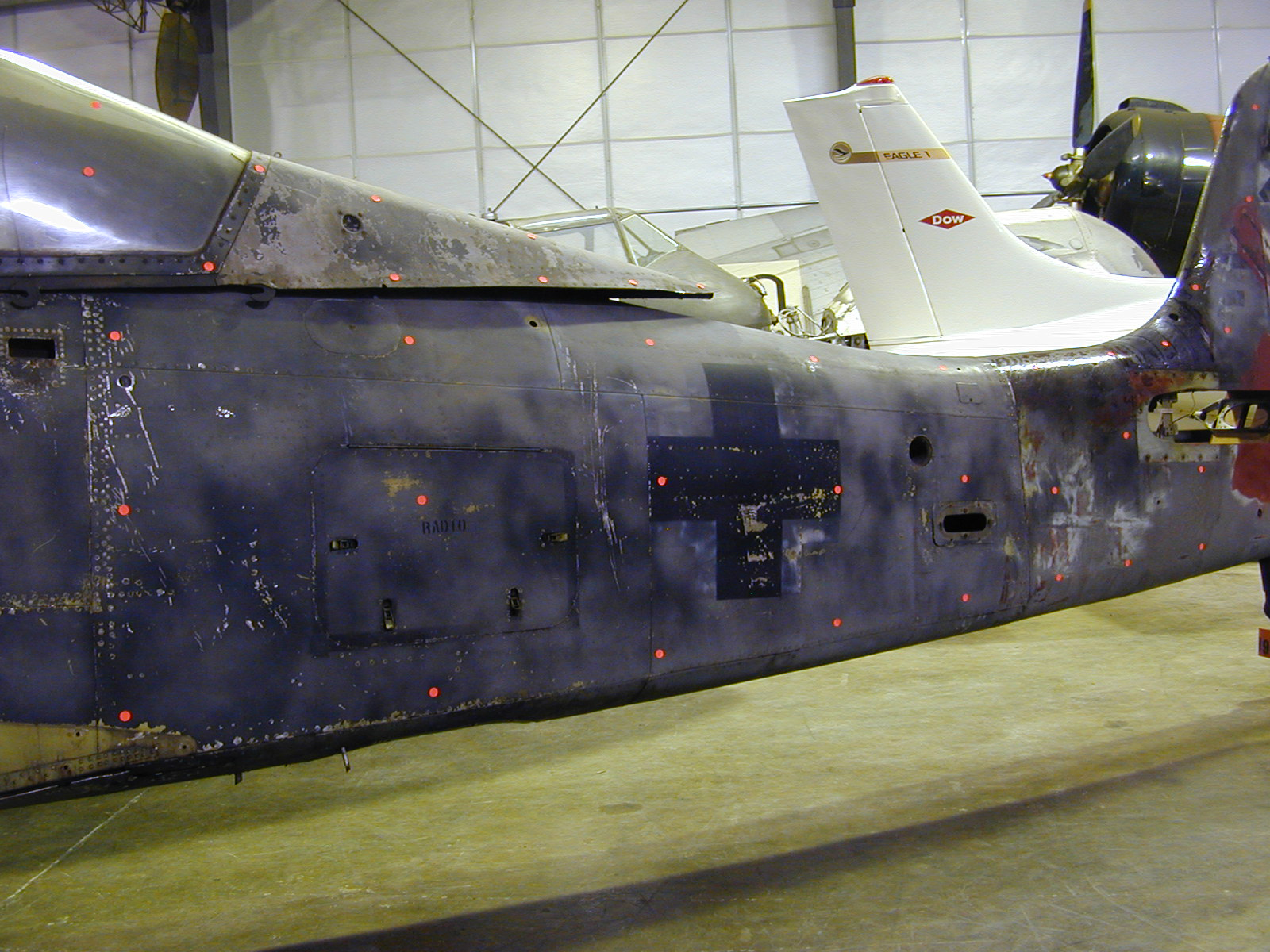
The Aviation restoration companies have for a long time been using 3d scanning and photogrammetry. In fact, if I recall correctly the Smithsonian carried out a survey of the Ta152 which I believe was Photogrammtrey many moons ago. If you look closely at the following image you can see the red dot markers to help ascertain dimensional and positional data from the scans. If anyone out there has access to a copy of the survey results I sure would be interested in seeing them.

Ta 152 H NASM 02

So not willing to fall behind on the latest technologies I endeavored to find out what has been happening with Photogrammetry and played about with some of the available software products. The software I looked at was 3DF Zephyr, Meshroom and Reality Capture. I had a lot of fun but as you may have noted in my previous post the laptop I was using was really not up to the task, nevertheless, I persevered with my research and attained a few good models which surprisingly worked very well.

I even went as far as designing a lightweight support mechanism for photographing fossils in the field. Often these are Sites of Special Scientific Interest (SSSI) in the UK, which is a conservation designation denoting a protected area. Essentially legislation for legal nature/geological conservation of land considered of special interest for their flora or fauna, geology or geomorphology.

Unfortunately, for many of these sites, the removal of fossils is frowned upon so the Fossil Pod was designed to facilitate taking photographs of the found objects…an adapted use for Tensegrity design.

It is early days in my research which I intend to continue to explore options for increasing dimensional accuracy using photogrammetry and obviate the limitations for shiny and reflective objects. I appreciate that the industry may be more interested in 3d laser scanning technologies which is essential for accuracy but I feel that photogrammetry has a lot to offer for presentation and grasping details when a 3d scanner is not available.

As for the software, I would recommend both the 3DF Zephyr and the Reality capture. I should note that all 3 software products do exceptional model generation from photographs however the Meshroom; though in early production; is much less forgiving and requires a very good dataset to work from whereas the others are more tolerant.

If you would like some inspiration for what photogrammetry can do check out this Youtube video from the Swedish Exhibition Agency.

Swedish Exhibition Agency

SEA models on Sketchfab

NAA P-51D Mustang: Front Fuselage

NAA P-51D Mustang: Front Fuselage

Following a recent inquiry, I have revisited the NAA P-51 Mustang project to develop the front fuselage and cockpit. This will be an extremely detailed and accurate model including fixings and rivet holes.

P-51D Early.png

The partial structure above is for the early P-51D version; note the instrument panel and support frame. There are also some minor differences with the other components, most notably the curved beam which has different end brackets for the early and late versions.

The 2 instrument panels depicting the P-51D versions, with the later version on the right. This will be a medium to long term project for which I will post regular updates.

Grumman F4F Wildcat: Aileron:

Grumman F4F Wildcat: Aileron:

Having made good progress on the ordinate set for the Grumman F4F/FM2 I decided to put the spreadsheets to one side and do some modeling to verify the dataset. Normally this would not be required to such an extent but I needed to do this to check the relationship between the components and aircraft datums.

I was spoiled with the P-39 project where virtually every component has reference dimensions to the ship center line or thrust lines so positioning was a breeze. However, the F4F drawings sadly lack this reference information on many of the key drawings so developing the 3d cad model is the only sure way to ascertain this data.

F4F Aileron Render

The above model is the left-hand Aileron modeled in Inventor and rendered in Keyshot. Keyshot is a very good renderer, even for a novice like myself; in which you can generate acceptable renderings very quickly. The real-time rendering is very good and will continue without glitches even on a modestly specced system (unlike some of the alternative products). The user interface is logically set out with a good library of materials and textures. I would highly recommend this product.

Getting back on subject; the Aileron ordinates took a long time to complete for various reasons; requiring constant checking and verifying. Once this was done, the modeling was reasonably straightforward except for the small trimming tab. The drawing dimensions are slightly out, so I extracted the neighboring rib profiles to create the template for a finished model.

I also decided to create a few scrap drawing views as a matter of record that will be useful when I eventually move onto modeling the wings themselves.

F4F Aileron 4

For reference; the following image shows the Ailerons attached to the wing assembly. Hinge positions checked and verified with hinge brackets (orange) fitted achieving a planar variation of less than 0.04mm.

2018-10-07_22-29-40

There are still a few items required to complete this model but this is not a priority for me right now. My next objective is to develop the ordinates and perhaps some modeling for the vertical and horizontal stabilizers.

Horizontal Stabiliser & Elevator:

Grumman F4F-FM2 Horiz Stabiliser

F4F Stabiliser

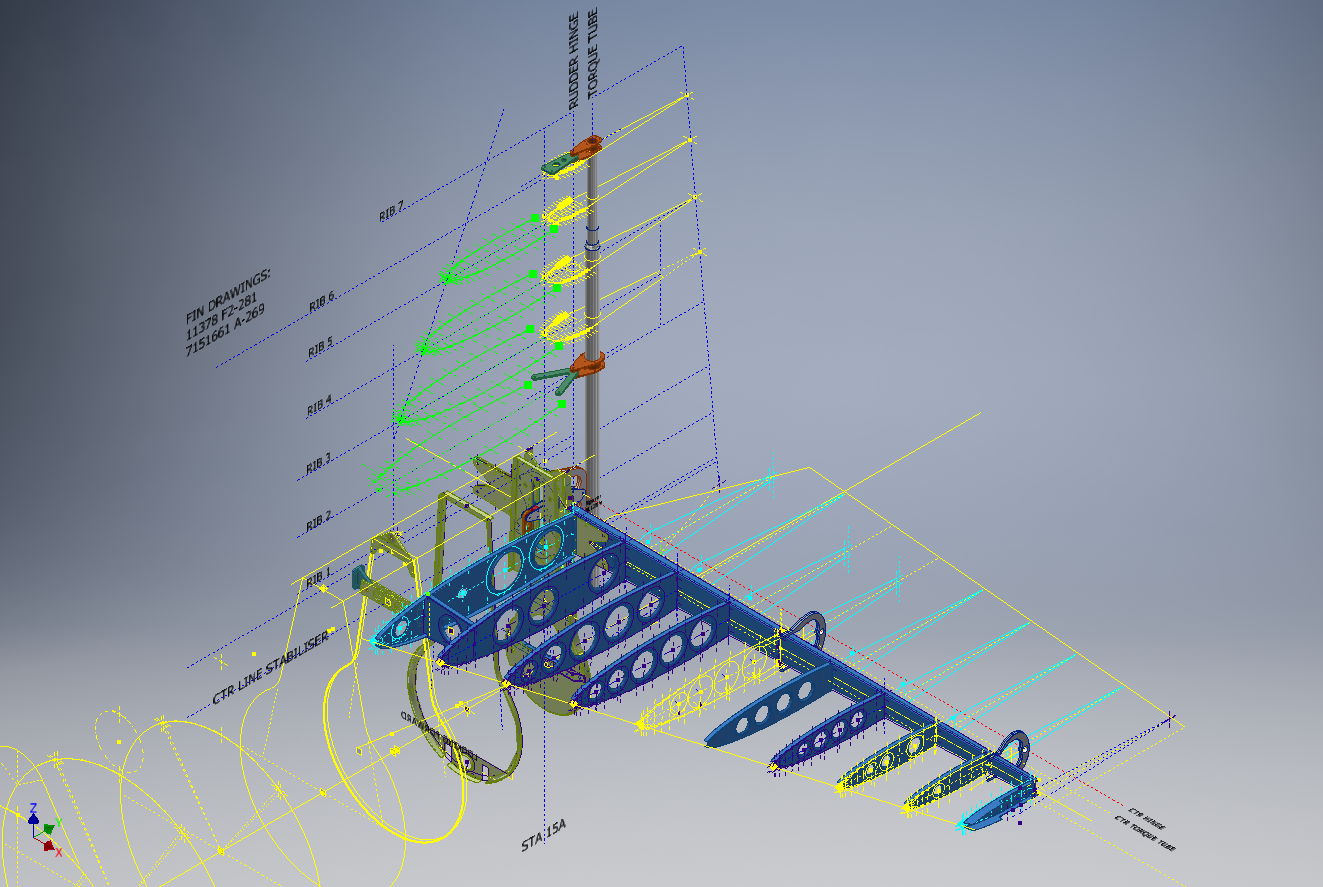
f4f rear fuselage

Tail Fin & Rudder:

F4F FIN RUDDER

F4F FIN RUDDER 01

Fuselage Frame 3:

F4F Wildcat Frame 3a

If you are interested in obtaining my research data for this aircraft then please send me an email. At the moment this is an unfinished project but the available drawings (12) are fully dimensioned which will help you with establishing correct datums and station frame associations along with a few spreadsheets. HughTechnotes@gmail.com