Fastener Library Update: AN/MS Standards

Fastener Library Update: AN/MS Standards (Updated Jan 2024)

Over the years I have been further developing my AN (Army/Navy) or MS (Military Standard) parts library and only this morning did I eventually get around to uploading all the new files.

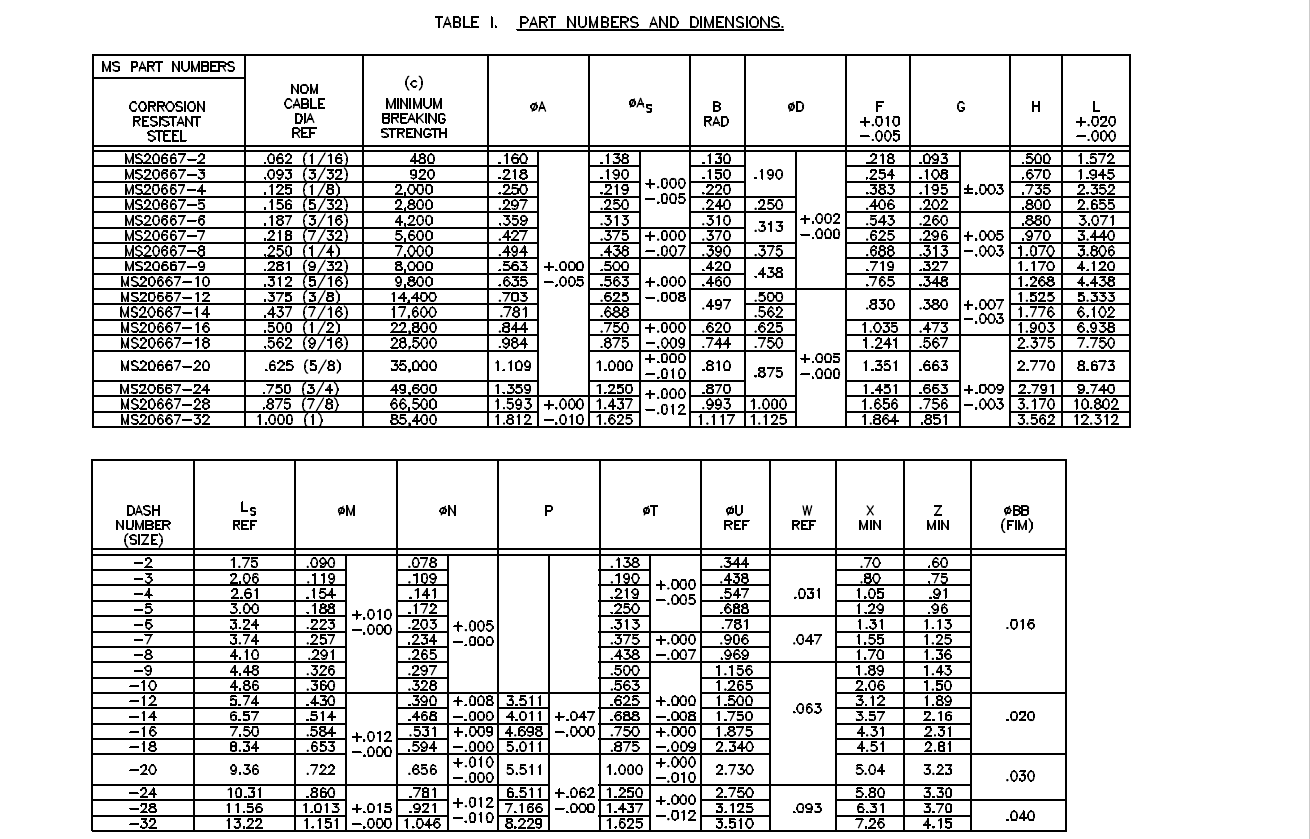
This is the list of Standard Fastener Parts now currently in the library…over 300 parts.

I have decided to make these files available as the original Inventor iParts. I was getting requests for different conversions to STP, Parasolid etc, and also at different scales…doing all that on request takes a lot of time. Don’t be put off by the fact that they are Inventor files as Inventor is readily available as a 30-day trial product which gives you several options for working with these parts. You can even install a Read Only version of Inventor

It is really simple to work with these files…let me show you. For a start, an iPart is actually a normal IPT part file inclusive of a table of parameters so you can generate multiple variations of the part in one file.

Part Conversion: I would assume that many people who don’t use Inventor will wish to convert to a file format more suited to their application.

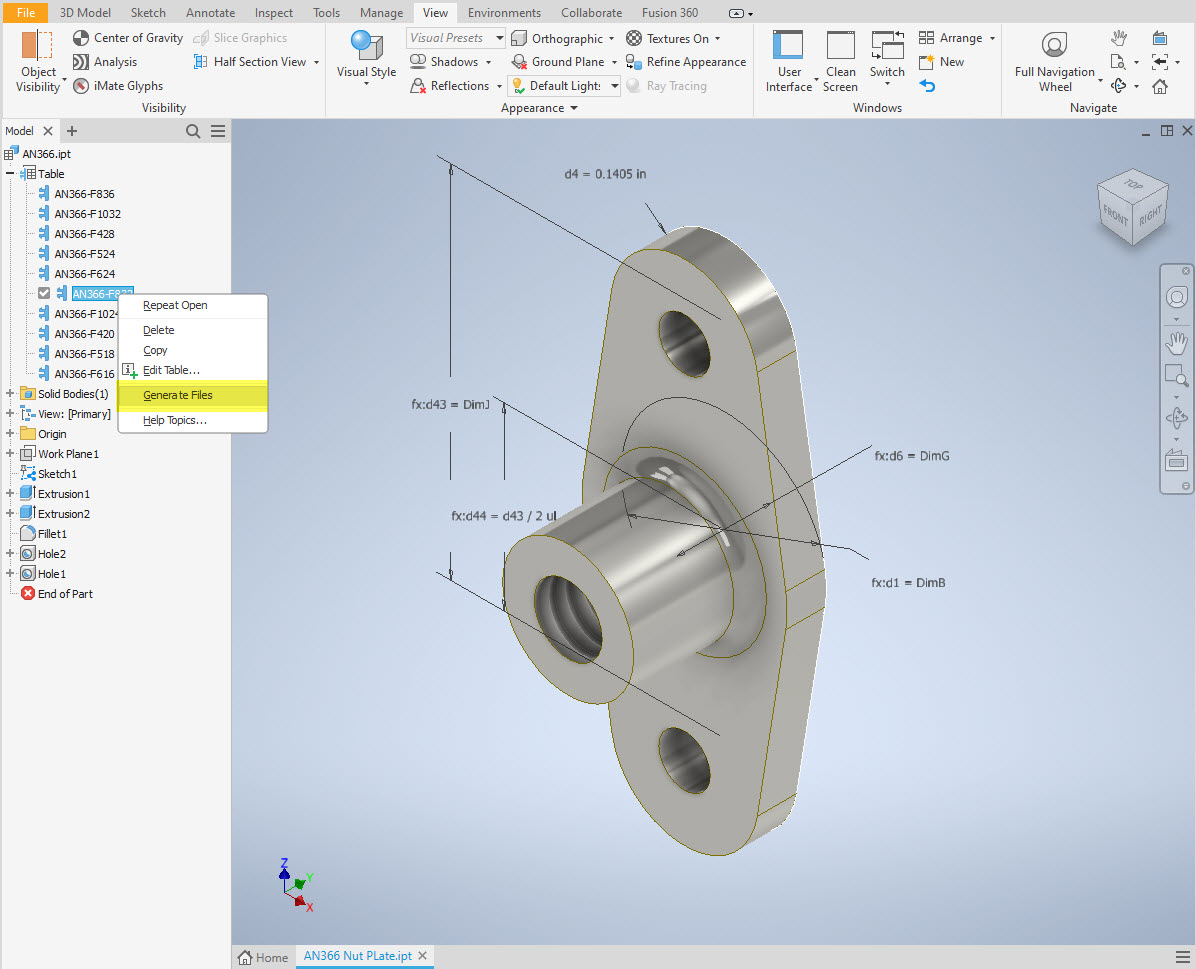
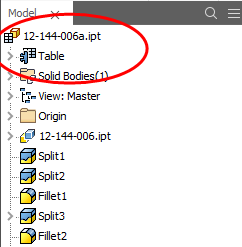
You can tell you have an iPart when the icon next to the part name in the model browser is shown as a table. To convert the file you simply expand the table folder; select the part or multiple parts and select generate files which will create a single IPT part file for each variant. This is placed in a subfolder named the same as the iPart filename. From there you can open this part file and Export whatever model format you want. Alternatively, if you would like to build your own version in a different CAD system it is useful to use the underlying sketch which can be Exported from this model; as shown in the second image which you can link separately to the Excel spreadsheet.

Table Editing: As I mentioned the part has an internal parameters table a bit like the format used by Excel which is fully editable. For the majority of the Library Parts, I also include the Excel table as a separate file.

Accessing the Table is as simple as right-clicking on the “Table” text and selecting what editing option you want…either “Edit Table” (which opens the part table itself) or “Edit via Spreadsheet” which will open this same table in Excel. When you save the table in Excel it will revert to the Cad Part file and update the model with any changes. Making changes is much easier in Excel where you can add new variants of the part or amend existing ones. The dimensions are all in inches but if you bring this part into an mm metric part it will automatically adapt the inch dimensions to mm…so you can be assured that the part will be correct regardless of which units you use.

These part libraries include the most commonly used sizes so you can add to this as you desire. A copy of the original specifications is also included for reference. If you are looking for Aviation-related specifications then check out this free site: http://everyspec.com/library.php.
This library is included in all the CAD/Ordinate datasets and is now also available as a separate package. See this page for more details: https://hughtechnotes.com/resources/

Manufacturers Standard Drawings:

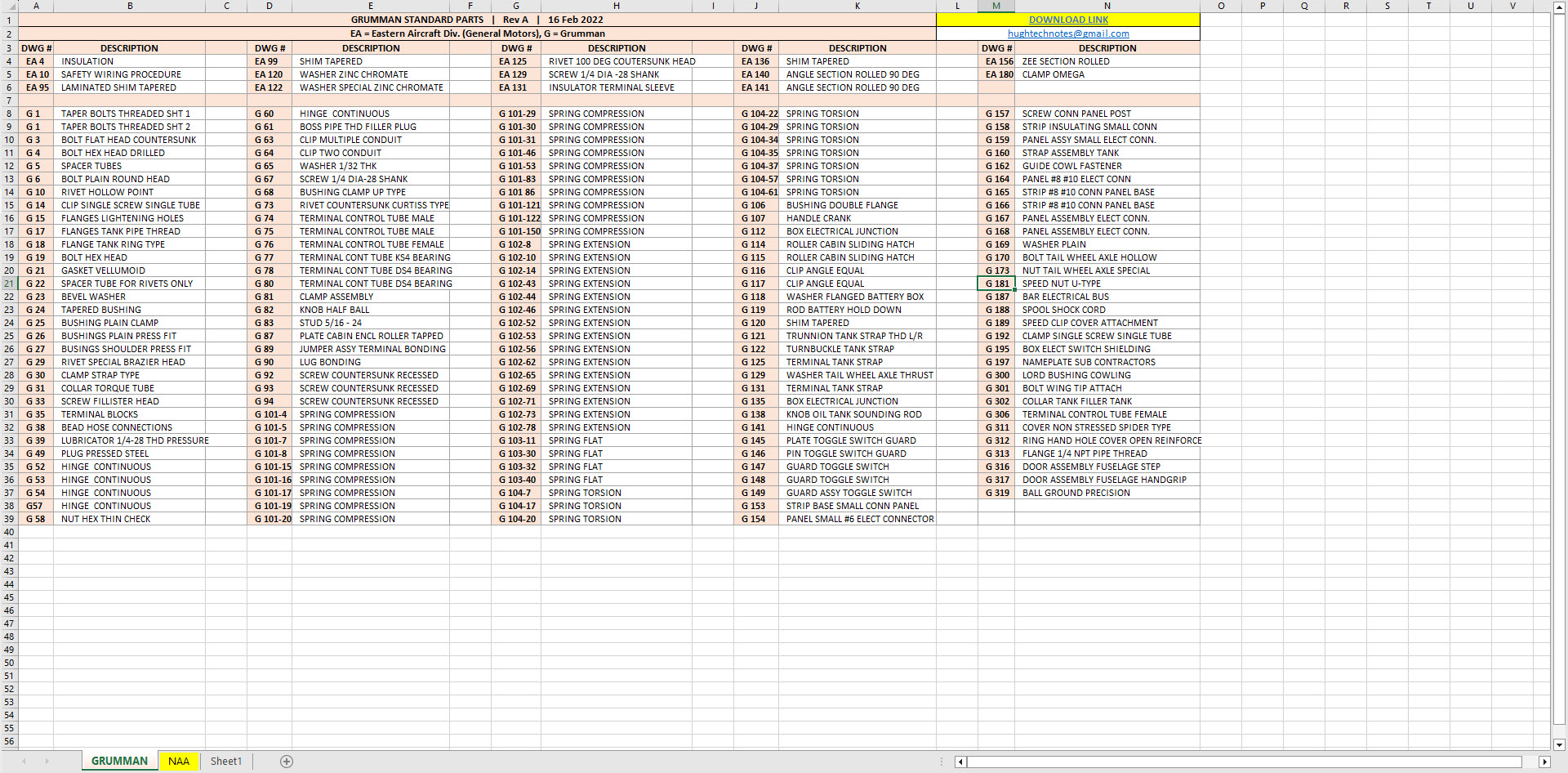
Included in the many blueprint archives are manufacturers’ Standard drawings, some of which are commonly shared specifications between various aircraft by the same manufacturer. I have a spreadsheet listing those standards for both Grumman and North American Aviation. This is available free at this link:

Manufacturers Standards (NAA and Grumman)

In the top right-hand corner of each worksheet is a link to a separate download area where all those standard drawing files are stored. As usual, the spreadsheet is fully editable so you can add to the data record as you find more information. I am sure you will find this is a beneficial resource by having all these important standards in one location. If you find these useful please consider a small donation to help support my work.

New Project: Standard Part Libraries

New Project: Standard Part Libraries

Many moons ago I started a project to develop libraries of Aeronautical standard parts according to the various National and International standards pertinent to aircraft design and maintenance noted in this article.

https://hughtechnotes.wordpress.com/2015/07/26/naa-p-51d-mustang-standard-part-models-specs/

Using the original standards from the wartime era and the updated, often replacement standards, I figured it would be a good idea to develop this project further. I am aware that there are many different CAD systems so it would be folly to just develop this for just one product.

The above products are currently available in the Resources Tab of this blog and though included with the Mustang P-51 Ordinate/CAD dataset are standard for many aircraft of this era and accordingly are available separately. This existing collection is already very comprehensive with over 300 parts modelled and listed, though these are in line for an overhaul and update.

Moving forward with this project I will develop the configuration spreadsheets exactly as per the original specification tables set out plus any additional dimensional data that will be required for modelling. This will be accompanied by a DWG file as a template to use when developing your own equivalent of an iPart. Essentially putting together a dataset that anyone can use regardless of what CAD system they are using.

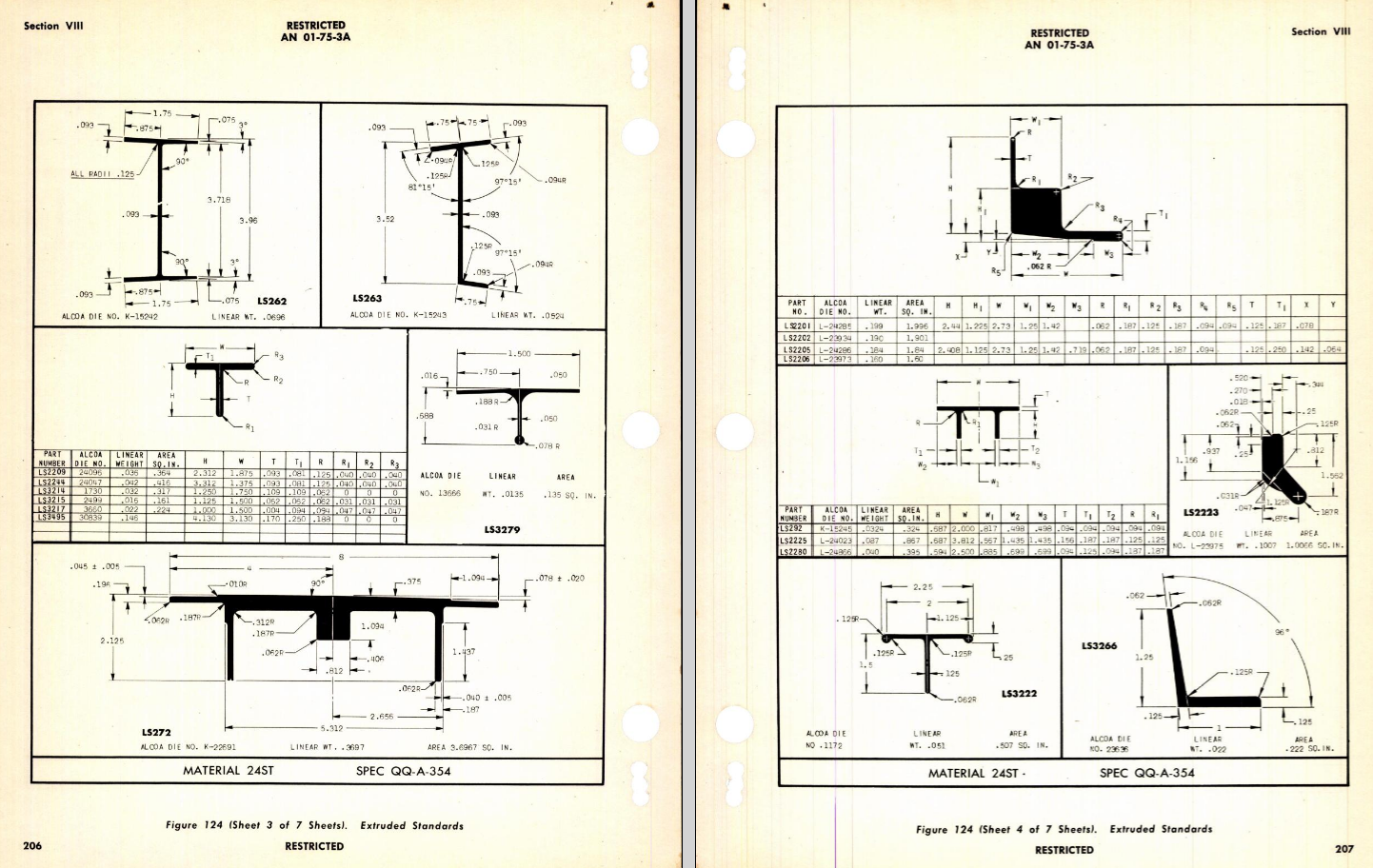
Additionally, standard metal work profiles will also be developed and produced in a similar manner.

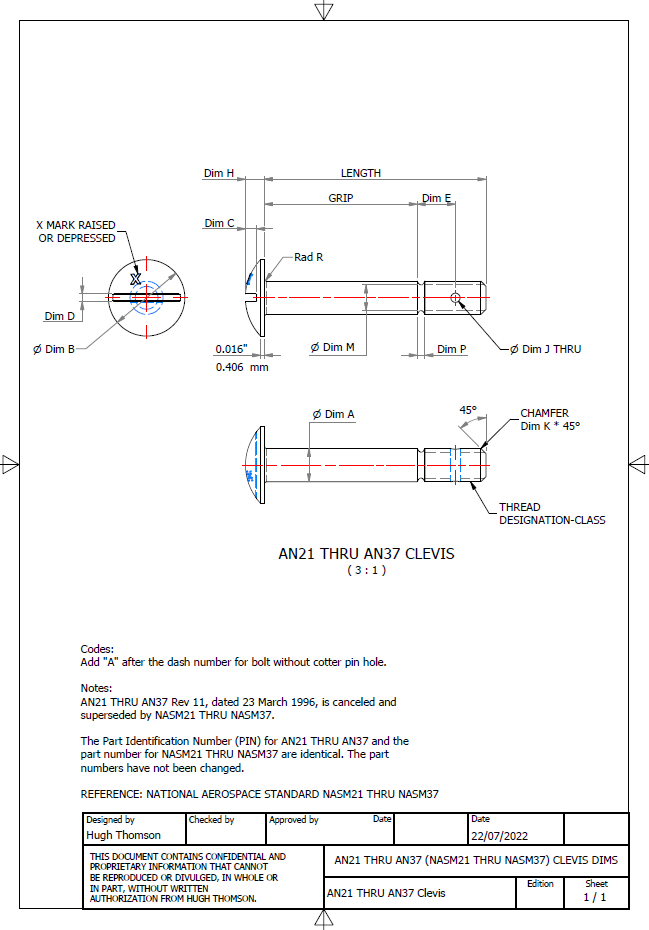
There is a catch: This will take a while to do and probably won’t be ready until October. Typically the study will comprise a basic dimensioned drawing exactly as per the reference Standard with accompanying spreadsheets. There will be separate spreadsheets for each part number in a collective Standard, though there may be only one drawing. For example AN21 THRU AN37.

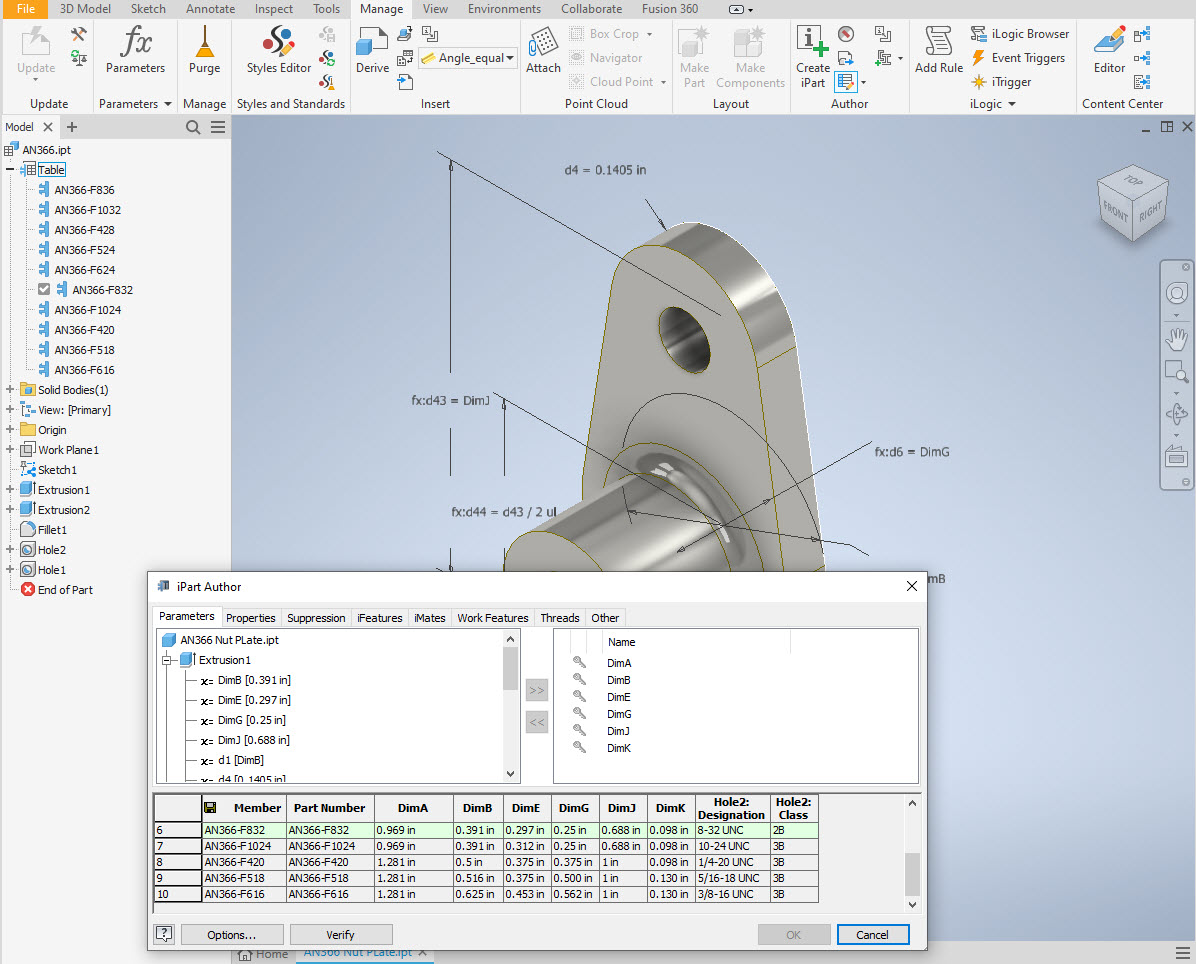
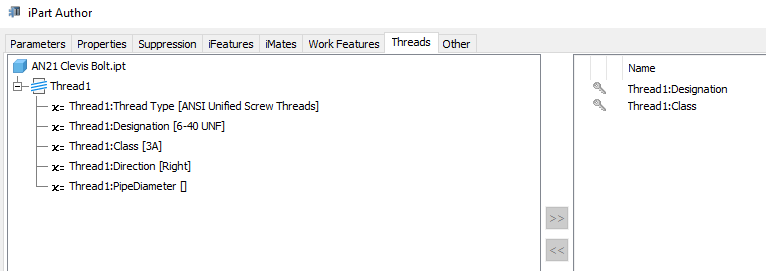
The way to use this dataset; regardless of the CAD system; is to first develop the part model naming the parameters as defined in the spec (you can use the DWG for your sketch template). In this example, the first 2 columns are generic to the specific CAD system with the first column being a unique value. From LENGTH to Dim P, in the table, these are the main geometry parameters. The Hole1 column has values “Suppress” or “Compute” which is an instruction to exclude or include the hole. The Thread parameters are defined as a Designation and Class which are standard integral parameters; those names may vary accordingly. Typically in Inventor, they can be found in the iParts Author as follows:

Once you have your Part modelled, open the iParts author and set up the first line of the table…you just need the first line at this stage Close the Author and open the table in Excel and copy the contents of the provided spreadsheet data tables above… ignore the header/titles. The iPart table will now be updated with all the above variations. It does not matter if your part template is Metric or Inches as the part dimensions are predefined as inches and will automatically recalculate depending on your template standards. You can of course already do this with the existing iParts but they are not inclusive of dimensioned drawings…so you have a bit more work to do referencing the actual standards for parameter names. That’s what this project work is designed to do…essentially finish with full documentation.

These spreadsheets and CAD profiles will enable anyone to very quickly develop a standard library in their own CAD system…an important resource and time-saving endeavour. I should note the actual AN and MS standards are available online for anyone that wants to access them. I have provided a link below to my previous article on this subject.

https://hughtechnotes.wordpress.com/2022/02/17/technote-manufacturers-standard-parts/

Update 27th July 2022:

Blimey, this is quite an awesome task…I envy those that build the standard libraries in the many CAD systems that contain thousands of parts…this will definitely take a long time.

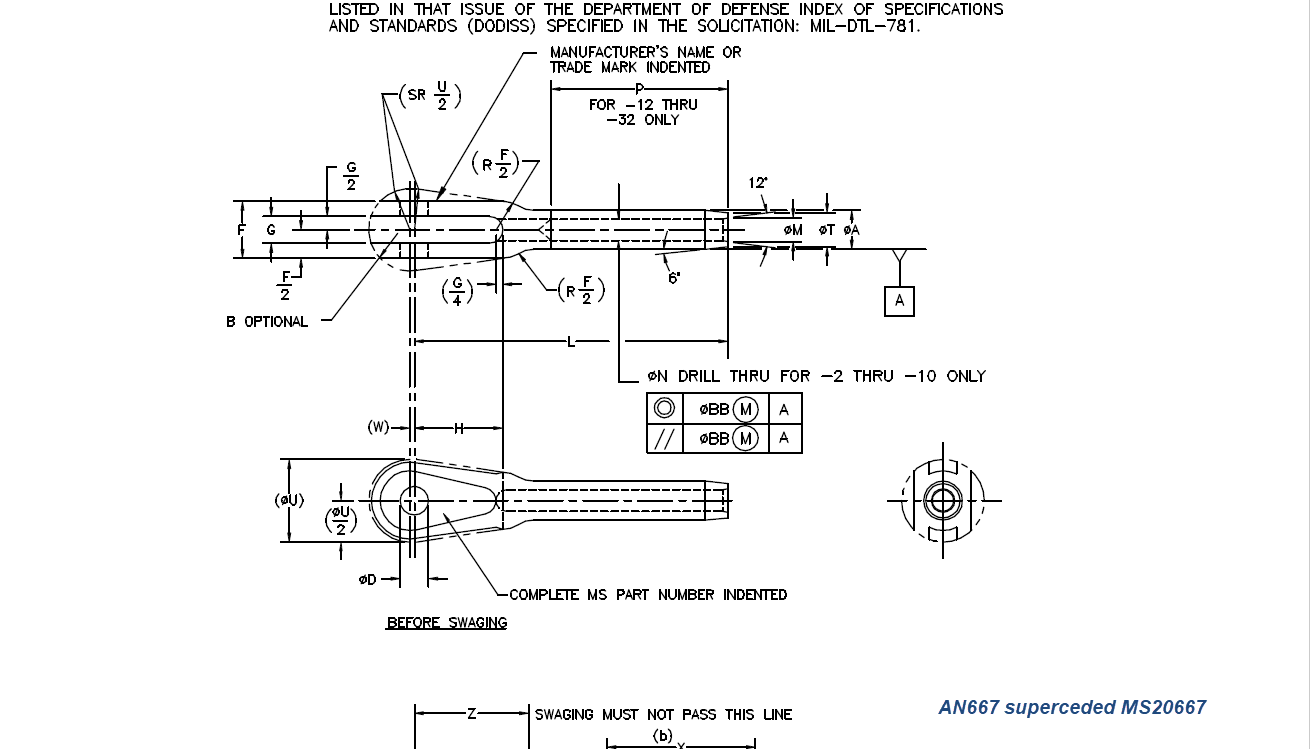
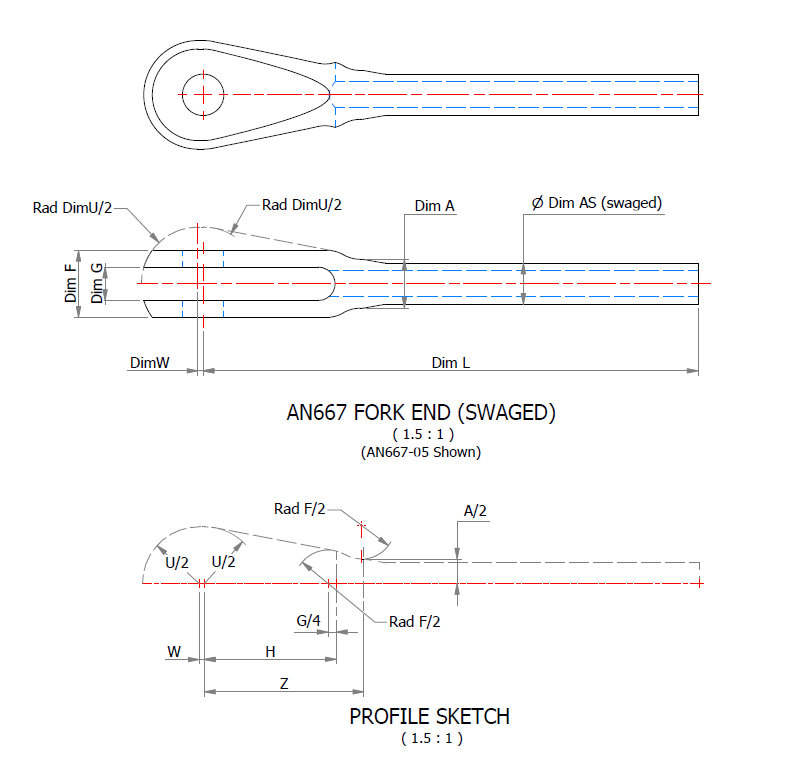
Many of the parts are relatively straightforward like Bolts, Castle Nuts, Clevis Pins etc that require nothing more than basic dimensioned drawings. Occasionally though many parts will require additional sketches to clarify the profiles, like this AN667 Terminal Fork End. Also in similar cases, the model will be dimensioned to As-Fitted/Swaged for use in assemblies. You can basically ignore the Scale as all the DWG versions of these drawings will be 1:1 according to the part number actually modelled.

This is a list of the Specifications I am currently working on. Many of these are updated versions of the existing standards available on the CAD Resources page. The updates include marginal improvements to the 3d models, additional data and verification of listed dimensions. The data sets also include dual part numbers where an item has been updated to a newer standard the new designation is noted alongside the old.

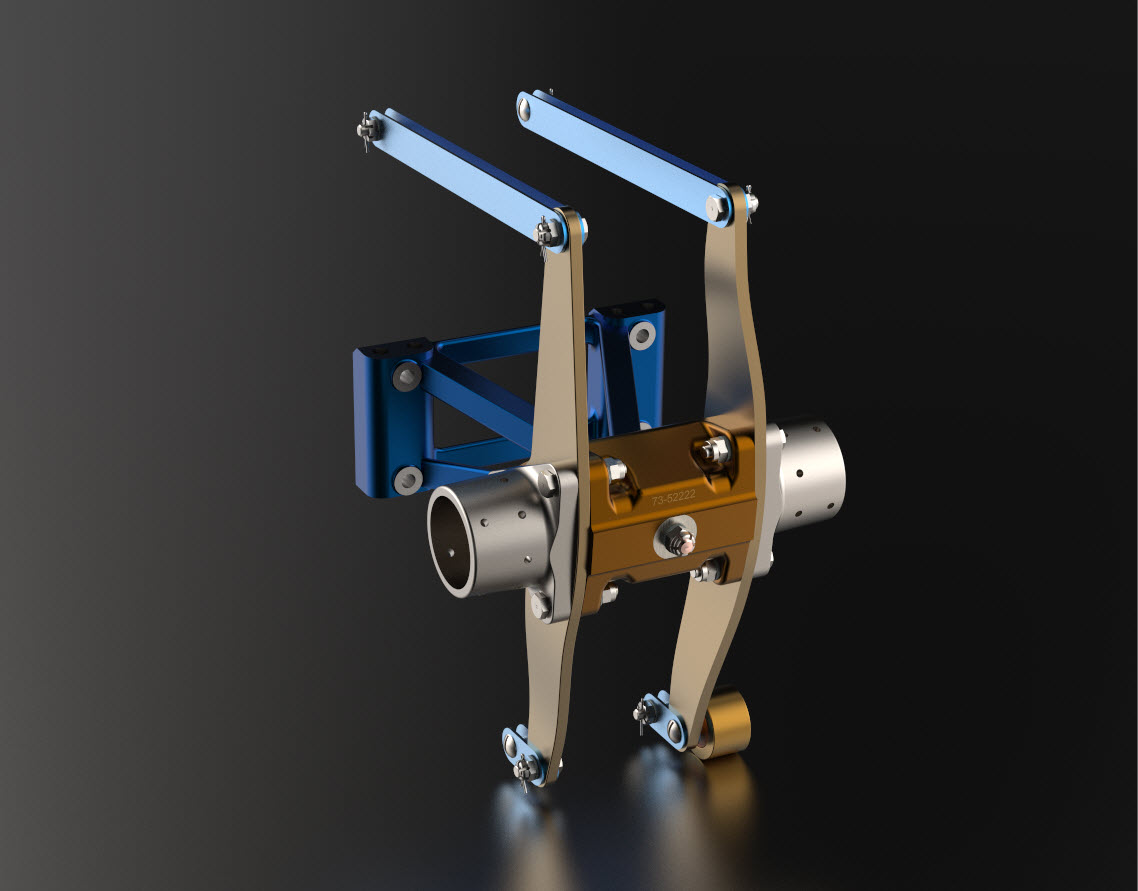
It is very important to get this stuff right, to ensure the part designations and representations are correctly defined in the assemblies. Have you ever tried to figure out assembly configurations from the NAA assembly drawings or picked your way through the Parts catalog just to identify a single connection for a clevis, nut and bolt, turnbuckle or whatever…it is time intensive. It was this desire to bring clarity to these assemblies that I created the P-51 Mustang cad models shown below, which incidentally was the catalyst that drove the development of these Part libraries.

Get in touch with any inquiries at the usual email. hughtechnotes@gmail.com

Technote: P-39 Airacobra Drawing Register

Technote: P-39 Airacobra Drawing Register

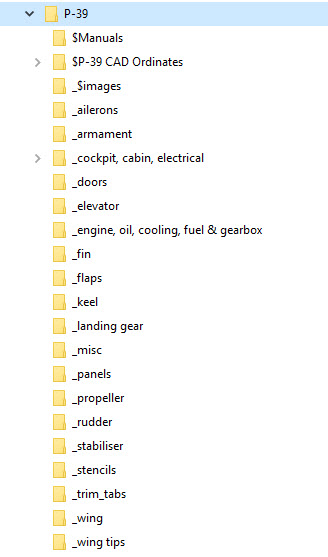
Another project that is long overdue is a drawing register for the P-39 Airacobra. This will be an Excel spreadsheet complete with drawing number, description and a link to the actual drawing file.

Assuming you have the P-39 folder arrangement as default the links will work fine.

The spreadsheet contains multiple worksheets each designated according to the folder name. The names are tabbed along the bottom to open each worksheet. The links will open the connected file in Adobe Acrobat so make sure you have the Acrobat Reader as a minimum.

The spreadsheet is still work in progress which hopefully will be available for free download this evening. The spreadsheet needs to be deposited in the root P-39 folder.

Update:

This file is now available for download at https://drive.google.com/drive/folders/145VzPBQg74mIoKFLQzShrW7fwn4EIJ7V?usp=sharing

The spreadsheet is fully editable so you can adapt it for your own project. I should note that columns G and H are temporarily hidden columns that contain the hyperlink address…so don’t be alarmed when they suddenly pop up when you are developing your own adaptations.

To HIDE or UNHIDE a column, select the column header, right-click and select the option from the menu.

Technote: Inventor LT BOM!

Technote: Inventor LT Bill of Material.

I normally use Inventor Professional but recently I decided to have a look at a common issue with Autodesk Inventor LT which is a part only product. Essentially the “lite” version of Inventor with limited functionality that excludes sheet metal, vba, ilogic, assembly mode and Bill of Material!. Technically the BOM capability is not a function of Inventor LT which I suspect is due to the fact it has no assembly environment but there is a workaround.

I should note that Inventor LT is a very capable modeling product which is ideal if you are mainly developing parts and if you do require an assembly environment to check the alignment of mating parts then you can use the derived function as explored in a previous post to assess this.

Whilst the product may be limited it does have a lot of functionality that can be exploited to overcome some of the limitations and the BOM is just one example of a situation that the forums, in general, described as something that cannot be done!

For this example we will continue with one of the parts from the previous article: the Bell P-39 Airacobra Centre Bulkhead fixing bracket.

2017-07-31_14-31-28

What I wish to do is have this part fully dimensioned on a drawing that also contains a basic table of properties that may be useful to the chap responsible for buying the raw material. Okay, I accept that the following image is not fully dimensioned but my primary interest is the generation of the BOM.

2017-07-31_15-32-56

Inventor LT like its bigger brother contains a lot of part data which is accessible via the iProperties and Parameters, which we will utilize by using the iPart feature.

Normally iParts are used where a single part may come in varying sizes or configurations that share the same basic features; for example bolts! In this case we are creating only one version of the part. By adopting the capabilities of iParts we will create a table of selected data within the part file that we will later use as a data source for our BOM.

2017-07-31_15-59-16

I won’t go into the technicalities of creating an iPart, there are many online resources that go into this in detail. Generally speaking, when creating an iPart you have access to all available data including parameters, model hierarchy data, and iProperties as shown above and it is simply a case of selecting the data you want.

2017-07-31_15-52-34This creates a Table which appears in the model browser. It is usually a good idea to give parameters meaningful names as I have done here for the Length, Width and Height.

The Description values are from the iProperties whereas the Length value is from the parameters.

This table can be further edited within Inventor LT or externally as an excel spreadsheet.

In the drawing environment, you select the General table option, Select View and then Column Chooser, add required columns, select OK and insert the table into your drawing.

2017-07-31_16-04-53

…and there we have it…a BOM in an Inventor LT part drawing.

Part Quantities:

I have not mentioned part quantities which of course would be a prerequisite for any purchasing decision. You can, of course, create a parameter in the model file for quantity and include that in the table, but if this part serves a number of different assemblies then the quantity will vary accordingly.

Given a typical scenario where you are the manufacturer of components working collaboratively with other companies on a project how do you track quantities when you are using LT and the other guys are using Inventor and building assemblies.? You could, of course, just phone them or email them but as production schedules are critical you need a way of immediate notification of quantity changes.

I faced a similar dilemma when I developed a modular solution for a power distribution company for design of sub stations. This resulted in vastly reducing the design time by over 60% which meant the procurement chaps had to up their game to keep on top of things.

Modular Approach to Sub-Station Design

The solution gave access to all project material BOMs without needing to bother engineers to create structured BOM extractions.

Briefly what we had was a top level assembly BOM which was interrogated by a custom database application to read the Part Name column and then search a folder of extracted cad model BOMs with the matching name and multiplying the quantity column in the part BOM with that of the assembly.

2017-07-31_17-22-30

For example, the database would open the top level database above, read the columns Name & Descr (to be sure we were only looking for modules) and then import the corresponding data files with those names into the database. In this case, we only have 1 quantity per part, but that could be anything and the associated part file would be multiplied accordingly.

This is a very basic overview of what was done and beyond the scope of this blog to describe in detail. We have already demonstrated how to create and extract tables in LT and the main point here is though you may only have Inventor LT there are many options for creating data-sets in tables that can be shared and used productively in a collaborative environment.

Incidentally, the database I created was another of those instances where something could not be done!

Hoppers: Surface Model for Mass Containment

Hoppers: Surface Modelling for Mass Containment:

Although not directly associated with aircraft design there are inherent modelling techniques equally applicable to many aspects of aviation. The techniques relate to surface modelling for the containment of a known mass or volume. In each case, the criterion is the specified volume or mass that ultimately defines the size and shape of the container.

hopper-1

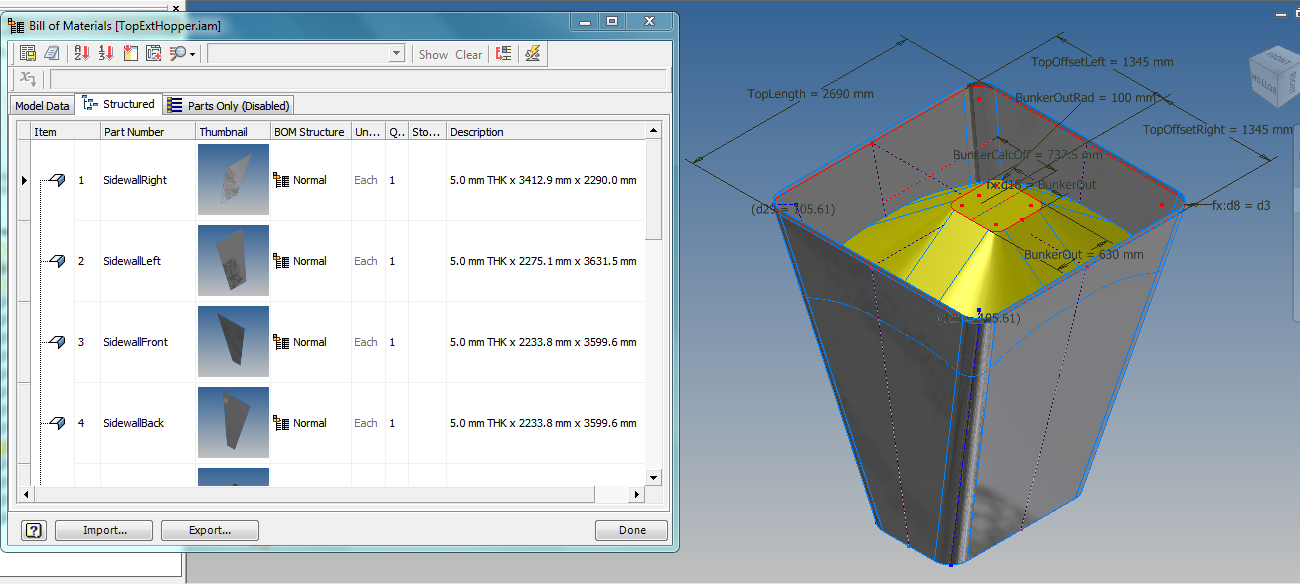
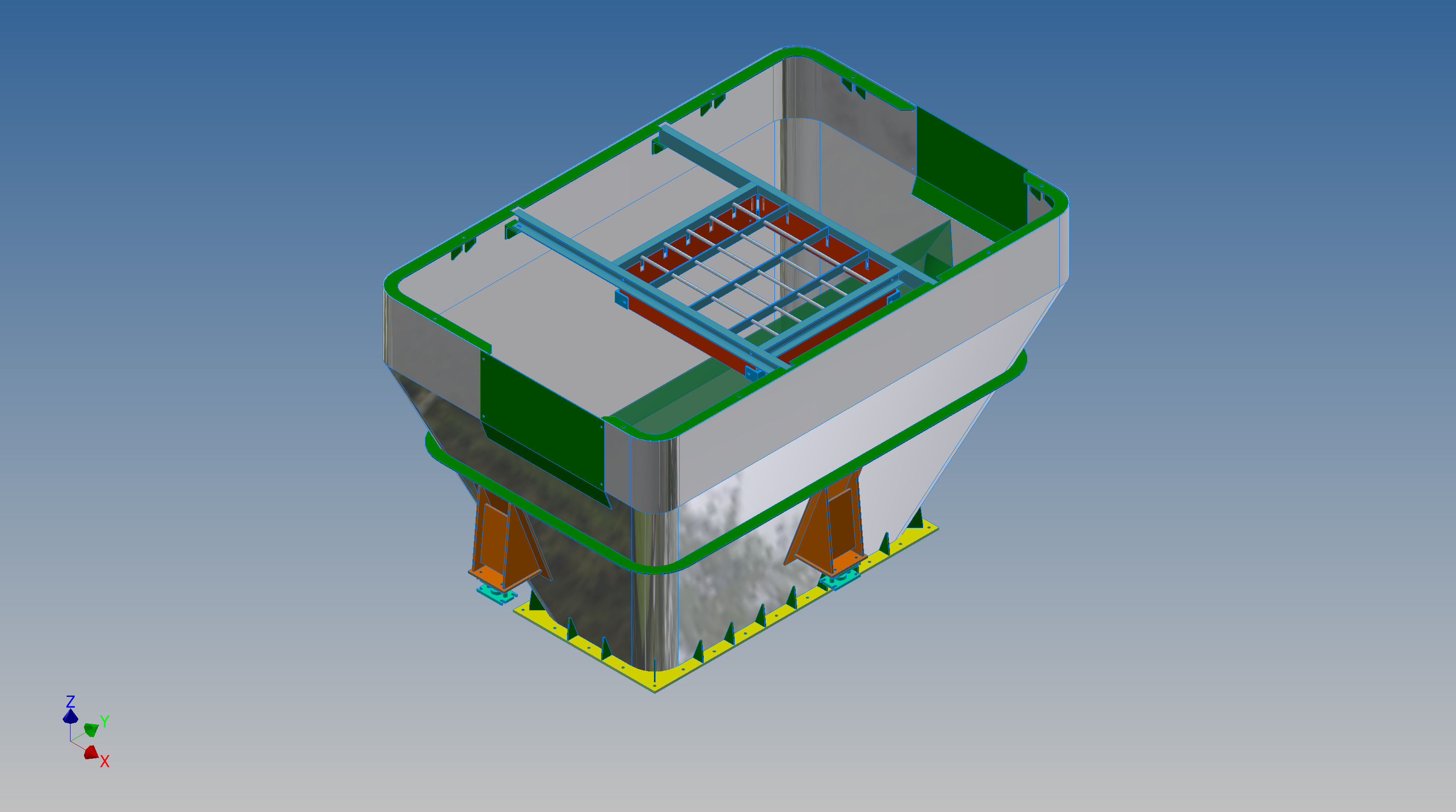
This particular hopper is for a Transfer car used to feed Steel Plant Coke Ovens with coal. The development of this hopper combines surface and solid objects in a single multi-part model that is configurable via a dialogue populated wth the key parameters. Surface modelling can be used for various purposes; some of which I have covered in previous articles for the creation of sheet metal flanges, trimming solids and providing a boundary for extrusion or as a containment for a solid component; as I have used here.

hopper-master-01

This type of hopper is fed from an overhead bunker and releases the fill material through an aperture in the base. The mass volume is modelled according to industry specifications that define the slope of the poured coal defined by the size of the top bunker opening.

The surface represents the containment boundary which has zero volume and zero mass therefore by definition will ensure that the only properties recorded for mass and volume in the 3d model relate only to the fill material. The image above shows some of the key parameters used to model this hopper as a part file with an ilogic form to make it easier to adjust the parameters to suit the project design.

2013-09-17_121727

The gray values for the Coal Volume and the Centre of Gravity are the results calculated from the physical dimensions of the coal mass and the containing surface model. Once the correct dimensional and mass properties are determined the surface objects are extrapolated using the “Make Component” command in Inventor which creates a separate derived part file and also (optional) includes the part file in an assembly placed at the original coordinates. In the surface part file we simply thicken the surface to generate the solid plate material that will form the structural body of the finished hopper.

hopmaster01assemblya

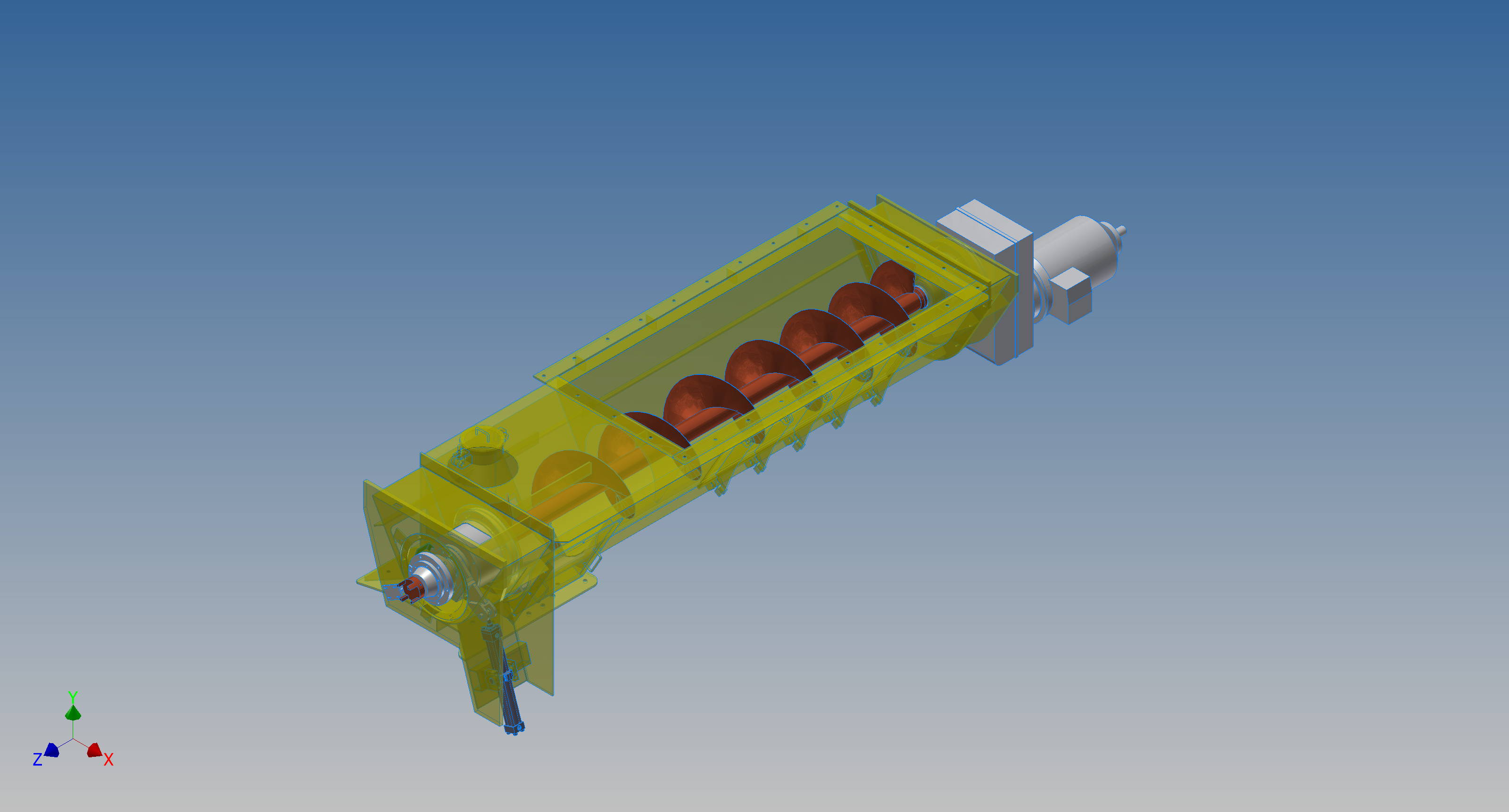
This is a very basic introduction to using surfaces where the mass or volume of a fill material is the critical component. On some forums, similar questions have been asked for complete hoppers where programmed solutions are offered to subtract all the structural objects to derive the fill mass and volume. By using surfaces with zero mass and volume to contain the fill there is no need for any programming solutions. There are a few ilogic basic routines included in this example for formula calculations and shifting the location of the bunker output. Another example just for reference is the casing for a screwfeeder:

400 - Streams 1 & 3.png

Surfaces are extraordinarily versatile with many applications, only some of which have been mentioned in this blog. For this example, we could extend the technique to modelling fuel tanks, hydraulics and oil tanks where the volume and mass are critical.

NAA P-51D Mustang: Tail Wheel Assembly: Update.

NAA P-51D Mustang: Tail Wheel Assembly: Update.

I shall need to temporarily suspend further work on the assembly model as the remaining parts to achieve a full build are created in a later version of the Inventor cad program and therefore not compatible with the version I currently have access to.

So this is as far as I can go with the assembly, though one could argue that it may be worthwhile including the necessary bolts, washers, turnbuckles etc, but to be honest most of this is planned as the final components in the build. The main reason for this is to ensure that everything aligns properly and works according to the design intent before plugging in all those connecting bits!

p-51d mustang rear fuselage

I have some tidying up to do with the fuselage frames and to develop that library I was talking about for the aeronautical standard parts and components…so perhaps this may be the time to get this done.

I also plan to do some 2d detail drawings for some of this modelling to record some of the key information that I have had to research separately from the archive resource and create the Bill of Materials structure that complies with the existing NAA documents for the complete assembly.

2015-07-15_17-17-08

The 2d drawings will also serve as a dimensional check as these objects were built in mm whereas originally they were designed in inches.

Its very hard to identify small dimensional discrepancies when just reviewing the 3d model!

So for now I probably wont be posting too much on the modelling side of things but may include some new cad technotes on the techniques I have used in this project.

NAA P-51D Mustang: Document Management

NAA P-51D Mustang: Document Management

An update on the organisation of the document management and archive register.

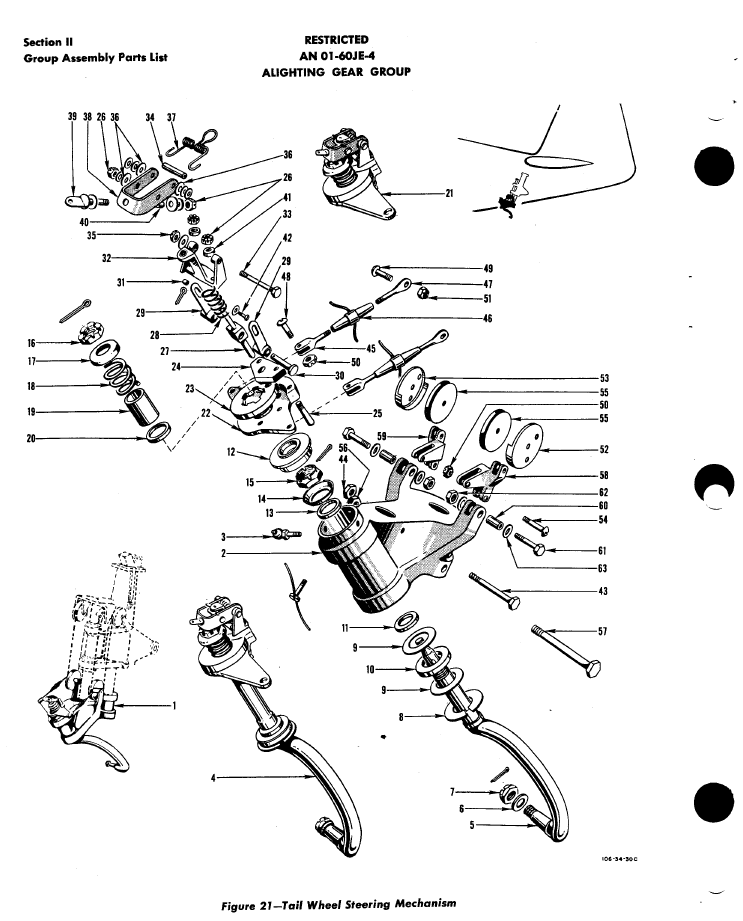
The USAF Parts catalog for the P-51 is organised by assembly and sub assembly types. For the Tail Wheel assemblies we have one main installation assembly and two sub assemblies for the Shock Strut and Steering Mechanism as follows:

2015-07-02_00-29-57  2015-07-02_00-30-32  2015-07-02_00-32-05

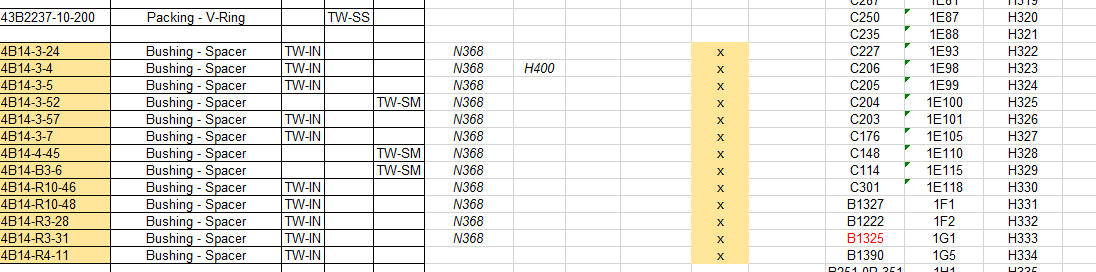
For the document register I have grouped the records and created separate worksheets that comply with the assemblies as setout in the USAF Parts List, listing the assemblies with a Category designation i.e TW-IN (Tail Wheel Installation) TW-SS and TW-SM.

2015-07-02_00-35-30

In the last column I have identified the NAA drawing by type; defining these as follows;

  1. Part: An individual drawing fully detailing a single part or item.
  2. Part Assembly: A fully detailed part drawing that includes additional fitted components like bearings, bushes or rivets.
  3. Main Assembly: A top level assembly listing individual parts, sub assemblies or components.

Note: The Part Assembly is technically a sub assembly which unusually comprise a fully detailed single part to which other elements have been added. Currently for this to work for me in the Cad environment I have maintained the part definition but modeled as a multi-part file. I may decide to change this to an actual Cad assembly file.

To clarify the above and ensure that all parts are accounted for I have created a sub listing of the contents for each Part Assembly as shown in the following scrap view:

2015-07-02_01-02-46

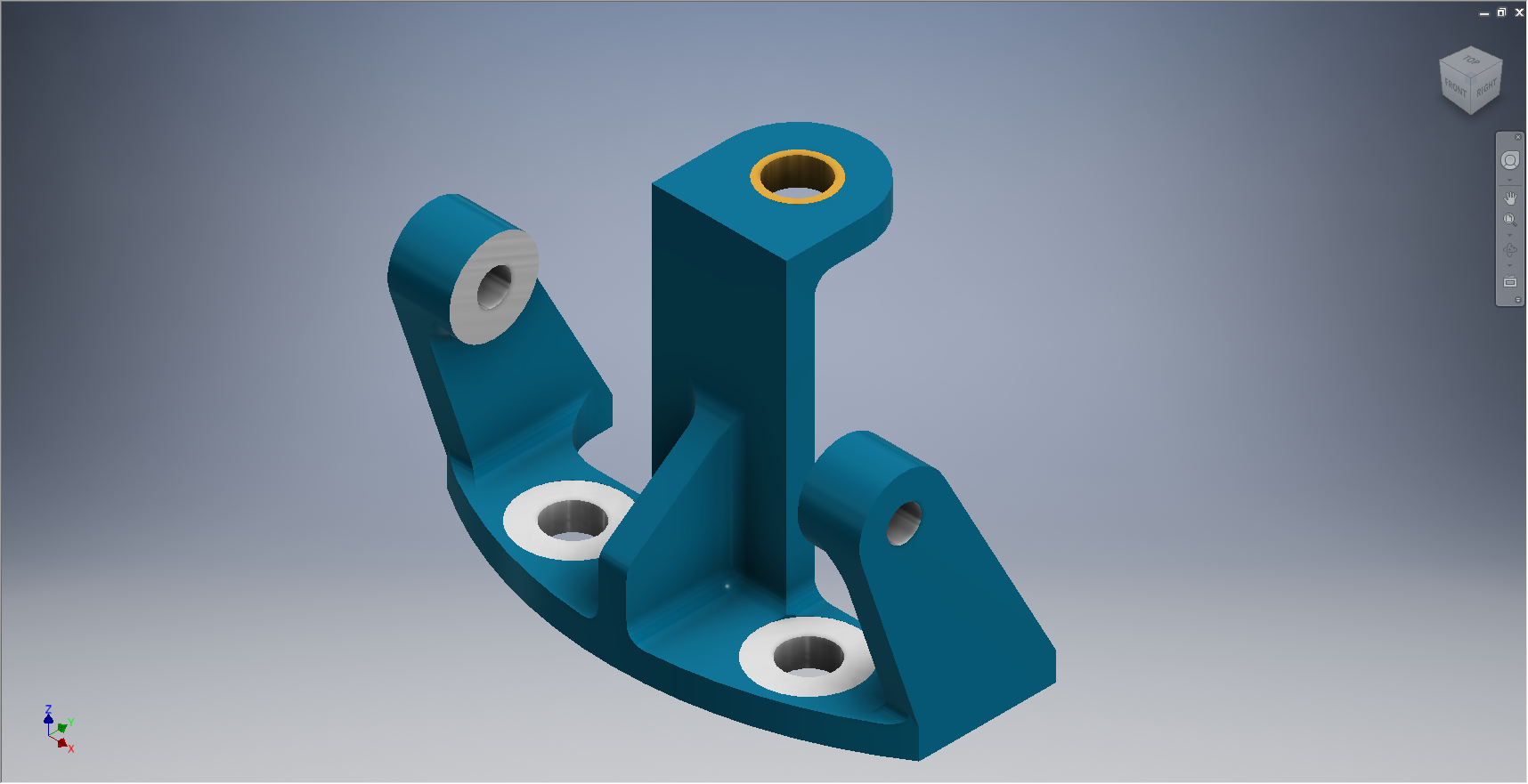
Some of the parts included in the Part Assembly are bushings, which are typically a press fit and reamed to a specified diameter. The bushing included in the Part Assembly is modeled to “as-fitted” condition, but as a matter of record I maintain a separate model file built to the “pre-fitted” manufactured dimensions.

I have also extracted a separate list from the USAF Parts List for the NAA standard parts from which I have identified the information I have in the archive and the data I will need to source elsewhere.

2015-07-02_01-13-08

The NAA standard part drawings in many cases supersede earlier standards for which we have a reference listed. I have these listed in this spreadsheet in 3 columns (on the right); with the first entry being the “Old standard”; the second as the “New Standard” and the final entry being the archive reference. I have had to do this as occasionally the drawings refer to the old superseded standards number.

At this stage I have all the records for the Tail Wheel assembly organised into manageable chunks of information so that I can track progress as marked and manage the eventual build of the final Cad model assemblies.

NAA P-51D Mustang: Tail Wheel Assembly Update

NAA P-51D Mustang: Tail Wheel Assembly Update

I rather enjoy building these Cad models and the challenges they represent, however I still have a lot of work to do with organising the archive materials and the document register; which I briefly mentioned in previous posts.

I have decided to adopt a BIM methodology for the organisation and restructuring of the archive datasets and to look at the options for managing the content and format of the tagged properties within the 3D CAd models.

This all needs to be done, so I will take a break from modelling the parts for a while to concentrate on developing the above. So on this last day I decided to tackle some of the smaller parts for the eventual Tail Wheel assembly for the P-51; which surprisingly were interesting parts to build.

2015-06-26_21-14-15 2015-06-27_00-36-57

#73-34189: Bell Crank: Steering Pulley               #97-34172:Retainer: spindle lockpin

2015-06-27_18-08-13 2015-06-27_00-39-04

# 97-34191: Bracket Torque Tube Pulley      #73-34515: Bell Crank – Retract position lock

There are also a lot of parts that don’t have drawings in this archive; mainly aviation standard parts for bolts, washers, seals and bushes for which I need to knuckle down and source the dimensional information so that I can build the requisite part model libraries.

There is still a lot to consider as I move forward with this project!

NAA P-51D Mustang: Tail Wheel Progress Update

NAA P-51D Mustang: Tail Wheel Progress Update

I’ve been busy building the 3d models and working through the vagaries of the Mustang P-51 Tail wheel assembly. This is a selection of the new parts built to date:

Mustang P-51 Spindle
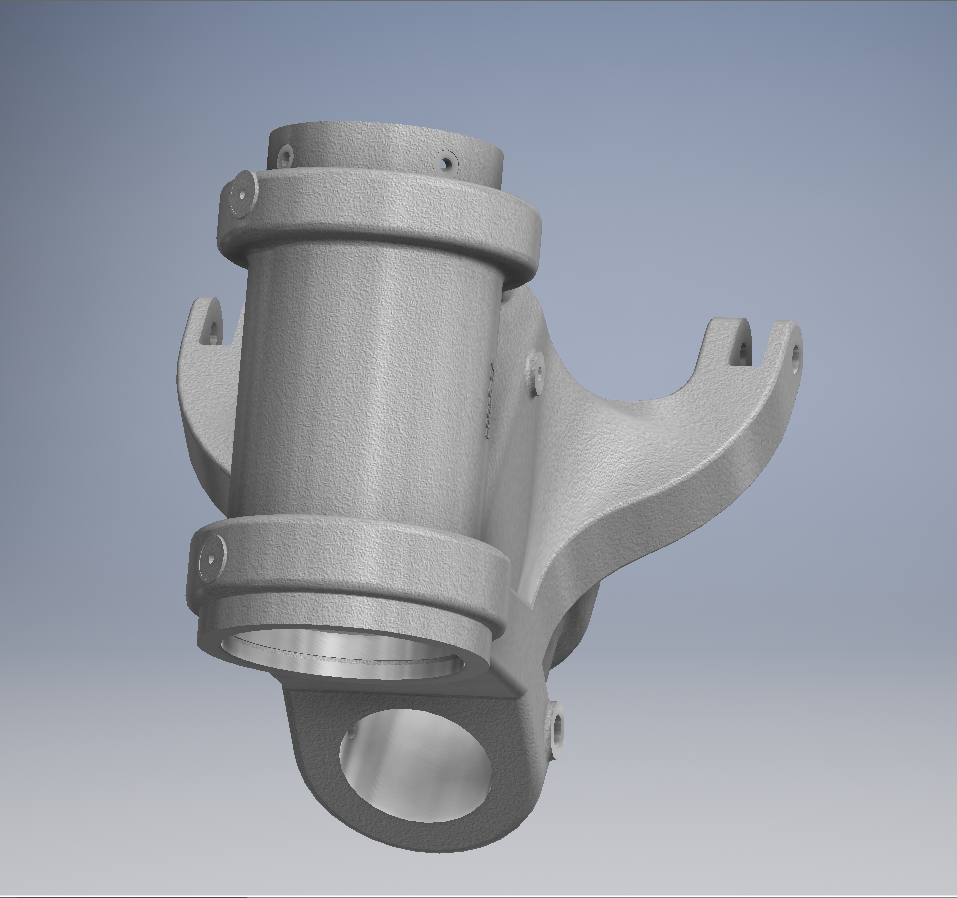
#73-34004 Housing Tail Wheel Spindle
Mustang P-51D Spindle
#73-34004 Housing Tail Wheel Spindle
Mustang Idler
#99-34153 Support: Tailwheel Declutch cable idler
Mustang Bell Tail Wheel Door
# 97-34502 Bellcrank: Tail Wheel Door
#73-31114: Support: Tail Wheel Shock Strut
2015-06-23_14-51-42
#73-31114: Support: Tail Wheel Shock Strut
Mustang P-51
#97-34120 Mast Assy – Tail wheel steering
Mustang P-51
#97-34120 Mast Assy – Tail wheel steering

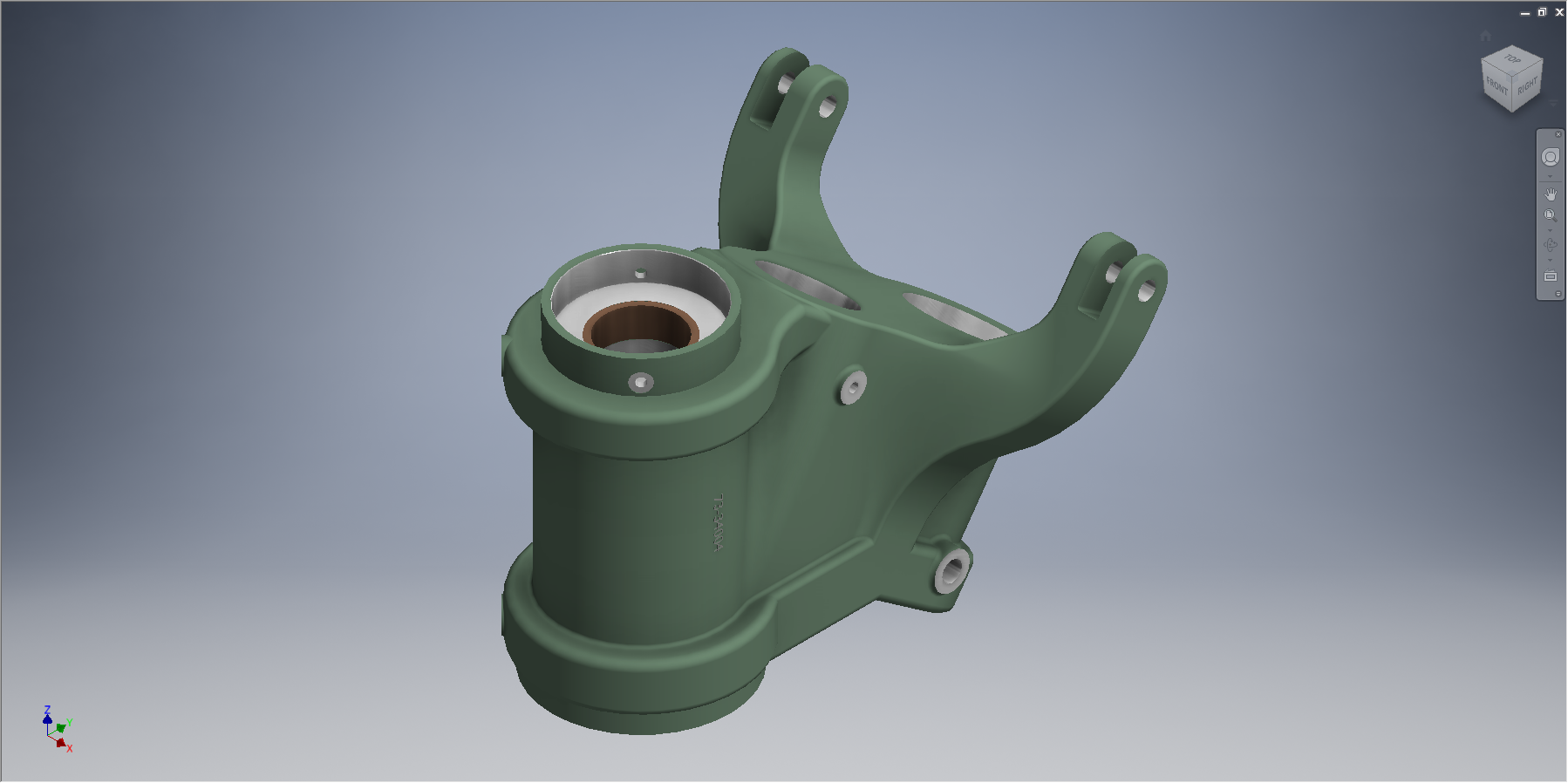
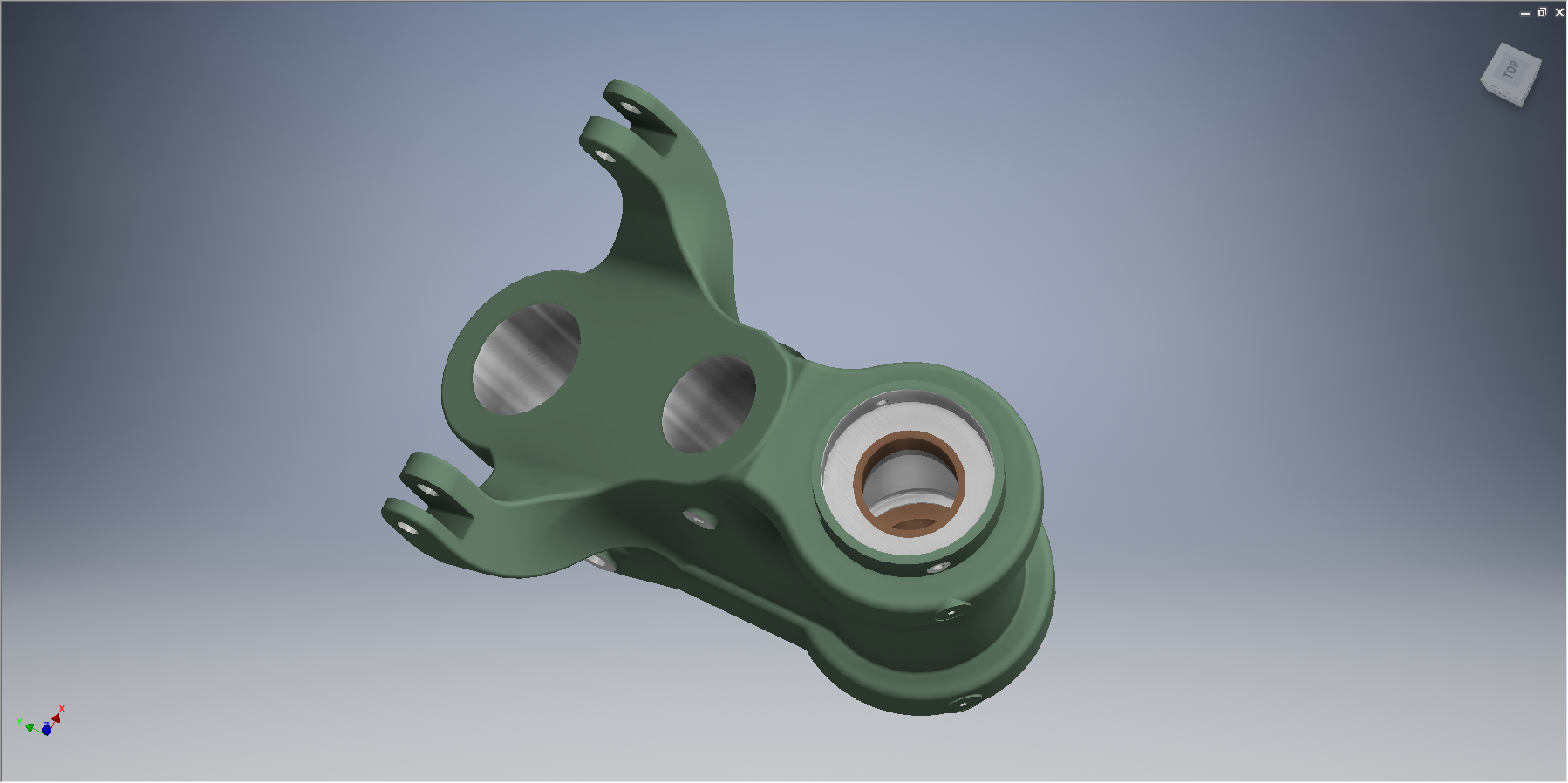
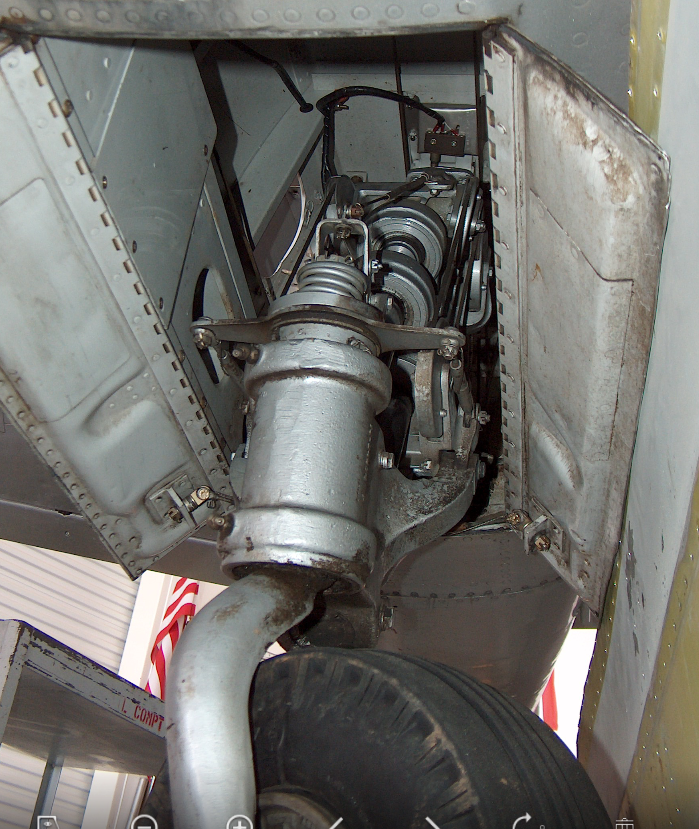
This last image is a photo showing the Housing for the Tail Wheel Spindle with the model in a similar orientation and finish for comparison.

2015-06-22_16-57-13           2015-06-22_12-21-05

For the latest version of these models please refer to this article.

NAA P-51D Mustang: Tail Wheel Housing EndCap

NAA P-51D Mustang: Tail Wheel Housing EndCap

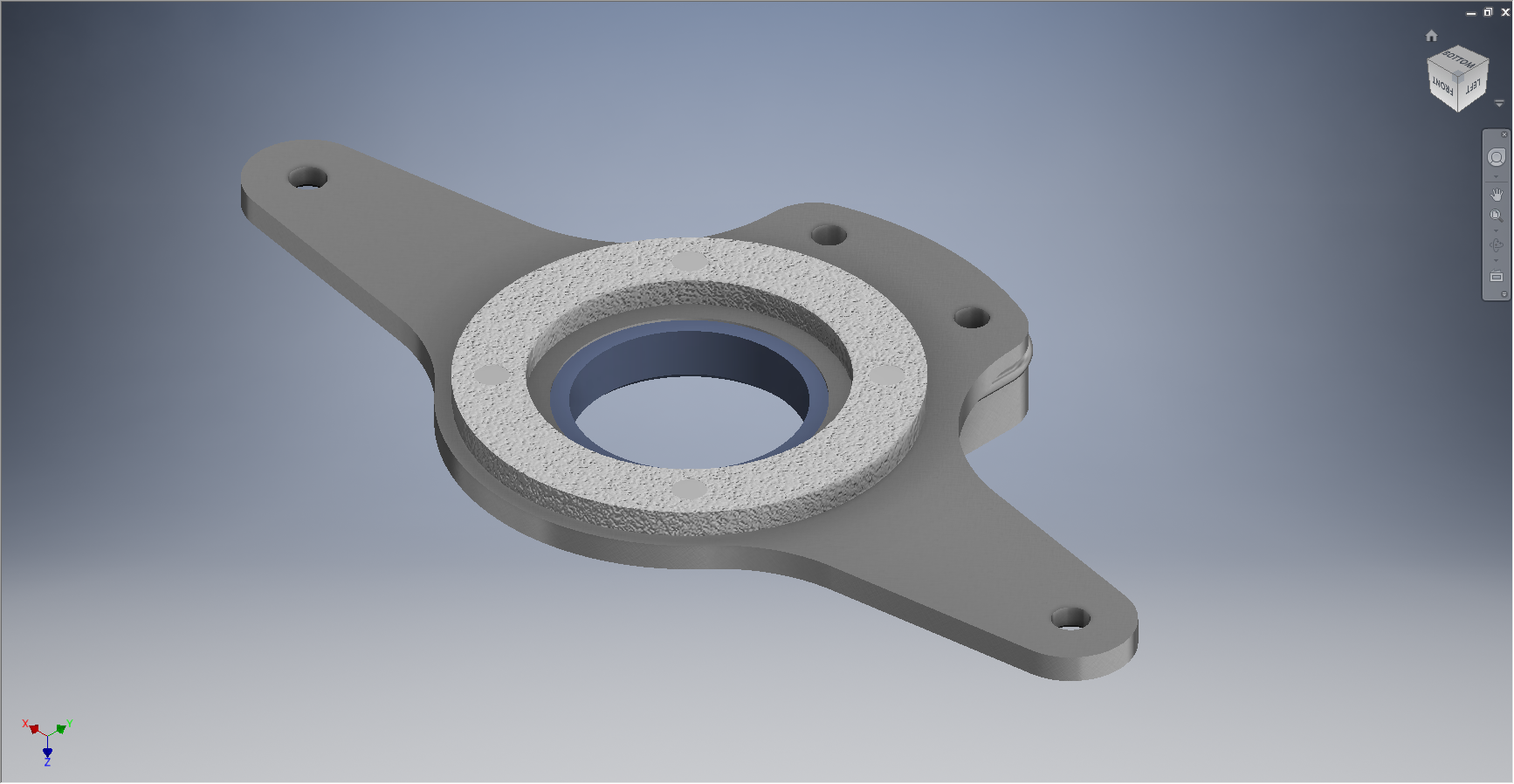
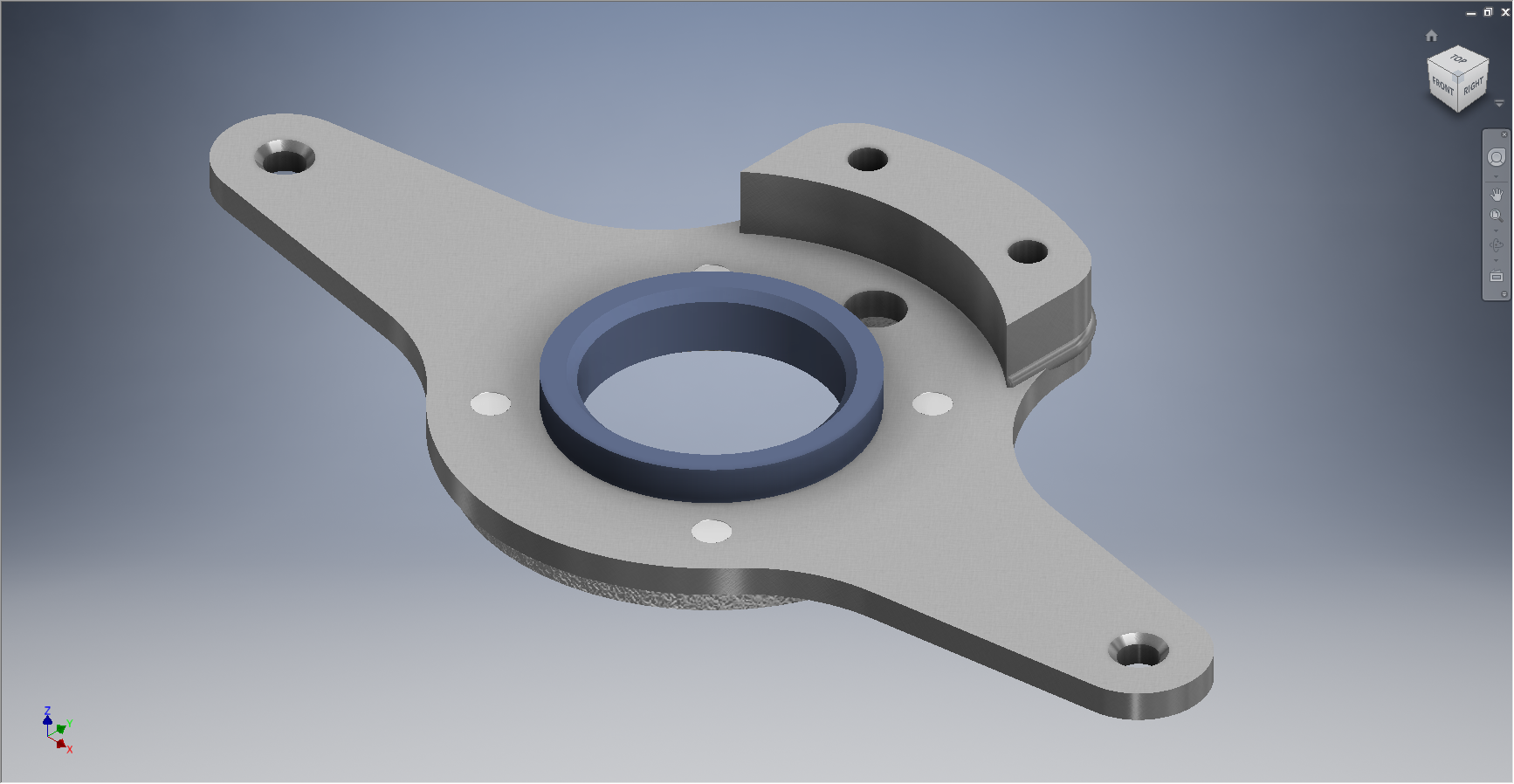
Mustang P-51 Tailwheel Housing End Cap     2015-06-20_14-36-17

This item #91-34005 is the cap to be fitted to the end of the tail wheel housing described in the previous post.

The drawing that this was based on details the finishing and machining from a forging. Unfortunately and is now seeming to be quite typical for the tail wheel area again I am missing key information…its not that the drawing is lacking the necessary detail for its intended purpose as it is based on an existing unit its just that I don’t seem to have the existing forging drawing as a reference.

2015-06-20_14-48-06

The missing information; relating to diameters and material thicknesses; would have been on the forging drawing and the draughtsman did not really have any cause to replicate this information on his finishing drawing…though it would have been enormously useful!

However this is not always the case as depending on the draughtsman some do include this type of information as reference dimensions.

I have therefore interpolated the missing details as best I can based on the information available and where possible cross referenced against other drawings.

The forging drawing is actually listed in the NAA register but the archive record lists the wrong reference drawing so its likely that there is a copy of this forging somewhere in the archive!

For my initial purposes though I think the data is sufficient for the end goal of creating a working tail wheel assembly as part of the mechanism study.