Unlock Precision with Aircraft CAD/Ordinate Data

Unlock Precision with Aircraft CAD/Ordinate Data:

The CAD/Ordinate datasets are designed to offer detailed documentation of the dimensional information pertaining to the core profiles of various aircraft components. This includes elements such as fuselage bulkheads, cowls, vertical stabilizers, horizontal stabilizers, wings, rudders, flaps, ailerons, and elevators. Essentially, these datasets provide all the dimensional information needed to develop the main profiles for aircraft construction.

The research studies were conducted to fill in important gaps in information and to clarify unclear details. Often, data on blueprints can be difficult to read, making it necessary to record and analyze the bulkhead or rib profiles in CAD. This process helps accurately determine the correct dimensions.

The examples of ordinate dimensions above are not necessarily the worst; in fact, there are truly poor examples that exist. To tackle these issues, we should start by recording the known dimensions in Excel and making educated guesses about the worst examples. Next, we can create each profile in CAD. This CAD profile will give us a clear visual representation of any anomalies in the curvature, which can be further analyzed through curvature analysis to identify low and high spots. This process is done for every rib and bulkhead profile where we have ordinate dimensions.

The spreadsheets above are typical examples of CAD/Ordinate datasets. The first spreadsheet contains the Ordinate record for the P-38, while the second one features the Aileron sheet for the FM2. You may notice a Linear Regression analysis table included in the FM2 sheet. Initially, determining the individual profiles of the ribs or bulkheads is just the first step; we now need to assess the assembly of all these components and check for proper alignment.

Each drawn sketch profile in CAD will serve as the border for containing a surface patch.
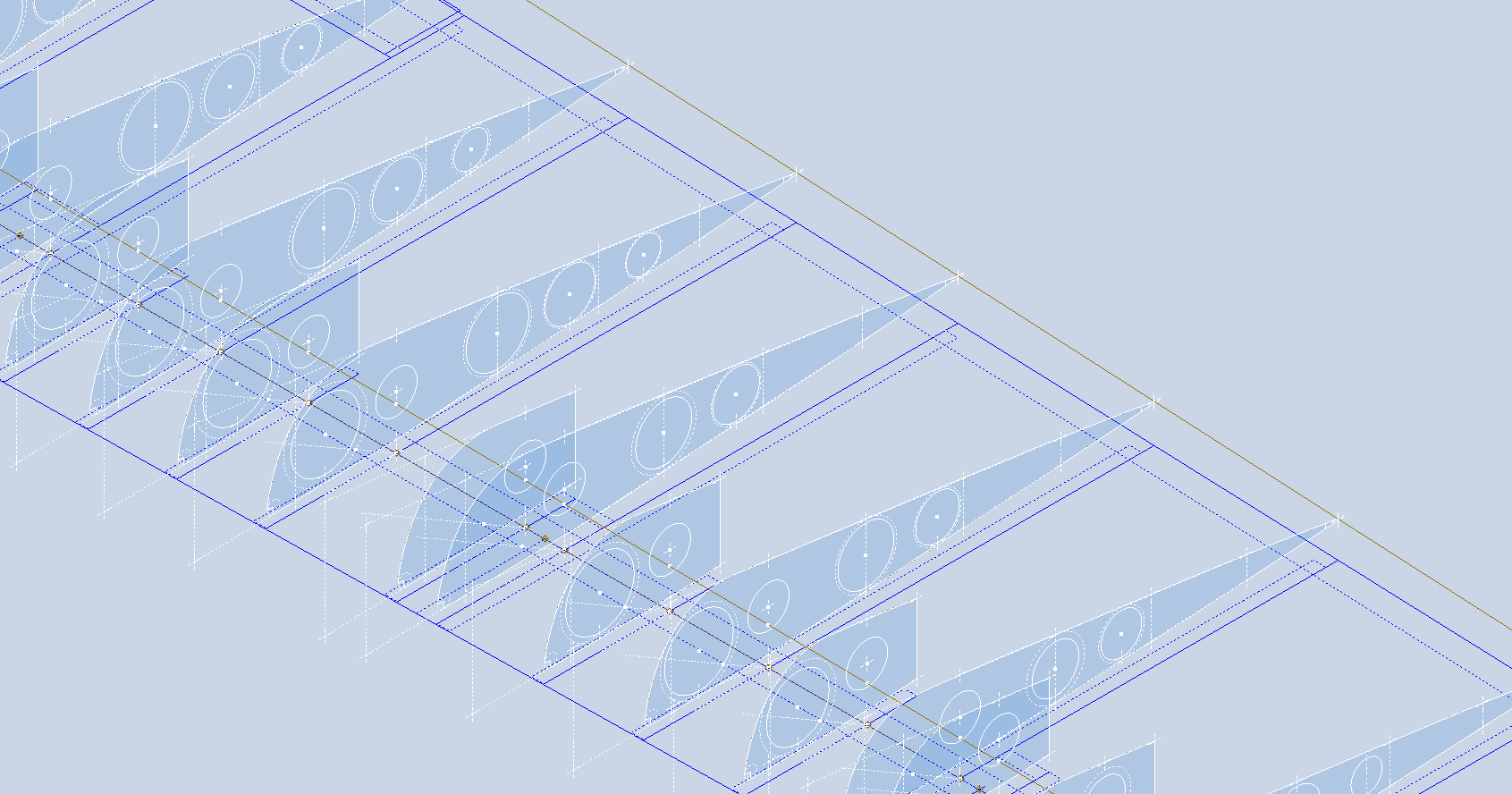
There are two primary reasons for doing this. First, it provides us with a plane that can be converted into a working surface, which can be utilized in any CAD product. Secondly, it provides us with a tangible element that we use to check assembly cross sections at key locations for alignment checks.

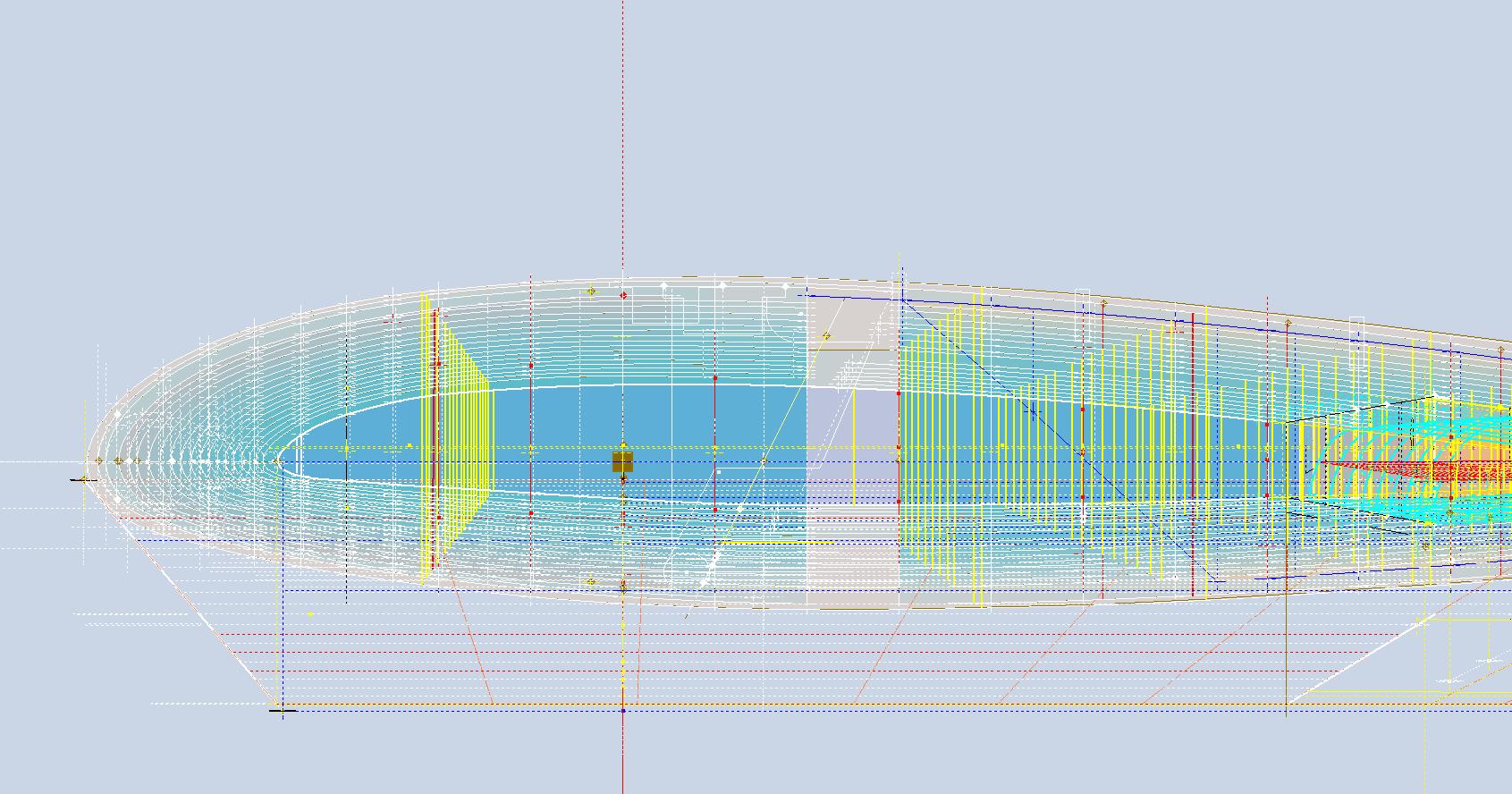
For example, consider the wing of the FM2. The wing assembly has been converted into a part file, and cross-section sketches were created at various chord locations: 30%, 60%, 70%, and 80%. Each sketch utilized the “Project Cut Edges” function to generate a cross-section of each rib. As shown in the second image, the array of lines representing the rib cross-sections provides a visual aid to identify high and low spots on the wing assembly. By creating a surface plane for each rib, we were able to generate these cross sections effectively. There were a few high and low points, which were double-checked and rectified.

If we require additional verification and strive for precision, we could use Excel’s Linear Regression to generate the coordinates for a Best Fit Line and make adjustments as needed. However, this approach may be excessive since our primary goal is to clarify the original blueprint data and apply it to identify appropriate rib and bulkhead profiles within acceptable parameters.

We can also use Linear Regression to give us an overview of how the ordinate profiles align with one another and to identify any discrepancies. Typically, acceptable parameters are within +/- 0.01 inches (or 0.254 mm), as specified by the dimensions on the blueprints, which usually only provide accuracy to two decimal places. Sometimes, as was the case with the P-51 and P-38, we had key design parameters that allowed us to calculate the exact profiles for each wing.

Validating dimensional data is crucial because the actual wing construction may not always match the accepted specifications. The design specifications for the FM2 call for a NACA 23015 airfoil at the root and a NACA 23009 airfoil at the tip. You might be surprised to learn that the NACA 23009 is a modified version of the standard 23009. Nothing is therefore assumed or taken for granted.

The CAD/Ordinate datasets are the result of extensive and thorough research and analysis, often taking many months of work, sometimes around the clock. These spreadsheets include every known ordinate dimension for various aircraft, gathered not only from blueprints but also from manuals, reports, and even correspondence. The CAD/Ordinate packages also include various 3D CAD models in various formats, including 3D DWG and fully dimensioned 2D DWG. All documents provided are fully editable so you can adapt the information to your work processes.

For more details on using the Ordinate spreadsheet data for your own CAD systems, see my earlier post here: Ordinate Overview

With over 45 years of experience in structural and mechanical engineering, my expertise influences everything I do.

In summary, the purpose of the CAD/ordinate datasets is the result of intensive work and research to provide the user with correct usable data that can be utilized in any CAD system.

When you buy CAD/Ordinate datasets and Blueprint collections from me, you support my ongoing research to provide the most comprehensive and probably the most accurate dimensional information about various aircraft. This blog and my research work would not be possible without your support.
Technote: P-47 Canopy Contour Lines

Technote: P-47 Canopy Contour Lines:

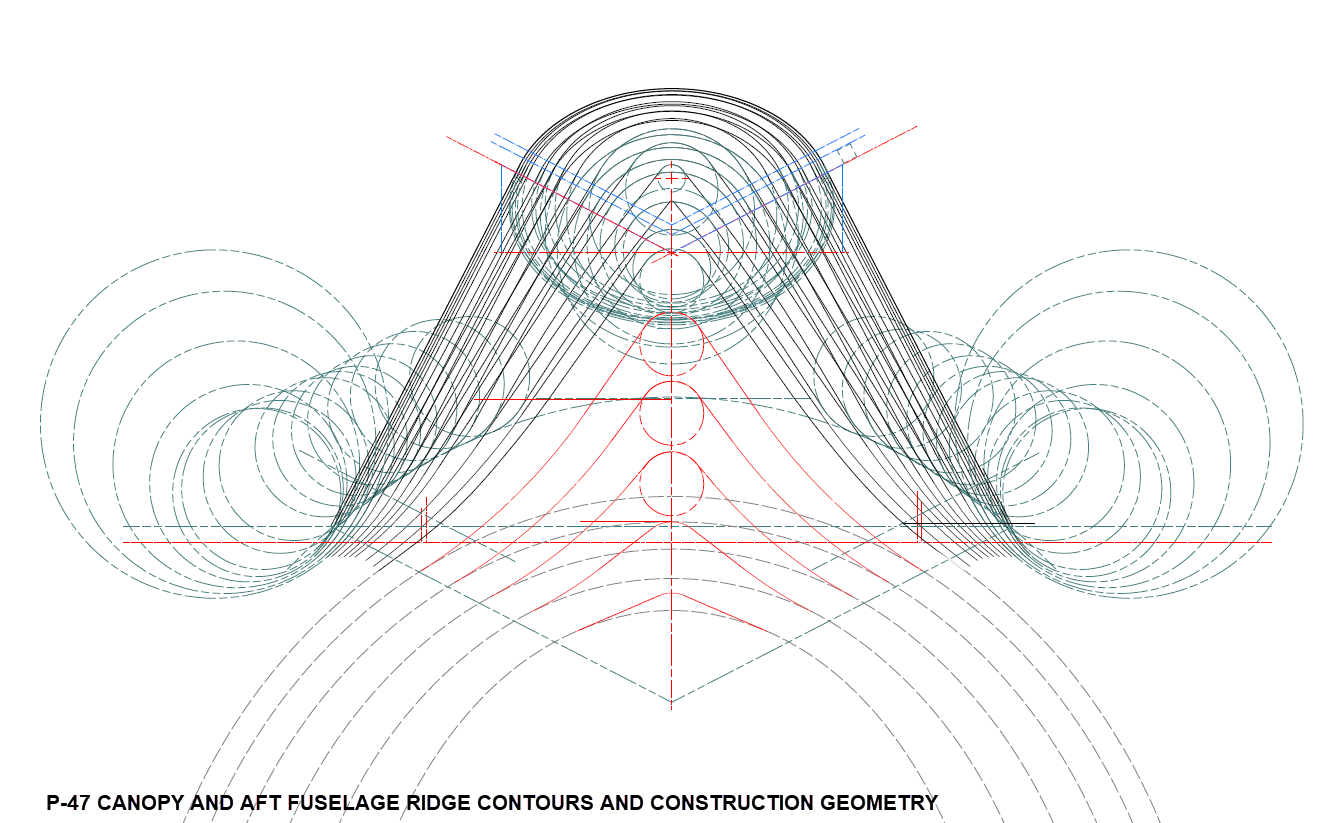
In a previous post, I discussed a minor discrepancy at the intersection of the canopy contour lines and the fuselage contours. This discrepancy is quite small, measuring around 0.3 mm, which is generally considered an acceptable tolerance. The purpose of these CAD/Ordinate studies is to provide the most accurate dimensional record for the various aircraft currently available, so it is crucial to ensure that these measurements are correct. However we must first understand design intent and check that the canopy contour ordinates are designed to match the fuselage contours.

Depending on the aircraft manufacturer, the canopy contour lines may not align exactly with the fuselage because the canopy surface is typically offset from the fuselage surface, which is reflected in the information provided. For the P-47 you can see the ordinate points are an exact match with coincident curves from the fuselage surface therefore the tangent line is actually defined by the intersection between the canopy contours and the fuselage contours.

Initially, when I started this study, I profiled all the ordinate points for the canopy and compared this with the fuselage surface, revealing a minor discrepancy. The thing is we don’t have to fully connect all the coordinate points for the canopy, just the points above the intersection line.

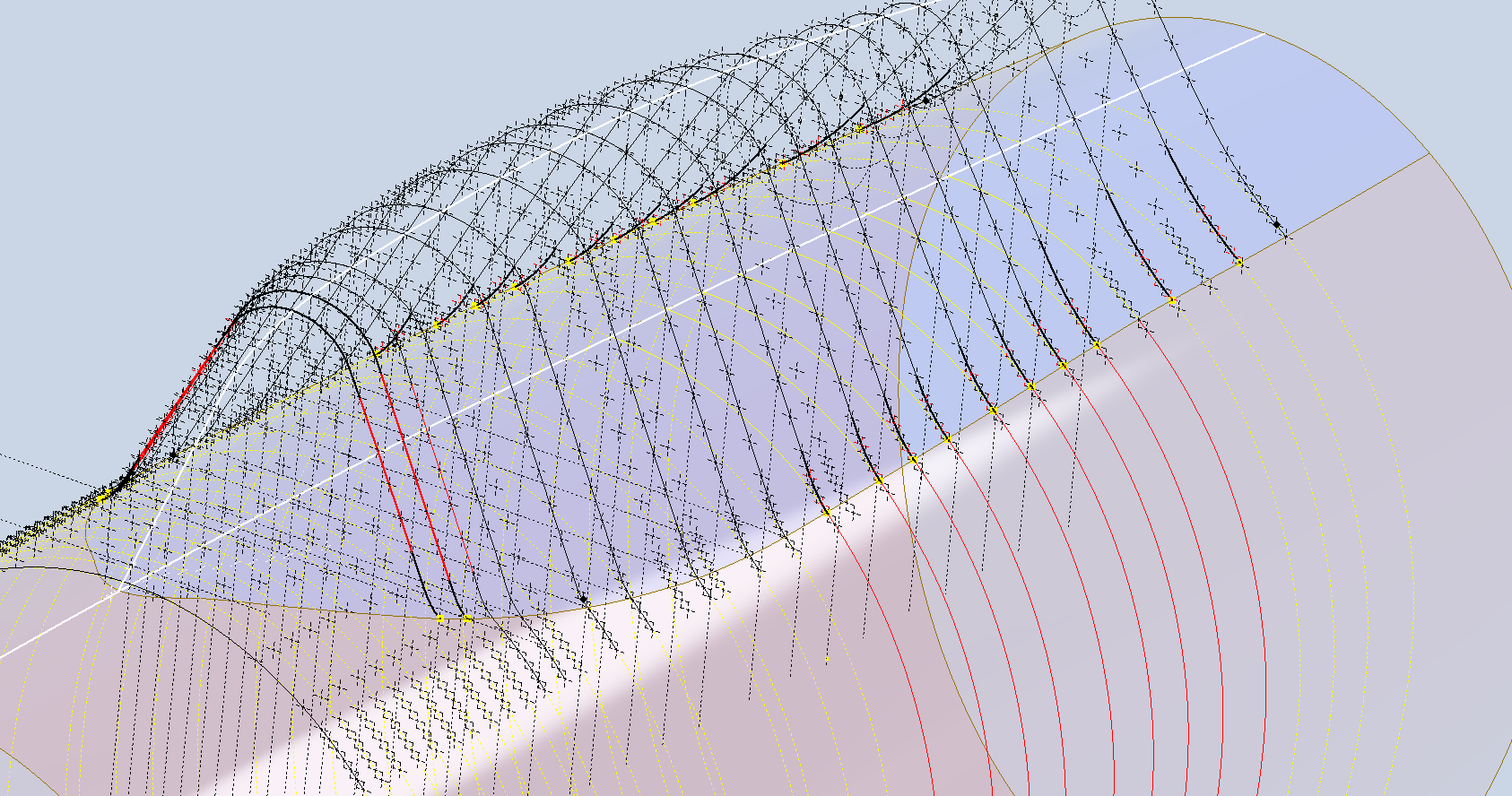
First, we need to define the actual definition of this intersection on the fuselage surface which will be transposed to the canopy model. We take the vertical dimensions from the fuselage centre as defined on the canopy ordinate drawing #89F11456 and create a sketch which will be lofted to split the fuselage surface. On the second image above you will notice a number of prominent points on the upper curve profiles. These ordinates are not shown on the early P-47D drawing but are shown the on the later P-47D and P-47N ordinate layouts.

Initially, I opted for a tangent spline curve to complete the main circular profile of the fuselage bulkheads as per the ordinate drawing thinking that the relevance to the finished profile was nonessential. However when I compared the first run of the canopy and fuselage alignment studies I found that it was necessary to include those additional ordinates which are now included in the spreadsheet record.

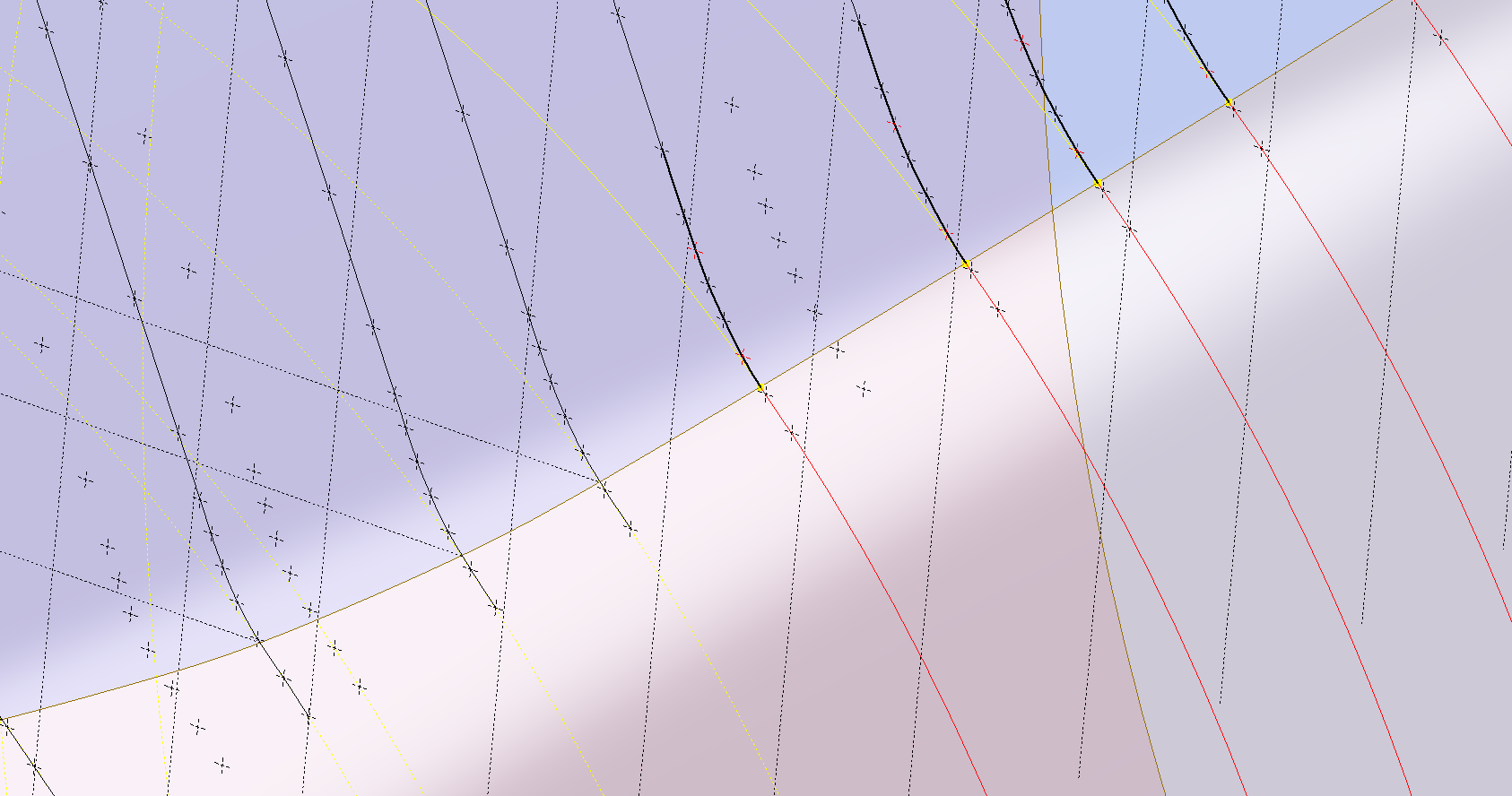
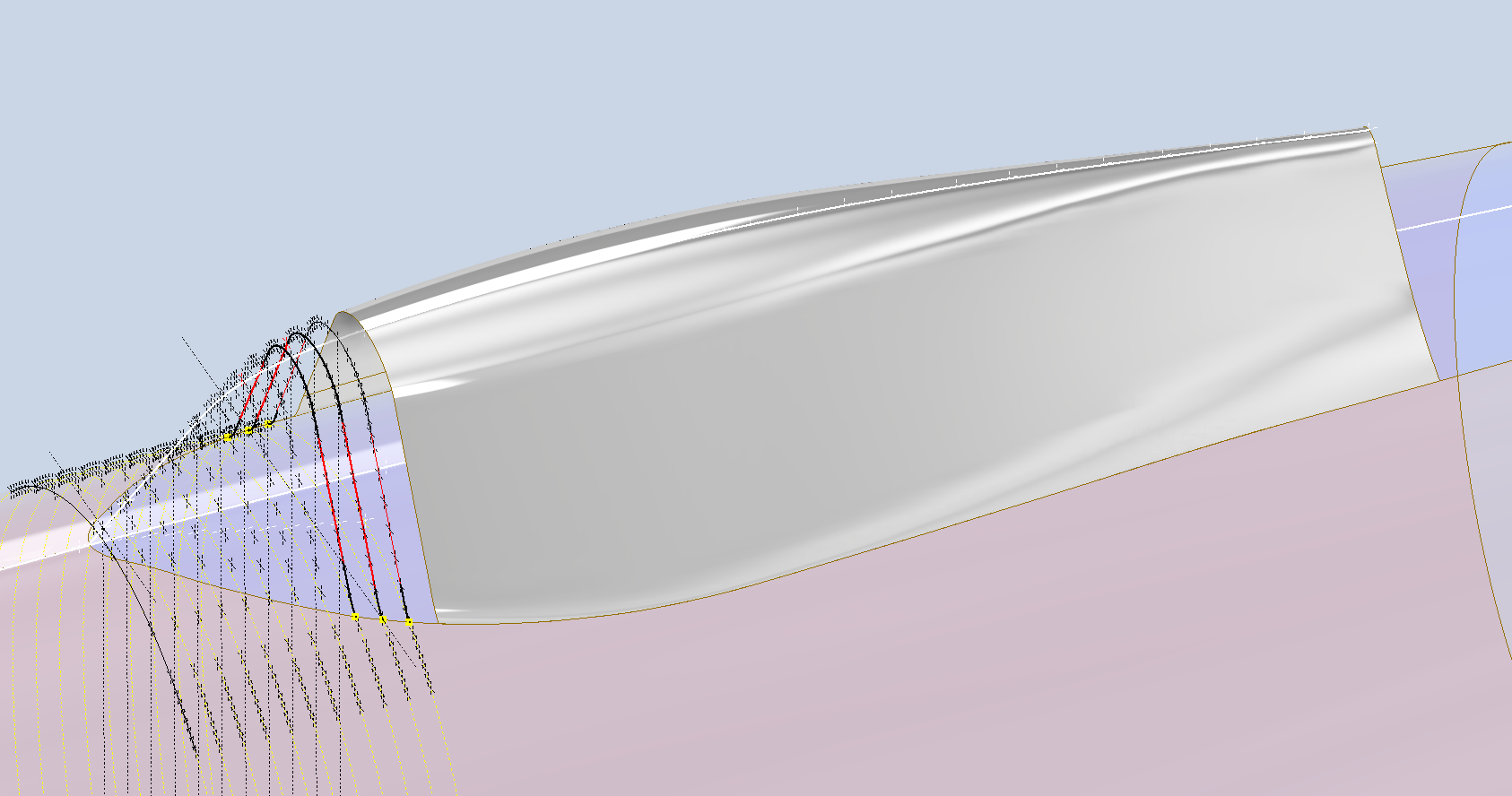
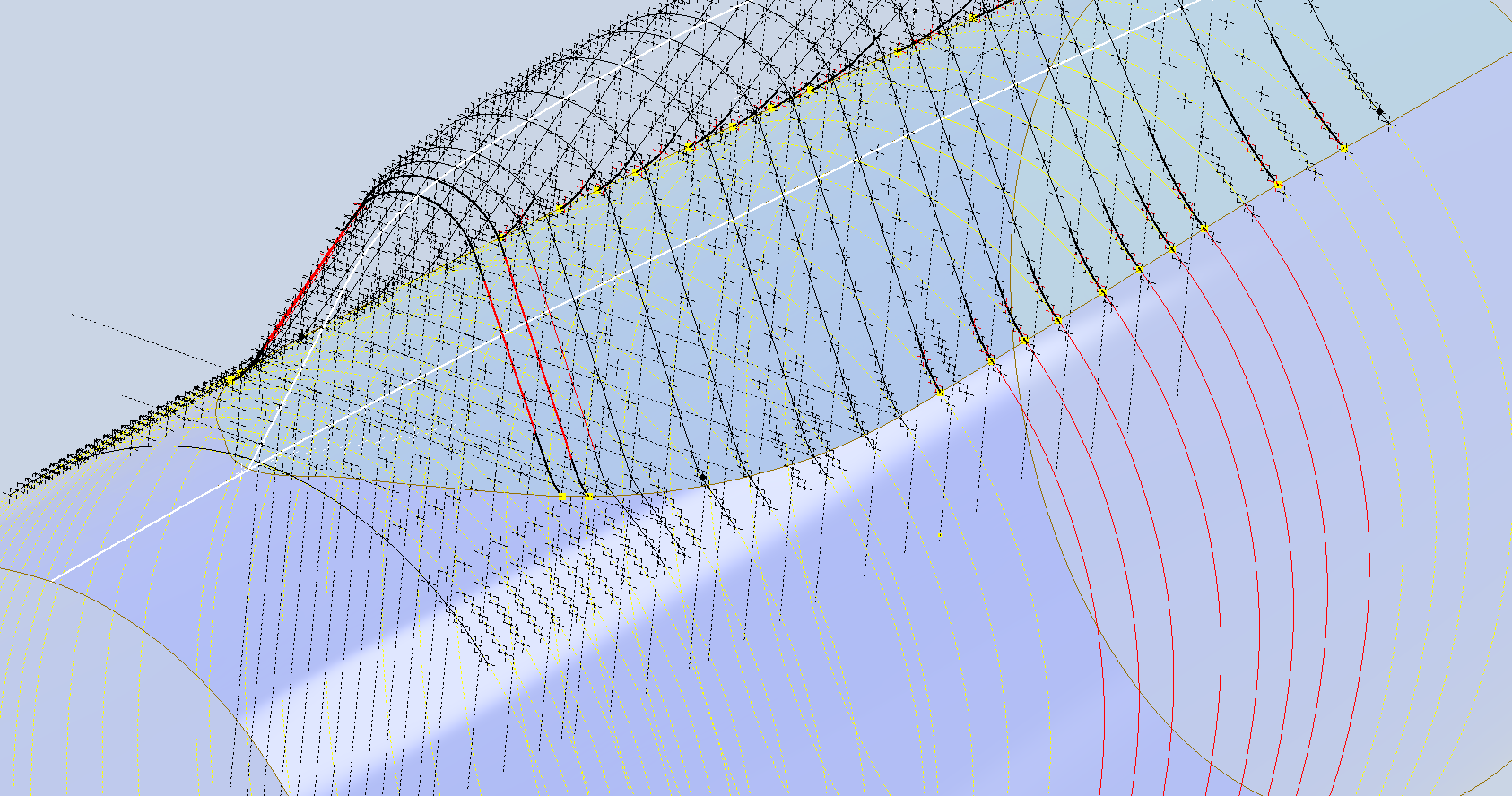
These images show I have opted to correct the minor discrepancy by only profiling the canopy to the actual intersection line. I should note the Canopy and Fuselage are separate CAD models which means I can derive the surface from the fuselage model and manipulate it as required in the canopy model without affecting the original. For each canopy station, I projected a section thru the fuselage surface which gave me a spline to which I could add a tangent constraint when profiling the canopy lines. The images show the initial interpretation of the canopy profiles and the corrected profile in red (construction geometry omitted for clarity).

Tech Tip: if we had instead derived the station sketches from the fuselage model and then projected this in the canopy frame sketches as an outline we would not be able to add a tangent constraint. This is a limitation with Autodesk Inventor when working with splines and the workaround is to project a surface cut section as I have done above.

For each canopy station, I am only sketching the ordinates down to the intersection line with the fuselage and adding a tangent constraint to the projected fuselage profile curve. Because we split the fuselage surface we will have a point at the split that we can use in the profiling of the canopy frames.

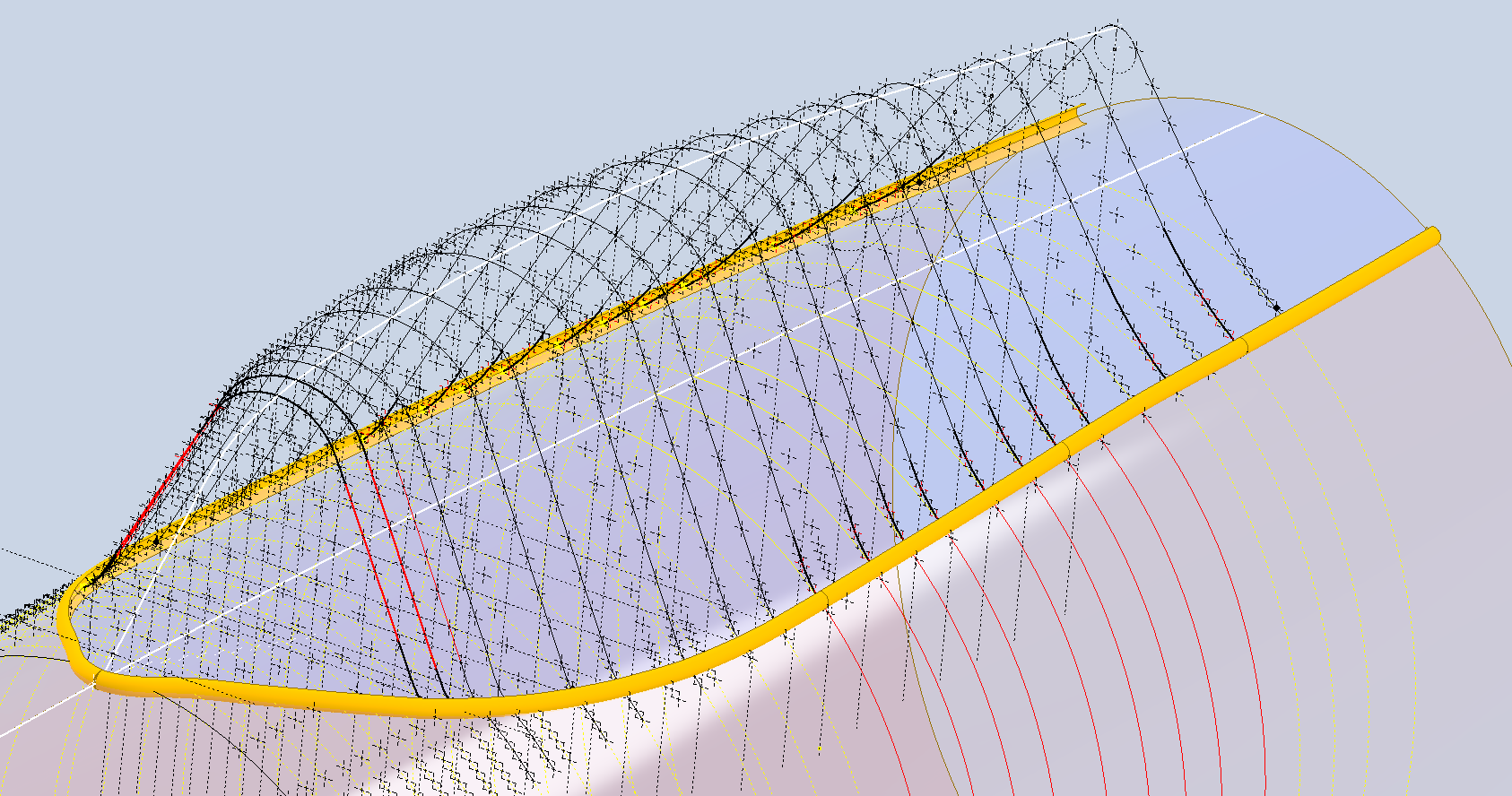
The actual skirt for the canopy obviously overlaps the fuselage surface and therefore we will have to define the edge relative to the tangent intersection line. As mentioned before we can manipulate the fuselage surface that is derived in the canopy model which means we can trim that to suit without impacting the fuselage model.

The tricky bit is ensuring that the edge of the skirt is exactly the same dimension from any point along the intersection line and this is how I do that.

The first thing to do is create a work plane perpendicular to the intersection line and draw in a partial curve and then sweep this along the intersection line path. The reason for this being a partial curve and not a full circle is because there is a tight radius at the front edge of the canopy which may not be possible to traverse using the sweep command if this was full circle.

When this is done it is a simple exercise to trim the derived fuselage surface to obtain the skirt surface.

By creating a curved sketch and sweeping along a curved profile we ensure that at any point along this path, the distance to the resulting edge is exactly the same. A similar technique will be employed to develop the finished edge of the glass panel models.

I still have some work to do on the windscreen portion of the front canopy and then I will fully model the structural components.

P-47 Ordinate Study Update

P-47 Ordinate Study Update

For most of this year, my primary focus has been the restoration project for the P-39 at Planes of Fame. That is still very much work in progress. At this stage, it is mainly the fabrication side of things, as the majority of controls have been drawn. The mounts for the Gunsight are currently being made. I hope to include some photographs of the installation in a later post.

The Gunsight was an extensive and challenging study…the drawing layout shown above was derived from a dozen or so blueprints and various manuals compiled together on one drawing. The circled dimensions are those verified from one or more sources.

During this time I have been doing some preliminary studies for the P-47. Over the last few weeks, the P-39 project demanded less of my time which has enabled me to further develop the ordinate study for the P-47.

The basic Layouts are developed for the Cowl, Fuselage, Empennage, Wings and Cockpit Enclosure. Still a lot of work to do on the details and resolve a number of queries.

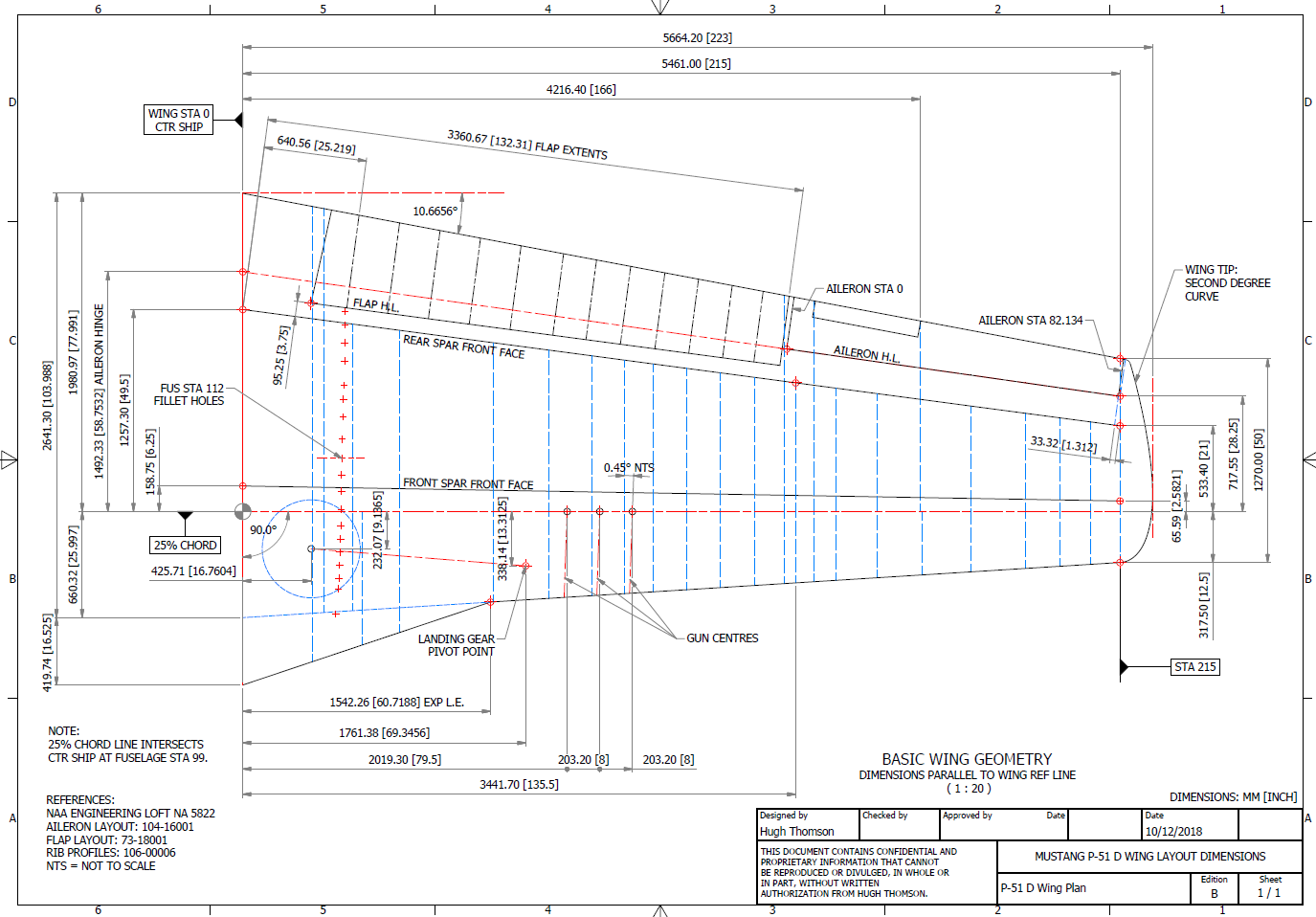
One particular area of interest is the wings. As you can see a lot of work has been done on this layout which shows the Main Spars (shaded), Flaps and the leading and trailing edge profiles. The Aileron and Wing Tip is still a work in progress. The wing comprises 6 thickness variations of the S3 profile…15% at Sta 0 (Ctr aircraft), 14.2% at STA 74 (0.3 x Span), 12.3% at STA 123 (0.5 x Span), 10.5% at STA 172 (0.7 x Span), 9.2% at STA 222 (0.9 x Span) and 9.0% at Tip extent STA 246.

For the Main Spars we have the vertical dimensions coupled with the correct lines for the Flaps and Leading edge providing key important ordinate points that the rib airfoil profile should match. For the Airfoil ordinates I referenced documentation on the Republic S3 profile from the UIUC website and The NACA Technical Reports WRL-98 and WRL-159.

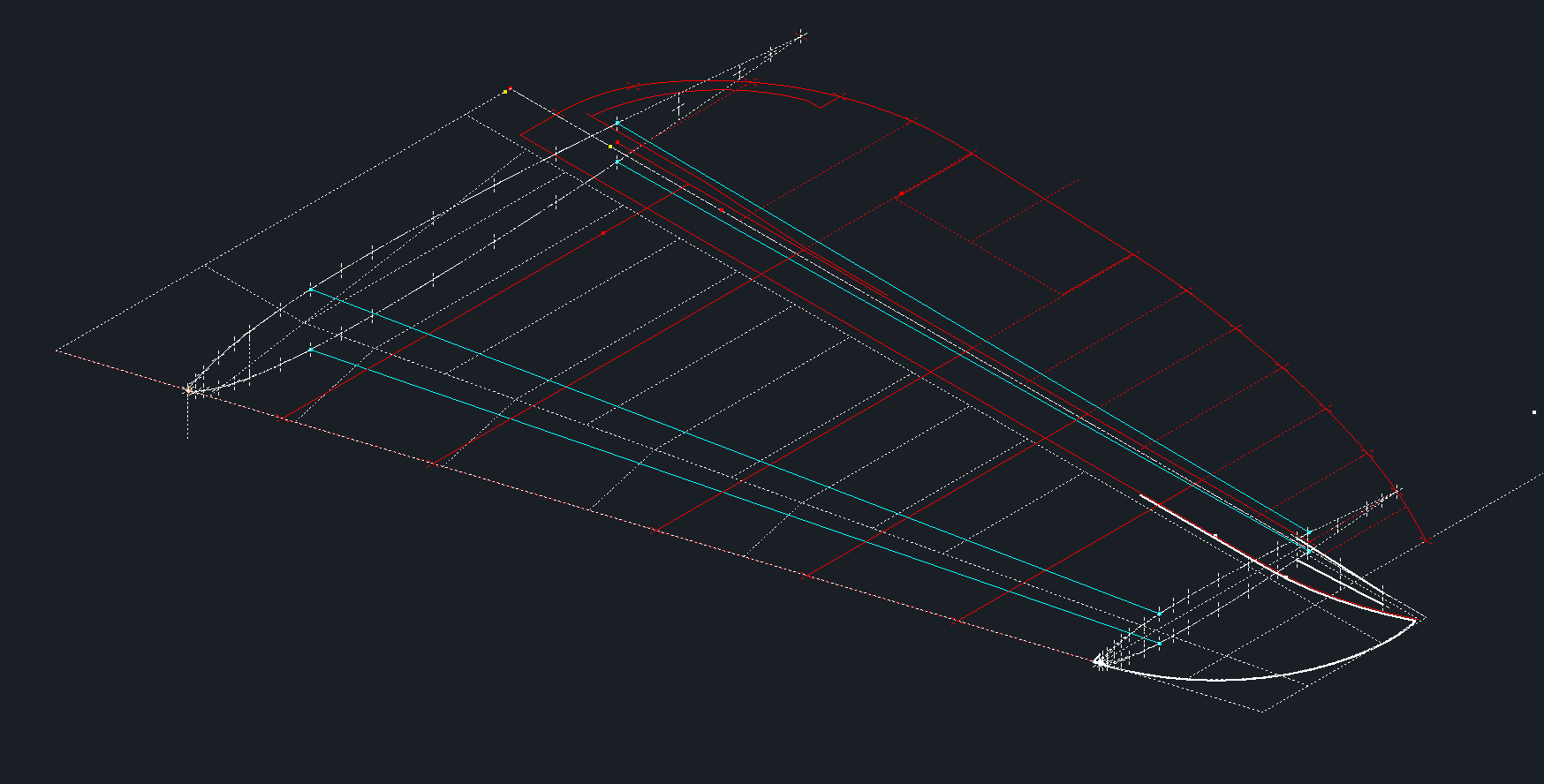
For The Horizontal Stabiliser we do have good information to develop a 2d plan layout including the dimensions for the Elevator to derive an accurate trailing edge. We lack sufficient depth information for any of the spars or ribs. Therefore, it is important to ensure we have the correct Stabiliser airfoil profiles.

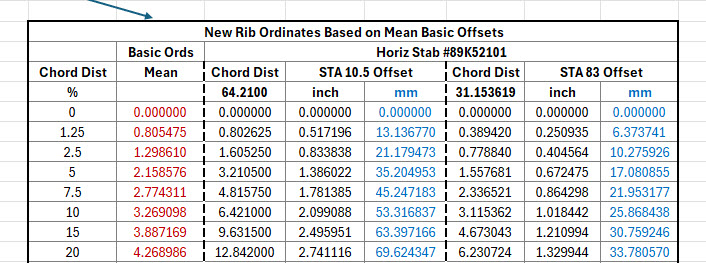
The Republic blueprints list the airfoil ordinates at station 10.5 and station 83. These were recorded on spreadsheets and subsequently onto the CAD model. I found that the alignment for the spar positions and the 70% chord were slightly out. I reverse engineered the offset ordinate data to derive a Basic profile which I intend to use to further develop the intermediate ribs.

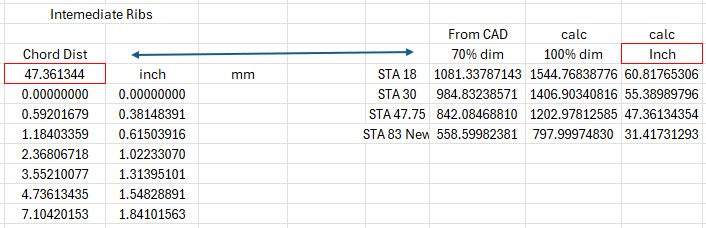
The first table above shows the recorded ordinate data for the airfoils at Sta 10.5 and 83. Working back from the offsets you can see the Basic Ordinates are similar but not exact. Therefore it seems logical to take the mean values from both tables to derive a workable basic profile which I can use later, shown in the middle column. The second table shows the adjusted ordinates for each profile. You may be asking what recognizable profile did Republic use for the stabilizer…again I do not know for sure. I have a parametric table setup for the more common NACA profiles used for other similar aircraft and none match.

The key dimensions for the profile relate to the 70% chord offset and the alignment with the front spar center. What I think is happening is the area from the leading edge to the 70% chord defines the surface for the Horizontal stabilizer and the curved trailing edge of the Elevator is essentially morphed to this line. What few vertical dimensions we have from several areas tend to match with this arrangement.

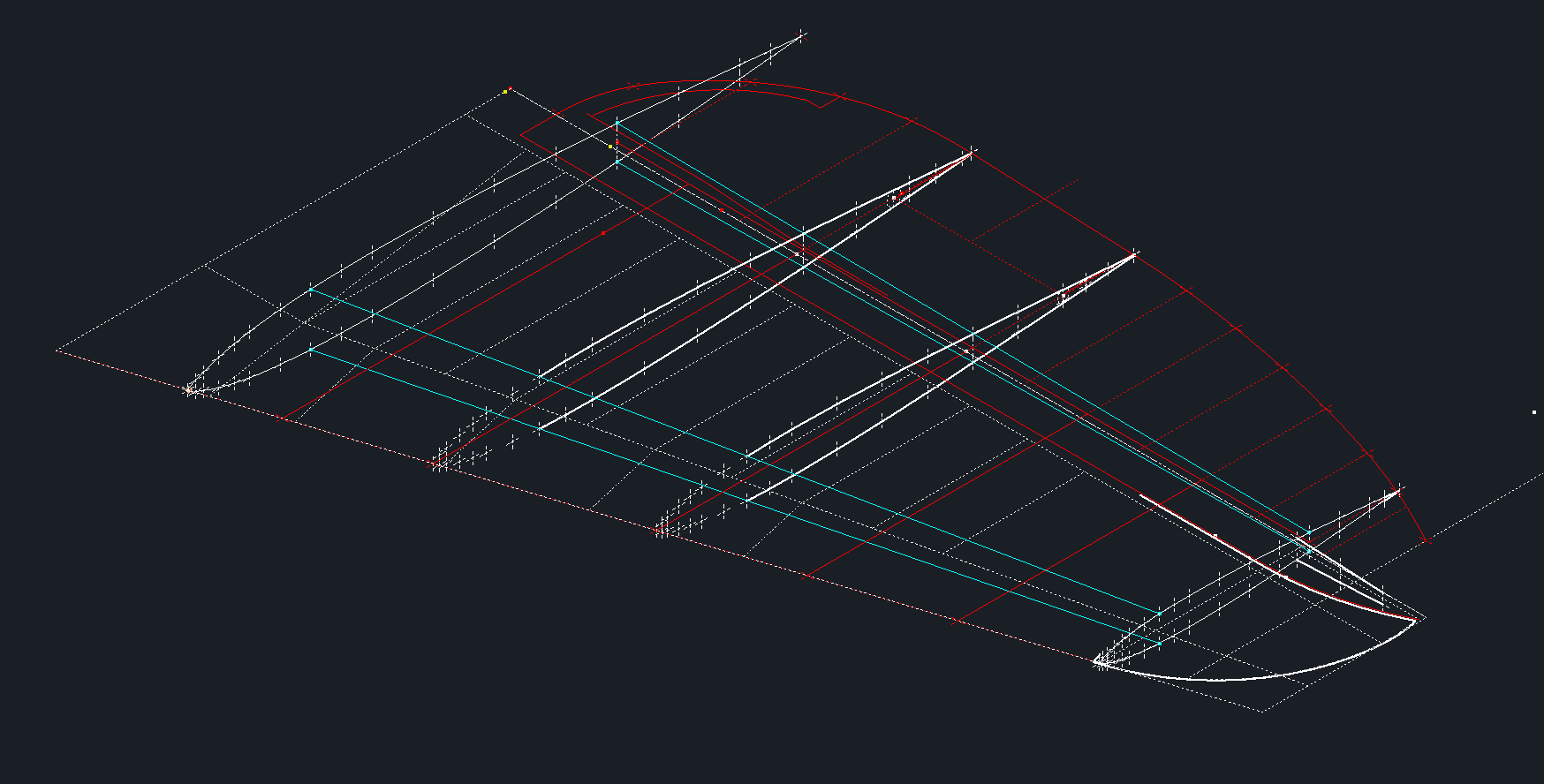
The cyan lines show the alignments at the front spar and the 70% chord for reference. The plan outline for the Elevator is drawn according to the known ordinate points. The second table above is designed to give me the airfoil offsets for any rib according to the chords derived from the CAD model…this is essentially the position of the measured 70% chord and is calculated to give me the actual chord length. All of this will be verified which means trawling through the many thousands of blueprints I have to find key offset data I can check against. Of course, I could use the Aircorps database for this but the many scans of this area are blacked out..the archive I have is much better quality.

I take nothing for granted with these studies and try to verify dimensional information from more than one source. I firmly believe that if we get the dimensional information correct everything else will fall into place.

As usual please get in touch with any technical queries or comments. hughtechnotes@gmail.com

Update 20th Dec 2024:

I have the basic geometry for the Horizontal Stabilizer and Elevator worked out…some detailed work is yet to be done on the Tip and the main Spars.