Overview Ordinate Dimensional Studies

Overview Ordinate Dimensional Studies:

On the CAD/Blueprint resource page, I have compiled a list of Ordinate Dimensional studies for various aircraft. The purpose of these studies is to gather all known dimensional information in a format that can be easily transferred to any CAD system. Additionally, they serve as a dimensional check to verify the designer’s intent and assess the accuracy of data from different resources, including blueprints, manuals, and correspondence.

Let me give you an example:

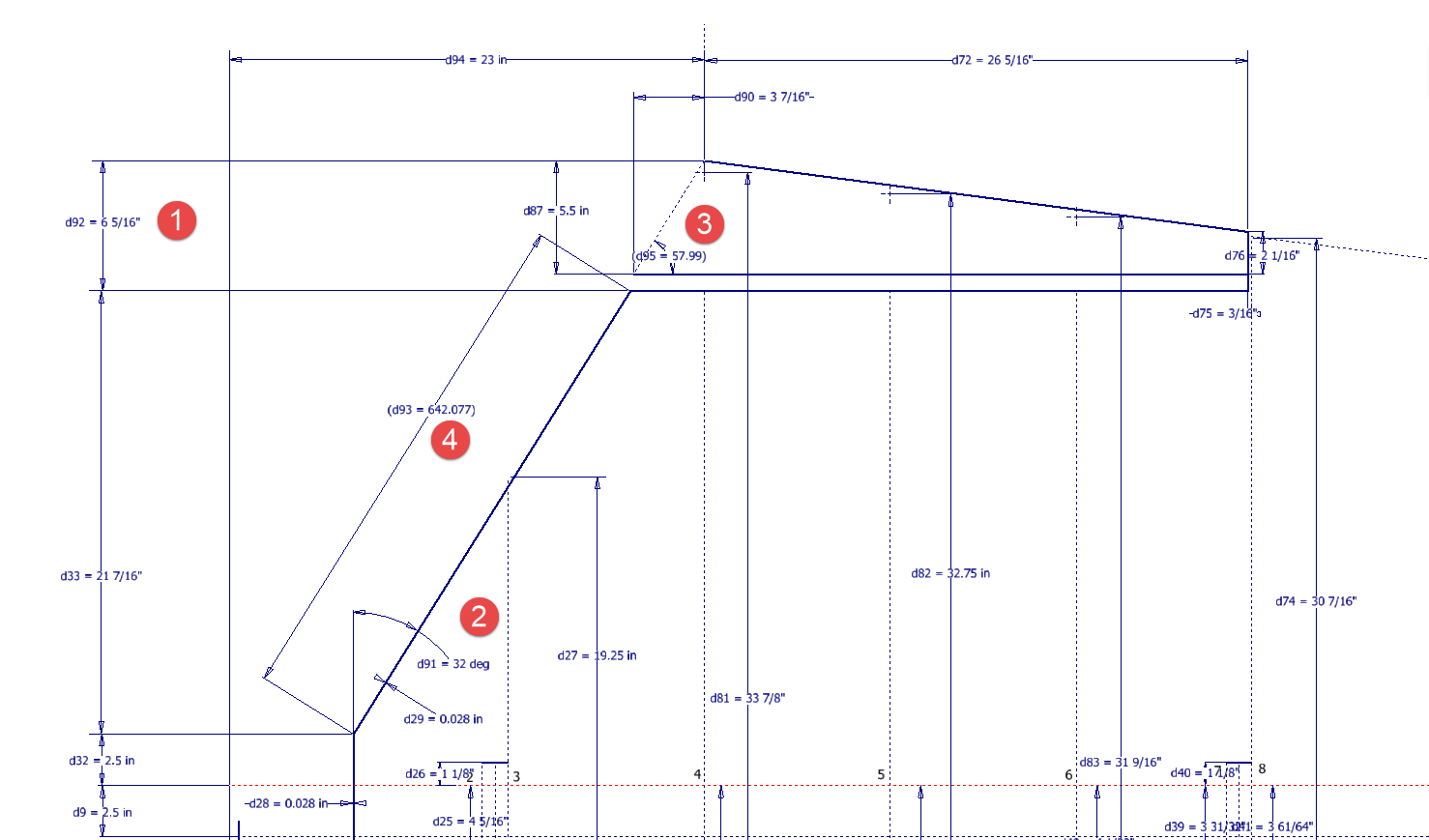
I am currently updating the CAD/ordinate dataset for the Grumman Goose and have already identified a few anomalies in the empennage. This document includes the layout study for the elevator, and you will notice that, based on the blueprint dimensions, the trim tab is incorrectly positioned.

At first glance, it may seem that the dimension labeled “1” is incorrect, as it appears to be the catalyst that causes the trim tab to go out of alignment. However, when we consider the length of the diagonal line labeled “4,” which measures 642.07 mm (25.27 inches), we find a discrepancy with the blueprint that specifies this dimension as 25 inches. Additionally, this measurement does not align with the chord dimension for the rib labeled “2.” As it stands, the angle of the sloping line appears to match at 32 degrees for both the trim tab and the elevator.
This type of issue frequently arises when working from blueprints for any aircraft project. To address it, further research is required, which will involve cross-referencing all part and sub-assembly blueprints in the affected area, reviewing general arrangement layouts, and consulting relevant manuals. It is essential to understand the design intent in order to develop the most likely solution. I have even extracted key information from correspondence that was important for the P-51 Mustang.

Small dimensional discrepancies are common in these projects, not only due to converting inch dimensions to millimeters but also because of typographical errors on the blueprints themselves.

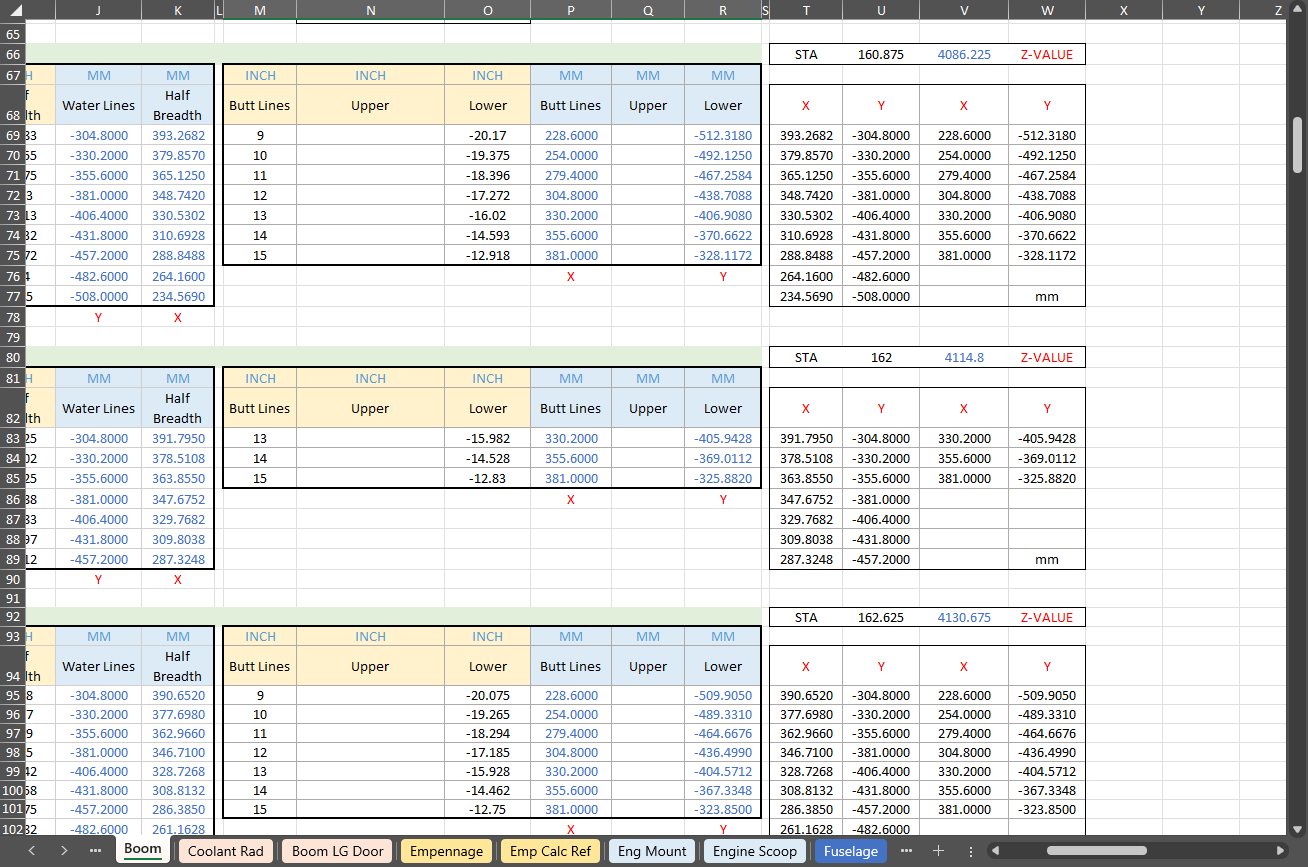
The screenshots of the Ordinate spreadsheets display the dimensional information for the Horizontal Stabilizer and the Rudder. Several dimensions are highlighted in red, indicating errors on the blueprints that have been corrected. The dimensions marked in gray represent the measured dimensions from the CAD model. This discrepancy arises from the inherent accuracy of the specified dimensions, which may only be precise to 1/32″. As a result, minor deviations can occur during the CAD development process. Understanding these differences requires careful consideration of all key layout dimensions and material thicknesses, as they all influence the final derived dimensions. Nothing is taken for granted.

The CAD/Ordinate datasets compile all known dimensional information from various thoroughly researched sources, providing a comprehensive collection of data. This data is presented in editable spreadsheets, fully dimensioned drawings, and 2D/3D CAD drawings and models.

Elevator Layout Solution:

I have identified a solution regarding the layout dimensions. The dimension labeled as “1” is incorrect, but it is not the primary issue. Firstly, the Trim Tab has its own drawing #12530, which indicates that the overall length of the tab is 28.75″. This measurement is incorrect; it should be 29.75″. Additionally, other dimensions are also contributing factors.

In the bottom left corner, we find the specifications for the Hinge and Torque Tube, where two dimensions are marked with a tilde underscore to indicate that they are approximate. Generally, approximate dimensions are expected to be close to the actual measurements; however, that is not the case here. By adjusting the overall length of the Trim Tab along with modifying the approximate dimensions at the hinge torque, and also ensuring proper alignment with the known trailing edge, I have arrived at a workable and accurate solution.

Tech Tip: Using the Ordinate Spreadsheets:

I often get asked this and I have written about using the Ordinate spreadsheets before. Bumping it up to a more recent post, this one; I thought I would share a quick tip.

The Ordinate data spreadsheet is on the left, while the other is an empty spreadsheet that I use to paste data for a specific frame or rib that the CAD system can access. The empty spreadsheet just sits on my desktop, which makes it accessible.

Generally, the format of the data table is set out according to the original resource, which makes it easier to cross reference and check. This is not entirely ideal for CAD access as the X, Y coordinates are in rows and not in columns. The fix for that is easy, copy the data from the spreadsheet as required, select Paste Special in the destination spreadsheet making sure to select the “Values and Formats” and the “Transpose” options. The former ensures the data format remains the same and the purpose of the Transpose function is to convert data rows to columns. This gives us the data in X, Y columns ready for insert into the CAD system.

Note the “inch” header…I am using a millimetre template in my CAD system so I have to specify the unit of measure when I select from the first table. By the way, there is a second table that has all those values converted to millimeter anyway, so we could easily use that…in this case, you would not require a header row.

In other datasets, I have developed additional data tables in the spreadsheet, where I have transposed columns for the X, Y, and Z coordinates, such as those for the P-39.

I receive a lot of feedback from users about the spreadsheets, specifically regarding the time they save on projects since they do not have to manually input data themselves.

Technote: P-51 Mustang Drawing Register Updated

Technote: P-51 Mustang Drawing Register Updated

There seems to be a theme developing here…following on from my efforts to organise the chaos of large blueprint collections I endeavoured to continue my efforts with a long-overdue update to the P-51 Drawing register.

The P-39 Airacobra register was a breeze by comparison to this P-51. That was only a matter of 4-5 hours of work which was aided by the fact the drawing filenames were already fully described…all I had to do was add the Film Index numbers alongside the filenames. The P-51 on the other hand only had obscure filenames that were somewhat inconsistent…which meant this exercise ran into a few days. Occasionally my enthusiasm tends to thwart common sense!

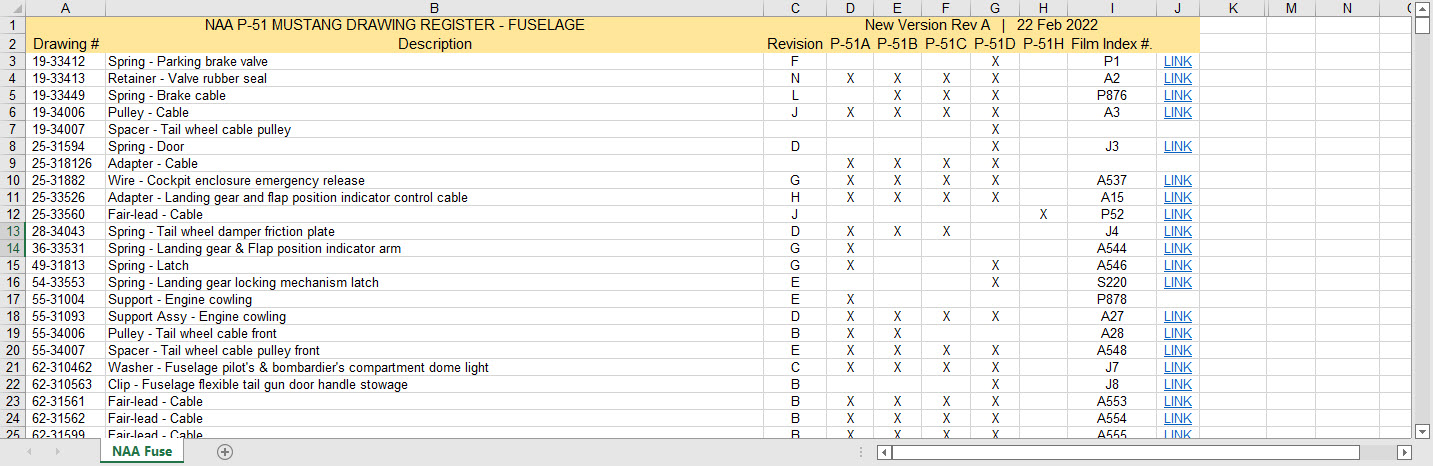
Getting back to the P-51 Drawing register. The update is now inclusive of hyperlinks contained within the excel spreadsheets that will open the associated drawing. This is a huge step forward in managing and working with such a large archive and though it took ages it is a major improvement.

As you can see LINKS have been added to the right column (J) with hyperlinks recorded in column L. This column is hidden but can easily be viewed by using the option to UNHIDE. The Film Index reference is the actual microfilm reference hard coded onto the original film which differs from the actual filename that was generated when the film was scanned.

I should note at this stage that a number of folders in the archive will require renaming as Excel does not like #hashtags in naming conventions. The download section includes a word document describing the file-naming convention.

The hyperlinks are plain text entries originally copied from the development process that utilised the Vlookup function referencing a separate spreadsheet. I had considered including the separate spreadsheet in the download section but I think that just over-complicates things. About that development process!! It may be prudent to provide a quick overview of how things were developed.

The Development Process (briefly)

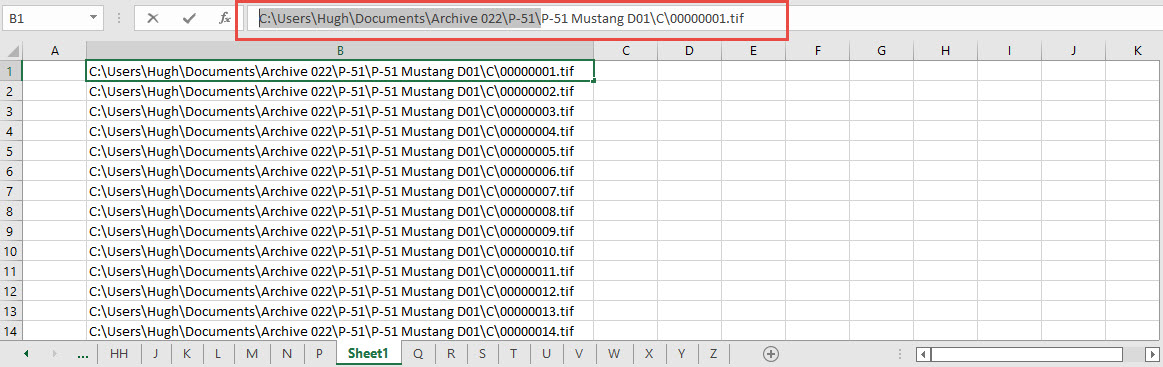
The initial process was to extract the filenames from Windows Explorer and deposit those records into a separate spreadsheet. The way to do this is to select all the files in the folder and click the Copy Path option in the windows explore toolbar.

Paste this into a spreadsheet and then remove the first part of the path (highlighted) so the location parameters now become a relative path to the root folder. This was done using the Replace (CTRL+H) function by copying the highlighted portion and applying a null space to all of the records.

This is now the actual hyperlink path which we need to associate with the actual Film Index. As mentioned above the Film Index is recorded on the scanned images and therefore a fair amount of manual intervention is required to record this value in column A. Using the Vlookup function necessitates that we use the column on the left for the value sought to return the value on the right. As you can see from the many tabs on this spreadsheet I filtered out all the filenames from every folder and then proceeded to populate the column in each case with the Film Index number…that drove me nuts!

There are several ways of accessing the values using Index and Match or even Indirect in conjunction with Vlookup…but we shall stick with the simple option of using Vlookup.

The Vlookup function asks for an initial lookup value; in this case “I10” then it asks for the corresponding Table Array; essentially the array of data from which to search. In this example, the array is defined as the values from the spreadsheet called “FILELIST” Tab “A” from cell A1 to B1043. The “2” refers to the column from which to extract the value you are seeking…which refers to the second column. “False” is for an exact match to the value in I10.

The Link is simply the =HYPERLINK function referencing the value in column K with a text value defining the label “LINK”.

You can combine the HYPERLINK function with the VLOOKUP in one formula like this…though it does take a fraction longer for the link to open.

That’s the basics of how this was done. using Indirect in conjunction with Vlookup enables you to search for the tab designation from a tab list that would look through the entire spreadsheet for the sought value. I didn’t think this was necessary for this exercise.

I mentioned the folder name changes that are required for this to work. The 3 main folders should now be changed to P-51 Mustang D01, D02 and D03.

The updated drawing registers will be available for download this evening so watch this space for an update.

As usual, the spreadsheets are fully editable so you can adapt the data to suit your own requirements. I would note that the Vlookup formulae are not embedded within these drawing registers as the hyperlinks are just copied text values and not live links. The recordset “FILELIST” is not available for download but if you would like a copy to play around with Vlookup or similar then please just drop me a line.

Update (earlier than expected)

The updated P-51 Mustang Drawing Registers are now online and available for download. Please let me know any comments or feedback.

This folder also includes the Aviation Manufacturers Standard Parts file which I am trying to consolidate as they tend to pertain to more than one aircraft.

Comments or feedback as usual to hughtechnotes@gmail.com

Technote: P-39 Airacobra Drawing Register

Technote: P-39 Airacobra Drawing Register

Another project that is long overdue is a drawing register for the P-39 Airacobra. This will be an Excel spreadsheet complete with drawing number, description and a link to the actual drawing file.

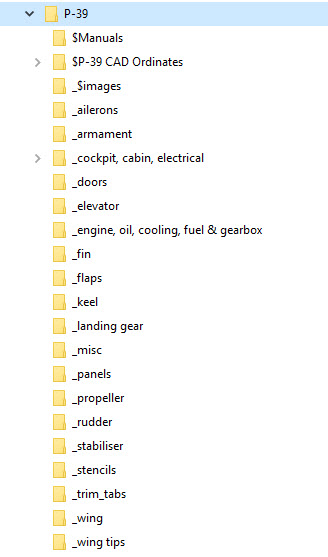
Assuming you have the P-39 folder arrangement as default the links will work fine.

The spreadsheet contains multiple worksheets each designated according to the folder name. The names are tabbed along the bottom to open each worksheet. The links will open the connected file in Adobe Acrobat so make sure you have the Acrobat Reader as a minimum.

The spreadsheet is still work in progress which hopefully will be available for free download this evening. The spreadsheet needs to be deposited in the root P-39 folder.

Update:

This file is now available for download at https://drive.google.com/drive/folders/145VzPBQg74mIoKFLQzShrW7fwn4EIJ7V?usp=sharing

The spreadsheet is fully editable so you can adapt it for your own project. I should note that columns G and H are temporarily hidden columns that contain the hyperlink address…so don’t be alarmed when they suddenly pop up when you are developing your own adaptations.

To HIDE or UNHIDE a column, select the column header, right-click and select the option from the menu.

Technote: Manufacturers Standard Parts

Technote: Manufacturers Standard Parts:

Every aircraft manufacturer has libraries of standard parts in addition to the MIL specs that are used for their various aircraft designs. These vary considerably covering a wide number of standard parts like bolts, nuts, washers, hinges, screws, grommets, extrusions etc, etc.

When I was working on the P-51 Mustang Tailwheel mechanism I was forever jumping back and forth looking for the various standard parts which was a nightmare due to the large number of files in the archive. This was further complicated as the file names were the scan numbers and not the drawing names. So I figured it was time to get this stuff organised.

I have worked through the archives for the Grumman F4F Wildcat and F6F Hellcat and extracted the Standard Part drawings and renamed them with the correct drawing designations. I have also done a similar exercise for the NAA P-51 Mustang.

The actual drawing filenames have been adjusted slightly to make sorting easier (by group) and make the names more legible. Where for example we have 1E48; this is denoted as 1E-48…the 1E is the alpha-numeric group designation with the numerical sequence suffix. This just makes it easier to read when you have hundreds of files in the same folder.

The excel spreadsheet is a register with the different manufacturers’ part drawings listed on separate sheets in one workbook. This is tabbed along the bottom of the spreadsheet. It is envisaged that each set of drawings as listed will include a download link to an online resource to access the files. This download link for the collection of standard part drawings is located on the top right of the spreadsheets.

The NAA Part Drawings also include the previous specification identifier as some of the earlier blueprints still refer to this number.

This is an evolving project and will be continually updated as more information becomes available with the inclusion of other manufacturers data. Currently, over 400 part drawings are registered. For further information please drop me a line at hughtechnotes@gmail.com.

Update: This file Revision A containing the Standard Part drawing links for Grumman and NAA is now available for download here. https://drive.google.com/drive/folders/1KQbn8FNCwKO8xODLlPB3jTAExa3qygZJ?usp=sharing

Footnote: If you are looking for MilSpecs; as discussed in a previous post; then check out these resources:

https://quicksearch.dla.mil/qsSearch.aspx

http://everyspec.com/MS-Specs/MS2/MS21000-MS21999/

P-51 Ordinate & CAD

P-51 Ordinate & CAD Package: 

A comprehensive overview of the Ordinate/CAD package for the P-51 Mustang B,C and D aircraft. This package is the result of over 2 years of extensive research and development incorporating everything I know about the ordinate information pertinent to the P-51 Mustang; now available for download.

Fully Dimensioned Layout Drawings (Autocad 2d):

These are my CAD files that you can use for your own projects. These files are being made available for personal use only and not for commercial gain. Detailed layouts, fully dimensioned.

51j

engine mount revb

Tip 1: The Engine Mount drawing is a good starting point when setting out your CAD model. This will establish the fuselage datum points, Thrust line, Engine mount locations, and Firewall.

The dimensions for this have been triple checked. Incorporates information extrapolated from 6 different documents.

Tip2: Did you know you can work with inch and mm dimensions in the same model. If you happen to be using an mm template and wish to input inch dimensions then just type in the value followed by the unit type; either or in. So for 1 3/8in enter exactly as shown including space and vice versa if working in the inch template and using mm just quote mm units.

Over 228 Autocad 2D Point Profiles Derived from Spreadsheets:

These are my CAD files (DWG) that you can use for your own projects incorporating the point data. These files are being made available for personal use only and not for commercial gain. 2D profiles of all frames for wings and fuselage.Ordinate DWG profile

Ordinate Spreadsheets: 1000’s of Ordinate Point Coordinates (mm and inch):

These are my Excel spreadsheet files that you can use for your own projects. These files are being made available for personal use only and not for commercial gain. All ordinate points painstakingly entered by hand in both mm and inches. Data is sorted and extrapolated to derive 3d coordinates for direct input into most CAD systems.

Original Military Specs AN & MS (fair share) with Dimension Spreadsheets:

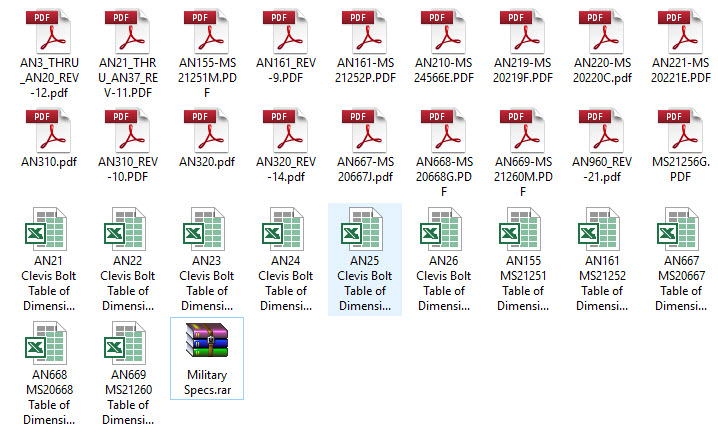
Standard specifications and dimensions for parts including turnbuckles, bolts, nuts washers etc. 3D CAD models of these parts are available separately as a collection; refer to the CAD library tab. Relevant parameters are recorded in spreadsheets that can link to CAD models.

2019-10-06_17-03-01The full Ordinate/CAD dataset will literally save you 100’s of hours of tedious work and is available online. For further information please send an email to hughtechnotes@gmail.com 

This Ordinate/CAD dataset is only available from my blog. All work and research were done by me. All spreadsheets and DWG files are fully editable.

Models on CGTrader:

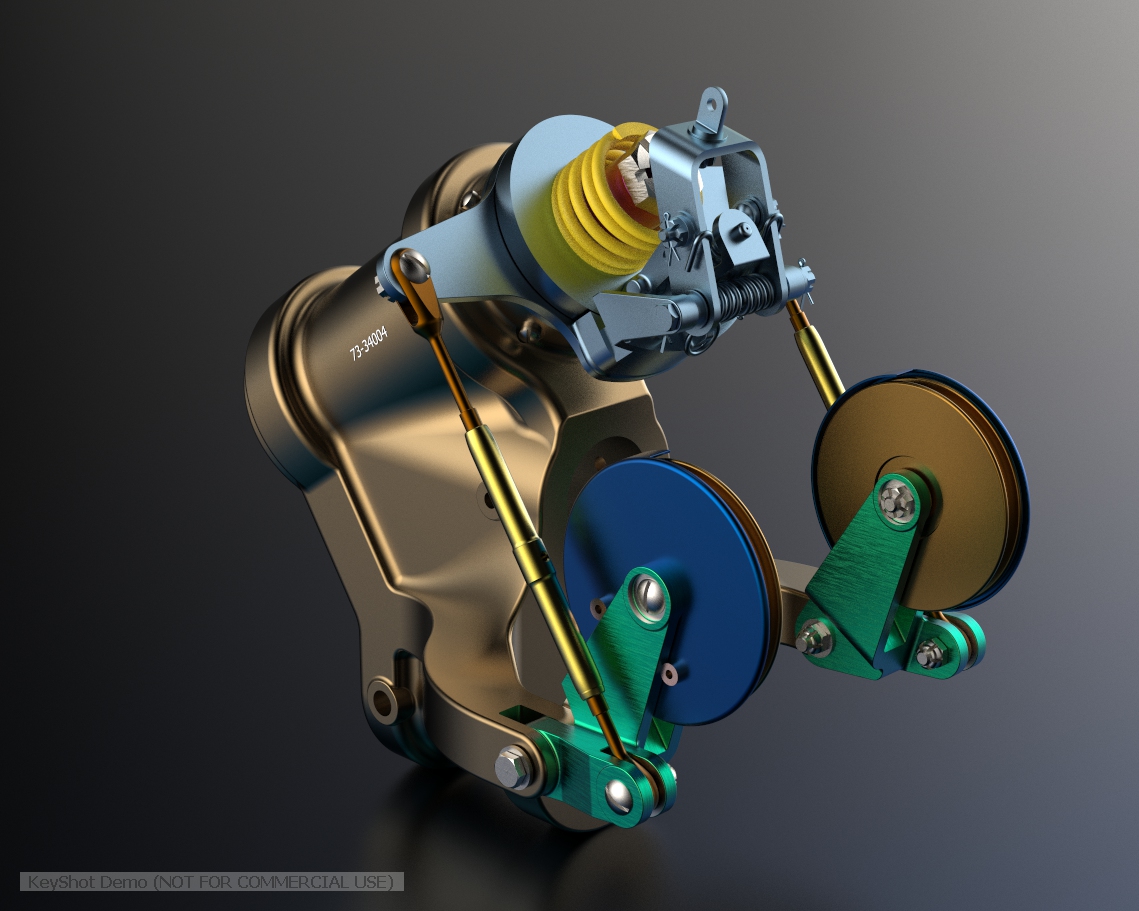
Alongside the ordinate and dimensional research I also have a large number of professionally prepared 3D CAD models for the P-51 Mustang now available for download on CGTrader.These include the Tailwheel assembly for the P-51 Mustang. All parts, including all internal components, nuts, bolts, washers, and pins modeled to original standards. Tailwheel CAD assemblies on CgTrader:

P-51 Mustang TW Shock

exit These CAD models include fully itemized layouts for each assembly.se

As usual please get in touch at the following address for all inquires HughTechnotes@gmail.com 

NAA P-51D: Master Lines Plan

NAA P-51D Mustang: Master Lines Plan

The P-51D project is progressing well with further developments on the fuselage frame profiles. I now have a comprehensive Master Lines Plan incorporating additional information obtained from mathematical analysis, drawings, reference documentation and geometric developments. I have updated and remodeled the underside Oil Cooler Air intakes, canopy, windshield, rear fuselage and fuselage tail-end. As part of the remodel the groups of ordinates for each frame for the Oil Radiator Duct, Coolant radiator Duct and Removable Scoop are now contained on their own respective work-planes. This will make it much easier to micro manage the final mold lines.

Fuselage Master Lines Plan (P-51D overlaid on P-51 B/C):

2017-07-01_14-32-09

Test Lofts and developments:

2017-07-01_14-30-24

Front Views (note the Canopy Profile update from the previous article):


A month ago I was not sure how much could be achieved given the limited amount of information at hand but with due diligence and detailed research, it is quite amazing what can be accomplished.

With this template, it is now technically possible to accurately develop a CAD model for the entire fuselage structure and mechanical components for the P-51D, which would be great; but I often wonder what the value of such an undertaking would achieve, other than being a darn interesting thing to do and a test of CAD modeling skills.

Having achieved this significant milestone the time is right to conclude the work on the Mustang P-51D and P-51 B/C projects. I may continue with the P-39 project but as always I am keen to explore the options for the more obscure extinct aircraft as described in Operation Ark.

2017-07-01_00-15-20

If you are planning on developing your own Master Lines plan a good place to start would be with the 1000’s of ordinates points cataloged and recorded on the spreadsheets here: Mustang P-51B/C Ordinates which also includes the wing ordinates for the P-51D and vertical stabilizer.

Bell P-39: Progress Update

Bell P-39: Progress Update; Comparison

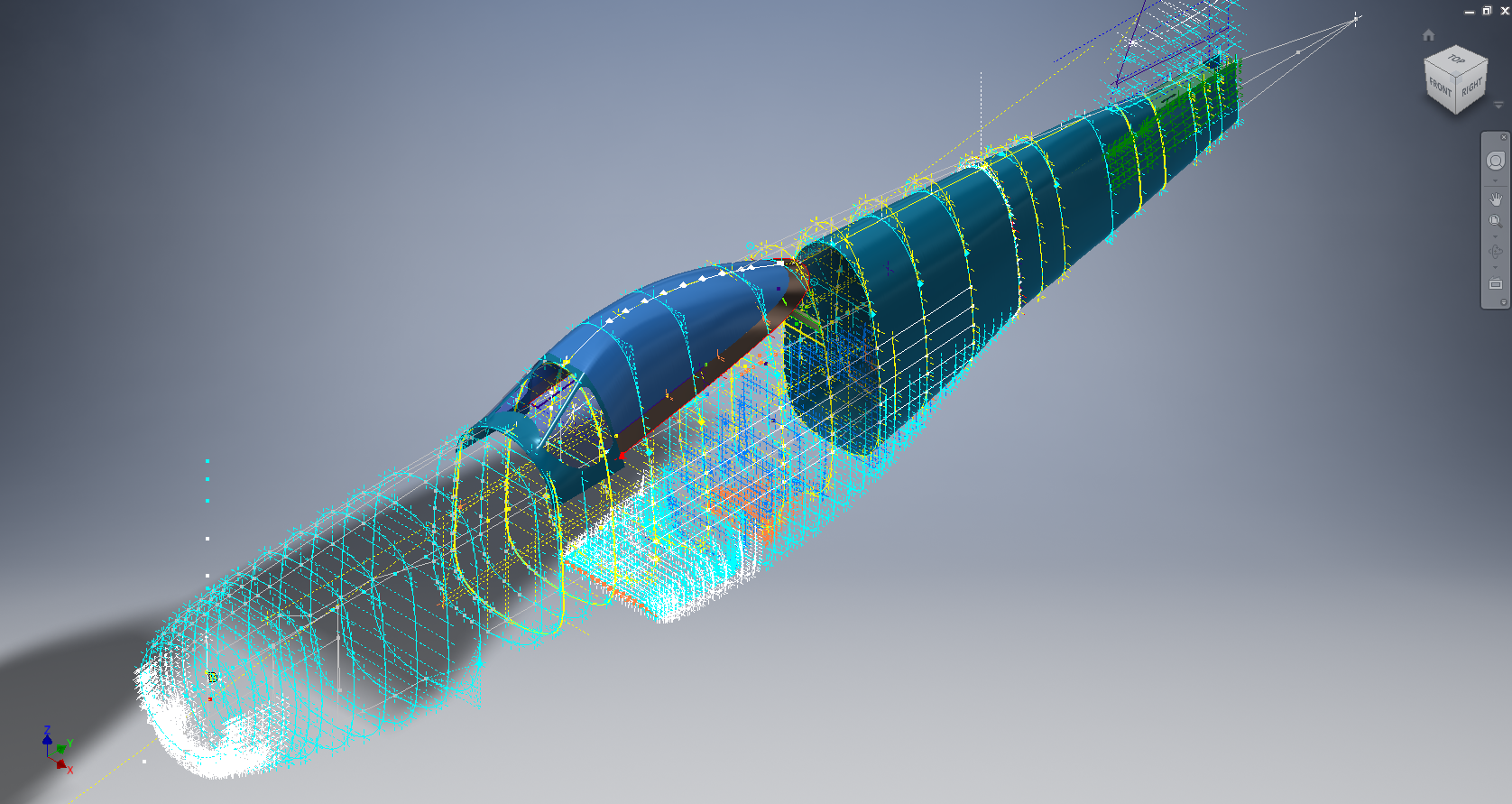
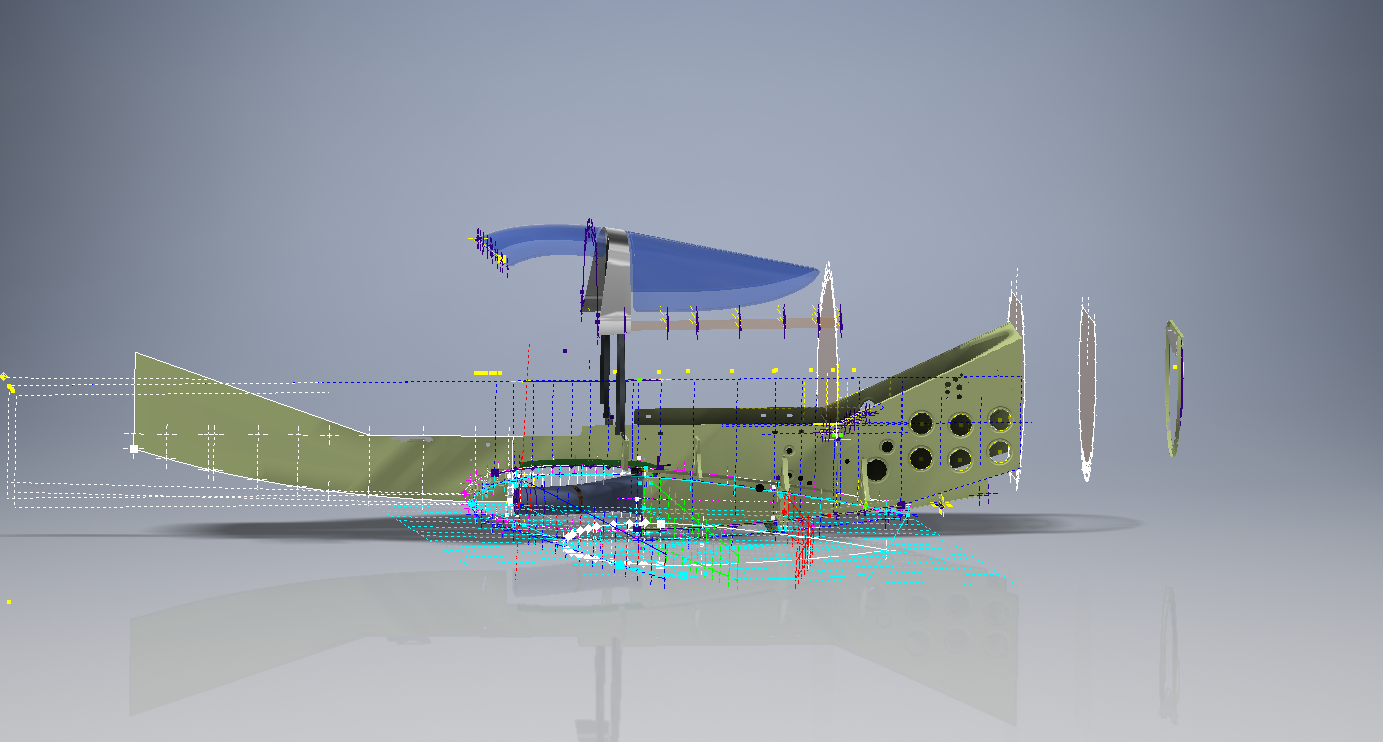
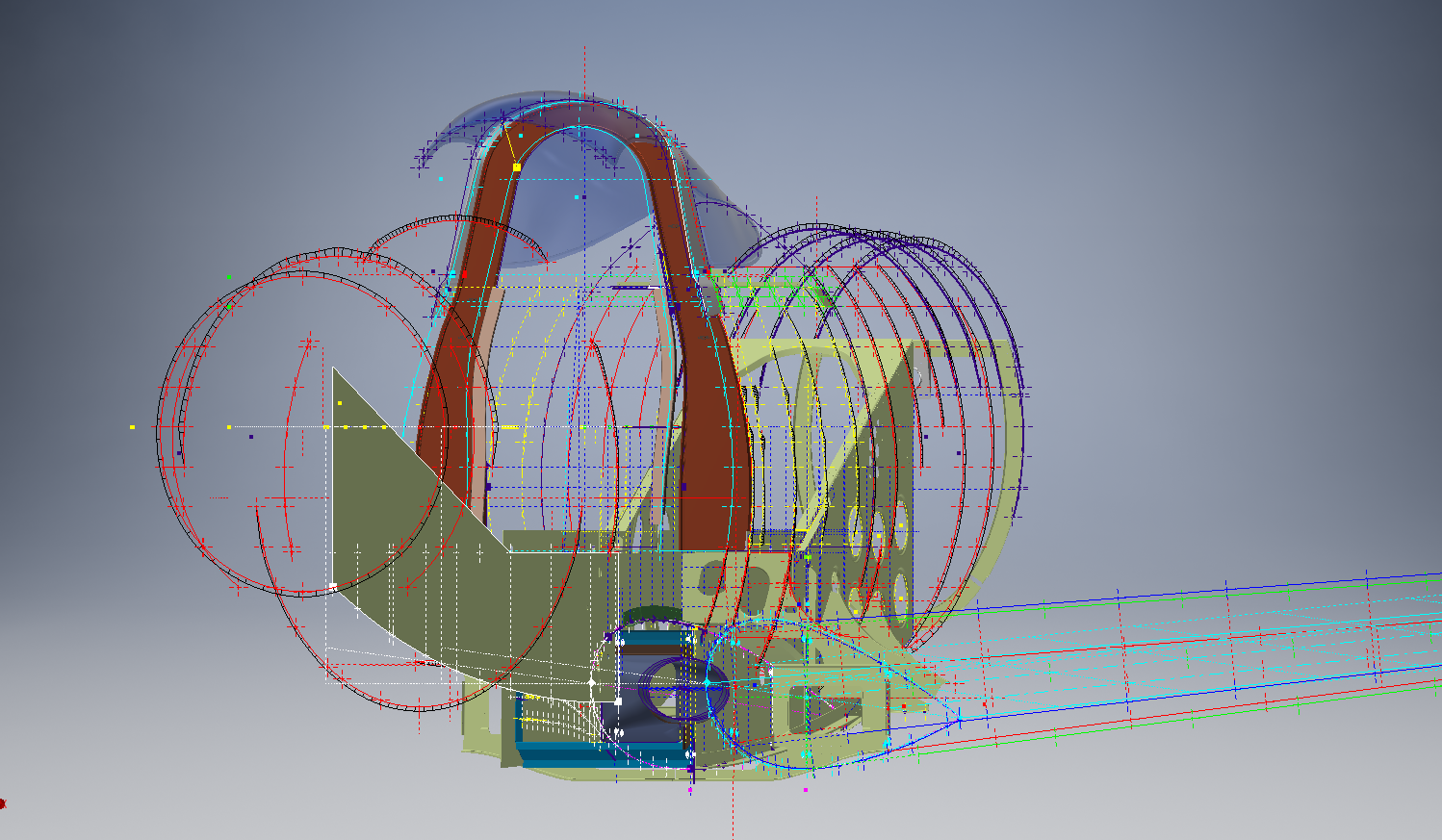
Progress to date has focussed on the main inner fuselage development with additional modelling to the top cockpit glass.

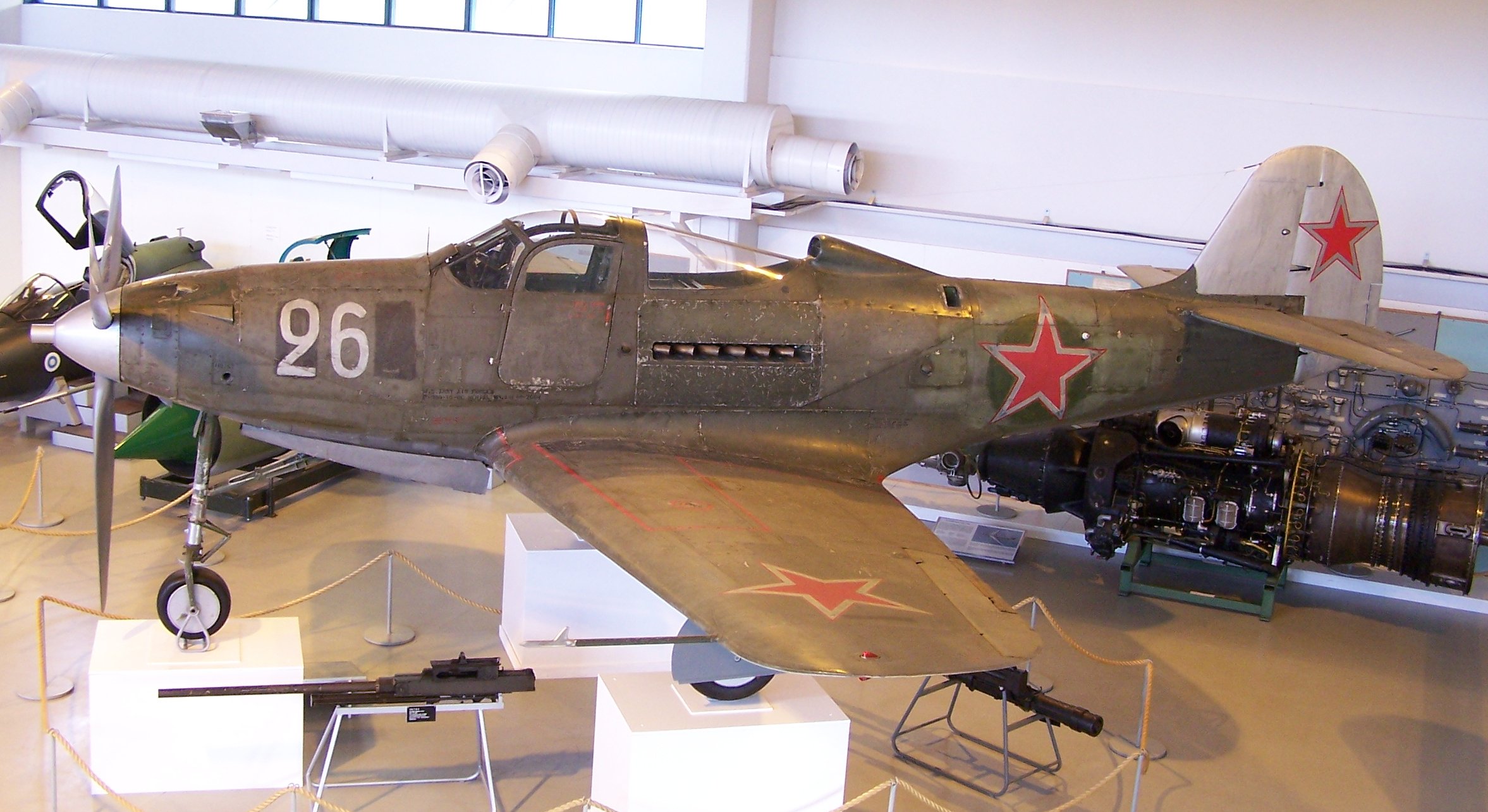
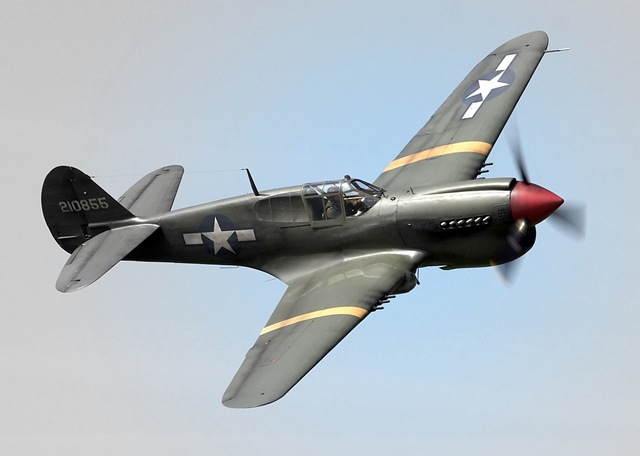
Just for comparison and to give you some idea of scale and context I thought it may be prudent to bring together a photograph of the P-39 and the CAD model, that are roughly shown from the same viewpoint.

p-39_airacobra_2006-06-15

2016-09-07_00-09-49

Ordinate Observations:

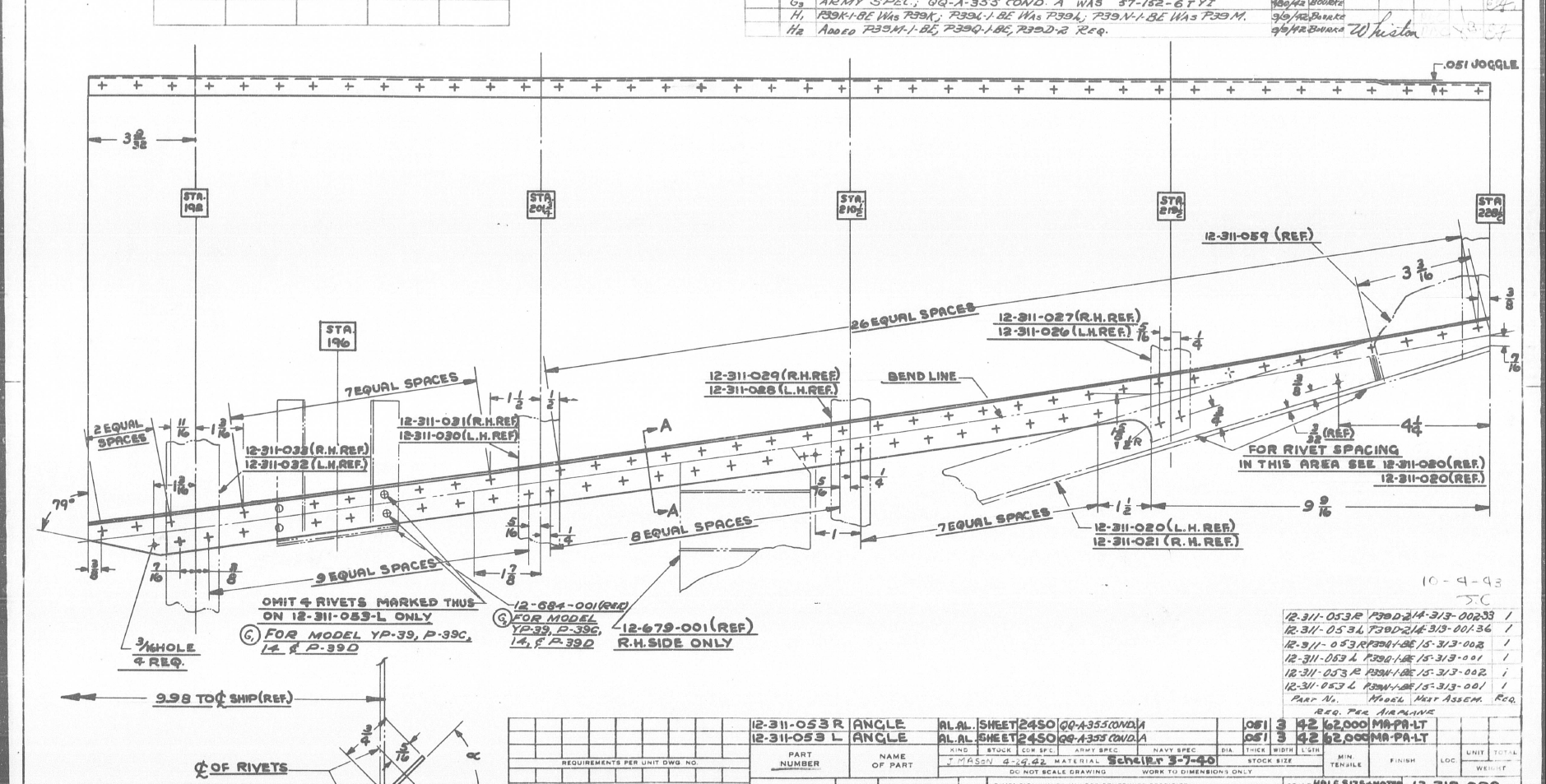
I mentioned before that we don’t have an ordinate plan for the P-39 as the main ordinates are incorporated within the Bell part drawings themselves. One of the key objectives for this project is to create an ordinate plan for the main fuselage to ensure that everything matches perfectly. Typically for all manufacturers of this era, the Bell drawings are accurate to 1/64 inch (0.4mm) in some cases but more generally dimensioned to only 2 decimal places of an inch that occasionally results in some minor alignment issues.

An example is as follows:

The upper structure for the cabin has ordinates setout for defining the contour of the main structure which overlaps the fuselage outrigger as shown. The fuselage outrigger profile does not quite match either the dimension nor the curvature in this instance.

If we look at the ordinates for each part; as stated on the original drawings; we can see the difference is exceptionally small although well within the manufacturing tolerances.

WL (waterline) 12: Cabin noted as 16.98in  –  Fuselage noted as 17.006in

WL (waterline) 16: Cabin noted as 16.26in  –  Fuselage noted as 16.286in

The difference is only 0.026in which equates to 0.6mm. Admittedly some ordinates are given to the outside of the skin, others are not and it’s tempting to suspect that the variation is due to this. The skin though is 0.04in almost twice the difference.

Working with CAD these variations are quite obvious and ideally need to be sorted otherwise we end up with all sorts of interferences with adjoining components. This makes it rather interesting and challenging in order to derive a satisfactory model.

In this example the curvature analysis shows this point close to being negative curvature in the left image based on the ordinate value of 12.88in. We know that this dimension is a decimal equivalent of 12 7/8 inches which at 3 decimal places gives us 12.875.

Changing the value thus to 12.875in smoothes the curve in line with expectations.

The majority of the Bell P-39 drawing dimensions are in fact very accurate, with the first example above being the exception rather the rule. This is an update of the ordinate developments for the fuselage which is derived from multiple part drawings.

p-39-airacobra-fuselage-ordinates

Bell P-39 Airacobra Blueprint

The Bell P-39 Airacobra archive of drawings is very comprehensive, comprising in excess of 10,000 good quality drawings. Probably one of the better quality archives available, for further details send me an email to HughTechnotes@gmail.com

Update: Mustang P-51 Project & Operation Ark

Update: Mustang P-51 Project & Operation Ark

The Mustang P-51 project is on hold whilst we review the CAD systems we will use for Operation Ark. To date we have utilized both the Autodesk Inventor & the Dassault Solidworks for our projects and research. We have another contender for the project which is Solidedge, until recently this was not a viable option but the latest version ST8 exhibits many of the features we would need.

Operation Ark will be a long term project requiring many man hours of work to research and build literally thousands of models, so it makes no sense to have different CAD products for this project. There is also a cost consideration as the project will rely entirely on goodwill and donations to support our efforts and assist with  CAD software.

Collaboration technologies and access to rendering farms for final processing of the CAD data are also key considerations. We have received offers of support from a few fellow enthusiasts to help with the Cad model developments and rendering; the latter being from Bilby…thank you very much for your support. Some comments from fellow enthusiasts:

From Alan “I love your Operation Ark initiative, and would be more than willing to play a role in any capacity.”

From John; “ARK is an extremely important project and I congratulate you on your vision.”

From Beaufort: “…I am really impressed with what you do and I can see that massive amount of time that you put into it. I also love the design specifics of these aircraft…”

Operation Ark Project Status:

Lockheed_Vega_5

This project is attracting a lot of attention, with many positive responses as noted including suggestions of alternative aircraft for consideration. One of which is the Lockheed Vega , which is a unique aircraft and was; in many respects; ahead of its time.

This is actually a good example for Operation Ark as the only remaining examples are located in the USA with only one flight worthy example, though further research would suggest that number could well be 2. The location alone excludes a large number of enthusiasts from actually ever seeing one either as a static exhibit or in flight!

That is part of what Operation Ark is about, removing geographic constraints and bringing access to everyone; the complete aircraft with everything modeled right down to the nuts and bolts. An exact replica in 3D that can be interrogated online as assembled or as individual components. We are also contemplating extending this to include additive or 3d printing technologies to build a half size replica, making the parts available to interested parties.

WEB11667-2010pBut this is only one of the aircraft being considered and whilst a likely candidate for selection; specifically as we have access to the manufactures drawings; our preference would be for one that does not exist or has only 1 example in existence like the Ta152.

The project though is entirely dependent on the availability of the original manufacturers drawings and specifications, which is our current priority!

Even when we do have access to materials they first have to be evaluated, which incurs a cost for scanning of microfilm archives and then reviewed for completeness. This process is rather costly but ensures that we don’t commit to a particular aircraft that we can only partially build. Usually where we have incomplete datasets we will endeavor to source the missing data elsewhere before we actually exclude the aircraft from selection.

All the research and work published here to date has been done voluntarily in the hope that it will help other enthusiasts.

Curtiss P-40 Kittyhawk/Warhawk

Curtiss P-40 Kittyhawk/Warhawk; the stuff of legends! flown by the infamous Flying Tigers and a remarkable if somewhat underrated aircraft.This is probably my all time favourite aircraft – perhaps influenced by the model I got when I was kid – which of course resplendent with ferocious sharks teeth really stirred the imagination of a young lad.

3902280811_6d029e71ac_o 4105135636_dbd0685269_o
I have in my archive several reels of scans for this aircraft, which I still have to review and document before I can start any meaningful research and development project. All my research projects are based on original manufacturers material, including manuals and specifications.

Historical Aircraft Manufacturers Drawings:

Today with the introduction of computers and CAD design/draughting systems we take it for granted to be able to print pristine copies of the CAD drawings on demand with every copy being of excellent quality.

Up until the late 1980s in fact even into the early 1990s manual draughting on a drawing board was the mechanism by which we developed manufacturing and design drawings.

In consideration of some comments I have read on newsgroups I thought it may be prudent to cover some aspects on the working life of a typical manual drawing, something that is often not fully understood. Through the course of a typical project development; particularly with aircraft; details do change – you just need to look at some of the more common aircraft and see how many variations there is. For every variant and modification usually existing drawings will be updated and new ones created only when required which eventually impacts the quality of the original drawing sheet due to continuous reuse. The luxury of redrawing is not practical in terms of cost and meeting time line objectives….as long as the drawing remains legible it will be reused.

Manual draughting by definition is very different from what we do with CAD drawings – for a start you are working on one drawing sheet at a time, more recently a transparent sheet specially formulated for the purpose. Before you even start the drawing you need to know exactly how it is going to be laid out and where everything will be detailed, because you are only going to do this once – a real skill that would present a real challenge to anyone that has only ever used CAD systems. Reusing the drawing; as mentioned above; for updating design and specifications often required erasing of details and reworking the original drawing – which if you have not tried it, it is not an easy task.

The comments I refer to are from those that complain that copies of original blueprints/drawings currently available from various sources are of suspect quality !!!!

8-109.000 G-2 Flugzeug Zuss 2

Now lets just think about this for one minute – a lot of drawings were done in wartime conditions, manufacturing design changes were often rushed through the system, there was no such thing as CAD as well as the fact they were originally created over 70 years ago!!

Also bear in mind that in a lot of cases the only existing records of the original manufacturers drawings are microfilm records. Copy film or microfilm during the war years and beyond into mid 20th century was not a stable product for long term archiving which is one reason why organisations spend substantial amounts of money every year restoring these original films and rerecording onto more stable substrate. One other point worth noting is that when the original microfilm records were created they did not always have access to the original drawing sheets and accordingly may only have had workshop paper copies to record the data from…which of course is not ideal but nevertheless we should be thankful to have any records at all.

Factor in the fact that often microfilm recording was done in bulk and the operator may not have given the project 100% attention then it stands to reason that a percentage of records will not be clear and pristine!!

Plus even today cost saving is a prime incentive and often scans from microfilm records will be done in only B&W colour space and not Grayscale. Considering all the above and probably a whole plethora of stuff I have not mentioned then perhaps you can begin to understand why a small percentage of pre-war and wartime blueprints/drawings are not quite up to “standard”.

So the next time someone feels inclined to complain about the quality of historical drawing archive material please think about it for a moment before you post comments.

Finally it is worth noting that some enthusiasts like myself are making available Cad drawings (2d&3d) created from some of the less legible material to help others with their projects. This work incidentally is unpaid and countless hours are expended in the necessary research required to develop this material.