Technote: P-47 Canopy Contour Lines:
In a previous post, I discussed a minor discrepancy at the intersection of the canopy contour lines and the fuselage contours. This discrepancy is quite small, measuring around 0.3 mm, which is generally considered an acceptable tolerance. The purpose of these CAD/Ordinate studies is to provide the most accurate dimensional record for the various aircraft currently available, so it is crucial to ensure that these measurements are correct. However we must first understand design intent and check that the canopy contour ordinates are designed to match the fuselage contours.
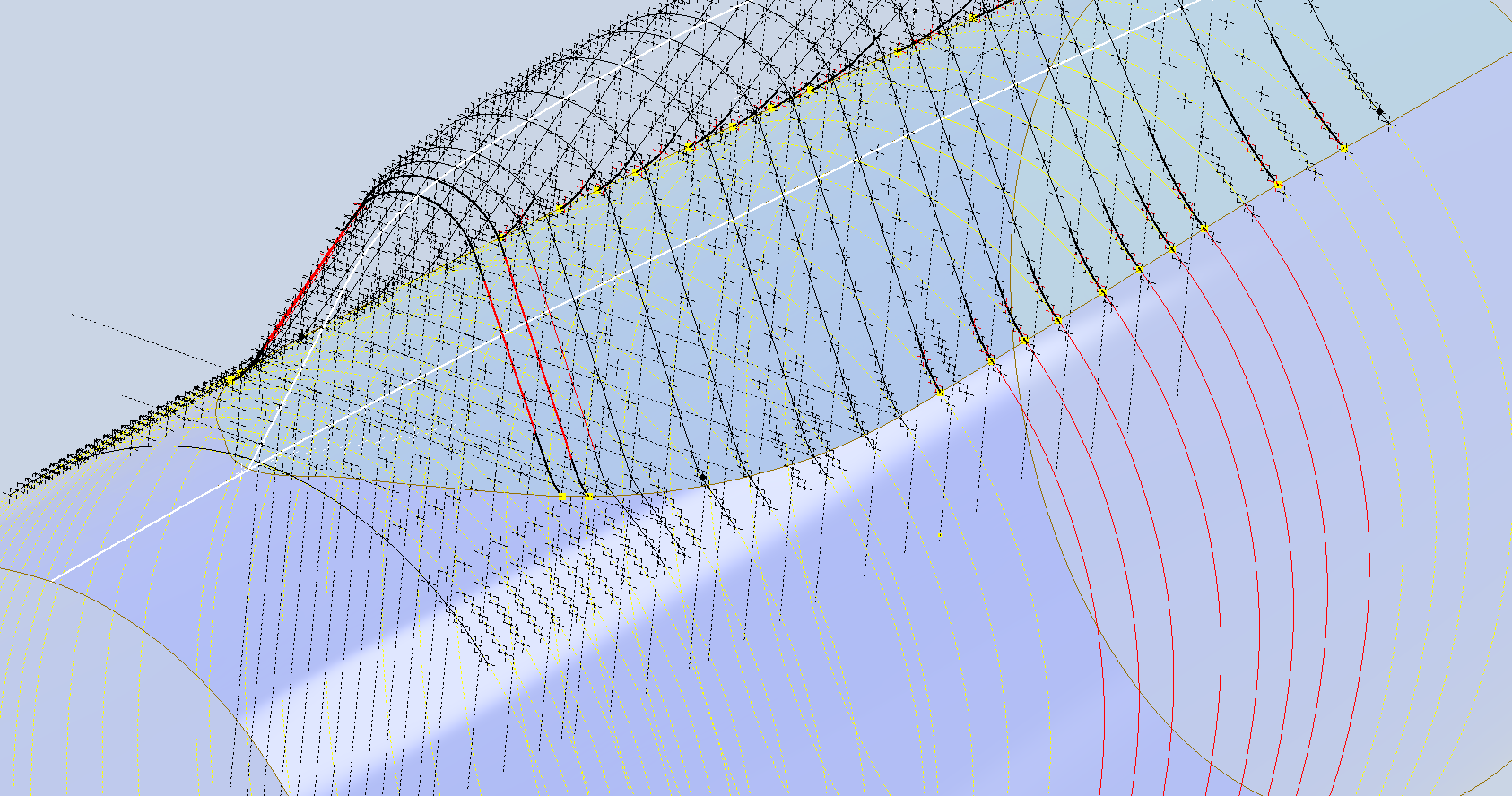
Depending on the aircraft manufacturer, the canopy contour lines may not align exactly with the fuselage because the canopy surface is typically offset from the fuselage surface, which is reflected in the information provided. For the P-47 you can see the ordinate points are an exact match with coincident curves from the fuselage surface therefore the tangent line is actually defined by the intersection between the canopy contours and the fuselage contours.
Initially, when I started this study, I profiled all the ordinate points for the canopy and compared this with the fuselage surface, revealing a minor discrepancy. The thing is we don’t have to fully connect all the coordinate points for the canopy, just the points above the intersection line.


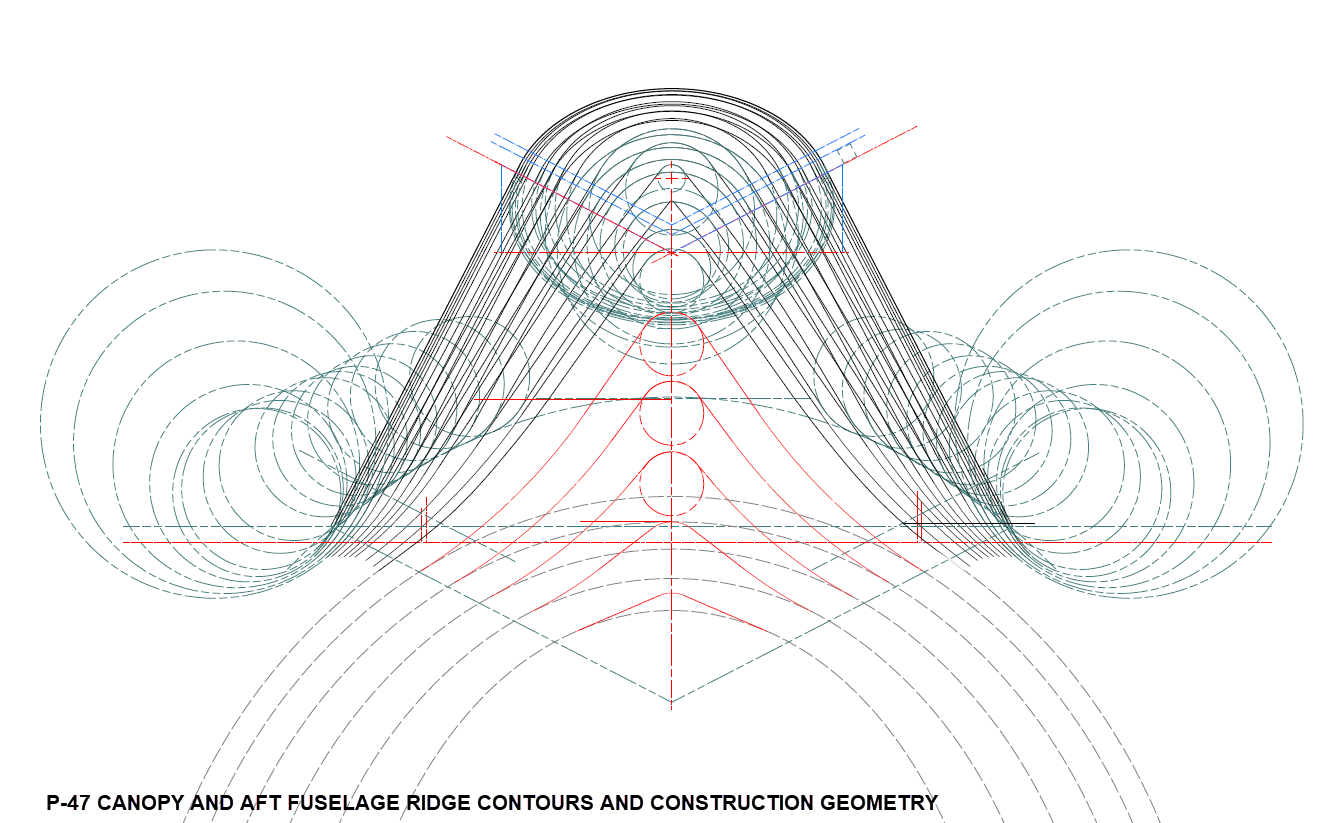
First, we need to define the actual definition of this intersection on the fuselage surface which will be transposed to the canopy model. We take the vertical dimensions from the fuselage centre as defined on the canopy ordinate drawing #89F11456 and create a sketch which will be lofted to split the fuselage surface. On the second image above you will notice a number of prominent points on the upper curve profiles. These ordinates are not shown on the early P-47D drawing but are shown the on the later P-47D and P-47N ordinate layouts.
Initially, I opted for a tangent spline curve to complete the main circular profile of the fuselage bulkheads as per the ordinate drawing thinking that the relevance to the finished profile was nonessential. However when I compared the first run of the canopy and fuselage alignment studies I found that it was necessary to include those additional ordinates which are now included in the spreadsheet record.
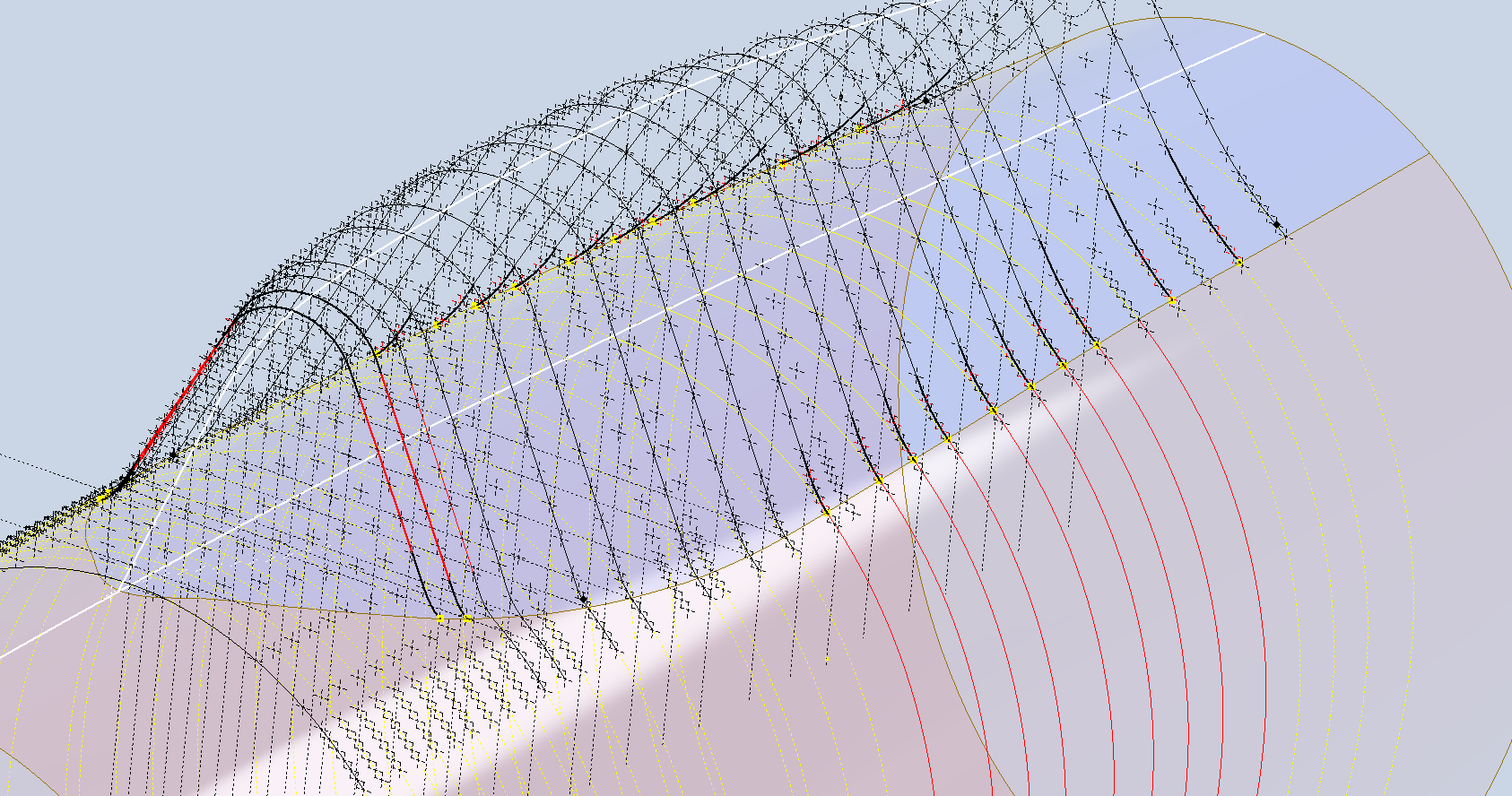
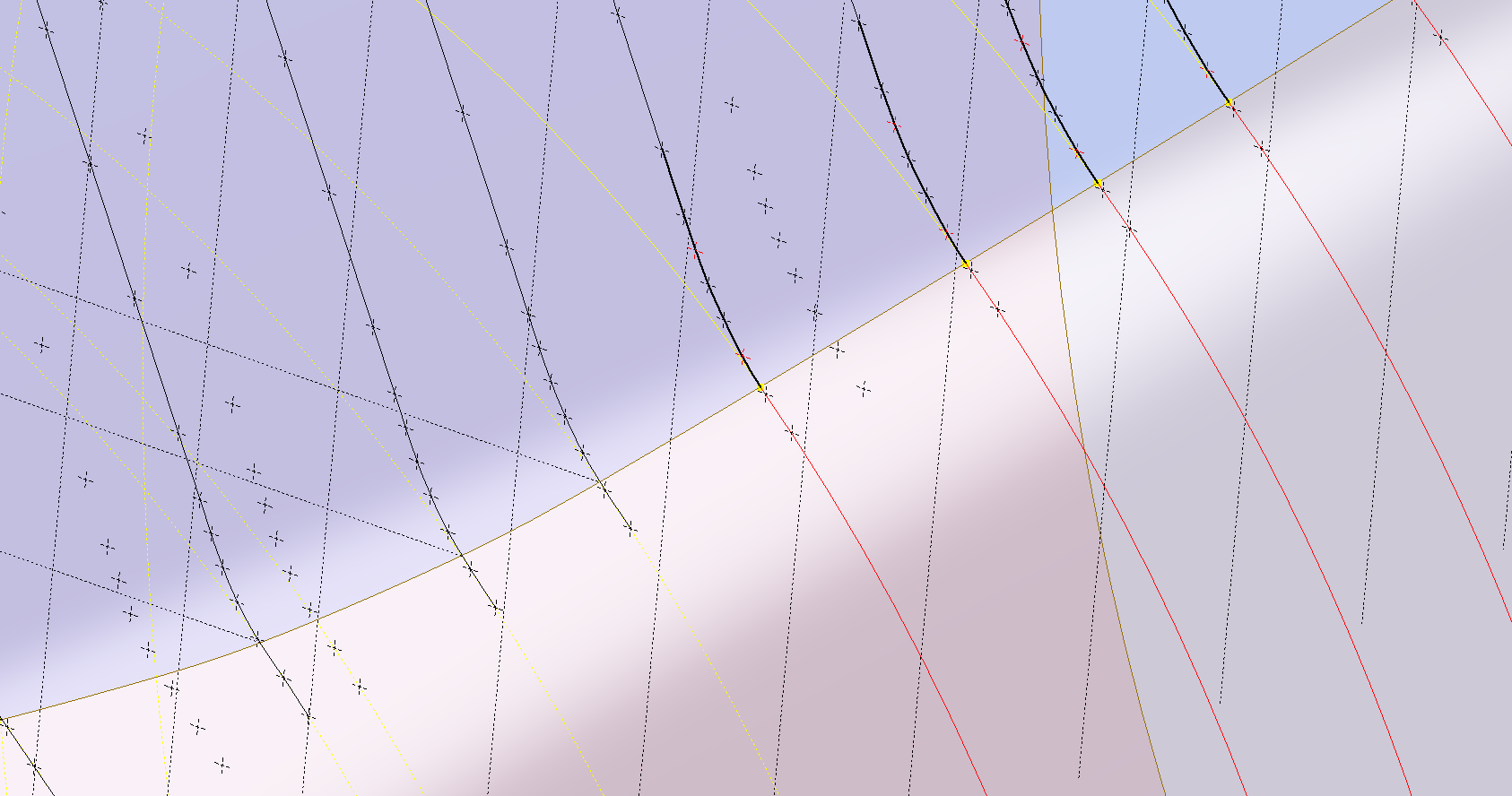
These images show I have opted to correct the minor discrepancy by only profiling the canopy to the actual intersection line. I should note the Canopy and Fuselage are separate CAD models which means I can derive the surface from the fuselage model and manipulate it as required in the canopy model without affecting the original. For each canopy station, I projected a section thru the fuselage surface which gave me a spline to which I could add a tangent constraint when profiling the canopy lines. The images show the initial interpretation of the canopy profiles and the corrected profile in red (construction geometry omitted for clarity).
Tech Tip: if we had instead derived the station sketches from the fuselage model and then projected this in the canopy frame sketches as an outline we would not be able to add a tangent constraint. This is a limitation with Autodesk Inventor when working with splines and the workaround is to project a surface cut section as I have done above.
For each canopy station, I am only sketching the ordinates down to the intersection line with the fuselage and adding a tangent constraint to the projected fuselage profile curve. Because we split the fuselage surface we will have a point at the split that we can use in the profiling of the canopy frames.
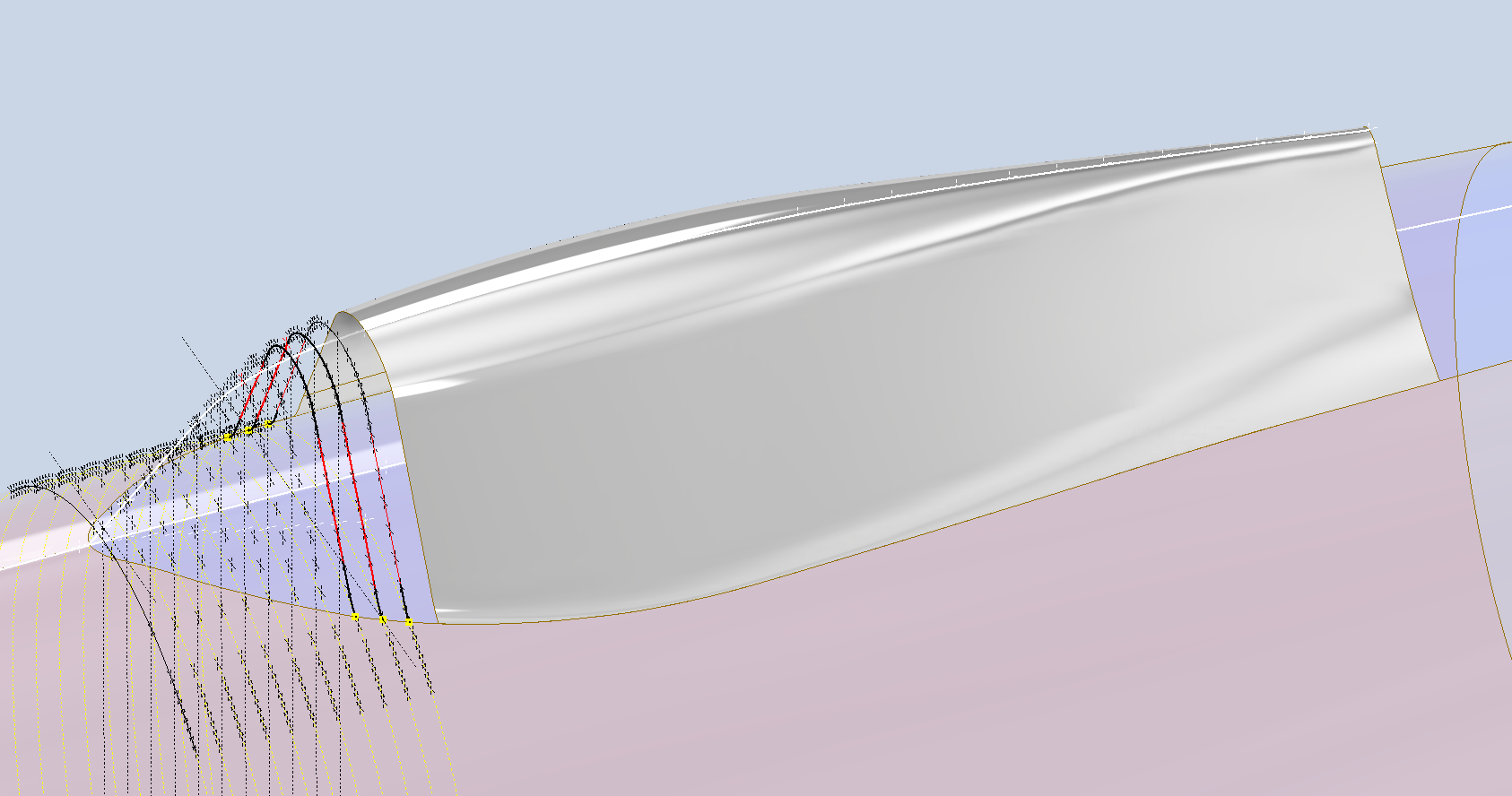
The actual skirt for the canopy obviously overlaps the fuselage surface and therefore we will have to define the edge relative to the tangent intersection line. As mentioned before we can manipulate the fuselage surface that is derived in the canopy model which means we can trim that to suit without impacting the fuselage model.
The tricky bit is ensuring that the edge of the skirt is exactly the same dimension from any point along the intersection line and this is how I do that.

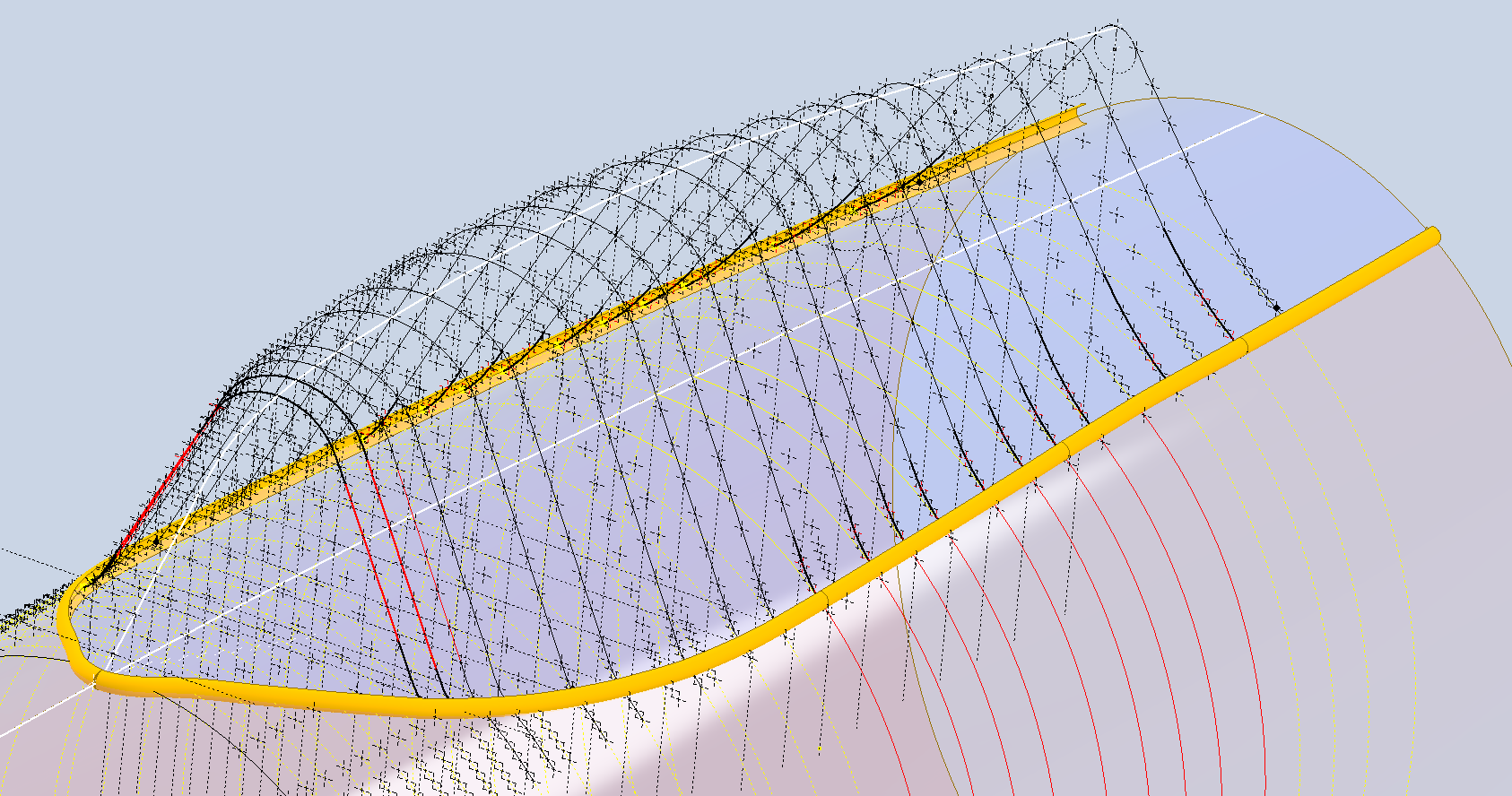
The first thing to do is create a work plane perpendicular to the intersection line and draw in a partial curve and then sweep this along the intersection line path. The reason for this being a partial curve and not a full circle is because there is a tight radius at the front edge of the canopy which may not be possible to traverse using the sweep command if this was full circle.
When this is done it is a simple exercise to trim the derived fuselage surface to obtain the skirt surface.
By creating a curved sketch and sweeping along a curved profile we ensure that at any point along this path, the distance to the resulting edge is exactly the same. A similar technique will be employed to develop the finished edge of the glass panel models.
I still have some work to do on the windscreen portion of the front canopy and then I will fully model the structural components.

 Aviation CAD TechNotes